In Short
- Technology risk management is a repeating cycle: identify, assess, treat, monitor and report.
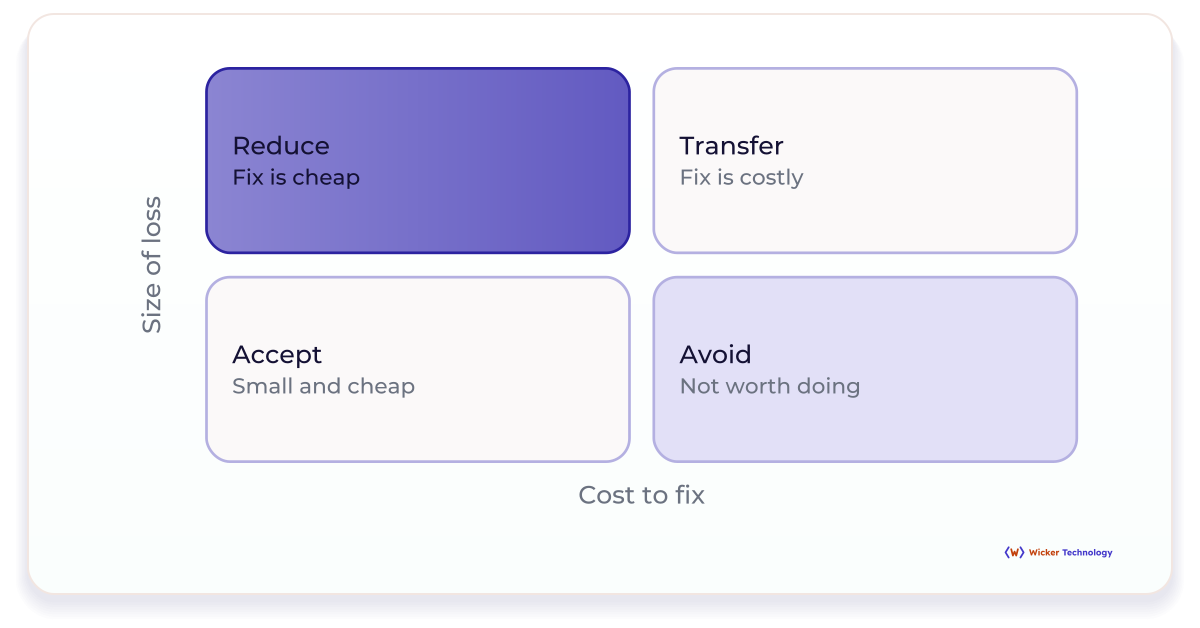
- Every risk needs an owner and a decision: reduce it, transfer it, accept it or avoid it.
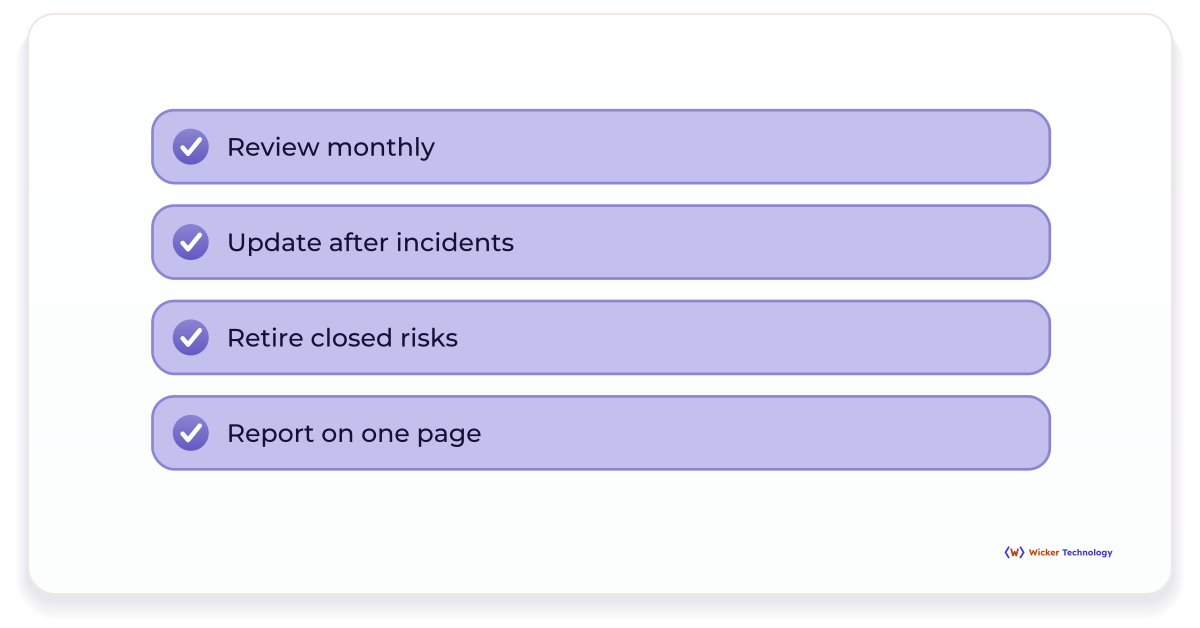
- A small register reviewed monthly beats a large framework reviewed once a year.
- Tools help once the register grows, but the scoring method and the ownership come first.
Every technology risk program starts with the same problem: people know about risks, but nobody has them in one place. A server that is out of support, a vendor with one engineer who knows the product, a backup that has never been restored. Each is manageable once it is written down and given an owner.
This guide explains how to run technology risk management in a way that survives past the first review. It draws on what I see in technology risk consulting work, where the programs that last are the simple ones.
What Technology Risk Management Covers
Technology risk is the chance that a system, vendor, project or decision interrupts the business or costs money you had not planned for. It has more sources than most teams expect.
| Risk area | Typical example | Who usually owns it |
|---|---|---|
| Operational | A core system fails and orders stop | Head of IT or system owner |
| Security | Stolen credentials or an unpatched server | Security lead |
| Vendor | A key supplier raises prices or closes a product | Vendor manager or procurement |
| Project | A migration overruns and leaves two systems running | Project sponsor |
| Lifecycle | Software passes its end-of-support date | Technical owner |
| People | One person holds all knowledge of a system | Department head |
The list shows why a security checklist is not enough. A company can have strong security and still be exposed to a vendor that disappears. A good register includes all six areas, even if some entries are short.
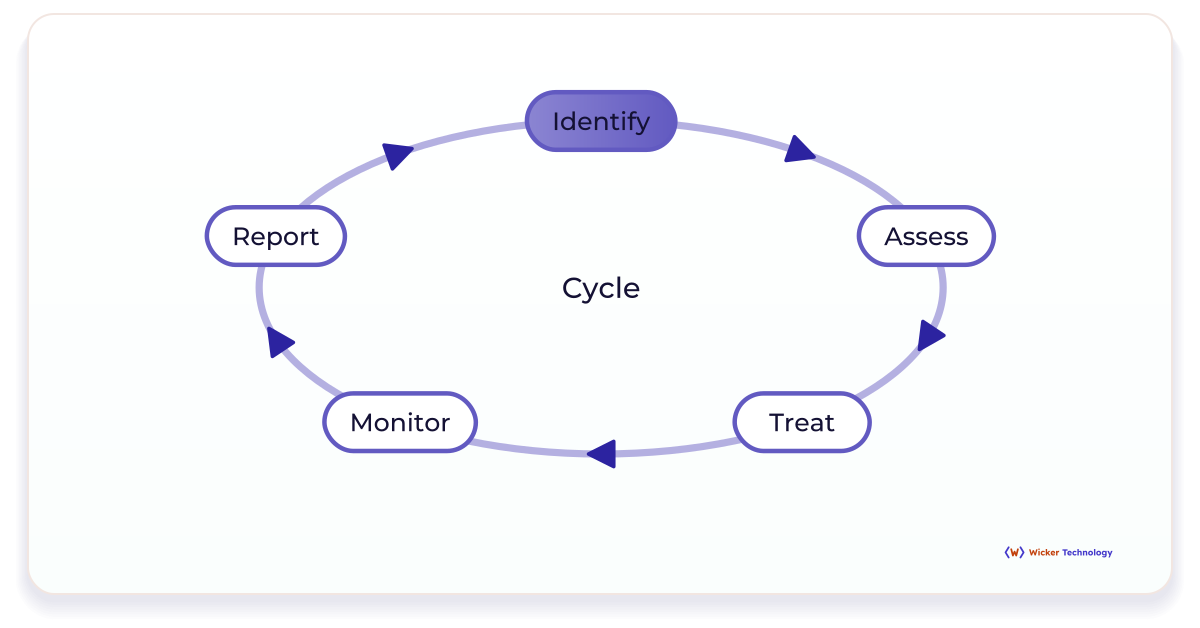
The Five-Step Cycle
Risk management is a loop. Each pass through it makes the register a little more accurate, which is why a simple cycle run monthly beats a complex one run yearly.
Identify
Collect risks from three sources: interviews with system owners, incident history and the list of projects in flight. Ask each owner one question: what would hurt most if it happened next month? Write each answer as a sentence that names the cause and the effect, such as "The billing database runs on a version that loses vendor support next June, so a failure could stop invoicing."
Assess
Score each risk for likelihood and impact on a one to five scale. Use plain definitions: impact 5 might mean more than a day of lost operations, impact 1 might mean a minor inconvenience. Multiply the two scores to get a ranking. The method is covered in my guide to a technology risk assessment, and the numbers matter less than applying the same scale to every risk.
Treat
For each risk above your line, choose one of four responses: reduce it with a fix, transfer it through a contract or insurance, accept it with sign-off or avoid it by stopping the activity. Write down the choice and the owner. Accepting a risk is legitimate, but it needs a name and a date for review.
Monitor
Track the status of each fix, and watch for changes that move a score: a new vendor, a new regulation, a system upgrade. A monthly review of the top ten risks takes 30 minutes when the register is clean.
Report
Send leadership one page: top risks, what changed, what was closed and what needs a decision. The page is also what auditors and insurers ask for first.
Choosing a Response to Each Risk
The four responses fit different situations. The table shows when each is the right choice, with an example.
| Response | Use it when | Example |
|---|---|---|
| Reduce | A fix costs less than the expected loss | Replace an unsupported server before its support ends |
| Transfer | Another party can carry the loss more cheaply | Cyber insurance or a contract clause for vendor outages |
| Accept | The cost to fix is higher than the loss, or the risk is small | Keep an old internal tool that only three people use |
| Avoid | The activity is not worth the exposure | Stop storing data you do not need |
In my experience, teams overuse reduce and underuse accept. A risk register where every item has a fix attached becomes a second to-do list and loses credibility. Accepting low risks on purpose frees your time for the few that matter.
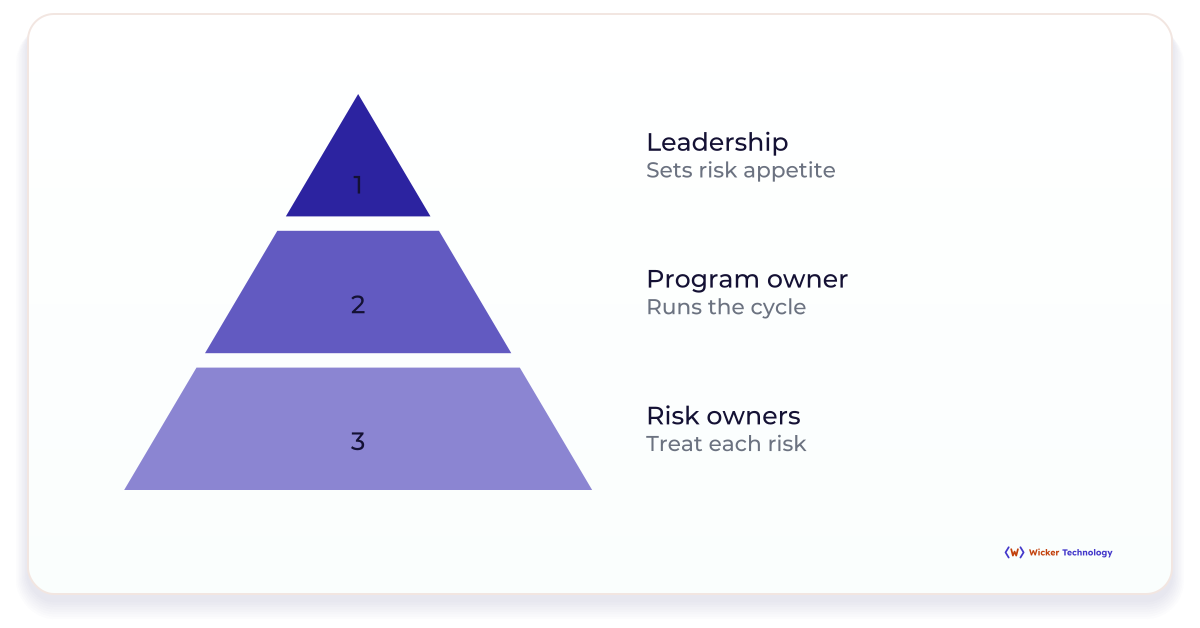
Who Does What
Technology risk fails when it belongs to everyone, so give each role a short description. The program owner runs the cycle and the register. Risk owners answer for their risks and update them. Leadership sets the risk appetite and decides on accepted risks. Internal audit or an outside adviser reviews the program once a year.
In smaller companies, one person can hold the first two roles. The rule that matters is that no risk has two owners and none has zero. If your team is still shaping the structure, my technology risk framework shows how the roles and the scoring fit together.
When Tools Help
A shared spreadsheet is enough for the first six months. Software starts to pay off when many owners update risks, when you must link risks to controls and evidence, or when auditors ask for a history of every change. At that point, a GRC or compliance tool saves hours each month, and my ranking of IT risk management software compares the options. The cost is real, so use one only when the pain justifies it.
Habits That Keep the Program Alive
The programs I see last share five habits. They keep the register short enough to read. They hold a fixed monthly review. They tie risks to real events, such as a project start or a vendor renewal. They report one page to leadership. And they close risks visibly, because closing items builds trust more than adding them.
Avoid the opposite pattern: a long register, a yearly workshop and a report nobody reads. It feels thorough and changes nothing. Looking at technology risk examples from real organizations shows what changes behavior and what does not.
A Worked Example: Scoring Three Risks
Scoring feels abstract until you do it. Take a 200-person distribution company and three risks from its first workshop. Likelihood and impact use a one to five scale, and the score is the two multiplied.
| Risk | Likelihood | Impact | Score | Response |
|---|---|---|---|---|
| The warehouse system runs on a version that loses support in nine months | 4 | 4 | 16 | Reduce: upgrade in the next budget cycle |
| One engineer knows how the carrier integration works | 3 | 4 | 12 | Reduce: document it and train a second person |
| The old intranet is used by about ten people | 2 | 1 | 2 | Accept: review in a year |
The first risk wins the budget and the third does not, which is the point. The second is the one teams often miss, because it never shows up in a monitoring tool. It appears only when someone asks who else knows how the system works. When I run this exercise, the key-person risks tend to surprise leadership most, and they usually cost the least to fix.
Notice that the scores are rough. Nobody can prove a likelihood of four. What counts is that the same scale applied to every risk produces a ranking people can argue with. If the ranking looks wrong, change the score and write down why. That note becomes part of the history an auditor reads later.
Mistakes I See in the First Year
The first mistake is trying to cover everything. Teams build a register of 300 items in the first month, and by the third month nobody can tell which ones matter. Start with the top 20 and add only when a project or an incident calls for it.
The second is separating risk from the people who run systems. If risk work happens in a committee that never talks to the engineers, the register describes an imaginary company. Interview owners, and ask for the incidents they remember from the past two years. Those stories are the best source of real risks.
The third is scoring once and never again. A risk changes when a vendor is bought, a system is migrated or a team member leaves. Tie re-scoring to those events, and the register stays honest without extra meetings. The fourth is hiding accepted risks. Put them in the register with a sign-off and a review date, so a later incident does not look like a surprise.
Deciding How Much Risk Is Acceptable
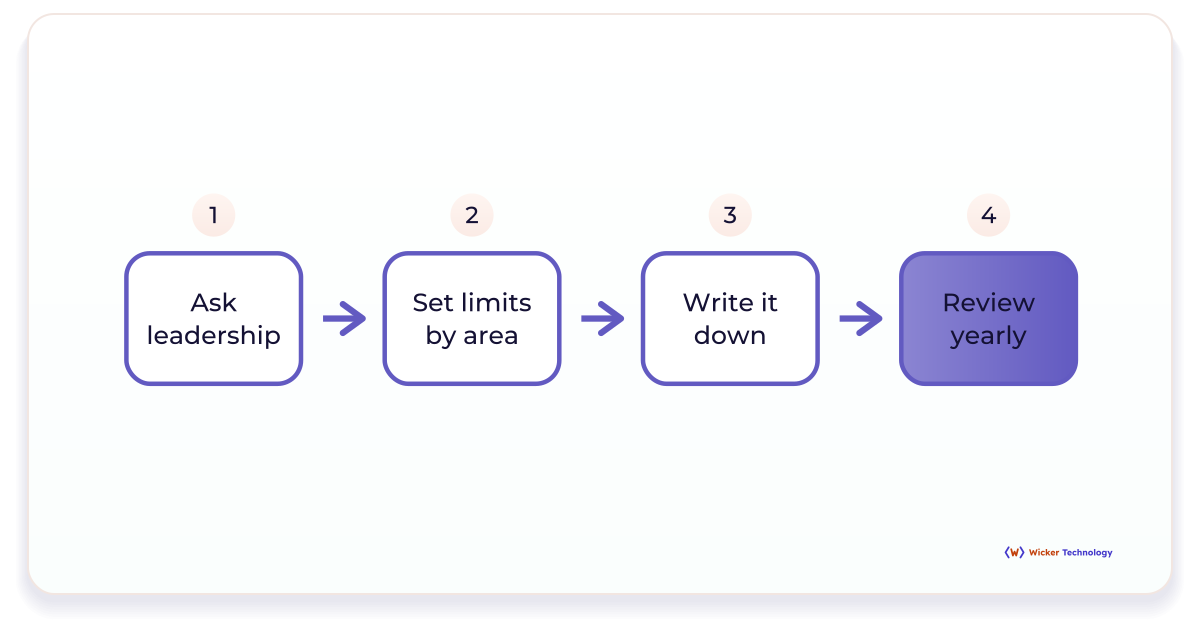
Every program needs a line between risks you fix and risks you live with. Leadership sets that line, and it helps to put it in business terms. A sentence such as "no core system is down for more than four hours" is easier to apply than a score threshold, because everyone can imagine the outage.
Start by asking leadership three questions. How long can the business run without each critical system? What is the most money you would accept losing to one incident? Which data would be unacceptable to lose or expose? The answers become the appetite statement. Review it yearly, and whenever the business changes, since a new product line or a new site shifts what counts as unacceptable.
Where Should You Begin?
If you have no program, start with the ten systems the business cannot run without. If you have a register that nobody updates, start with a monthly review and cut the list to its top 20. If you have a mature register, test it through an independent review, as in my guide to a technology risk audit. Before you begin, check these four points:
- A named program owner with an hour a week
- A simple one to five scale for likelihood and impact, written on one page
- A list of the ten most important systems and their owners
- A calendar slot for the first monthly review
Questions About Running Technology Risk Management
What Is Technology Risk Management?
It is the ongoing work of finding what could go wrong with your systems, vendors and projects, judging how likely and how costly it is, and deciding what to do about it. The word ongoing matters: it is a cycle you repeat, not a one-time review.
How Is It Different from Cybersecurity?
Cybersecurity is one part of technology risk. The wider scope also covers outdated platforms, vendor failure, weak recovery plans, failed projects and key-person gaps. A security team usually owns the first, and a technology owner needs the full picture.
Who Should Own Technology Risk?
Each risk gets its own owner, usually the person responsible for the system. One person, often the head of IT or a risk manager, owns the program as a whole and runs the review.
How Often Should We Review Risks?
Review the top risks every month and the whole register every quarter. Add new risks when a project starts, a vendor changes or an incident happens.
Do We Need a GRC Tool?
Not at first. A spreadsheet handles a register of 50 to 100 risks. When many people update it and auditors ask for history, software helps, and my comparison of <a href="/it-risk-management-software/">IT risk management software</a> covers the main options.
What Is an Acceptable Level of Risk?
That is a business decision, set by leadership. Define it in terms the business understands, such as how many hours of downtime a core system can tolerate, and use it as the line for what must be fixed.
How Do We Start If We Have Nothing?
List your ten most important systems, write down what could go wrong with each and score the risks on a simple one to five scale. You have a first register in an afternoon, and you can improve it each month.
Important: nothing in this article is legal, financial or tax advice. All figures are estimates from typical projects, so verify them with your own providers and advisers.
Was this useful?
We appreciate the feedback.
Paige Mulvaney
Paige leads the Wicker editorial team and works with the consultants who run the roadmaps, software selections, implementations and integrations to turn real client projects into practical guides. Her focus is plain-language advice on IT strategy, choosing business software and connecting systems so they work together. Every article she edits is checked against current vendor pricing and documentation before it is published.