In Short
- The most common technology risks are ordinary: unsupported software, untested backups, single vendors and single people.
- Each example has a fix that costs far less than the incident it prevents.
- Check which examples apply to you by asking one question per system: what happens if this is gone on Monday?
- Start with risks that combine high impact with a cheap fix, such as restore tests and owner lists.
Technology risk rarely looks dramatic in advance. It looks like a server nobody wants to touch, a vendor that has always been fine or a script that one person understands. The examples below come from my work with healthcare, logistics, retail and professional services organizations, with details changed. Each shows a risk, what moved it and the steps you can copy.
If you want help seeing where these apply to you, my technology risk consulting work starts with the same questions. First, though, here is how the twelve examples group.
How the 12 Examples Group
| Group | Examples | Typical cost to fix |
|---|---|---|
| Lifecycle and recovery | 1, 2, 11 | Days of effort plus budget for upgrades |
| Vendors and contracts | 3, 10 | Hours of review and a test export |
| People and access | 4, 6 | Training time and a password manager |
| Sprawl and integration | 5, 7, 9, 12 | Weeks of cleanup and some tooling |
| Projects | 8 | A monthly review |
The first group contains the risks with the highest impact and the cheapest fixes. If you can do only three things, I suggest a restore test, an owner list and a support-date calendar. Together they take a few days and uncover most of what is waiting to go wrong.
12 Technology Risk Examples and the Fixes That Worked
For each example you get the situation, the change that made a difference and the steps. The numbers are from my own projects and rounded, so use them as guides and check them against your own situation.
Software Past End of Support
A manufacturer I worked with ran its order system on a database version that lost vendor support two years earlier. Nothing had failed, so nobody saw a reason to move. The risk was that a security flaw or a crash would leave no patch and no vendor help.
The fix was a dated project: list every system with its support end date, flag anything within 18 months and fund the upgrades in the budget cycle. The old system moved in a planned weekend, not during an emergency.
How the fix works
- Export versions of operating systems, databases and key applications.
- Look up the vendor support end dates.
- Sort by date and flag anything within 18 months.
- Assign an owner and a target quarter to each flagged system.
- Add the work to the roadmap and the budget.
Tools for lifecycle tracking
A spreadsheet with vendor lifecycle pages is enough to start. Asset discovery tools find versions across your estate automatically.
Backups That Were Never Restored
A professional services firm had nightly backups for years. When a restore was finally attempted after a ransomware scare, the process took four days, not the four hours leadership assumed, because the data and the instructions lived in different places.
The change was small: a quarterly restore test of one important system, timed and written up. After two tests, the team cut recovery time to half a day and found two missing configuration files.
How the restore test runs
- Pick one critical system for the first test.
- Restore it into a separate environment.
- Time every step and record what was missing.
- Fix the gaps and write a short recovery guide.
- Repeat each quarter with a different system.
What you need
A spare environment and a written checklist are enough. Backup tools often include test restore features worth using.
One Vendor, No Exit Plan
A clinic group depended on one scheduling vendor for all bookings. A price rise of 40% at renewal left it with little leverage, because moving would take months and nobody had checked how to export the data.
The group requested a full data export, tested it and documented the steps to move to another product. At the next renewal, it negotiated a smaller increase because it could credibly leave.
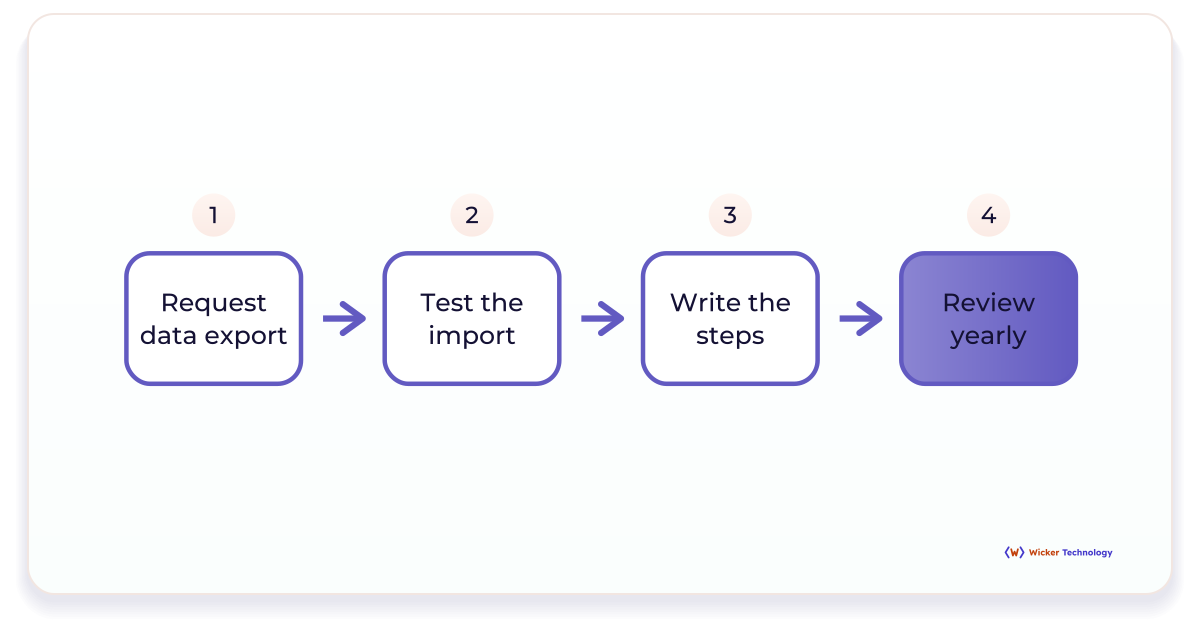
How to build an exit plan
- List vendors that hold critical data or processes.
- Check contract terms for data export and notice periods.
- Request a full export and test that it opens.
- Write a one-page exit outline with a rough time and cost.
- Review it at each renewal.
Where to start
Contract copies and a test export are enough. Vendor management tools help once you track dozens of suppliers.
Knowledge Held by One Person
A logistics company ran its carrier integrations through scripts written by one developer. When he left, nobody could change a rate table or fix a failed job, and deliveries slowed for three weeks.
The company now asks every owner who else can run each critical system. Where the answer is nobody, a second person shadows the first for two sessions and the key steps go into a short runbook.
How to spread the knowledge
- List critical systems and the people who run them.
- Identify those with a single knowledgeable person.
- Schedule two shadowing sessions with a second person.
- Write a short runbook for routine tasks and failures.
- Review the list twice a year.
Supporting tools
A shared wiki or document is enough. Screen recordings of routine tasks add useful detail without much effort.
Shadow IT and Unowned Software
Departments buy software on company cards. In one review I helped with, a mid-sized business found 31 tools nobody in IT knew about, three of which held customer data without a contract review.
The company did not ban purchases. It added a simple intake form: tell IT what you bought and why, and IT checks security, overlap and ownership within a week. Within two quarters, most departments used it voluntarily.
How to bring it into view
- Review card statements and expense reports for software spend.
- Check single sign-on logs for unknown applications.
- Contact each department to learn what the tools do.
- Add each tool to the register with an owner.
- Launch a lightweight intake form.
How to find the tools
Finance records and single sign-on logs reveal most of them. SaaS management tools automate the discovery.
Credentials Shared and Never Rotated
A small agency used one shared login for several marketing platforms. Staff came and went, and the password had not changed in four years. A former contractor still had access.
The fix started with an inventory of shared accounts. Each got an owner, a password manager entry and a rotation date, and people received individual accounts wherever the platform allowed it.
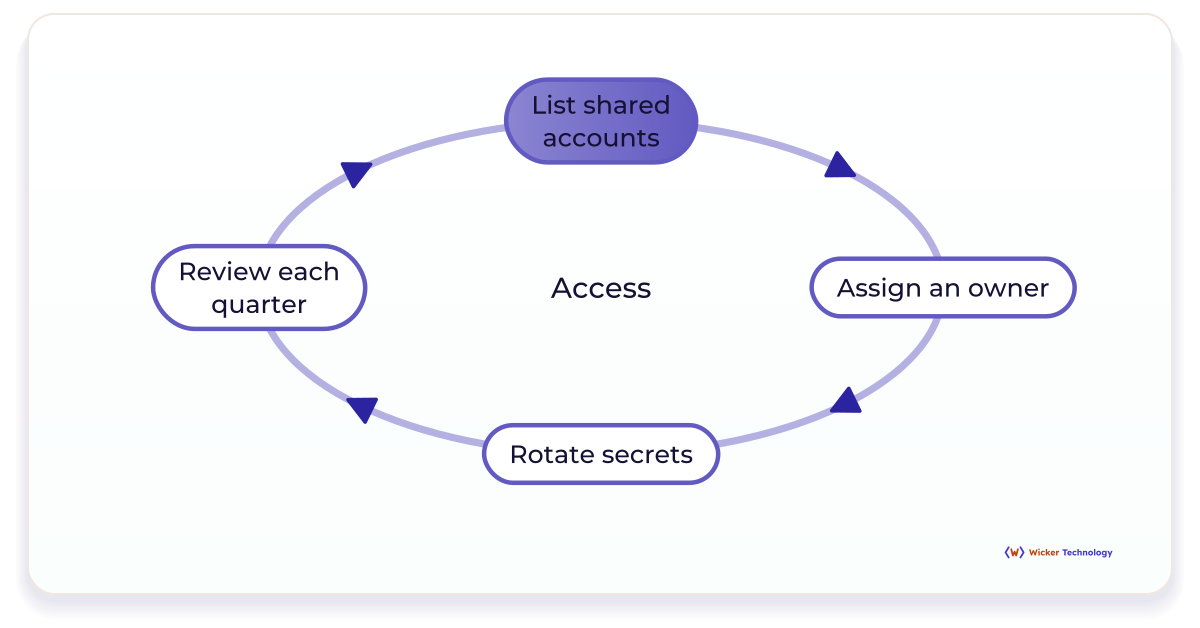
How to clean it up
- Find shared accounts across your tools.
- Move each into a password manager.
- Replace shared logins with named accounts where possible.
- Rotate credentials and remove former users.
- Set an access review every quarter.
Tools that help
A business password manager and single sign-on cover most of it. The quarterly review is the habit that keeps it clean.
A Migration That Left Two Systems Running
A retailer moved to a new inventory system in stages. Eighteen months later, both systems still ran, and staff manually reconciled them each week because the cut-over plan never covered returns.
The company froze scope, listed every process the old system still handled and set a date to retire it. A rule was added to every project: the plan must name the date the old system is switched off.
How to finish the move
- List what the old system still does.
- Decide who owns each remaining process.
- Build or buy what is missing.
- Set a switch-off date and communicate it.
- Close the old contract once data is archived.
Tracking the work
A simple checklist per process works well. Project tools can hold the dates and owners.
Projects Drifting Without a Risk Check
A large rollout in a health network ran 30% over its original timeline before leadership saw the problem. Status reports said green, because the measures only tracked tasks completed, not risks.
The network added a monthly risk review to every major project. The sponsor reads a one-page list of top risks, and any project with two risks above the appetite line triggers a short review.
How to keep projects honest
- Add a risk section to the project status report.
- List the top five risks and an owner for each.
- Score them on the same scale as the main register.
- Escalate projects with two high risks.
- Close the risks at project handover.
Tools for project risk
Most project tools include a risk log. A shared page with the same scale as your main register works too.
Integrations Held Together by Scripts
A distributor connected its warehouse and accounting systems with scripts on one server. When the server failed, orders stopped syncing, and nobody knew which files had been processed.
The company listed each integration with an owner, a failure alert and a documented rerun process. The most fragile ones moved onto a managed integration platform.
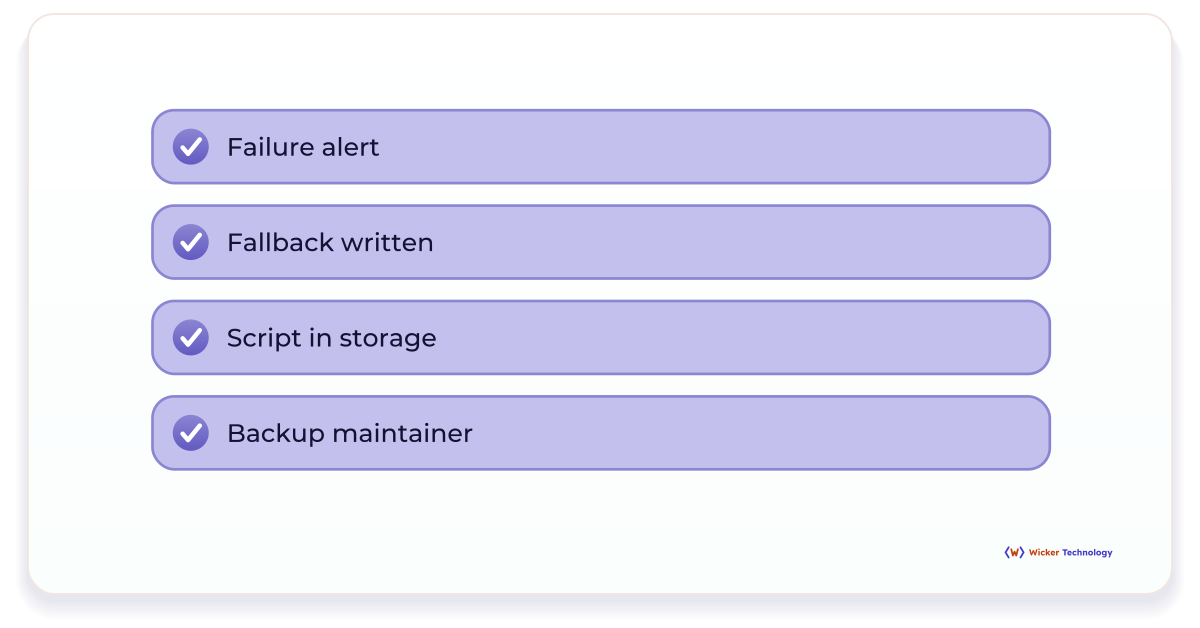
How to harden them
- List every integration and where it runs.
- Name an owner for each.
- Add an alert when an integration fails.
- Document how to rerun it safely.
- Move the riskiest ones to managed tooling.
What to use
Monitoring with alerts costs little. Integration platforms help when scripts multiply.
Contract Auto-Renewals
A software company found it had renewed three annual tools it no longer used, at a total cost it described as larger than expected. The notice periods had been 60 days, and nobody tracked them.
A renewal calendar solved it. Each contract has an owner and a reminder 120 days before the notice deadline, which gives time to renegotiate or leave.
How to stay ahead of renewals
- Collect contracts and log end dates and notice periods.
- Set reminders 120 days before each deadline.
- Assign an owner for each contract.
- Review usage before each renewal.
- Record the decision.
Tools for the calendar
A shared calendar works at first. Contract management tools help when you have many agreements.
Unclear Incident Response
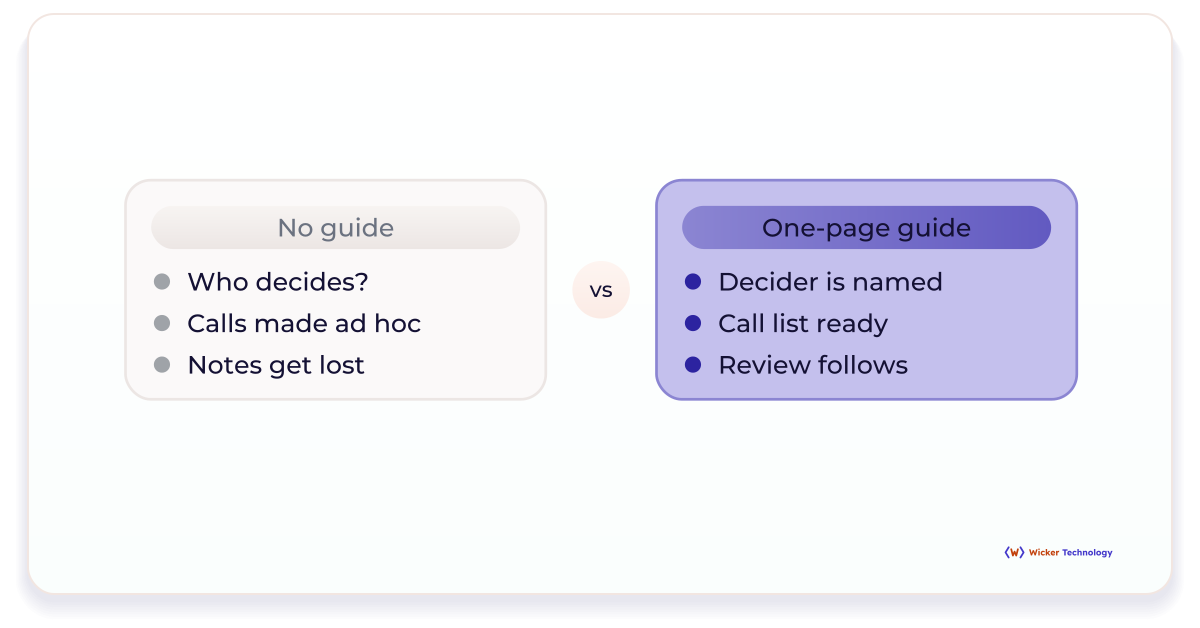
A manufacturer suffered an outage on a Friday afternoon. Nobody knew who could authorize taking a system offline, and the vendor contact list was two years old. The outage lasted most of a day, much longer than the technical problem needed.
The company now keeps a one-page incident guide: who decides, who calls whom, where the vendor numbers are and how updates reach staff. It runs a 30-minute tabletop exercise every six months.
How to prepare for the next outage
- Name the incident lead and a deputy.
- List vendor and internal contacts and check them quarterly.
- Write a one-page response guide.
- Run a short tabletop exercise.
- Update the guide after each exercise or incident.
What helps
A one-page document and a shared contact list are enough. Status page tools help with updates to customers and staff.
Data Without an Owner or a Retention Rule
A healthcare provider kept patient exports on shared drives long after they were needed. A review found copies in four places, and nobody could say which was official.
The provider named an owner for each data set, set retention periods with its advisers and deleted what it no longer needed. Fewer copies meant fewer places for a mistake or a breach.
How to bring order to data
- List the main data sets and where they live.
- Name an owner for each.
- Agree retention periods with your advisers.
- Delete or archive what is out of date.
- Review access to what remains.
Support for the work
Data discovery tools find copies faster. Legal and compliance advisers set the retention periods, so check current requirements with them.
What the Examples Have in Common
To find your own versions of these examples, run a technology risk assessment on your ten most important systems, and use a technology risk framework to keep the results in one place.
The same three patterns appear in almost every example. First, the risk was known by someone, and no one wrote it down. Second, the fix was cheap compared with the incident it prevented. Third, ownership was the missing piece: once a person had a name next to the risk and a date, it moved.
That is why a register and a monthly review matter more than any tool. The practice of running them is covered in my guide to technology risk management, and the scoring approach in the assessment guide gives you a way to rank these examples for your own estate. If you want to test your program against a checklist, the technology risk audit guide lists what a reviewer looks at.
How to Choose Which Examples to Act On First
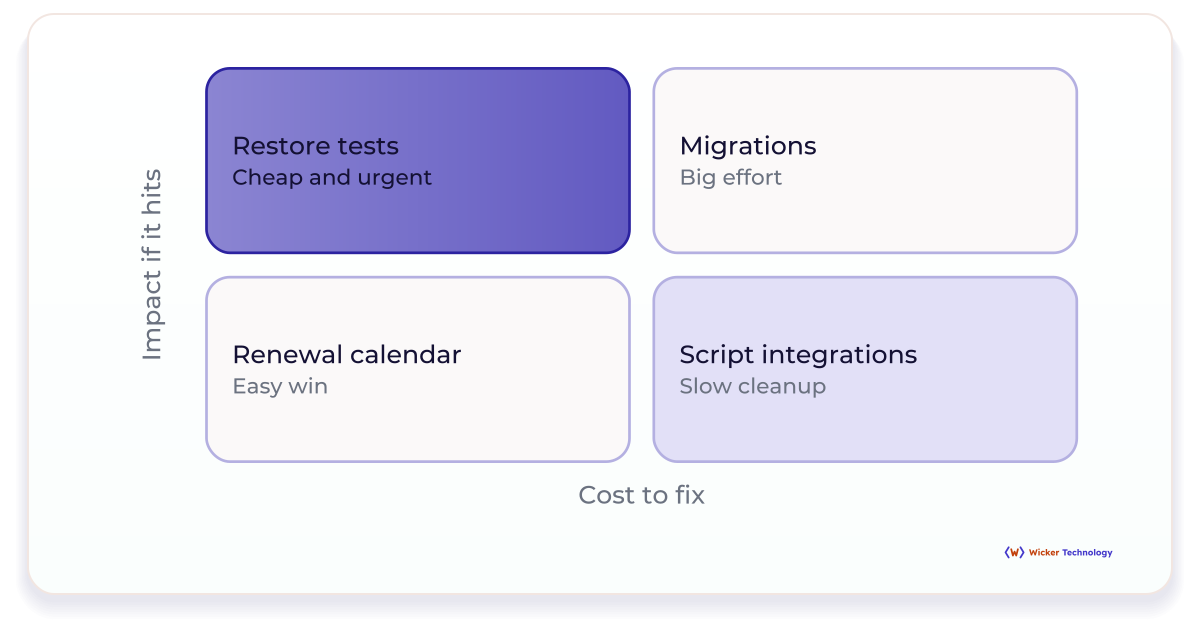
Rank by impact and by the cost of the fix. High impact and cheap fix go first. High impact and expensive fix get a plan and a budget line. Low impact and cheap fix are done when convenient. Low impact and expensive fix can be accepted, with a note. Before you commit, check four things:
- You have named an owner for each risk you plan to fix.
- The fix has a date, even if it is far away.
- Leadership knows which risks you are accepting.
- A monthly review will check the status.
If you are building the structure around these fixes, the framework blueprint article shows how the layers fit. Tools for tracking them are compared in my ranking of IT risk management software.
Questions About Technology Risk Examples
What Is an Example of a Technology Risk?
A typical example is a billing system that runs on software no longer supported by its vendor. If it fails, there may be no patch and no easy replacement, and invoicing can stop until it is rebuilt.
Which Technology Risk Is Most Common?
In my client work, untested recovery and missing owners show up most often. Both are easy to overlook because nothing visible goes wrong until the day it matters.
How Do I Find Out Which Risks Apply to Me?
Interview system owners with the same five questions and review your incident history. My guide to a <a href="/technology-risk-assessment/">technology risk assessment</a> lists the questions.
Are These Risks Only for Large Companies?
No. Small companies often face them in sharper form, since one account, one vendor or one person can hold everything together.
Which Fix Gives the Best Return?
A restore test and an owner list. Both take a few days and expose more risk than most tools do.
How Do I Rank Which to Fix First?
Score each on likelihood and impact, then favor risks with high scores and cheap fixes. A framework such as the one in my <a href="/technology-risk-framework/">technology risk framework</a> article gives you the scale.
Should I Accept Some of These Risks?
Yes, when the cost to fix is higher than the loss and leadership signs off. Record the decision and a review date.
Important: nothing in this article is legal, financial or tax advice. All figures are estimates from typical projects, so verify them with your own providers and advisers.
Was this useful?
We appreciate the feedback.
Paige Mulvaney
Paige leads the Wicker editorial team and works with the consultants who run the roadmaps, software selections, implementations and integrations to turn real client projects into practical guides. Her focus is plain-language advice on IT strategy, choosing business software and connecting systems so they work together. Every article she edits is checked against current vendor pricing and documentation before it is published.