In Short
- A technology risk assessment follows six steps: scope, inventory, identify, score, review and report.
- Use one simple scale for likelihood and impact, and write the definitions down before you score.
- Readiness means you can recover, replace and explain: recovery times, exit options and clear ownership.
- Run the assessment once a year, and re-score a risk whenever a system, vendor or project changes.
You cannot manage technology risk you have not measured. A technology risk assessment gives you the measurements: a list of what could interrupt the business, a score for each item and a view of how ready you are to recover. It is the starting point for every program I set up in technology risk consulting.
This guide walks through the six steps, shows a scale you can copy and lists the readiness questions I ask in every assessment. It is written for a team that wants to do the first pass itself.
The Six Steps at a Glance
| Step | What you do | What you have afterward |
|---|---|---|
| 1. Scope | Choose the processes and systems in scope | A one-page scope statement |
| 2. Inventory | List systems, vendors, owners and dependencies | A register of assets |
| 3. Identify | Interview owners and review incidents | A list of risk statements |
| 4. Score | Rate likelihood and impact on one scale | A ranked register |
| 5. Review | Challenge scores with a second reviewer | An agreed ranking |
| 6. Report | Summarize and assign owners and dates | A one-page report and a plan |
Do the steps in order, and keep each one short. The common mistake is spending six weeks on the inventory and two days on everything else. Spend the time where decisions are made: on scoring and on the plan.
Step 1 and 2: Scope and Inventory
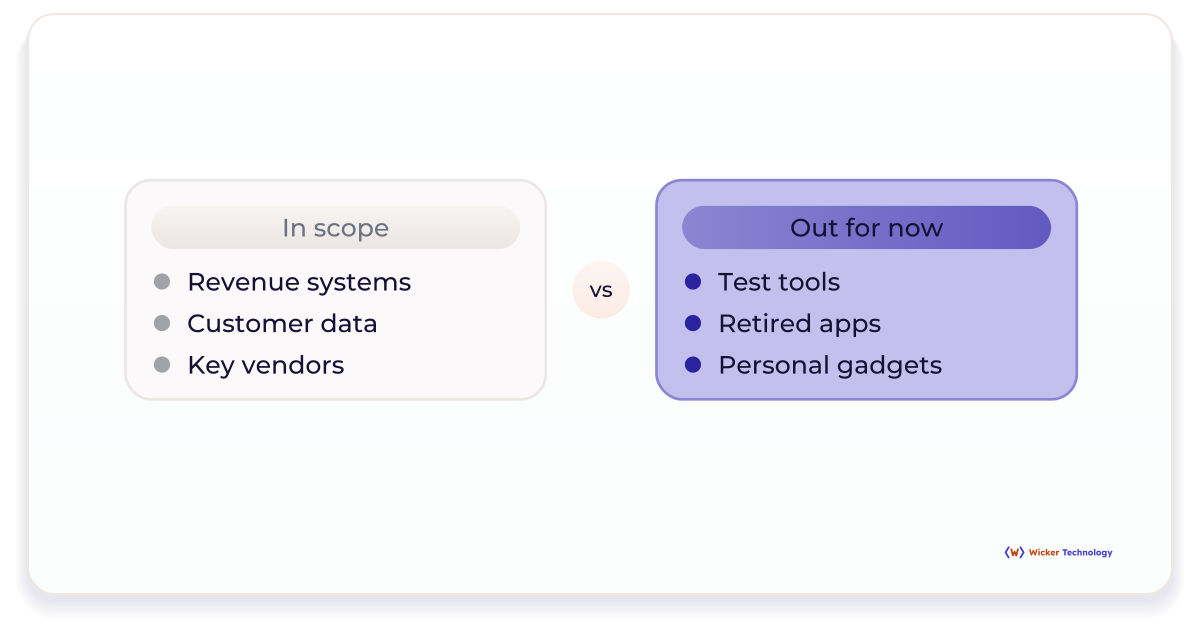
Start from the business, not from the technology. Pick the five to ten processes that stop the business if they stop, such as taking orders, shipping, billing, patient scheduling or payroll. Then list the systems, vendors and people each process depends on. The inventory that results is shorter and more useful than a list of every server.
For each system, record the owner, the vendor, the version, the support end date, the data it holds and how it connects to others. If a process runs through six systems and one of them has no owner, you have found your first risk. A register built this way also supports later work, such as the framework in my article on a technology risk framework.
Step 3: Identify Risks Through Interviews and History
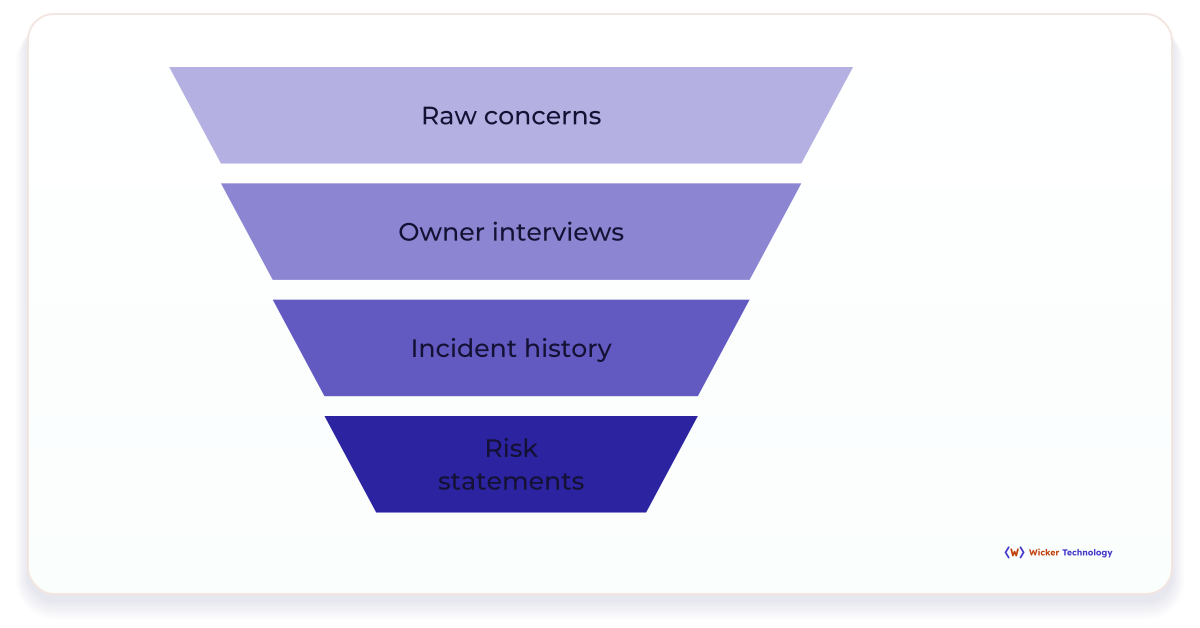
Interview the owner of each critical system for 30 minutes. Use the same five questions every time: what fails most often, what would hurt most if it failed this month, what depends on one person, what has not been tested and what is out of support soon? Write each answer as a risk statement that names the cause and the effect.
Add two other sources. Incident history shows what already happened, and project lists show what is changing. A migration in flight carries more risk than a system that has run unchanged for five years. Real incidents also make the best examples, and I collected some in my article on technology risk examples.
Step 4: Score With One Scale
Agree on definitions before you score, or every score will drift. The table shows a scale I use as a starting point. Change the thresholds to match your size.
| Score | Likelihood in the next 12 months | Impact on the business |
|---|---|---|
| 1 | Unlikely, under 5% | Minor: a workaround exists, under a few hours lost |
| 2 | Possible, 5 to 20% | Small: one team affected for up to a day |
| 3 | Likely, 20 to 50% | Moderate: a process down for one to two days |
| 4 | Very likely, 50 to 80% | Major: revenue or customers affected for several days |
| 5 | Almost certain, over 80% | Severe: core operations stopped, or legal and reputation damage |
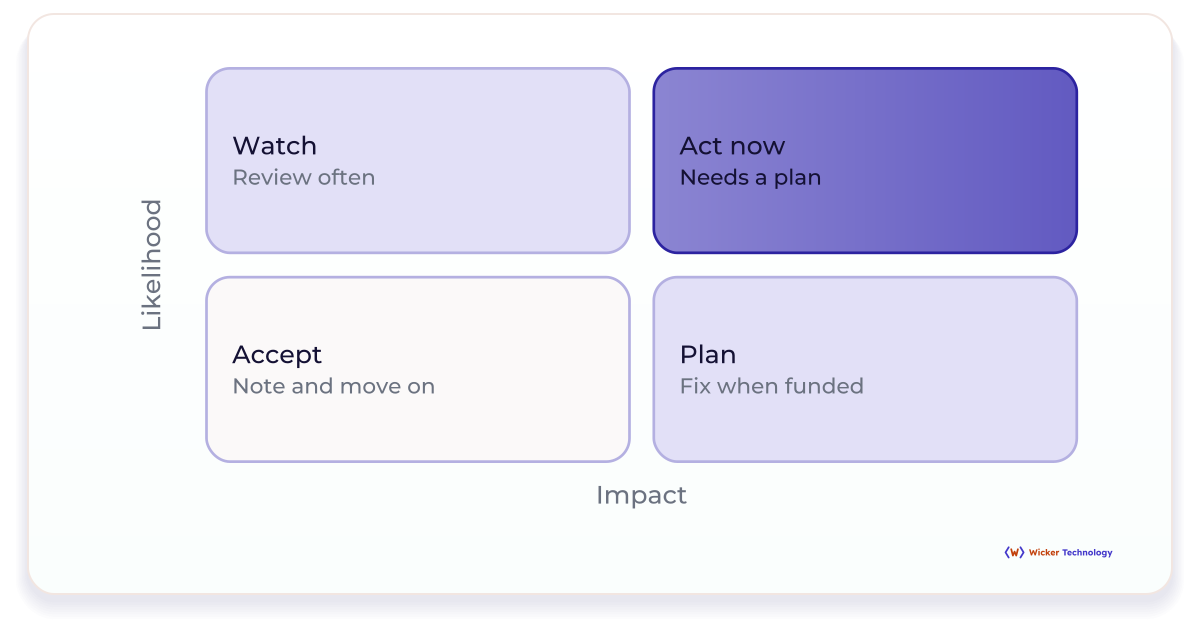
Multiply likelihood by impact. Scores of 15 and above need a plan within the quarter, scores of 8 to 14 need an owner and a date and anything lower is reviewed once a year. The cut-offs are judgment calls. What matters is that leadership agrees on them before the first risk is scored.
Evaluating Readiness: What a Prepared Organization Looks Like
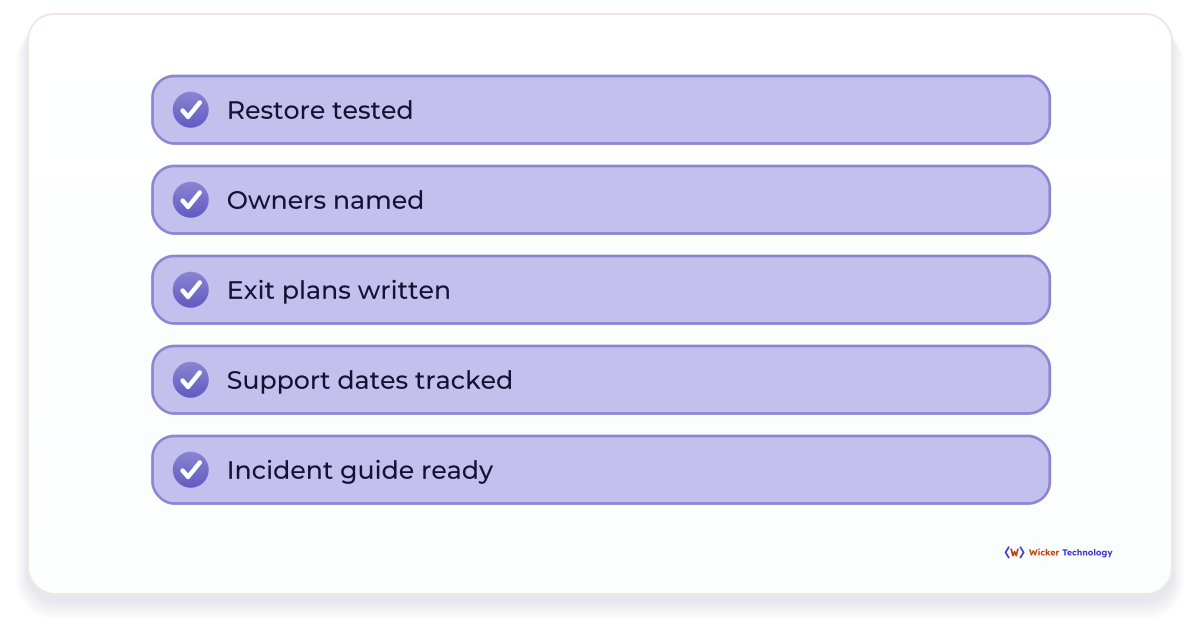
Scoring tells you what could go wrong. Readiness tells you how well you can cope when it does. I check it with three questions per critical system, and a missing answer to any is a risk by itself.
- Recover: you know how long recovery takes, and you have tested it in the last 12 months.
- Replace: you know what it would take to move to another vendor or product, and how long that would take.
- Respond: someone is named for each outage, and the contact list is current.
- Explain: you can show leadership or an auditor how the risk was found, scored and treated.
The test of recovery is the one teams skip. A backup that has never been restored is a hope, not a control. Even a small restore test changes the conversation, because it gives you a measured recovery time instead of a guess.
A Sample Scorecard
This is a short scorecard from an assessment of a regional healthcare group, with details generalized. It shows how different risks sit side by side.
| Risk | Score | Readiness gap | First action |
|---|---|---|---|
| Scheduling system has no tested recovery | 16 | Recovery never tested | Run a restore test this quarter |
| Billing vendor has no exit plan | 12 | Replacement time unknown | Request a data export and document the process |
| Records system loses support in 11 months | 15 | No project planned | Add the upgrade to the budget |
| One analyst owns all reporting scripts | 9 | Single person knows the logic | Document and pair with a second analyst |
Reviewing the scorecard together, leadership picked two items for the next quarter and scheduled the rest. That is the real output of an assessment: a short list of decisions. If you want to move from decisions to standing practice, my guide to technology risk management covers the cycle that follows.
Mistakes That Weaken an Assessment
An assessment also prepares you for the independent check that follows it, which I cover in my guide to a technology risk audit.
Owners who score their own systems tend to rate impact lower and likelihood lower, so ask a second reviewer to challenge the top ten. Spreadsheets with 200 rows hide the real problems, so cap the first pass at the top 20 risks. Vague statements such as "the system could fail" cannot be scored, so insist on cause and effect. And finally, keep the assessment away from blame. If owners fear punishment, they stop reporting the weak spots, and the register gets worse.
Tools can help once the register grows. If you need workflows and history, compare the options in my overview of IT risk management software before you buy.
What the Four Weeks Look Like
A focused assessment fits into four weeks, and planning the calendar early prevents the most common delays. In week one, you agree the scope, name the owners and collect the inventory. Most of the delay at this stage comes from waiting for information that sits with a vendor or a departed employee, so ask early.
In week two, you hold the owner interviews. Block 30 minutes per critical system and take the notes in the same template each time, so answers can be compared. Two or three interviews will reveal a risk that appears in several systems, such as a shared database or one integration platform. Record it once, and link it to each system.
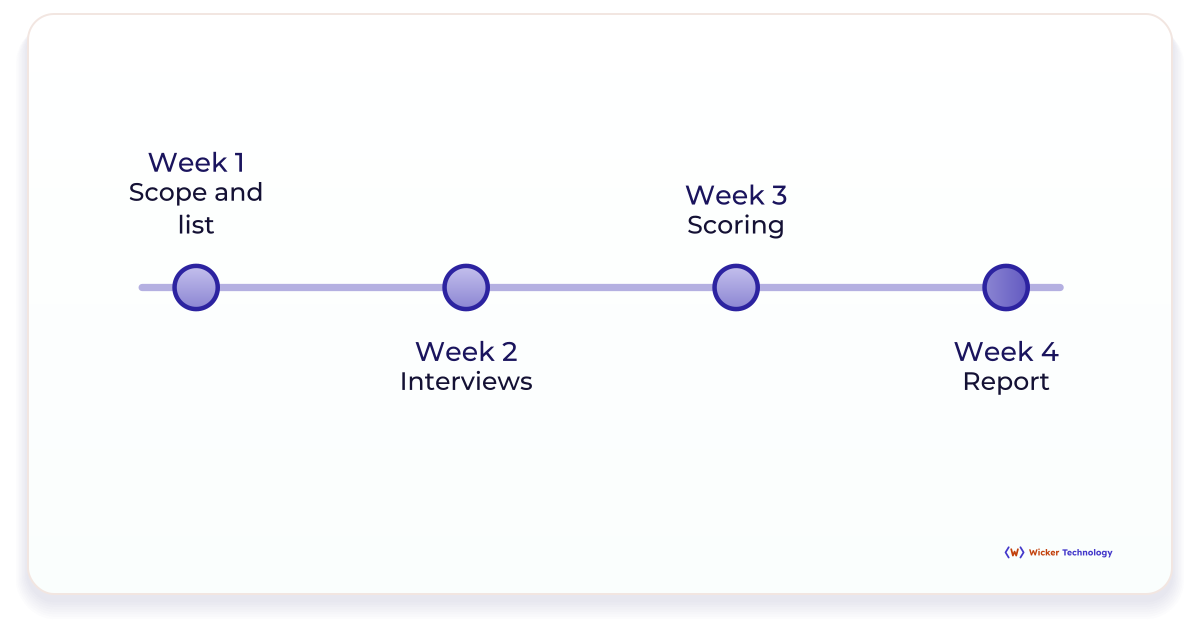
In week three, you score. Score alone first, then meet with a second reviewer for an hour to challenge the top ten. Expect disagreement on impact; owners tend to see their own systems as less critical than the business does. In week four, you write the one-page report, agree owners and dates in a meeting and hold the first monthly review. Realistic planning allows a week of slack, because interviews slip and some owners are on leave.
The report itself should be short. Open with the five risks that need a decision, and list the rest in the register. Leadership will read two pages. They will not read twenty, and a long report invites the response that the issue is complicated and can wait.
Acting on the Results
A scored register is only useful if it changes what you do next. Hold a one-hour meeting with leadership within a week of finishing, and bring only the top five risks. For each, propose a response and a cost, and ask for a decision on the spot. Risks that get no decision become the agenda for the next meeting, with a date.
Then schedule the repeat. Put the next full assessment 12 months out and the first monthly review 30 days out. Tie re-scoring to events: a new vendor, a system move, an incident or a leader leaving. Without these triggers, scores go stale in a few months, and trust in the register goes with them.
Finally, share a short summary with the system owners. They gave their time in interviews, and they will give it again only if they see something come of it. A short note listing what was found, what was decided and when the next review happens is enough.
If the first assessment shows more risks than you can handle, that is normal. Most first registers carry two or three dozen items, and a third of them can be accepted with a signature. Treat the volume as a sign that the program is finding things, not as a failure of the team.
How to Choose Between Doing It Yourself and Getting Help
A self-run assessment works when you have a neutral leader, a smaller estate and no pressure from auditors or insurers. Outside help is worth it when the stakes are high, when internal owners disagree or when you need a credible view for leadership. Check these before you decide:
- You have someone who can question owners without a conflict of interest.
- You can give the assessment two to four weeks of focused time.
- Leadership agreed to read the result and act on the top risks.
- You know who will own the register once the assessment ends.
Questions About Technology Risk Assessment
What Is a Technology Risk Assessment?
It is a structured review of the systems, vendors, projects and processes that could interrupt your business, with each risk scored for likelihood and impact. The output is a ranked register and a plan for the biggest items.
How Quickly Is an Assessment Done?
A focused assessment of 10 to 20 critical systems usually takes two to four weeks. A full assessment across several sites takes longer, mostly because of the time needed to schedule interviews and collect documents.
Who Should Be Involved?
System owners, the head of IT, someone from finance and a business leader for each critical process. Include the people who run the systems daily, since they know the workarounds that never made it into documentation.
What Is the Difference Between a Risk Assessment and a Risk Audit?
An assessment finds and scores risks. An audit checks whether the program and the controls work as described. I explain the second in my guide to a <a href="/technology-risk-audit/">technology risk audit</a>.
What Does Readiness Mean Here?
It means you can answer three questions for each critical system: how fast can we recover, can we replace it or its vendor and who is responsible? Gaps in any answer are risks.
Can We Do It Ourselves?
Yes, if you have a neutral person who can ask hard questions. Many teams run the first pass themselves and bring in an outside reviewer to challenge the scores, since owners tend to rate their own systems more kindly.
How Often Should We Repeat It?
Once a year for the full assessment, with a monthly look at the top risks. Re-score earlier when a major vendor, system or project changes.
Important: nothing in this article is legal, financial or tax advice. All figures are estimates from typical projects, so verify them with your own providers and advisers.
Was this useful?
We appreciate the feedback.
Paige Mulvaney
Paige leads the Wicker editorial team and works with the consultants who run the roadmaps, software selections, implementations and integrations to turn real client projects into practical guides. Her focus is plain-language advice on IT strategy, choosing business software and connecting systems so they work together. Every article she edits is checked against current vendor pricing and documentation before it is published.