In Short
- AI is now a standard feature inside HR platforms, so vendor questions about data use and audit logs matter more than the feature list.
- Skills data, unified employee records and self-service all depend on clean, shared employee data.
- Rules for AI in hiring are tightening in several regions, and they apply to the tools you buy, not only to tools you build.
- Pick two or three trends that fix a problem you already have, and ignore the rest for now.
HR software changes fast, and the noise is loud. In my client work, the teams that handle it well pick two or three shifts that match their own problems and ignore the rest. If you want an outside view on which ones fit, HR technology consulting starts with exactly that question.
Below are the eight trends I see changing buying decisions in 2026. Each section says what is happening, what it means for your stack and what to ask before you act.
1. AI Assistants Move Inside the HR Platform
Two years ago, AI in HR meant a separate chatbot or a resume screener you bolted on. Today the drafting, search and summarizing features sit inside the HRIS, payroll and recruiting tools themselves. Job descriptions, performance review summaries and policy answers are generated where the data already lives.
The upside is less integration work. The risk is that every vendor now processes employee data with models you did not choose. When I review a shortlist, I ask four things: which data the assistant can read, whether it can change records or only suggest, whether answers are logged, and whether you can switch features off per country or group. A vendor that cannot answer clearly is a vendor to delay.
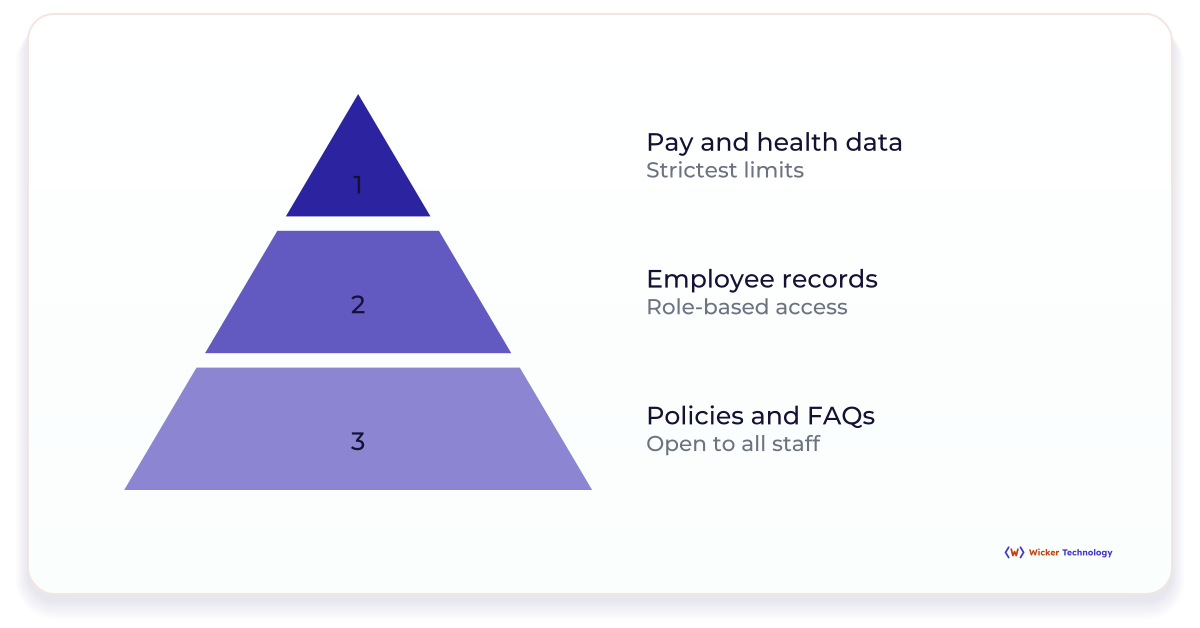
Feature lists will look alike across vendors, so the difference lies in controls. Compare platforms on those controls when you evaluate options in a roundup such as my HR software comparison.
2. Skills Data Replaces Job Titles
Job titles tell you little about what people can do. More HR platforms now store skills for each employee, infer them from résumés and projects, and match them to open roles and learning content. The promise is faster internal moves and better workforce planning.
The hard part is not the software. Someone has to decide which skills count, how they are rated and who keeps them current. I have seen skills projects stall because the taxonomy had 4,000 entries nobody maintained. Start with one job family, 20 to 40 skills and a rule that managers confirm ratings once a year.
3. Suites Win Back Ground From Best-of-Breed
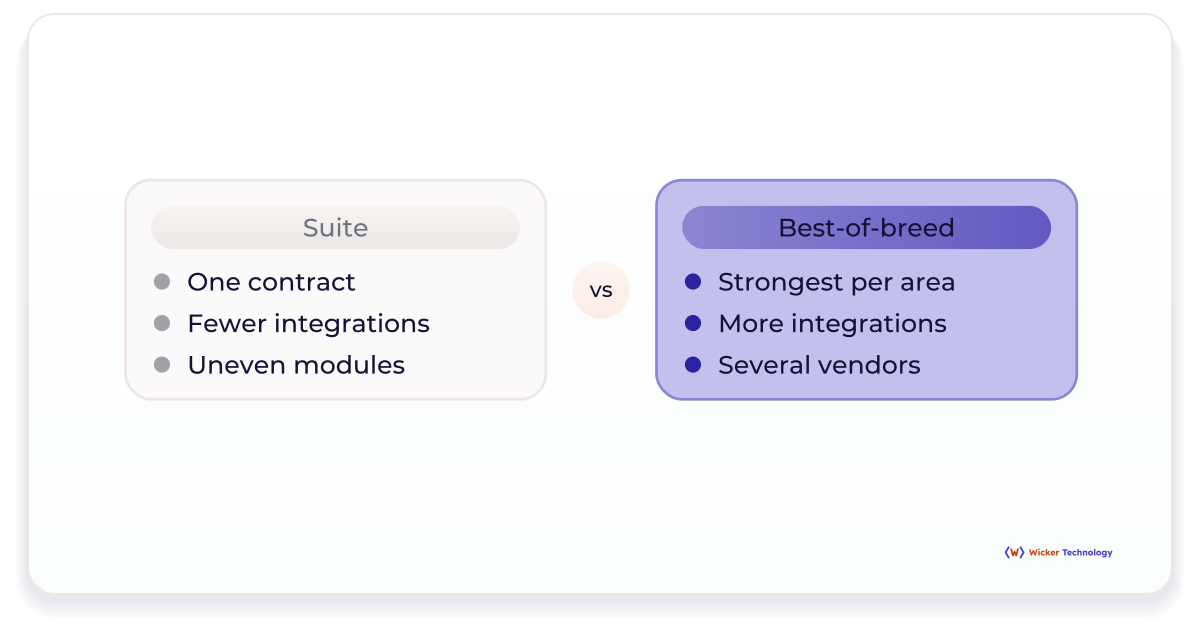
For a decade, the advice was to pick the best tool for each HR task and connect them. Many mid-sized companies are now moving the other way. A single suite for core HR, payroll, time and benefits removes integration upkeep and gives one employee record.
The trade-off is real. Suites often have one strong module and several adequate ones. Recruiting and learning are where I most often see companies keep a specialist tool beside the suite. Before you consolidate, count your current integrations and how often they break. If the answer is rarely, you may not have a problem a suite would solve.
4. Regulation Reaches the Tools You Buy
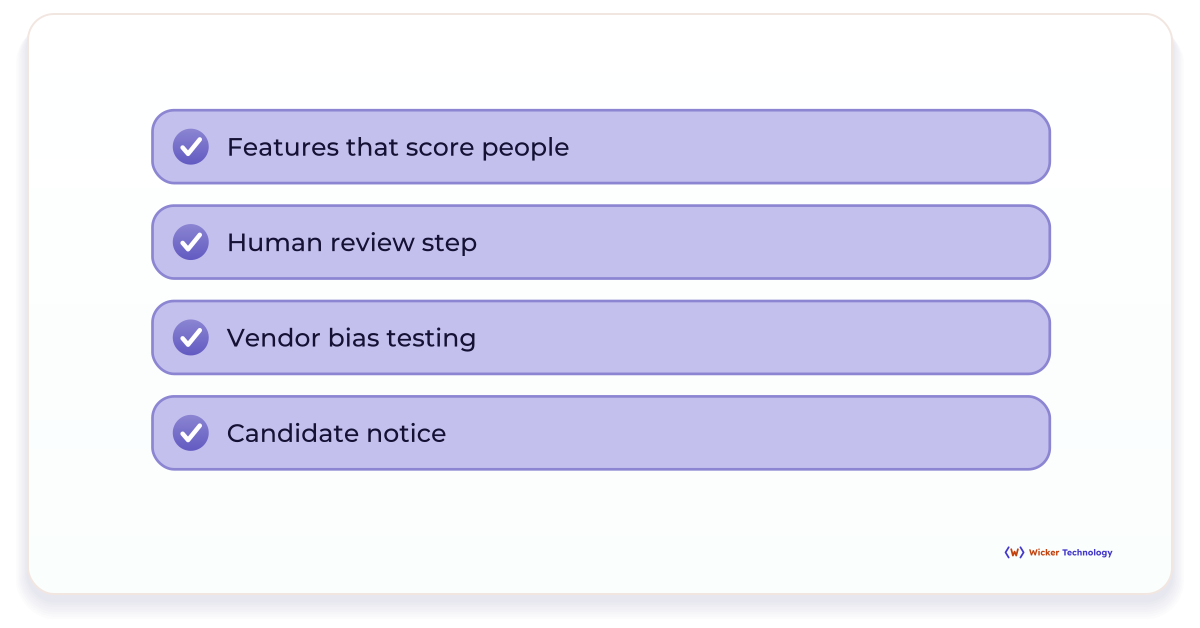
Hiring and workforce management are treated as sensitive uses of AI. The EU AI Act lists employment and worker management as a high-risk area, which covers AI used to recruit, screen or make decisions about work relationships (see the Act's Annex III). In New York City, employers may not use an automated employment decision tool unless it had a bias audit in the previous twelve months, a summary of the audit is public and candidates or employees receive notices, as the city's consumer and worker protection page explains.
Timelines and details keep shifting, so check the current status with your legal adviser for every place you hire. What I can tell you from the technology side: you need to know which features in your stack score, rank or filter people, and you need logs that show what the tool suggested. Ask vendors for that documentation before signing, not after an audit request arrives.
5. Self-Service Turns Into HR Agents
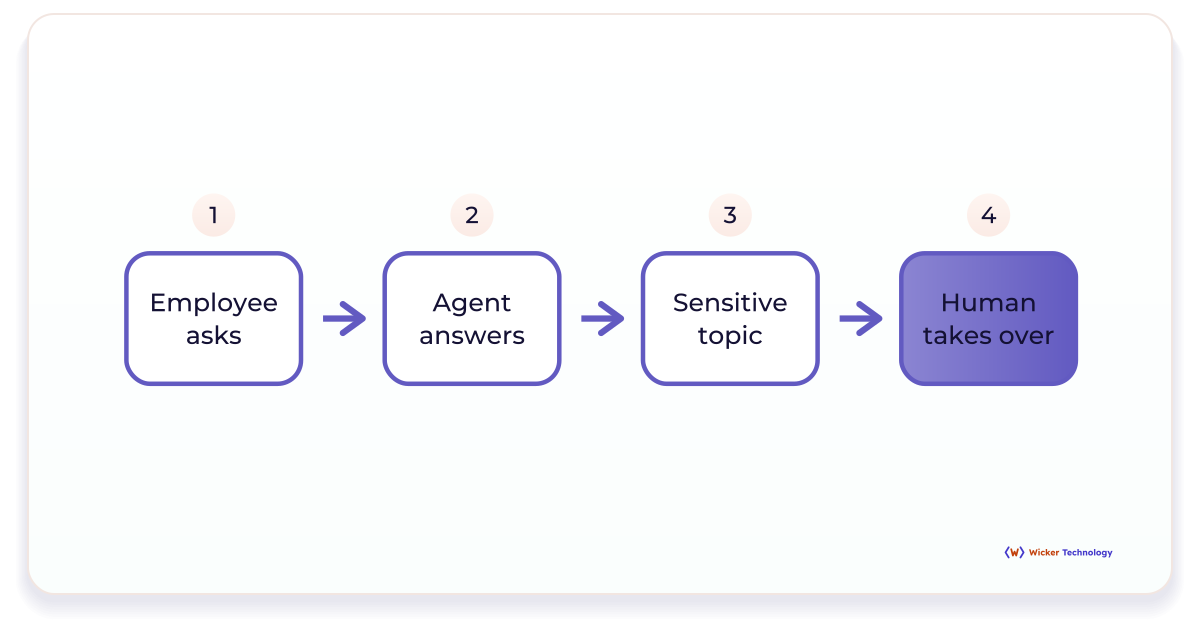
Employee portals used to be a list of forms. Assistants now answer questions about leave balances, payslips, benefits and policies in chat tools such as Slack or Teams, and some can start a request on the employee's behalf. HR teams I work with report that the routine questions are where they gain time first.
Handover design decides whether it works. A sensitive question about health, pay or a conflict has to reach a person quickly and privately, with the conversation attached. Test that path before launch with ten awkward questions, and read what the assistant says back.
6. People Analytics Needs Clean Data First
Dashboards for attrition, hiring speed and span of control are now included in most HR suites. The charts are easy. The numbers are the problem. If two systems store different manager names or three different spellings of a department, the dashboard shows a confident wrong answer.
Before you add analytics, run a short data check: duplicate employees, missing managers, inconsistent job levels and terminated staff still marked active. Fixing those four typically takes a few weeks and improves every report afterward. It is also the quickest test of whether your HR technology strategy rests on data people can trust.
7. Payroll and Pay Transparency Pull Systems Together
Employers in more regions must share pay ranges or report pay gaps, and that work needs payroll, job architecture and recruiting data to line up. Companies that hire across countries add another layer: local payroll rules, currencies and statutory reporting.
The technology answer is rarely one tool. It is a payroll provider with good connectors, a job structure everyone uses and a clear owner for pay data. Companies that skip the job structure end up building pay ranges in spreadsheets again, which defeats the purpose.
8. Mobile and Frontline Access Becomes a Buying Criterion
In logistics, healthcare and retail, many employees never sit at a desk. Shift swaps, time-off requests and payslips on a phone are no longer extras. In my experience, adoption falls sharply when a frontline employee must log in through a company VPN to see a schedule.
Test the mobile experience with real shift workers during a demo, on an ordinary phone and a weak connection. Check language support too, since many frontline teams work in several languages.
What to Ask Vendors About Every Trend
Demos show the best case. A short, fixed list of questions brings out the rest. Ask each vendor to show, not tell, how the feature behaves with messy data, how an administrator turns it off and what appears in the logs after a user acts on it. Ask for a reference customer of your size that has used it for at least a year, and call them.
Also ask about the roadmap with a skeptical ear. Vendors announce many features that arrive later than promised. A useful test is to ask which of last year's roadmap items shipped, and when. Vendors that answer precisely tend to deliver. Vendors that change the subject usually do not.
How the Eight Trends Compare
Not every trend deserves your budget this year. Use the table to see where the effort goes and what has to be true first.
| Trend | Effort to adopt | What has to be true first |
|---|---|---|
| AI inside HR platforms | Low to medium | Data access rules and logging are documented |
| Skills data | High | A named owner for the skills list |
| Suite consolidation | High | Integration pain is measured, contracts are mapped |
| Hiring AI regulation | Medium | A list of features that score or filter people |
| HR agents | Medium | Policies written down, handover path tested |
| People analytics | Medium | Clean manager, department and status fields |
| Pay transparency | Medium to high | One job structure used by payroll and recruiting |
| Frontline mobile | Low to medium | Single sign-on that works on personal phones |
One last point on timing. Trends move faster than budgets. If a trend matters to you, add it to next year's planning round, and use this year to prepare the data and ownership it will need. Companies that do that adopt a trend in weeks, while those that start from scratch need months.
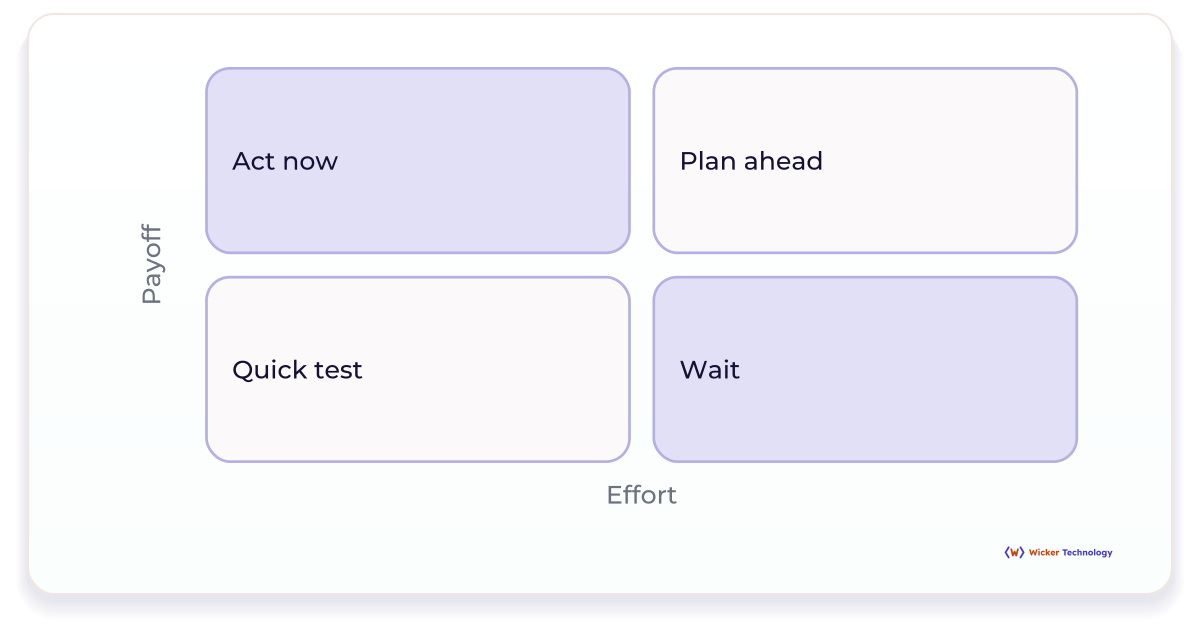
How to Choose Which Trends to Act On
Start from a problem, not from the trend. Write down the three HR processes that cost you the most time or cause the most complaints. Match each to a trend from the list, and drop trends that match nothing. Then check three things for each remaining item:
- Your employee data is accurate enough to feed it.
- You can name the person who will own it after launch.
- You know how you will measure whether it worked.
Once you have your two or three, sequence them. The HR technology roadmap shows how I order this kind of work, and the common HR technology challenges cover what usually goes wrong along the way. When a purchase is next, plan the rollout early, because delays almost always trace back to HR technology implementation choices made in the first month.
Revisit your selection every six months. A trend that looked premature in spring may have matured by autumn, and one you were excited about may have turned out thinner than the demo suggested. Writing down why you passed on something makes the next review faster.
Questions About HR Technology Trends
What Is the Biggest HR Technology Trend Right Now?
AI assistants built into HR platforms. Almost every payroll, HRIS and recruiting vendor now ships drafting, search or case-handling features. The trend matters because it changes what you should ask vendors in a demo: where the data goes, which actions the assistant may take and how its answers are logged.
Should I Switch to a Unified HR Suite?
Only if your current tools genuinely fail to share data. A suite removes integration work and gives you one employee record, but you accept a weaker module somewhere. I usually suggest you list the three processes that hurt most today and check whether a suite fixes those specific ones.
How Do I Know If an AI Hiring Tool Is Allowed Where I Operate?
Rules differ by city, state and country, and they keep changing. The EU AI Act treats AI used for hiring as high risk, and New York City requires a bias audit and notices for automated employment decision tools. Ask your legal adviser to confirm the current status for every location where you hire.
Is Skills-Based HR Worth the Effort for a Mid-Sized Company?
It is worth it when you struggle to fill roles internally or when job titles no longer describe the work. Start small with one job family and a short skills list. A company-wide skills taxonomy built in one go tends to go stale within a year.
Will HR Agents Replace HR Staff?
In the projects I have seen, they take over repetitive questions about leave, payslips and policies. Cases that involve conflict, health, pay disputes or termination still need a person. Plan for the assistant to hand those over with the full conversation attached.
What Should I Fix Before Buying New HR Technology?
Fix your employee data. Duplicate records, inconsistent job titles and missing manager fields cause more trouble than any missing feature. A short data cleanup before a migration or a new module saves weeks later.
How Often Should I Review My HR Technology Stack?
Once a year at minimum, ideally before each renewal date. Check usage, cost per employee, open integration issues and whether the vendor's roadmap still matches your plans.
Sources
- EU AI Act, Annex III: High-Risk AI Systems
- NYC Department of Consumer and Worker Protection: Automated Employment Decision Tools
Important: nothing in this article is legal, financial or tax advice. All figures are estimates from typical projects, so verify them with your own providers and advisers.
Was this useful?
We appreciate the feedback.
Paige Mulvaney
Paige leads the Wicker editorial team and works with the consultants who run the roadmaps, software selections, implementations and integrations to turn real client projects into practical guides. Her focus is plain-language advice on IT strategy, choosing business software and connecting systems so they work together. Every article she edits is checked against current vendor pricing and documentation before it is published.