In Short
- Dirty employee data, disconnected tools and unclear ownership cause most HR technology problems.
- Each challenge shows early warning signs that you can spot in a monthly check.
- Fix the data and the ownership first, since software changes cannot repair either one.
- Add buffer for data work, testing and payroll cycles, and do not trust a vendor timeline at face value.
Every HR technology project I join has a version of the same problems. They differ in size and in the order they appear, but the list is short. Knowing it in advance is half the fix. If you want help working through your own list, HR technology consulting can run the diagnosis in a few weeks.
Below are ten challenges, each with the warning sign, the cause and a fix that has worked for me. The table first, so you can find your own situation.
| Challenge | First warning sign |
|---|---|
| 1. Dirty Employee Data | Reports disagree, payslips need corrections and nobody trusts headcount. |
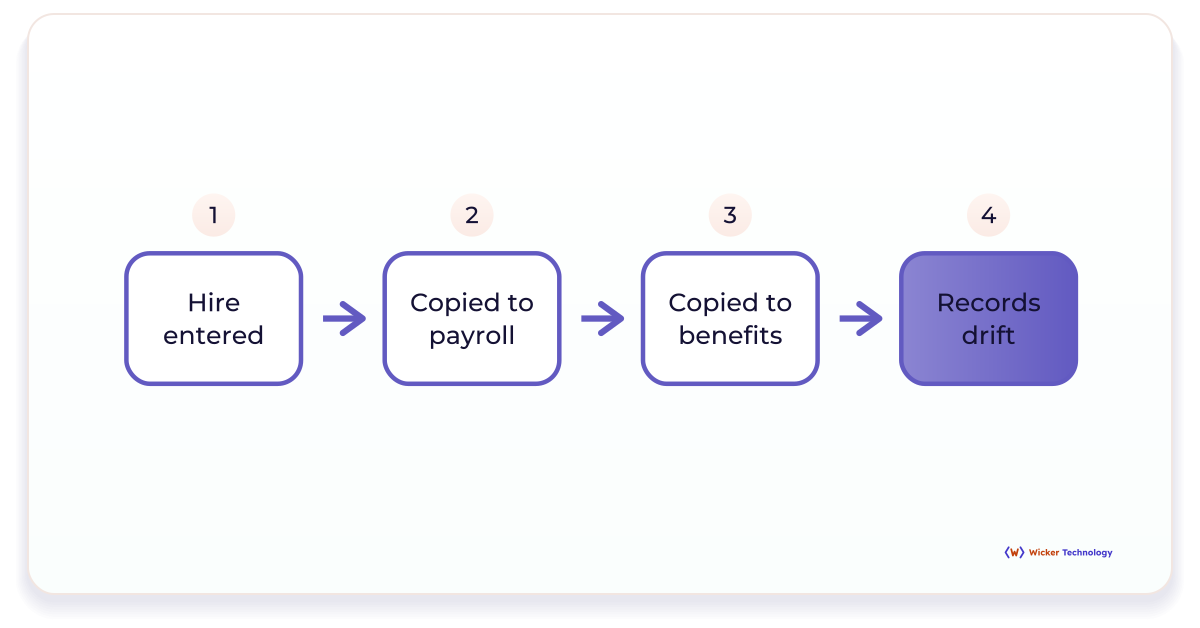
| 2. Too Many Disconnected Tools | Staff re-type the same new hire into three systems. |
| 3. Low Adoption by Managers and Employees | The portal is live, but people still email HR. |
| 4. Unclear Ownership | Requests wait because nobody can approve a change. |
| 5. Payroll Errors After Changes | Net pay is wrong in the first cycle after a change. |
| 6. Compliance and Privacy Gaps | Nobody can say who can see salary data. |
| 7. Vendor Lock-In and Renewal Surprises | A price rise arrives with a 30-day notice. |
| 8. Underestimated Implementation Effort | The vendor said eight weeks. It is month six. |
| 9. Poor Reporting and Analytics | Leaders ask for numbers and HR builds spreadsheets by hand. |
| 10. Technology Without a Plan | Purchases follow the last conference or the loudest request. |
Dirty Employee Data
Duplicate records, missing managers and three spellings of one department are the most common reason HR projects stall. The data was always messy, but nobody noticed until two systems had to agree.
The fix: Pick one source of truth per field, run a one-time cleanup in the current system and add validation so new errors do not enter. Assign a data owner in HR, not IT.
If you are choosing between platforms, the HR software rankings list how each handles imports and validation.
Too Many Disconnected Tools
Each purchase made sense alone. Together, they create manual handoffs, and every handoff is where errors and delays live. The cost is hidden in hours, not in invoices.
The fix: Map the data flows and connect the two or three that cause the most re-typing. Standard connectors or a small integration layer usually beat a full replacement.
The market is also moving toward fewer, broader platforms, which I cover in the HR technology trends for this year.
Low Adoption by Managers and Employees
Adoption fails when the system adds work for the person using it, or when the first login is confusing. Managers are the hardest group, because they have little time and see the tool a few times a year.
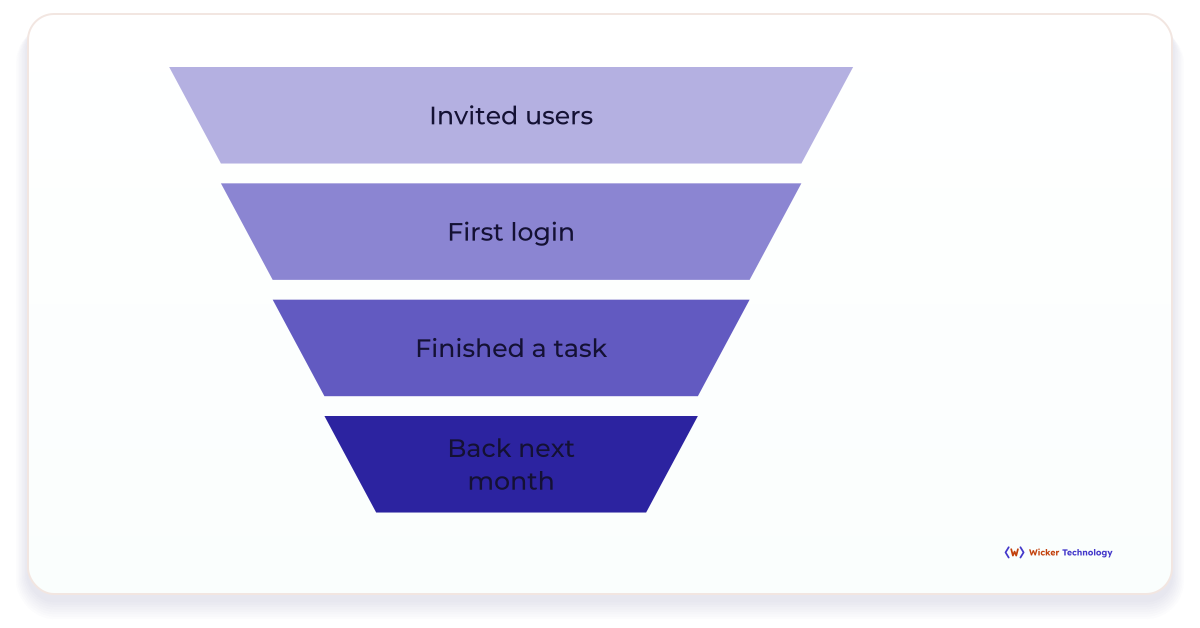
The fix: Design for the rare user: one-step approvals in email or chat, short role-based training and a visible owner for questions. Measure logins and task completion every month.
Compare logins, finished tasks and return visits to see where people stop.
Unclear Ownership
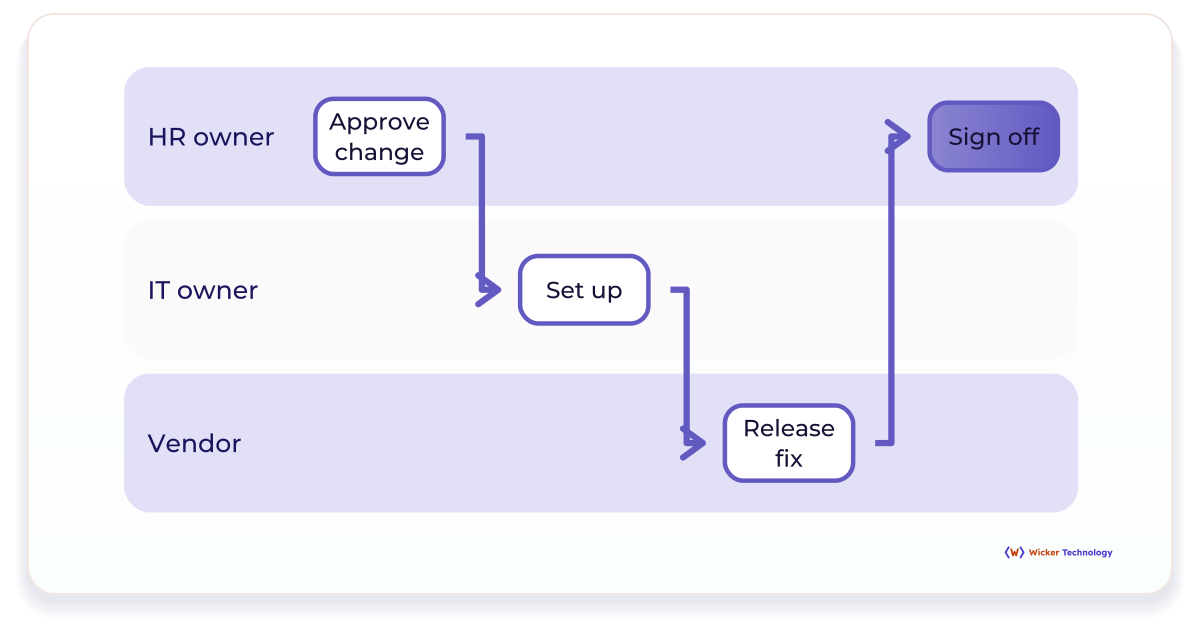
HR owns the process, IT owns the system and finance owns the budget, so a small change needs three people. Without a named owner per system, the platform ages and the configuration drifts.
The fix: Name a business owner and a technical owner for each system, with a short list of decisions each can make alone.
A written HR technology strategy assigns these owners and makes the decision rights visible.
Payroll Errors After Changes
Payroll is the least forgiving process in HR. Small mapping mistakes, such as an allowance coded to the wrong earning type, appear on payslips within days.
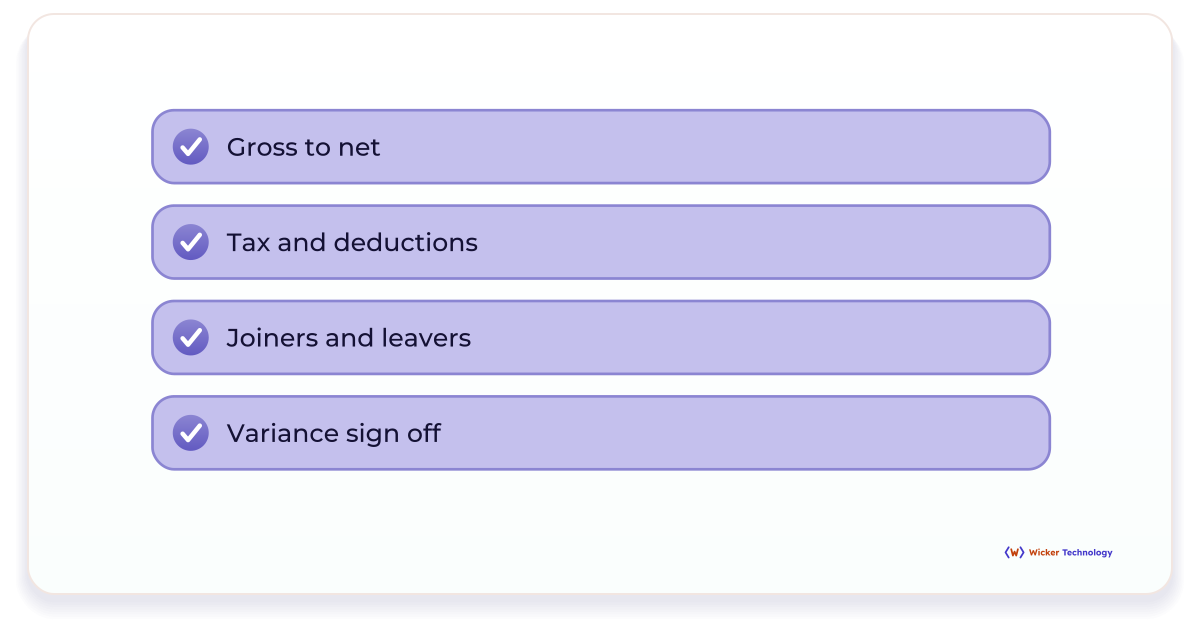
The fix: Run parallel cycles, compare net pay for every employee and keep a log of each difference with its cause. Avoid go-lives near year-end.
Keep the log of every parallel cycle so you can show what was checked.
Compliance and Privacy Gaps
HR systems hold sensitive personal data, and access tends to grow over time. New AI features add questions about where employee data is processed and whether decisions are logged.
The fix: Review role-based access twice a year, document data flows and ask vendors about logging and data location. Have your legal adviser confirm current rules for each country.
Vendor Lock-In and Renewal Surprises
Contracts auto-renew, notice windows pass and switching looks too hard. Vendors know it, and price increases follow.
The fix: Keep a contract calendar with notice dates, negotiate multi-year caps on increases and make sure you can export your data in a usable format.
Underestimated Implementation Effort
Vendor timelines assume clean data, fast decisions and dedicated staff. HR teams still run payroll and hiring during the project, so the work waits.
The fix: Add buffer for data and testing, free up named people for part of their time and ask references how long their rollout really took. More detail appears in my guide to HR technology implementation.
For the practical steps, see HR technology implementation.
Poor Reporting and Analytics
Dashboards need defined metrics and consistent fields. When headcount means something different in payroll and in the HRIS, any report invites an argument.
The fix: Agree on 10 to 15 metric definitions in writing and build reports from the source-of-truth system only.
Technology Without a Plan
Without a written plan, each vendor pitch seems reasonable, and the stack grows by accident. Six months later the same problems remain.
The fix: Write a short plan with ranked problems, three priorities and owners, then judge every pitch against it.
Once the plan exists, a HR technology roadmap puts it on a calendar.
Patterns Behind Most of These Challenges
Look at the ten items again and you will see three root causes. The first is that nobody owns the data and the decisions around it. Dirty data, unclear ownership, poor reporting and missing plans all trace back to it. The second is that the project is treated as a software purchase, when most of the effort is process and people. That explains low adoption, underestimated effort and payroll errors after changes. The third is a lack of a calendar: contract dates, payroll cutoffs and renewal windows that were never written down.
That is good news, because three root causes are fixable. A named data owner, a short written plan and a shared calendar cost very little and prevent a surprising share of trouble. I usually start there before touching any system, and companies are often surprised how much improves without a single new license.
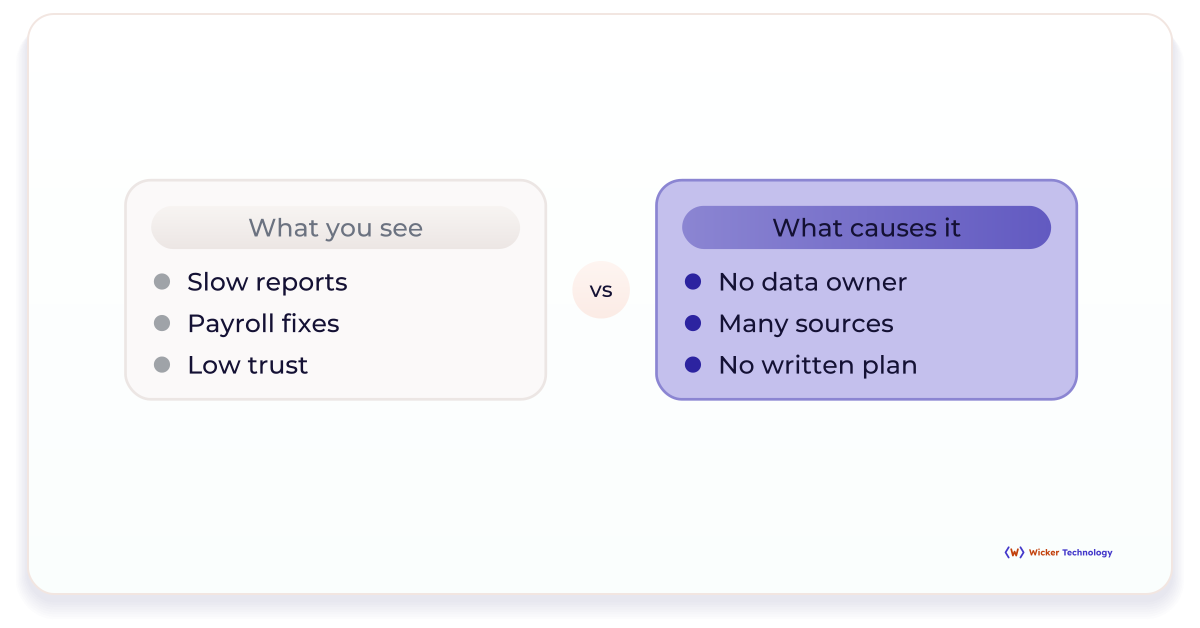
It also explains why replacing a system rarely fixes the problem. A new HRIS with the same data owner problem and the same missing calendar reproduces the same ten challenges within a year, at a higher price. When a team tells me they want a new platform because the old one is bad, I ask them to describe the last three things that went wrong. More often than not, the platform was not the cause.
Which Challenges to Tackle First
You will probably recognize five or six of these. Do not try to fix them together. Rank them by cost to you today and by how many other challenges they feed. Data quality and ownership sit at the top for nearly every company, since fixing them reduces adoption problems, payroll errors and reporting trouble as a side effect.
| Order | Challenges | Why in this position |
|---|---|---|
| First | Dirty data, unclear ownership, no plan | They feed almost every other problem |
| Second | Disconnected tools, payroll errors, effort underestimated | They need the data and ownership in place to fix well |
| Third | Adoption, reporting, privacy gaps, vendor lock-in | They improve once the earlier items are stable |
What Changes for Smaller and Larger Companies
In companies below a hundred employees, the main trouble is usually tool sprawl and a single person who knows how everything works. The fix is documentation and a backup person. In companies of several hundred, data quality and integrations lead the list, since several systems now exchange records. Large organizations meet the governance challenges: many owners, many countries and many rules about who can see what.
The challenges themselves stay the same. The difference is which ones hurt first, and what a reasonable fix costs. Use your own size as a filter when you rank the list, and revisit the ranking when you grow or merge with another company.
A final thought on measuring progress. Pick two numbers per challenge you decide to fix, one that you can read from a system and one that comes from people. For data quality, that could be the share of records with a missing manager and the number of payroll corrections per cycle. For adoption, it could be weekly logins by managers and the number of HR emails that should have been self-service. Check them monthly, and drop any number nobody acts on. Two honest measures beat a dashboard of twenty that nobody reads, and they show your leadership that the work is paying off.
Be patient with the order, too. A team that fixes data and ownership in the first quarter usually sees adoption and reporting improve in the second without extra effort, because the system finally holds numbers people believe. That compounding effect is the best argument for starting with the unglamorous items.
How to Run a Quick Self-Check
Take one hour with your HR operations lead and score each challenge from 0 to 3: 0 means it does not affect you, 3 means it costs you weekly. Add the score and write one sentence of evidence for any 2 or 3. If you cannot give evidence, lower the score.
Then look at the top three and ask whether you can fix them yourselves, or need outside help because of skills or time. Both answers are fine. What does not work is leaving the list in a drawer.
Questions About HR Technology Challenges
What Is the Biggest Challenge in HR Technology?
Data quality. Most failed rollouts and distrusted reports trace back to inconsistent employee records. Fixing the data before changing systems is usually the best use of your first month.
Why Do HR Technology Projects Fail?
Common causes are unclear ownership, underestimated data work, no baseline measures and too many projects at once. The software itself is rarely the main cause, though a poor fit with your processes can add to the problem.
How Do I Get Managers to Use the HR System?
Make the tasks they do few and quick, push approvals into email or chat, and train by role in short sessions. Check the numbers monthly, and talk to the managers who do not log in, since they will tell you what is in the way.
Is It Better to Replace an HR System or Fix It?
Fix it first when the pain comes from data, integrations or configuration. Replace it when the vendor cannot support a process you need, the cost is out of line or the contract and roadmap no longer match your plans.
How Much Buffer Should I Add to an HR Project Timeline?
I usually add two to four weeks for data and testing, plus one payroll cycle if payroll is involved. If the vendor's timeline looks tight, treat it as the best case.
How Do I Handle Privacy When Using AI Features in HR Tools?
Ask what data the feature reads, where it is processed, whether results are logged and whether you can switch it off by group or country. Your legal adviser should confirm the rules that apply to you.
Who Should Own HR Technology: HR or IT?
Both, with clear roles. HR owns the process and the data. IT owns security, integrations and uptime. Write down which decisions each side can take alone.
Important: nothing in this article is legal, financial or tax advice. All figures are estimates from typical projects, so verify them with your own providers and advisers.
Was this useful?
We appreciate the feedback.
Paige Mulvaney
Paige leads the Wicker editorial team and works with the consultants who run the roadmaps, software selections, implementations and integrations to turn real client projects into practical guides. Her focus is plain-language advice on IT strategy, choosing business software and connecting systems so they work together. Every article she edits is checked against current vendor pricing and documentation before it is published.