In Short
- Seven steps cover a typical implementation, and the first two decide most of the schedule.
- Clean data and a protected project team prevent most delays.
- Parallel payroll runs and role-based training are the steps people shorten, and then regret.
- Plan hypercare and a results review so the project ends with measured improvement.
HR technology implementations rarely fail loudly. They slip a week at a time until a go-live date quietly moves by a quarter. The causes repeat from project to project, which makes them avoidable. If you would like someone to run the project alongside your team, HR technology consulting covers the full path from selection to hypercare.
Here are the seven steps I follow, with the delay trap at each one.
The Seven Steps and Their Delay Traps
| Step | What you finish | Delay trap |
|---|---|---|
| 1. Team and scope | Named team, written scope, success measures | Team members keep their full daily workload |
| 2. Data preparation | Clean, validated employee records | Cleanup starts after the vendor kickoff |
| 3. Process design | Agreed workflows, approvals and rules | Everyone wants an exception |
| 4. Configuration | System set up to the design | Customization grows during the build |
| 5. Integration and migration | Connections working, data loaded | IT queue and file validation rounds |
| 6. Testing and training | Scenario tests passed, parallel payroll runs, trained users | Testing is shortened to protect the date |
| 7. Launch and hypercare | Live system, fix list, results review | The team disbands on go-live day |
Step 1: Protect a Real Project Team
List the sponsor, project lead, HR operations expert, payroll expert and IT contact, and agree with each manager how many hours per week they have. A project that assumes people will fit it around payroll runs will not get done during the month-end. Write the hours down. Then name a backup for the payroll expert, since that person is the one on whom the plan hangs.
Agree the success measures here, using baselines such as payroll corrections per cycle and hours spent on new-hire tasks. If you wrote a plan beforehand, the priorities from your HR technology strategy become the scope.
Step 2: Clean the Data Before the Vendor Asks
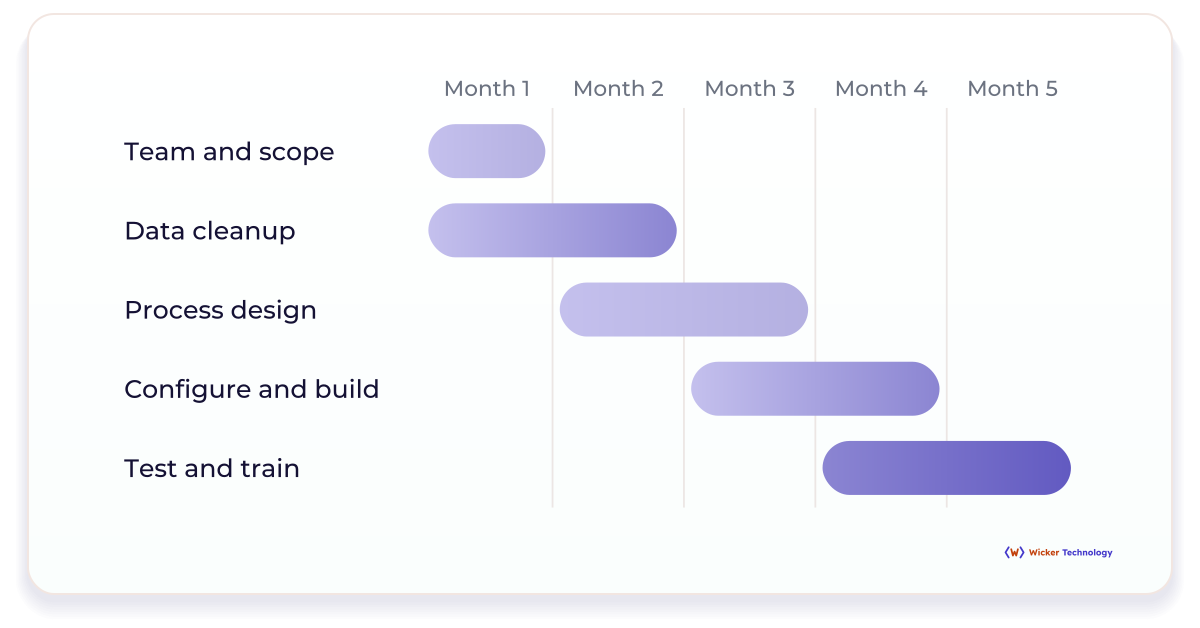
Export employee records and check duplicates, missing managers, inconsistent job titles, wrong cost centers and former employees marked active. Fix them in the current system. Vendors will give you a template for the migration file, and each failed validation round costs days.
Budget two to four weeks for this step in a company of a few hundred people. It feels slow. Compared with a rollout that stalls in month four because one file fails, it is the quickest route.
Step 3: Design Processes Before You Configure Anything
Describe how a hire, a raise, a leave request and a termination should move through the system, including who approves each step and what triggers the next. Run these with the people who do the work, not just with HR leadership.
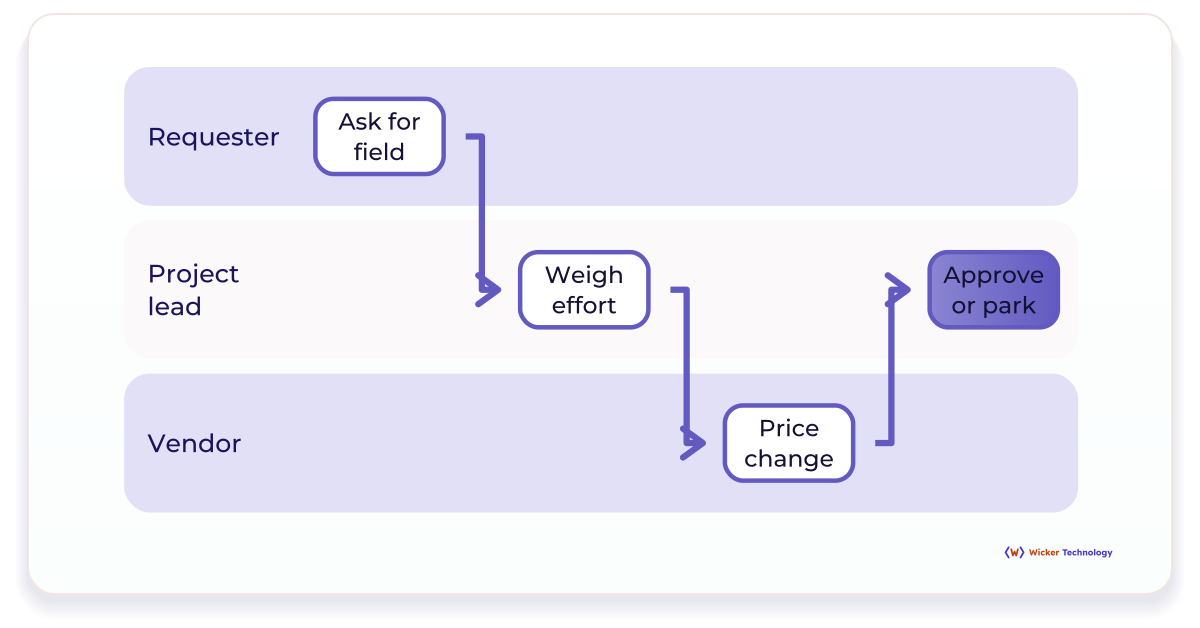
Expect arguments about exceptions. Keep a list and decide for each: build it, change the process or drop it. Every exception you build costs configuration and testing time and is likely to break on the next upgrade. In my projects, I say yes to an exception only when it protects pay accuracy or a legal requirement.
Step 4: Configure With Discipline
Configure to the written design and hold a change log. Any new request goes through the same scoring: does it protect payroll accuracy, comply with a rule, or save more time than it costs? If not, it waits for release two.
Scope creep is quiet. It arrives as "one small field" and "just one more report". Ten of those add three weeks. The roadmap you built earlier shows where such extras might fit later, as described in the HR technology roadmap.
Step 5: Integrate and Migrate
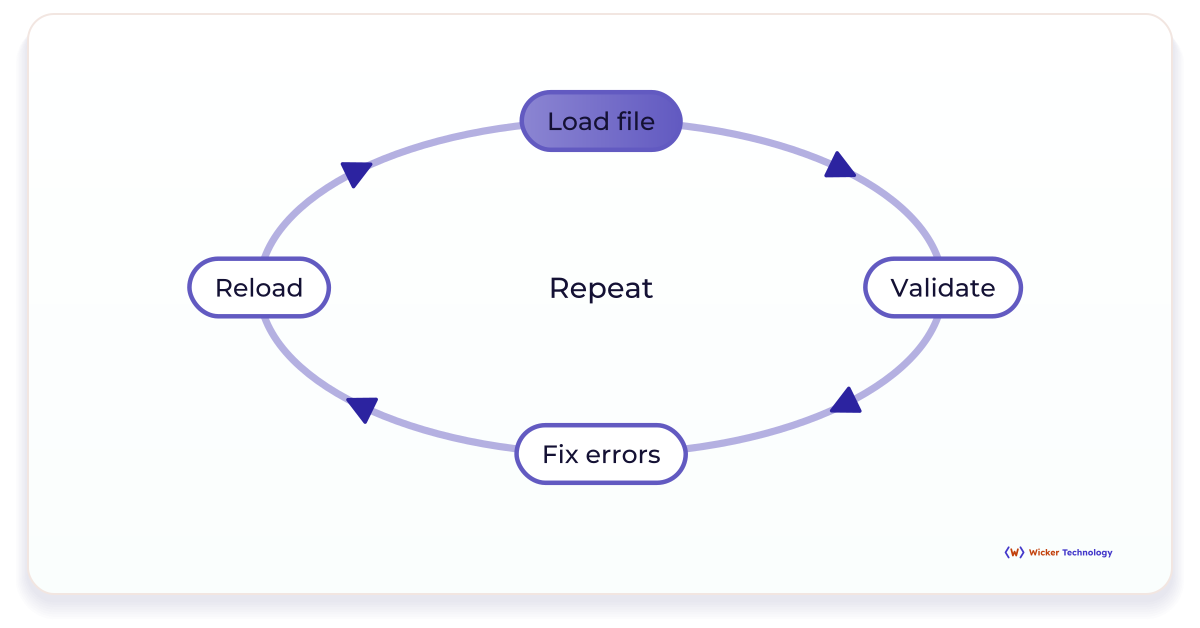
Build integrations to your payroll, identity provider, time tracking and finance systems, and load migrated data in at least two trial rounds. Compare record counts and key fields after every load. Investigate every mismatch instead of closing it as a rounding issue.
IT is often the hidden bottleneck, because single sign-on and API access sit in a queue. Book those requests in step 1. A look at the HR technology challenges shows how often an integration queue is behind a delay.
Step 6: Test, Compare Payroll and Train
Run scenarios end to end: hire, mid-month raise, unpaid leave, termination and a retroactive correction. Then run two parallel payroll cycles. Compare net pay for every employee, write down each difference and its cause, and have the payroll expert sign off. Confirm the legal and tax details for your countries with your payroll provider.
Train by role in sessions of 30 to 45 minutes. Managers need the three tasks they do: approve leave, change a team member's data and view their team. Employees need self-service. A single long webinar for everyone teaches very little.
Step 7: Launch and Stay for Hypercare
Pick a go-live date away from payroll cutoffs, benefits enrollment and year-end. Keep the project team together for four to twelve weeks afterward. Triage tickets daily, keep a visible fix list and send one weekly status note.
At the end, compare results with the baseline from step 1 and publish them. If the numbers did not improve, say so and add the fixes to the plan. This also feeds back into which HR technology trends you adopt next.
Where the Time and Money Typically Go
People are often surprised that licenses are the smaller part. For a mid-sized rollout, internal time, data work and implementation help typically cost more than a year of licenses. Use the ranges below as a conversation starter, and replace them with quotes from your vendors.
| Cost area | Coverage | How to estimate |
|---|---|---|
| Licenses | Subscription for core HR, payroll, modules | Vendor quote per employee per month, times headcount |
| Implementation help | Vendor or partner configuration and project management | Fixed quote or hours, ask for the assumptions |
| Internal time | HR, payroll, IT and managers | Hours per week per person times weeks times loaded rate |
| Data and integration work | Cleanup, migration, connectors | Number of systems times effort, plus a buffer |
| Training and change | Sessions, guides, support desk | Users per role times session length |
Managing the People Side of the Rollout
Systems go live on a date, and people adopt them over months. Plan communication in three waves: an announcement that explains why the change is happening and what it means for each group, a preview a few weeks before launch and a quick-reference guide on go-live day. Managers hear first, since employees will ask them.
Name a few champions in each department. They test early, show colleagues how to complete the common tasks and report problems that nobody else sees. In my projects, a handful of champions did more for adoption than any amount of formal training. Give them time in their calendar, or the role stays on paper.
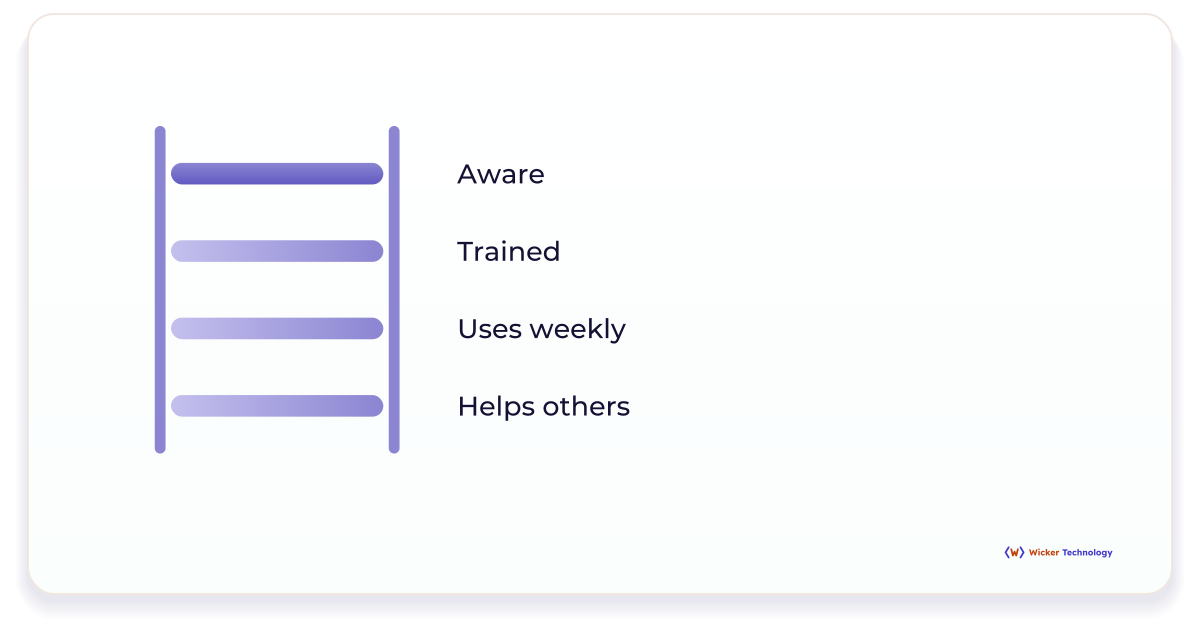
Track adoption from the first week: logins, completed self-service tasks and the number of tickets per hundred employees. If managers are not approving leave in the system after a month, call three of them and ask what is in the way. The answer is usually a missing notification or a confusing screen that you can fix in days.
Have a Rollback Plan Before You Need One
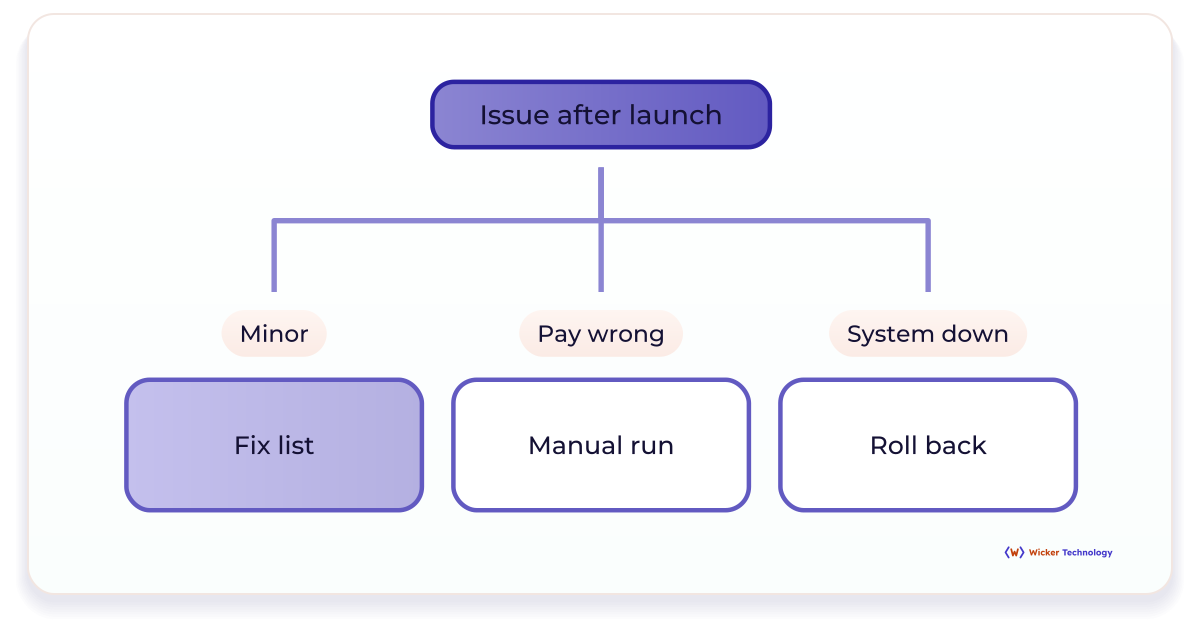
It sounds pessimistic, but every payroll go-live needs a written fallback. Decide in advance who can call a rollback, until which day it remains possible and how the old system stays available. Keep the previous payroll system active and read-only for at least one full cycle after launch, and archive its data in a form you can search.
Most go-lives never use the fallback. Writing it down changes the quality of the readiness review, because the team has to name the failures it is most worried about and decide how to detect them. Those lists usually add three or four checks that would otherwise be forgotten.
What to Ask Your Vendor Before You Sign
Many delays are baked in at the contract stage. Ask for the implementation plan in writing, with the assumptions behind each duration, such as the number of data load rounds and the amount of your time per week. Ask what happens when a milestone slips because of the vendor, and what the change process costs. Ask who exactly will configure your system, and whether that person has done your country's payroll before.
Request two references with a similar size and country mix, and ask them one question: what would you do differently? Listen for answers about data, testing and decisions rather than software features. Those are the same traps in the table above, and they tell you whether the vendor's timeline is realistic for you.
A last practical point on reporting. Send a one-page status every week during the build and test steps: what finished, what is late, what you need from whom and the date of the next decision. Use plain words and three statuses. Sponsors who receive this note rarely ask for extra meetings, and problems reach them while they can still be fixed cheaply, not at the readiness review.
How to Choose Who Runs the Implementation
You have three realistic options: the vendor's team, an independent partner or your own staff. Check these before you decide:
- Someone on your side has led an HR system rollout before.
- Your data is clean and your processes are close to standard.
- You operate in one country, or the vendor has proven local payroll.
- You can free the named people for the hours the plan assumes.
If you can tick all four, a vendor-led project often works. If you miss two or more, an independent partner pays for itself by catching problems early. If you are still choosing software, the best HR software list is a place to start the short list.
Questions About HR Technology Implementation
How Long Does an HR Technology Implementation Take?
For a mid-sized company, a new HRIS usually takes four to nine months from signed contract to go-live, and a payroll migration adds parallel cycles on top. Multi-country rollouts take longer. Ask vendors for references with a similar size and country mix, and treat their timeline as the best case.
What Is the Most Common Cause of Delay?
Employee data. Migration files fail validation, and each correction round takes days. A cleanup before the project starts is the cheapest delay prevention I know.
Should I Implement Everything at Once?
Rarely. Start with core HR and payroll data, then add recruiting, time and learning in later releases. A big-bang launch concentrates risk in one weekend, and a phased release lets your team learn from each step.
How Many People Do I Need on the Project Team?
A sponsor, a project lead, an HR operations expert, a payroll expert and an IT contact, each with protected time. In most mid-sized projects, the payroll expert is the scarcest person, so plan around that calendar.
Do I Need an Implementation Partner?
It depends on your internal experience. Vendor-led implementations work if your data is clean and your processes are standard. An independent partner helps when you have several systems, many countries or no one who has done this before.
What Should I Test Before Go-Live?
Run end-to-end scenarios: hire, promotion, leave, termination, expense and payroll cycle. Run at least two parallel payroll cycles and compare net pay for every employee. Test access rights with real role examples.
What Happens After Go-Live?
Plan hypercare for the first one to three months. Triage tickets daily, track fixes in one list and review adoption at the first month-end. Close the project only when the baseline measures from before the project show improvement.
Important: nothing in this article is legal, financial or tax advice. All figures are estimates from typical projects, so verify them with your own providers and advisers.
Was this useful?
We appreciate the feedback.
Paige Mulvaney
Paige leads the Wicker editorial team and works with the consultants who run the roadmaps, software selections, implementations and integrations to turn real client projects into practical guides. Her focus is plain-language advice on IT strategy, choosing business software and connecting systems so they work together. Every article she edits is checked against current vendor pricing and documentation before it is published.