In Short
- A good roadmap has five phases, a decision point at the end of each and no more than two active projects at once.
- Payroll cycles, year-end and contract dates fix the calendar before any project does.
- Data cleanup is the first real phase, and skipping it is the most common reason for later delay.
- Review the roadmap every quarter and move dates openly when they slip.
A roadmap is the part of HR technology planning people actually look at every month. It also goes wrong in a predictable way: it starts as a clean chart and, by the third month, is out of date because nobody owns it. I build mine around fixed constraints first and projects second.
The sample below is a 15-month plan for a company of a few hundred employees that wants to improve its HR stack. If you want it adapted to your own systems, HR technology consulting can do that in a short workshop.
The Sample Roadmap by Quarter
| Phase | Months | What happens | Decision point at the end |
|---|---|---|---|
| 1. Foundation | 1 to 3 | Problem list, system inventory, data cleanup plan, vendor contract calendar | Approve the three priorities and the budget range |
| 2. Data and integration | 3 to 6 | Clean employee records, define source of truth per field, connect recruiting and HRIS | Go or no-go on replacing any core system |
| 3. Selection | 5 to 8 | Requirements, short list, scripted demos, reference calls, three-year cost | Pick one vendor and sign |
| 4. Build and migrate | 8 to 12 | Configuration, data migration, parallel payroll runs, training | Readiness review before go-live |
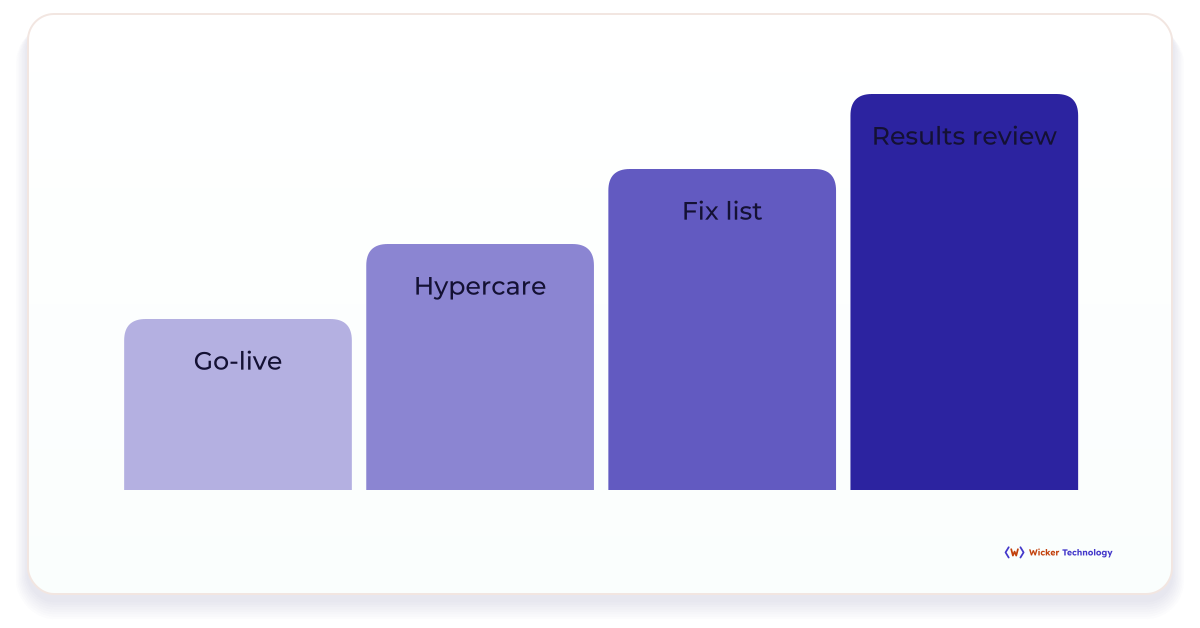
| 5. Launch and tune | 12 to 15 | Go-live, hypercare, fix list, first results review | Close the project and set the new baseline |
Phases overlap on purpose. Selection starts while integration work is still running, because vendor demos run best on cleaned sample data. What the table cannot show is the constraints underneath it.
Fix the Constraints Before You Place Projects
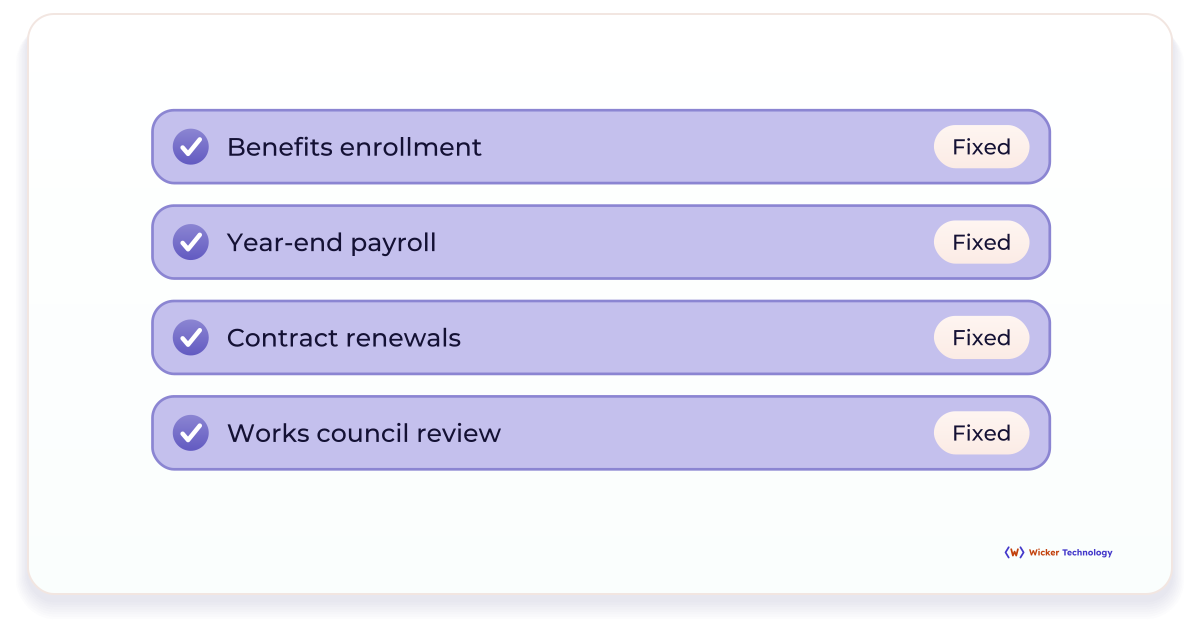
Put these on the calendar before any project:
- Payroll cutoff dates and year-end processing in every country you pay in.
- Open enrollment for benefits and any annual review cycle.
- Contract end dates and notice windows for each current vendor.
- Hiring peaks, such as seasonal intake, when recruiters cannot test anything.
- Holidays and vacation blocks for the three or four people the project depends on.
What remains is your window. In one engagement, the window between benefits enrollment and year-end was six weeks long, and that decided everything about the timing of the migration. Go-lives in the middle of such a window are normal, and a go-live in the last two weeks of the tax year is a risk I have never seen pay off.
Phase 1: Foundation (Months 1 to 3)
Foundation work is unglamorous. You gather the problem list, inventory systems and agree on measures. The output is a short document your sponsor signs. If you already have a written plan, the HR technology strategy process shows how to produce it, and this phase reuses its priorities.
Record baseline numbers now: payroll corrections per cycle, days to fill a role, hours spent on new-hire paperwork. Without them, you cannot show results in month 15.
Phase 2: Data and Integration (Months 3 to 6)
Almost every roadmap I audit puts data cleanup inside the migration. It belongs earlier. Duplicate employees, missing managers and inconsistent job titles are far cheaper to fix in the current system, where people can still see them, than in a new one.
For each field, name one system as the source of truth. Then connect the systems that need it. Small integrations done here, such as sending new hires from recruiting into the HRIS, often deliver the first visible result before any new platform exists.
Phase 3: Selection (Months 5 to 8)
Write requirements as scenarios, such as "a manager approves a mid-month raise and payroll picks it up in the same cycle". Send the same scenarios to every vendor and watch them live. Call two references per finalist and ask what went wrong in their rollout.
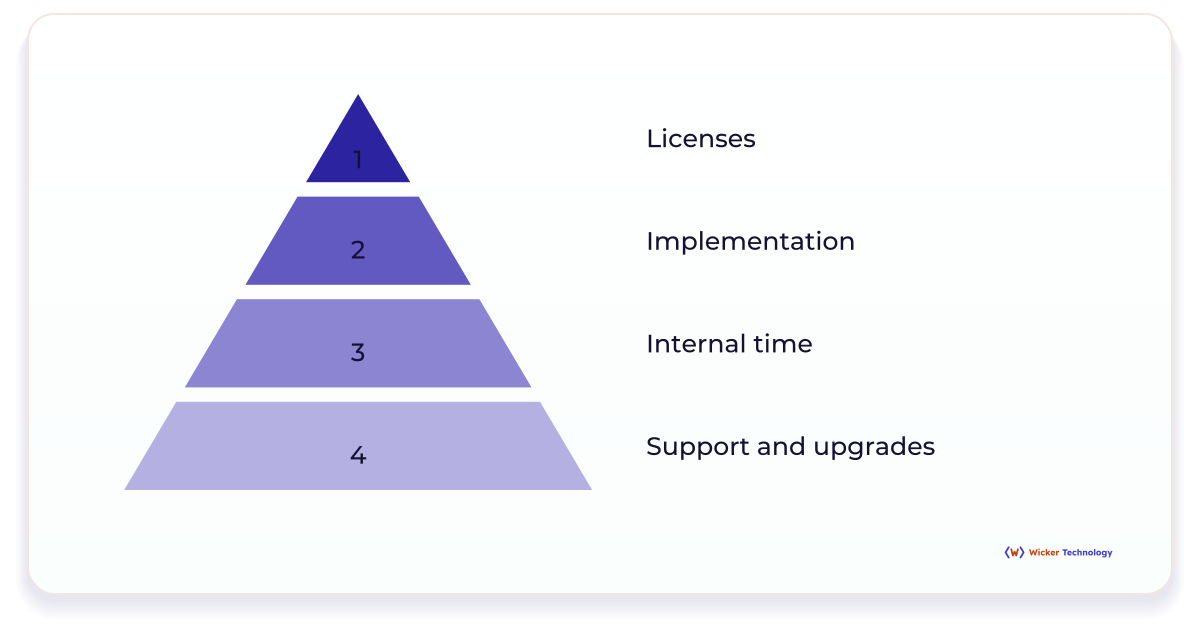
Compare options on three-year total cost, covering licenses, implementation, integrations and internal time. If you need a starting list, the best HR software ranking gives you a first filter. Not every roadmap needs a new platform, and the decision point at the end of Phase 2 allows for that.
Phase 4: Build and Migrate (Months 8 to 12)
This is the longest phase, and the place where dates slip. Configuration is usually on time. Data migration and testing are not, because testing finds the problems that the earlier cleanup missed. Add two weeks of buffer before the readiness review and tell your sponsor why.
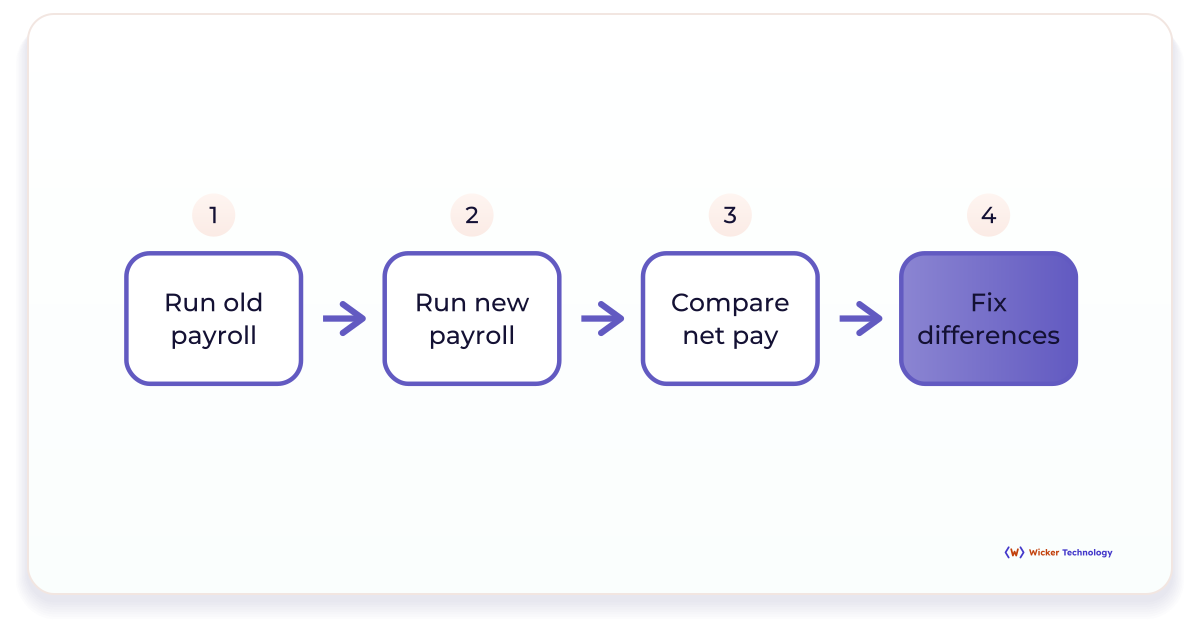
Run at least two parallel payroll cycles. Compare the net pay of every employee, investigate every difference and keep a log. Train managers and employees before launch, in short sessions by role, not in one long webinar. For details on what typically goes wrong here, see my guide to HR technology implementation.
Phase 5: Launch and Tune (Months 12 to 15)
Plan three months of hypercare. In the first weeks, a named person should triage every ticket daily. After a month, review the fix list, close or schedule each item and publish the first results against your baseline.
Do not treat go-live as the end. Adoption problems appear at the first month-end, the first performance cycle and the first leaver, and each one needs a quick fix.
Dependencies That Usually Cause Delay
Most slips trace back to a few dependencies. Knowing them in advance lets you add buffer where it counts.
| Dependency | What typically happens | Buffer I plan |
|---|---|---|
| Employee data quality | Migration files fail validation repeatedly | 2 to 4 weeks |
| Payroll provider capacity | Parallel runs slip because of cutoff dates | 1 cycle |
| IT availability | Single sign-on and integrations wait in a queue | 2 weeks |
| Legal and works council review | New monitoring or AI features need approval | 3 to 6 weeks |
| Key person absence | The one payroll expert is on leave during testing | Plan around holidays |
The same dependencies feature in my overview of HR technology challenges, with fixes for each. Not all of them apply to you, but a roadmap that names none of them is probably optimistic.
Keep the Roadmap Alive After Approval
A roadmap needs a rhythm. I run a 30-minute check every two weeks with the project lead, the HR operations expert and the IT contact, and a short monthly update to the sponsor. The bi-weekly meeting has three questions: what finished, what is blocked and what changed in the dependencies. Anything else belongs in a separate conversation.
Keep one page that shows the phases, the current status in plain words and the next decision. Use three statuses only: on track, at risk and late. Avoid percent-complete numbers, since they hide the truth that the last 10 percent of a migration takes as long as the first 60.
When something slips, write down the cause and the effect on later phases the same day. A visible slip of two weeks is cheap. A slip that surfaces a month later, after other teams have scheduled around the old date, is expensive and damages trust in the whole plan.
What a Roadmap Costs in People, Not Only Licenses
Next to each phase, write the hours you need from named people. Phase 2 might need the HR operations lead for one day per week and an IT engineer for two days per month. Phase 4 usually needs the payroll expert for half of every week during parallel runs. Seeing these hours next to the dates shows quickly which phases cannot happen at the same time.
The numbers also make the case for outside help. If the plan needs 60 percent of your payroll lead's time and she has 20, you have found the gap before the project starts. That is the moment to add a partner or move a phase, not in month eight.
A Lighter Version for Smaller Teams
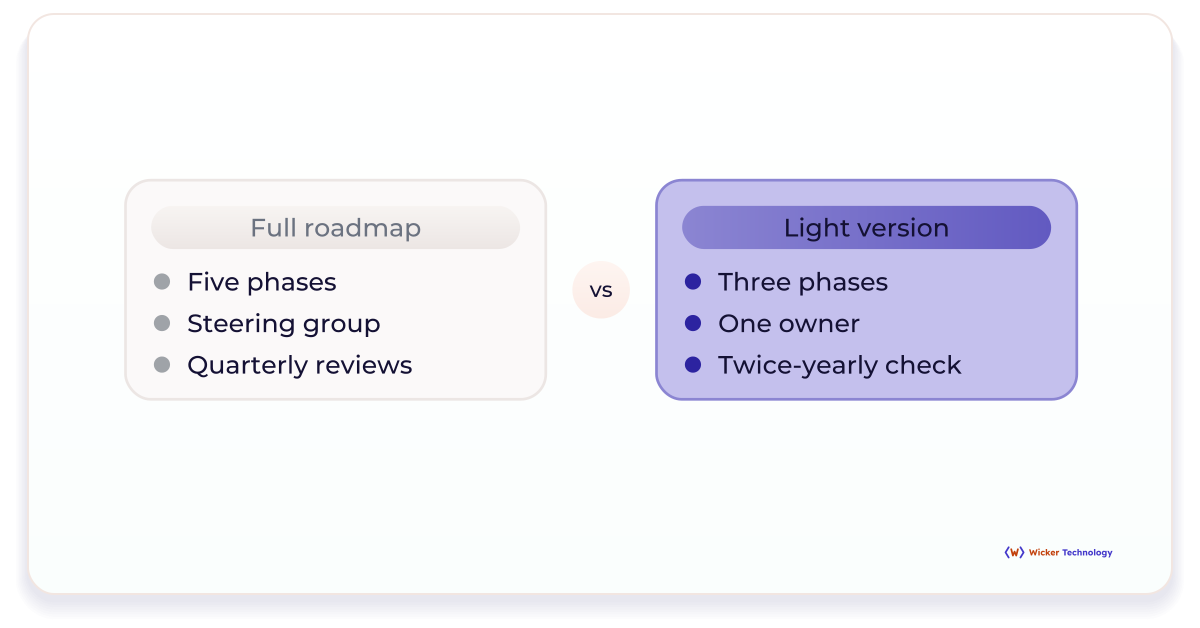
If you run a company of fifty to a hundred people with one HRIS and an outsourced payroll, the full five-phase plan is too heavy. Cut it to three steps over six to nine months: clean the data and write down the source of truth, fix the two or three integrations that create re-typing, and decide at the next contract date whether to renew or switch.
Keep the decision points even in the small version. A short written decision, with the reason and the date, spares you from re-arguing the same question a year later. It also makes the next roadmap faster to write, since the history is already on paper.
One more habit that pays for itself: write down every assumption behind a date. "Data cleanup finishes by month 4 if the HR operations lead has one day per week" is an assumption you can check. When the assumption fails, you know exactly which date moves, and you can explain it to your sponsor in one sentence instead of a long apology.
How to Adapt the Roadmap to Your Company
Take the sample and change four things. Shorten it if you only plan integrations and no new platform: phases 3 and 4 shrink to a few weeks. Lengthen phase 4 if you operate in several countries, because each payroll adds a parallel run. Match the order to your contract dates, and cut anything that does not link to a priority.
Then ask whether the plan is still believable. Can the people named actually do the work next to their daily jobs? If not, add outside help or remove a project. A roadmap you can staff beats an ambitious one that stalls. Looking at what is changing in the market can help you decide what to delay, and the HR technology trends overview covers that.
Questions About HR Technology Roadmaps
How Long Should an HR Technology Roadmap Cover?
Twelve to eighteen months in detail, with a rough sketch for the following year. Anything longer goes stale, since vendors, budgets and company plans change. Review it every quarter and move dates openly when they slip.
What Is the Difference Between a Strategy and a Roadmap?
The strategy says what you will fix and why. The roadmap says when, in what order, with whom and at what cost. You can write a roadmap without a strategy, but it tends to list tools instead of outcomes.
How Do I Handle Payroll Deadlines in the Roadmap?
Treat payroll as fixed points on the calendar. Avoid go-lives in the last weeks of a quarter or a tax year, and run at least two parallel payroll cycles before you switch. Confirm the specific dates for your country with your payroll provider.
How Many Projects Can an HR Team Run at Once?
In mid-sized companies I rarely see more than two active projects work well. HR operations people who run payroll cycles carry the same people into every project, so a third project usually delays the other two.
Should the Roadmap Include Budget?
Yes. Give each phase a cost range that covers licenses, implementation help, internal time and training. Ranges are fine at the start, and you can tighten them once vendor quotes arrive.
What Should I Do When a Phase Slips?
Say so early, move the dependent phases and tell the sponsor what is affected. Slips are normal. Hidden slips are the problem, because other teams plan around dates that are no longer true.
Can I Reuse the Sample Roadmap as It Is?
Use it as a starting frame. Replace the phases, durations and owners with your own, and delete phases you do not need. A copied roadmap with the wrong constraints is worse than an empty page.
Important: nothing in this article is legal, financial or tax advice. All figures are estimates from typical projects, so verify them with your own providers and advisers.
Was this useful?
We appreciate the feedback.
Paige Mulvaney
Paige leads the Wicker editorial team and works with the consultants who run the roadmaps, software selections, implementations and integrations to turn real client projects into practical guides. Her focus is plain-language advice on IT strategy, choosing business software and connecting systems so they work together. Every article she edits is checked against current vendor pricing and documentation before it is published.