In Short
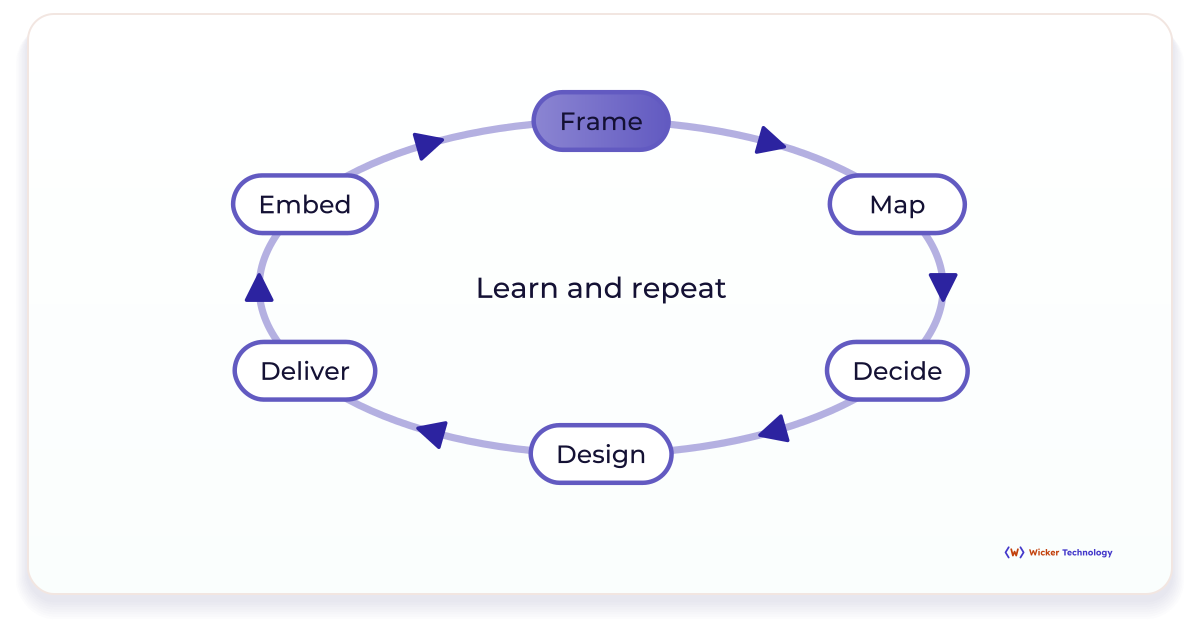
- The framework has six steps: frame, map, decide, design, deliver and embed.
- Each step has a question, an output and an owner, and a step with no output did not happen.
- Every system gets one of five verdicts: keep, update, move, retire or replace.
- Embedding includes training, ownership and retiring old systems, or you pay for both stacks.
A framework is only useful if you can apply it on Monday. The model below has six steps, each with a question, an output and an owner. It is the one I use in technology transformation consulting work, adjusted for how many systems and how much risk a client carries.
It is deliberately plain. Frameworks with eleven layers and branded terms look impressive in a workshop and get abandoned in week three. Six steps with named outputs survive contact with a busy business.
The Six Steps at a Glance
Each step produces something you can point to. If a step has no output, it did not happen. The table is also a good checklist for a steering group review.
| Step | The question behind it | Output | Owner |
|---|---|---|---|
| 1. Frame | Why are we doing this? | Goal sheet with measures and baselines | Executive sponsor |
| 2. Map | What do we run today? | Inventory of systems, data and dependencies | IT lead |
| 3. Decide | What happens to each system? | Keep, update, move or retire verdicts | Business and IT together |
| 4. Design | What does the target look like? | Target architecture, data model and interfaces | Architect |
| 5. Deliver | How do we get there safely? | Pilot, waves, cutover checklists | Program lead |
| 6. Embed | How do we keep the gain? | Training, ownership, retirement and tracking | Operations lead |
Steps are sequential in thinking and overlapping in practice. You can start mapping while the goal sheet is still in review, but you cannot make verdicts until both exist. For dates and gates, pair this model with the technology transformation roadmap.
Step 1: Frame the Change
Write down the business outcome in one sentence, attach a measure and record today's value. "Cut order-to-cash days from 41 to 28" is a frame. "Modernize our platforms" is not. Name an executive who owns the number and will defend the budget.
Add two constraints at this stage: the budget range and the dates that cannot move, such as a contract end or an audit. They shape every later decision and are cheap to state now, and expensive to discover at the design step.
Step 2: Map What You Run Today
Build an inventory of applications, databases, integrations and the processes they support. Record the owner, annual cost, vendor support status and the number of active users. Where possible, pull usage data instead of asking people, because opinions overstate how much a tool is used.
Mapping interfaces is the hard part. List every file transfer, scheduled job and manual export. These are where cutovers fail. The technology transformation challenges guide covers how hidden dependencies derail programs, and the inventory is your best defense.
Step 3: Decide What Happens to Each System
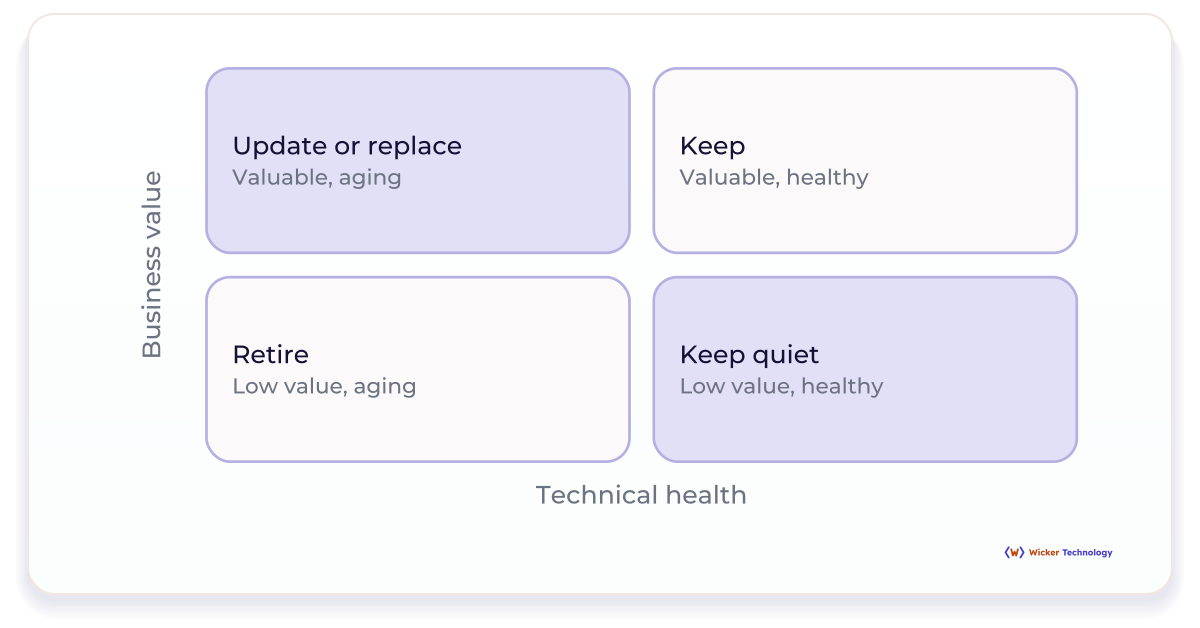
Every system gets one of five verdicts. Score it on business value, technical health, running cost and risk, then pick the cheapest option that meets the need. Replacement is the most expensive verdict and should be the last resort, not the default.
| Verdict | Choose it when | Typical cost level | Main risk |
|---|---|---|---|
| Keep | The system works and fits the process | Low | Quiet drift into obsolescence |
| Update | The product is sound but the version is old | Medium | Customizations that block the upgrade |
| Move | The system is fine but the hosting is not | Medium | Hidden dependencies on the old environment |
| Retire | Nobody needs it or another system covers it | Low to medium | Missed data retention needs |
| Replace | The system blocks change or lacks support | High | Data migration and user adoption |
Decide with business and IT in the same room. IT knows the technical health, and the business knows what would hurt if the system changed. A verdict made by one side alone is usually reversed later, at a cost.
Step 4: Design the Target
Draw the target state at the level the sponsor can follow: which systems remain, what each is the system of record for and how data flows between them. Decide where each kind of data lives, such as customers, products and orders, and stick to one answer per type.
This is also where buy or build is settled. Buy when a standard product covers most of the need and the process is not an advantage. Build when the capability sets you apart. My technology transformation strategy guide explains how to rank these choices against your priorities, and the design should follow that ranking.
Step 5: Deliver in Safe Increments
Run a pilot through a full business cycle, then roll out in waves. Each wave has an exit checklist: data reconciled, users trained, support staffed and rollback tested. Keep the old system read-only until the new one has passed one close.
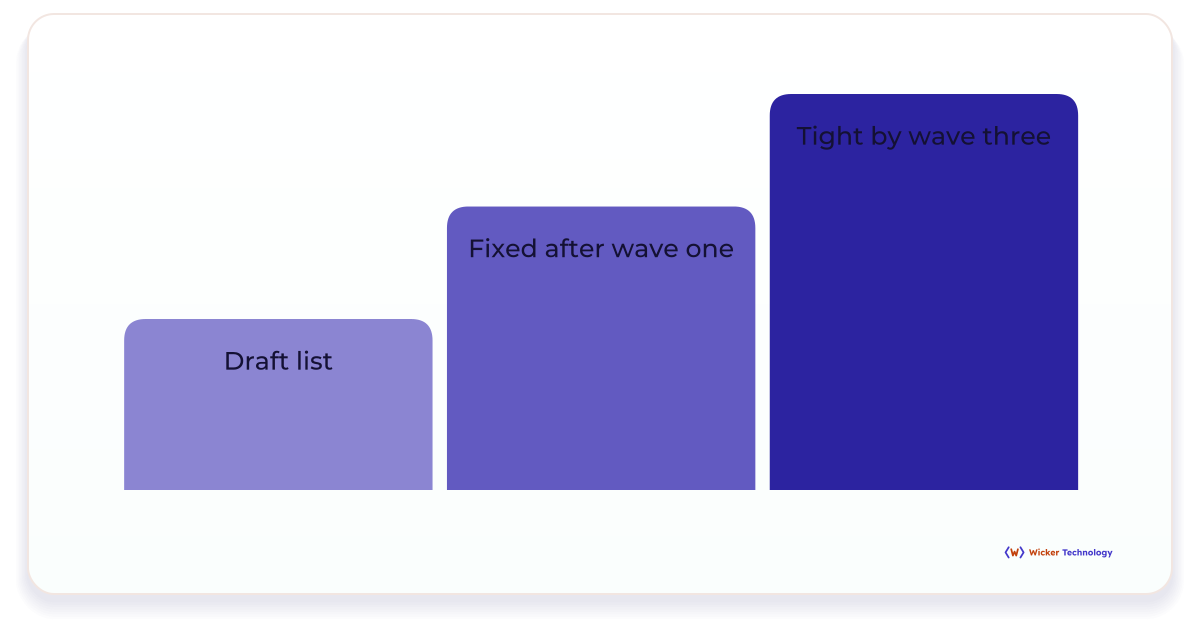
A cutover checklist is the most reusable asset the program produces. Improve it after every wave, and keep the version history. The third wave usually runs in half the time of the first, and the checklist is why.
Step 6: Embed the Change
The program is not done at go-live. Embedding covers training that continues after launch, a named owner for each system, retirement of the old ones and quarterly tracking of the measures from step one.
Cancel licenses at the next renewal and archive what the law or your contracts require. Check current retention rules with your compliance lead, since requirements differ by industry and region. Then publish the result against the baseline. Real examples, such as those in my technology transformation examples, show how teams reported savings and speed gains, which in turn made their next budget request easy.
What Each Output Looks Like
Abstract outputs lead to arguments about what counts as done. Here is what I accept for each step.
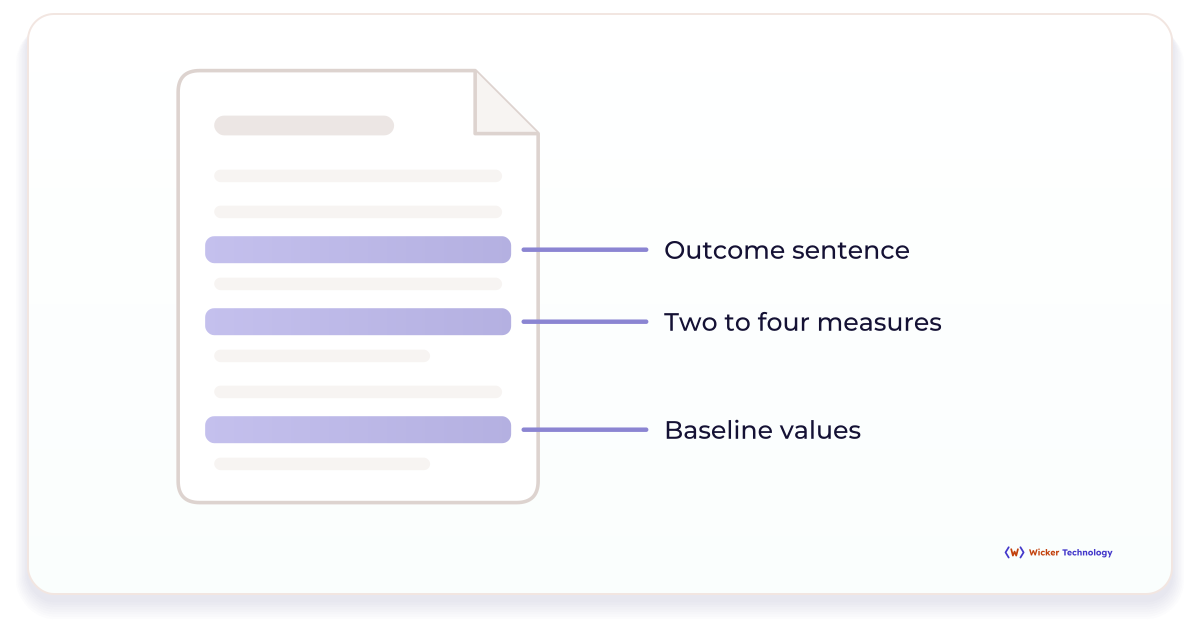
The goal sheet is one page: the outcome sentence, two to four measures with baselines and dates, the sponsor's name, the budget range and the fixed dates. The inventory is a spreadsheet with one row per system and columns for owner, cost, vendor support end date, active users, data held and the interfaces in and out. Rows with an empty owner cell get fixed before the next meeting.
The verdict list adds columns for the decision, the reason in one sentence and the estimated cost range. The target design is a diagram plus a data ownership table, which states for each data type which system is the single source. The delivery plan lists waves, with the exit checklist attached to each. The embed pack holds the training plan, the owner list, the retirement schedule and the tracking sheet for the measures.
None of these needs special software. A shared spreadsheet and a drawing tool carry most programs. What matters is that each document has one owner, a date of last review and a place where everyone can find it.
One more habit pays off in every program: keep a decision log. Each verdict, scope change and exception gets one line with a date, the decision, the reason and the person who made it. When a question comes up in month ten about why a system was kept, the answer is a search away, and nobody has to rebuild the argument from memory.
Where Teams Misuse the Framework
Three misuses show up repeatedly. The first is treating the steps as phases with hard walls. If mapping cannot start until the goal sheet is perfect, the program stalls in week one. Start mapping once the draft goal sheet exists, and tighten both as you learn.
The second is making verdicts from enthusiasm. A new platform looks exciting in a demo, and replacement becomes the default verdict. Make the team justify why update or move would not work, in writing, before replacement goes on the list.
The third is stopping after step five. Go-live feels like the finish, the team disperses and the old systems keep running for two years. Put retirement dates in the plan before the program starts, and let finance track the cancelled licenses. The saving then shows up in the budget, which is the proof the program needs.
Applying the Model to a Small Program
You do not need a large team to use six steps. A business with a dozen systems can run the whole model in a quarter of part-time effort. Frame takes a day, map takes two weeks, decide takes a workshop and a follow-up, and design fits on a few pages.
The risk in small programs is skipping steps because they feel heavy. Skipping mapping saves a week and costs months when a hidden dependency appears. Skipping the embed step saves nothing, since the old systems keep costing money. If you cut anything, cut the detail of the design document, never the inventory or the retirement.
For larger programs with many acquired systems, add a step zero: a portfolio view across business units, so overlapping tools are spotted before each unit decides alone. The same six steps then run per business unit, with a central group keeping the verdicts consistent.
How to Check Your Framework Is Working
After the first month, test whether the model is being used or only quoted. Ask these questions in a steering group meeting:
- Can everyone name the outcome, the measure and the baseline?
- Does every system on the inventory have an owner and a verdict?
- Does the target design say where each data type lives?
- Does every wave have an exit checklist that has been tested?
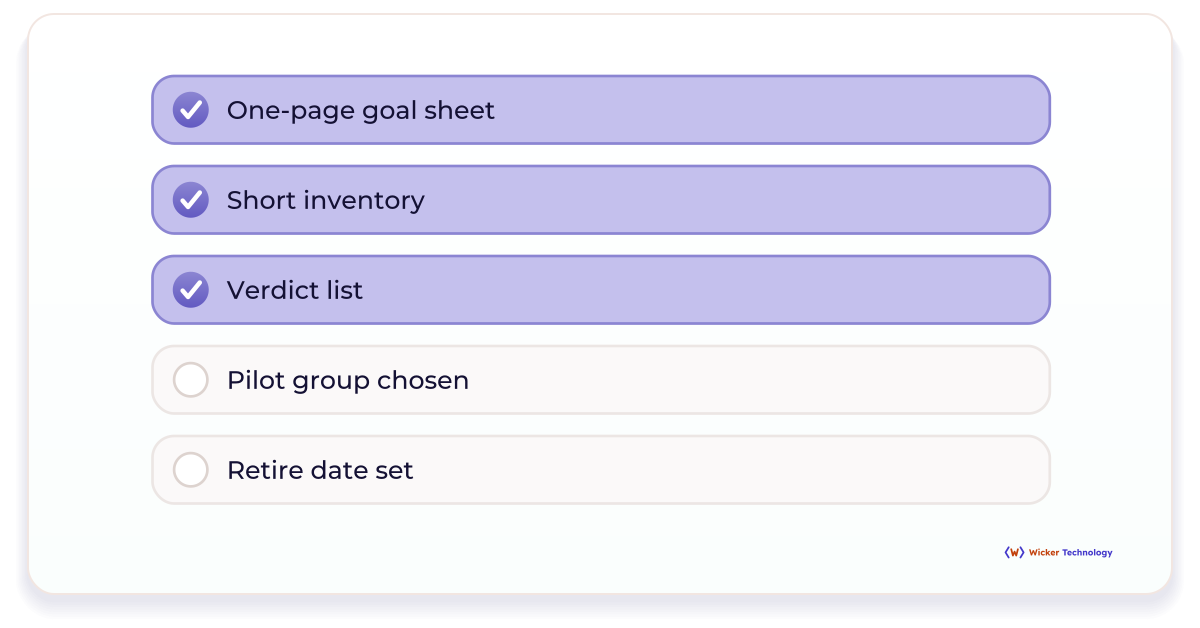
- Is there a dated plan to retire each replaced system?
If two or more answers are no, go back to the step that owns the gap before moving on. Fixing it there costs a day. Fixing it during cutover costs weeks.
Questions About the Technology Transformation Framework
What Is a Technology Transformation Framework?
It is a repeatable model for planning and carrying out changes to your systems and the way you work. This one has six steps, with an output and an owner for each, so a steering group can check progress.
Which Framework Is Best for Transformation?
The best one is the one your team will use. Many established models exist, and most share the same ideas: goals, current state, target state and delivery. A six-step model with clear outputs is easy to apply and easy to audit.
How Is a Framework Different from a Roadmap?
A framework is the method, and a roadmap is the dated plan you produce with it. You use the framework to decide what to do, and the roadmap to schedule it.
Do I Need a Framework for a Small Business?
A light version helps. A dozen systems can run through all six steps in a quarter of part-time effort. Skip detail in the design document, never the inventory or the retirement step.
How Do I Decide Whether to Keep or Replace a System?
Score it on business value, technical health, running cost and risk, then choose the cheapest option that meets the need. Replacement is the most expensive verdict, so treat it as a last resort.
Who Should Own Each Step?
The sponsor owns framing, IT owns mapping, business and IT decide together, an architect owns design, a program lead owns delivery and operations owns embedding. One name per step avoids gaps.
How Do I Know the Framework Is Working?
Check that everyone can state the outcome and baseline, every system has an owner and a verdict, and each wave has a tested exit checklist. If two or more are missing, return to the step that owns the gap.
Important: nothing in this article is legal, financial or tax advice. All figures are estimates from typical projects, so verify them with your own providers and advisers.
Was this useful?
We appreciate the feedback.
Paige Mulvaney
Paige leads the Wicker editorial team and works with the consultants who run the roadmaps, software selections, implementations and integrations to turn real client projects into practical guides. Her focus is plain-language advice on IT strategy, choosing business software and connecting systems so they work together. Every article she edits is checked against current vendor pricing and documentation before it is published.