In Short
- Successful transformations start with a small pilot and a measure agreed beforehand.
- Consolidation, integration and phased cutovers solve different problems, so match the pattern to yours.
- Scripted scenarios beat vendor demos when you choose software.
- Retiring tools takes data migration and habit change, so budget for both.
Case lists make transformation look tidy. Real programs have delays, side effects and decisions that look worse in hindsight. The seven examples below come from the kinds of projects I see in technology transformation consulting, described as they actually ran, from the pilot to the payoff.
Details are anonymized and figures are rounded to what clients reported to me. Take the patterns, not the exact numbers, and check them against your own situation.
Seven Transformations at a Glance
Each example starts with a specific pain and ends with a result you could measure. The table gives the short version, and the sections below show how each one ran.
| Example | Starting point | Move that worked | Typical result |
|---|---|---|---|
| Clinic group | Nine overlapping tools | Consolidate to three, pilot one clinic | Double entry gone, fewer billing errors |
| Freight forwarder | Three demos, no comparison | Scripted scenarios and scoring | Earlier go-live, defensible choice |
| Distributor | Order re-keying in four systems | Connect with monitored interfaces | About 60% less order entry time |
| Manufacturer | ERP past vendor support | Phased module cutover | Small failures instead of one big one |
| Law firm | Duplicate tools per practice group | Usage review and retirement | Lower license cost, matters in one place |
| Retailer | Spreadsheet inventory | Shared stock record, then reorder rules | Counts agree across stores |
| School group | Separate student systems | Single record, one pilot school | No weekly exports, one parent channel |
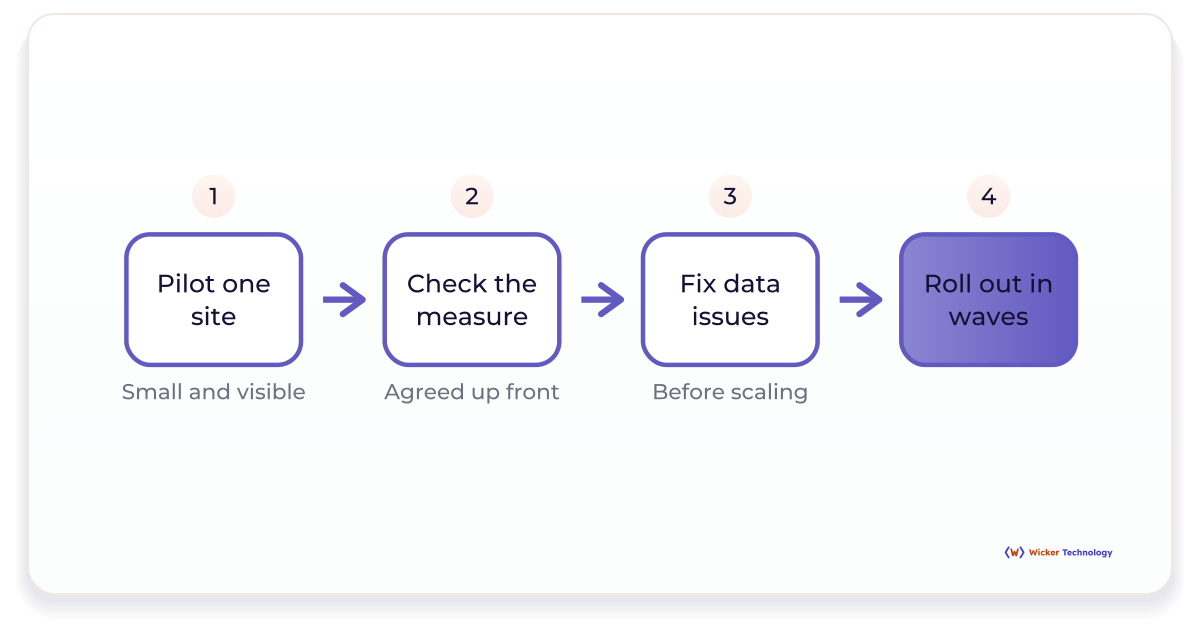
A pattern repeats across all seven: a small pilot, a measure agreed beforehand and a rollout that learned from the first step. The technology transformation framework turns that pattern into a repeatable model.
7 Technology Transformation Examples From Real Projects
Read them for the sequence of decisions more than the industry. A clinic group and a school network have little in common, yet both succeeded by starting small. If you are still defining your own goals, my notes on technology transformation challenges list the hurdles to expect.
Clinic Group Consolidates Nine Systems
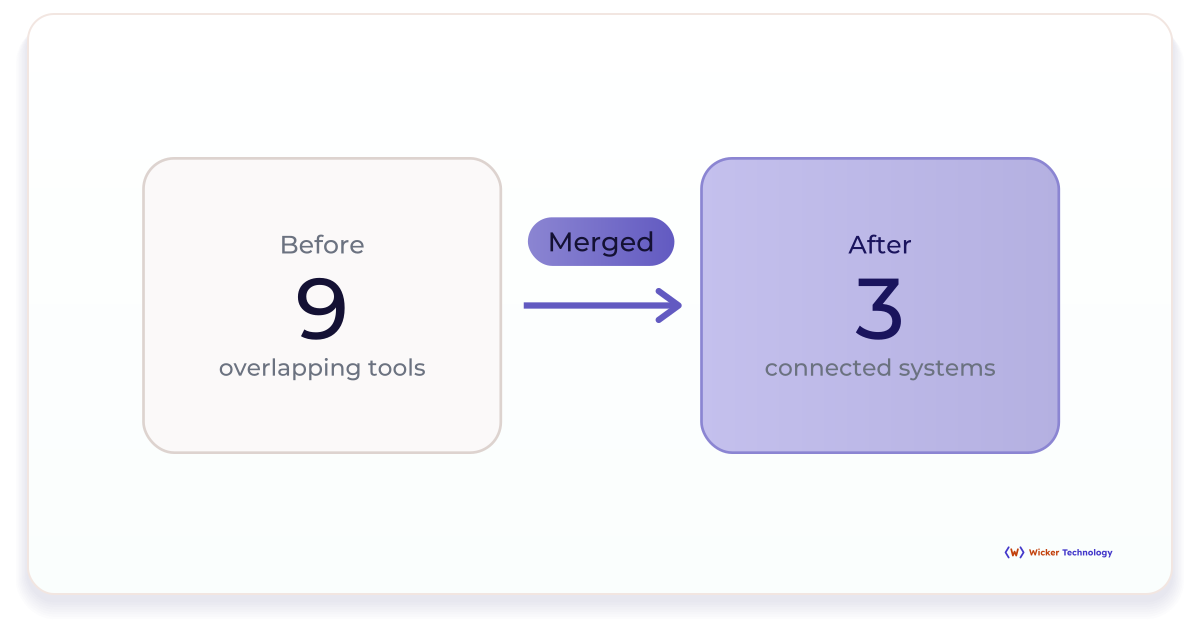
A regional clinic group ran scheduling, billing and records across nine tools that barely talked. Front desk staff typed the same patient details twice. The program began with a map of what each tool did and who used it, which showed that three could cover everything.
The pilot moved one clinic to the three-system setup in a single quarter. Double entry stopped there first, and billing errors fell by about a third. The other clinics followed in waves, each one a little faster than the last as the checklist improved.
How the pilot ran
- Inventory all nine tools with owners and costs.
- Pick the three systems to keep and the data each would hold.
- Migrate one clinic as the pilot, with old tools read-only.
- Measure double entry and billing errors for a full quarter.
- Roll out clinic by clinic, updating the checklist each time.
Where the tools came in
A scheduling suite and a billing platform with open interfaces carried most of the load. The interface work, not the license, took the most time.
Freight Forwarder Picks a Warehouse System
A freight forwarder had three warehouse system demos and no way to compare them. Each vendor showed its best screens, and the team argued about preferences. The consultants built a scoring sheet from real receiving and picking steps instead.
Every vendor ran the same scripted scenarios, including a messy return and a mislabeled pallet. Reference calls were checked against the scores. The winner was not the vendor with the best demo, and go-live landed two weeks ahead of plan.
How the selection worked
- Write down the 12 daily steps the system must handle.
- Weight each step by how often it happens and what a failure costs.
- Give all vendors the same scripted scenarios to run.
- Call two reference customers per vendor with the same questions.
- Score, compare total cost over five years and decide.
What helped most
A plain spreadsheet scoring model and written scenarios were enough. Vendors respected the process, and the losing bids were easier to explain internally.
Distributor Connects Four Systems
Orders were typed into the ERP, again into a carrier portal and again into billing. A distribution company lost hours every day to re-keying and found errors only at month-end. The fix was connection, not replacement.
The team linked the four systems with documented interfaces and added alerts for failed syncs. Order entry time dropped by about 60%, and month-end stopped starting with a cleanup. The old systems stayed, which kept the cost and the risk low.
How the integration was built
- Trace one order from entry to invoice and note every re-keying step.
- Choose a system of record for each data type.
- Build interfaces for the highest-volume handoff first.
- Add monitoring and alerts for every failed sync.
- Retire the manual exports once a month of clean runs passes.
The tooling
An integration platform and the vendors' own interfaces covered most links. A simple dashboard showing failed syncs mattered more than any single connector.
Manufacturer Moves ERP in Phases
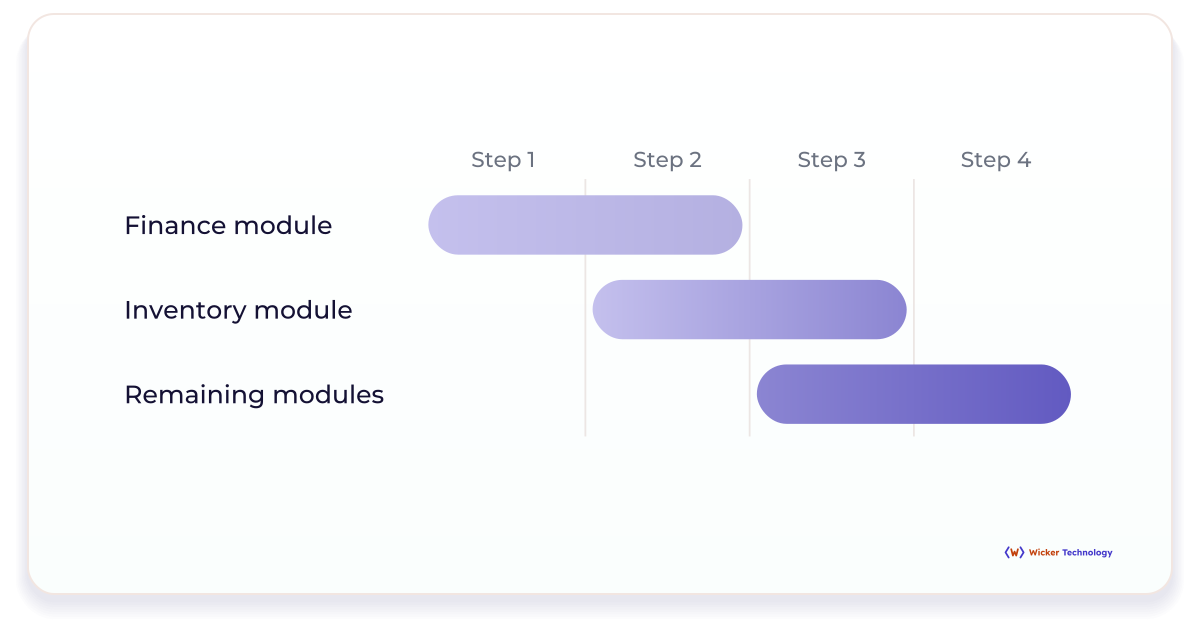
A manufacturer needed to leave an ERP that was past vendor support. The first plan was one weekend cutover for everything. After a risk review, the team split it into finance, then inventory, then production, each with its own go-live.
Finance went first, since its processes were the best understood. Inventory followed once the data was cleaned, which took longer than planned. Production moved last, away from the seasonal peak. The total timeline was longer, and the failures were small.
How the phases were sequenced
- Rank modules by dependency and business risk.
- Start with the module that has the clearest processes.
- Clean master data before each module moves.
- Run old and new in parallel for one close cycle.
- Schedule the riskiest cutover outside peak season.
What supported the move
Data profiling tools found duplicate part numbers early. A cutover rehearsal on a copy of production caught two issues before they reached real orders.
Law Firm Retires Duplicate Tools
Over ten years, a mid-sized law firm had collected three document tools and two time trackers, each championed by a different practice group. Licenses overlapped, and client matters were stored in four places.
The transformation was mostly a retirement project. A usage review showed which tools people really used, and a small working group chose one of each type. Staff moved over three months, with a floor-walker per practice group. The firm cut its license bill and, more importantly, found matters in one place.
How the consolidation worked
- Pull usage data for every tool from the last year.
- Form a working group from each practice group.
- Choose one tool per function using agreed criteria.
- Migrate matters in batches by practice group.
- Switch off retired tools and cancel at the next renewal.
Tools for the review
License reports from each vendor gave the usage data. A shared tracker of renewal dates made sure nobody paid for a retired tool.
Retailer Replaces Spreadsheet Inventory
A growing retailer ran inventory in spreadsheets shared by email. Stock counts disagreed between stores, and ordering relied on one buyer's memory. A full retail platform was too large, so the team started with a shared stock database.
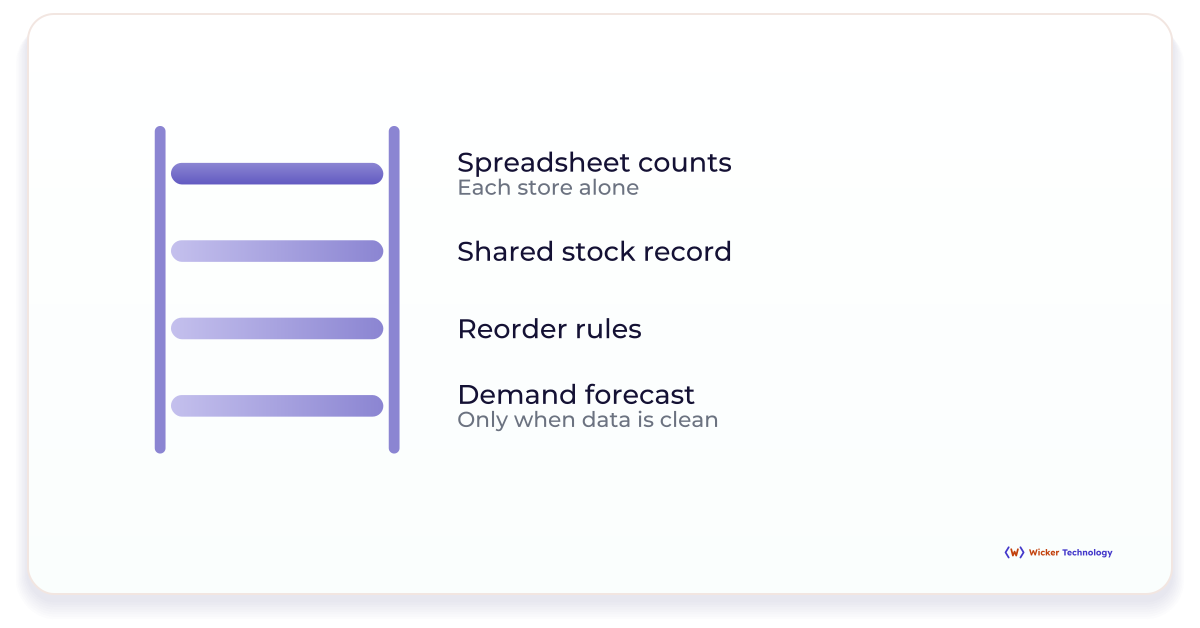
Within two months every store counted against the same record. Reorder points came next, then supplier ordering. Each step paid for itself before the next began. The retailer later added forecasting once the data had a year of clean history.
How the upgrade grew
- Move stock counts into one shared system.
- Standardize product codes across stores.
- Add reorder points for the fastest-moving items.
- Connect supplier ordering to the stock record.
- Add forecasting after twelve months of reliable data.
What it took
An off-the-shelf inventory tool covered the first phases. A clean product code list, built by hand, was the real prerequisite.
School Network Moves to One Platform
A group of schools used separate systems for admissions, attendance and parent messaging. Staff exported data between them every week, and parents received conflicting notices. The goal was one source of student records.
The pilot ran in one school for a full term. Teachers helped design the attendance screens, which gave the rollout early supporters. The group added the other schools over the next year, with training scheduled around term breaks.
How the rollout was timed
- Choose one pilot school and a full-term timeline.
- Let teachers shape the daily screens.
- Migrate student records and check them with office staff.
- Train in term breaks, never during exam weeks.
- Add the remaining schools in waves.
Supporting tools
A student information system with open interfaces replaced the weekly exports. Parents got a single messaging channel, which ended the conflicting notices.
What the Seven Projects Had in Common
Looking back across the projects, the successes shared three habits. Each team wrote the target before choosing software, each ran a pilot long enough to see a real month of data and each kept the old system available, read-only, until the new one had proven itself.
The slow spots were also similar. Data cleanup ran over in four of the seven, and one team underestimated how many people still depended on the retired tool. None of these were fatal, because the phases were small. A big-bang approach would have turned each of them into an outage.
How to Pick the Right Example to Copy
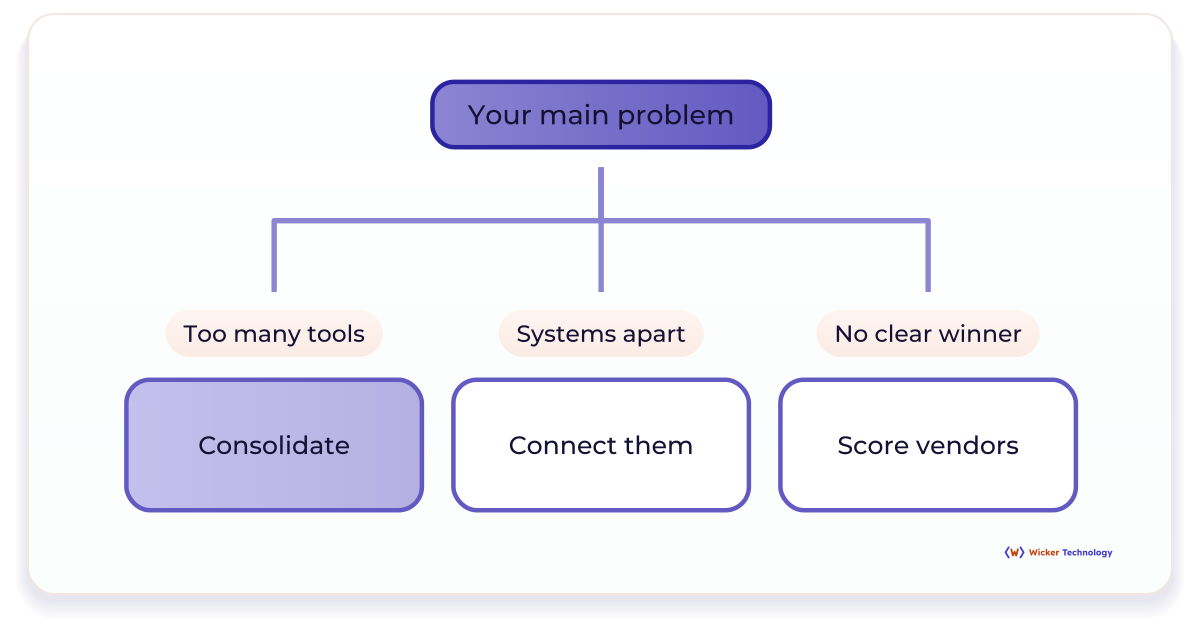
Nobody copies a case exactly, but one usually matches your situation more closely than the others. Choose by problem type first, since the industry matters less than you expect.
- Many tools, one job: look at the consolidation and retirement cases.
- A big platform choice: look at the scripted selection case.
- Systems that do not talk: look at the integration case.
- A platform past support: look at the phased cutover case.
- Spreadsheets everywhere: start with a shared record, then add rules.
Whichever you pick, set the target before the build and plan the timeline with checkpoints. The technology transformation roadmap shows how, and the technology transformation strategy guide helps you choose priorities when several cases fit at once.
Questions About Technology Transformation Examples
What Is an Example of Technology Transformation?
Consolidating nine overlapping clinic systems into three is a typical one. It changes how staff work, removes double entry and cuts running cost, which is the difference between transformation and a simple software upgrade.
How Do I Start a Technology Transformation?
Start with one business problem, one measure and a pilot small enough to finish in a quarter. Use what the pilot teaches to plan the rollout, rather than committing to the whole program on day one.
How Long Does a Transformation Pilot Take?
A well-chosen pilot usually runs from one month to one quarter. It should be long enough to measure a result, such as a full month-end close, and short enough that you can change course.
What Results Can I Expect?
Results vary by problem. Integration projects often cut re-keying time by half or more, and consolidation reduces license and support cost. Set a baseline first, so you can show the change instead of guessing.
Is It Better to Replace Systems or Connect Them?
It depends on whether the system itself is the problem. If the system works and only the handoffs hurt, connecting is cheaper and faster. If it is unsupported or blocks change, replacement or a phased move is the better choice.
How Do I Choose Software During a Transformation?
Write down the daily steps the system must handle, weight them by frequency and cost of failure, then have every vendor run the same scenarios. Check references with identical questions and compare five-year cost.
Why Do Some Transformations Take Longer than Planned?
Data cleanup and hidden dependencies are the usual causes. Teams that map interfaces and profile data before setting dates miss them less often, and phased plans keep a delay in one phase from stopping the rest.
Important: nothing in this article is legal, financial or tax advice. All figures are estimates from typical projects, so verify them with your own providers and advisers.
Was this useful?
We appreciate the feedback.
Paige Mulvaney
Paige leads the Wicker editorial team and works with the consultants who run the roadmaps, software selections, implementations and integrations to turn real client projects into practical guides. Her focus is plain-language advice on IT strategy, choosing business software and connecting systems so they work together. Every article she edits is checked against current vendor pricing and documentation before it is published.