In Short
- Most transformation failures start with unclear goals, messy data and uncontrolled scope, not with the software.
- Map dependencies and clean data before you set a go-live date.
- Adoption is decided before launch, so involve daily users early.
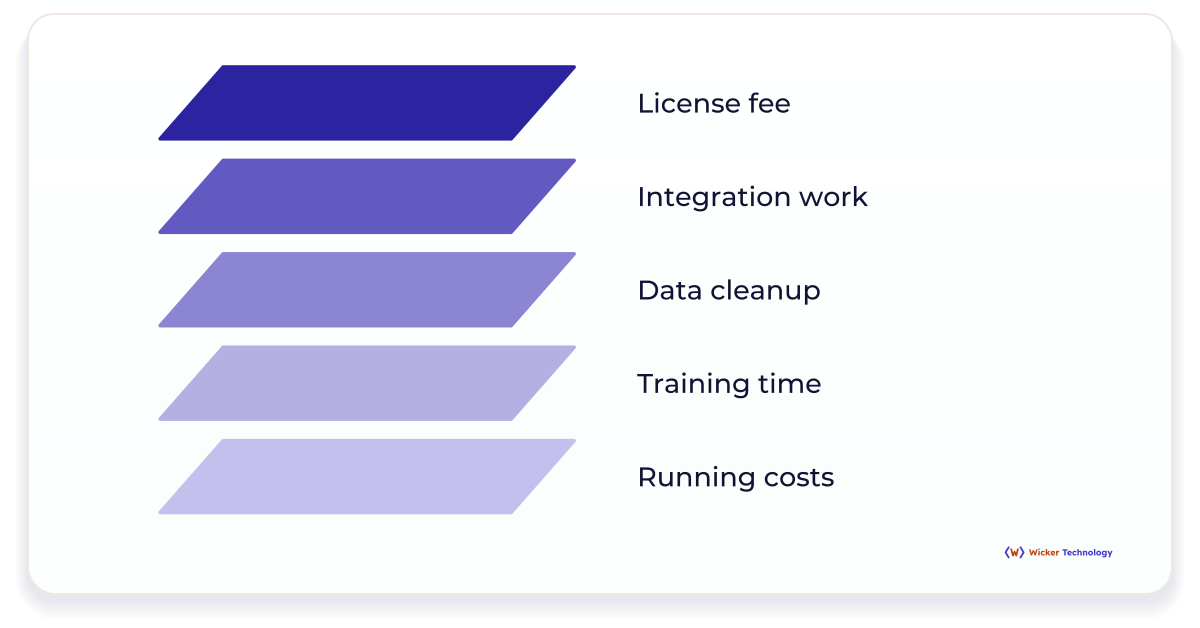
- Budget every cost layer, including integration, training and running cost after go-live.
A technology transformation changes how your business runs on its systems, not just which software you license. The hurdles that sink these programs are usually organizational and rarely technical, which is why a good technology transformation consulting engagement spends as much time on people, data and scope as on platforms.
Below are the nine challenges I see most often in client work, with an early warning sign, a way to handle each and the tools that help. Use the order as a checklist when you plan, and again when a program starts to wobble.
The 9 Hurdles at a Glance
The table lists each challenge with the first sign that it has arrived and the move that usually helps most. The sections after it go deeper.
| Challenge | First warning sign | First move |
|---|---|---|
| Unclear business goals | Nobody can state the target in one sentence | Write one outcome with a measure and a baseline |
| Legacy systems | Surprise dependencies found late | Map interfaces and jobs before design |
| Poor data quality | Reports disagree with the old system | Profile and clean data as a separate workstream |
| Low adoption | Side spreadsheets reappear | Involve daily users and track real usage |
| Scope growth | Dates slip a month at a time | Freeze scope per phase and swap, do not add |
| Skills gaps | Key people are overloaded | Pair outside specialists with internal owners |
| Budget overruns | Costs beyond license appear mid-project | Budget all cost layers with contingency |
| Lock-in and sprawl | Overlapping tools and renewals | Keep a software inventory with owners |
| Security gaps | Temporary access never expires | Set expiry dates and review after each cutover |
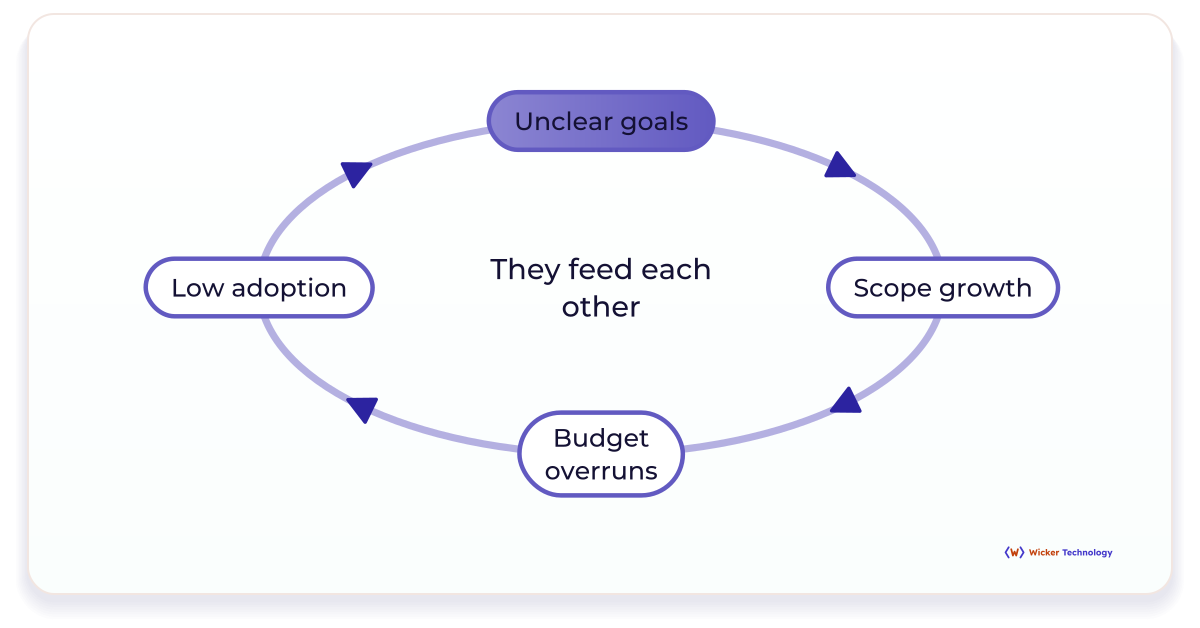
Most programs hit three or four of these at once, and they feed each other. Unclear goals make scope growth easy, and scope growth drains the budget. If you are still choosing a direction, my technology transformation strategy guide covers how to set priorities before the first contract is signed.
9 Technology Transformation Challenges and How to Handle Them
Each section follows the same pattern: what goes wrong, a real-world pattern and the steps I use to reduce the damage. A dated plan makes all of them easier, and the technology transformation roadmap shows how to lay that out in milestones.
Unclear Business Goals
Most stalled programs I see started with a technology goal, such as moving to a new platform, and no business number attached to it. When the budget review comes, nobody can say what the program was supposed to change, so it loses to projects that can.
One distribution client had a signed platform contract and no target. We spent two weeks turning it into three measures: order entry time, stock accuracy and month-end close days. The scope shrank by a third once every feature had to move one of them.
How to set goals that hold
- Write the single business outcome the program must change.
- Attach one measure and a current baseline to it.
- Name the executive who owns that measure.
- Cut any feature that moves none of your measures.
- Review the numbers every quarter, not only the milestones.
What helps here
A one-page goal sheet is enough, and a shared spreadsheet beats a slide deck. Your finance lead should confirm the baseline numbers so nobody disputes them later.
Legacy Systems That Resist Change
Old platforms hold your rules, your customer history and a surprising amount of undocumented behavior. The risk is rarely the system itself. The risk is that nobody can say what depends on it until it is switched off.
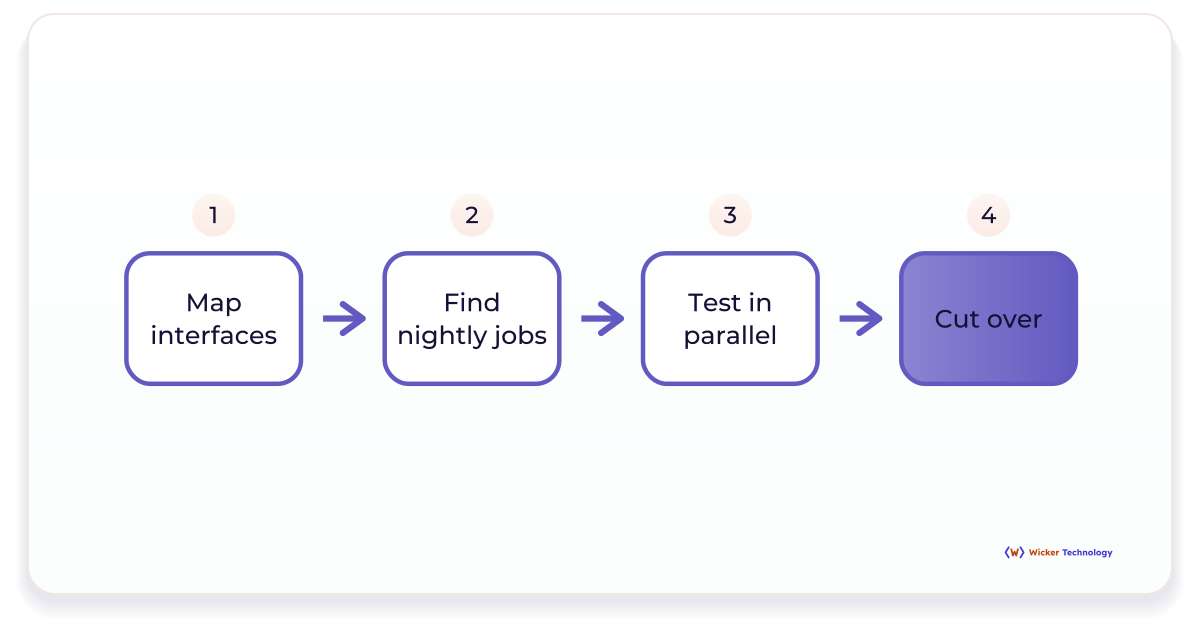
I once watched a billing system retirement stall because a nightly file feeding the warehouse was found three days before cutover. Mapping dependencies first would have cost a week. Finding it late cost six.
How to take on a legacy system
- List every interface, file drop and scheduled job that touches it.
- Interview the people who use it daily, not only its owner.
- Decide for each function: keep, update, move or retire.
- Move the least entangled pieces first to learn the pattern.
- Keep the old system read-only for a set period after cutover.
Tools for the mapping work
Interface inventories and data lineage tools show what talks to what. If your vendor supplies a dependency report, check it against what the users tell you, since the two rarely match.
Poor Data Quality
Transformation moves data, and moving bad data into a new system only makes the bad data faster. Duplicate customers, free-text fields and missing codes surface the day the first report disagrees with the old one.
In my client work, data cleanup takes longer than the software setup more often than not. Teams that budget two weeks for it usually need two months, so I plan it as its own workstream with an owner.
How to get your data ready
- Profile each source for duplicates, gaps and odd formats.
- Agree on one definition for each key record, such as a customer.
- Clean at the source where you can, in the migration script where you cannot.
- Run a trial load and have users check real records.
- Set data owners so quality does not decay after go-live.
What you need
Profiling features inside most migration tools are enough for a first pass. Pair them with a short data dictionary your business owners sign off on.
Change Fatigue and Low Adoption
A system that works and is not used is a failed project. Staff who have lived through three rollouts in five years stop reading the announcement emails, and they quietly rebuild their old spreadsheets next to the new tool.
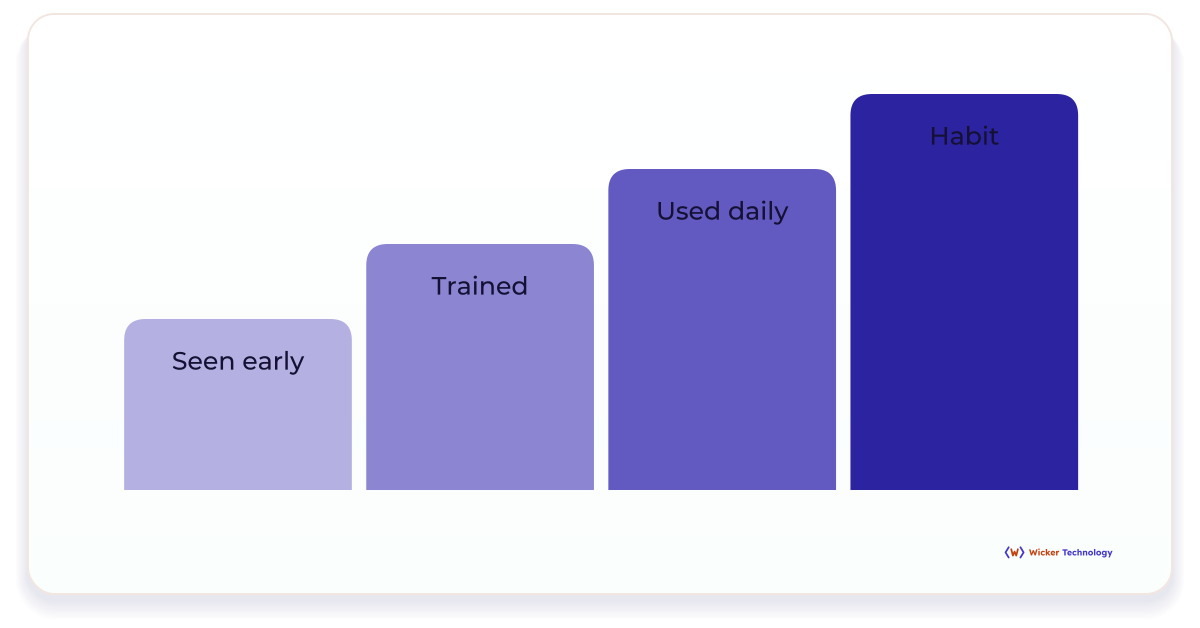
Adoption is decided in the weeks before go-live. Teams that saw the new process early, tried it on their own data and had a named person to ask tend to switch without drama. Teams that got a training invite on Friday for a Monday launch do not.
How to win your people over
- Involve a few daily users in design reviews from the start.
- Show each team what changes in their own week, in plain words.
- Run hands-on sessions with real work, not demo data.
- Name a floor-walker for the first two weeks after launch.
- Track usage, not just logins, and follow up on gaps.
Tools that support adoption
In-app guides and short recorded walkthroughs cost little and answer the repeat questions. Your usage dashboard should show who stopped using a feature, so you can ask why.
Scope That Keeps Growing
Every stakeholder sees the program as a chance to fix their own long-standing problem. Each request is reasonable on its own, and together they double the project. The plan slips a month at a time, which makes the cause hard to spot.
The fix is a visible rule for what gets in. In my projects, anything new goes on a ranked list with a cost and a measure, and swaps with something already planned. Requests drop sharply once people have to name what they would give up.
How to hold the line
- Freeze the scope for each phase before it starts.
- Keep one ranked backlog that everyone can read.
- Estimate every new request in time and cost.
- Require a swap or a new budget line for each addition.
- Hold a short monthly scope review with the sponsor.
Where to track it
A shared board with an owner per item is enough. What matters is that the sponsor, not the project manager alone, approves every change.
Skills Gaps in Your Team
Transformation asks your staff to run old and new systems at once, learn new tools and still deliver daily work. The people who know the legacy platform best are also the people you need most on the new one, and they are already busy.
Hiring your way out is slow and expensive for most mid-sized firms. A mix works better: bring in outside help for the first builds, pair each outside specialist with an internal owner, and make handover a deliverable with a date.
How to close the gap
- List the skills the new stack needs and who has them today.
- Pair every outside specialist with a named internal owner.
- Schedule training before the work needs the skill.
- Protect the time of your key legacy experts.
- Make documentation and handover part of each milestone.
What to look for in support
Ask any partner how they hand over, and ask to see an example runbook. A team that cannot show one will leave you dependent on them.
Vendor Lock-In and Tool Sprawl
Each new platform solves one problem and creates two: another contract, another data store, another login. After a few years you pay for overlapping tools, and moving off any of them would take a project of its own.
Lock-in is not always bad, since a deeply integrated suite can be the right call. The mistake is drifting into it. Compare exit costs, data export options and contract terms before you sign, and review the stack once a year.
How to keep your options open
- Check data export formats and costs before you buy.
- Prefer open interfaces and standard data models.
- Record contract end dates and notice periods in one place.
- Review overlapping tools every year.
- Retire what nobody can name an owner for.
Where this lives
A software inventory with owner, cost and renewal date answers most of these questions. Many firms find a handful of unused licenses the first time they build one.
Security and Compliance Gaps
Transformation widens your attack surface. New cloud services, new integrations and temporary migration accounts all appear while teams are busy, and temporary access has a way of becoming permanent.
If you work in healthcare, finance or another regulated field, requirements shape the design and should not be checked at the end. Check current rules with your compliance lead or counsel, since they change and differ by region.
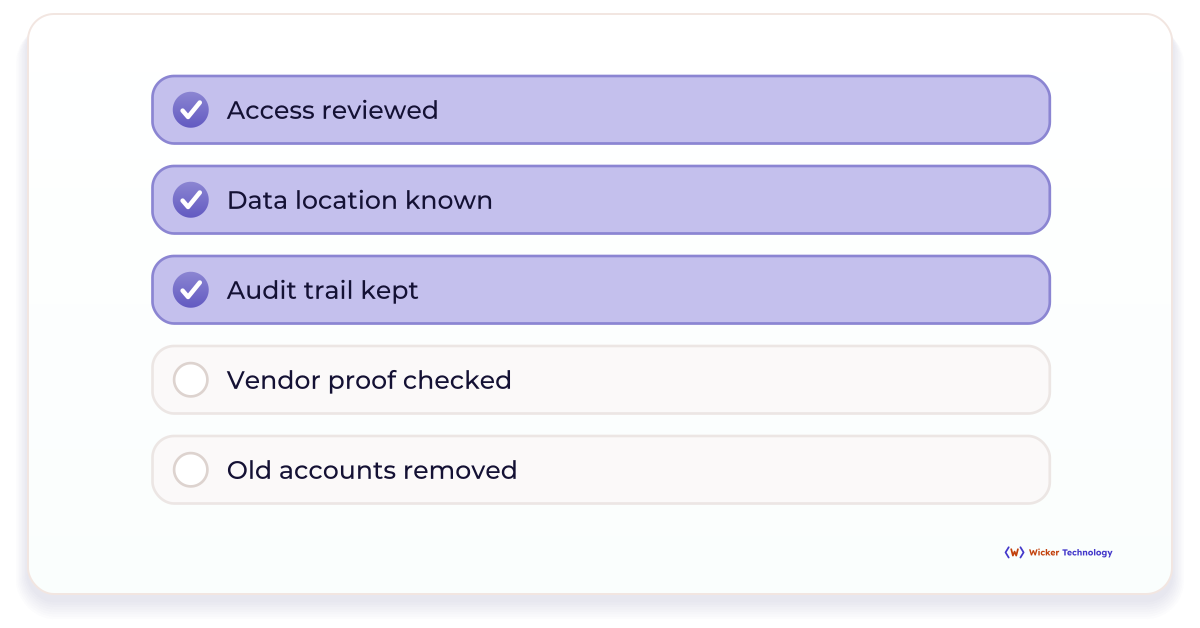
How to build security in
- List the regulations and contract terms that apply before design starts.
- Give every migration account an expiry date.
- Apply least-privilege access to each new system.
- Test restores and rollbacks, not only backups.
- Review access and logs after each cutover.
Tools to consider
Identity and access management and a log review tool cover most of the basics. Ask each vendor for its current security documentation and read it.
How to Decide Which Challenge to Tackle First
You cannot fix nine things at once. In my experience the order matters more than the effort, because some fixes make the rest cheaper. Goals and scope come first, since every other decision refers to them. Data and dependencies come next, because they decide how long the build takes.
- Write the outcome and its measure before you pick any software.
- Map dependencies and data quality before you set a go-live date.
- Agree the scope rule and the budget approver before work starts.
- Plan training and a floor-walker as deliverables, not extras.
- Set an owner for security and access from the first week.
If you want a reusable structure for all this, the technology transformation framework turns these checks into a step-by-step model. For a feel of how the fixes play out in practice, my technology transformation examples walk through seven projects from pilot to payoff.
Questions About Technology Transformation Challenges
What Is the Biggest Challenge in Technology Transformation?
In my client work it is unclear business goals. When nobody can name the outcome and the measure, scope grows, priorities clash and the program loses to projects with clearer numbers. Fixing that first makes the other challenges easier to handle.
Why Do Technology Transformations Fail?
They usually fail for organizational reasons: goals that were never defined, data that was never cleaned, scope that kept growing and users who were never involved. The technology itself is rarely the deciding factor, so check these areas before you blame the platform.
How Long Does a Technology Transformation Take?
It depends on how many systems are involved and how entangled they are. A focused program can show results within a quarter, while a core platform change is often phased over many months. Ask for a phased plan with a visible result in each phase.
How Do I Get Employees to Use the New Systems?
Involve a few daily users in design, show each team what changes in its own week, train on real work and have a named person on the floor after launch. Then track real usage, not only logins, and follow up where it drops.
How Much Contingency Should a Transformation Budget Include?
There is no single figure, because it depends on how much is still unknown. A program with well-mapped systems and clean data needs less than one with undocumented legacy platforms. Size it to your unknowns and agree who approves each increase.
Should I Replace Legacy Systems or Keep Them?
Neither is the default. Each system gets a verdict of keep, update, move or retire, based on its business value, health and running cost. Replacing everything at once is usually the most expensive and riskiest choice.
Do I Need Outside Help for a Transformation?
Many mid-sized firms do for the first builds, since internal teams are busy running the business. Pair every outside specialist with an internal owner and make handover a dated deliverable, so the skills stay with you.
Important: nothing in this article is legal, financial or tax advice. All figures are estimates from typical projects, so verify them with your own providers and advisers.
Was this useful?
We appreciate the feedback.
Paige Mulvaney
Paige leads the Wicker editorial team and works with the consultants who run the roadmaps, software selections, implementations and integrations to turn real client projects into practical guides. Her focus is plain-language advice on IT strategy, choosing business software and connecting systems so they work together. Every article she edits is checked against current vendor pricing and documentation before it is published.