In Short
- Run seven steps in order: inventory, score, ownership, pattern, build and test, cutover, monitor.
- Each step has one output you can check, such as a signed data ownership sheet.
- Skipping scoring and ownership is the shortcut that causes most later problems.
- The model fits one connection in days or a program in months.
A framework is useful when it saves you from deciding the order of work every time. The seven steps below are the model I use when connecting business systems, from the first inventory to the monthly health check. If you would rather work through it with a partner, my team's technology integration consulting runs on the same sequence.
The framework fits one connection or a dozen. For one connection, a step may take a day. For a program, a step may be a workstream. The order stays the same.
The Seven Steps at a Glance
| Step | The question behind it | Output |
|---|---|---|
| 1. Inventory Systems and Hand-Offs | What exists today? | A one-page map of systems and hand-offs. |
| 2. Score and Rank the Hand-Offs | What is worth connecting first? | A ranked list with the top three candidates. |
| 3. Assign Data Ownership | Which system is right? | A data ownership sheet signed by the business owner. |
| 4. Choose the Connection Pattern | How should data move? | A design note with the pattern and a reason per connection. |
| 5. Develop and Test With Real Data | Does it work on real records? | A signed-off test report and a go-live checklist. |
| 6. Cut Over in Stages | How do we switch safely? | A pilot result and a rollout order. |
| 7. Monitor, Own and Improve | Who keeps it healthy? | An owner, an alert path and a catalogue entry. |
Run the steps in order. The most common shortcut is to skip steps two and three and go straight to the build. That shortcut is where the technology integration challenges begin.
Step 1: Inventory Systems and Hand-Offs
List every application, spreadsheet and manual hand-off that carries business data. For each, record the owner, the data it holds, how it is accessed and how often data moves. Include the unglamorous ones: the spreadsheet a manager emails every Friday counts.
Walk the process with the people who do it. They know about workarounds that no architecture diagram shows. Expect the list to be 30 to 50 percent longer than the IT department's version. You end up with a one-page map of systems and hand-offs.
Step 2: Score and Rank the Hand-Offs
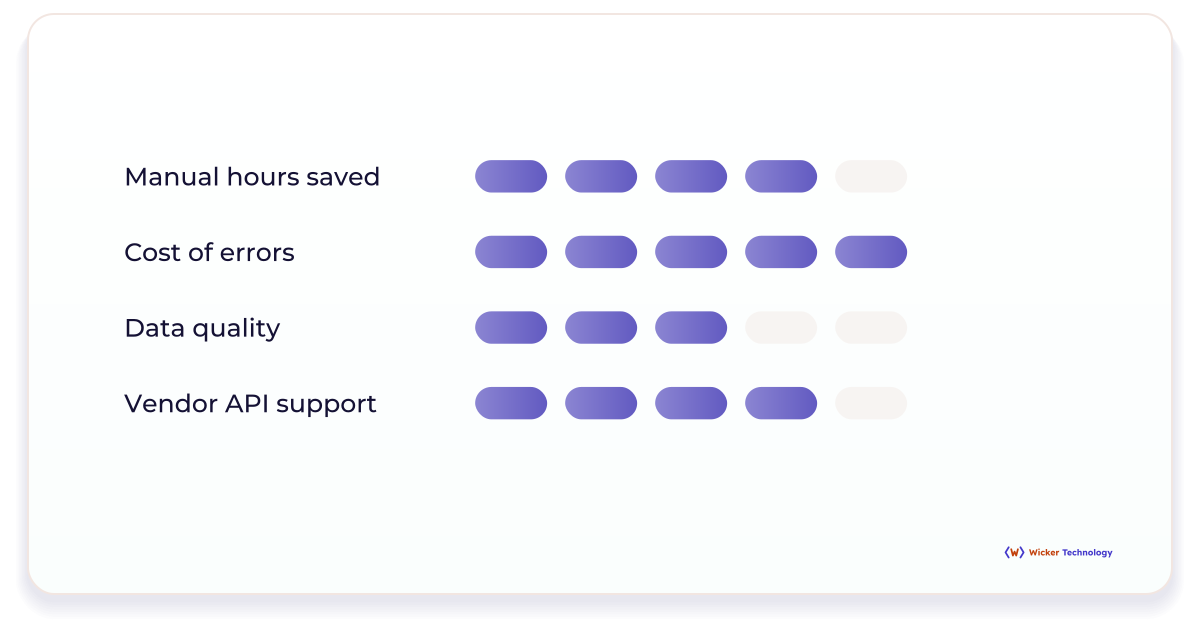
Not every connection deserves a project. Score each hand-off for volume, error cost, effort and risk, using a simple 1 to 5 scale. Multiply value by the inverse of effort and rank the result.
Keep the scoring visible so stakeholders can challenge it. A ranked list that people understand is easier to defend than one built in a spreadsheet nobody can follow. Hold on to a ranked list with the top three candidates.
Step 3: Assign Data Ownership
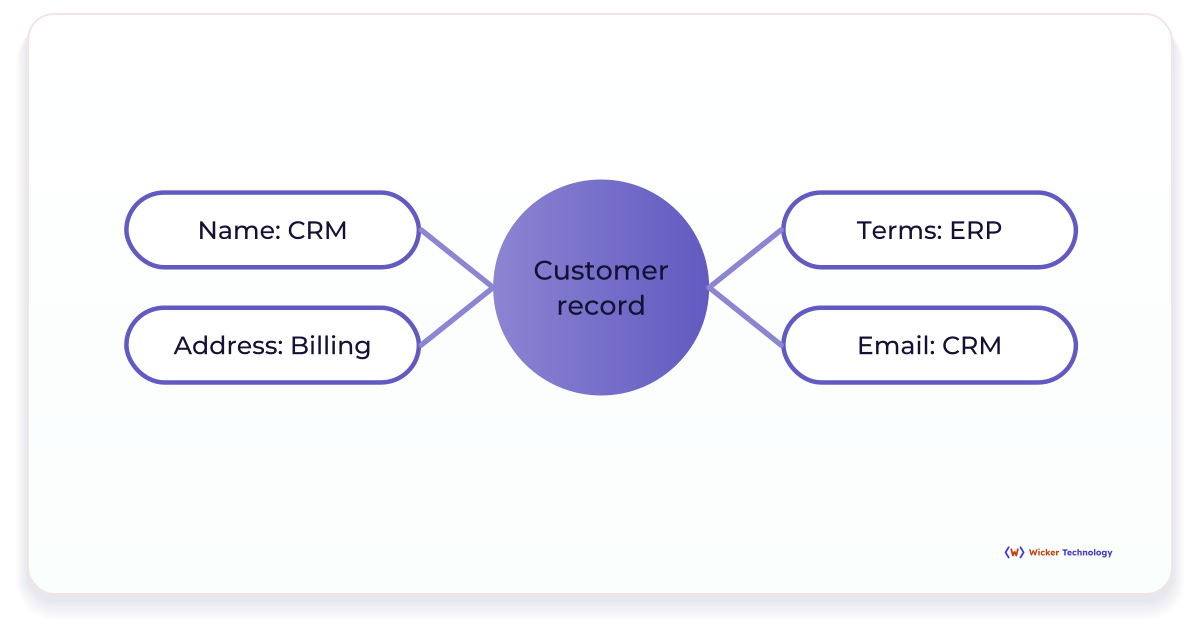
For each record type touched by the top candidates, decide which system owns it, which systems may read it and what happens on conflict. Write the rules in plain language and get them signed.
Resist the urge to leave a grey zone. A field with no owner will be edited in two places within a month. Sign off on a data ownership sheet signed by the business owner.
Step 4: Choose the Connection Pattern
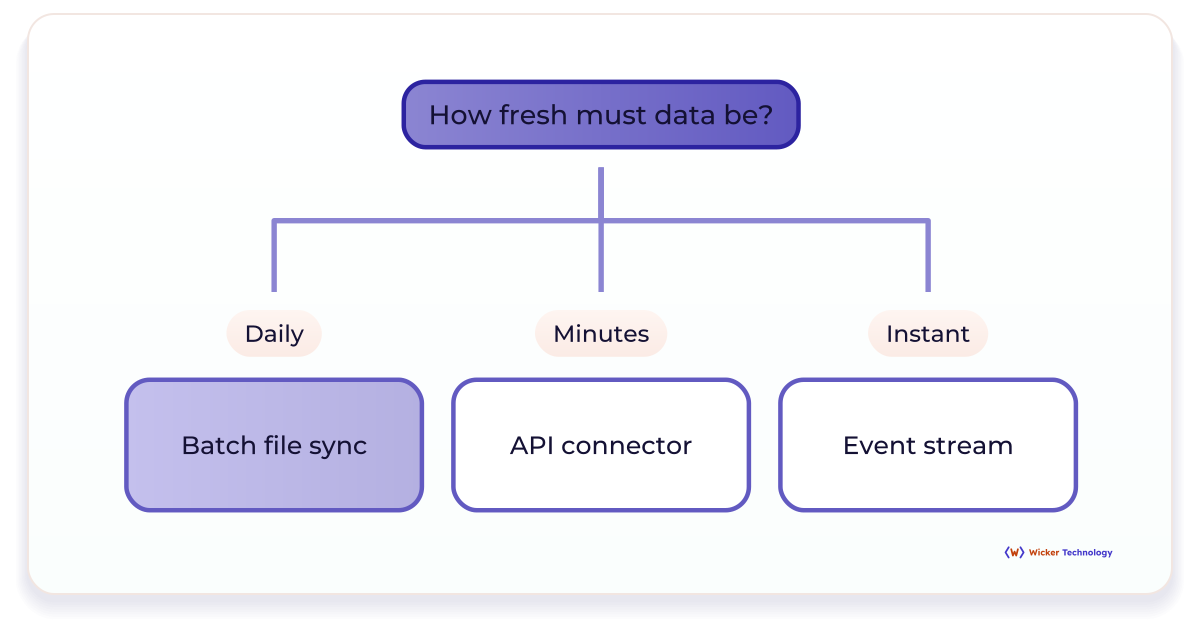
Pick how each hand-off will work: file transfer, direct API, middleware or read-only view. Match the pattern to the volume, the freshness the business needs and the skills your team has.
A simple rule: use the lightest pattern that meets the freshness requirement. Real-time sync costs more to build and monitor than a daily file, so make sure someone needs it. Keep a design note with the pattern and a reason per connection.
Step 5: Develop and Test With Real Data
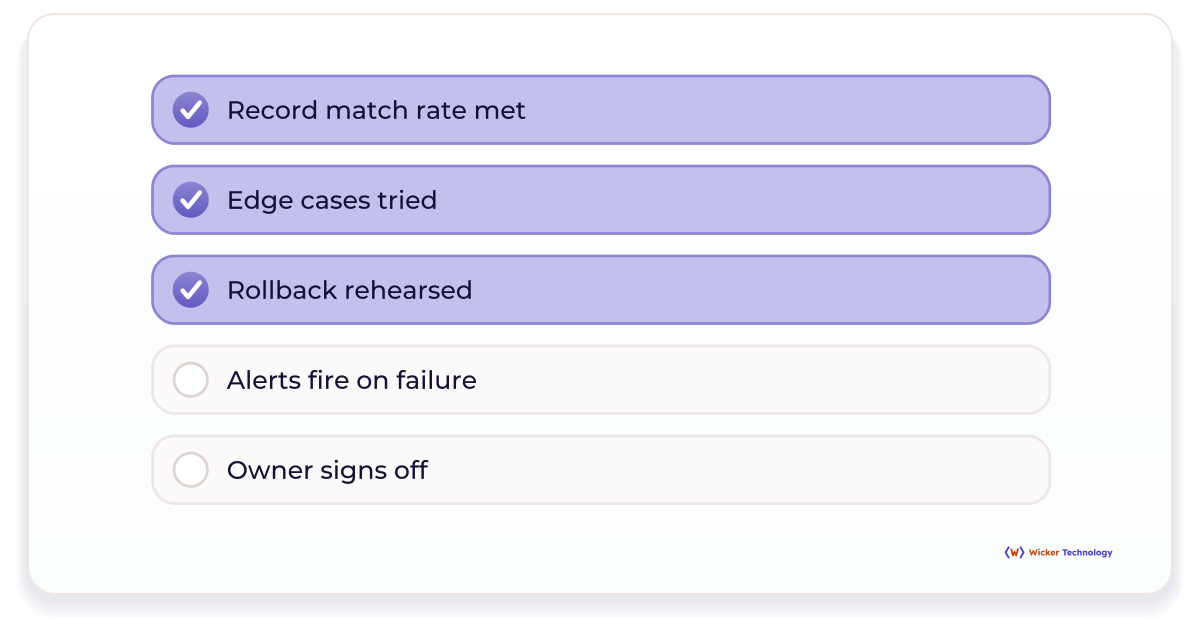
Build the connection in a test environment and run it against a masked copy of real records. Include known exceptions, odd characters and the worst records you can find. Fix defects in small loops.
Agree the exit test before you start: for example, 99 percent of records pass and every failure lands in a visible queue with a reason. Release only against a signed-off test report and a go-live checklist.
Step 6: Cut Over in Stages
Switch on the connection for one team or location first, compare results with the manual process for a set period and then extend. Keep the manual route ready until the numbers match.
Choose a pilot group that is typical, not the friendliest. A pilot that only works for the most flexible team teaches you little. Carry forward a pilot result and a rollout order.
Step 7: Monitor, Own and Improve
Hand the connection to a named owner with alerts, a run note and a monthly health check. Add it to the integration catalogue and review the data flow after any vendor upgrade.
Budget a small amount of monthly time. A connection with no maintenance budget is a failure waiting for the next vendor update. Finish with an owner, an alert path and a catalogue entry.
How Long Each Step Takes
Timing depends on size, so treat these ranges as a rough guide for one connection between two systems.
| Step | Small connection | Larger program |
|---|---|---|
| 1. Inventory | 2 to 3 days | 2 to 3 weeks |
| 2. Score | 1 day | 1 week |
| 3. Ownership | 2 to 3 days | 2 weeks |
| 4. Pattern | 1 to 2 days | 1 to 2 weeks |
| 5. Build and test | 3 to 5 weeks | 2 to 4 months |
| 6. Cutover | 1 to 2 weeks | 1 to 2 months |
| 7. Monitor | Ongoing | Ongoing |
Build and test takes the longest, and data quality is usually the reason. The scenarios in the technology integration examples show how that played out for real teams.
A Worked Pass: Connecting a CRM to Billing
Here is how the seven steps look on one small project. A services company wants closed deals to create invoices without finance retyping them.
In step one the team lists the CRM, the billing tool, a pricing spreadsheet and an email chain between sales and finance. In step two it scores the deal-to-invoice hand-off high for volume and error cost, and low for effort, so it ranks first. In step three it settles that the CRM owns customer and deal data, billing owns invoices and tax, and the pricing sheet is retired in favour of a product list in billing.
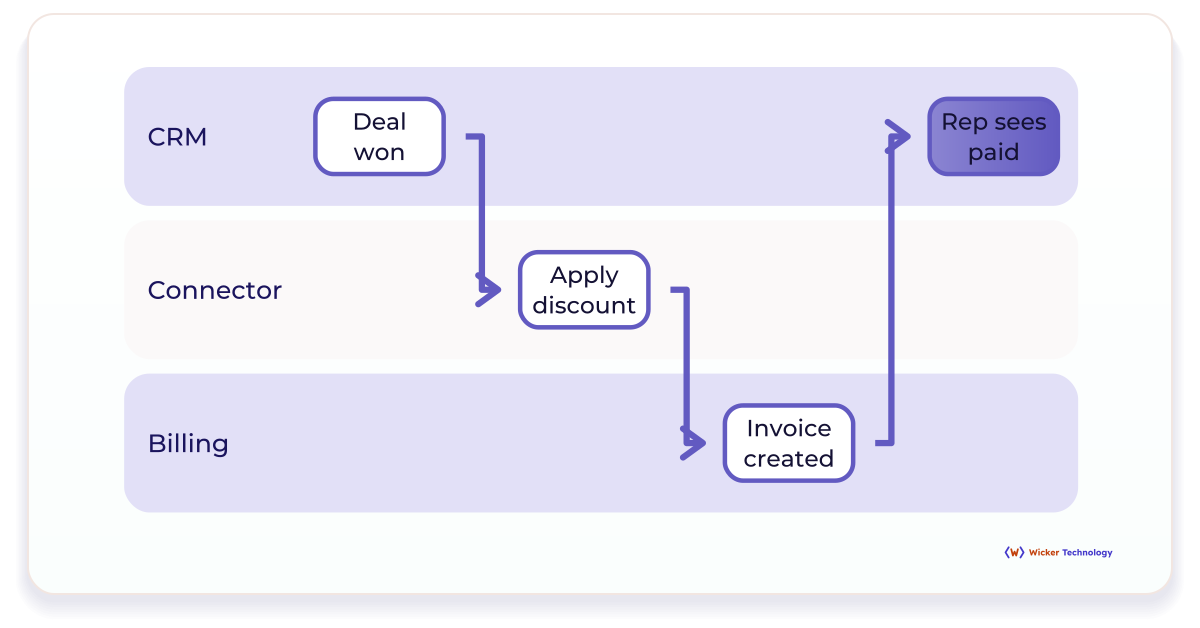
Step four picks a vendor connector with one custom rule for discounts. In step five the team tests with sixty past deals, including the ugly ones, and finds that a fifth carry non-standard terms. Those go to a manual route by design. Step six pilots with one sales team for a month, comparing invoices with the old process. Step seven names the finance lead as owner and sets an alert for any deal that fails to create a draft invoice within an hour.
From first call to monthly review, the project took about eight weeks. The largest share of effort went into steps three and five, which is typical.
Adjusting the Framework for Small and Large Teams
A small team can run the framework on one page. The inventory is a list, scoring is a quick conversation and ownership is a paragraph. Skip nothing, but keep each step short.
A large organization needs the same steps with more people in the room. Add a review board for ownership decisions, a shared catalogue across departments and a standard test environment. The risk in large programs is the opposite of the small team: too many meetings and a slow step three. Set a decision deadline for each step and escalate anything that exceeds it.
Where the Framework Usually Gets Bent
Teams rarely reject the framework. They bend it under time pressure, and the bends are predictable. Step two gets shortened to "we already know what matters", which means the loudest voice sets the priority. Step three becomes a verbal agreement that nobody remembers six weeks later. Step six is merged into step five, so testing and cutover blur and nobody can say what passed.
Treat each step as a gate with a visible output. If the output does not exist, the next step does not start. That sounds rigid, yet it takes minutes to check and saves weeks of rework. When a gate is skipped deliberately, write down who agreed and why, so the risk is visible later.
Finally, revisit the framework after the first live connection. Note which steps took longer than planned, which outputs proved useful and which were never read. Your second pass will be faster, and your third will feel routine.
A last practical tip: keep the outputs of all seven steps in one shared folder with a short index. When someone new joins the project, or an auditor asks how a connection was decided, the folder answers the question in minutes. It also makes the next connection quicker, because the earlier outputs are ready to reuse as templates for ownership sheets, test sets and run notes.
If a connection already exists and you are reviewing it, run the framework backwards: find the owner, the monitoring and the test set, and write down which of the three is missing today. That quick audit often takes an afternoon and shows exactly where to invest first.
How to Choose Where to Enter the Framework
If you have no integrations yet, start at step one. If you have an existing mess, start with an inventory anyway, because you cannot improve what you have not listed. If a connection is failing today, begin at step seven and work backwards to find the missing step.
- You have a current list of systems and hand-offs.
- The top candidate has a score and an owner.
- Data ownership is signed for each record type involved.
- Testing has an exit rule and a failure queue.
- An owner and alert path exist for every live connection.
Use the technology integration best practices as a review list at steps three, five and seven, and the technology integration strategy guide to prioritise across several connections.
Questions About the Technology Integration Framework
What Is a Technology Integration Framework?
A repeatable sequence of steps for connecting business systems: inventory, scoring, ownership, pattern choice, build and test, cutover and ongoing monitoring. It keeps teams from skipping the decisions that cause most failures.
Is the Framework Only for Large Companies?
No. For one connection it can be a one-page checklist and take days. Larger programs run each step as a workstream. The order stays the same, only the effort changes.
How Is This Different from a Strategy?
A strategy sets priorities across many connections and years. A framework describes how to deliver each connection. You need both, and the strategy tells you which connection to run through the framework next.
Which Step Do Teams Skip Most Often?
Data ownership. It feels like paperwork, but without it two systems edit the same field and every sync becomes an argument.
How Do I Choose Between File Transfer, API and Middleware?
Use the lightest option that meets the freshness the business needs. Files suit low volume, APIs suit live updates between a few systems, and middleware suits many systems and central monitoring.
What Does a Good Test Exit Rule Look Like?
A rule such as 99 percent of records pass, every failure lands in a visible queue with a reason, and the owner has reviewed the queue. Agree it before testing starts.
Who Should Own the Framework in My Company?
A business owner who signs ownership rules and priorities, plus a delivery lead who runs the steps. IT is a partner, but the business has to own the data decisions.
Important: nothing in this article is legal, financial or tax advice. All figures are estimates from typical projects, so verify them with your own providers and advisers.
Was this useful?
We appreciate the feedback.
Paige Mulvaney
Paige leads the Wicker editorial team and works with the consultants who run the roadmaps, software selections, implementations and integrations to turn real client projects into practical guides. Her focus is plain-language advice on IT strategy, choosing business software and connecting systems so they work together. Every article she edits is checked against current vendor pricing and documentation before it is published.