In Short
- Unclear data ownership causes more serious integration damage than any technical fault.
- Poor data quality and unnoticed failures are the next two big risks.
- Each challenge has an early warning sign you can spot weeks before it becomes an incident.
- Hold a short risk workshop before the build and name an owner for after go-live.
Most integration problems are visible weeks before they become incidents. A reject rate climbs, an owner is missing or a vendor posts an upgrade notice. This guide lists nine challenges I see most often when teams connect business systems, with what causes each and how to handle it. If you want help with your own connections, my team's technology integration consulting covers them in the assessment.
Treat the list as a risk register. Score each item for your project as high, medium or low, and work on the highest first.
The Nine Challenges and the First Move for Each
| Challenge | First warning sign | First move |
|---|---|---|
| 1. Ownership disputes | Two teams quote different numbers | Write one owner per field |
| 2. Poor data quality | High reject rate on the first sync | Profile and clean before connecting |
| 3. Legacy systems | No API, only exports | Compare adapter, file exchange and replacement |
| 4. Scope growth | Requests with no price attached | Keep a change log with costs |
| 5. Vendor changes | Release notes nobody reads | Name a reader and test upgrades |
| 6. Unnoticed failures | Customers report missing records | Alert on silence as well as errors |
| 7. Security gaps | Shared admin accounts | One minimal account per connection |
| 8. Low adoption | Side spreadsheets stay alive | Train and set a retirement date |
| 9. No post-launch owner | Nobody answers alerts | Name owner and backup before go-live |
The first, second and sixth items cause most of the serious damage in my experience. Fix those and you have prevented the bulk of the cost.
1. Nobody Agrees Which System Is Right
Sales says the CRM has the real customer address. Finance says billing does. Both are right some of the time, and the integration copies whichever changed last. The result is customers who receive invoices at an old address and a team that distrusts every report.
The cause is a missing decision, not a technical fault. Settle ownership per field, write it in one page and have the business owner sign it. The technology integration best practices list this as the first rule for a reason.
2. Data Quality Is Worse Than the Sample Suggested
Vendors demo with clean records. Your real data has duplicates, blanks, old statuses and free-text fields that were never meant to be machine-readable. The first full sync produces thousands of rejects, and the project plan has no time for that.
Profile your data in the first two weeks, count the problems by type and agree who fixes what. Put clean-up in the plan as its own workstream. I would rather tell a client in week two that a third of their addresses are unusable than in week ten.
3. Legacy Systems Have No Usable Interface
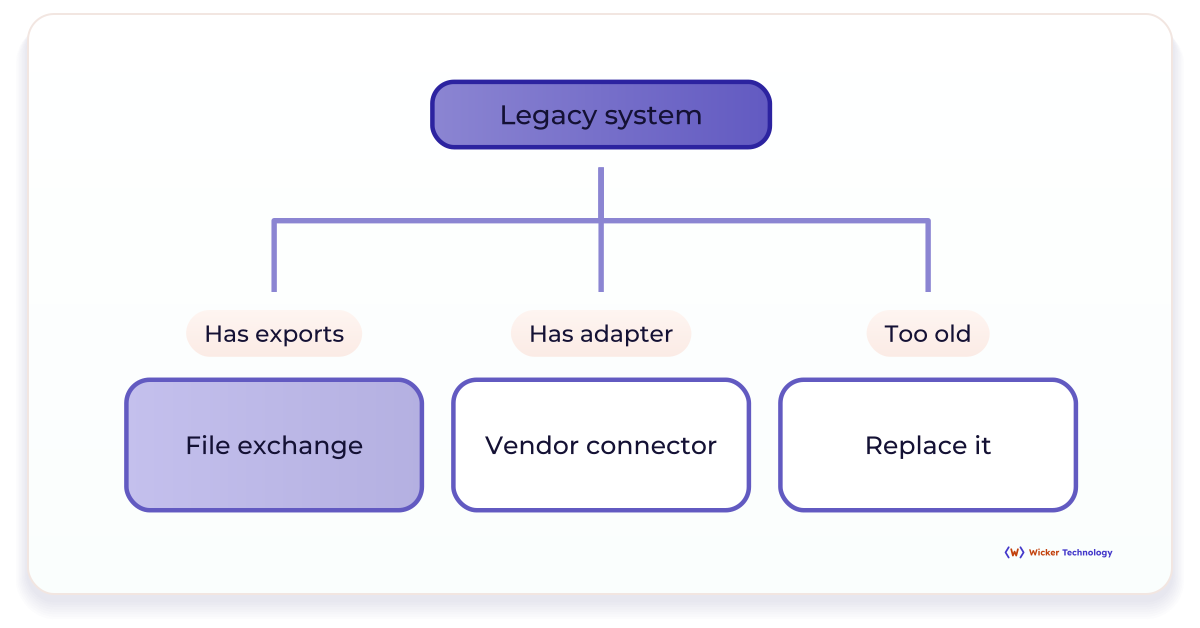
Some systems were built before APIs were common. They offer a nightly export, a locked database or nothing at all. Teams then build screen scripts or direct database reads that break with the next patch.
Look at three options for each legacy system: file exchange, a supported adapter or replacement. Sometimes replacing the system costs less than a fragile connection over five years. A technology modernization review helps you compare.
4. Scope Grows One Small Request at a Time
The project starts as one connection and becomes six. Each request is small: one more field, one more report, one more system. Nobody counts them, and the budget and schedule quietly stretch.
Keep a visible change log and make every addition show its cost in time. When scope enters, something leaves or the date moves. Written trade-offs stop most late requests on their own.
5. Vendor APIs Change Without Warning
A vendor renames a field, tightens a rate limit or retires an endpoint. Your connection fails on a Tuesday morning, and the vendor's release note was published three weeks ago.
Subscribe to release notes, keep a list of the API versions you use and test in a separate environment before each upgrade. Favour vendors that publish deprecation schedules. Your catalogue of connections should name who reads the notices.
6. Failures Go Unnoticed
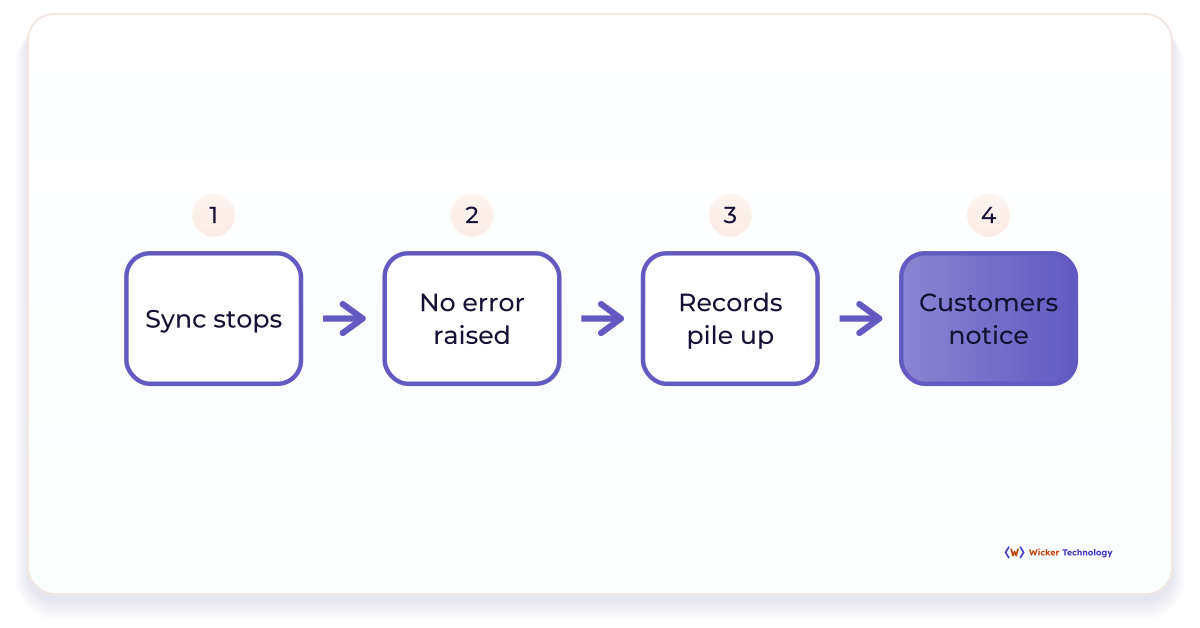
A connection stops at midnight. Nobody sees it because there is no alert for silence, and the first sign is a customer asking where an order went. By then hundreds of records are missing or wrong.
Monitor volume and delay, not only errors, and send alerts to a named person. Run a deliberate break test before go-live to confirm that the alert arrives. For examples of how teams set this up, read the technology integration examples.
7. Security and Access Are Added Last
Connections often run with an admin account because it is quick. Months later nobody knows what the account can reach, and an auditor asks for a list of data flows that does not exist.
Give every connection its own account with minimum access, store credentials in a vault and document each data flow. This is easier on day one than in an audit. If your data is regulated, ask your compliance owner to review the design.
8. People Keep Using the Old Way
The integration works, but staff still keep a spreadsheet beside it because they do not trust it or were never shown the new flow. The old and new data drift apart and the benefit disappears.
Involve process owners in the design, train people on the changed steps and retire the old route on a stated date. Measure use after go-live, for example how many records are still entered by hand.
9. Nobody Owns the Connection After Go-Live
The project team moves on, the vendor invoice stops and the connection becomes nobody's job. When it breaks, the search for a responsible person takes longer than the fix.
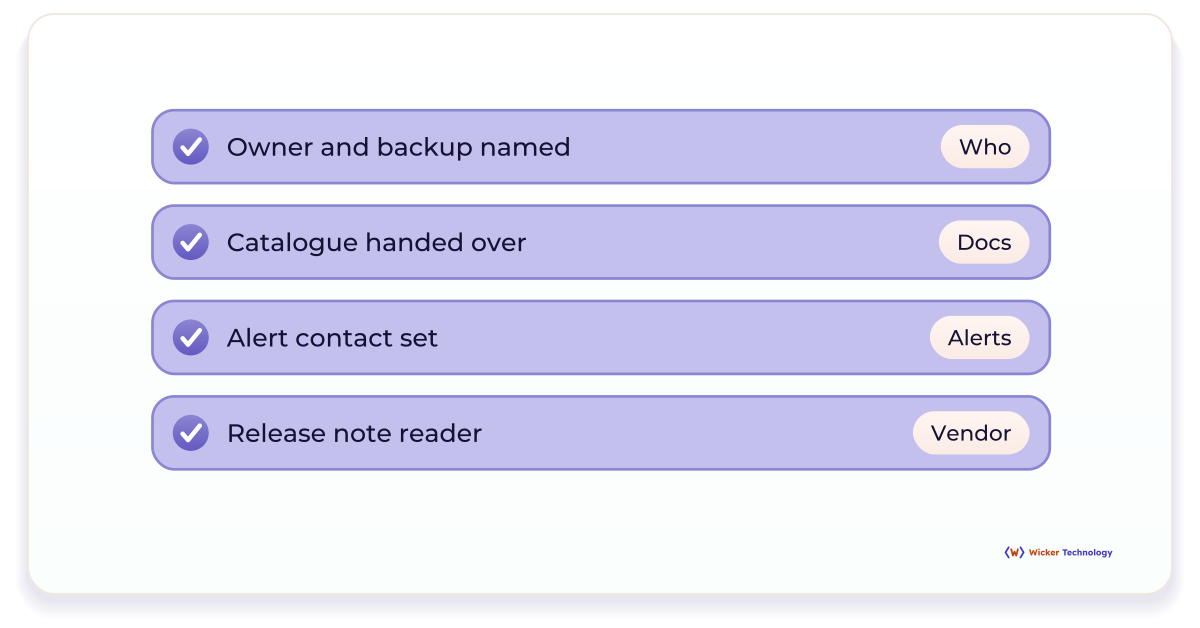
Name an owner and a backup before go-live and give them the catalogue entry, alerts and run notes. Budget a small monthly effort for maintenance. The technology integration framework includes a hand-over step for this.
When Each Challenge Tends to Appear
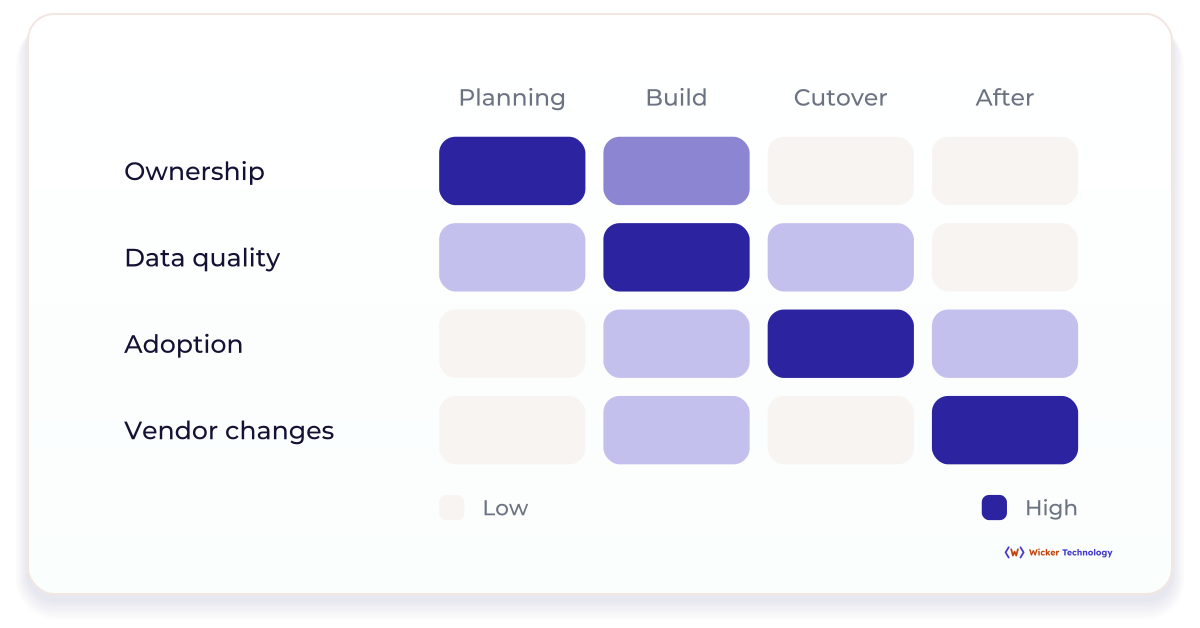
The nine challenges are not evenly spread. Some show up in planning, some during build and some only after go-live. Knowing the timing tells you when to look for them, so you do not discover an ownership dispute in the week of cutover.
| Project phase | Challenges most likely to appear | What to check |
|---|---|---|
| Planning | Ownership disputes, scope growth, legacy limits | Signed ownership, change log, chosen legacy route |
| Build and test | Data quality, vendor API surprises, security shortcuts | Reject rate, API versions, account list |
| Cutover | Low adoption, unnoticed failures | Pilot comparison, alert test |
| After go-live | Vendor changes, no owner, silent failures | Release note reader, owner, health report |
A useful habit is a ten-minute risk check at the start of every phase. Read the list for that phase aloud and ask which items are in play. It costs almost nothing and surfaces problems while they are still cheap.
Two Short Cases of Challenges Stacking Up
Challenges rarely arrive alone. A distributor I worked with had unclear ownership of customer credit limits. The ERP held one value, the CRM another, and the integration copied whichever changed last. Finance noticed only when a large order shipped to an account that was on hold. The fix took a day, a written rule and a locked field. The cost of waiting was one bad shipment and a month of mistrust.
A second case involved a clinic group connecting scheduling to billing. The test data was clean, so the first full sync rejected about a fifth of the records because of old visit types. Nobody had budgeted time for the clean-up, and the go-live moved by three weeks. Both cases had an early warning sign that the team saw and did not act on. Writing the signs down makes them harder to ignore.
A Simple Scorecard for Your Own Project
Rate each challenge from 1 (unlikely) to 3 (already visible) and multiply by how costly it would be if it happened, again from 1 to 3. A score of six or more deserves a named owner and a dated first move. Anything below four can wait for the next review.
Most teams find that two or three items carry nearly all of the risk. In the projects I review, ownership, data quality and silent failures lead the list far more often than technology limits do. Do the scoring in a room with the business owner, the delivery lead and the person who will run the connection. Their different views are the point: the delivery lead sees schedule risk, the business owner sees adoption risk and the operator sees what will wake someone at night.
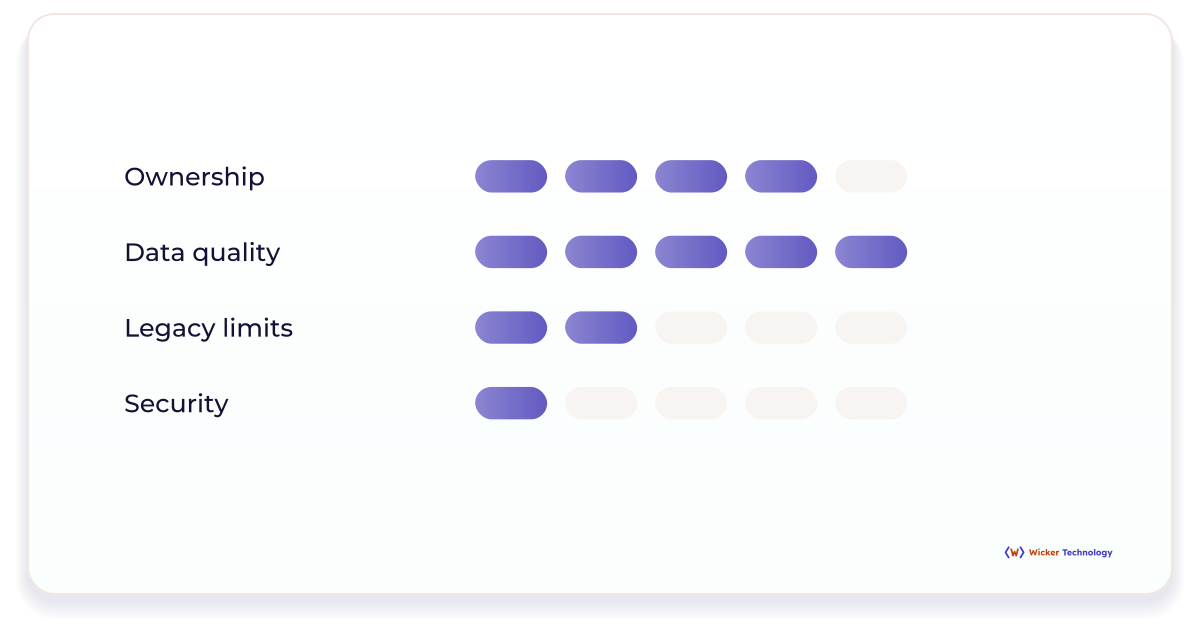
Keep the scorecard and repeat it at the start of each phase. A score that does not fall after a first move tells you the move was too small, or that the real cause sits elsewhere.
One last point on scoring: revisit the numbers after each phase. A challenge you rated low in planning can jump once real data arrives, and the scorecard is only useful if it keeps pace with what you learn about your own systems, vendors and people.
How to Prepare Before You Start
You cannot avoid all nine, but you can see them coming. Hold a short risk workshop before the build and ask each owner which of these is most likely on their part of the project.
- Ownership per record type is written and signed.
- A data profile shows duplicates, blanks and formats.
- Every legacy system has a chosen route: adapter, file or replace.
- Monitoring and alert recipients are defined.
- An owner and a backup are named for after go-live.
Then pick an approach to sequencing the work. The technology integration strategy guide shows how to set priorities across several connections.
Questions About Technology Integration Challenges
What Is the Biggest Technology Integration Challenge?
Unclear data ownership. When two systems can both edit a record, every sync can overwrite a correct value. It is a decision problem, so a written rule per record type solves it faster than extra technology.
Why Do Integration Projects Run Over Budget?
Usually because of data clean-up, legacy interfaces and scope growth. Licence cost is the best-known figure and rarely the biggest surprise. Budget separately for data work and keep a contingency that someone is authorized to release.
How Can I Tell Early That an Integration Is at Risk?
Watch for a high reject rate on the first sample sync, disagreements about ownership, requests without a price and nobody named for after go-live. Any one of these is a reason to pause and fix before building more.
Are Integrations More Risky with Legacy Systems?
Yes, because interfaces are limited and knowledge is thin. Compare file exchange, adapters and replacement for each legacy system, and do not assume the cheapest connection is the cheapest option over several years.
How Do I Keep Vendors from Breaking My Connections?
Read their release notes, keep a list of API versions you depend on and test upgrades first in a separate environment. Prefer vendors that publish deprecation schedules.
How Do I Get Staff to Use the New Flow?
Involve them in the design, train them on the changed steps and set a date when the old route stops. Measure how many records are still entered by hand after go-live.
Should I Get Outside Help for Integration Risk?
It helps when several departments are involved, when you have no similar project behind you or when opinions are split. A short review before the build is cheaper than a change order after it.
Important: nothing in this article is legal, financial or tax advice. All figures are estimates from typical projects, so verify them with your own providers and advisers.
Was this useful?
We appreciate the feedback.
Paige Mulvaney
Paige leads the Wicker editorial team and works with the consultants who run the roadmaps, software selections, implementations and integrations to turn real client projects into practical guides. Her focus is plain-language advice on IT strategy, choosing business software and connecting systems so they work together. Every article she edits is checked against current vendor pricing and documentation before it is published.