In Short
- Five phases cover most projects: define, design, build and test, launch and stabilize.
- Every phase ends with a gate and written exit criteria, so you decide to go on, fix or stop.
- Define is short and has the most leverage. Skipping it is the most expensive shortcut.
- Use the readiness scorecard before launch. Two weak scores are a reason to delay.
A framework gives a technology project a shape you can check. Without one, teams argue about tasks and miss the decisions that matter. If you want a partner to run it with you, our technology implementation consulting team can take the lead or sit beside yours.
The five phases below come from the selection and implementation projects our consultants have delivered, and they apply to small tools and core platforms alike. I keep the order fixed and let the depth change.
The Five Phases and Their Gates
| Phase | The question behind it | Exit criteria |
|---|---|---|
| 1. Define | Settle the goal, scope and owners | Written goal with a measure, scope list, named sponsor and owner. |
| 2. Design | Decide how the system will work | Approved process design, interface list and data plan. |
| 3. Develop and Test | Configure, connect and prove it works | Passed acceptance tests, tested integrations and a short defect list. |
| 4. Launch | Move people and data to the new system | Live system, trained users and a support path that works. |
| 5. Stabilize | Fix, measure and hand over | Measured result against the goal, a system owner and a closed project. |
Phase 1: Define
Define is the shortest phase and the one with the most leverage. Write the result the project must deliver, the process it covers and the people who must change how they work. Name a sponsor and a project owner by name.
Add a rough budget and a date range and test them against the scope. If the numbers and the scope do not fit, change one of them now, while it is free.
Phase 2: Design
Map the future process step by step, including exceptions, and decide which settings, integrations and data the system needs. Review the design with the people who will use it, not only with managers.
This is also the phase for the data plan. Decide what moves, what is archived and who cleans each data set, and run a first trial load.
The problems that appear later are listed in my guide to technology implementation challenges, and most of them can be traced back to a missing decision in this phase.
Phase 3: Develop and Test
Configure the system in small releases and demonstrate each one to users. Build the integrations and test each with real records, including the failure cases.
Let users run acceptance tests on their own tasks. Rank defects by business impact and agree in advance on what must be fixed before launch.
Phase 4: Launch
Train people on real tasks shortly before go-live and name a local champion in each team. Run a final data load, switch over and keep the old system read-only for a defined time.
Staff extra support for the first weeks. Expect a dip in speed and tell managers so they do not read it as failure.
Phase 5: Stabilize
Review results against the goal after about 90 days. Fix the issues users report, retire the old system and hand ownership to a permanent system owner.
Close the project with a short review of what worked, what did not and what you would change next time.
Who Decides What in Each Phase
Unclear ownership slows a project more than technical problems do. Agree on roles at the start and keep them visible.
| Phase | Sponsor | Business owner | IT lead | Vendor |
|---|---|---|---|---|
| Define | Approves goal | Writes scope | Advises | Not yet |
| Design | Clears blockers | Approves process | Plans data and interfaces | Advises |
| Build and test | Reviews progress | Leads acceptance | Owns integrations | Configures |
| Launch | Approves go-live | Leads training | Runs cutover | Supports |
| Stabilize | Reviews result | Owns the backlog | Owns operations | Fixes |
A Readiness Scorecard Before Launch
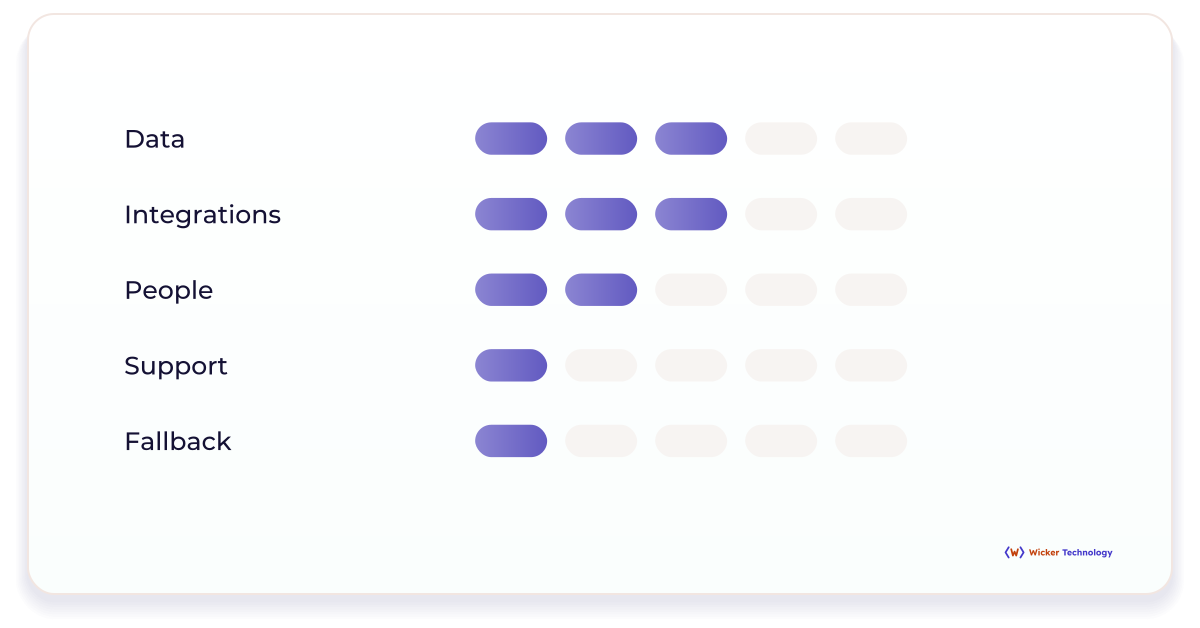
Before the launch gate, score six areas from one to three, where three means ready. Two scores of one are a reason to delay, even when the date feels fixed. A short delay costs less than a rough first month.
- Data: the last trial load ran with few errors, and owners fixed the rest.
- Integrations: every flow passed an end-to-end test with alerts in place.
- People: users completed training on real tasks.
- Support: a named team answers questions in the first weeks.
- Fallback: a tested way back to the old process exists.
- Access: roles are reviewed and default accounts are gone.
A technology implementation roadmap then places each phase on the calendar, and your technology implementation strategy sets the priorities that decide what goes in the first release.
The Decisions You Should Log
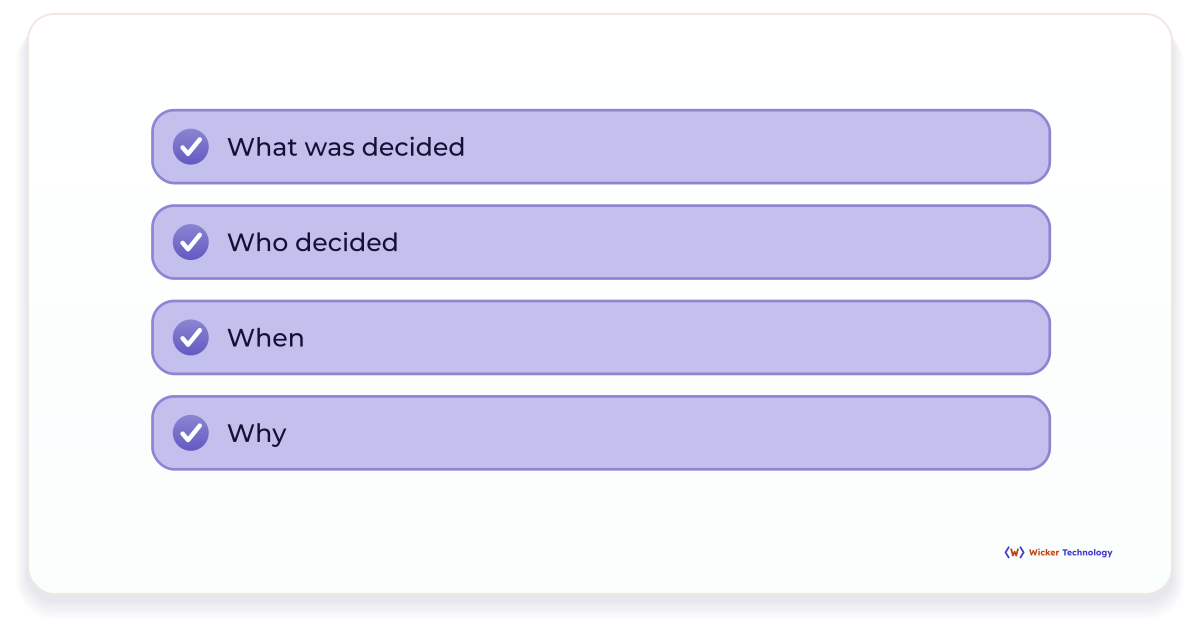
Frameworks fail quietly when decisions are made in meetings and forgotten. Keep a decision log from the first week. One line per decision is enough: what was decided, who decided, when and why. Anyone who joins the project later can read it in ten minutes and understand how you got here.
The log also protects you when the vendor claims that something was agreed. A written entry with a date ends that argument fast. Review the open items at each gate and close them or carry them over with an owner.
| Phase | Decisions worth logging |
|---|---|
| Define | Goal and measure, scope boundaries, sponsor, budget range, target date |
| Design | Process changes, which data moves, interface method, security roles |
| Build and test | Accepted defects, deferred features, test sign-off, go or no-go criteria |
| Launch | Go-live window, fallback trigger, support rota, old system end date |
| Stabilize | Backlog priorities, system owner, result against the goal, next phase |
Four Principles Behind the Model
The phases are a means to an end. Four principles sit underneath them, and when a situation does not fit the model, they tell you what to do.
First, decide before you build. Every change made after configuration costs several times more than the same change made on a whiteboard. Second, prove before you scale. A pilot, a trial load or a parallel run costs little and finds the problem while it is small.
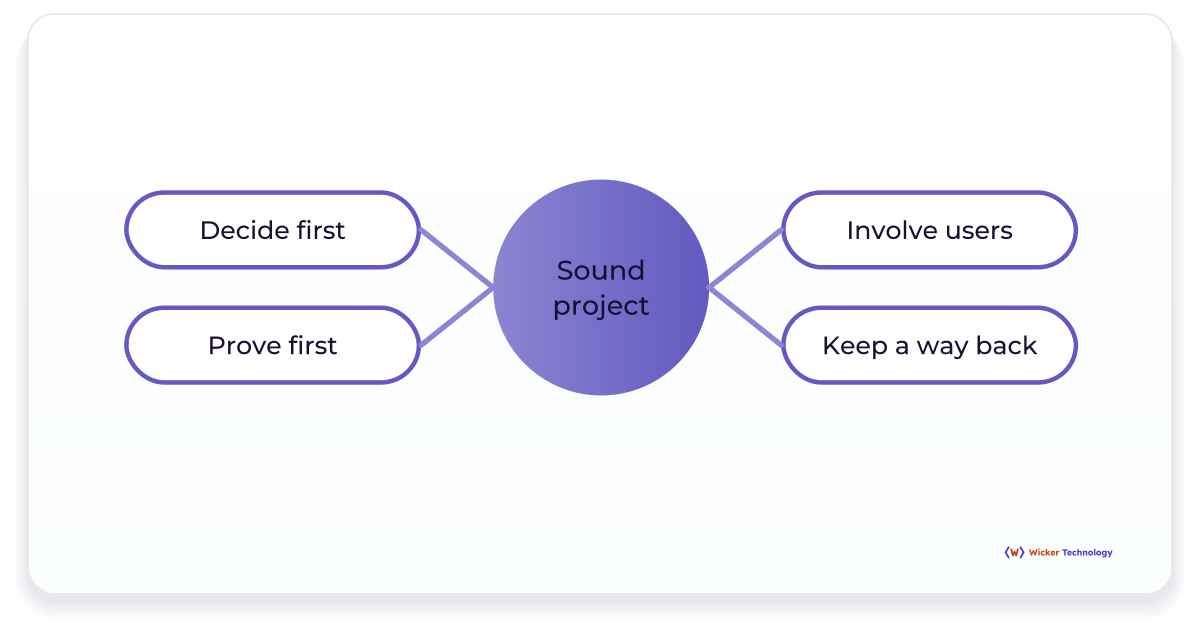
Third, involve the people who do the work. They know the exceptions that managers forget, and they are the ones who will make the system succeed or fail after launch. Fourth, keep a way back. Until the new system has run a full cycle, such as a month-end, the old process should still be possible.
Common Ways Teams Break the Framework
The most frequent mistake is starting the build before the design gate. It feels productive, since configuration screens fill up quickly, but each undecided question returns as rework. A second mistake is treating testing as a vendor task. The vendor can test that the system works. Only your users can test that it works for your process.
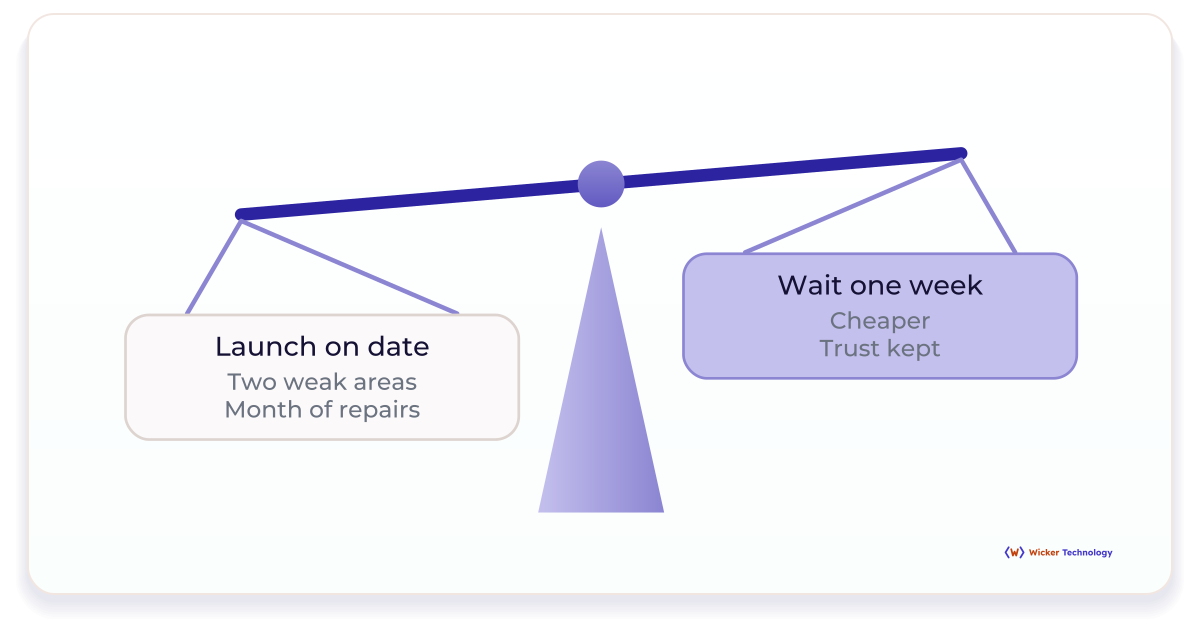
A third mistake is launching to meet a date when the scorecard says no. Two weak areas on the readiness scorecard almost always show up as problems in the first month. A one-week delay is cheaper than a month of repairs and lost trust. The last mistake is closing the project at go-live and leaving the system without an owner. The stabilize phase exists to prevent exactly that.
If you want to see how these mistakes look in practice, the seven technology implementation examples include several near misses.
Running the Framework on a Small Budget
Not every project has a project manager and a steering group. If you run a smaller rollout, such as a new helpdesk or a scheduling tool for one team, you can still keep the structure. Use one page per phase and hold each gate as a short call with the sponsor.
Define fits on a single sheet with the goal, the measure, the owner and the date. Design is a process map on a whiteboard and a list of the data and connections. Build and test is two or three short sessions with real users. Launch is a one-hour training and a named person to ask. Stabilize is a thirty-minute review after a month.
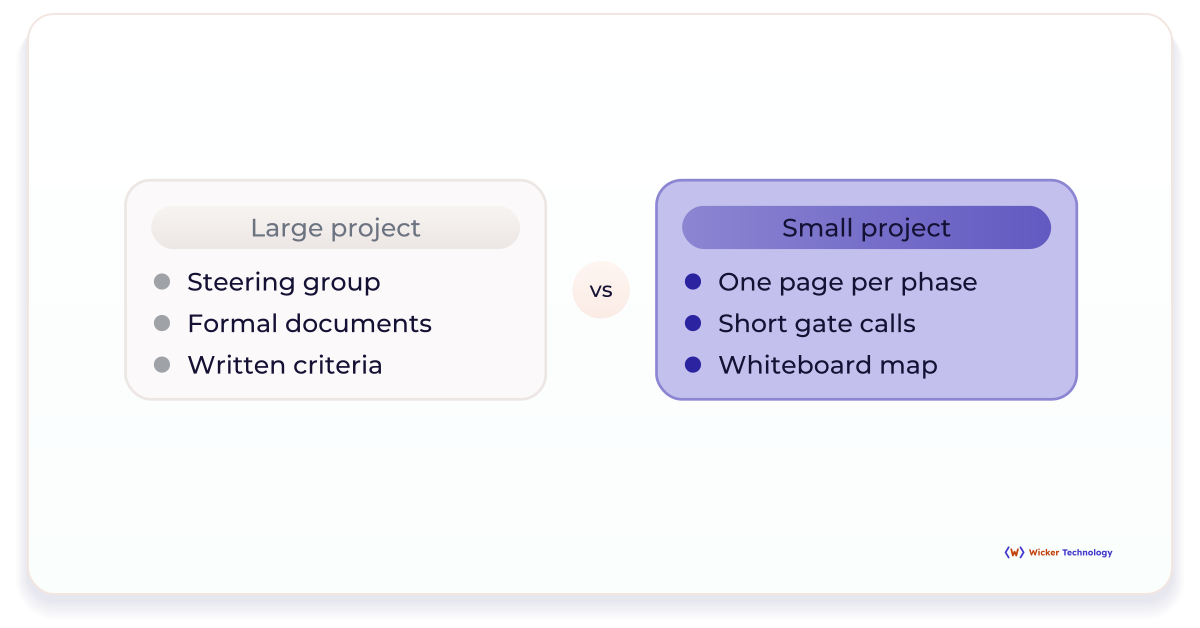
The savings come from shorter documents and fewer people, not from skipping decisions. A team of three that writes down its goal and checks it after launch will beat a larger team that never revisits it.
Working With the Vendor Inside the Framework
Vendors run their own method, and it rarely matches yours. Ask for their plan in the first week and place their milestones on your gates, so both sides read the same calendar. Where their method skips something, such as data cleanup or acceptance by your users, add it to the plan and agree who does it.
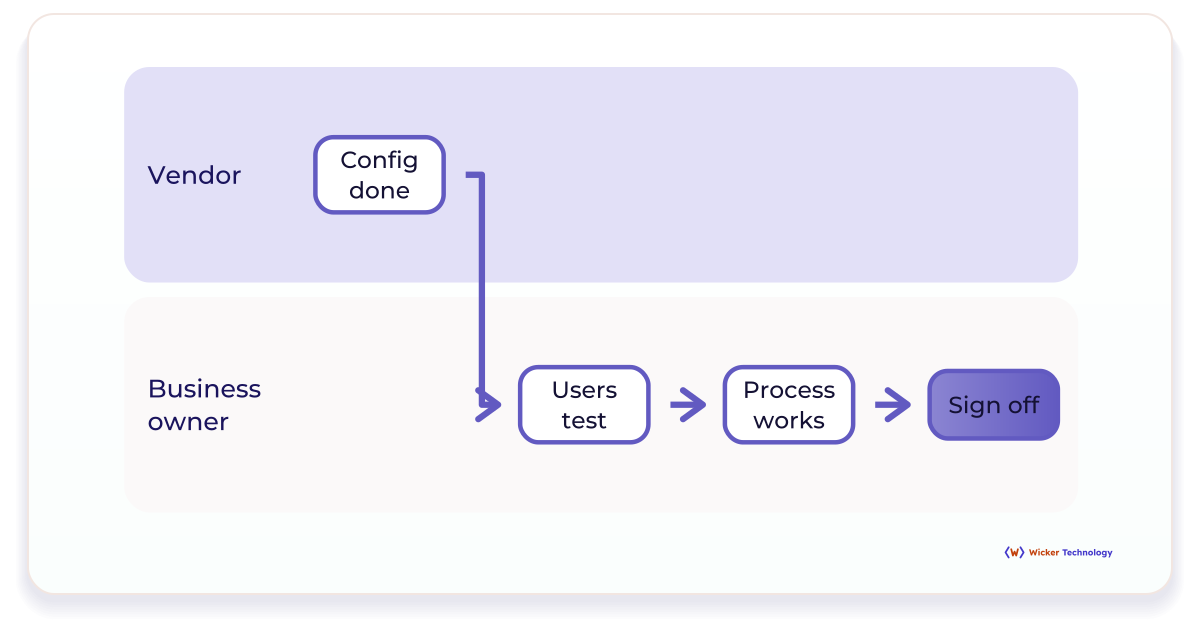
Keep the exit criteria in your hands. The vendor can tell you when configuration is complete, but only your business owner can say whether the process works. Write that split into the contract language and the project plan, and you avoid the common argument about whether the system is finished.
After the Framework Ends
The last gate closes the project, but the system keeps living. Hand over a short operations note: who owns the system, how users ask for changes, how often the vendor releases updates and who tests them. Without it, each update becomes a surprise and the improvements you planned never reach a backlog.
How to Pick the Right Depth for Your Project
A small tool for one team can pass all five gates in a few short meetings. A core platform with many integrations needs written criteria, a formal sign-off and a longer stabilize phase. Judge by how many people and systems the change touches, not by the license price.
If you want to see the model applied, my technology implementation examples follow seven projects through the same phases.
Questions About the Technology Implementation Framework
What Is a Technology Implementation Framework?
It is a fixed sequence of phases, decisions and responsibilities for bringing a new system into use. It tells you what to settle before you build, what to prove before you launch and who signs off at each point.
How Many Phases Does a Good Framework Have?
Five covers most projects: define, design, build and test, launch, and stabilize. More phases usually split the same work across more meetings.
Does the Framework Work for Cloud Software?
Yes. Cloud tools shorten the build phase but not the others. Definition, data, training and aftercare still decide whether the tool gets used.
Should I Run Phases in Sequence or in Parallel?
Keep the decisions in sequence and let the work overlap. For example, data cleanup can start in design, but the design must be approved before configuration is final.
What Is a Phase Gate?
A short meeting at the end of each phase where the sponsor and project owner check the exit criteria and decide to go on, fix something first or stop. It takes an hour and prevents months of drift.
Who Should Be on the Project Team?
A sponsor, a business owner, a project lead, an IT or integration lead and a champion from each affected team. Vendor staff join for build and launch.
How Do I Adapt the Framework to a Small Project?
Keep all five phases and shrink each one. A small project can pass its gates in a short call and a one-page document.
Important: nothing in this article is legal, financial or tax advice. All figures are estimates from typical projects, so verify them with your own providers and advisers.
Was this useful?
We appreciate the feedback.
Paige Mulvaney
Paige leads the Wicker editorial team and works with the consultants who run the roadmaps, software selections, implementations and integrations to turn real client projects into practical guides. Her focus is plain-language advice on IT strategy, choosing business software and connecting systems so they work together. Every article she edits is checked against current vendor pricing and documentation before it is published.