In Short
- Most implementation problems come from goals, people and data, not from the software itself.
- Scope creep and unclear goals feed each other, so fix the goal first.
- Run a trial data migration early. Its error report is the honest estimate of your effort.
- Plan for a dip in productivity after go-live and keep support close for the first weeks.
Technology projects rarely fail on launch day. They fail months earlier, in a missed decision or a quiet scope change that nobody questioned. If you are planning a rollout, a partner in technology implementation consulting can help you catch these early.
I have grouped the twelve challenges I see most often into a single list. Each has two short paragraphs, a few steps and the tools that help. Read it before you plan, and again before you sign off the schedule.
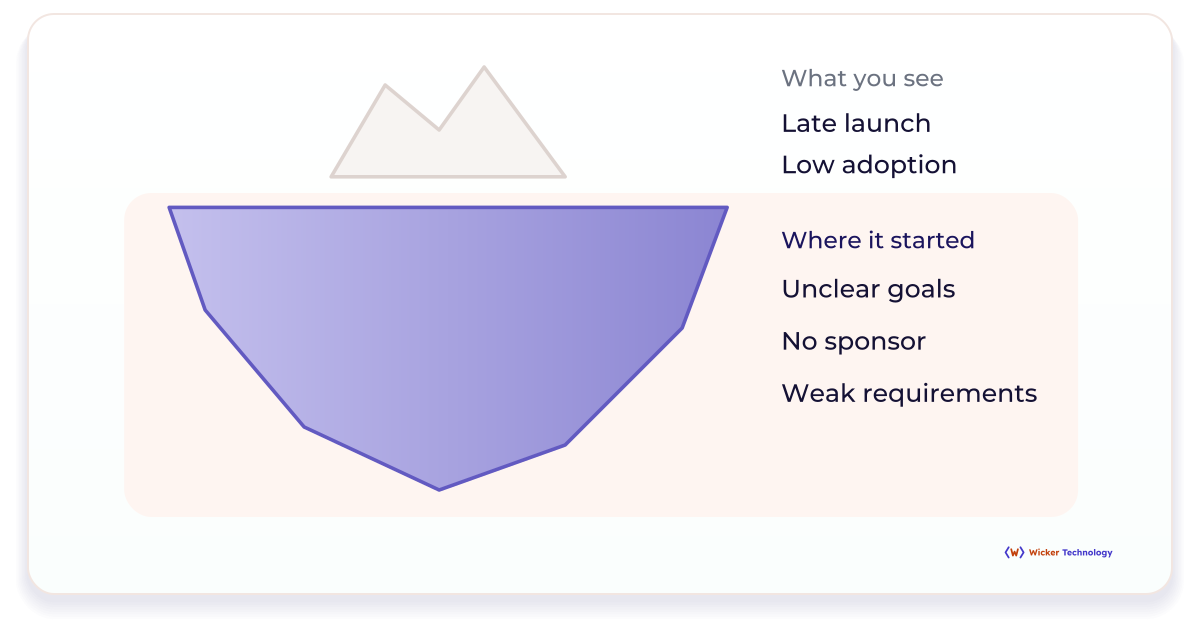
The Twelve Challenges at a Glance
| Challenge | When it shows up | Cost if ignored |
|---|---|---|
| 1. Unclear Goals | Planning | Wasted effort |
| 2. Scope Creep | Build | Late and over budget |
| 3. No Executive Sponsor | Planning | Stalled decisions |
| 4. Weak Requirements | Planning | Rework |
| 5. Dirty Data Migration | Build | Schedule slips |
| 6. Integration Gaps | Build | Manual workarounds |
| 7. Vendor Overpromising | Selection | Hidden costs |
| 8. Low User Adoption | Rollout | No return |
| 9. Underestimated Change Effort | Rollout | Confusion |
| 10. Insufficient Testing | Test | Defects at launch |
| 11. Security and Access Mistakes | Setup | Exposure |
| 12. No Plan After Go-Live | After launch | Slow decline |
Many of these are easier to avoid with a method. My technology implementation framework places each one at the phase where it belongs.
Unclear Goals
Projects often start with a system and no outcome. Without a number to hit, every request looks equally important and the team cannot tell whether the project worked. A written goal such as shorter order entry time or fewer billing errors gives every later decision a reference.
In my client work the projects that stalled had a launch date but no result they were meant to produce. Writing the result down took one meeting and saved months of debate.
How to Set the Goal
- Name the one result the project must produce.
- Add a measure and a starting value.
- Get the sponsor to sign off in writing.
- Review the goal at every phase gate.
Where to Write It Down
A one-page project charter is enough. Keep it where the whole team can see it.
Scope Creep
Requests grow as people see the system and imagine more. Each one is small, and together they push the date and the budget. The danger is not any single change but the absence of a way to say no.
A simple change log with a named approver slows the flow just enough. Some requests are worth taking, and the log shows what they displace.
How to Hold the Line
- Freeze the scope list at kickoff.
- Log every new request with an estimate.
- Let one person approve or defer each one.
- Move deferred items to a second phase.
What Helps
A shared spreadsheet or a ticket board works. Tie each item to a cost and a date impact.
No Executive Sponsor
A project without a sponsor loses every argument about priority. Staff are pulled back to daily work, and decisions wait for a meeting that never comes.
A sponsor does not need to attend every call. They need to clear blockers within days and say publicly that the project matters.
How to Secure Sponsorship
- Choose a sponsor with authority over the affected teams.
- Agree on a short weekly check-in.
- List the decisions only the sponsor can make.
- Escalate blockers after three days.
What to Use
A shared decision log keeps the sponsor's calls visible to everyone.
Weak Requirements
Teams often describe the current screens instead of the work the system must support. The result is a new system that copies old habits, or one that misses a step nobody wrote down.
Sit with the people who do the work for an hour. Rare cases, such as returns or rush orders, show up only when you watch.
How to Gather Requirements
- Interview users in each role.
- Map the real process, including exceptions.
- Rank each requirement as must, should or could.
- Ask users to confirm the list before selection.
Useful Tools
Process maps on a whiteboard or a simple diagram tool do the job.
Dirty Data Migration
Old systems hold duplicates, missing fields and formats that the new system rejects. Migration is where schedules slip because nobody sized the cleanup.
Run a trial migration early on a copy of real data. The error report from that first run is the most honest estimate of the effort ahead.
How to Clean the Data
- Profile the data before you plan anything.
- Decide what to migrate, archive or drop.
- Run a trial load and review every error.
- Assign owners for cleanup by data type.
- Repeat trial loads until errors stop falling.
What It Takes
Spreadsheets handle small sets, and data profiling features in migration tools handle larger ones.
Integration Gaps
A new system rarely lives alone. Orders, invoices, stock and customer records have to flow to and from other tools, and every connection is a small project with its own testing.
Teams find these links late because they were never on the project plan. List every interface in the first month, including the manual ones done through exports.
How to Map the Connections
- List every system the new tool will exchange data with.
- Note the direction and frequency of each flow.
- Pick a method: native connector, API or file transfer.
- Test each flow with real records.
- Set alerts for failed transfers.
Where to Start
Check the vendor's connector list first. Integration platforms help when you have many flows.
Vendor Overpromising
Demos show the best path with clean data. The gap between the demo and your process is where hidden costs sit, from custom work to add-on modules.
Ask the vendor to run one of your messy real cases in the sandbox. Their reaction tells you how they will behave during the project.
How to Test the Vendor
- Script three real scenarios for the demo.
- Ask which parts are standard and which are custom.
- Call two customers of similar size.
- Get all promises into the contract.
What Helps You Compare
A scoring sheet keeps demos comparable. Reference calls are the best tool of all.
Low User Adoption
A system nobody uses well delivers nothing. People go back to spreadsheets when the new tool is slower for their daily task, even if it is better for the company.
Expect a productivity dip after go-live. Plan for it, tell managers about it and keep support close during the first weeks.
How to Build Adoption
- Involve a few users from each team in testing.
- Train on real tasks, not feature tours.
- Name a local champion in each team.
- Staff extra support during the first weeks.
- Track usage and ask users what slows them down.
Support for Your Users
In-app guides and short videos help, and a shared channel for questions helps even more.
Underestimated Change Effort
People need time to move from one way of working to another. Projects that treat training as a last-week task end up with confused teams and a long tail of errors.
Start communication when the project starts. Explain what changes, what does not and why, and repeat it more often than feels necessary.
How to Prepare People
- Describe the change for each role in plain words.
- Share the timeline early and update it often.
- Collect worries and answer them in writing.
- Schedule training close to go-live, not months before.
What It Takes
A short change plan and a simple communication calendar are enough.
For a look at what this looks like in practice, my technology implementation examples show seven projects from pilot to payoff.
Insufficient Testing
Testing is the first thing cut when the date is close. Problems then appear in front of customers, and trust in the system drops on day one.
Test with real data and real users, and keep a list of defects ranked by effect on the business, not by who found them.
How to Test Properly
- Write test cases from real scenarios.
- Test each integration end to end.
- Let users run acceptance tests.
- Rank defects by business impact.
- Set exit criteria for go-live in advance.
Tools for the Job
A test case spreadsheet and a defect board are enough for most projects.
Security and Access Mistakes
New systems often launch with default settings, too many administrators or old accounts copied from the previous tool. These are easy to fix early and costly to fix after an incident.
Review roles before go-live and plan how access is granted and removed over time.
How to Lock Down Access
- Define roles and permissions before setup.
- Remove default accounts and shared logins.
- Turn on multi-factor sign-in.
- Review access after the first month.
What Covers It
The identity features already in your email or directory platform usually cover this.
No Plan After Go-Live
Launch day feels like the finish line, but problems, change requests and new users keep arriving. Without an owner and a budget, the system drifts.
Agree on a support model, a backlog owner and a review date before the project ends.
How to Plan the Aftercare
- Name a system owner.
- Set a support path and response times.
- Plan a 90-day review of results against the goal.
- Reserve budget for fixes and improvements.
Keeping It Alive
A shared backlog and a monthly review meeting keep the system improving.
Before you sign off the schedule, check that every challenge you kept has an owner and a date.
How to Prioritize Which Challenges to Tackle First
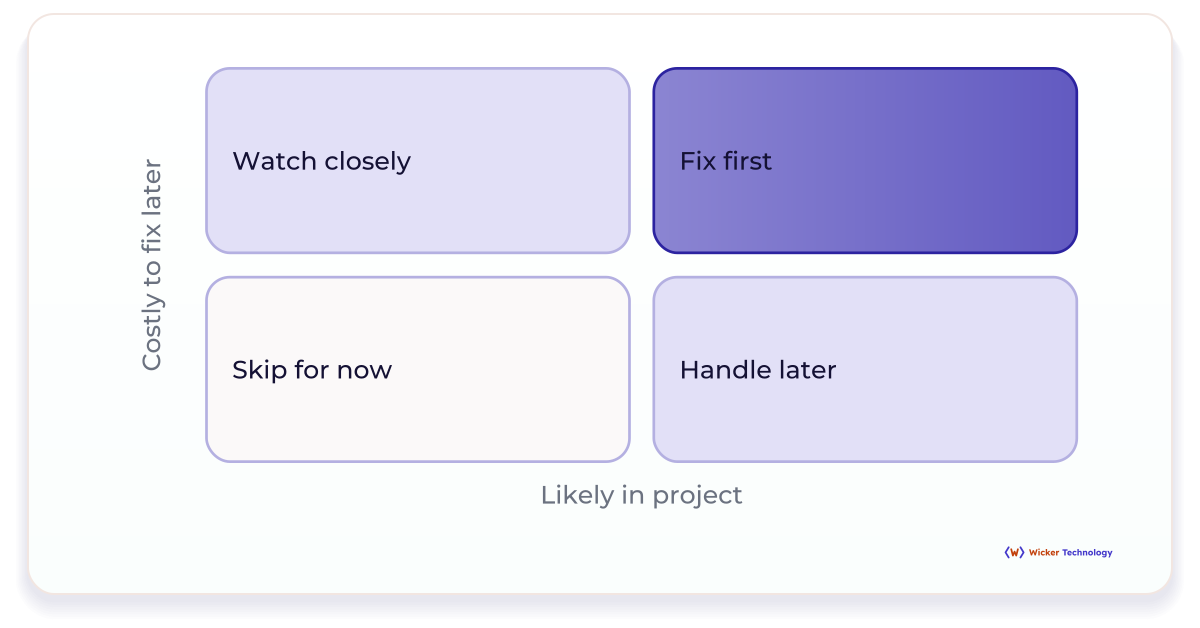
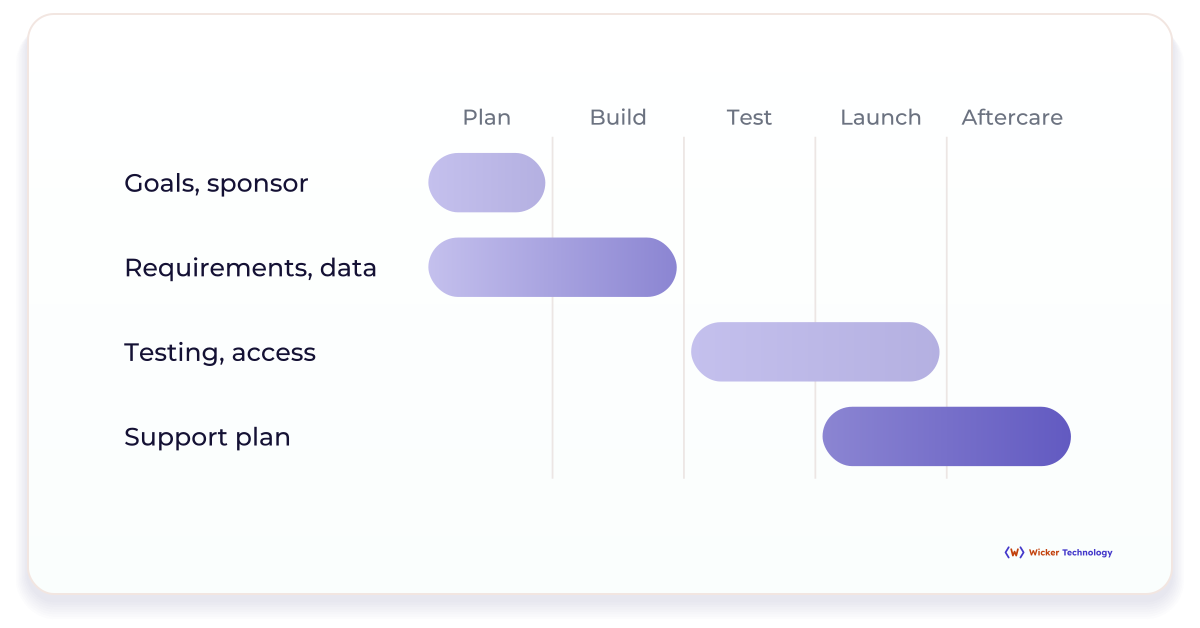
You cannot solve twelve problems at once. Rank them by how hard they are to fix later and how likely they are in your project. Goals, sponsorship and requirements are cheap to fix in week one and expensive in month six. Testing and aftercare can wait for their phase, as long as you reserve the time.
A good technology implementation roadmap puts each challenge on a date. Together with your technology implementation strategy, it keeps the order of work clear.
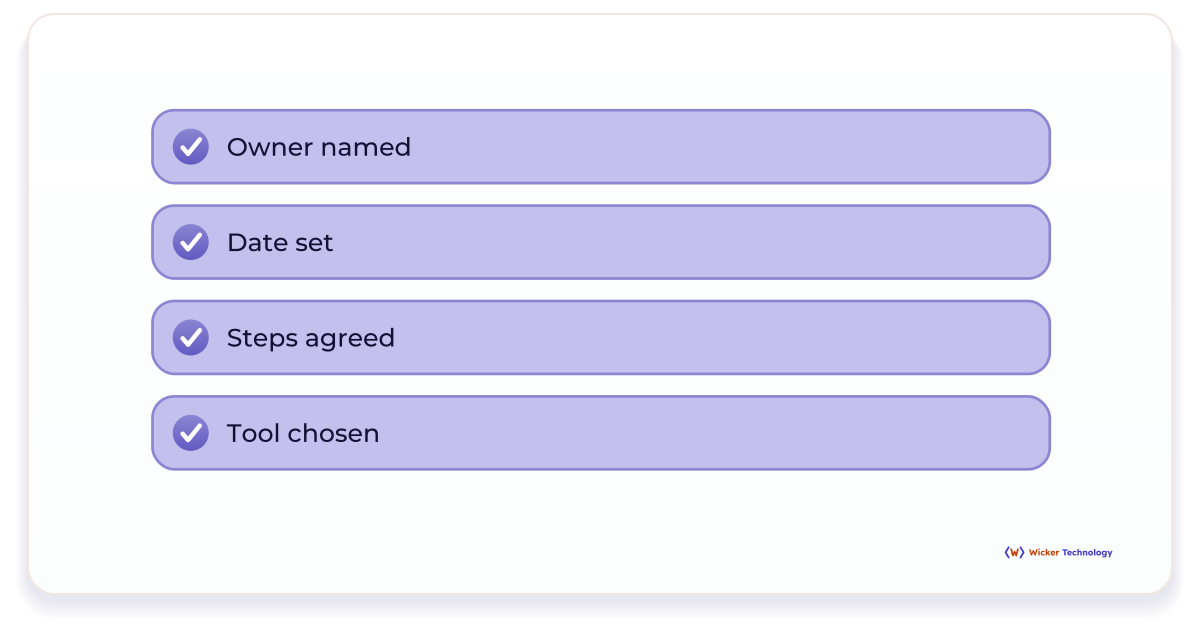
- The goal is written down with a measure.
- A sponsor and a project owner are named.
- A trial data load is on the calendar.
- Every interface is listed.
- A post-launch owner is agreed.
Questions About Technology Implementation Challenges
What Is the Most Common Technology Implementation Challenge?
Unclear goals and scope creep top my list. They are linked: without a clear goal, every new request seems reasonable, and the scope grows.
Why Do Technology Implementations Fail?
Most failures trace back to people and process, not software. Weak sponsorship, poor requirements and low adoption cause more damage than technical bugs.
How Long Should a Technology Implementation Take?
It depends on the size of the system and the number of integrations. A focused tool can go live in a few weeks, while a core platform often takes many months. Build the schedule from the work, not the other way around.
How Much Should I Budget for Contingency?
Plan for a buffer on both time and money, and larger when data migration or integrations are involved. Agree on the rule for using it at kickoff.
Who Should Own the Implementation?
A business owner who knows the process, supported by an IT lead. A project owned only by IT often delivers a working system that the business does not use.
How Do I Handle Resistance from Staff?
Listen first. Resistance often points to a real gap in the design. Involve users early, answer concerns in writing and show what gets easier for them.
Should I Get Outside Help?
Outside help makes sense when you lack experience with the system, the timeline is tight or the project touches many teams. Pick a partner who will transfer knowledge before they leave.
Important: nothing in this article is legal, financial or tax advice. All figures are estimates from typical projects, so verify them with your own providers and advisers.
Was this useful?
We appreciate the feedback.
Paige Mulvaney
Paige leads the Wicker editorial team and works with the consultants who run the roadmaps, software selections, implementations and integrations to turn real client projects into practical guides. Her focus is plain-language advice on IT strategy, choosing business software and connecting systems so they work together. Every article she edits is checked against current vendor pricing and documentation before it is published.