In Short
- Pick tools by category and job: CRM and automation, email, analytics, social, customer data, experimentation and design.
- HubSpot, Mailchimp and Zapier are the easiest starting points for small teams, while Salesforce and Marketo fit larger organizations.
- Several vendors, including Marketo, Segment and Optimizely, do not publish dollar prices, so expect a sales conversation.
- Count seats, contacts and tasks before you compare prices, since those drive the real cost.
The Top Martech Tools at a Glance
| Tool | Category | Best for |
|---|---|---|
| 1. HubSpot Marketing Hub | CRM and marketing automation | Teams that want CRM, email and automation in one system |
| 2. Salesforce Marketing Cloud | Enterprise marketing automation | Large teams already running Salesforce |
| 3. Adobe Marketo Engage | B2B marketing automation | B2B teams with long sales cycles and lead scoring needs |
| 4. Klaviyo | Ecommerce email and SMS | Online stores that send email and SMS from shop data |
| 5. Mailchimp | Email marketing | Small teams that need simple email and a low starting cost |
| 6. Semrush | SEO and content marketing | Teams that run search, content and competitor research |
| 7. Google Analytics | Web and app analytics | Every team that needs baseline website and app measurement |
| 8. Segment | Customer data platform | Teams that send the same customer data to many tools |
| 9. Hootsuite | Social media management | Teams managing several social accounts and approvals |
| 10. Sprout Social | Social media management | Teams that value reporting, inbox and customer care on social |
| 11. Hotjar | Behavior analytics | Teams that want to see how visitors use their pages |
| 12. Optimizely Web Experimentation | Experimentation | Teams with enough traffic to run structured A/B tests |
| 13. Zapier | Integration and automation | Small teams that need to connect tools without developers |
| 14. Canva | Design and content creation | Teams that need fast, on-brand visuals without a designer |
The 14 Top Martech Tools, Ranked by Category
I start with the platforms that suit the widest range of teams and move toward specialist tools, so you can stop reading when you find your fit. Keep in mind that tool choice is only half of the result. In the marketing technology consulting projects I review, how the tools connect and who owns them matters more than the logo on the invoice. For real cases, my marketing technology examples show what teams do with these tools.
HubSpot Marketing Hub
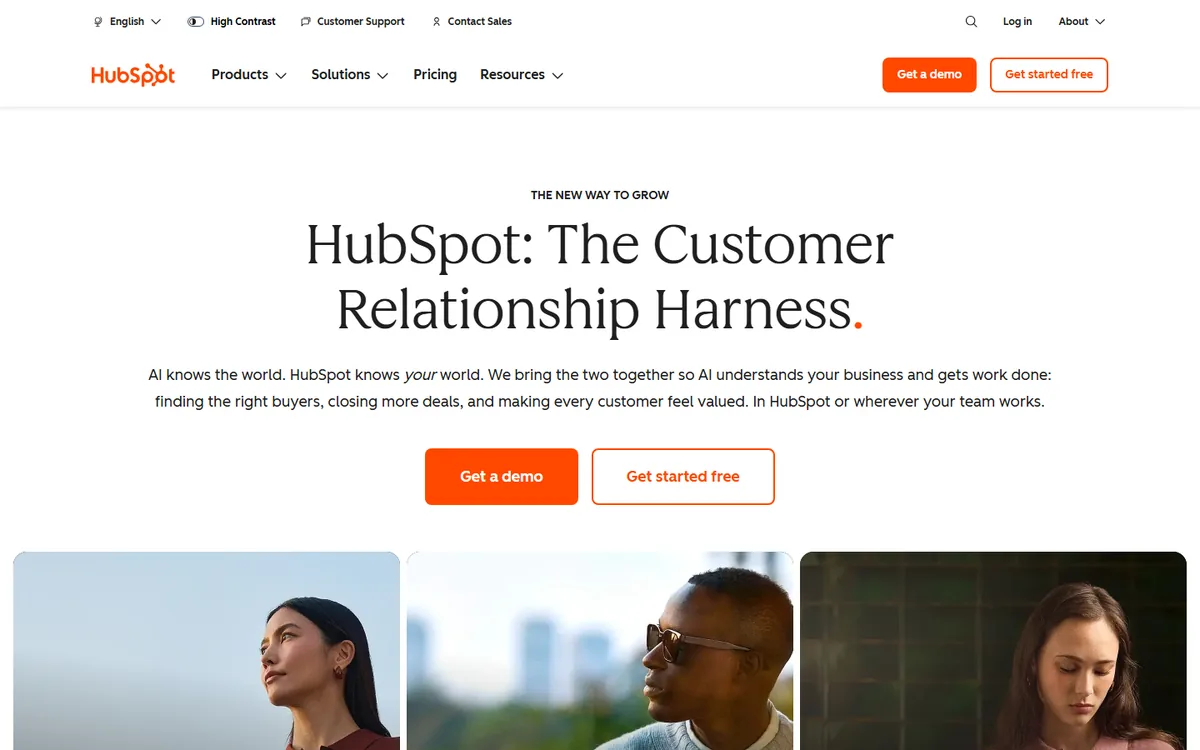
The Easiest Place to Start When You Want Marketing and CRM in One System
HubSpot Marketing Hub combines email, forms, landing pages, automation and reporting on top of a built-in CRM.
I most often recommend HubSpot to small and mid-sized teams that have outgrown spreadsheets and a separate email tool. Everything runs on one contact record, so a form fill, an email click and a sales call all land in the same place. That single record is the main reason the tool pays off, since most stack problems I see are data that fails to travel between systems.
The trade-off is cost growth. The free and Starter tiers are friendly, and the jump to Professional is steep, with a one-time onboarding fee on top. Contact-based pricing also climbs as your list grows, so check your three-year cost, not only today's. Teams with a strong CRM elsewhere often do better connecting it to a lighter email tool.
Where HubSpot Marketing Hub Shines
- One contact record shared by marketing and sales
- A free tier that lets you test the CRM properly
- Large library of connectors for other tools
Where HubSpot Marketing Hub Falls Short
- Price jumps sharply from Starter to Professional
- Costs rise with contact count and add-ons
HubSpot Marketing Hub Pricing
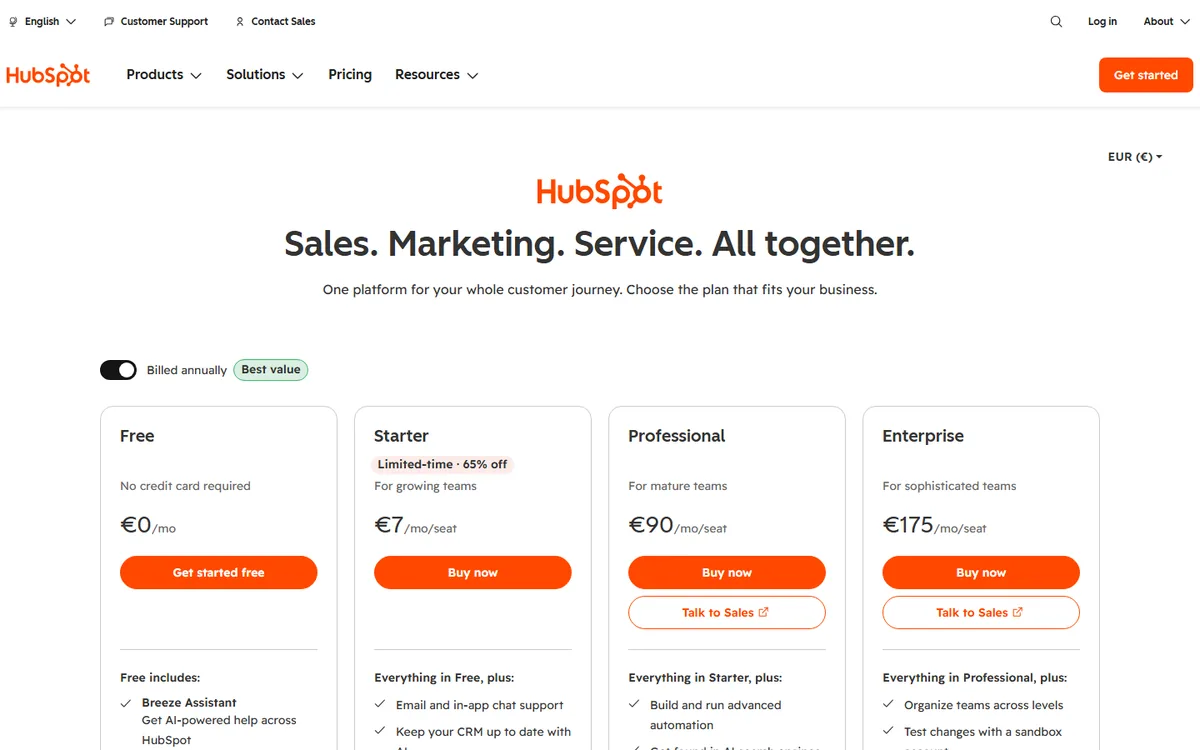
HubSpot lists a free Marketing Hub for up to two users. Starter is listed from $7 per seat per month, Professional from $800 per month with three core seats and a one-time $3,000 onboarding fee, and Enterprise from $3,600 per month with a $7,000 onboarding fee. The page shows a second price for Starter and Professional ($20 per seat and $890), so confirm which one applies to your billing choice.
HubSpot Marketing Hub Reviews
- G2: rated 4.4/5 (across 16,073 ratings)
Salesforce Marketing Cloud
A Powerful Fit for Large Teams That Already Run Their Business on Salesforce
Salesforce Marketing Cloud runs email, mobile, advertising and journey campaigns at large scale, tied closely to Salesforce CRM.
Marketing Cloud makes sense when your CRM is Salesforce and your campaigns reach millions of contacts across several channels. Journey Builder lets you design multi-step paths, and the data model supports complex segments and personalization.
Expect to need specialist skills. In projects I have seen, the platform works well once a trained admin runs it, and poorly when it is handed to a general marketer with a short training. Implementation partners are common. Salesforce is also reshaping the product line, so ask which edition and roadmap your quote covers before you commit.
Where Salesforce Marketing Cloud Shines
- Handles very large volumes and complex journeys
- Tight link to Salesforce CRM data
- Strong channel coverage in one platform
Where Salesforce Marketing Cloud Falls Short
- Needs trained admins or a partner
- Pricing and edition names change, which confuses buyers
Salesforce Marketing Cloud Pricing
Salesforce lists Marketing Cloud Next Growth Edition at $1,500 per org per month and Advanced Edition at $3,250 per org per month, billed annually, plus Salesforce Starter from $25 per user per month. Add-ons such as Personalization and Intelligence are priced separately and far higher. Final pricing depends on your needs, so ask for a quote.
Salesforce Marketing Cloud Reviews
- G2: rated 4.1/5 (across 4,853 ratings)
Adobe Marketo Engage
A Mature B2B Automation Engine for Teams With Complex Lead Scoring and Long Sales Cycles
Marketo Engage handles lead scoring, nurture programs, events and account-based marketing for B2B companies.
Marketo has been the reference for B2B demand generation for years. You build programs that score leads, nurture them and hand them to sales when they cross a threshold, and the platform copes with many business units and regions.
The flip side is complexity. A Marketo instance that has been edited by five people over six years can become hard to understand, and a clean-up is a common project for me. If your motion is simple, a lighter tool will serve you better. If you run events, multiple lead sources and a long scoring model, Marketo earns its place.
Where Adobe Marketo Engage Shines
- Deep lead scoring and nurture logic
- Works with several CRMs and large databases
- Strong for events and account-based programs
Where Adobe Marketo Engage Falls Short
- Setup and upkeep need experienced staff
- Older interface and slow to change
Adobe Marketo Engage Pricing
Adobe does not publish dollar prices for Marketo Engage. Its pricing page lists four packages, Growth, Select, Prime and Ultimate, each with a Get pricing button that leads to a consultation form. Growth includes 10 users, and the others include 25 users.
Adobe Marketo Engage Reviews
- G2: rated 4.1/5 (across 3,345 ratings)
Klaviyo
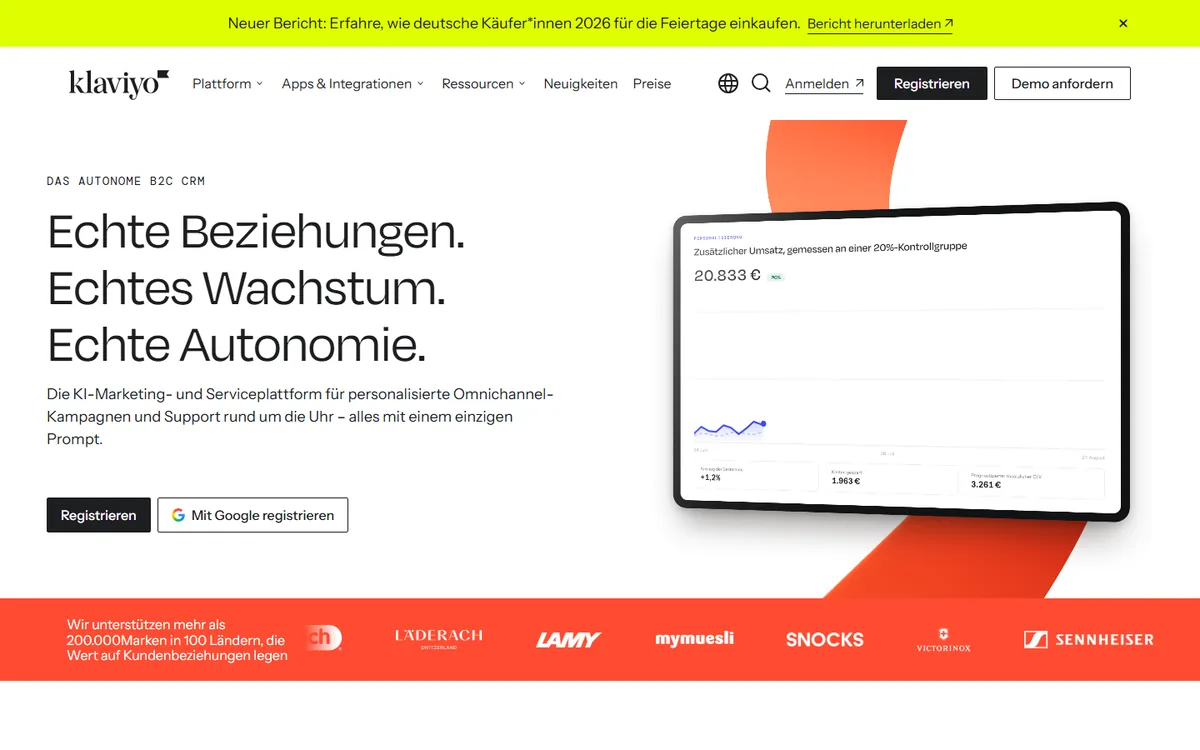
The Strongest Choice for Online Stores That Want Email and SMS Driven by Shop Data
Klaviyo ties email and SMS to purchase, browsing and product data from your online shop.
Klaviyo shines when your shop platform feeds it real events: viewed a product, abandoned a cart, bought twice. Flows such as welcome, abandoned cart and win-back are ready to adapt, and segments use purchase history instead of guesses.
Pricing follows active profiles, so a large, stale list costs real money. Cleaning your list before you migrate is one of the cheapest savings I know of. For non-shop businesses, other tools often fit better, since much of the value comes from the shop integration.
Where Klaviyo Shines
- Deep shop integrations with Shopify and others
- Strong segmentation based on purchase behavior
- Ready-made flows that speed up the first month
Where Klaviyo Falls Short
- Cost climbs with active profiles
- Less suited to businesses without a shop
Klaviyo Pricing
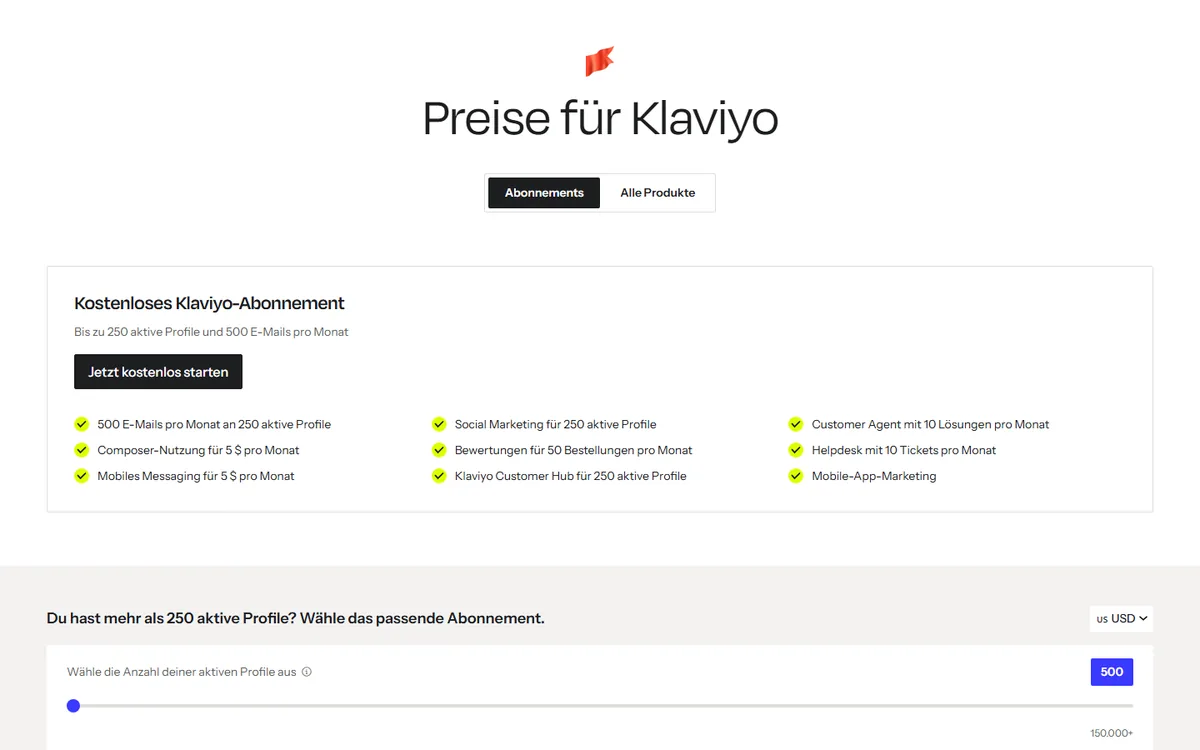
Klaviyo's free plan covers up to 250 active profiles and 500 emails per month. The Email plan starts at $20 per month for 500 active profiles and 5,000 emails. Pricing is based on active profiles, and the page shows only the entry price for the lowest tier, so use the profile selector for your list size.
Klaviyo Reviews
- G2: rated 4.6/5 (across 1,371 ratings)
Mailchimp

A Familiar, Low-Cost Starting Point for Small Teams That Need Simple Email Campaigns
Mailchimp covers email campaigns, basic automation, landing pages and a simple CRM for small businesses.
Mailchimp is the tool I see most often in very small marketing teams, and for newsletters and simple automations it still does the job. The editor is friendly, the templates are plentiful and a free plan lets you start without a card.
As you grow, the limits show: segmentation and reporting are lighter than in dedicated tools, and costs rise with contacts. I usually suggest a move when you want behavior-based journeys or deeper CRM links. Until then, keep it simple and keep your list clean.
Where Mailchimp Shines
- Easy editor and many templates
- Free plan for very small lists
- Quick to set up for simple campaigns
Where Mailchimp Falls Short
- Segmentation is lighter than in specialist tools
- Costs rise with contact count
Mailchimp Pricing
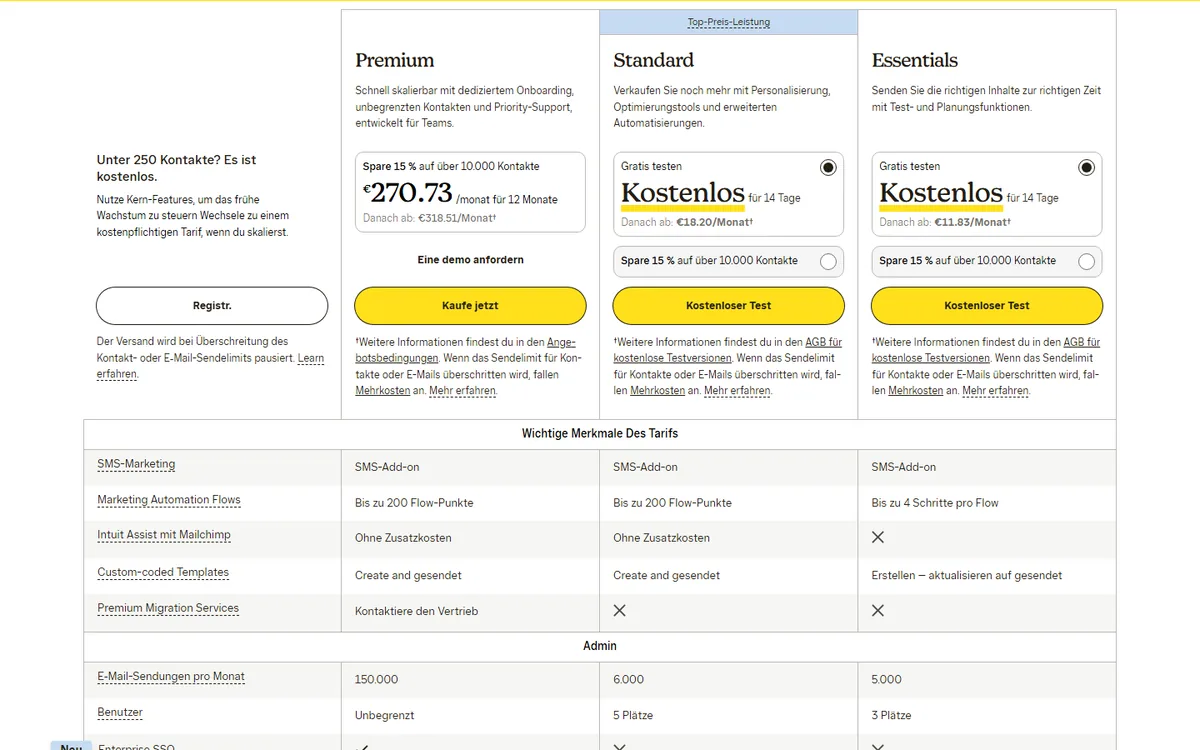
Mailchimp's free plan covers up to 250 contacts. The page shows Essentials at $13 per month, Standard at $20 per month and Premium at $350 per month for an introductory 12 months, with 15 percent off for 10,000 or more contacts. The ongoing rate after the introductory period was not visible, so check it before you buy.
Mailchimp Reviews
- G2: rated 4.3/5 (across about 13,000 ratings)
Semrush
An All-in-One Toolkit for Search, Content and Competitor Research
Semrush combines keyword research, site audits, rank tracking, competitor analysis and content tools.
Semrush earns its place in a martech stack when search is a real channel for you. You can find keywords, audit your site, track rankings and see what competitors rank for, all in one login. For content teams, the topic and brief tools shorten planning.
Treat the numbers as estimates. Traffic and volume figures are modeled, and they differ from your own analytics, so use them to compare and prioritize, not to forecast revenue. The product is also large, and many teams use a small share of it. Decide which three reports you will check each week.
Where Semrush Shines
- Wide toolset in one place
- Strong competitor and keyword data
- Good site audit for technical issues
Where Semrush Falls Short
- Data is modeled, so numbers differ from analytics
- Large product with a lot of unused features
Semrush Pricing
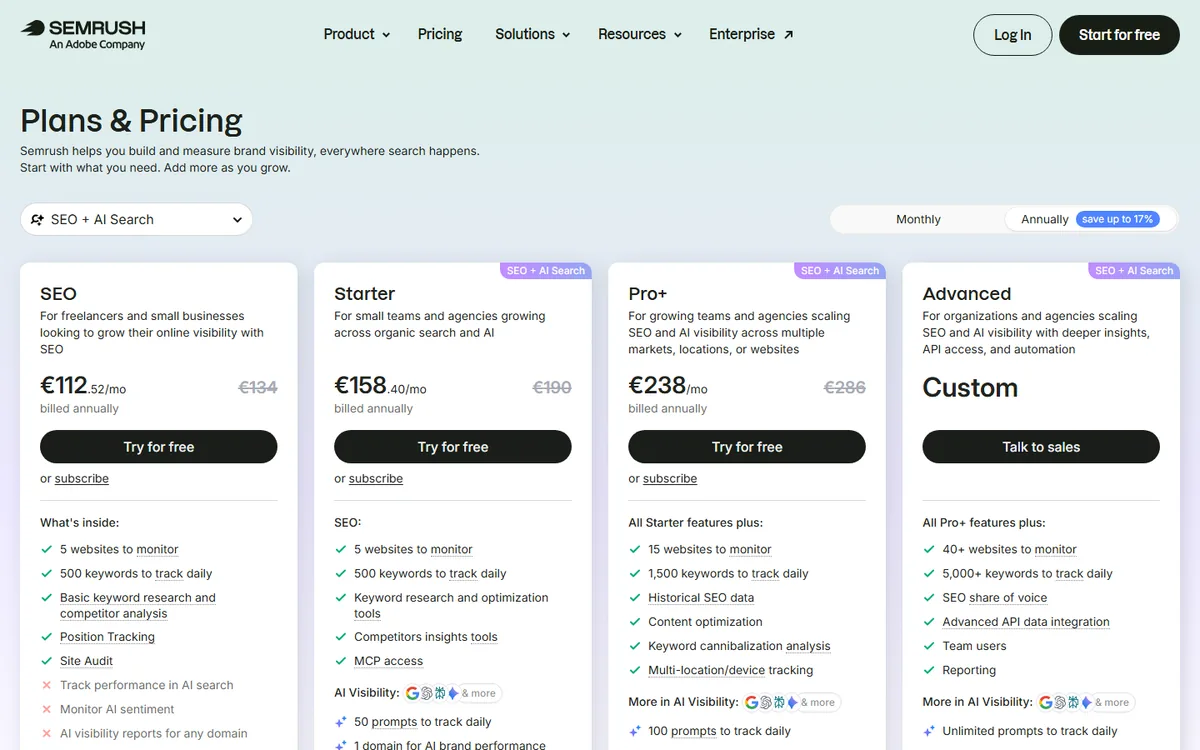
Semrush sells tiered plans on its pricing page. I could not read the current prices when I checked, because the page showed a browser check, so look at the live page before you plan a budget.
Semrush Reviews
- G2: rated 4.4/5 (across 4,306 ratings)
Google Analytics
The Free Baseline for Measuring Websites and Apps That Almost Every Stack Needs
Google Analytics measures traffic, events and conversions on websites and apps, with reports tied to Google Ads.
Almost every stack includes Google Analytics, and for good reason: it is free to use, widely understood and connected to Google's advertising tools. The event-based model lets you track what matters on your site, not only page views.
Its weakness is setup. Out of the box, GA4 collects a lot and answers few of your questions. A short measurement plan listing your key events, a consistent naming scheme and the conversions that matter fixes most of the frustration I hear. Consent settings also affect the data you see, so involve your legal adviser for the rules in your markets.
Where Google Analytics Shines
- Free to use and widely supported
- Event model fits sites and apps
- Direct link to Google Ads and Search Console
Where Google Analytics Falls Short
- Needs careful setup to be useful
- Interface and reports take time to learn
Google Analytics Pricing
Google Analytics is free to use. Google also sells a paid enterprise version, Analytics 360, which is quoted individually, so ask Google or a reseller for a price.
Google Analytics Reviews
- G2: rated 4.5/5 (across 6,891 ratings)
Segment
A Clean Way to Collect Customer Data Once and Send It to Every Tool That Needs It
Twilio Segment collects events from your site, app and servers and sends them to your marketing, analytics and data tools.
Segment solves a specific problem: every tool wants the same events, and wiring each one separately turns into a mess. You instrument your product once, and Segment forwards the events to the ad platform, the email tool, analytics and the warehouse. Changing a tool then means changing a destination, not rebuilding tracking.
It pays off at a certain size. With two or three tools, native integrations are simpler and cheaper. With eight or ten, a customer data platform saves engineering time. Plan a tracking plan document too, because Segment faithfully forwards messy events as well as clean ones.
Where Segment Shines
- One set of events feeds many destinations
- Swapping tools becomes much easier
- Protocols help keep event names consistent
Where Segment Falls Short
- Pricing scales with tracked users and is custom
- Overkill for small stacks
Segment Pricing
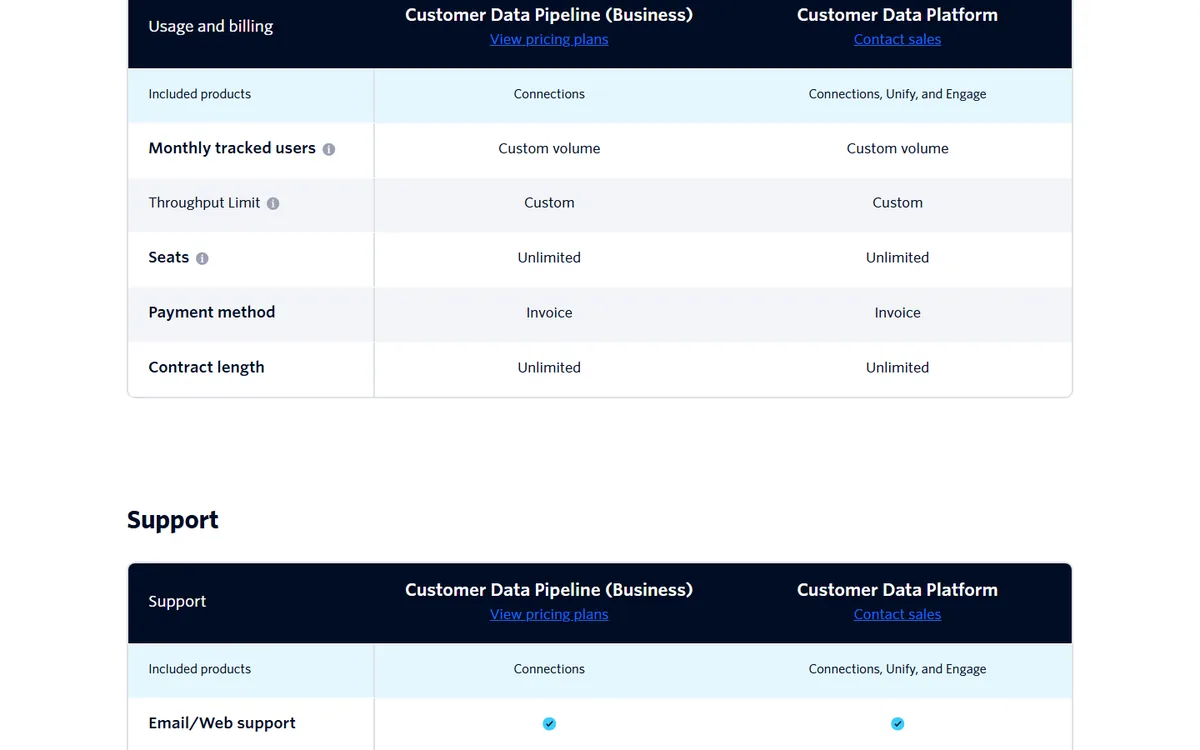
Twilio's pricing page lists Customer Data Pipeline (Connections) and Customer Data Platform plans, both priced by monthly tracked users with custom volume. Connections offers a free trial with no credit card required. I could not find fixed dollar prices, so you need a quote.
Segment Reviews
- G2: rated 4.5/5 (across 567 ratings)
Hootsuite

A Long-Standing Option for Scheduling, Monitoring and Reporting Across Many Social Accounts
Hootsuite schedules posts, monitors conversations and reports on performance across social networks.
Hootsuite suits teams that manage many accounts and need approvals, a shared calendar and consolidated reports. The scheduling and monitoring features are mature, and the platform works with the main social networks.
Its price per user is higher than that of many alternatives, so count seats carefully. If your team is two people posting to three accounts, the native scheduling in each network, or a cheaper tool, may be enough. The value rises with account count, approval chains and reporting requirements.
Where Hootsuite Shines
- Mature scheduling and approval flows
- Covers many networks in one place
- Reporting across accounts
Where Hootsuite Falls Short
- Higher price per user than many rivals
- Heavy for small teams
Hootsuite Pricing
Hootsuite lists Standard from $99 per user per month, Professional at $199 per user per month and Advanced up to $399 per user per month, with Enterprise on request. Prices are based on annual billing and exclude tax.
Hootsuite Reviews
- G2: rated 4.3/5 (across 7,737 ratings)
Sprout Social
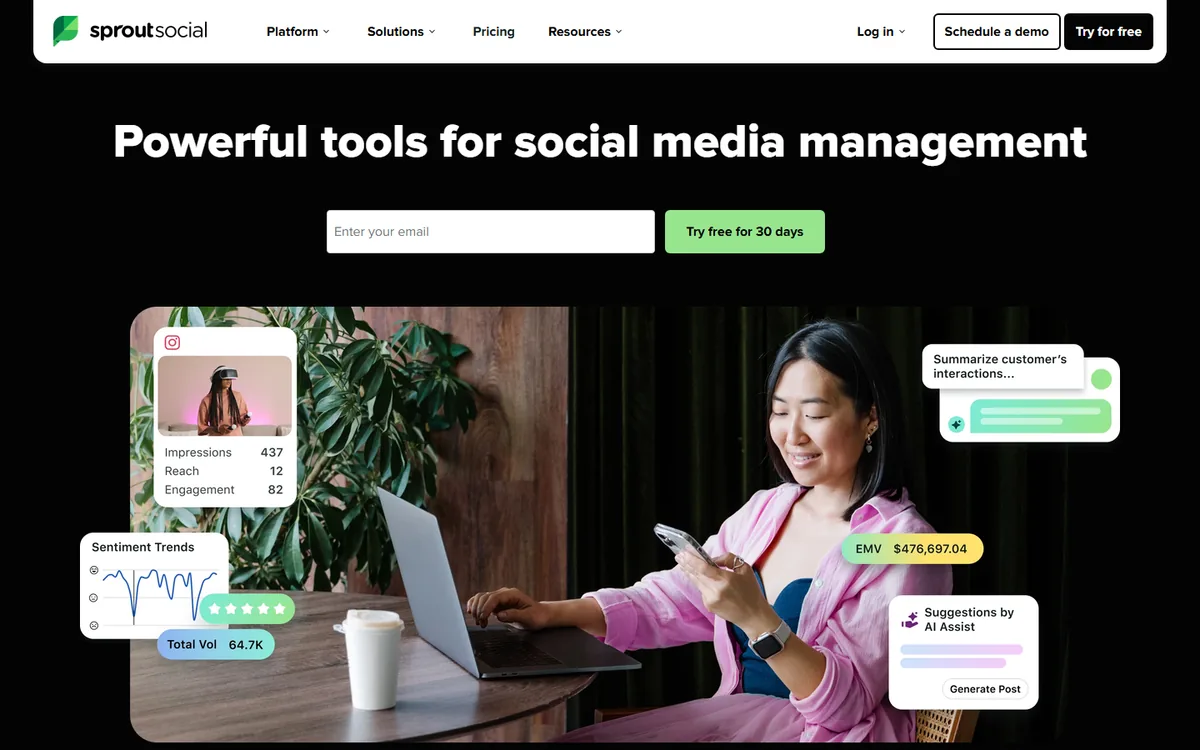
A Polished Social Suite With Strong Reporting and a Shared Inbox for Customer Care
Sprout Social offers publishing, a unified social inbox, listening and analytics in a clean interface.
Sprout Social is the tool I see when social is also a customer service channel. The shared inbox collects messages and comments across networks, assigns them and keeps history, and reports are easy to share with leadership.
It costs more per seat than lighter tools, and the plans gate features such as listening and advanced analytics. Decide which of those you really need before you pick a plan, and check how many seats your team uses in practice.
Where Sprout Social Shines
- Clean interface and shared social inbox
- Reports that are easy to present
- Good team workflows and approvals
Where Sprout Social Falls Short
- Per-seat prices add up
- Some features sit in higher plans
Sprout Social Pricing
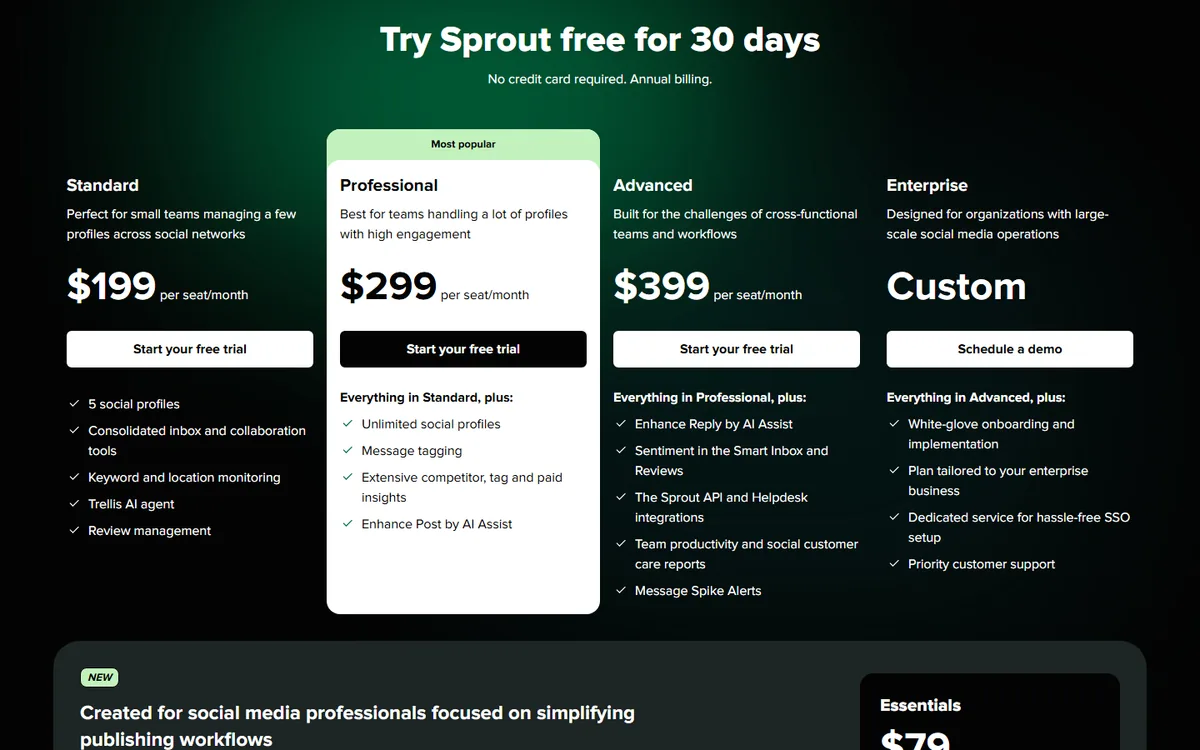
Sprout Social lists Essentials at $79 per seat per month billed annually ($99 billed monthly), Standard at $199, Professional at $299 and Advanced at $399 per seat, with Enterprise on request. An optional AI add-on, Trellis Plus, is $28 per seat per month billed annually.
Sprout Social Reviews
- G2: rated 4.4/5 (across 7,579 ratings)
Hotjar
The Quickest Way to See Where Visitors Click, Scroll and Give Up on Your Pages
Hotjar adds heatmaps, session recordings and surveys to your site, so you can see how people use it.
Analytics tells you that visitors left a page. Hotjar helps you see why. Heatmaps show where people click and scroll, recordings show the actual path and short surveys ask them directly. A few hours of watching recordings on a poor-performing landing page often gives better ideas than a week of staring at charts.
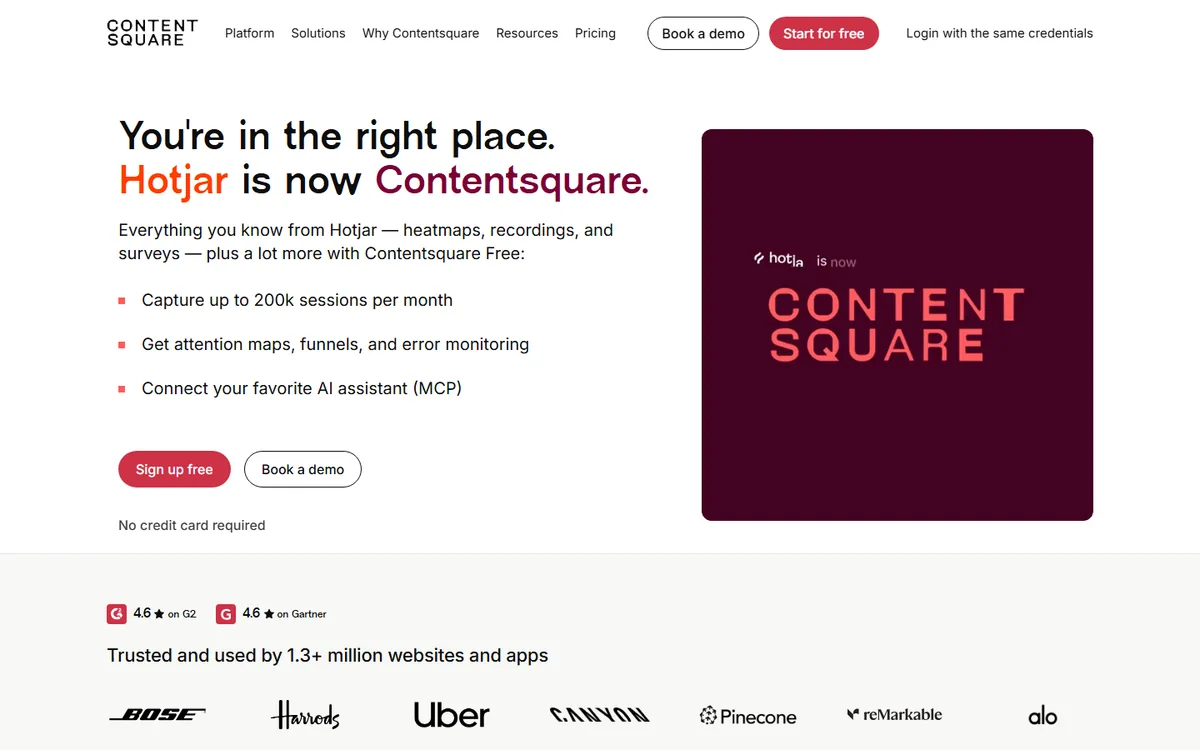
Use it with a question in mind, because recordings are easy to watch for too long. Mind privacy too: mask form fields and check consent rules for your markets with your legal adviser. Hotjar is now part of Contentsquare, and larger teams sometimes move to the wider platform.
Where Hotjar Shines
- Heatmaps and recordings are quick to interpret
- Easy to install and start
- Surveys add direct visitor feedback
Where Hotjar Falls Short
- Sampling limits on lower plans
- Privacy setup needs care
Hotjar Pricing
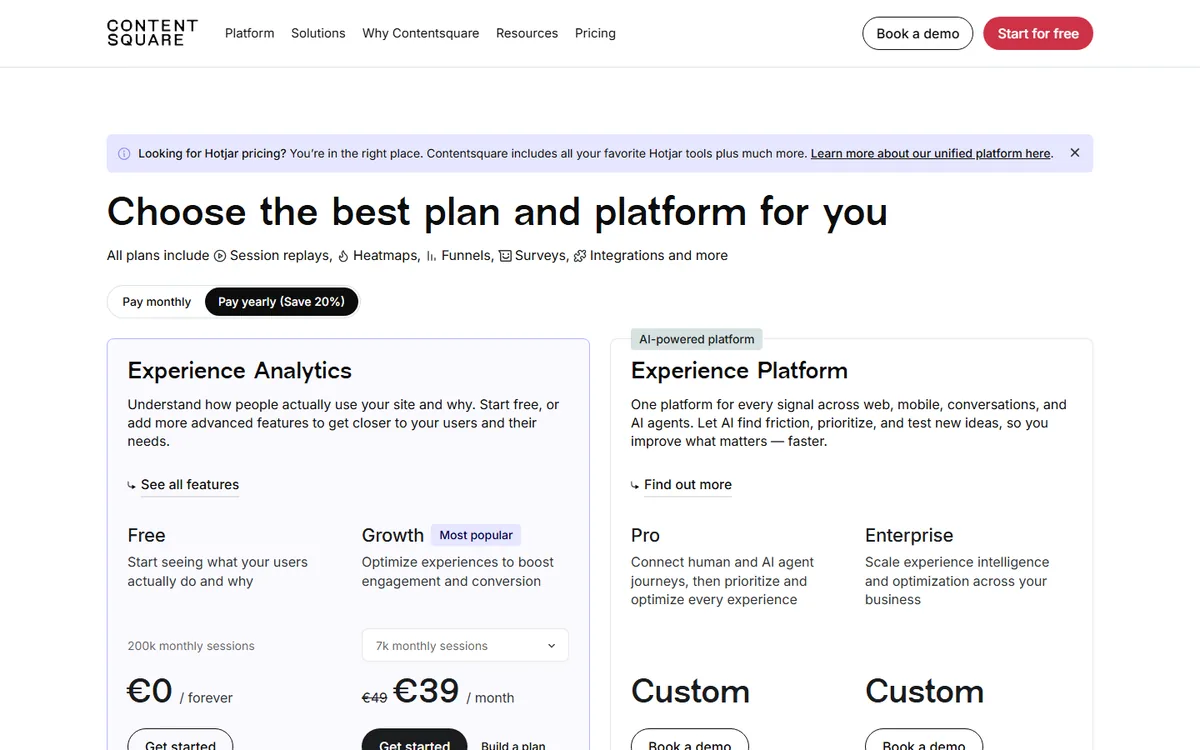
Hotjar publishes its plans on its own site, and its pricing page now redirects to Contentsquare. I could not read the current Hotjar prices, so check the live page before you plan a budget.
Hotjar Reviews
- G2: rated 4.3/5 (across 345 ratings)
Optimizely Web Experimentation

A Serious Experimentation Platform for Teams With the Traffic and Process to Test Properly
Optimizely Web Experimentation runs A/B and multivariate tests on web pages with statistics built in.
Optimizely is built for teams that test as a practice, with a backlog, a review of results and enough traffic for significant outcomes. Visual editing lets marketers set up tests, and developers can add code for deeper changes.
Many sites do not have the volume for it. If a page gets a few hundred visits per week, a test takes months to reach a reliable result, and a simpler change-and-measure approach works better. Check your traffic and conversion rate first, and calculate the sample size before you pay.
Where Optimizely Web Experimentation Shines
- Strong statistics and test management
- Visual editor plus code for developers
- Built for teams with a testing process
Where Optimizely Web Experimentation Falls Short
- Needs enough traffic to be useful
- Priced for larger organizations
Optimizely Web Experimentation Pricing
I could not find published prices for Optimizely Web Experimentation, so expect to talk to its sales team for a quote.
Optimizely Web Experimentation Reviews
- G2: rated 4.2/5 (across 414 ratings)
Zapier
The Fastest Way to Connect Marketing Tools When You Have No Developer to Spare
Zapier connects thousands of apps with trigger-and-action workflows, and adds AI steps and agents.
Zapier is the glue in a lot of small and mid-sized stacks. A form submission can create a CRM record, post to a chat channel and add a row to a sheet, and a marketer can build it in an afternoon. For moving data between tools that lack a direct connection, it is hard to beat for speed.
Watch the task count. Costs rise with volume, and a workflow with many steps burns through tasks quickly. Fragile chains of automations also become a risk when the person who built them leaves, so keep a short document of what runs and who owns it.
Where Zapier Shines
- Huge library of app connections
- Non-technical staff can build workflows
- AI steps and agents inside the same editor
Where Zapier Falls Short
- Costs climb with task volume
- Long chains are hard to maintain
Zapier Pricing
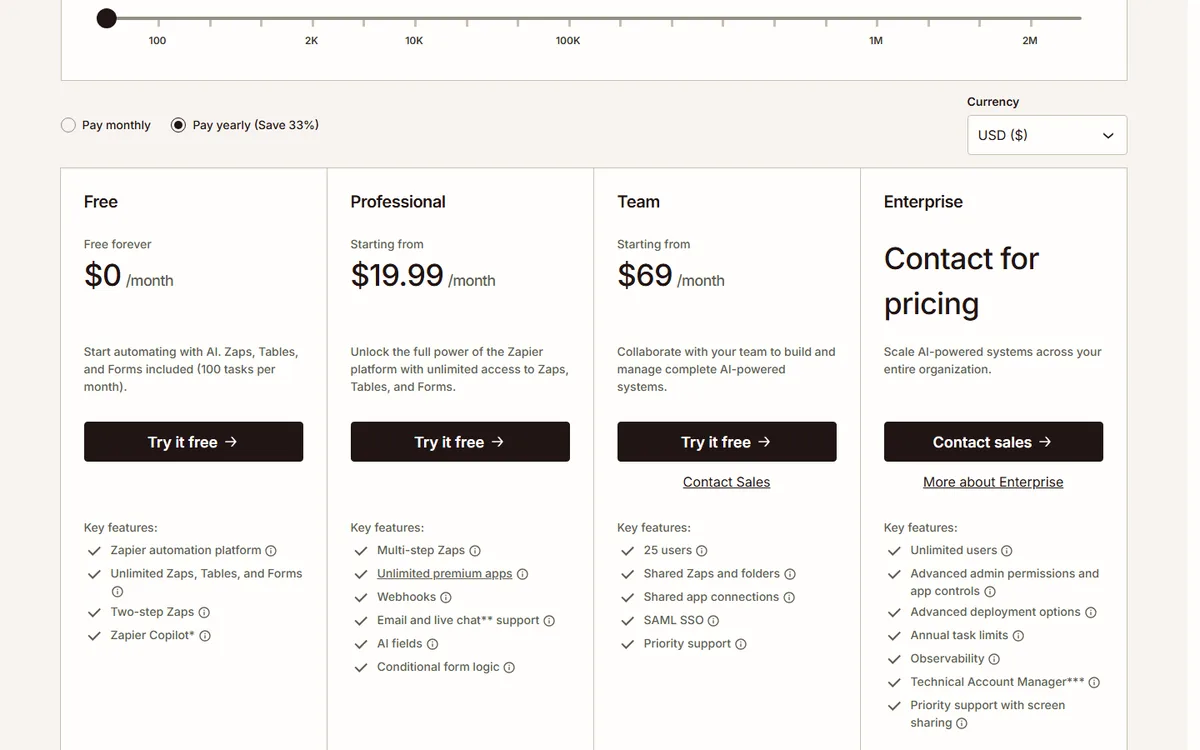
Zapier lists a free plan with 100 tasks per month, limited to two-step Zaps. Professional starts at $19.99 per month, Team at $69 per month and Enterprise is quoted on request.
Zapier Reviews
- G2: rated 4.5/5 (across 2,153 ratings)
Canva
Fast, On-Brand Visuals for Teams Without a Full-Time Designer
Canva lets non-designers create social posts, presentations, ads and documents from templates and brand kits.
Canva earns its place because it removes a bottleneck. A marketer can produce a social graphic, a slide or an ad variant in minutes without waiting for a designer, and brand kits keep colors and fonts consistent. Shared templates cut the time of repeated formats.
Governance matters as the team grows. Decide who can edit brand templates, where final files live and how assets are named. Without it, you end up with dozens of slightly different logos. Complex or high-stakes design still benefits from a professional.
Where Canva Shines
- Very easy for non-designers
- Templates and brand kits keep a consistent look
- Team sharing and comments
Where Canva Falls Short
- Limited for complex design work
- Needs rules to keep brand use consistent
Canva Pricing
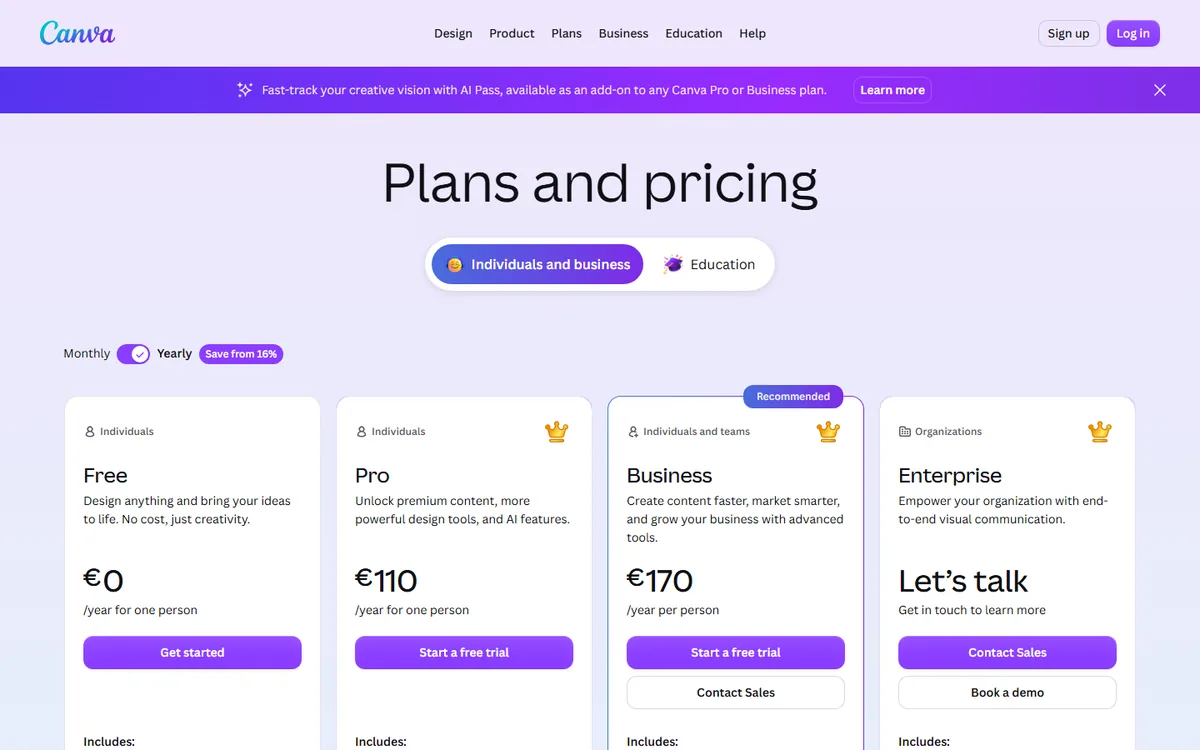
Canva offers a free plan and paid Pro and Teams plans. Its pricing page did not load when I checked, so I could not read current prices. Confirm them on the live page.
Canva Reviews
- G2: rated 4.7/5 (across 7,838 ratings)
Estimate the Return on a Martech Tool
Before you pick a plan, check whether the numbers work for you. Enter the manual hours the tool should remove and its monthly price, and you will see what it could return in a year. Run the same numbers for your current tools in a marketing technology audit to find where the stack costs more than it returns.
Is the Software Worth the Cost?
Move the sliders to match the work you want the tool to cover and the plan you are considering.
How to Choose the Right Martech Tools
In my experience, fit with your data and your team decides more than any feature list. Before you compare vendors, I suggest you answer four questions:
- Which job does the tool do, and which tool does that job today?
- Which CRM or data source must it connect to, and does a native connector exist?
- Who will own it, and how many seats, contacts or tasks will you really use?
- What does it cost over three years, including setup and internal time?
Where your team stands matters as well. A short marketing technology assessment shows whether data, skills and processes are ready for a new tool. If you plan several purchases, put them in order with a marketing technology roadmap, and use the marketing technology statistics to put your spend in context. A free call can also settle a close choice quickly.
Questions About Choosing Martech Tools
What Are Martech Tools?
Martech tools are the software platforms that run your marketing: CRM and automation, email, analytics, advertising, social, content and customer data tools. A stack is the set of those tools and how they connect.
How Many Martech Tools Does a Small Team Need?
Usually fewer than you think. A CRM with email, an analytics tool, an ad account and a design tool cover most small teams. Add a tool only when you can name the problem it solves and the person who will own it.
What Is the Best Martech Tool for Small Businesses?
HubSpot, Mailchimp and Zapier are the ones I most often see work for small teams, because they are easy to start and connect to many other tools. The right answer depends on whether you sell online, how you generate leads and how big your list is.
Do I Need a Customer Data Platform?
Not at first. When you send the same data to eight or ten tools and keep rebuilding connections, a platform such as Segment saves effort. With a few tools, native integrations are simpler.
How Do I Stop My Martech Stack from Growing Out of Control?
Keep a list with owner, cost, users and renewal date for each tool, and review it twice a year. Before buying, check whether a tool you own can already do the job.
How Should I Compare Martech Tools?
Write your requirements as real scenarios, score each tool on them and compare the three-year cost, including setup and internal time. Check how each tool connects to the CRM you use.
Are the Ratings and Prices Here Current?
I read the G2 ratings and the vendor prices shown here when I last updated the page. Prices change often, and some vendors do not publish them. Confirm the current figures on each vendor's site before you buy.
Disclaimer: Prices, plans and ratings change often. They were checked when this article was last updated, so confirm them on each vendor’s site before you buy. Nothing here is legal or financial advice.
Was this useful?
We appreciate the feedback.
Paige Mulvaney
Paige leads the Wicker editorial team and works with the consultants who run the roadmaps, software selections, implementations and integrations to turn real client projects into practical guides. Her focus is plain-language advice on IT strategy, choosing business software and connecting systems so they work together. Every article she edits is checked against current vendor pricing and documentation before it is published.