In Short
- Review five areas: tools and contracts, data and integrations, consent, measurement, and people and process.
- Score every tool from 0 to 2 on six questions, so decisions rest on the same standard.
- Start with the spend list, because invoices show what the company really pays for.
- Rank findings by money at stake and effort to fix, and take the quick wins first.
A marketing technology audit is a structured review of every tool, integration and data flow behind your marketing, checked against what each one costs and what it delivers. Many teams hire marketing technology consulting to run it, and plenty do it internally. Either way, the review works only when the same six questions are asked of every tool.
This guide gives you those questions, a scoring method and a short list of findings I see in nearly every audit. I wrote it so a marketing operations lead can run a first pass in about three weeks without special software.
What an Audit Reviews and Why Each Part Matters
An audit covers five areas. Skipping one leaves a blind spot that tends to surface later as an expensive surprise.
| Area | What you review | What goes wrong when you skip it |
|---|---|---|
| Tools and contracts | Owner, cost, renewal date, seats bought and seats active | Auto-renewals and duplicate tools keep costing money |
| Data and integrations | Where each field is created, how it moves, what breaks silently | Reports disagree and nobody knows which one is right |
| Consent and privacy | How consent is captured, stored and passed between tools | Contacts get emailed without a valid basis |
| Measurement | Which numbers leadership uses and where they come from | Teams optimize numbers that do not tie to revenue |
| People and process | Who builds, who approves, who trains | Tools depend on one person who can leave |
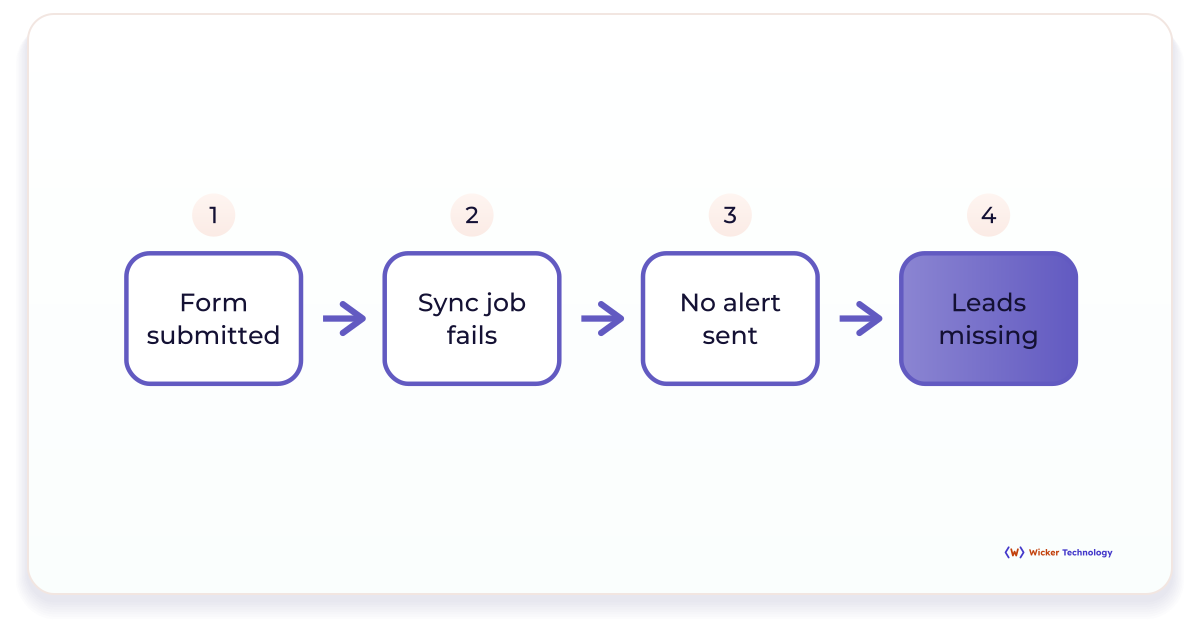
Of the five, data and integrations take the longest, and they produce the findings that matter most. A tool can look healthy on paper while its sync fails every night and nobody reads the error email.
Prepare the Ground Before You Open Any Tool
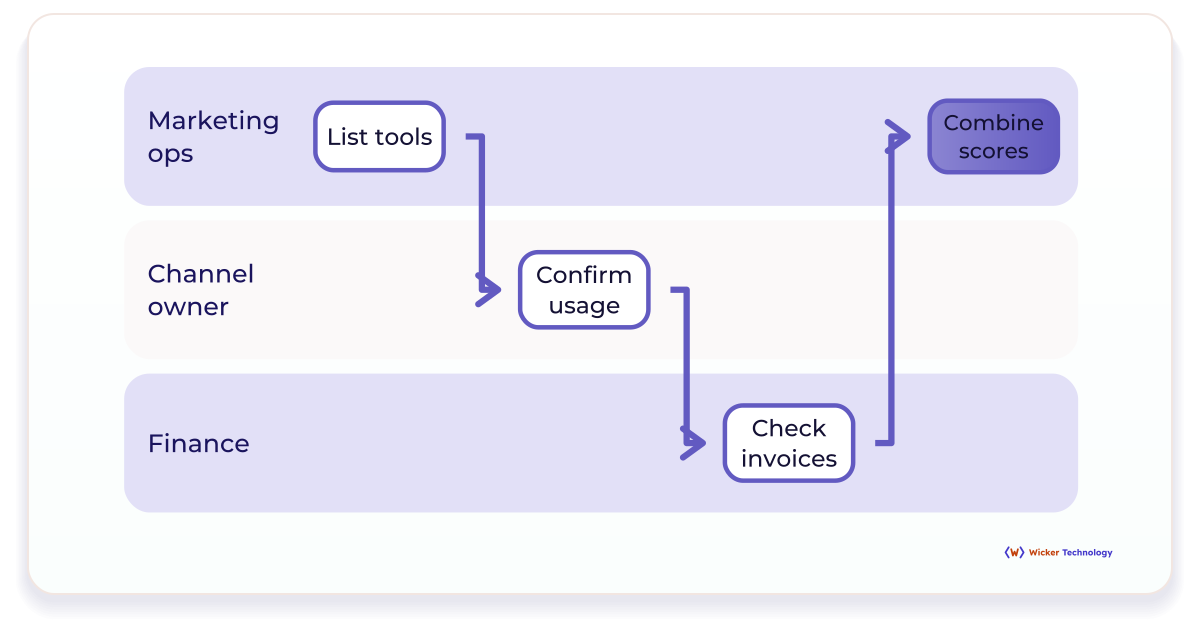
Name an audit owner and get a sponsor who can unlock access. Without admin access you end up auditing screenshots. Ask finance for a twelve-month export of software spend, ask IT for the single sign-on app list, and ask each channel lead for the tools they use daily. Compare the three lists.
Agree the scope in a short note: which tools are in, which are out, and what decisions the audit will feed. If the result is meant to drive a plan, say so, and connect it to your marketing technology roadmap from the start. If the result is meant to answer whether your team can take on a new initiative, the marketing technology assessment approach is a better fit for that question.
Score Every Tool on the Same Six Questions
Give each tool a score from 0 to 2 on each question. Zero means a clear problem, one means acceptable, two means strong. A tool with a total under six usually goes on the retire or fix list. The scale is deliberately coarse, because false precision wastes time.
| Question | 0 points | 1 point | 2 points |
|---|---|---|---|
| Is it used? | Under a third of seats active | Half or more of seats active | Most seats active every month |
| Does it have an owner? | Nobody | Owner exists, no backup | Owner and backup named |
| Is the data clean? | Duplicates and gaps everywhere | Known issues, being fixed | Clean and checked on a schedule |
| Is it connected well? | Manual exports | Some sync, some copying | Documented, monitored sync |
| Does it support a goal? | No goal linked | Loosely linked | Directly tied to a tracked goal |
| Is the cost fair? | Overlaps another tool | Fair, not reviewed lately | Reviewed at the last renewal |
Use the same person to score every tool, or have two people score and compare. Scores drift when different reviewers use different standards, and a tool nobody likes tends to get zeros it does not deserve.
Findings That Show Up in Almost Every Audit
These are the patterns I expect before I start, and I am rarely surprised.
Paid Seats Nobody Uses
Seat counts grow when people join and almost never shrink when they leave. Compare the paid seats with active users over the last 90 days. Vendors usually let you reduce seats at renewal, so the date matters again.
Two Tools Doing One Job
A team adds a landing page tool because the website builder felt slow, and the old one keeps running. Look at the capabilities column of your inventory. Two tools with the same capability are a consolidation candidate unless a specific feature justifies both.
Silent Sync Failures
Ask each integration owner when they last looked at the error log. A blank look is a finding. Set up alerts for failed syncs and a weekly count of records that did not arrive.
Consent That Does Not Travel
Consent is often captured in a form tool and lost when the contact moves to the email platform. Trace one contact end to end and check that their consent status arrives with them. If you operate under privacy regulations, have your legal adviser confirm the requirements for your regions, because they differ and change.
Dashboards Nobody Trusts
Ask three people for last month's lead count. If you get three numbers, the problem sits in definitions and data flow, not in the dashboard tool.
A Three-Week Plan for the First Pass
You can run the first pass with a small team in three weeks. The first week goes to inventory and access. The second week covers scoring and the integration check. The third week turns the findings into a ranked list and a short readout.
- Week one: collect the spend list, the sign-on app list and the survey answers, then build the inventory.
- Week two: score each tool, trace two contacts end to end and check every integration error log.
- Week three: rank the findings by cost and effort, draft the readout and agree the first wave of fixes.
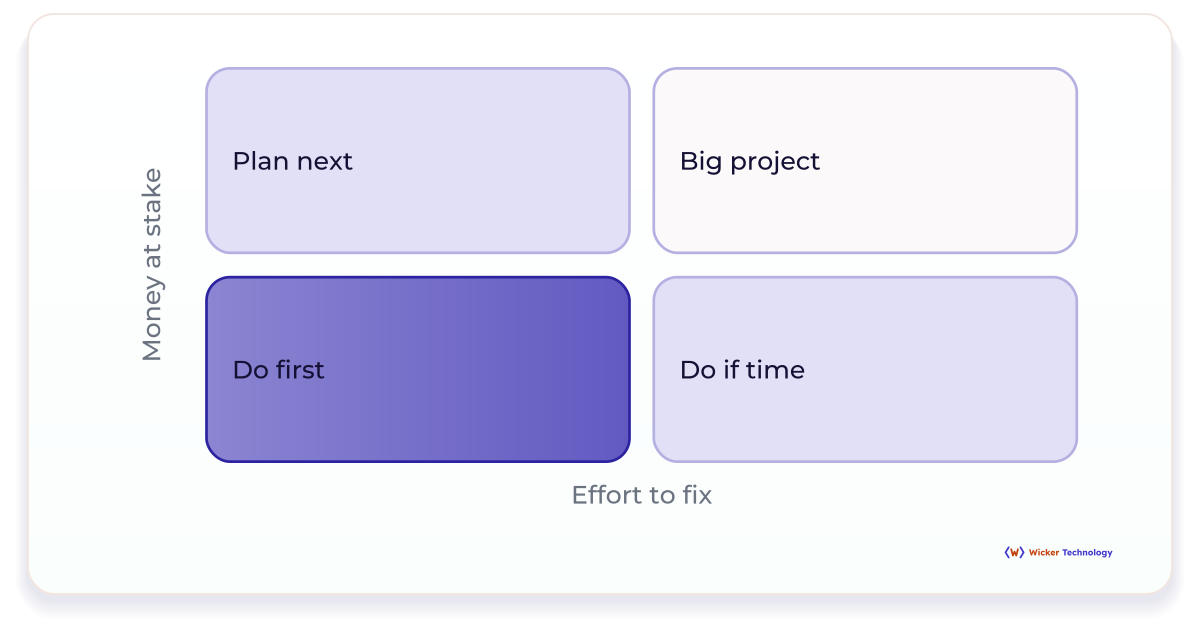
Rank findings on two axes, money at stake and effort to fix. Start with high money and low effort: unused seats, duplicate tools, failed syncs. Leave the high-effort items for the roadmap.
The market gives you a reason not to wait. Utilization of purchased tools stays low across the industry, a point I cover with sources in the marketing technology statistics article, so your audit will almost certainly find money.
Who Needs to Be Involved
An audit touches several teams, and each one has a reason to be careful with what it shares. Finance holds the spend records and cares about cost. IT holds the application list and cares about security. Channel owners hold the daily knowledge and worry the audit will take their tools away. Tell each group up front what you will do with the findings and what you will not.
Give channel owners a short, specific request: confirm the tools you found, add the ones you missed and name what they would lose if each tool disappeared. That last question produces honest answers about real dependencies. Offer to share the draft findings before anyone senior sees them, so they can correct facts. In my experience that single courtesy turns most skeptics into helpers, and the data you get is better for it.
What to Read in the Contracts
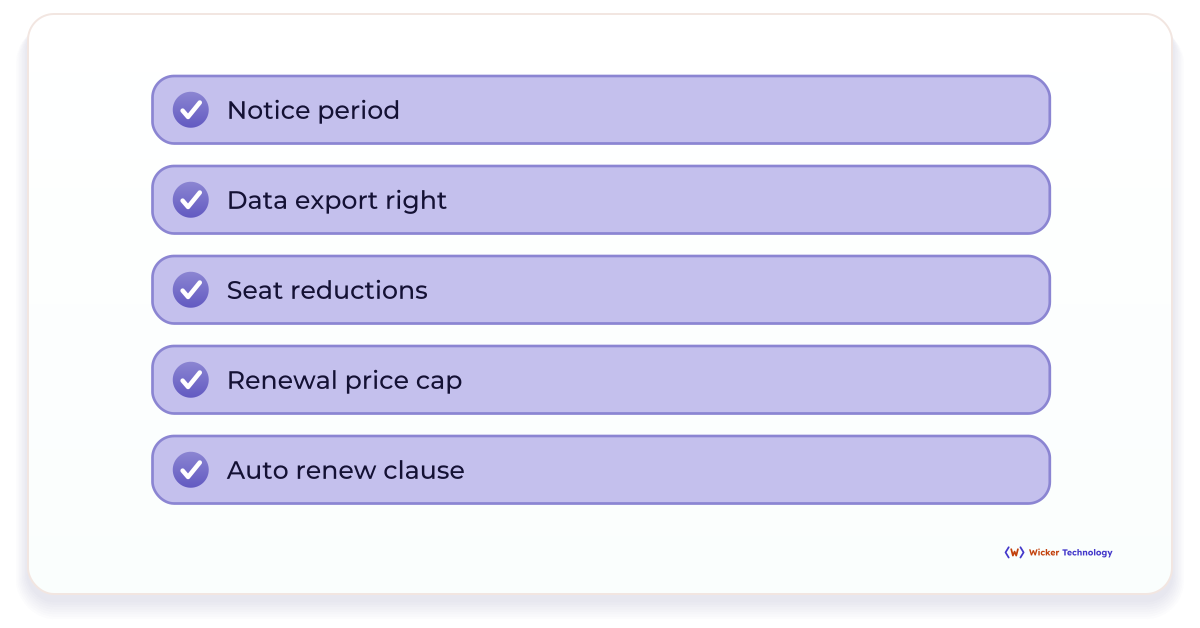
Contracts hold facts that no admin screen shows. Pull the order form for each tool above a cost threshold you set, and note five things: the term length, the renewal and notice dates, the price protection clause, the usage limits and the exit terms. Usage limits matter most for tools that price by contacts, events or messages. A database that grew by 40 percent since signing can push you into a higher tier without anyone deciding to buy it.
Exit terms tell you how hard a later migration will be. Check whether you can export all your data in a usable format, how long the vendor keeps it after cancellation and whether the export has a fee. A tool that holds your history hostage should score lower on fairness of cost, whatever its monthly price.
For tools you pay for through a reseller or a bundle, ask who owns the relationship. When the bundle contains six tools and you use two, you have a negotiation topic for the next renewal. In my project work, this one conversation has recovered more budget than any amount of feature comparison.
Write the Readout So Someone Acts on It
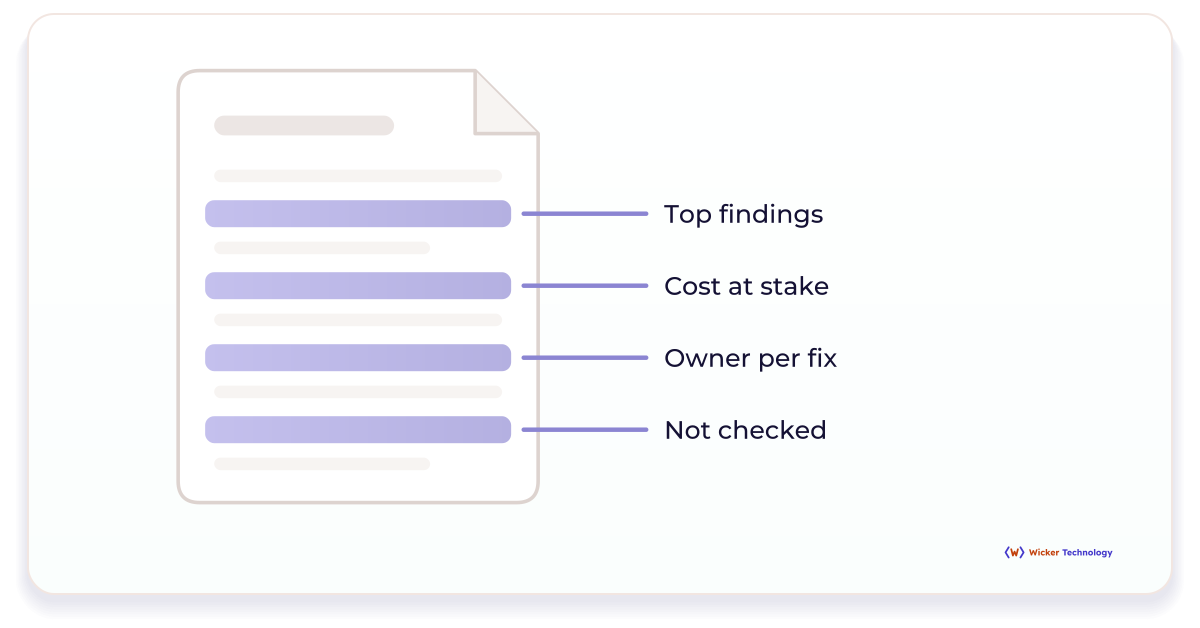
Keep the readout to two pages. Page one gives the total spend, the share of paid seats in use, the number of tools without an owner and the five largest findings with a dollar value. Page two lists the decisions you need, with a name and a date next to each one. If the document has no decisions on it, it will be read and filed.
Include one line on what you did not check. If you did not audit the data warehouse, say so. A reader who finds a gap later will doubt the rest of the report.
Many teams ask how the audit changes when you are choosing between vendors. In that case the same six questions apply to the shortlist, and my notes on martech tools by category help you compare like with like. For tactics that other teams took after their audits, the marketing technology examples show what changed.
How to Choose Between a DIY and an Outside Audit
Run it yourself when you have fewer than fifteen tools, an operations person with time and no pending purchase decision. Bring in outside help when stakes are higher: a merger, a large renewal, a migration or a stack older than the people running it. An outsider asks naive questions that insiders stopped asking, and often gets answers because they are not part of the politics.
Questions About Marketing Technology Audits
How Often Should I Audit My Marketing Technology?
Run a full audit once a year, ideally two to three months before your biggest renewal cluster. Add a light quarterly check on seats, owners and integration errors so the annual audit does not start from zero.
How Long Does a Marketing Technology Audit Take?
A first pass for a stack of 15 to 30 tools takes about three weeks with a small team. Larger stacks, or ones with heavy custom integrations, take longer, mostly because of the data and integration checks.
What Does a Marketing Technology Audit Cost?
Internal audits cost staff time, usually one person for most of three weeks plus short sessions with channel owners. Outside audits vary with scope. Ask for a fixed price tied to a stated list of tools and deliverables.
What Is the Difference Between an Audit and an Assessment?
An audit reviews what you have: tools, costs, data and integrations. An assessment judges how ready your team and data are for what you want to do next. Many companies run the audit first and the assessment before a big change.
Which Tools Should I Include in the Audit?
Include everything that touches customer or prospect data or that marketing pays for: email, CRM, analytics, advertising platforms, content tools, consent tools and the integration layer. Add free tools that hold data.
What Should I Do with the Findings?
Turn them into a ranked list and take the quick wins first: unused seats, duplicate tools, failing syncs. Put the larger items into your roadmap with owners, dates and costs.
Do I Need Special Software for an Audit?
No. A shared spreadsheet, access to billing and admin consoles and a few conversations are enough. Software that discovers your applications can help in very large companies, but it replaces none of the judgment calls.
Important: nothing in this article is legal, financial or tax advice. All figures are estimates from typical projects, so verify them with your own providers and advisers.
Was this useful?
We appreciate the feedback.
Paige Mulvaney
Paige leads the Wicker editorial team and works with the consultants who run the roadmaps, software selections, implementations and integrations to turn real client projects into practical guides. Her focus is plain-language advice on IT strategy, choosing business software and connecting systems so they work together. Every article she edits is checked against current vendor pricing and documentation before it is published.