In Short
- The most reliable marketing technology wins connect two systems that already exist, rather than adding a new one.
- Clean data and agreed definitions decide whether any of the nine examples works.
- Start with tracking and campaign naming, since every other example depends on trustworthy numbers.
- Record a baseline before each change, so you can show what improved.
Marketing teams buy software faster than they connect it. The examples that deliver are often unglamorous: a customer list that reaches the ad platform, a lead that reaches the right person in minutes, a report whose numbers agree. If you want a view on which ones fit your stack, marketing technology consulting starts with a short review of exactly that.
Below are nine examples I see work, with the steps behind each one and the reason it works. If you are shopping for the platforms involved, my ranking of martech tools compares them.
The Nine Examples at a Glance
| Example | Area | What improves |
|---|---|---|
| 1. CRM Audiences Synced to Ad Platforms | Advertising | Fewer wasted impressions |
| 2. Lead Routing and Scoring | Sales handoff | Faster first contact |
| 3. Server-Side Tracking and Consent Setup | Measurement | More complete data |
| 4. Lifecycle Email From One Customer Record | Lifecycle | Messages that match behavior |
| 5. UTM Governance and One Marketing Report | Reporting | Numbers that agree |
| 6. Content Workflow With Approvals | Content | Shorter publishing cycles |
| 7. Behavior-Triggered Onboarding Messages | Onboarding | More users reach first value |
| 8. Closed-Revenue Data Sent Back to Ad Platforms | Attribution | Better optimization signals |
| 9. Stack Consolidation After an Audit | Stack cost | Fewer tools, lower cost |
CRM Audiences Synced to Ad Platforms
Your CRM knows who is a customer, who is in a sales conversation and who went cold. Your ad platforms usually know none of it. Syncing those lists lets you stop paying to show acquisition ads to people who already bought, and lets you aim reminders at open opportunities. In accounts I have worked on, removing existing customers from prospecting campaigns was often the quickest saving.
What worked was the boring part: one agreed customer definition and a daily refresh. Why it worked: ad platforms match on hashed emails, so the quality of the CRM email field decides the match rate. Check consent for every list you upload, and ask your legal adviser about the rules in your markets.
Test the audience on one campaign before you roll it out to all of them.
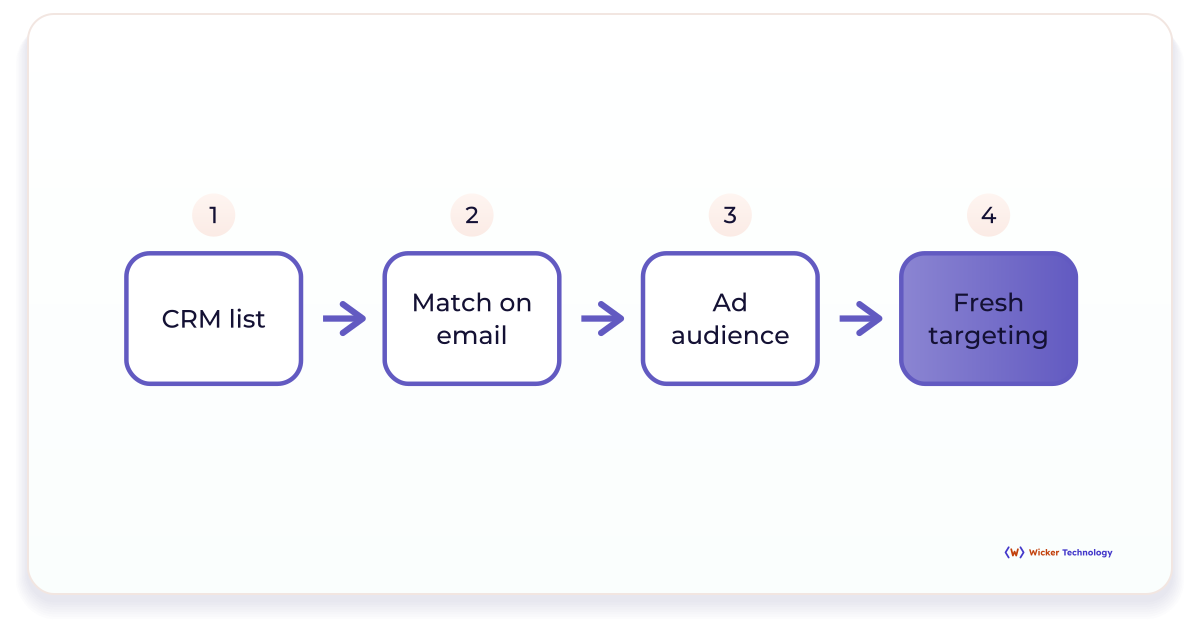
How the Sync Runs
- Define the segments in the CRM, such as customers, open deals and lost deals.
- Check that email and phone fields are complete and consistently formatted.
- Connect the CRM to each ad platform with a native connector or an integration tool.
- Set a daily refresh and remove people who opt out.
- Exclude customers from prospecting campaigns and build a retargeting set for open deals.
- Compare cost per lead before and after on the same budget.
Tools for Audience Syncing
Most CRMs offer native connectors to Google, Meta and LinkedIn. A customer data platform such as Segment adds more control when you sync many lists.
Lead Routing and Scoring
Leads that sit in a shared inbox for a day lose most of their value. Routing rules send each lead to the right owner based on region, company size and product interest, and a simple score separates a pricing request from a newsletter signup. The response time falls from hours to minutes, because nobody has to decide who owns the lead.
Keep the score simple. A short list of five or six signals, such as pricing page visits, company size and job role, beats a complex model that nobody trusts. Review the rules with the sales team every quarter, since they know which leads actually close.
Review the routing rules every month, since territories and offers change.
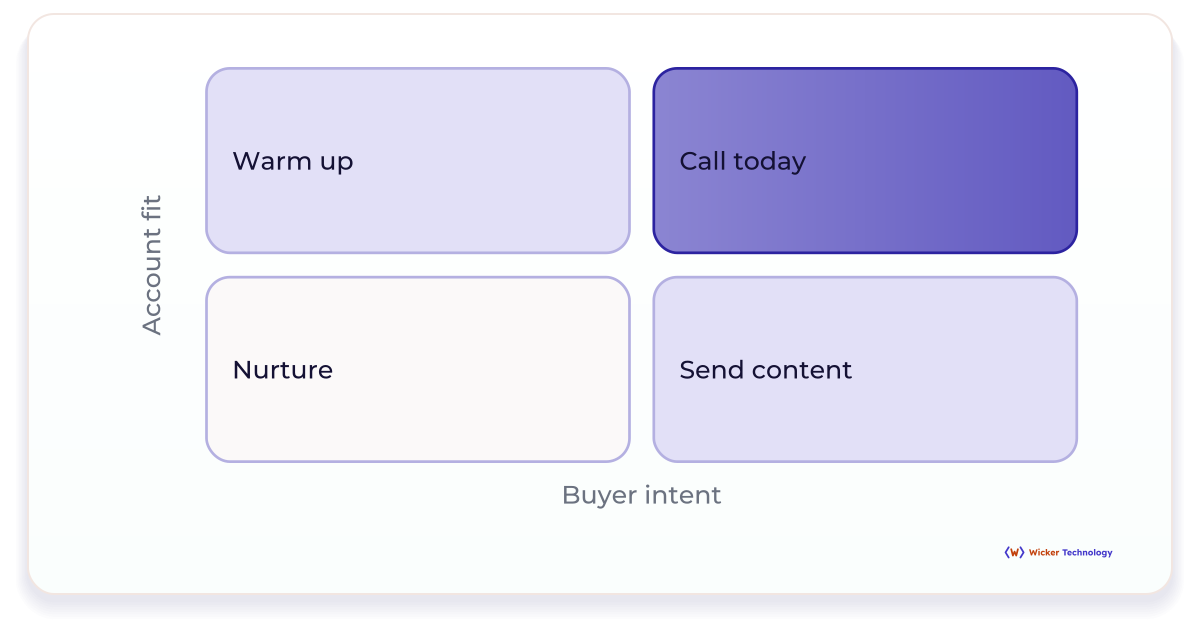
From Form to Owner
- List the signals sales cares about and agree on a points system.
- Capture the source, campaign and form fields in the CRM on every lead.
- Write routing rules for region, size and product.
- Send an instant notification to the owner and set a response-time target.
- Review closed deals against scores each quarter and adjust.
Where Routing Lives
HubSpot and Salesforce both include routing and scoring. An integration tool can add rules the CRM does not support.
Server-Side Tracking and Consent Setup
Browser tracking loses data to blockers, short cookie lifetimes and consent choices. Moving key events to a server-side container recovers part of that and gives you control over what each vendor receives. It also forces a clean look at which tags run on your site, and most sites I audit carry several nobody can explain.
Consent comes first. Server-side tracking does not remove the need for consent where rules require it, so connect the consent tool to the container and respect the choice for every tag. Treat the data gain as modest and the control gain as the main benefit.
If you are unsure what your site currently runs, a marketing technology audit lists every tag and its owner.
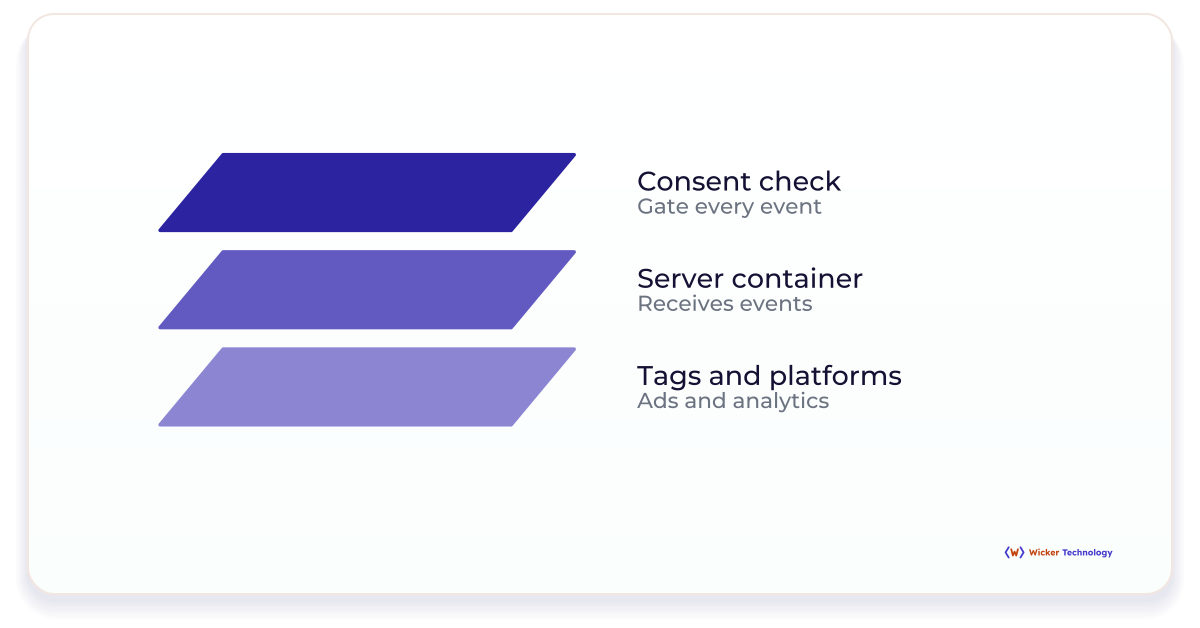
What Changes in the Setup
- Inventory every tag on your site and remove the ones without an owner.
- Set up a server-side container on your own subdomain.
- Connect your consent tool, so choices control what is sent.
- Move the main conversion events first and compare counts with the old setup.
- Document which vendor receives which fields.
Tools for Server-Side Tracking
Google Tag Manager has a server-side container option, and customer data platforms offer similar routing. Hosting adds a small monthly cost.
Lifecycle Email From One Customer Record
Many companies send welcome emails from one tool, receipts from another and promotions from a third. Each has a different idea of who the customer is. Feeding all of them from one customer record means a person who just bought stops getting a discount offer for the same product.
The gain comes from fewer mistakes first and better targeting second. A short set of journeys, such as welcome, first purchase, inactive and win-back, covers most of the value. Add more only when the first four run cleanly.
How One Record Feeds Every Message
- Choose the system that holds the customer record.
- Send purchase and sign-up events to it from your shop or product.
- Build four journeys: welcome, first purchase, inactive and win-back.
- Add suppression rules, so recent buyers skip promotions.
- Review unsubscribe and complaint rates monthly.
Tools for Lifecycle Messaging
Klaviyo and Mailchimp suit many shops, and HubSpot fits teams that already run their CRM there. A customer data platform helps once you use several channels.
UTM Governance and One Marketing Report
Campaign tags look like a small detail until the same campaign appears under five names in analytics. A naming guide with allowed values, a shared builder and a monthly check bring the data back in line. In several audits, the fix took two weeks and ended months of arguing about which channel worked.
The report that follows pulls spend from ad platforms and leads and revenue from the CRM into one place. Keep it to ten or fewer metrics and agree on their definitions in writing before you build anything.
Building the Shared Report
- Write the naming guide with allowed values for source, medium and campaign.
- Give the team a shared tag builder, and block free text.
- Check new campaigns weekly for tags outside the guide.
- Join spend, leads and revenue by campaign in one dashboard.
- Review definitions with sales and finance.
Tools for Tagging and Reporting
A shared spreadsheet or a tag builder add-on handles the naming. Looker Studio or a BI tool can build the joined report.
Content Workflow With Approvals
When drafts travel by email and approvals happen in chat, nobody knows the current version. A content workflow puts briefs, drafts, reviews and publishing into one tool with named owners and due dates. The cycle time shrinks because waiting becomes visible.
The biggest change is not the tool. It is the rule that one person approves each type of content within a set number of days. Without that rule, the new workflow tool just displays the old delays.
Agree who approves what before you buy any workflow tool.
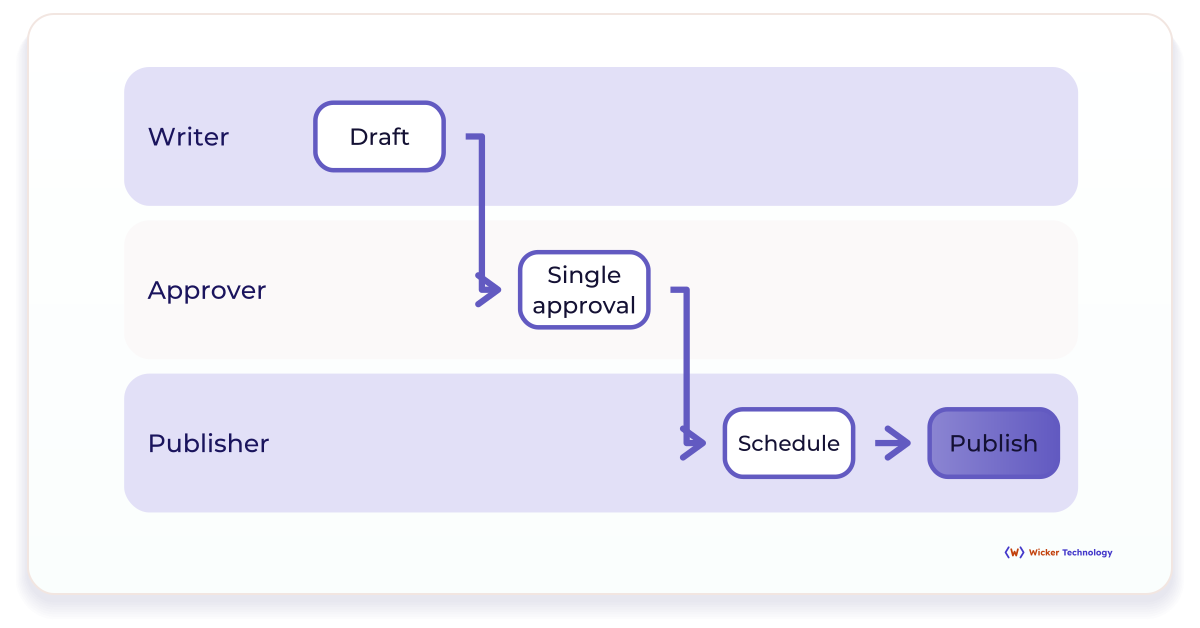
How a Piece Moves to Publish
- Define the content types and who approves each.
- Create a brief template and a status list from draft to published.
- Set a response time for reviewers.
- Connect the content tool to your CMS for publishing.
- Track the days each item spends in each status.
Tools for Content Workflows
Project tools such as Asana or Notion handle briefs and approvals. Your CMS handles publishing, and a connector links them.
Behavior-Triggered Onboarding Messages
If you sell software or a service with a sign-up step, many users drop out before they use it. Messages triggered by what a user did, or did not do, nudge them toward the first useful action. A user who has not connected their data after two days gets a short help message, not a generic newsletter.
Keep each message to one action. Tell the user what to do and how long it takes. Review the drop-off point with the product team, because sometimes the fix is in the product, not in the email.
From Sign-Up to First Value
- Define the first valuable action for a new user.
- Send product events to your messaging tool.
- Write messages for the first three drop-off points.
- Stop messages once the user completes the action.
- Review completion rate by message every month.
Tools for Onboarding Messages
Product-event data can flow into HubSpot, Braze or a customer data platform. Choose the one your team already knows.
Closed-Revenue Data Sent Back to Ad Platforms
Ad platforms optimize for the conversion you give them. If that is a form fill, they find more form fills, including poor ones. Sending the qualified lead or closed deal from the CRM back to the platform teaches it what a good lead looks like. B2B teams often see cost per form fill rise slightly while cost per qualified lead falls.
Expect a lag. Deals close weeks later, so you need enough volume of qualified events, and you should start with the earliest stage that sales trusts, such as a sales-accepted lead. Check the match between click IDs and CRM records first.
Start with one conversion type, usually closed deals, and add others later.
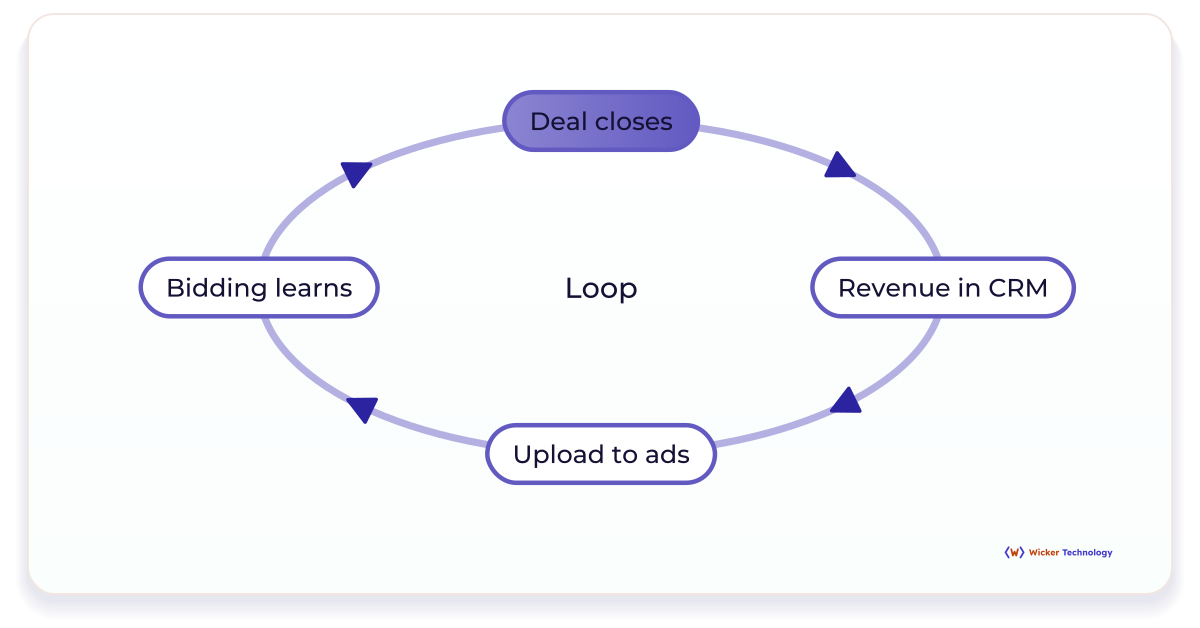
How Revenue Data Travels Back
- Capture the click ID with every form submission and store it in the CRM.
- Pick the stage that counts as a qualified lead.
- Send that stage back to the ad platform as an offline conversion.
- Switch campaign goals to the qualified event once volume is enough.
- Compare cost per qualified lead against the old setup.
Tools for Offline Conversions
Google Ads and Meta both accept CRM events through their own connectors. An integration tool covers CRMs without a native option.
Stack Consolidation After an Audit
A stack audit lists every tool with an owner, a cost, active users and the other tools it feeds. Almost every audit I run finds duplicates: two survey tools, three schedulers and a webinar platform nobody has opened in a year. Retiring them removes cost and the data confusion that comes with them.
The audit also finds risks, such as a tool with one admin who left. Savings vary, and I will not promise a number, but renewal dates make the work concrete: each one is a decision point.
To judge where your team stands before you start, the marketing technology assessment scores readiness across data, tools and people.
How the Audit Proceeds
- List every tool, owner, cost, users and renewal date.
- Mark each as keep, fix, connect or retire.
- Check data and integrations before retiring a tool.
- Cancel before the notice window closes.
- Review the stack again every six months.
Tools for a Stack Audit
A spreadsheet is enough. Your finance system's vendor list and single sign-on logs show what people really use.
In What Order to Try the Examples
Not all nine belong in the first quarter. Tracking, naming and the shared report come first, because they give you trustworthy numbers to measure everything else. Audience sync and lead routing follow, since they use data that already sits in your CRM. Lifecycle journeys, onboarding messages and closed-revenue feedback need steady event data, and consolidation fits whenever a renewal date approaches. For the sequence in detail, see the marketing technology roadmap.
| Stage | Examples | Why in this order |
|---|---|---|
| First | UTM governance, tracking and consent, one report | Everything else depends on numbers you trust |
| Second | CRM audience sync, lead routing | They use data your CRM already holds |
| Third | Lifecycle email, onboarding messages, content workflow | They need steady event data and clear owners |
| Fourth | Closed-revenue feedback, consolidation | They need volume and a complete record |
The size of the market itself shifts what tools cost and how they bundle. If you want figures, the marketing technology statistics page collects them with sources.
How to Choose Which Example to Start With
Pick one example, not three. Run each candidate through four questions:
- Does it fix a problem you can put a number on today?
- Do the data and systems it needs already exist?
- Can one named person own it afterward?
- Will you see a result within one or two campaign cycles?
The example that gets four yes answers is your start. If none does, your first project is the data cleanup that makes one of them possible.
Questions About Marketing Technology Examples
What Is a Marketing Technology Example?
Any case where software connects or automates part of your marketing, such as syncing CRM audiences to ad platforms, routing leads or sending lifecycle emails from one customer record. The examples above are the ones I see delivering results most often.
Which Marketing Technology Should I Start With?
Start with the one that fixes data you already distrust, usually tracking and campaign naming. Better data makes every later project easier and easier to justify.
How Much Does a Marketing Technology Project Cost?
It depends on how many systems are involved and how much custom work is needed. Small fixes such as tagging rules take days. Integrations and platform changes take weeks. Get quotes that list assumptions, and count internal time too.
Do I Need a Customer Data Platform?
Not at first. If you use one or two channels and a CRM, native connectors are usually enough. A customer data platform starts to pay off when you send the same data to many tools and keep rebuilding connections.
How Do I Measure Whether a Marketing Technology Change Worked?
Record a baseline before you start: cost per qualified lead, response time, report build time or tool spend. Check the same number after one or two full cycles of your sales process.
Is Server-Side Tracking Worth It?
It helps when ad blockers and cookie limits cut your data and when you want control over what vendors receive. The gain in data is often modest, and consent rules still apply. Ask your legal adviser about the rules in your markets.
How Do I Avoid Buying Tools I Do Not Need?
Write down the problem first and check whether a tool you already pay for covers it. Ask who will own the new tool, and what it replaces. If nobody can answer, wait.
Important: nothing in this article is legal, financial or tax advice. All figures are estimates from typical projects, so verify them with your own providers and advisers.
Was this useful?
We appreciate the feedback.
Paige Mulvaney
Paige leads the Wicker editorial team and works with the consultants who run the roadmaps, software selections, implementations and integrations to turn real client projects into practical guides. Her focus is plain-language advice on IT strategy, choosing business software and connecting systems so they work together. Every article she edits is checked against current vendor pricing and documentation before it is published.