In Short
- The strongest examples start with one clear problem, one owner and a small first step.
- Process fixes such as renewal calendars and intake routines pay back within weeks.
- Integrations and consolidations need clean data and agreed definitions before the technical work.
- Run old and new systems in parallel for any process that touches revenue.
Large organizations rarely fail at technology because of one big mistake. They drift, one purchase and one workaround at a time. The examples below show how teams pulled back, and what the work looked like behind each win. This is the kind of work I see in enterprise technology consulting projects.
Each example includes what happened, how the project ran step by step and what it used. The details are from my client work with names removed, so treat any numbers as indications and test them against your own situation.
The Twelve Examples at a Glance
Examples 1 to 3 deal with data and platforms. Examples 4 to 8 are process and integration fixes that tend to pay back quickly. Examples 9 to 12 deal with risk, cost and change. If your plan is still being written, my guide to enterprise technology strategy shows how to rank them.
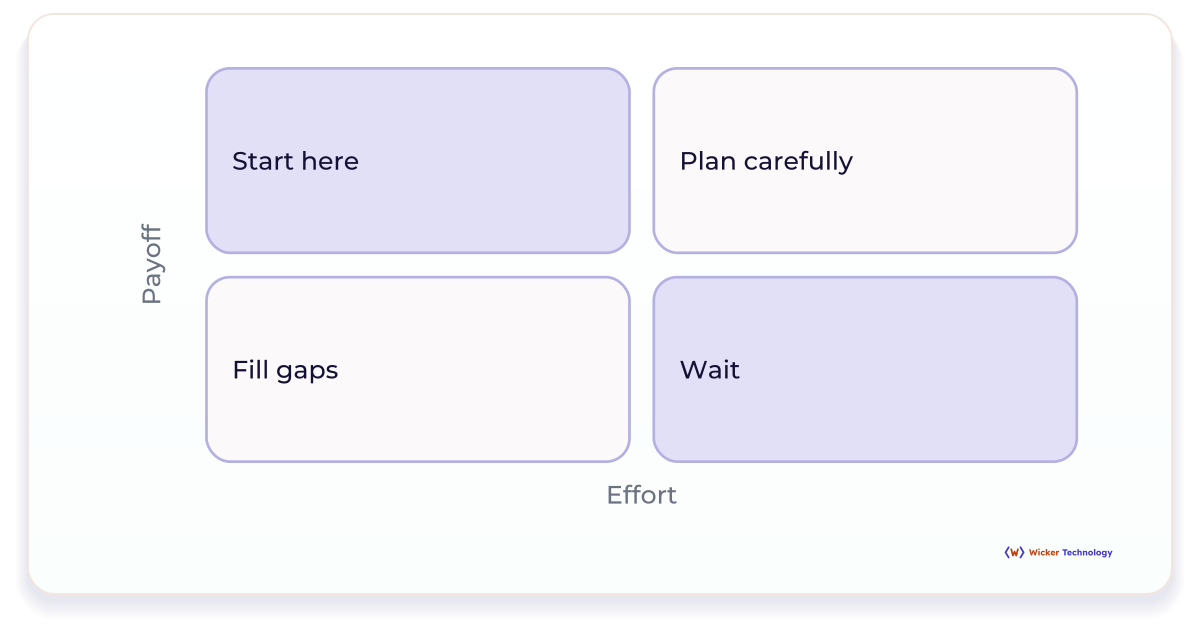
Twelve Ways Organizations Took Control of Their Technology
Consolidating Three CRMs After an Acquisition
A distribution company bought a smaller rival and ended up with three CRMs and two customer lists that disagreed. Sales reps kept their own spreadsheets because they did not trust any of them, and the same customer received three quote emails. The fix started with picking one system, not with migrating data.
In my client work, the hard part was agreeing on the customer record: which fields mattered and which account owned a duplicate. Once that was settled, the migration itself took weeks. The old systems were switched to read-only for 60 days and then closed.
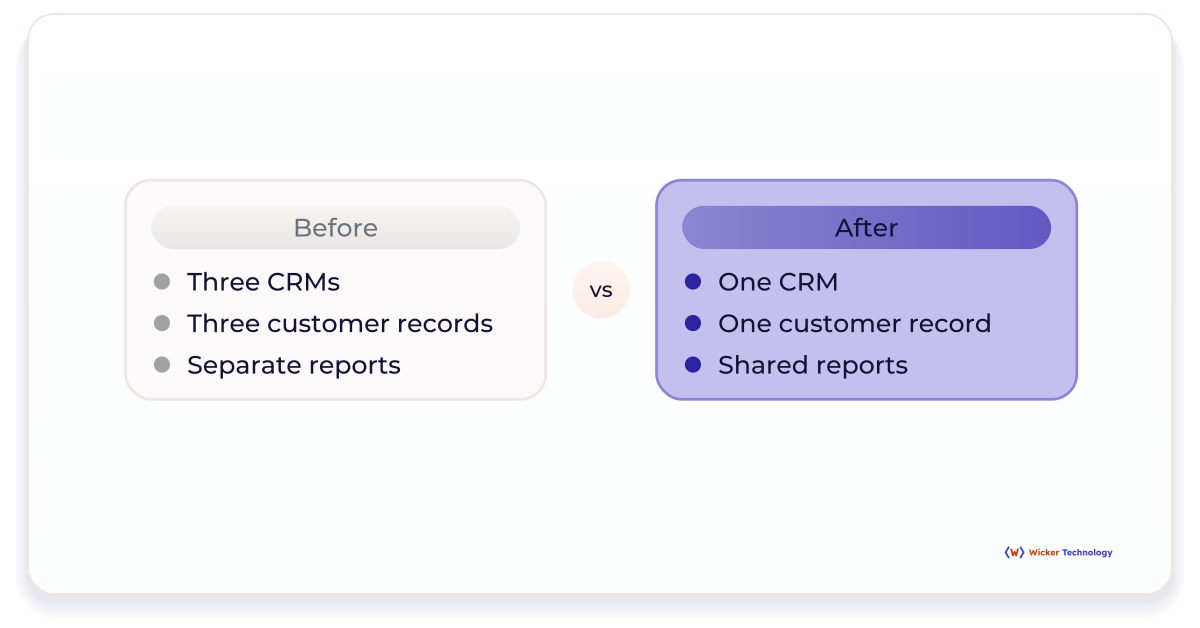
How the consolidation ran
- Pick the surviving CRM against written requirements.
- Agree the customer record and the rules for duplicates.
- Clean the data in the source systems before moving it.
- Migrate in one wave per business unit, with sales trained first.
- Set the old systems to read-only for a fixed period.
- Cancel the old contracts before their notice dates.
Tools used
A data cleaning step in a spreadsheet or an integration platform handled most of the matching. The surviving CRM’s own import tool then loaded the cleaned files.
Retiring an Unsupported ERP Module
A manufacturer ran its warehouse module on a version the vendor no longer supported. One developer understood the customizations, and every upgrade attempt had been postponed. The risk was clear to IT and invisible to the board until it was put in terms of lost shipping days.
The team did not replace the whole ERP. It replaced the one module, kept finance and purchasing as they were and connected the new warehouse system through a documented interface. That cut the scope and the risk, and the project finished before the next peak season.
Sequence of the replacement
- Document every customization in the old module.
- Remove the ones nobody used.
- Select a replacement against the remaining requirements.
- Build and test the interface to the core ERP.
- Run both modules on one site for a cycle.
- Roll out site by site outside peak season.
Supporting software
The vendor’s supported warehouse product was the base. A message queue between the systems kept orders flowing if either side was down.
Building One Reporting Source for Finance and Operations
Finance and operations at a logistics company each produced a weekly report, and the numbers never matched. Meetings began with a debate about definitions. The company agreed ten shared metrics first and built the reporting layer second.
Defining revenue per shipment and on-time delivery took longer than the technical build. Each metric got one owner, one formula and one source system. When someone disputed a number after launch, the answer was in the definition document.
Steps from dispute to dashboard
- List the ten metrics leaders use every week.
- Write one definition and one owner for each.
- Trace each metric to its source system.
- Load the data into one reporting store.
- Rebuild the weekly report from that store.
- Retire the two old reports on a fixed date.
Tools worth knowing
A cloud data warehouse and a business intelligence tool cover most needs. The definitions document matters more than the choice of tool.
Moving From Spreadsheets to a Planned Renewal Calendar
A professional services firm paid for more than 200 subscriptions and discovered several auto-renewals only after the invoice. The fix was almost embarrassingly simple: one list and one calendar. Savings came from users, not from clever negotiation.
The finance lead exported a year of card and ledger data, matched it to owners and asked each owner whether the tool was still used. Roughly a fifth of the subscriptions were dropped or reduced in the first quarter, according to the firm’s own tracking.
Setting up the calendar
- Export a year of payments from cards and ledger.
- Match each charge to a tool and an owner.
- Ask each owner whether the tool is still used.
- Enter renewal dates and notice periods in one calendar.
- Review everything due in the next 120 days each month.
Tools to use
A shared spreadsheet and a calendar are enough at this scale. A software asset management tool becomes useful once the list grows into the hundreds.
Connecting Orders, Shipping and Billing
A distributor typed each order into the ERP, then into a carrier portal and again into billing. Errors showed up as wrong invoices and angry customers. Connecting the three systems removed two of the three entries.
The team started with the most common order type and left special cases manual at first. Failed syncs raised an alert to a named person. After launch, month-end stopped beginning with a cleanup.
How the integration was built
- Map every field that moves between the three systems.
- Choose which system is the source for each field.
- Build the connection for the most common order type.
- Add alerts and a retry rule for failed syncs.
- Test with a week of real orders in parallel.
- Extend to special order types one at a time.
What it ran on
An integration platform with prebuilt connectors handled the ERP and billing. The carrier connection used the carrier’s published interface.
Standardizing Identity and Access Across Systems
A mid-sized clinic group had former staff with active accounts in four systems. Onboarding took days because each system needed a separate request. A single identity provider changed both problems.
The group moved the most sensitive systems first and used the identity provider’s groups to give access by role. Offboarding became one step. Access reviews, which used to take weeks of emails, became a report.
Rolling out single sign-on
- Inventory the systems and their login methods.
- Define roles and the access each role needs.
- Connect the identity provider to the first sensitive system.
- Move the remaining systems in order of risk.
- Automate removal of access when a person leaves.
- Run an access review every quarter.
Software involved
A cloud identity provider was the center. HR system data fed it, so a new hire or leaver changed access automatically.
Migrating a Legacy Billing System in Stages
A manufacturer’s 15-year-old billing system depended on one developer. The company ran old and new in parallel for a full month, comparing every invoice before switching. Invoices went out sooner afterward and nobody feared updates.
The staged approach cost more in the short term than a single cutover. It also avoided the single worst outcome, which is a billing error discovered by customers. I would choose it again for any system that touches revenue.
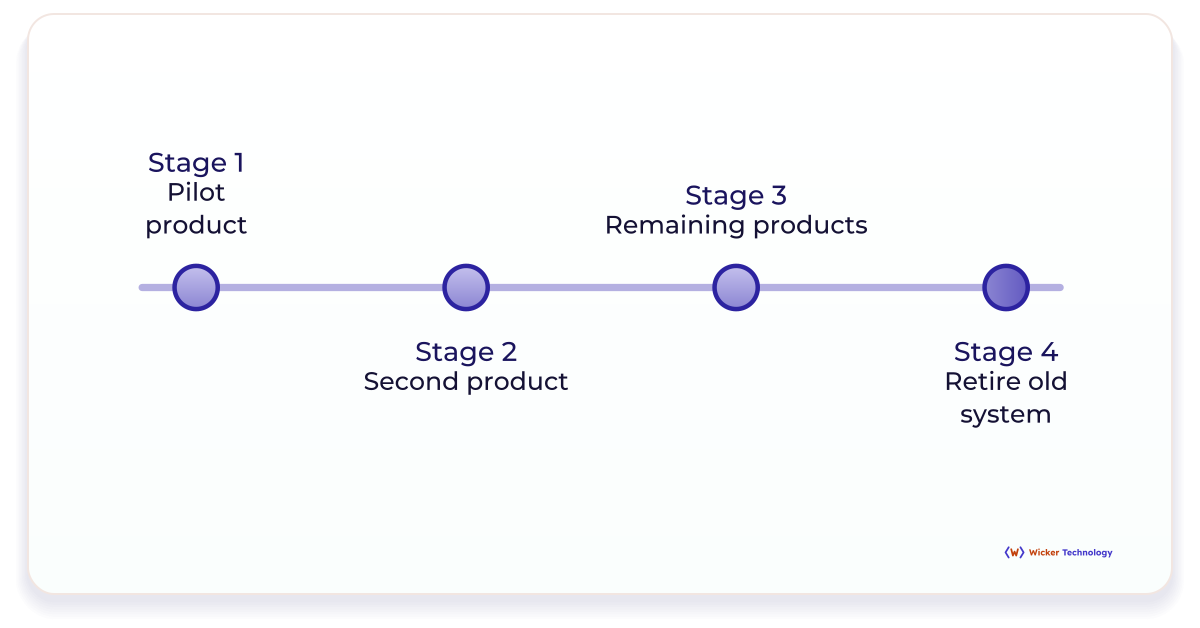
Stages of the migration
- Document how invoices are produced today.
- Clean customer and price data.
- Configure the new system and test with historical data.
- Run both systems and compare every invoice.
- Fix differences until they disappear for a full cycle.
- Switch off the old system and archive its data.
Tool notes
The new platform’s migration tools moved the data. A comparison script flagged differing invoice totals for human review.
Giving IT a Real Intake Process
IT at a retail group received requests by email, chat and hallway conversation. The loudest request won, and nothing was ever declined. The group introduced a one-page intake form and a weekly 30-minute triage.
The four questions on the form were enough to filter most requests: what problem, what outcome, what it connects to and who owns it. Requests with no owner stopped appearing. Those with a clear case were approved faster than before.
Starting the routine
- Write the four intake questions.
- Publish one place to submit requests.
- Triage weekly with IT, finance and one business lead.
- Answer every request within five working days.
- Publish the decisions and reasons.
- Review the list each quarter against the strategy.
Tools
A form tool and a shared board were enough. The routine mattered more than the software.
Moving Workloads to the Cloud Without a Cost Surprise
A financial services group moved applications to the cloud and saw its bill climb faster than planned. The cause was ordinary: oversized servers, idle test environments and no owner for each account. A simple tagging and review habit corrected it.
Every resource got an owner tag and a business service tag. A monthly review of the top spenders found idle systems within a few weeks. Longer-term commitments were bought only after usage stabilized.
Bringing cloud cost under control
- Tag every resource with an owner and a service.
- Report spend by service each month.
- Switch off idle environments on a schedule.
- Right-size the largest workloads.
- Buy commitments only for steady usage.
- Review budgets with each service owner.
Tools to consider
The cloud provider’s own cost reports are the starting point. A dedicated cost management tool helps once you run several accounts.
Preparing Systems for an Acquisition
A holding group needed to assess a target’s technology before closing. The review found an unsupported finance platform and no tested backups. The findings changed the offer and set the integration plan.
A short, structured review of applications, data, security and contracts gave a ranked list of fixes with costs. The buyer used it to adjust the price and to plan the first 100 days. I cover the method in my technology due diligence consulting page.
Running the pre-deal review
- List the target’s applications, contracts and owners.
- Check security basics and the last backup test.
- Identify key-person risks in IT.
- Estimate the cost to fix the top issues.
- Rank findings by effect on price and integration.
- Turn the findings into a first-100-days plan.
Support tools
A standard request list kept the review consistent. Interviews with two or three IT staff filled the gaps the documents left.
Replacing Manual Onboarding With a Connected Workflow
New hires at a healthcare provider waited days for accounts and equipment. HR, IT and facilities each held part of the process. Connecting the HR system to the others turned a chain of emails into a single workflow.
When HR entered a new hire, tasks and account requests went out automatically with due dates. Managers could see progress. The first-day experience improved without anyone working harder.
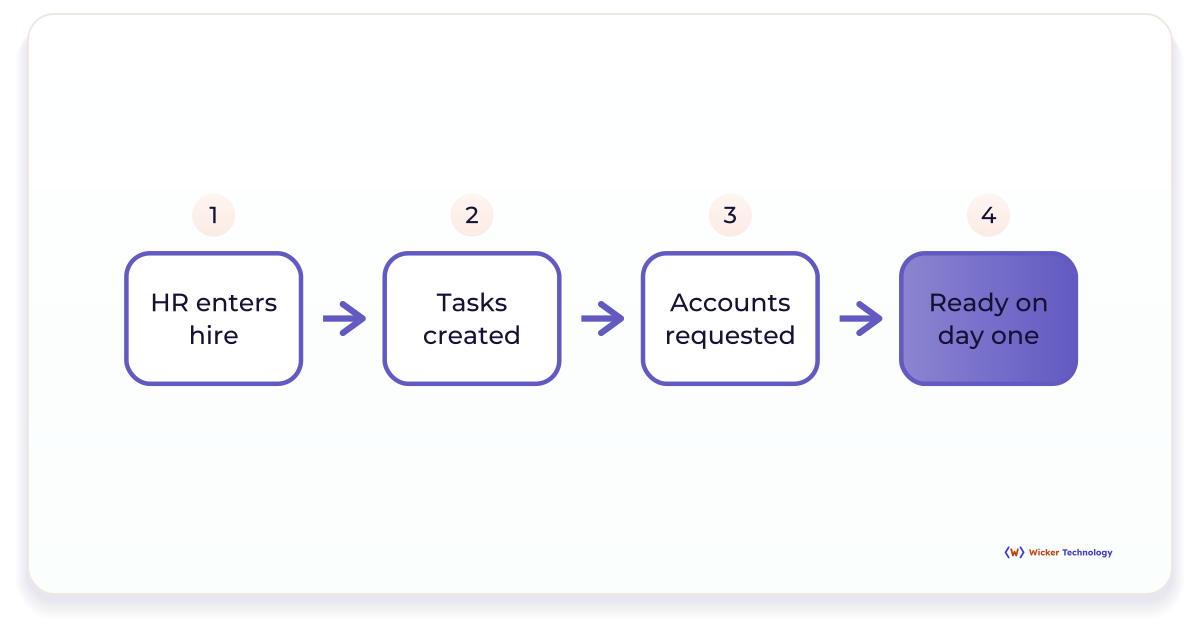
Building the onboarding flow
- Map every task, owner and deadline for a new hire.
- Make the HR record the trigger.
- Connect accounts, equipment and badge requests to it.
- Send reminders to owners before due dates.
- Show managers the status on one screen.
- Review completion times each quarter.
What was used
The HR system’s workflow feature handled tasks. An integration connected it to the ticketing system and identity provider.
Governing Shadow IT Without Banning It
A professional services group found dozens of tools bought by departments without IT involvement. Banning them would have triggered a revolt, so IT offered a faster approved route instead. Within a year most teams used it.
The group published a short list of approved tools for common needs, a two-week review for new ones and clear rules about data. The remaining unapproved tools were reviewed, and the useful ones were adopted as standards.
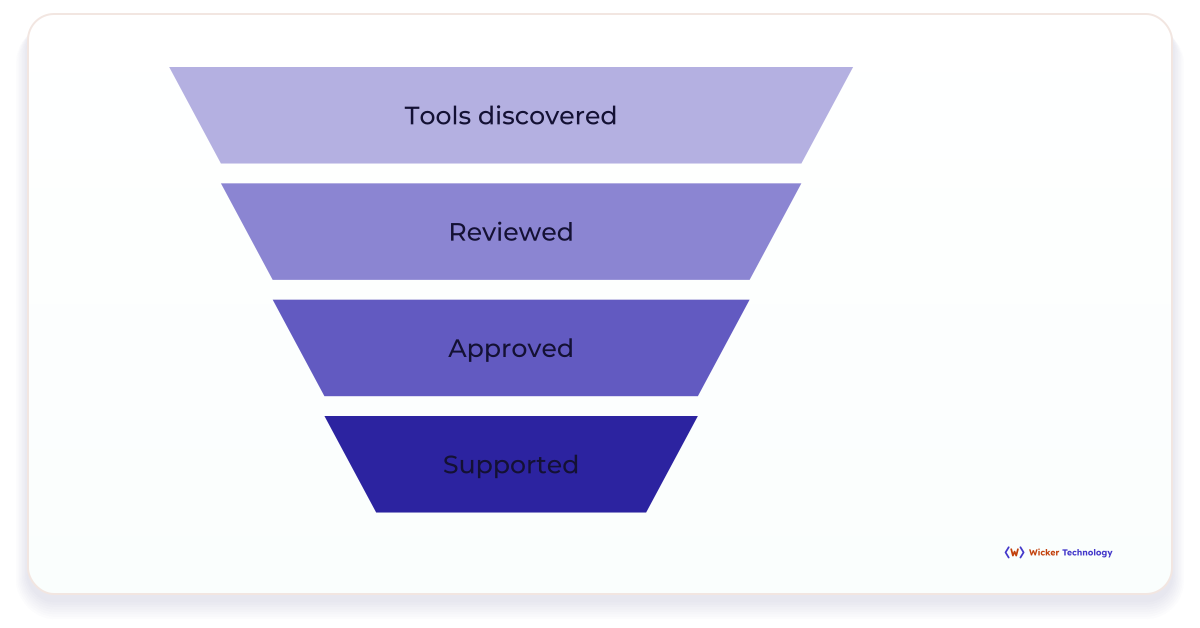
Making the approved route the easy one
- Scan expense reports and login logs for unknown tools.
- Ask each team what it needed that the standard tools did not offer.
- Publish approved options for common needs.
- Offer a two-week review for exceptions.
- Set clear rules for any tool holding sensitive data.
- Adopt useful tools as standards.
Helpful tools
Single sign-on logs and expense data show most shadow tools. A simple catalog page lists what is approved.
How to Choose Which Example to Copy First
Look for the example with the clearest owner, the smallest first step and a result you can measure in a quarter. In my experience that is usually a process fix, such as the renewal calendar or the intake routine, because both are cheap and visible. Larger moves, such as the legacy billing migration, need the confidence and savings the small ones produce.
Before you commit, check the scores of your own systems in an enterprise technology assessment, then place the chosen projects on a calendar with the enterprise technology roadmap guide. Once the changes are live, enterprise technology management keeps them from slipping back.
Questions About Enterprise Technology Examples
What Counts as an Enterprise Technology Example?
Any change to the systems, data or processes that run a larger organization, such as consolidating applications, connecting systems or retiring a platform. The examples above are the patterns I see most often.
How Do I Choose Which Example to Copy?
Match it to your biggest pain: duplicate tools, unreliable reports, unsupported platforms or surprise costs. Pick the one with the clearest owner and the smallest first step.
How Long Do These Projects Usually Take?
Process changes such as intake and renewal calendars take weeks. Integrations and consolidations take a few months, and platform migrations often take most of a year. Your landscape and capacity set the real pace.
What Results Can I Expect?
Results vary a lot with your starting point. Typical wins are lower license cost, fewer manual entries, cleaner reports and lower risk. Define the measure before you begin, so you can show the change afterwards.
Do These Projects Need Outside Help?
Many do not. Inventory, renewal calendars and intake routines are usually done in-house. Outside help is most useful for scoring systems objectively, selecting a vendor or running a migration with skills your team lacks.
What Is the Most Common Reason These Projects Fail?
Missing ownership. A project without a business owner drifts, and its data or process questions go unanswered. A close second is starting the biggest replacement before smaller wins have built trust.
How Do I Link Projects Like These into One Plan?
Rank them against your business outcomes, check their dependencies and place them on a roadmap with budgets and owners. Do not run them as separate initiatives.
Important: nothing in this article is legal, financial or tax advice. All figures are estimates from typical projects, so verify them with your own providers and advisers.
Was this useful?
We appreciate the feedback.
Paige Mulvaney
Paige leads the Wicker editorial team and works with the consultants who run the roadmaps, software selections, implementations and integrations to turn real client projects into practical guides. Her focus is plain-language advice on IT strategy, choosing business software and connecting systems so they work together. Every article she edits is checked against current vendor pricing and documentation before it is published.