In Short
- An assessment rates every system on business fit, cost, risk and age, and ends in keep, fix, replace or retire decisions.
- Start with an honest inventory, including tools departments bought on their own.
- Score with a simple 1 to 5 scale and agree the criteria before you look at the systems.
- Judge readiness separately: a good system can still be hard to change if its data and skills are weak.
An assessment is the first real piece of work in most enterprise technology consulting engagements, and it is often the least glamorous. It produces no new software. It produces a clear answer to the question every leadership team asks sooner or later: what do we have, and is it good enough?
This guide explains what an assessment covers, how I score it, which questions matter most and what you should have in your hands at the end.
What an Assessment Covers
A useful assessment looks at five areas. Skipping one leaves a blind spot that tends to show up later as an outage or a surprise invoice.
| Area | What you look at | Typical finding |
|---|---|---|
| Applications | Business systems such as ERP, CRM, HR, finance and reporting, with fit to current processes | Overlapping tools and modules nobody uses |
| Infrastructure | Hosting, networks, devices, cloud accounts, backup and recovery | Unsupported hardware or unmanaged cloud spend |
| Data and integrations | How systems exchange data, who owns it and how clean it is | Manual exports and re-keying between systems |
| Security and compliance | Access control, patching, vendor risk and obligations that apply to you | Former employees with active accounts |
| People and process | Skills, key-person dependency, support model and decision rights | One person who knows how a critical system works |
Step 1: Build the Inventory Before You Score Anything
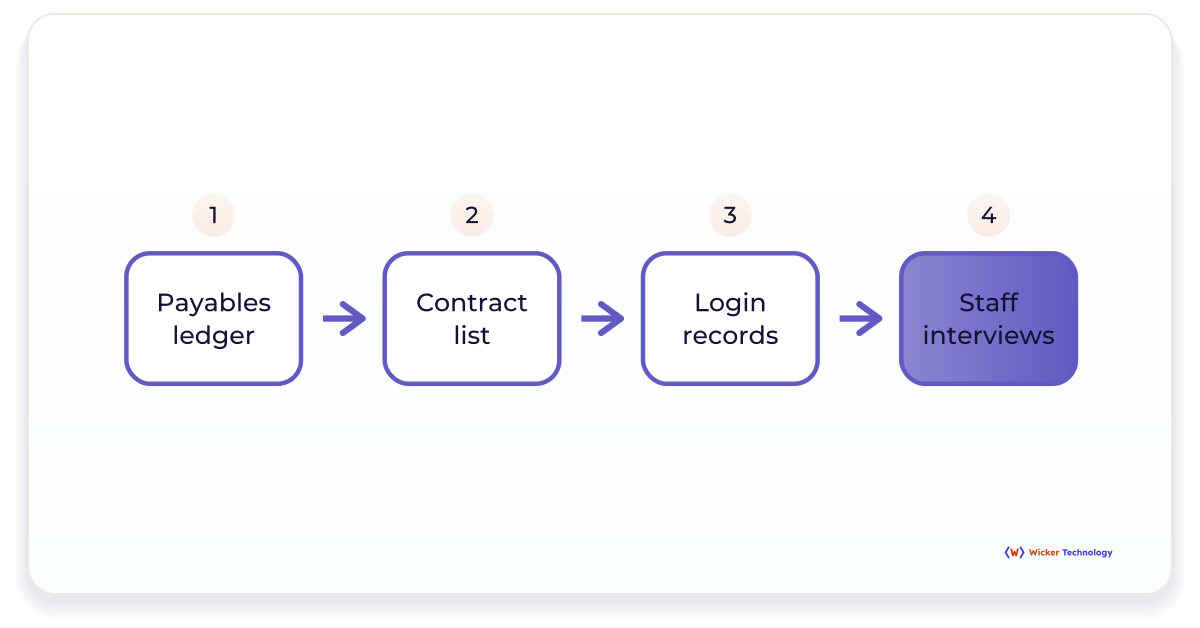
List every system with its owner, purpose, cost per year, number of users, renewal date and connections to other systems. Pull the data from three places: the IT asset list, the accounts payable ledger and the single sign-on log. Each one catches things the others miss.
In my experience the accounts payable ledger is the most revealing source. Small recurring charges often belong to tools that hold customer or employee data, and nobody in IT knew they existed. Do not judge them yet. Just record them.
Step 2: Score Each System on Four Questions
Agree the scale and the meaning of each score with your leadership team before you look at the systems. That removes most of the politics later. I use four dimensions, each rated 1 (poor) to 5 (strong).
| Dimension | Key question | A score of 1 means | A score of 5 means |
|---|---|---|---|
| Business fit | Does it support how the work is really done? | Staff use workarounds around it | Processes follow it naturally |
| Cost | Is the total cost reasonable for the value? | High cost, low use | Cost matches use and value |
| Risk | What happens if it fails, is breached or loses support? | Critical and unsupported | Resilient and well supported |
| Technical health | How old is it, and how hard is it to change or connect? | Obsolete, no integration options | Modern, documented, open interfaces |
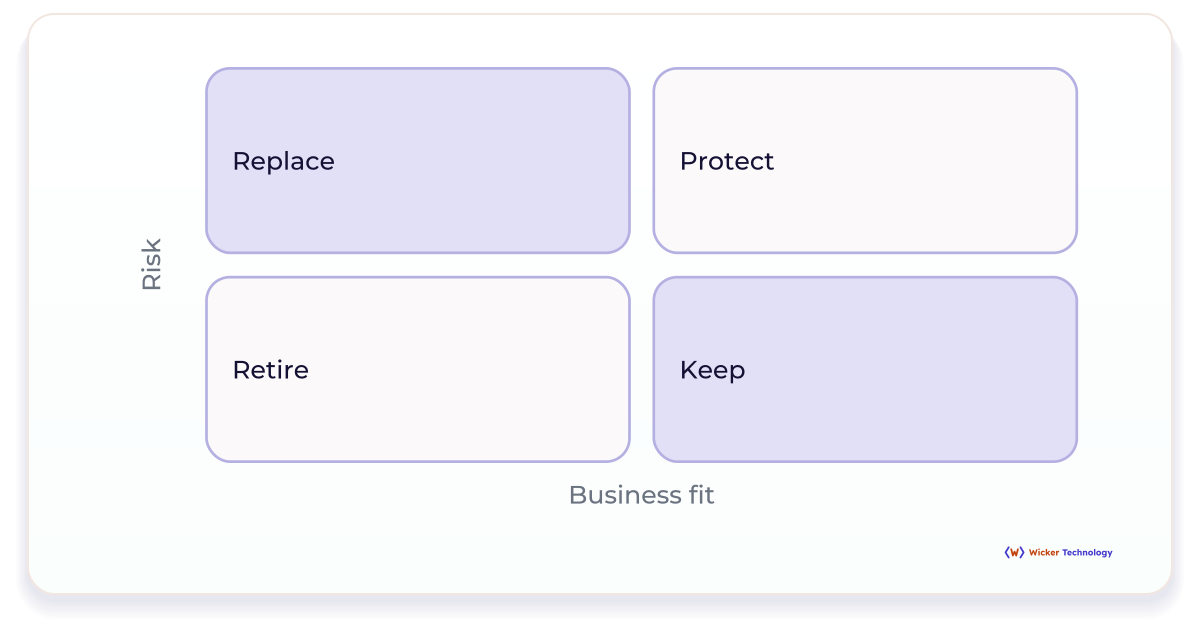
Combine the scores into a simple view. A system that scores low on fit and high on cost is a retirement candidate. A system that scores high on fit and low on risk is a keeper. A low score on technical health with high fit usually means modernize, not replace, a theme I cover in the enterprise technology roadmap guide when I place those projects in sequence.
The Interview Questions That Reveal the Most
Numbers come from the inventory. The honest picture comes from short interviews with the people who use the systems. Ask the same questions of each business owner:
- What do you do in a spreadsheet that the system should do for you?
- Which task takes the longest each month, and why?
- Who else knows how this system works if you are away for a month?
- What would you change first if you had budget this year?
- Which reports do you not trust?
The first question is the most valuable. Spreadsheets next to a system are a map of where the system fails. Count them and you have a fit score that comes from reality and not from the vendor’s feature list.
Step 3: Judge Readiness to Change Separately
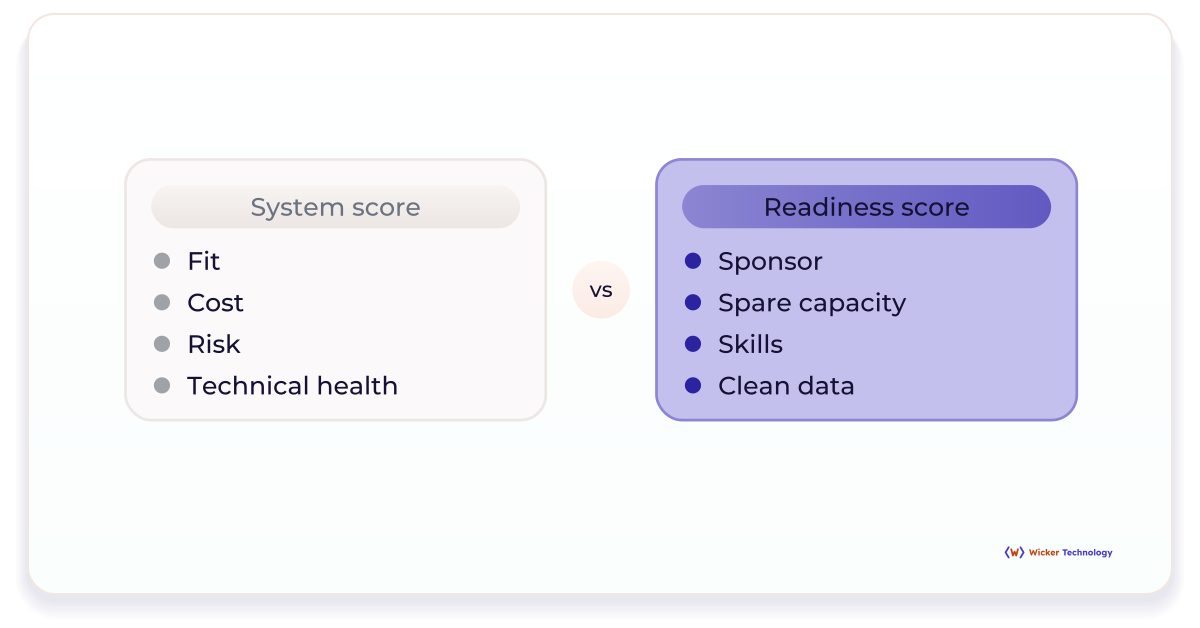
A system can be the right one and still be hard to change. Readiness looks at the conditions around it: is the data clean, does someone own the process, are there skills in-house and is there capacity to run a project next to day-to-day work? I rate readiness on the same 1 to 5 scale, per initiative rather than per system.
This is where many roadmaps go wrong. A migration that scores well on value but badly on readiness needs a prerequisite project, usually data cleanup or ownership, before the main work. Leave that out and the project stalls in month four. The assessment is also the starting point for the enterprise technology strategy, because it shows which priorities are realistic this year.
A Checklist for the First Pass
- Inventory covers applications, infrastructure, cloud accounts and data stores
- Every system has a business owner and a technical owner
- Renewal dates and notice periods are recorded
- Integrations between systems are listed, with how they run
- Backup and recovery have been tested within the last year
- Access reviews have been done for the systems that hold sensitive data
- Single points of failure, whether people or hardware, are named
Security and Compliance Inside the Assessment
Security is a lens on every system, not a separate list. For each one that holds sensitive data, record who can reach it, how access is removed when people leave, when it was last patched and how its vendor handles incidents. Ask for the vendor’s current security documentation instead of relying on a sales answer.
Compliance works the same way. Note which obligations apply to which system, such as payment card rules, health privacy rules or financial reporting controls, and who is responsible for evidence. I do not give legal advice in an assessment. I flag where the obligation is unclear and tell the client to confirm the current requirements with their legal adviser.
The most common gaps I find are plain ones: accounts that were never closed, backups that were never restored as a test and vendors with access nobody remembers granting. Each takes an afternoon to fix once someone finds it.
Counting the Real Cost of Each System
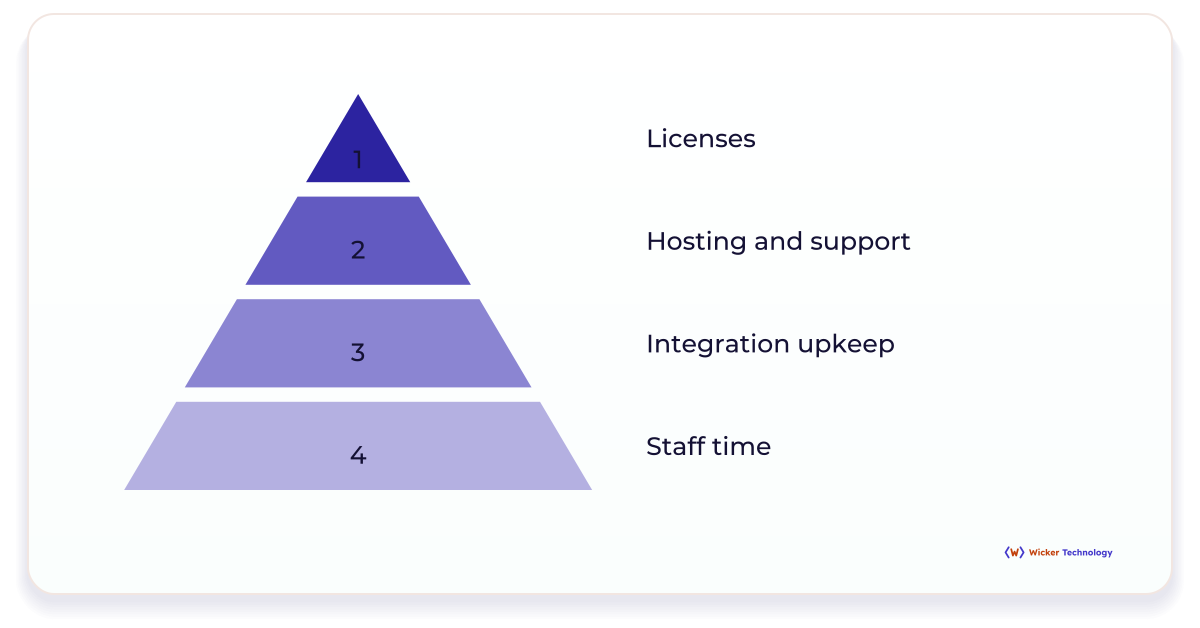
License cost is the number everyone has. The assessment needs total cost: licenses, hosting, support contracts, the staff time to run the system, integration upkeep and the price of workarounds. For a mid-sized ERP module, staff time often exceeds the license, and nobody has added it up.
Estimate staff time in rough days per quarter. Precision is not needed. What matters is whether a system costs closer to one unit or five once everything is counted. That comparison often reorders the retirement list, because a cheap license on a high-maintenance system turns out to be expensive.
The People Side of the Assessment
Technology problems are usually people problems in disguise. Look at who holds the knowledge. If one administrator is the only person who understands a billing integration, that is a risk with a name on it, and it belongs in the findings next to the end-of-life server.
Check the support model as well: who answers when a system fails at night, how fast, and whether that arrangement is written down. Ask how many changes were made last quarter without testing. The answers show how the landscape is run, which matters as much as what it contains.
Finally, ask how decisions are made today. Many organizations discover that three different groups can approve a purchase and none of them can stop one. That finding rarely appears in a technical report, and it is often the most valuable one.
A last point on scope. Do not try to rate every small tool with the same depth. Score the systems that carry revenue, hold sensitive data or cost the most, and give the long tail a quick keep-or-drop check. That keeps the work within six weeks and puts the effort where the money and the risk are.
What a Good Result Looks Like
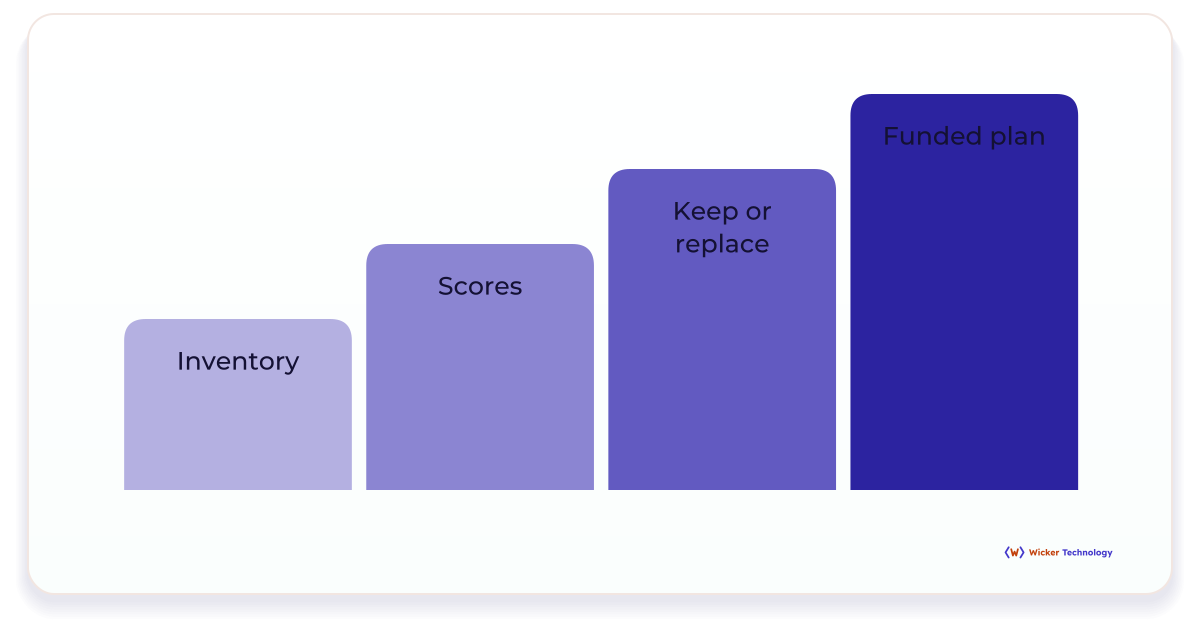
You should end with four things: a complete inventory, a scored rating for each system, a short list of risks with owners and a set of recommended decisions with rough costs. The best reports I have delivered were under twenty pages, with the detail in an appendix. If your result is a binder, ask for the short version.
The decisions then feed funding and sequencing. Organizations that follow the assessment with action tend to find the first savings in contracts and duplicate tools within a quarter. To see how others turned findings into projects, browse the enterprise technology examples. And once the plan is running, enterprise technology management keeps the ratings current.
How to Choose Between Doing It Yourself and Getting Help
Do the inventory in-house, because your team has the access and the context. Bring in help when the scoring is politically sensitive, when you are preparing for an acquisition or a major platform change, or when no one has the time to run the interviews. An outside assessor also brings a comparison with how similar organizations are set up, which is hard to get from inside.
Whoever does it, agree the output format up front: the inventory, the scored table, the risk list and the decisions.
Questions About Enterprise Technology Assessments
What Is an Enterprise Technology Assessment?
It is a structured review of the systems, infrastructure, integrations, contracts and skills that run your organization. It rates each part for business fit, cost, risk and age, and ends with decisions about what to keep, fix, replace or retire.
How Quickly Is an Assessment Done?
For a mid-sized organization I usually plan four to six weeks: one to two for the inventory, two for interviews and scoring and one or two for findings and recommendations. Larger or more scattered landscapes take longer, mostly because finding the data is slow.
Can We Do It Ourselves?
Yes, and many teams do the inventory themselves. The difficult part is scoring your own systems honestly. An outside person has no stake in the answer, and that tends to shorten the arguments.
What Does an Assessment Cost?
The cost depends on the number of systems, locations and interviews. An internal assessment costs staff time, and an external one is usually a fixed fee after scoping. Ask for the fee and the list of deliverables in writing before you start.
What Is the Difference Between an Assessment and an Audit?
An audit checks against a fixed standard, such as a security framework or a regulation, and gives a pass or fail view. An assessment is broader and looks at business fit, cost and risk to support decisions. The two often feed each other.
How Often Should We Repeat It?
Redo the full scoring every two to three years, or after a major event such as an acquisition. Update the inventory and the high-risk ratings every quarter as part of normal management.
What Should Come Out of It?
You should get a complete inventory, a scored rating per system, a list of the top risks with owners and a short set of recommended decisions with rough costs. If the output is only a long report with no decisions, ask for the shorter version.
Important: nothing in this article is legal, financial or tax advice. All figures are estimates from typical projects, so verify them with your own providers and advisers.
Was this useful?
We appreciate the feedback.
Paige Mulvaney
Paige leads the Wicker editorial team and works with the consultants who run the roadmaps, software selections, implementations and integrations to turn real client projects into practical guides. Her focus is plain-language advice on IT strategy, choosing business software and connecting systems so they work together. Every article she edits is checked against current vendor pricing and documentation before it is published.