In Short
- Microsoft 365 and Google Workspace are the base layer most companies build on.
- HubSpot is the fastest CRM to roll out, and Salesforce is the most configurable.
- NetSuite fits multi-entity companies that have outgrown accounting software.
- Compare total cost at your 12-month team size, not the entry price.
The Best Business Technology Solutions at a Glance
| Tool | Type | Best for |
|---|---|---|
| 1. Microsoft 365 | Productivity and collaboration suite | Companies that run on Outlook, Excel and Teams |
| 2. Google Workspace | Cloud email and collaboration suite | Teams that want browser-first collaboration |
| 3. Salesforce | Customer relationship management platform | Sales-led companies with complex processes and budget to configure |
| 4. HubSpot | CRM and marketing platform | Growing companies that want an easy CRM with a free start |
| 5. monday.com | Work management platform | Teams that need flexible boards for projects and processes |
| 6. Oracle NetSuite | Cloud ERP platform | Multi-entity and fast-growing companies outgrowing accounting software |
| 7. Asana | Project and task management platform | Cross-team project tracking with clear ownership |
The 7 Best Business Technology Solutions, Ranked
I start with the platforms most companies already own or end up buying, then move to more specialized ones. Keep one point in mind: in the business technology consulting projects I review, the choice of process and owner matters more than the platform. Rankings below reflect fit for mid-sized companies, not raw popularity.
Microsoft 365
The Default Backbone for Email, Documents and Identity in Most Mid-Sized Companies
Microsoft 365 bundles email, Office apps, Teams, file storage and identity management into one subscription, with Copilot AI now part of the higher plans.
I rarely recommend a company move away from Microsoft 365 once it runs on Excel and Outlook, because the cost of retraining people outweighs most savings. Its real value for a business is the identity layer underneath: one login, multi-factor sign-in and device management that other tools can plug into.
The catch is licensing. Plans, add-ons and Copilot tiers change often, and I have seen companies pay for premium security features they never switched on. Review your assignments every year. If you are building a longer plan, the standard suite belongs in the first quarter of any business technology roadmap.
Where Microsoft 365 Shines
- Excel, Outlook and Word are what most of your partners already use
- Identity, security and device management come in the same subscription
- Teams, storage and email work together without extra connectors
Where Microsoft 365 Falls Short
- Licensing tiers and add-ons are confusing and change often
- Admin settings are spread across several consoles
Microsoft 365 Pricing
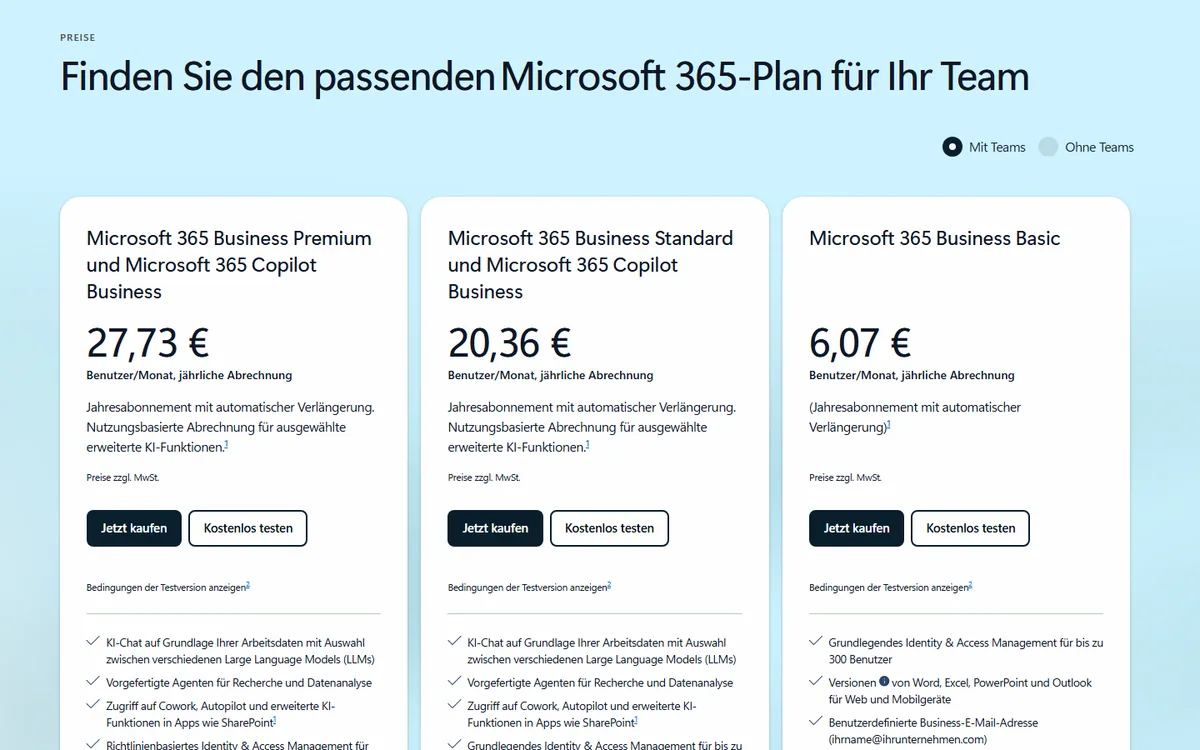
Microsoft lists Business Basic at $7.00 per user per month with Teams, Business Standard with Copilot at $23.50 and Business Premium with Copilot at $32.00, all billed annually. Prices without Teams are lower. I could not see the plans without Copilot on the page I read, so check the current plan list before you buy.
Microsoft 365 Reviews
- G2: rated 4.6/5 (across 5,892 ratings)
Google Workspace
The Simplest Suite to Administer When Your Team Lives in the Browser
Google Workspace combines Gmail, Calendar, Drive, Docs, Meet and admin controls in one subscription.
For small and mid-sized teams that do not depend on desktop Excel macros, Workspace is the quickest suite to set up and manage. Real-time editing in Docs and Sheets is still smoother than most alternatives, and the admin console is far less cluttered than many competitors.
Where it struggles is complex spreadsheets and Office compatibility with partners who send heavy Excel files. Plan for that, and test your three most complex files before you migrate. If it fits, it can reduce the software bill because many small tools become unnecessary.
Where Google Workspace Shines
- Real-time co-editing is fast and reliable
- Setup and administration take less time than most suites
- Sharing and permissions are simple for non-technical staff
Where Google Workspace Falls Short
- Complex Excel files do not always convert cleanly
- Advanced security and management features sit on higher plans
Google Workspace Pricing
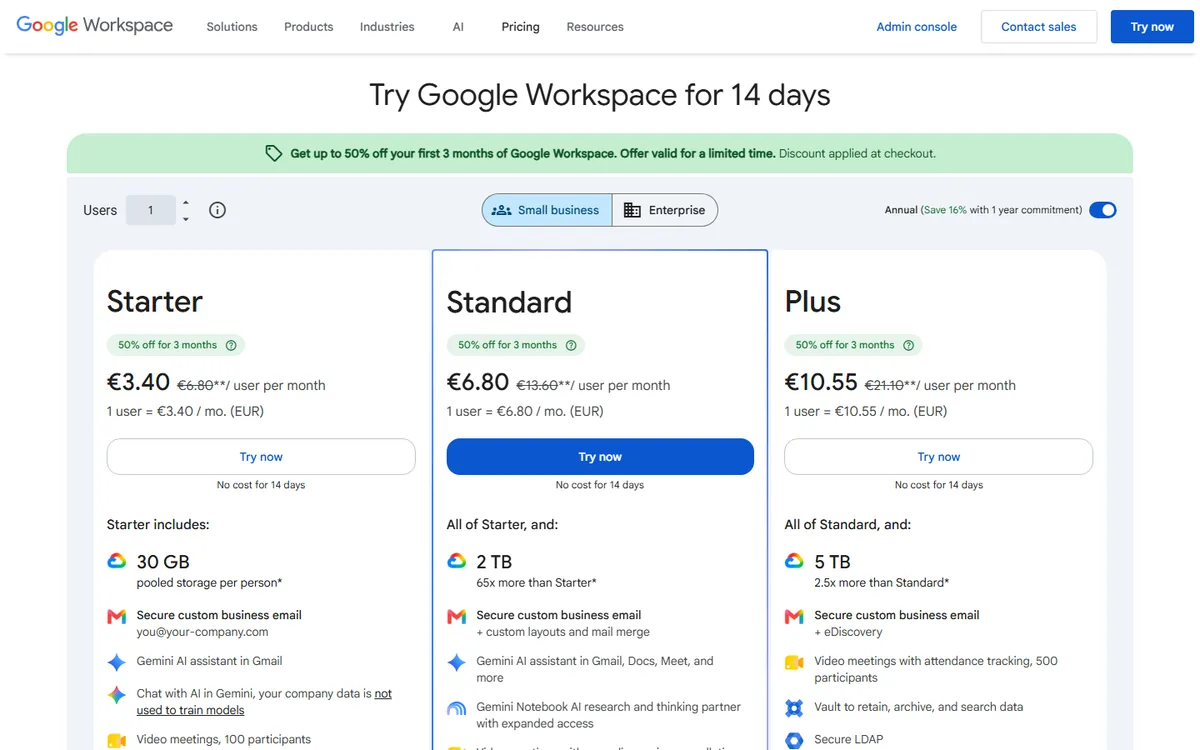
The pricing page lists Business Starter at $7 per user per month, Standard at $14 and Plus at $22, with a 50% introductory discount shown. The page's footnote and date range for that discount do not match, so confirm the terms before you sign. Enterprise is quoted by sales.
Google Workspace Reviews
- G2: rated 4.6/5 (across 48,282 ratings)
Salesforce
The Most Configurable CRM, Worth It Only If You Will Maintain It
Salesforce is a CRM and application platform. Sales Cloud, now sold as Agentforce Sales on G2, covers pipeline, forecasting and automation, with service, marketing and commerce products on the same data.
Salesforce can model almost any sales process, which is both its strength and its risk. I have seen it run a company well and I have seen it become a six-figure tool that three people understand. It pays off when you have a real admin, clear processes and a roadmap for what to add.
Budget for the people as well as the licenses. A good admin or a partner relationship is part of the cost. If you are still deciding what you need from a CRM, define it first in your business technology strategy, then compare Salesforce with simpler options.
Where Salesforce Shines
- Very flexible, with a large partner and app ecosystem
- Strong reporting and forecasting for larger sales teams
- Connects to most other business systems
Where Salesforce Falls Short
- Costs rise fast once you add products, seats and admin help
- Customization can create a system only one person understands
Salesforce Pricing
Salesforce's CRM pricing page lists Starter Suite from $25 per user per month, billed monthly or annually with transaction fees, and Pro Suite from $100 per user per month billed annually with a contract. Enterprise and Unlimited editions are named but not priced on the page I read.
Salesforce Reviews
- G2: rated 4.4/5 (across 27,591 ratings). G2 lists the product as Agentforce Sales, formerly Sales Cloud.
HubSpot
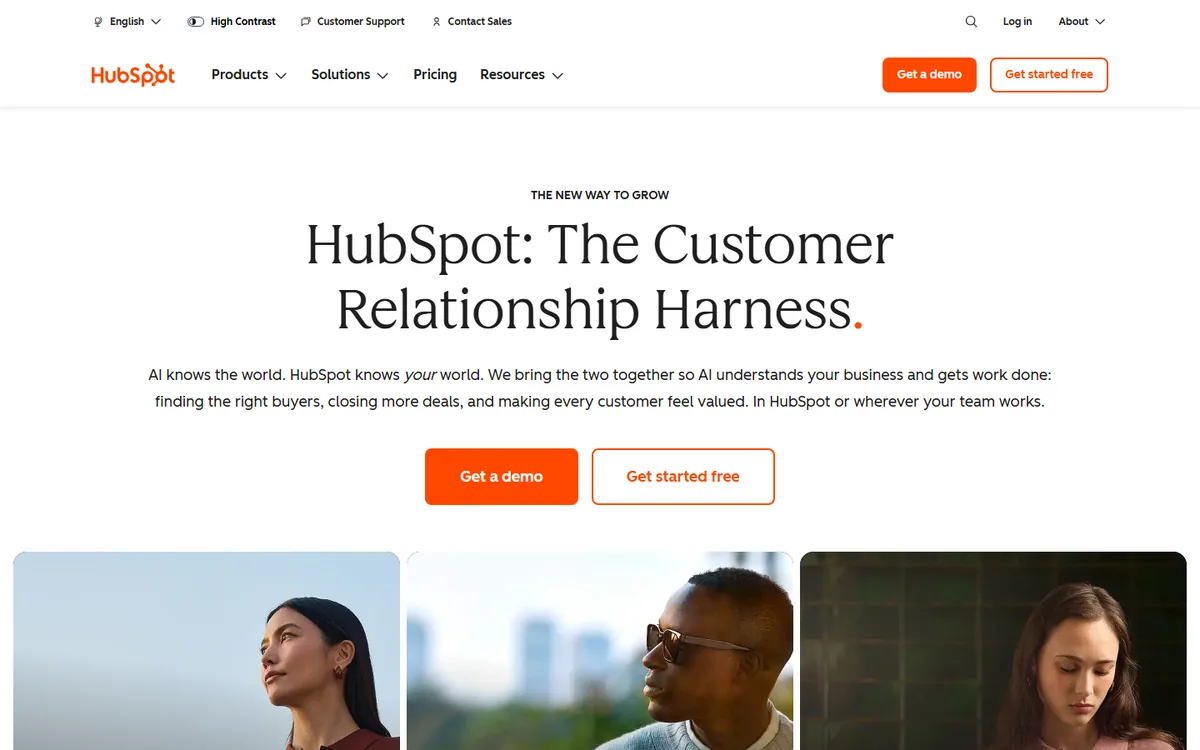
The Easiest CRM to Roll Out When Marketing and Sales Share the Same Customers
HubSpot offers a CRM with a free tier and paid Hubs for sales, marketing, service and content.
HubSpot is usually my suggestion for a company that has no CRM or has outgrown spreadsheets. A first version works in days, not months, and your team will use it because it is pleasant. The free tier is real and good enough to test with.
The risk is price creep. Free and Starter plans are cheap, but moving to Professional in several Hubs raises the bill quickly, and contracts renew with increases. Model your cost at your 12-month team size before you start. For a view of how it fits with the other systems, see the sequencing in my business technology examples.
Where HubSpot Shines
- Quick to set up, and most people learn it without training
- The free CRM is generous for a first test
- Marketing, sales and service data share one customer record
Where HubSpot Falls Short
- Costs climb steeply when you add Professional tiers
- Advanced customization is less flexible than Salesforce
HubSpot Pricing
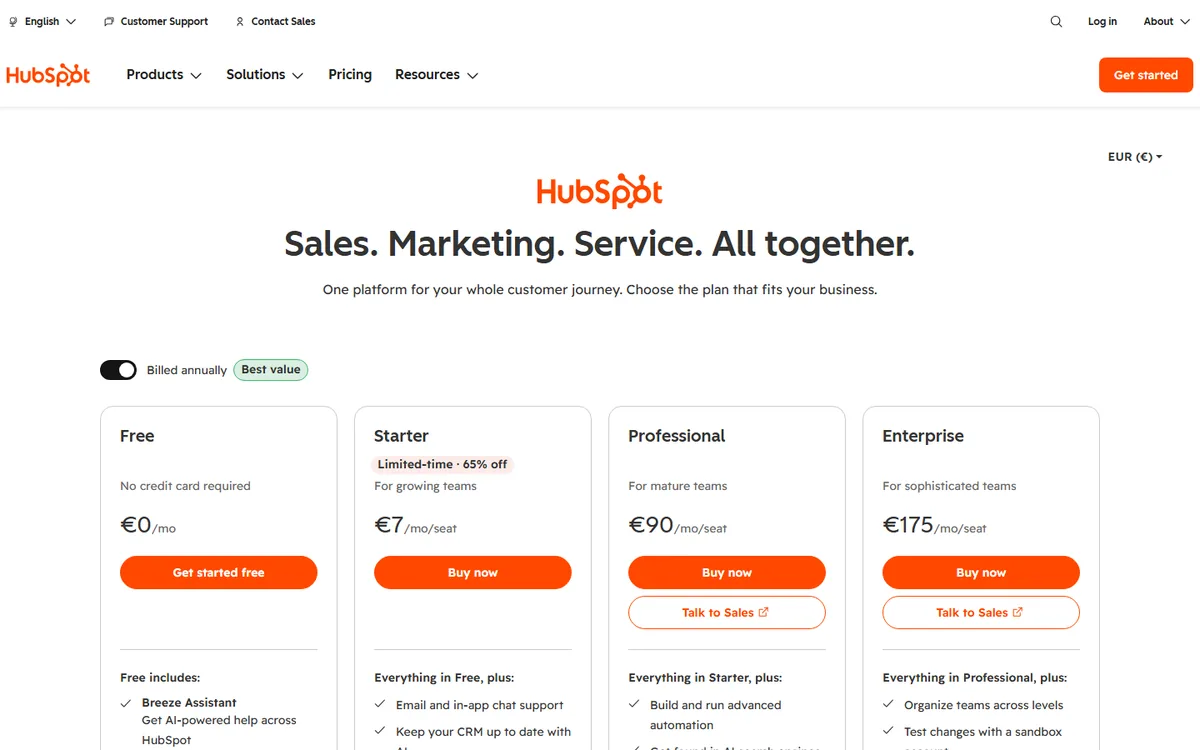
HubSpot's CRM pricing page says the Free plan covers up to 2 users, and Starter starts at $7 per seat per month with an annual commitment, a limited-time price for new customers against a standard $20. Professional and Enterprise prices were not shown on the page I read.
HubSpot Reviews
- G2: rated 4.4/5 (across 14,392 ratings). The rating is for HubSpot Sales Hub.
monday.com
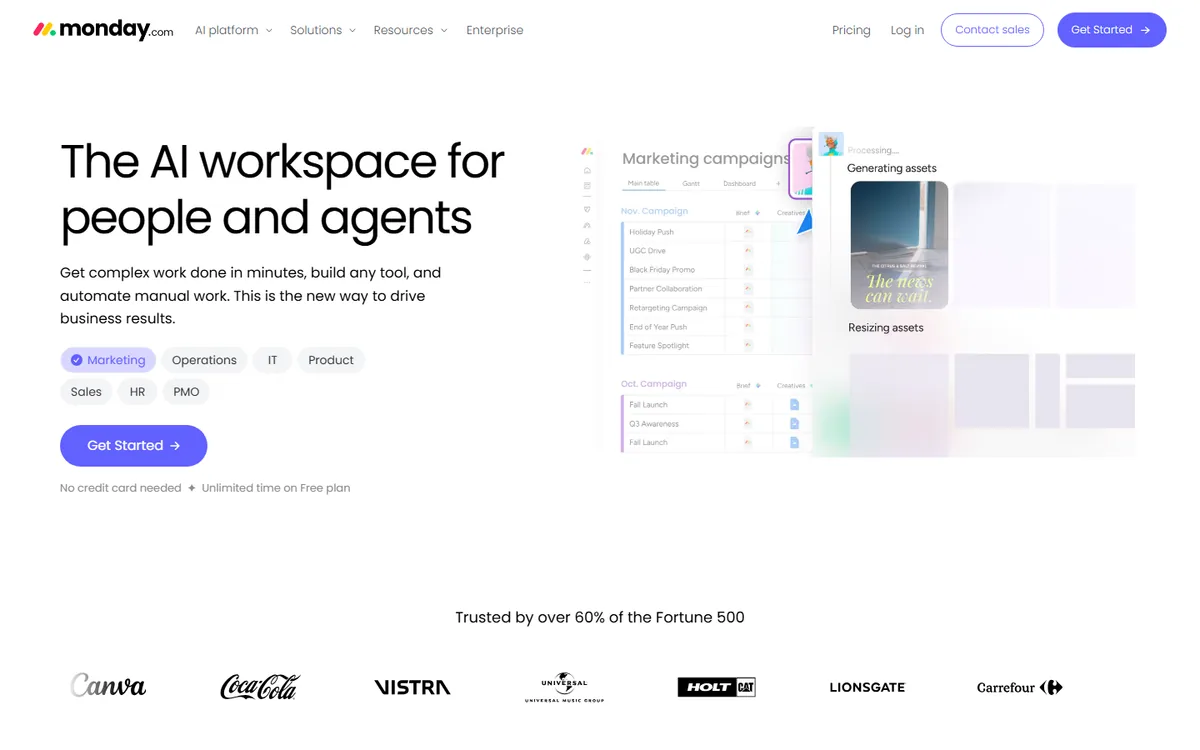
A Friendly Work Management Platform That Non-Technical Teams Actually Adopt
monday.com is a visual work management platform with boards, automations and separate products for CRM, service and software development.
monday.com earns its place when work is scattered across email and spreadsheets and nobody can see who is doing what. Boards are easy to build and change, and automations handle routine updates. Teams outside IT adopt it faster than most tools I have seen.
Boards also multiply. Without naming rules and owners, a company ends up with 200 boards and no clear process. Set conventions early and appoint an admin. The product is strongest for coordination, not as a system of record for money or contracts.
Where monday.com Shines
- Very easy for non-technical teams to adopt
- Automations and integrations cover common workflows
- Rated 4.7 on G2 across almost 18,000 reviews
Where monday.com Falls Short
- Boards sprawl without governance
- Not a replacement for finance or contract systems
monday.com Pricing
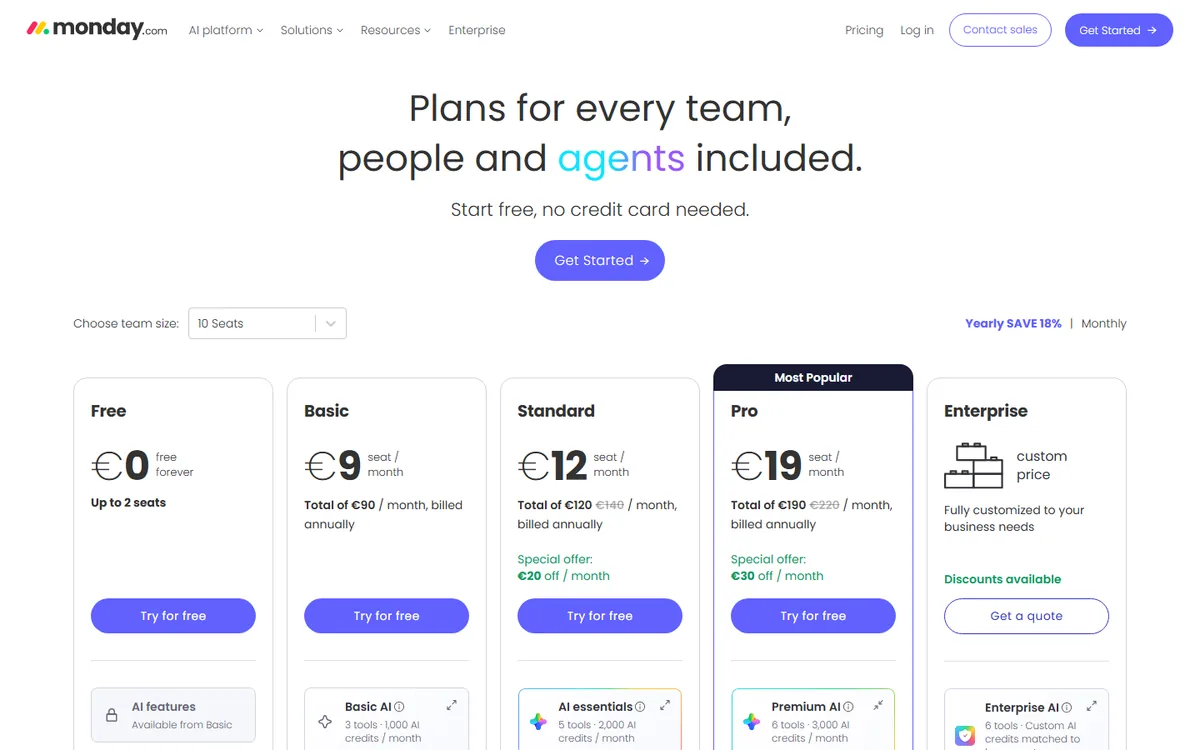
monday.com lists work management plans per seat per month, billed annually: Free for up to 2 seats, Basic $9, Standard $12 and Pro $19, with Enterprise on request. The free plan is limited to 3 boards and 3 Docs. CRM, service and dev products have their own prices.
monday.com Reviews
- G2: rated 4.7/5 (across 17,961 ratings). G2 lists the product as monday AI Work Platform.
Oracle NetSuite
A Full Cloud ERP for Companies That Have Outgrown Their Accounting Software
NetSuite is a cloud ERP covering financials, inventory, order management, procurement and reporting in one system.
NetSuite is the system I look at when a company has several entities, inventory and a finance team that closes the books with spreadsheets. It joins operations and finance in one database, so reports match. That is the benefit, and it is a big one.
Implementation is the hard part. Expect months, a partner and a change in how people work. The rating on G2 is lower than the other tools here for a reason: fit and implementation quality vary a lot. Do the process work before you sign, and name who will own the system afterward through good business technology management.
Where Oracle NetSuite Shines
- One database for finance, inventory and orders
- Handles multiple entities, currencies and subsidiaries
- Large partner network for implementation
Where Oracle NetSuite Falls Short
- Implementation takes months and needs a good partner
- Costs are quoted and can be high for small teams
Oracle NetSuite Pricing
I could not read a published NetSuite price list. Pricing is quoted based on modules, users and services, so request a written quote with implementation costs and renewal terms before you compare it with others.
Oracle NetSuite Reviews
- G2: rated 4.1/5 (across 5,258 ratings)
Asana
A Clean Project Tracker That Works Well Once You Agree on How to Use It
Asana tracks tasks, projects and goals across teams, with timelines, portfolios and automations on paid plans.
Asana is simpler than monday.com for teams that think in projects and tasks, and its structure encourages a clear owner and due date on everything. It suits marketing, operations and IT teams that manage many projects at once.
It is less flexible for custom processes, and advanced features such as portfolios and resource management need the higher plan. I suggest you use it for project work and keep finance and contracts in their own systems.
Where Asana Shines
- Clear task ownership and due dates
- Timeline and portfolio views help planning
- Generous free plan for small teams
Where Asana Falls Short
- Less flexible for non-project workflows
- Resource management and goals need higher plans
Asana Pricing
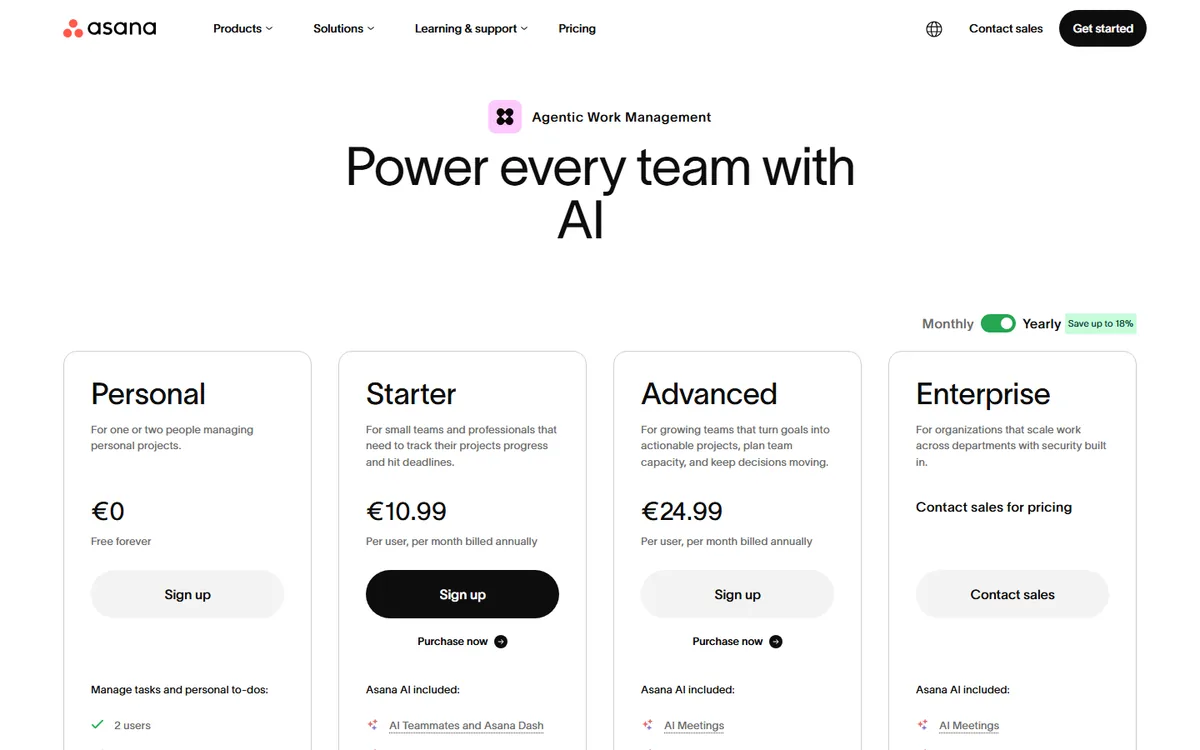
Asana's pricing page lists Personal as free for 2 users, Starter at $10.99 per user per month billed annually ($13.49 monthly) and Advanced at $24.99 ($30.49 monthly). Enterprise is quoted by sales.
Asana Reviews
- G2: rated 4.4/5 (across 14,123 ratings)
Estimate the Return on a Business Technology Platform
Before you pick a plan, check whether the numbers work. Enter the manual hours you want to remove and the monthly price of the tool you are considering, and you will see what it could return in a year.
Is the Software Worth the Cost?
Move the sliders to match the work you want the tool to cover and the plan you are considering.
How to Choose the Right Business Technology Solution
Fit with your processes decides more than any feature list. Before you compare vendors, answer these questions:
- Which job do you need done, and who does it today?
- Which systems must the new platform exchange data with?
- Who will administer it, and do they have time?
- What will it cost per year at your team size in 12 months?
If your base is Microsoft, start with Microsoft 365 and add tools around it. If your team works in the browser, Google Workspace is simpler. A CRM choice depends on whether you want ease (HubSpot) or configurability (Salesforce). If finance is the bottleneck and you run several entities, look at NetSuite. For project coordination, monday.com and Asana both work, and the choice often comes down to how structured your work is. Whatever you pick, name an owner for it before go-live.
Questions About Choosing Business Technology Solutions
What Are Business Technology Solutions?
They are software platforms and services that support how your company operates: productivity suites, CRM, ERP, project tools and integrations. The best ones fit your processes and connect to the rest of your stack.
Which Solution Should I Buy First?
Start with the identity and productivity suite because everything else connects to it. Then address the system where the most manual work or risk sits, often CRM or finance.
Is Microsoft 365 or Google Workspace Better?
Choose Microsoft 365 if your team depends on desktop Excel and Outlook or partners send you Office files. Choose Google Workspace if you prefer browser-first collaboration and simple administration.
Do I Need an ERP Like NetSuite?
Only when spreadsheets and accounting software no longer cope: several entities, inventory, complex revenue or slow month-end closes. Smaller companies are usually better served by accounting software with good integrations.
HubSpot or Salesforce: Which Is Better?
HubSpot is faster to roll out and easier for teams without an admin. Salesforce offers deeper customization and suits complex sales processes with budget for an admin or partner. Model costs at your 12-month team size.
How Do I Compare Total Cost?
Add license fees, implementation, training, integrations and the time of your own team across three years. Ask each vendor for renewal price caps and exit terms. The entry price is rarely the real cost.
Should I Use One Platform or Several?
Fewer platforms mean simpler data and lower cost, but no single vendor is best at everything. Most companies pick a core suite, a CRM and a finance system, then connect them well. A good roadmap sets the order.
Disclaimer: Prices, plans and ratings change often. They were checked when this article was last updated, so confirm them on each vendor’s site before you buy. Nothing here is legal or financial advice.
Was this useful?
We appreciate the feedback.
Paige Mulvaney
Paige leads the Wicker editorial team and works with the consultants who run the roadmaps, software selections, implementations and integrations to turn real client projects into practical guides. Her focus is plain-language advice on IT strategy, choosing business software and connecting systems so they work together. Every article she edits is checked against current vendor pricing and documentation before it is published.