In Short
- The best business technology examples start with one painful process and one number that should move.
- Data cleanup and ownership decide results more than which tool you buy.
- Integrations and backups fail quietly, so alerts and tests matter as much as the build.
- Pick a first project you can finish within a quarter, then build on the win.
Business technology projects are easier to judge when you can see one from start to finish. The ten examples below come from the kinds of projects I see in business technology consulting: some tiny, some expensive, one that started as a pilot and one that failed its first test.
Each example shows what changed, how long it took, what went wrong and what you can copy. The figures are from my client work and are rounded or ranged, so treat them as a guide to scale rather than a promise for your company.
What Counts as a Business Technology Example Worth Copying?
I only include an example if it has a measurable before and after, a cost you can estimate and a lesson that applies outside one company. A new tool alone is not an example. A new tool plus the process change that made it pay is.
| Type of project | Typical cost driver | Usual payback |
|---|---|---|
| Replace a manual process | Data cleanup and training | Months, from saved hours |
| Connect two systems | Build and monitoring | Months, from removed re-keying |
| Consolidate platforms | Migration and parallel running | One to three years, from fewer licenses and faster close |
| Reduce risk | Testing time and staff attention | Hard to count, felt after an incident |
10 Business Technology Examples, From Pilot to Payoff
The list starts with the sales and finance examples that most companies can do on their own and ends with the ones that need an outside view. If you want to see where each one sits in a longer plan, the business technology roadmap shows the order I usually recommend.
| Example | Area | What changed |
|---|---|---|
| 1. Replacing a Spreadsheet Quoting Process With a CRM | Sales | Quote time from days to hours |
| 2. Consolidating Logins With Single Sign-On | IT | One login per person |
| 3. Merging Three Accounting Systems Into One ERP | Finance | Month-end from 12 days to 6 |
| 4. Cleaning Up Software Licenses and Overlap | Operations | A quarter of seats unused |
| 5. Giving Customers a Self-Service Portal | Customer service | Fewer status calls |
| 6. Scanning Barcodes Into the Inventory System | Warehouse | Stock accuracy above 98% |
| 7. Testing Backups and Disaster Recovery | IT | Recovery time proven, not assumed |
| 8. Putting Field Staff on a Mobile Work-Order App | Field service | Same-day invoicing |
| 9. Connecting the CRM to the Billing System | Finance | No more re-keying orders |
| 10. Reviewing a Target's Systems Before an Acquisition | Due diligence | A sharper offer price |
Replacing a Spreadsheet Quoting Process With a CRM
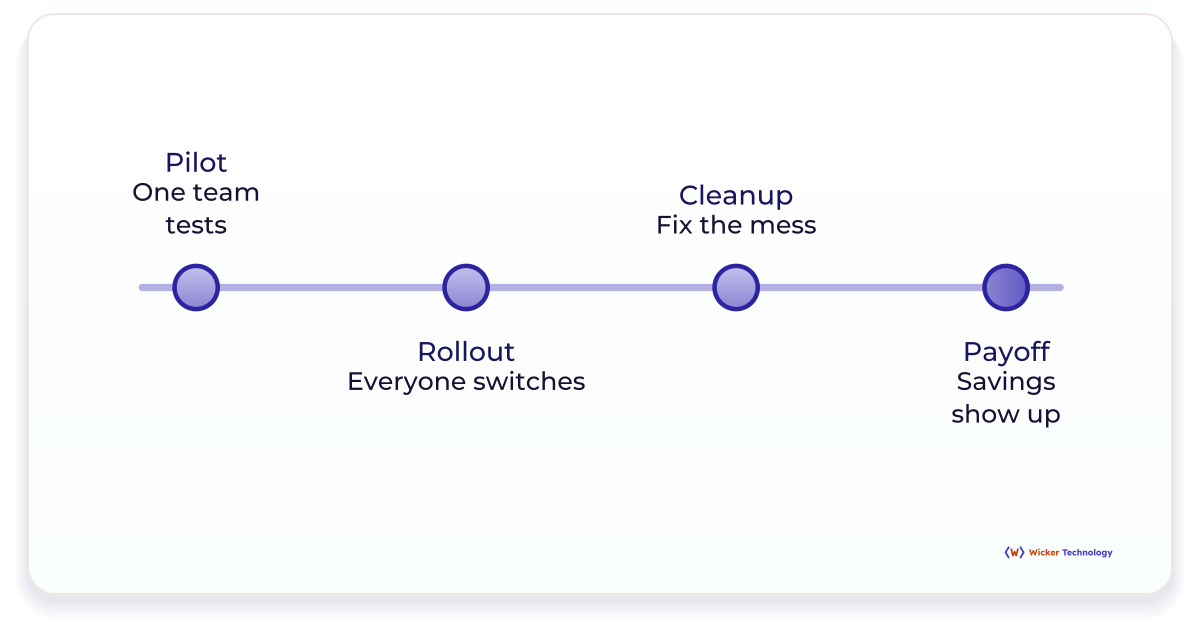
A distribution company I worked with built every quote in a spreadsheet that one sales manager had maintained for nine years. Prices lived in column H, discounts in a tab nobody else opened, and a typo in a formula once cost the firm a five-figure margin on a single order. Moving quotes into the CRM took about eleven weeks, two of which went to cleaning the product list.
The payoff was speed and trust. Reps now build a quote from approved prices in minutes, and discounts above a set limit go to a manager for approval. The surprise was adoption: the senior rep who owned the old spreadsheet resisted for a month, then became the loudest supporter once he saw the pipeline report he had never been able to produce.
How the project ran
- Export the spreadsheet and list every rule hidden in its formulas.
- Clean the product and price list before anything is imported.
- Configure quote templates and approval limits in the CRM.
- Run old and new quotes side by side for two weeks.
- Retire the spreadsheet and make the CRM the only place quotes live.
Tools behind it
Most mid-market CRMs include quoting, so check your current license before you buy an add-on. A dedicated quoting module only earns its price when you sell bundles or have complex discount rules.
Consolidating Logins With Single Sign-On
A regional clinic group had 41 business apps and, by my count, 41 separate passwords per employee, with several shared accounts nobody could trace. After rolling out single sign-on, staff signed in once, and IT could switch off a leaver's access to every app in one step. Before that, offboarding meant a checklist that was never finished.
The hard part was not the technology. It was the inventory. Eleven apps turned out to be bought by individual teams on a credit card, and two did not support single sign-on at all. Those two went on a replacement list. If you start this project, expect the app inventory to be the longest task and the most valuable one.
What the rollout looks like
- List every app, who owns it and how people sign in today.
- Pick an identity provider, usually the one that comes with your email suite.
- Connect the apps that support single sign-on first.
- Turn on multi-factor sign-in for everyone.
- Link access to your HR system so leavers lose access the same day.
Tools behind it
Microsoft Entra ID and Google Workspace both act as identity providers. If you run apps from both worlds, a dedicated identity tool such as Okta is worth pricing.
Merging Three Accounting Systems Into One ERP
After two acquisitions, a manufacturing group ran three accounting systems and closed its books in about 12 working days, because finance had to stitch three trial balances together in a spreadsheet. A single cloud ERP brought that closer to six days within two quarters. The savings came from removing the stitching, not from faster typing.
Cost and aftermath were not tidy. The migration ran four weeks over plan because one entity kept a different chart of accounts that nobody had documented. I now ask for every chart of accounts in the first week. Your timeline depends on how well you know what you already have, so assess before you sign an ERP contract, which is where a good business technology strategy earns its fee.
Phases of the consolidation
- Map the three charts of accounts to one design.
- Decide how much history to migrate and how much to archive.
- Load one entity first as a pilot.
- Reconcile the balances against the old system.
- Move the other two entities and switch off the old ledgers.
Tools behind it
NetSuite, Microsoft Dynamics 365 Business Central and Sage Intacct are common choices at this size. Compare them on multi-entity support and the cost of the partner who will implement them.
Cleaning Up Software Licenses and Overlap
Software spend is the cheapest example here, because it needs no new technology. In the license reviews I run, about a quarter of paid seats are usually unused or duplicated, and two or three tools do the same job for different teams. One client was paying for three video meeting tools and two project tools.
The review takes a few weeks and pays back in the next renewal cycle. The trick is timing: you want the audit finished 90 days before the big renewals, because that is when vendors will negotiate. Skip that window and you pay another year at the old price.
How to run the review
- Pull every invoice and card statement for the last 12 months.
- Match each subscription to an owner and a business purpose.
- Check actual logins against paid seats.
- Flag overlaps and pick one tool per job.
- Negotiate or cancel ahead of each renewal date.
Tools behind it
Spend management tools can find shadow subscriptions from card data. For a company under 200 people, a shared sheet and the admin consoles of your main tools usually do the job.
Giving Customers a Self-Service Portal
A freight forwarder I advised answered the same call dozens of times a day: where is my shipment? A customer portal fed from the transport system let clients check status, download documents and request quotes. Status calls dropped by roughly a third in the first quarter, and the customer service team moved to exceptions.
The portal was the visible part. The real work was a clean data feed from the transport system, which updated twice a day and had to become near real time. If your back-office data is stale, a portal only makes the problem more public. Fix the feed first, then build the front end.
Steps that worked
- List the five questions customers ask most.
- Check that the data to answer them exists and is current.
- Build the feed from your back-office system.
- Launch to a handful of friendly customers first.
- Add features only when support tickets show a need.
Tools behind it
Many ERP and CRM platforms include a portal module. A custom build makes sense only when your customers need something the standard module cannot show.
Scanning Barcodes Into the Inventory System
A wholesaler counted stock by hand and kept the numbers in a spreadsheet that was wrong by the end of each week. Handheld scanners tied to the inventory system fixed receiving and picking in one project. Stock accuracy in my client's cycle counts rose from the low 90s to just above 98%.
Expect a messy month. Labels on old stock were missing or unreadable, and pickers disliked the scanners until they saw that wrong orders fell. Training in the warehouse itself, not a meeting room, made the difference. Plan time to relabel a shelf zone at a time rather than the whole building at once.
How the rollout went
- Choose one warehouse zone as the pilot.
- Label locations and products in that zone.
- Connect the scanners to the inventory system.
- Train pickers on real orders for a week.
- Extend zone by zone and run cycle counts to prove accuracy.
Tools behind it
Warehouse features in your ERP may be enough for one site. Multi-site operations with wave picking usually need a dedicated warehouse management system.
Testing Backups and Disaster Recovery
Backups that were never restored are guesses. A professional services firm believed it could recover its file server in four hours. The first real test took nineteen, because the backup was complete but nobody knew the order in which to bring systems back. After a written runbook and two more tests, they hit six hours.
This example has no flashy tool. It is a calendar entry and a stopwatch. Decide how long each system can be down and how much data you can lose, then test against those two numbers once a year. The first test usually fails, and that is its value.
How to run a restore test
- List your critical systems and rank them by how long they can be down.
- Write down the recovery order and who does what.
- Restore one system into an isolated environment.
- Time it and record every surprise.
- Fix the gaps and repeat the test within six months.
Tools behind it
Your cloud provider and backup software already include restore features. Spend your effort on the runbook and the schedule, not on a new product.
Putting Field Staff on a Mobile Work-Order App
A building services company ran on paper work orders. Technicians wrote notes in the van, the office retyped them days later and invoices followed a week after the job. A mobile app tied to the scheduling and billing system moved invoicing to the same day. Cash came in earlier, and disputes about what was done dropped, because photos were attached.
Connectivity was the issue. Several sites had no signal, so the app had to work offline and sync later. Test in your worst location, not in the office. The second lesson was about forms: the first version had 30 fields and technicians skipped half. Cutting to eight made data quality jump.
Build and rollout steps
- Shadow technicians for a day and note every paper form.
- Cut each form to the fields someone actually uses.
- Confirm the app works offline and syncs reliably.
- Pilot with the most skeptical team first.
- Connect completed jobs straight to invoicing.
Tools behind it
Field service platforms often bundle scheduling, mobile apps and invoicing. If your ERP has a field module, price it against a standalone product before you choose.
Connecting the CRM to the Billing System
Orders were typed into the CRM, then again into the billing system, then again into the carrier portal. A four-system integration removed the retyping and added alerts for failed syncs. Order entry time fell by around 60%, and month-end stopped starting with a cleanup of mismatched invoices.
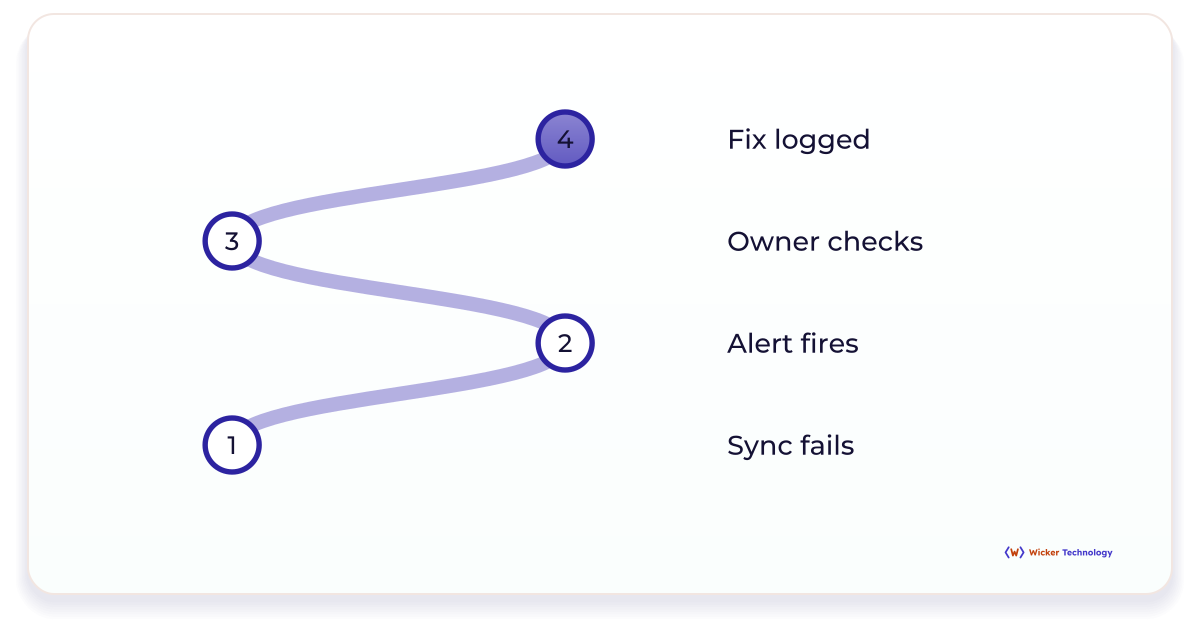
Integrations break in quiet ways, so the alerts matter more than the connection itself. One client's sync failed for nine days after a password change, and nobody knew. A simple failure alert would have caught it in an hour. Budget for monitoring, not just the build, and keep one named owner for every integration.
Steps for a reliable integration
- Draw the data flow and mark every point where people retype data.
- Pick one system as the source of truth for each field.
- Build the connection with an error queue, not silent retries.
- Send an alert to a named person when a sync fails.
- Review failed syncs weekly for the first two months.
Tools behind it
Integration platforms such as Workato, Boomi or Zapier connect most business systems without custom code. For two systems with a good native connector, use the connector and save the fee.
Reviewing a Target's Systems Before an Acquisition
Before buying a smaller competitor, a logistics holding group asked what its systems were worth. A ten-day review of the stack, the contracts and the security gaps produced a ranked list of fixes with costs. The buyers adjusted their offer by a clear number and planned the first 100 days of integration before closing.
Technology due diligence is the example with the clearest payoff and the least attention. It finds expiring licenses, key-person risk and unpatched systems while there is still leverage to price them in. Look at contracts for change-of-control clauses early, because those can force a costly renegotiation on day one.
What the review covered
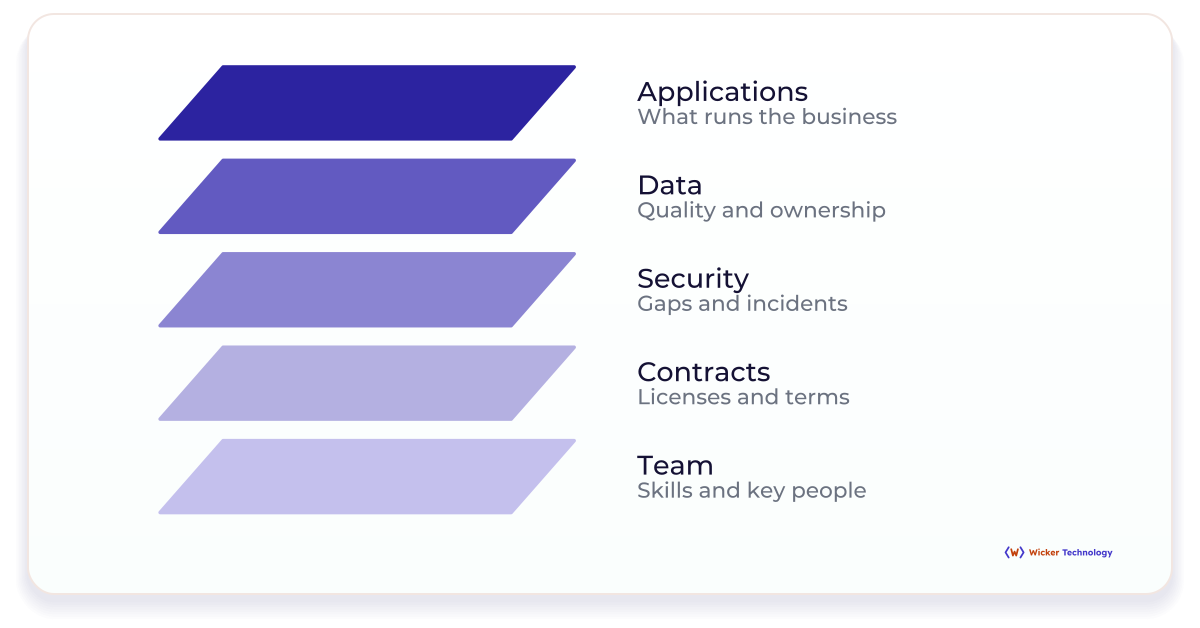
- Inventory every system, owner, contract and renewal date.
- Check change-of-control and data-protection terms in key contracts.
- Assess security basics such as patching, access and backups.
- Identify people who are the only ones who understand a system.
- Turn findings into costs and a first-100-days plan.
Tools behind it
This work needs a checklist and experienced eyes more than software. Ask for access to admin consoles and contracts, not just a presentation from the seller.
What the Winners Have in Common
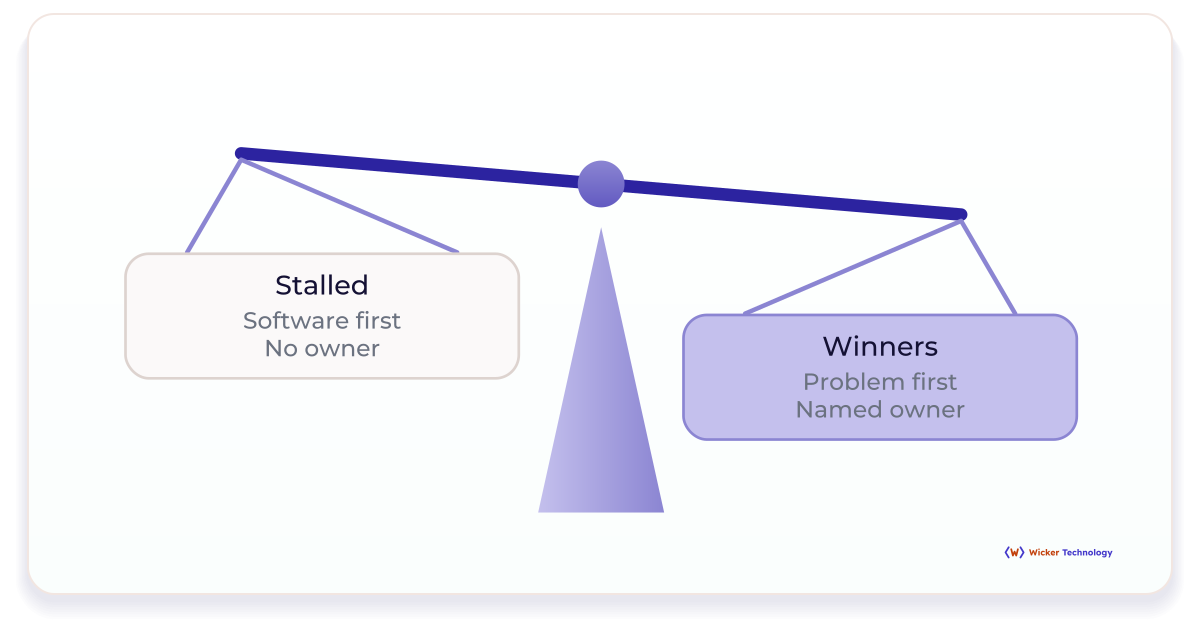
Across these ten, the successful projects shared a few traits, and none of them was the price of the tool. They had one owner who answered to a number. They cleaned data before moving it. They ran old and new in parallel until the new one was proven. And they planned for what happens after go-live: monitoring, training and a review date.
The projects that stalled shared the opposite. They bought software first and looked for a use second. They had three owners, which means none. A project like the ERP merge or the license review works because it is tied to a plan, and the business technology management habits that keep systems healthy after launch decide how long the gain lasts.
Another pattern is size. The best first projects are small enough to finish in a quarter. Backup testing, license reviews and single sign-on fit that rule. ERP consolidation does not, so split it into entities as in example 3 and treat each as a project. If you are unsure which of these fit your business, the ranked tools in my guide to business technology solutions help you shortlist products once you know the job.
How to Pick Your First Project
Pick the example that matches a pain your team can name in a sentence. If you cannot describe the problem in one line, the project is not ready. Then check it against four questions:
- Is there a number, such as days to close or calls per week, that should move?
- Does one person own the result and have time to do it?
- Is the data you need clean enough to move, or does it need cleanup first?
- Can you finish a useful first version within one quarter?
Most companies I talk to have two or three candidates that pass. Start with the cheapest one that touches the most people. A win in the first quarter buys patience for the harder projects.
Questions About Business Technology Examples
What Is an Example of Business Technology?
Any system that supports how your company operates counts: a CRM that holds your customers, an ERP that records your money, a login system that controls access, or an integration that moves data between tools. The ten examples above cover the ones I see most often.
How Long Does a Business Technology Project Take?
A license review or single sign-on rollout can take four to eight weeks. A CRM replacement for a small sales team often takes two to three months, and a multi-entity ERP merge takes six months or more. Your timeline depends mostly on data cleanup, not on the software.
How Much Does a Typical Project Cost?
Costs vary too much for one number. Licenses are the visible part, while migration, training and monitoring often cost as much again. I suggest you ask for a three-year total cost before you sign anything, and include the time your own team will spend.
Which Example Gives the Fastest Payback?
License cleanup and backup testing usually pay back fastest because they need little new software. Connecting two systems that people currently retype between is next. Platform consolidation pays back slowest but can change how fast your finance team closes the books.
Should I Buy New Software or Fix My Processes First?
Fix the process on paper first, then decide whether you need new software. In many of these examples, the tool was already owned and the gain came from setting it up properly. Buying a tool to avoid a process decision usually moves the problem to a bigger bill.
How Do I Measure Whether a Project Worked?
Pick one number before you start and record it. Examples are days to close the books, calls per week, stock accuracy or hours to recover a system. Check the number again at 30, 90 and 180 days, and compare it against the cost of the project.
Do I Need an Outside Consultant for These Projects?
Not always. A license review, a backup test or a single sign-on rollout can be done by a capable IT lead. Outside help pays off for vendor selection, multi-system integration and due diligence, where experience with many similar projects shortens your learning curve.
Disclaimer: This article is general information, not legal, tax or financial advice. Results depend on your systems, data and team.
Important: nothing in this article is legal, financial or tax advice. All figures are estimates from typical projects, so verify them with your own providers and advisers.
Was this useful?
We appreciate the feedback.
Paige Mulvaney
Paige leads the Wicker editorial team and works with the consultants who run the roadmaps, software selections, implementations and integrations to turn real client projects into practical guides. Her focus is plain-language advice on IT strategy, choosing business software and connecting systems so they work together. Every article she edits is checked against current vendor pricing and documentation before it is published.