In Short
- Technology management software covers three jobs: running IT services, mapping applications and tracking technology spend. Few tools do all three well.
- Freshservice, ManageEngine and Jira Service Management suit teams that mainly need a clean service desk and asset records.
- SAP LeanIX, Flexera One and IBM Apptio fit larger estates where the problem is application sprawl and cost visibility.
- ServiceNow is the broadest platform, and also the one that needs the most setup and the biggest budget.
The Best Technology Management Software at a Glance
| Tool | Type | Best for |
|---|---|---|
| 1. ServiceNow | Enterprise platform | Large organizations that want one workflow platform across IT and business teams |
| 2. Jira Service Management | Service desk | Teams that already work in Atlassian tools and want requests linked to engineering work |
| 3. Freshservice | Service desk | Small and mid-sized IT teams that want a fast, tidy service desk with asset tracking |
| 4. ManageEngine ServiceDesk Plus | Service desk | Budget-conscious teams that want service desk, assets and change control, in cloud or on premises |
| 5. SAP LeanIX | Enterprise architecture | Organizations that need a living map of applications, owners and dependencies |
| 6. Flexera One | Spend and license management | Teams that need to control cloud, SaaS and software license spend |
| 7. IBM Apptio | Technology business management | Large organizations that want to cost IT services and show business value of technology spend |
The 7 Best Technology Management Software Tools, Ranked
I start with the platforms that cover the widest range of technology management work and move toward specialists, so you can stop reading when you find your fit. The tool is only half of the answer: in technology management consulting projects, the clients who get value are the ones who first agree on who owns each system and each decision.
ServiceNow
The Broadest Platform for Large Organizations That Want IT, Assets and Business Workflows in One Place
ServiceNow combines IT service management, configuration data and workflow automation on one platform that many large companies use as their system of record for technology.
I treat ServiceNow as the platform to choose when your technology estate is large enough that departments already fight over which spreadsheet is right. Its ITSM plans (Foundation, Advanced and Prime) build on each other, and the same workflow engine can later serve HR, facilities and security requests.
The cost is not only the licence. In my client work, a ServiceNow rollout succeeds or stalls on data quality and process design, not on the software. If your list of systems is incomplete today, expect most of the first phase to go there. My list of technology management examples shows what that work looks like in practice.
Where ServiceNow Shines
- One platform can run IT, HR and facilities workflows
- Configuration data links incidents, changes and assets
- Strong control over approvals and audit trails
Where ServiceNow Falls Short
- Implementation takes months and usually needs a partner
- Cost and complexity are too high for small teams
ServiceNow Pricing
ServiceNow does not publish prices. Its ITSM page lists three plans, ITSM Foundation, Advanced and Prime, each building on the one before, and directs you to a custom quote or a demo.
ServiceNow Reviews
I could not load a current G2 or Capterra rating for ServiceNow while writing this, so I left it out. Check both sites for the latest score before you shortlist it.
Jira Service Management
The Natural Choice If Your Developers and Support Teams Already Live in Jira and Confluence
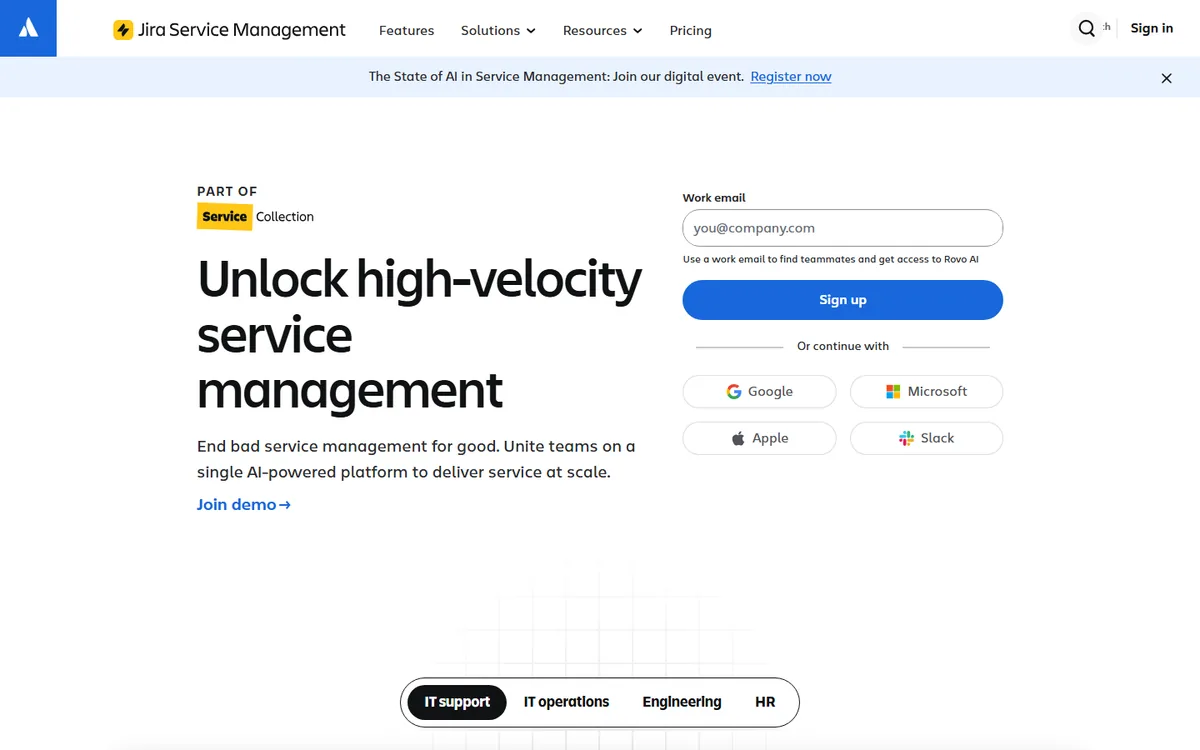
Jira Service Management turns Jira into a service desk with request queues, SLAs, change management and a customer portal.
If your engineers already work in Jira, I would look at Jira Service Management before anything else. Requests, incidents and changes sit next to the engineering tickets that fix them, so nobody copies details between two systems.
Reviewers on Capterra praise the configurable workflows and the link to Confluence and Bitbucket. They also say the setup takes effort and that per-agent costs rise as you add apps. Plan a few weeks of configuration before you judge it.
Where Jira Service Management Shines
- Requests link directly to engineering work
- Workflows and automation rules are highly configurable
- A knowledge base ties into the customer portal
Where Jira Service Management Falls Short
- Reviewers describe a steep learning curve
- Per-agent pricing and add-ons can climb quickly
Jira Service Management Pricing
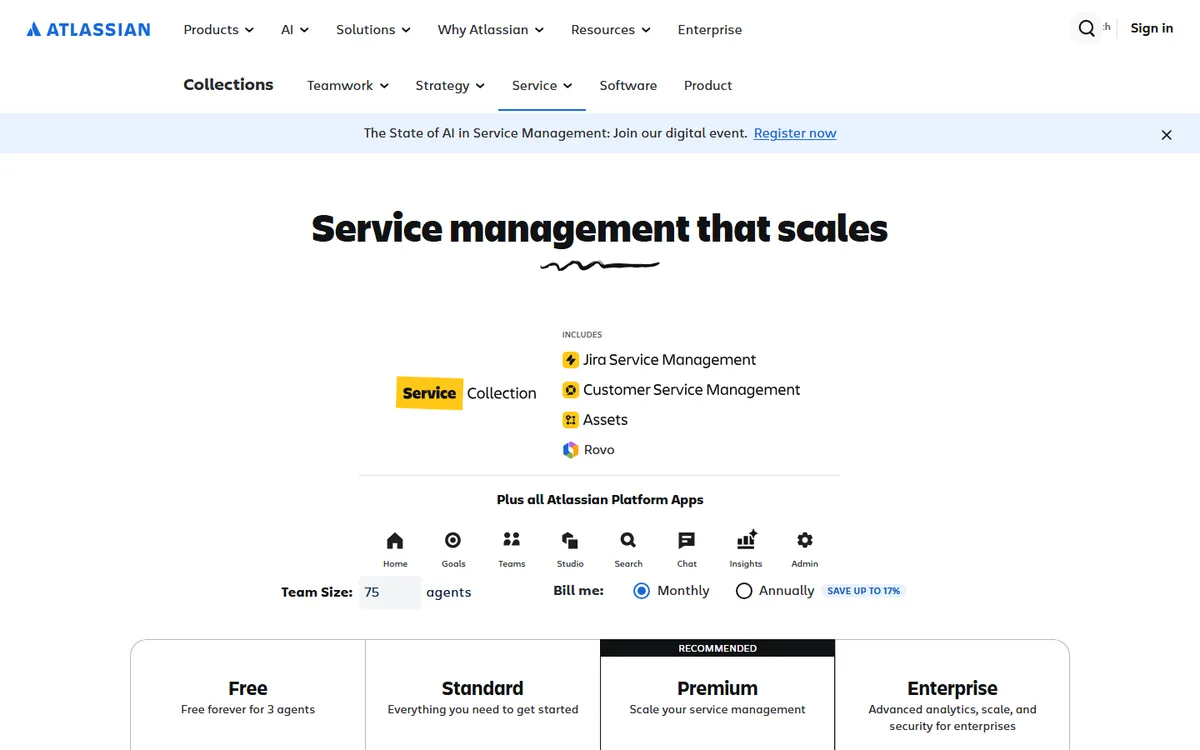
Atlassian publishes per-agent plans on its pricing page. I could not load that page while writing, so check it for the current figures and the limits of the free tier before you plan a budget.
Jira Service Management Reviews
- Capterra: rated 4.5/5 (across 782 ratings)
Freshservice
A Clean, Quick-to-Launch Service Desk With Asset Tracking for Teams That Dislike Heavy Setup
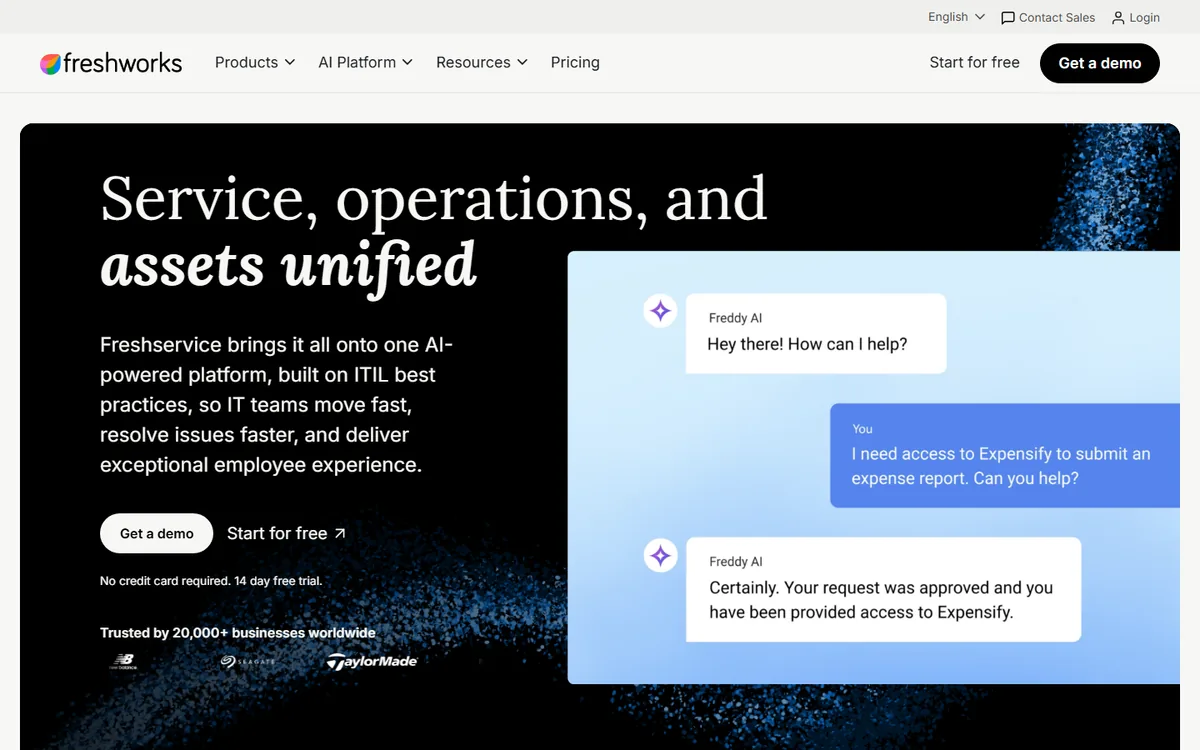
Freshservice offers ticketing, a self-service portal, workflow automation and asset management in one product with a simple interface.
Freshservice is the tool I suggest when a team needs to get off shared inboxes and spreadsheets within weeks. You get incident and request handling, a service portal, a workflow automator and asset records in one place, and most agents find the interface easy.
Reviewers on Capterra single out reporting as the weak spot: custom reports feel fiddly and some users export data to spreadsheets. They also warn that automations and higher-tier features raise the price, so work out which plan you need before you start.
Where Freshservice Shines
- The interface is easy for agents and employees
- The workflow automator cuts manual ticket routing
- Service desk and asset management come in one product
Where Freshservice Falls Short
- Custom reporting is limited
- Some advanced features sit in higher-priced plans
Freshservice Pricing
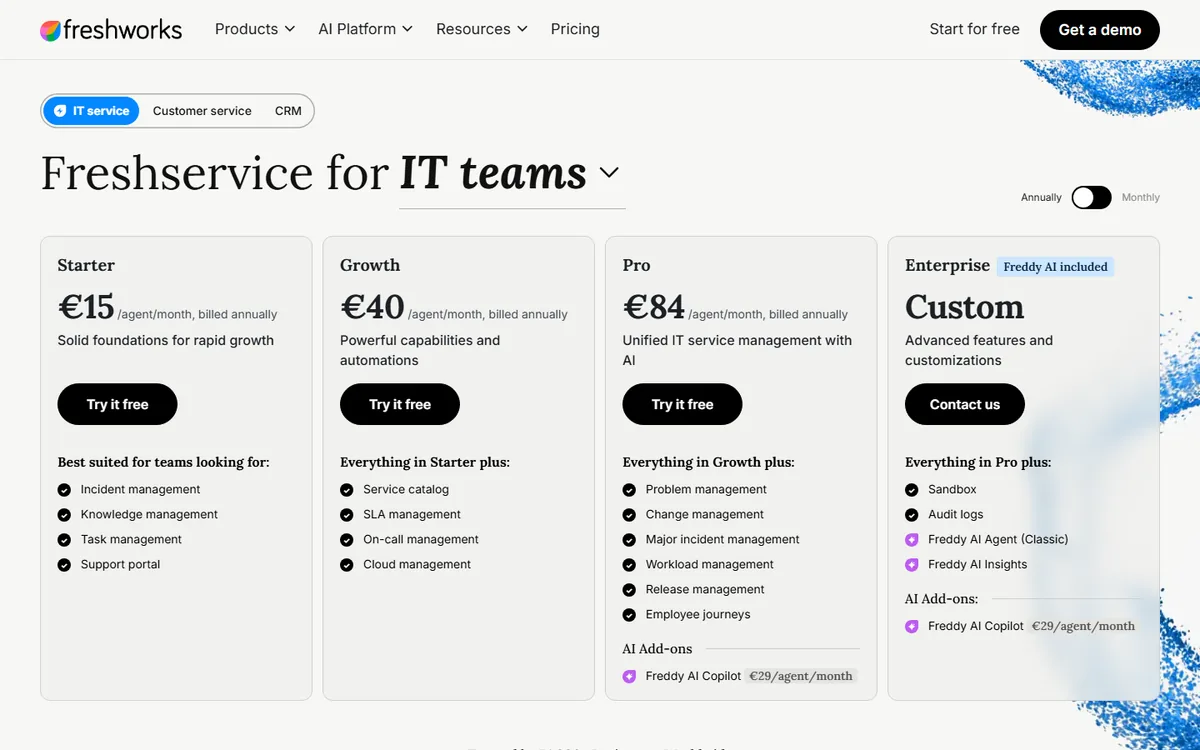
Freshservice lists Starter at $19, Growth at $49 and Pro at $99 per agent per month on annual billing. Enterprise is custom priced. A 14-day free trial gives access to all features.
Freshservice Reviews
- Capterra: rated 4.5/5 (across 829 ratings)
ManageEngine ServiceDesk Plus
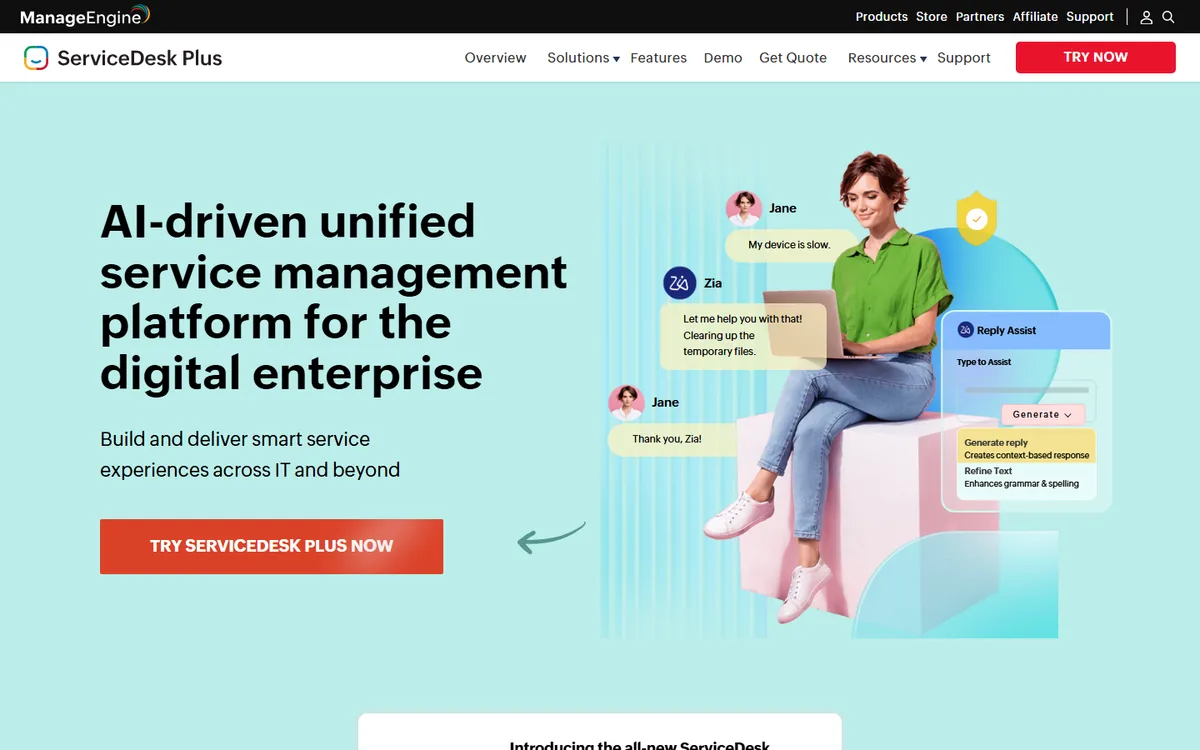
The Value Pick With Published Prices and the Option to Host It Yourself
ServiceDesk Plus covers IT service desk, asset management, change management and projects, and runs in the cloud or on your own servers.
ServiceDesk Plus is the most affordable option on this list with real depth. You choose between Standard for the service desk, Professional with asset management added and Enterprise with change and projects, and you can run it on premises if your policies require it.
I recommend it when a team needs ITIL-style processes without an enterprise price tag. The interface is more dated than Freshservice, so give your agents a pilot week before you commit.
Where ManageEngine ServiceDesk Plus Shines
- Published prices on three clear editions
- Cloud and on-premises deployment options
- Change management and projects in the top edition
Where ManageEngine ServiceDesk Plus Falls Short
- The interface feels older than newer competitors
- Add-ons and extra assets raise the cost
ManageEngine ServiceDesk Plus Pricing
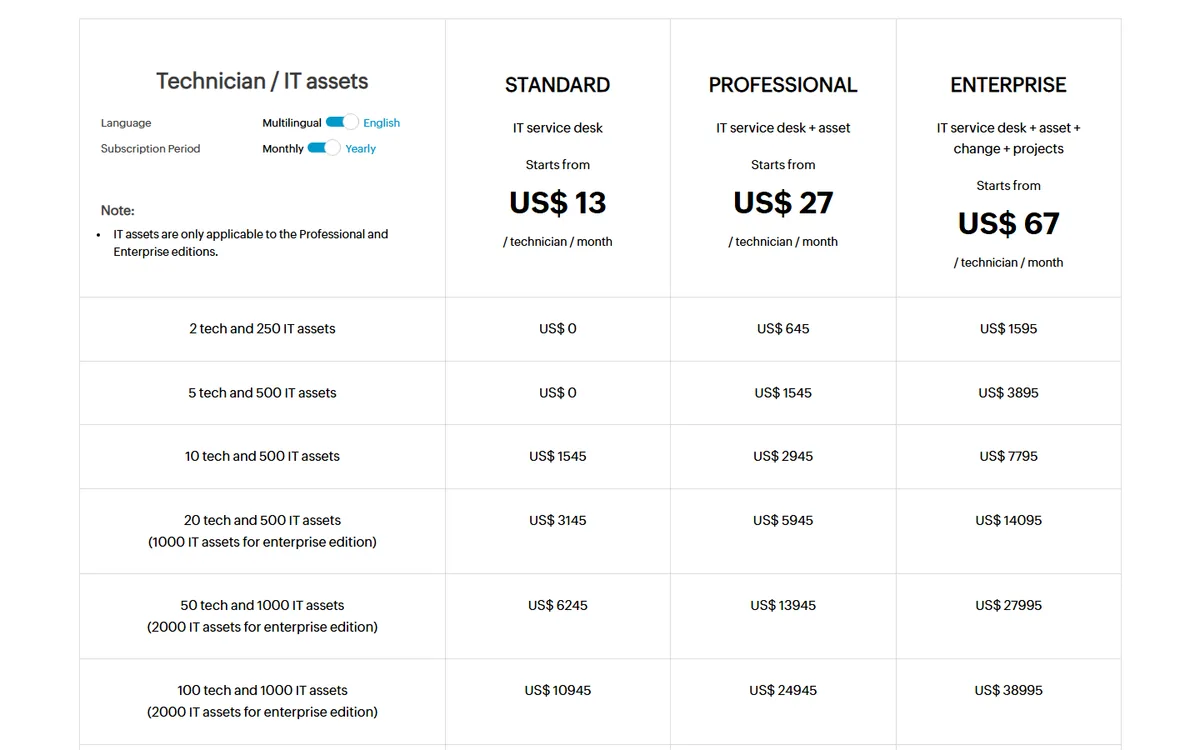
ManageEngine lists Standard from $13 per technician per month, Professional from $27 and Enterprise from $67, and says Standard is free for up to five technicians. Annual packages are listed for cloud and on-premises, and prices may change.
ManageEngine ServiceDesk Plus Reviews
I could not load a current G2 or Capterra rating for ManageEngine ServiceDesk Plus while writing this, so I left it out. Check both sites for the latest score before you shortlist it.
SAP LeanIX

The Tool to Choose When Nobody Can Say How Many Applications You Run or Who Owns Them
SAP LeanIX is an enterprise architecture and application portfolio tool that maps applications, technologies, owners and dependencies.
LeanIX answers a question that service desks do not: what do we run, who owns it and what depends on it? When I walk into a company with several hundred applications and three conflicting lists, an application map like this is usually the first thing I want in place.
It pays off when you use it for decisions, such as which overlapping tools to retire or which applications carry the most risk. Without owners who update the data, it turns into one more stale inventory.
Where SAP LeanIX Shines
- Gives a clear picture of applications and dependencies
- Supports retire, replace and keep decisions
- Works well alongside a service desk tool
Where SAP LeanIX Falls Short
- Value depends on owners keeping data current
- Sits in the enterprise price range
SAP LeanIX Pricing
I could not find a public price list for SAP LeanIX. Plan on requesting a quote, and ask what is included for the number of applications you want to map.
SAP LeanIX Reviews
I could not load a current G2 or Capterra rating for SAP LeanIX while writing this, so I left it out. Check both sites for the latest score before you shortlist it.
Flexera One

A Strong Fit When Software Licenses, SaaS and Cloud Bills Are the Biggest Technology Management Headache
Flexera One covers IT asset management, SaaS management, FinOps and AI cost management in one suite.
Flexera One is where I send clients when the question is how much they spend on software and whether they use it. Its product areas include IT asset management, SaaS management and FinOps, and licence audits are the kind of surprise it is built to prevent.
Treat it as a spend and licence tool, not a service desk. It works best next to the tool your team already uses for tickets and assets.
Where Flexera One Shines
- Brings licences, SaaS and cloud spend into view
- Helps prepare for vendor licence audits
- Free cloud and Kubernetes savings analyses are offered
Where Flexera One Falls Short
- Not a replacement for a service desk
- Pricing is not public, so budgeting needs a sales call
Flexera One Pricing
Flexera does not publish pricing or plan tiers. Its site points you to a demo and says pricing is shared when you contact the company.
Flexera One Reviews
I could not load a current G2 or Capterra rating for Flexera One while writing this, so I left it out. Check both sites for the latest score before you shortlist it.
IBM Apptio
The Reference Tool for Technology Business Management When Finance Wants IT Costs by Service
IBM Apptio is a technology financial management suite for costing, planning, billing and benchmarking technology spend.
Apptio is built around technology business management, a framework for connecting technology costs to the services the business consumes. The Apptio site describes costing, planning, billing and benchmarking modules, and IBM also sells Cloudability for cloud cost, Kubecost for Kubernetes and Targetprocess for agile planning.
I would use it when finance and IT keep arguing about the cost of a service. It needs clean cost and usage data, so plan the data work before the licence work. If your estate is small, it is more tool than you need. Teams hitting recurring friction between IT and the business may find the problems described in technology management challenges sound familiar.
Where IBM Apptio Shines
- Connects technology cost to business services
- Covers costing, planning, billing and benchmarking
- Related products cover cloud and Kubernetes spend
Where IBM Apptio Falls Short
- Needs clean, well-mapped cost data to deliver value
- Too large for small teams
IBM Apptio Pricing
IBM does not publish prices for Apptio. The site directs you to request a demo or get started through sales.
IBM Apptio Reviews
I could not load a current G2 or Capterra rating for IBM Apptio while writing this, so I left it out. Check both sites for the latest score before you shortlist it.
Estimate the Return on Technology Management Software
Enter the manual hours your team spends on tracking, approvals and reporting, and the monthly price of the tool you are considering. The calculator shows what it could return in a year.
Is the Software Worth the Cost?
Move the sliders to match the work you want the tool to cover and the plan you are considering.
How to Choose Technology Management Software
In my experience, the tool that fits your biggest pain beats the tool with the longest feature list. Before you book demos, answer four questions:
- Is your biggest problem requests and incidents, application sprawl or technology spend?
- How many systems, sites and vendors do you manage today?
- Who will own the data in the tool, and who keeps it current?
- Does the tool connect to the systems you already run, or does it need a long integration project?
If a service desk is the pain, start with Freshservice, ManageEngine or Jira Service Management. If you need an application map or cost visibility, look at SAP LeanIX, Flexera One and IBM Apptio. A tool does not fix unclear ownership, which is why I often point teams to the technology management framework first. If you want a second opinion, a short call usually settles it.
Questions About Technology Management Software
What Is Technology Management Software?
It is software that helps you run and oversee your technology: IT service requests, assets and licenses, the application portfolio, and the money spent on all of it. Most products specialize in one of these jobs, and the largest platforms combine several.
What Is the Best Technology Management Software for a Small Team?
For a small team I usually look at Freshservice or ManageEngine ServiceDesk Plus first, because both publish prices and are quick to set up. Jira Service Management is a strong third option if your team already works in Atlassian tools.
How Much Does Technology Management Software Cost?
It ranges from about $13 to $99 per agent per month for service desk tools with published prices, to quote-based enterprise contracts for platforms like ServiceNow, SAP LeanIX, Flexera One and IBM Apptio. Always ask for the full cost, including implementation and add-on modules.
Do I Need a Separate Tool for Application Portfolio Management?
Not always. A service desk with a configuration database can hold a basic list of applications. Once you have hundreds of applications, overlapping tools and cost questions, a dedicated tool such as SAP LeanIX is easier to keep accurate.
How Long Does Implementation Take?
A lightweight service desk can run within weeks. Enterprise platforms usually take several months, because data cleanup, integrations and process design take longer than the installation itself.
Can Technology Management Software Replace a Consultant?
No. Software records and automates decisions, but someone still has to decide who owns what, which systems to retire and how to prioritize spend. A consultant helps you make those decisions before you configure the tool.
What Is the Most Common Mistake When Buying This Software?
Buying for the demo. Teams pick the tool that looks best with sample data, then discover that their own data is incomplete. Load a real slice of your systems into a trial before you sign.
Disclaimer: Prices, plans and ratings change often. They were checked when this article was last updated, so confirm them on each vendor’s site before you buy. Nothing here is legal or financial advice.
Was this useful?
We appreciate the feedback.
Paige Mulvaney
Paige leads the Wicker editorial team and works with the consultants who run the roadmaps, software selections, implementations and integrations to turn real client projects into practical guides. Her focus is plain-language advice on IT strategy, choosing business software and connecting systems so they work together. Every article she edits is checked against current vendor pricing and documentation before it is published.