In Short
- Tool sprawl and unclear ownership are the most common and cheapest to fix.
- Fund technical debt with a fixed share of capacity, not a one-off cleanup.
- Split IT budgets into run and change, and show unit costs.
- Report value in business terms, with five to seven measures.
Running technology well is mostly unglamorous: knowing what you own, who is responsible, what it costs and what comes next. The seven challenges below come up in nearly every assessment I see, whether the company has 80 employees or 8,000. They are linked, so fixing one often eases another. If you want help with the whole set, technology management consulting builds the routines that keep them from returning.
Each challenge has a short diagnosis, the steps that usually help and what you need. Start with the one that costs you the most today.
Seven Challenges at a Glance
| Challenge | Typical sign | First move |
|---|---|---|
| 1. Tool sprawl | Invoices for tools IT never heard of | Inventory from spend and sign-in data |
| 2. Technical debt | Small changes take weeks | Rate systems and fund the worst |
| 3. Opaque budget | One number, no breakdown | Split run and change, add unit costs |
| 4. Unclear ownership | Nobody can decide | One owner per system |
| 5. Request overload | Urgent beats important | One ranked list |
| 6. Security upkeep | Patches and reviews slip | Routine calendar with owners |
| 7. Proving value | Yearly budget fight | Five to seven business measures |
The Seven Challenges and How to Meet Them
Shadow IT and Tool Sprawl
Every team has a favorite tool, and many were bought on a credit card. In a typical review I run, the real count of software subscriptions is 30 to 50 percent higher than the list IT holds. That gap hides overlapping tools, unmanaged data and renewals nobody planned.
The damage shows up in three places: security, because nobody patches or reviews access for tools IT does not know about, cost, because teams pay twice for the same function, and data, because information sits in places no one can search. Banning tools rarely works. Making the approved path easier does.
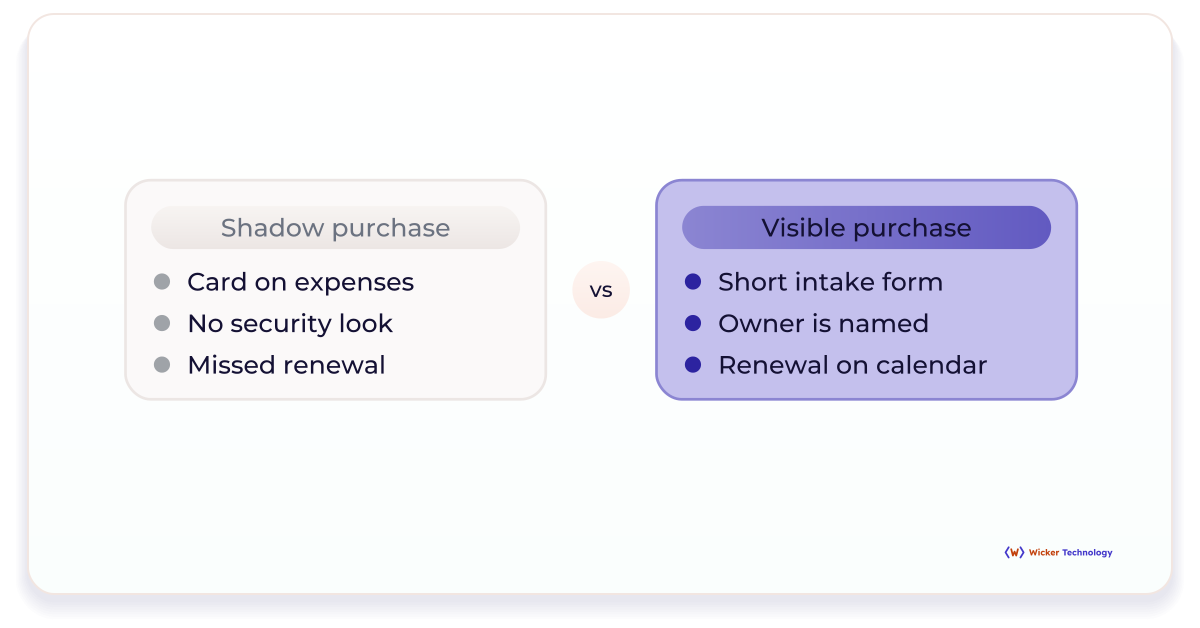
First steps for tool sprawl
- Pull expense and sign-in data to find the tools in use.
- Group them by function and flag overlaps.
- Set a quick approval path for new tools, under a week.
- Name an owner for every tool you keep.
- Retire duplicates at their next renewal.
What helps
A software management or spend tool can surface subscriptions automatically, and your finance team's card statements work as a free first pass.
Technical Debt in Aging Systems
Old systems keep running, and that is the problem. Each workaround adds a little cost to every change, until a simple request takes weeks. Leaders see the stable surface and underestimate what sits underneath: unsupported versions, one person who understands the code and integrations held together by scripts.
The way out starts with making the debt visible. Rate each system for support status, skills available, change effort and business importance. Then fund the worst offenders on a schedule, instead of waiting for a crisis. A fixed share of capacity for debt, say 15 to 20 percent, works better than a big cleanup project that gets cut in the next budget round.
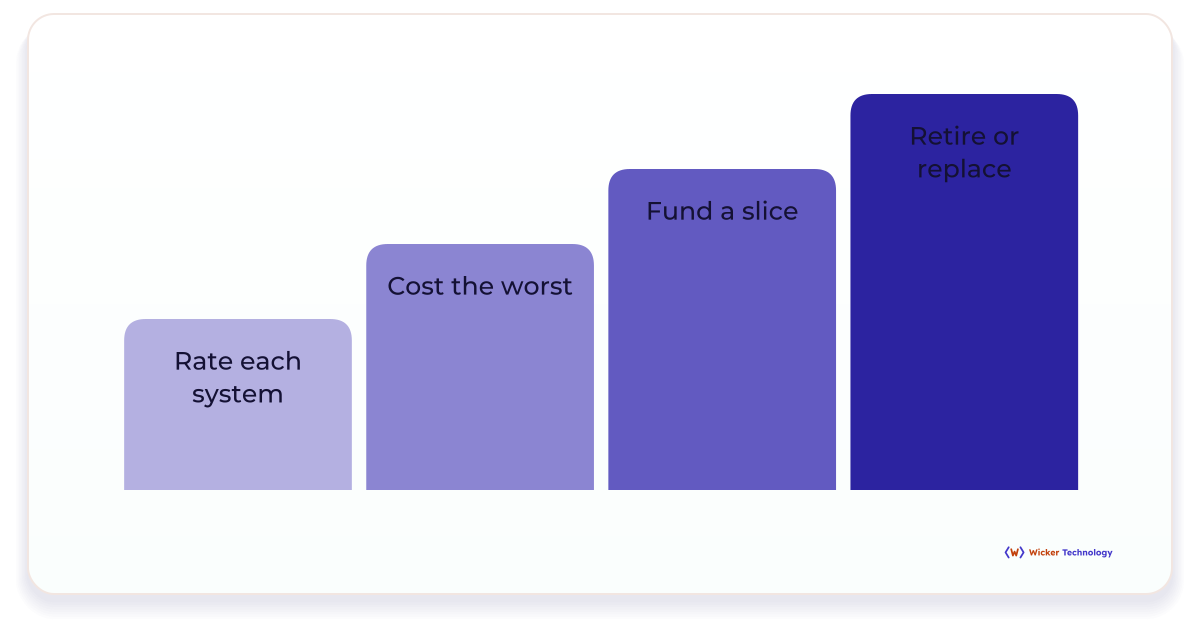
Steps to reduce the debt
- List systems with end-of-support dates and key-person risk.
- Rate change effort, from one day to several weeks.
- Rank by business importance and risk.
- Set aside a fixed share of capacity every quarter.
- Report progress next to feature work.
What helps
A simple register in a spreadsheet is enough. For larger estates, an application portfolio tool tracks the ratings over time.
Budgets That Cannot Explain Themselves
IT budgets often arrive as one number, with last year's figure plus a percentage. When costs rise, nobody can say whether the rise comes from growth, price increases or waste. Leadership then cuts across the board, and the cuts land on projects that mattered while the idle licenses survive.
A budget that explains itself separates run costs from change costs and splits each by service, such as email, finance system or customer platform. It shows the unit costs per user or transaction. With that, a request for more money can point to a driver, and a request to cut can point to what would stop.
Steps toward a budget that explains itself
- Split spending into run and change.
- Attribute costs to services the business recognizes.
- Calculate unit costs, such as cost per user.
- Track the top 10 vendors and their renewal dates.
- Review the figures with finance each quarter.
What helps
A shared cost sheet with finance is the start. Dedicated technology business management tools make sense once you have dozens of services.
Unclear Ownership and Decision Rights
Ask who owns the customer data platform and you get three answers: IT, marketing and the vendor. When ownership is vague, updates wait, access is never reviewed and incidents start with a search for the right person. Projects stall in the same way, because nobody is allowed to decide.
Give every system one owner from the business side and one technical steward. Write down what each may decide alone, what needs a second opinion and what goes to a leadership group. One page is enough. The moment a decision has a home, the delays shrink.
Steps to clear up ownership
- List systems with no named owner.
- Assign a business owner and a technical steward to each.
- Define decisions by size and risk level.
- Publish the list where everyone can find it.
- Review it when people change roles.
What helps
A one-page responsibility chart in your intranet or wiki. Keep it short, or nobody reads it.
Too Many Requests, Not Enough Capacity
IT teams get more requests than they can handle, and the usual response is to take them all and deliver late. The loudest requester wins, trust in IT falls and planned work keeps slipping behind the urgent.
A visible ranking changes that. Score requests on value, risk and effort, show the list to the people who asked and publish what is in progress. Cap work in progress, so that the team finishes things. Saying no to a request with a reason is a form of service, and most requesters accept it when they can see the list.
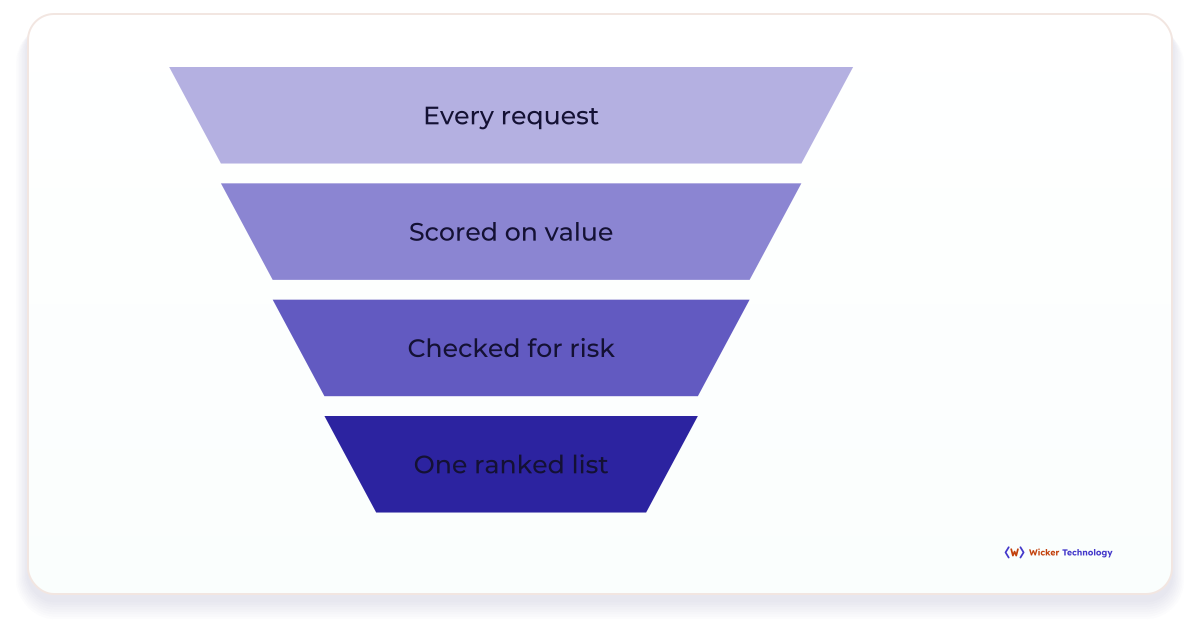
Steps to rank the queue
- Collect every request in one place.
- Score each on value, risk and effort.
- Publish the ranked list and the cut line.
- Limit work in progress to what the team can finish.
- Review the ranking monthly with business leads.
What helps
A shared board in your project or ticket tool is enough. What matters is that one list exists and that everyone can see it.
Security and Compliance Keeping Pace
Security work grows with every new system, and it tends to be the first thing squeezed when projects run late. Patching falls behind, access reviews are skipped and vendor risk checks happen once, at purchase. Then an audit or an incident arrives.
Build the routine into management instead of treating it as a project. Assign patch owners, schedule access reviews each quarter and check key vendors yearly. Keep the evidence in one place. For legal or regulatory questions, involve your compliance lead or counsel, because the rules differ by industry and region.
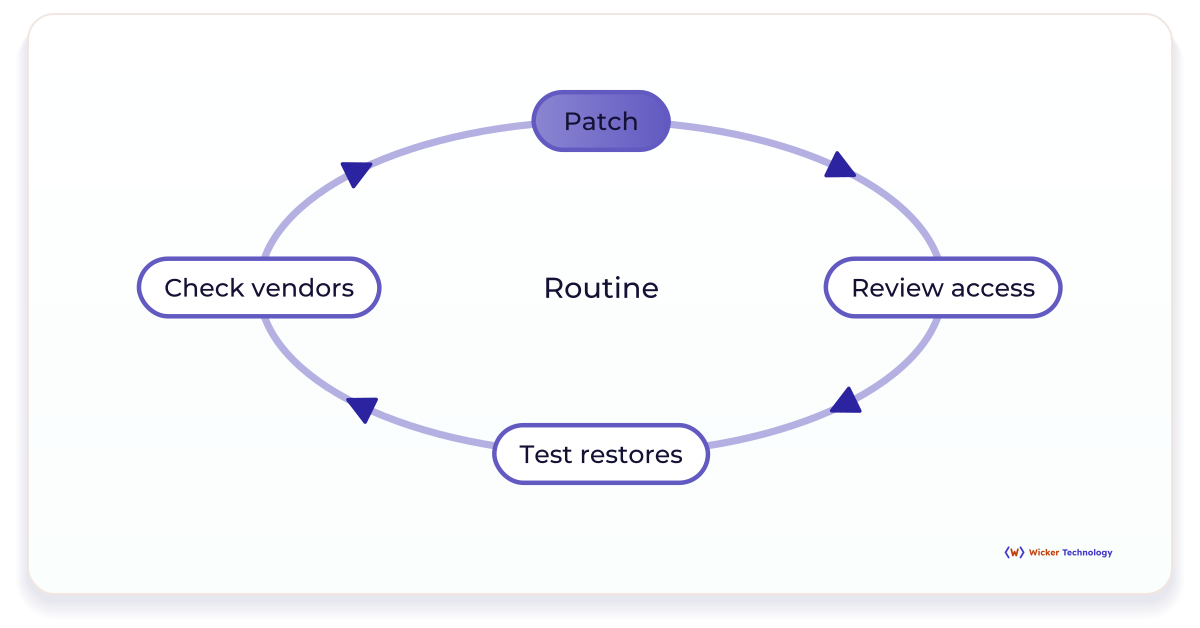
Steps to build the routine
- Assign a patch and update owner per system.
- Schedule access reviews, quarterly for critical systems.
- Rank vendors by data access and review the top ones yearly.
- Keep evidence in a shared folder with dates.
- Report open findings to leadership.
What helps
Your identity system can automate access reviews. A basic vendor register with review dates covers the rest for smaller companies.
Showing the Value of Technology
Leaders see IT as a cost, and IT struggles to show what it delivers. Reports full of uptime percentages and ticket counts say little about the business. The result is a budget fight each year, with technical people on one side and finance on the other.
Report in the language of outcomes: orders processed, days to close the books, time to onboard a new employee, incidents that stopped sales. Pick five to seven measures, agree them with leadership and show the trend every quarter. The aim is a short conversation about priorities, not a defense of the budget.
Steps to show the value
- Ask leaders what they care about, in their words.
- Choose five to seven business-facing measures.
- Record a baseline before changes.
- Report the trend and the reason for changes.
- Link each major project to a measure.
What helps
A one-page quarterly report with trend charts is enough. Tie it to the same dashboard finance already reads.
How the Challenges Connect
Fixing one challenge tends to help others. An inventory from challenge 1 feeds the debt ratings in challenge 2 and the unit costs in challenge 3. Ownership from challenge 4 makes the security routine in challenge 6 work, because every patch and access review has a name behind it. A ranked request list from challenge 5 gives you the material for the value report in challenge 7.
That is why a framework helps more than a set of fixes. My overview of the technology management framework shows how the pieces fit, and the technology management examples show what teams did in practice. For tooling that supports the routines, see the ranking of technology management software.
Where Should You Begin?
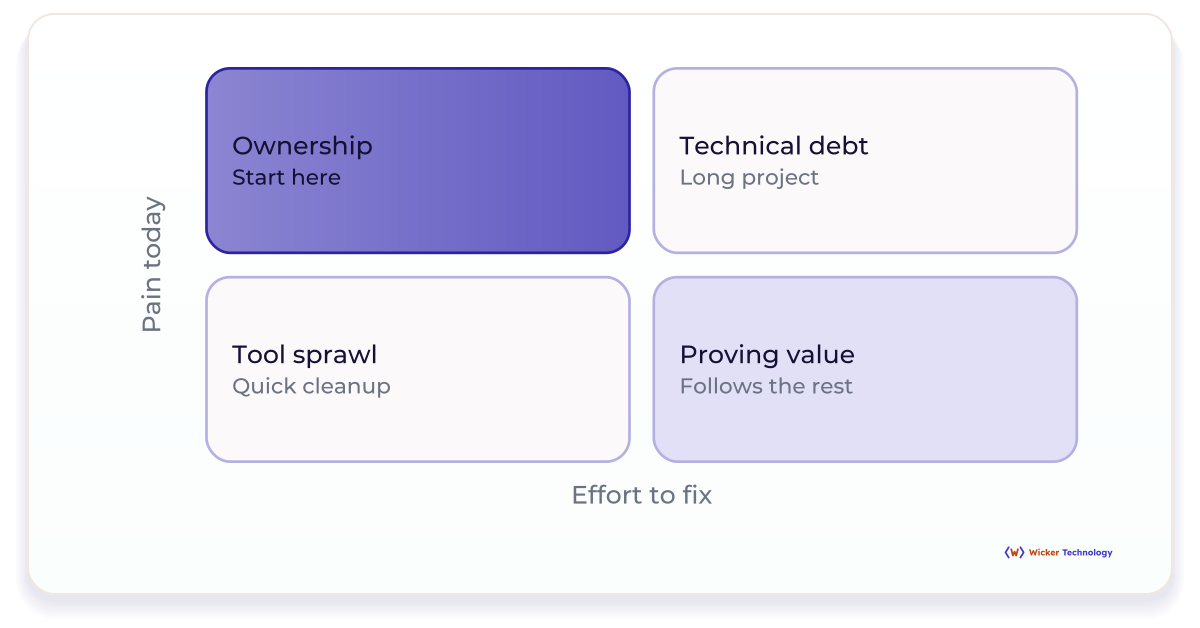
Rank the seven challenges by what they cost you in money, risk and time. If you cannot name your total software spend, start with 1 and 3. If incidents keep surprising you, start with 4 and 6. If leadership questions every request, start with 5 and 7. Aim to show a visible gain in 60 to 90 days. A quick win builds the trust you need for slower work on technical debt.
Pick one owner for the whole effort and give that person time each week. Without it, even the best plan turns into a document.
Questions About Technology Management Challenges
What Is the Biggest Technology Management Challenge?
It differs by company, but unclear ownership and tool sprawl cause the most trouble in the reviews I see. Both are cheap to fix and both make the other challenges worse if left alone.
How Do I Know How Many Tools My Company Really Uses?
Combine three sources: expense and card statements, single sign-on or identity logs and contract files. The overlap will not be perfect, yet it usually finds many tools that IT did not list.
How Much Capacity Should I Set Aside for Technical Debt?
A fixed share of 15 to 20 percent is a reasonable starting range for most teams. Adjust it based on the ratings from your register, and protect it in the plan so it does not vanish when projects run late.
Do Small Companies Face the Same Challenges?
Yes, in a lighter form. A 30-person company has tool sprawl and unclear ownership too. A spreadsheet, a one-page responsibility chart and a monthly review cover most of what is needed.
Should I Hire a Technology Manager or Use a Consultant?
Hiring makes sense when the work is continuous and large enough for a full-time role. A consultant fits when you need an assessment, a model and the first review cycles, so your own team can run it afterwards.
How Do I Report Technology Value to Leadership?
Choose five to seven measures that leadership already cares about, such as order cycle time or time to onboard an employee, and show the trend each quarter. Link each large project to one of them.
How Often Should I Review My Technology Management Routines?
Review the inventory and ownership list each quarter, the budget monthly with finance and security routines on the calendar you set. Run a full check once a year or after a big change such as an acquisition.
Important: nothing in this article is legal, financial or tax advice. All figures are estimates from typical projects, so verify them with your own providers and advisers.
Was this useful?
We appreciate the feedback.
Paige Mulvaney
Paige leads the Wicker editorial team and works with the consultants who run the roadmaps, software selections, implementations and integrations to turn real client projects into practical guides. Her focus is plain-language advice on IT strategy, choosing business software and connecting systems so they work together. Every article she edits is checked against current vendor pricing and documentation before it is published.