In Short
- The best technology management examples give every system an owner and every decision a date.
- Most of them cost little: a register, a calendar and a monthly meeting do more than new software.
- Start with ownership and renewal dates, then add spend reporting and roadmaps once those hold.
- Pick two or three examples that match your biggest pain, and run them for a quarter before you add more.
Every organization manages technology, but few do it on purpose. Systems pile up, contracts renew and budgets drift until something breaks. The fix is rarely a big program. It is usually a handful of habits, and good technology management consulting starts by choosing which ones fit.
Below are nine technology management examples I see work again and again. Each has the steps and the tools behind it, so you can judge how much effort it takes. They are ordered from the cheapest to start toward the ones that need more coordination.
What Counts as Technology Management
Technology management is the routine work of deciding what you run, who owns it, what it costs and when to change it. It sits between day-to-day IT support and long-term strategy. The table shows where the examples below fit.
| Area | What it answers | Examples in this article |
|---|---|---|
| Ownership | Who answers for each system? | 1, 2 |
| Portfolio | What do we run, and what can go? | 3, 8 |
| Vendors and cost | What do we pay and when can we change? | 4, 7 |
| Planning | Where is technology going? | 5, 9 |
| Intake | How do requests arrive and get ranked? | 6, 2 |
Most of these habits need no new software. The ones that do can usually be set up with the tools you already pay for. If you are hitting recurring friction, my overview of technology management challenges describes the patterns I see behind it.
9 Technology Management Examples Worth Borrowing
For each example, you see what changes in your week, the steps and the tools. Treat them as patterns and adjust them to your size. Anything that fails after a quarter is a sign that the owner lacks time, not that the idea is wrong.
A Named Owner for Every System
The most useful thing you can do is write a name next to every system. I have seen mid-sized companies find that a third of their applications had no clear owner, and that those were the ones with expired licences and unpatched servers. An owner is one person who answers for cost, access, vendor contact and retirement.
A register with six columns is enough: system, business owner, technical owner, vendor, renewal date and criticality. Review it every quarter and ask each owner one question: would you buy this again today?
How to put the register together
- List every system, including the ones bought by departments.
- Assign a business owner and a technical owner to each.
- Add vendor, contract end date and criticality.
- Ask owners to confirm their entries once a quarter.
- Escalate systems that still have no owner after two reviews.
What you need to run it
A shared spreadsheet is enough to begin. Move it into a service management or architecture tool once several teams edit it.
A Light Technology Review Board
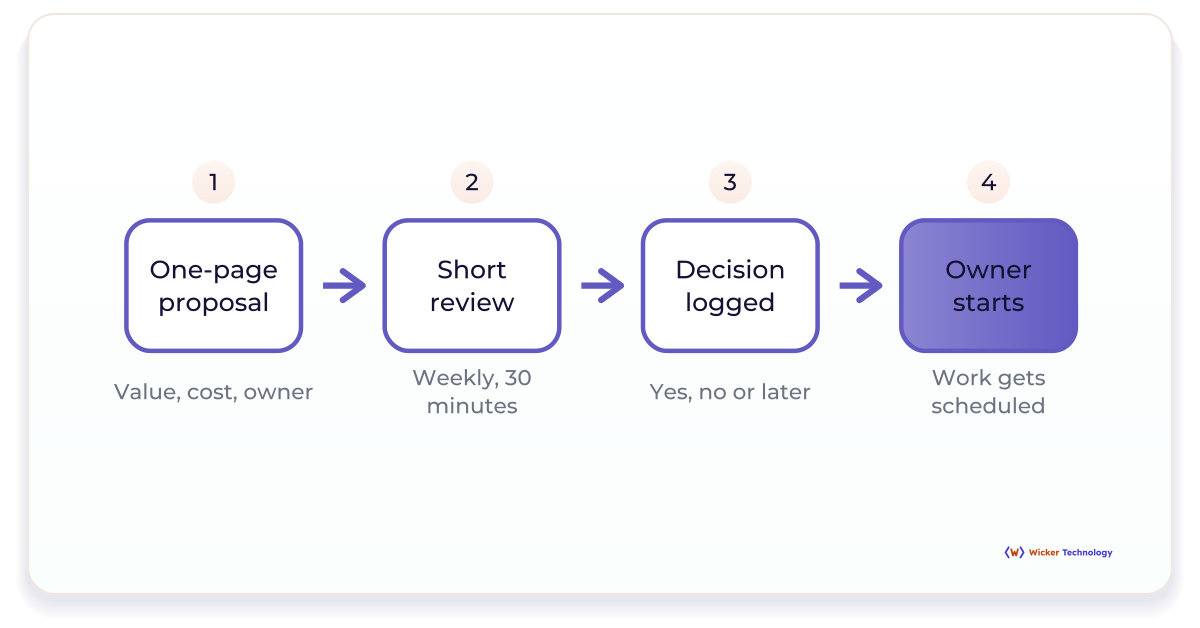
A review board sounds heavy, but a small one works. Four people meet for 45 minutes every two weeks: IT, finance, security and a business representative. They look at new requests, big changes and anything that touches customer data.
The rule I like most is a one-page proposal. If the requester cannot say what problem it solves, what it costs over three years and who owns it, the request goes back. Most bad purchases never come back.
How the board runs
- Choose four standing members and a chair.
- Publish a one-page proposal template.
- Set a fixed meeting slot and a decision within two weeks.
- Record every decision and its reason in one log.
- Review the log each quarter for patterns.
Tools that support it
A shared form and a decision log in your wiki are enough. Service desk tools add approvals once volume grows.
Quarterly Application Clean-Up
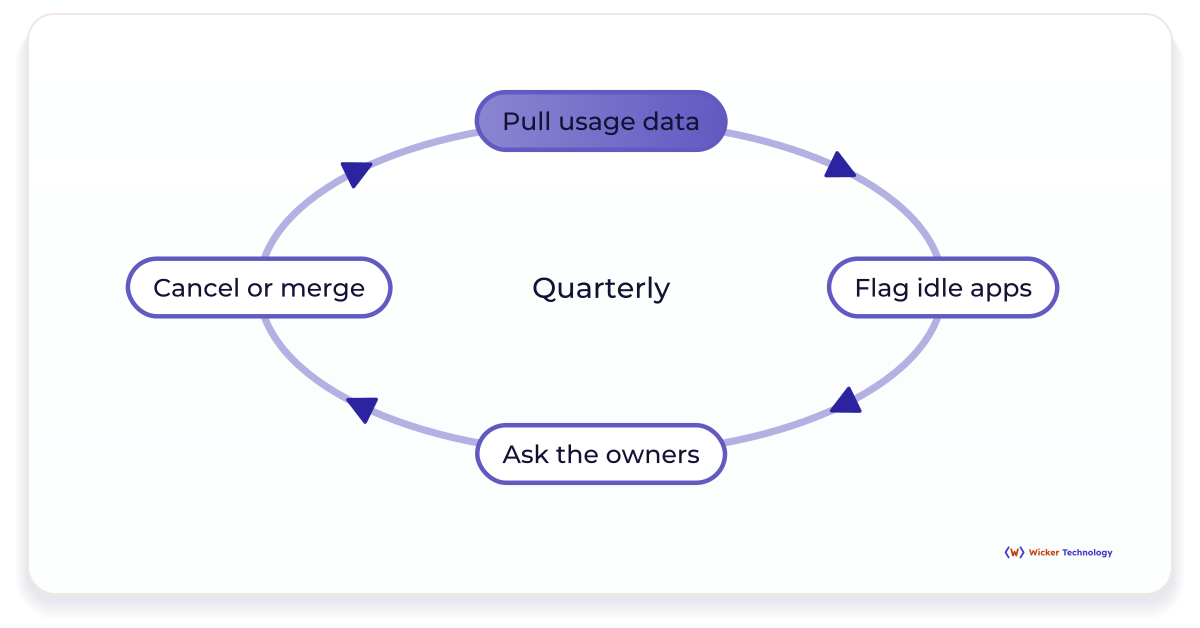
Application sprawl builds slowly. A company that has been through two acquisitions can easily run three tools for the same job. A quarterly clean-up picks one category, such as project management or e-signature, lists every tool in it and decides which to keep.
The first round saves the most money, and it also surfaces the data problems you would have hit during a migration. I advise against a mass cull. One category per quarter gives each change a proper rollout.
How a clean-up round works
- Choose one category and list every tool in it.
- Pull usage and cost for each from the vendor or the invoices.
- Interview the main users about what they need.
- Pick a keeper and set a retirement date for the rest.
- Move data and tell users in advance.
Where the data comes from
Invoices, single sign-on logs and licence consoles show who really uses what. SaaS and asset tools can pull that automatically once you have many applications.
Vendor Scorecards and a Renewal Calendar
Contracts renew when nobody is looking. A renewal calendar lists every contract with its end date, notice period and owner, and sends a reminder 120 days out. That gives you time to renegotiate or leave.
A scorecard adds a yearly view of each important vendor: delivery, support quality, security posture, price changes and fit with your plans. Five minutes per vendor is enough, and the result is a better position at every renewal.
How the calendar works
- Collect every contract and log end dates and notice periods.
- Set reminders 120 days before each notice deadline.
- Score key vendors once a year on four to six criteria.
- Share the scorecard with the vendor in the renewal call.
- Record the outcome: renew, renegotiate or replace.
What to use
A calendar with shared reminders works for most companies. Contract and spend platforms help when you have hundreds of agreements.
A Roadmap Tied to the Budget Cycle
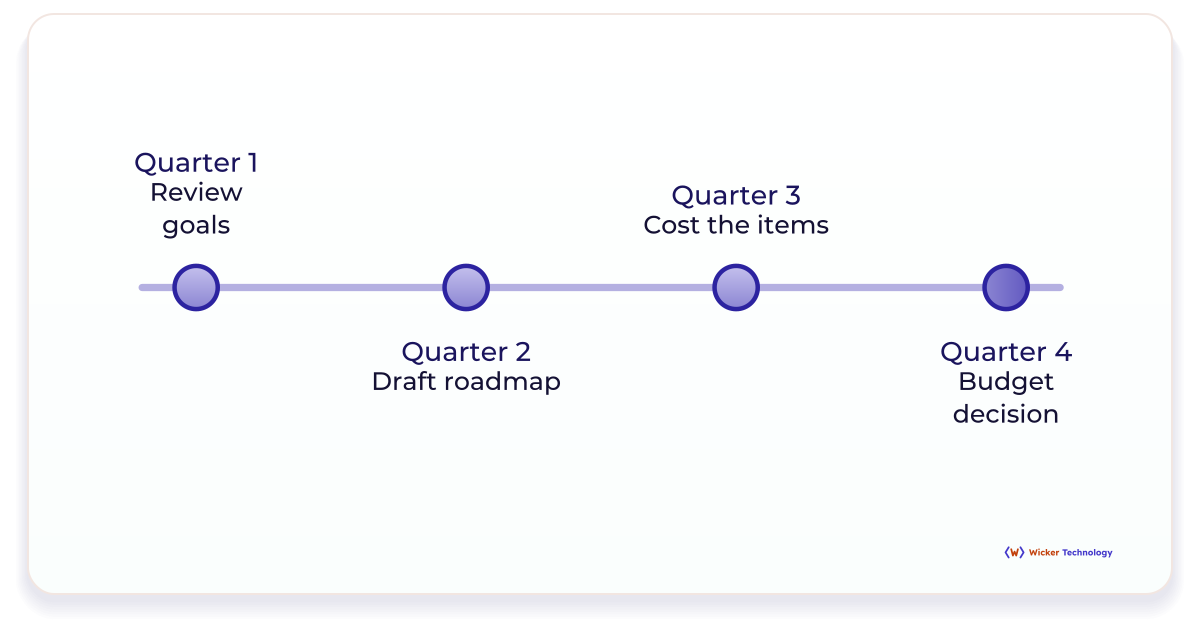
A technology roadmap that is not linked to the budget is a wish list. The example I recommend is a 12 to 24 month roadmap that is reviewed twice a year, one review timed just before budgets are set.
Each item has a business goal, an owner, a rough cost and a decision date. Items without a goal stay off the list, which keeps the roadmap short enough to be read by leadership. The technology management framework shows how the roadmap fits with the other parts of the model.
How the roadmap is built
- List business goals for the next two years.
- Map the technology changes each goal needs.
- Add rough cost, owner and a decision date to each item.
- Rank items and cut the list to what you can fund.
- Review the roadmap twice a year and before the budget.
Where to keep it
A one-page table in a shared document is easy to read and update. Dedicated planning tools help once many teams contribute.
One Front Door for Technology Requests
When requests arrive by email, chat and hallway conversation, nothing gets measured and nothing gets prioritized. One front door means a single form or portal where every request lands, with a category, an owner and a target response time.
The data pays off later. After a quarter you can see which requests repeat, which systems cause the most work and where self-service would help. The portal does not need to be fancy: a form that creates a ticket is enough.
How a request moves through
- Choose one channel and announce it clearly.
- Define five to eight request categories.
- Set a response target for each category.
- Route requests to named owners.
- Review the volume and the top repeat requests each month.
Tools for the front door
A service desk product handles forms, routing and reporting. Small teams can start with a shared mailbox and a ticket log.
Technology Spend Shown to Departments
Showback means telling each department what its technology costs, without charging it. The effect is immediate: people ask whether they need the fifth licence, and finance gains a way to link cost to use.
Start with the three largest cost lines: cloud, software subscriptions and support. Allocate them by headcount or usage, keep the method simple and publish it monthly.
How the showback report is made
- Pull the three biggest cost lines from invoices.
- Choose a simple allocation, such as headcount or usage.
- Build a one-page monthly report per department.
- Review it with each department head every quarter.
- Refine the allocation rules once the numbers are trusted.
Tools that help
A spreadsheet works at the start. Cost management tools for cloud and SaaS pull usage data automatically as your estate grows.
An End-of-Support Calendar
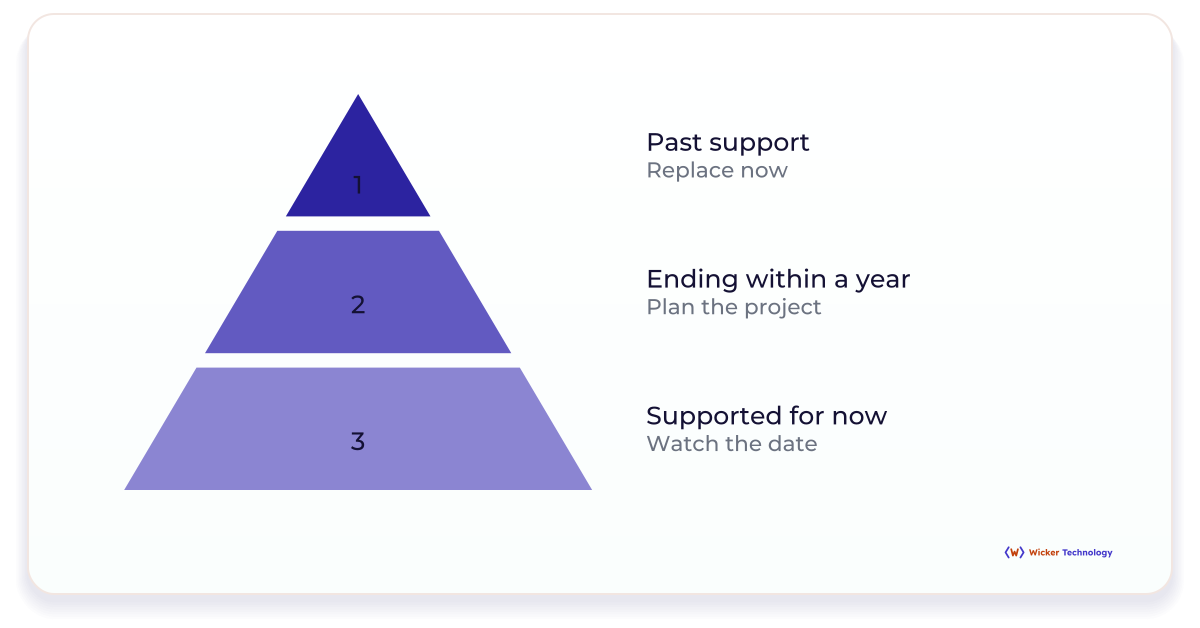
Every system has a support end date, and it arrives on schedule. An end-of-support calendar lists the operating systems, databases and applications you run with their vendor dates, and flags anything within 18 months.
I like this example because it turns an emergency into a project. Replacing a server with 12 months of warning is routine. Doing it after the vendor stops patching it is not.
How to build the calendar
- Export the versions of operating systems, databases and key apps.
- Look up each vendor's published support end date.
- Add the dates to the register and sort by date.
- Flag anything within 18 months and assign an owner.
- Fold flagged items into the roadmap.
Where to find the dates
Vendors publish lifecycle pages for their products. Asset and discovery tools can list versions across your estate automatically.
A Monthly Technology Health Review
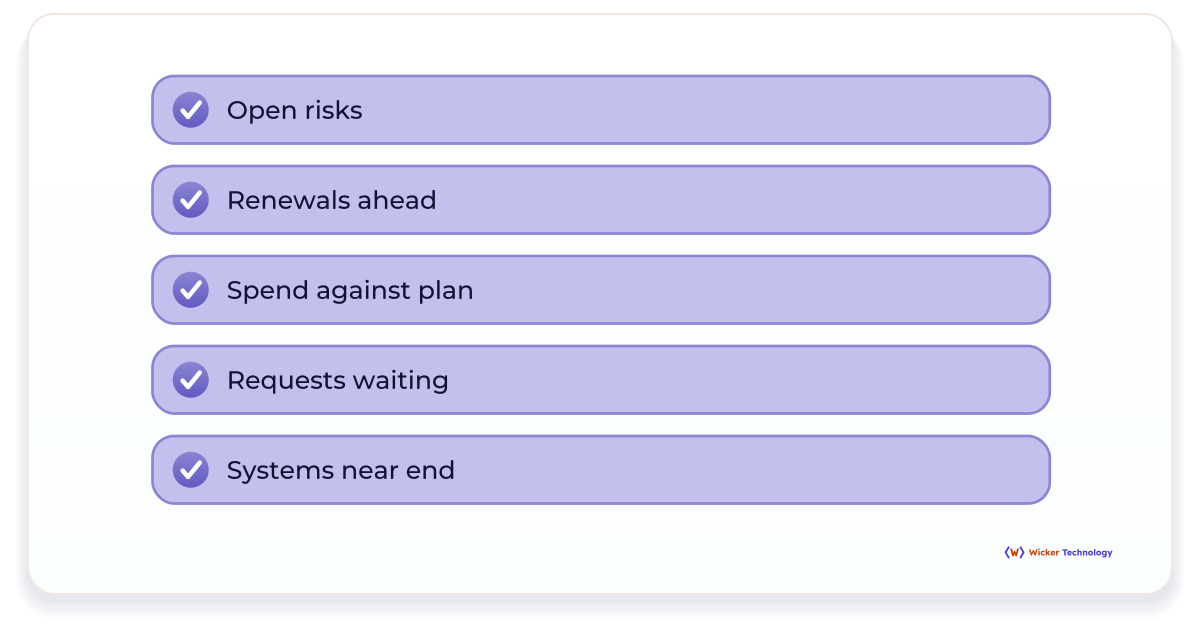
The last example ties the others together. Once a month, the technology owner and one business leader spend an hour on a one-page summary: open risks, upcoming renewals, spend against plan, major changes and requests waiting longest.
The page should fit on one side. If it needs more, you are tracking too much. Leaders who see the same page every month learn quickly where to ask questions, and the owners prepare better.
How the monthly page is made
- Choose five to seven measures that matter to the business.
- Build one page that shows them with a short comment.
- Send it two days before the meeting.
- Spend the hour on decisions, not on reading.
- Log decisions and follow up the next month.
Tools for the review
Slides or a shared document are enough. Reporting tools help once the data comes from several systems.
Where to Start With Technology Management
You do not need all nine, and you do not need a new platform to begin. When the register outgrows a spreadsheet, my ranking of technology management software shows which tools fit. In my experience, three habits give most of the benefit in the first quarter: a named owner for every system, a renewal calendar and a monthly health review. They cost a few days of effort and expose the problems the other examples solve.
| Your main pain | Start with | Add next |
|---|---|---|
| Surprise bills and renewals | Renewal calendar | Spend showback |
| Systems nobody looks after | Named owners | End-of-support calendar |
| Too many overlapping tools | Quarterly clean-up | Review board |
| Slow, messy requests | One front door | Review board |
| Leadership cannot see the picture | Monthly health review | Roadmap tied to budget |
How to Choose Your First Technology Management Habits
Pick based on pain and on the time you have. Ask three questions: what surprised you most in the last year, who has an hour a week for this work and what data do you already have? The answers usually point to one or two examples.
- The habit fixes something that has already cost you money or time.
- A named person owns it and has an hour a week to spend.
- The data you need exists in invoices, logins or contracts.
- You can run it for a quarter before you judge it.
If you want to see how the habits fit into a full operating model, my step-by-step model for the whole operating setup covers it, and a short call can tell you which two examples to start with.
Questions About Technology Management Examples
What Does Technology Management Include?
It covers the planning, running and review of the systems, vendors, data and budgets your business depends on. In practice that means ownership, lifecycle tracking, vendor management, spend control and a roadmap that ties technology to business goals.
Which Example Should a Small Company Start With?
I suggest an ownership register and a renewal calendar. Both take a few hours to build, and they prevent the two most common surprises: a system nobody looks after and a contract that renews unnoticed.
How Many People Does This Take?
Most examples here need a part-time owner and a monthly meeting of one hour. A company with under 100 people can run the first five with one person who has the authority to ask questions.
Do I Need Special Software?
Not at first. A shared spreadsheet runs most of these examples. Software helps when the register has hundreds of rows or several teams update it, and my ranking of <a href="/technology-management-software/">technology management software</a> compares the leading options.
How Is Technology Management Different from IT Management?
IT management usually means running the infrastructure and support. Technology management is wider: it includes business-owned software, vendor choices, budgets and how technology supports strategy.
How Often Should We Review Our Systems?
Review ownership and renewals every quarter, spend every month and the roadmap once or twice a year. A fixed rhythm matters more than the exact dates.
What If Different Departments Buy Their Own Software?
Common, and fixable. Add a lightweight intake step so new purchases are logged, checked for overlap and given an owner. Do not ban purchases, or they will move out of sight.
Important: nothing in this article is legal, financial or tax advice. All figures are estimates from typical projects, so verify them with your own providers and advisers.
Was this useful?
We appreciate the feedback.
Paige Mulvaney
Paige leads the Wicker editorial team and works with the consultants who run the roadmaps, software selections, implementations and integrations to turn real client projects into practical guides. Her focus is plain-language advice on IT strategy, choosing business software and connecting systems so they work together. Every article she edits is checked against current vendor pricing and documentation before it is published.