In Short
- The framework has six phases: inventory, ownership, decision rights, roadmap, funding and review.
- Each phase ends with one artifact you can show: a register, an owner list, a decision log, a roadmap, a budget view and a review page.
- You can run the first three phases in about two months with a part-time owner.
- Keep it small: a framework that needs a team to maintain it will be abandoned within a year.
Most organizations manage technology through habit: a few people know what runs where, and decisions happen in whoever answers the email first. That works until you have 80 applications or a vendor changes a contract. A framework adds structure without adding bureaucracy, and it is the core of any good technology management consulting engagement.
The model below has six phases. Each one ends in an artifact you can show to someone else. Run them in order for the first time, then keep each running on its own rhythm.
Overview of the Six Phases
| Phase | Core question | What you end up with | Typical time |
|---|---|---|---|
| 1. Map | What do we run? | A system and vendor register | 2 to 3 weeks |
| 2. Assign | Who answers for each system? | An owner list | 1 to 2 weeks |
| 3. Decide | Who approves what? | Decision thresholds and a log | 1 to 2 weeks |
| 4. Roadmap | Where is technology heading? | A one-page 12 to 24 month roadmap | 3 to 4 weeks |
| 5. Fund | What does it cost, and where does it go? | A budget view by system and department | 3 to 4 weeks |
| 6. Review | Is it working? | A monthly one-page review | Ongoing |
The times assume a part-time owner and a company of a few hundred people. Smaller companies move faster, and companies with many sites take longer, mostly because the information is harder to collect. If you are unsure where the biggest gaps are, the patterns in technology management challenges help you decide which phase to start with.
Phase 1: Map What You Run
Start with an inventory. List every system, its vendor, its cost, the business process it supports and where its data lives. Include tools bought by departments, since those are the ones leaders usually miss.
In my client work, the first list is 20 to 40% shorter than the real one. Check it against invoices and single sign-on logs, and the gaps appear quickly. The output is one register that everyone agrees is current enough to use.
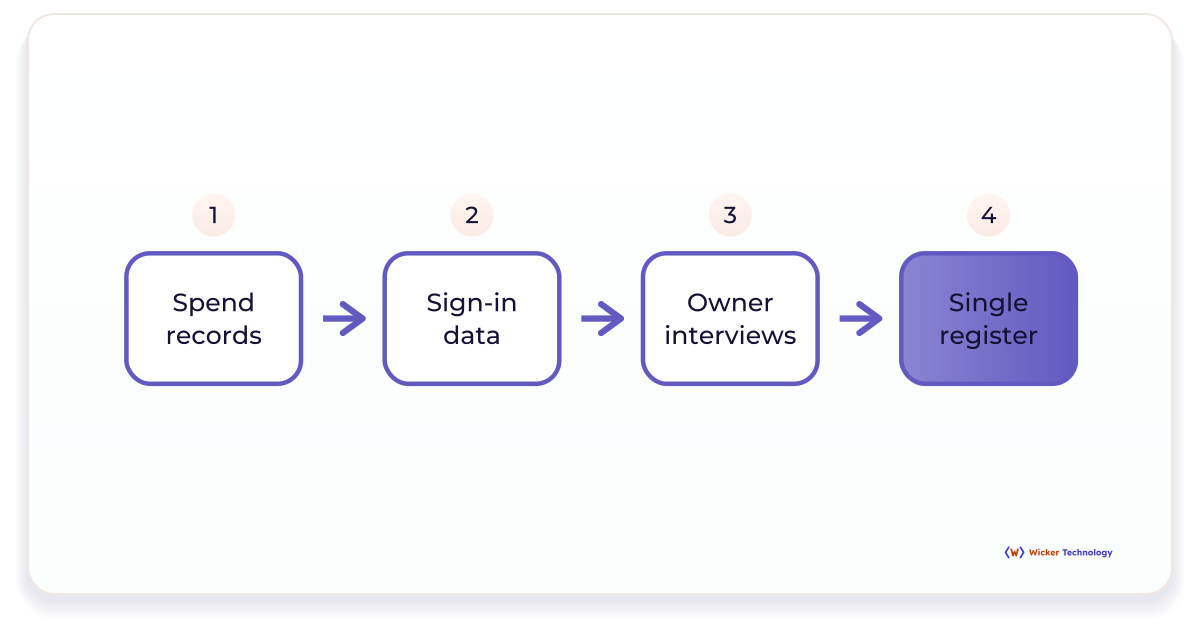
Do not wait for a perfect inventory. A register that is 80% right and has dates beats a complete one delivered in six months.
Phase 2: Assign Owners
Every entry in the register gets a business owner and a technical owner. The business owner answers for value and cost. The technical owner answers for health, security and vendor contact.
The conversation about owners often reveals which systems are no longer used. Retire those first, because it is the cheapest saving you will find. The output is an owner list that leadership has seen and approved.
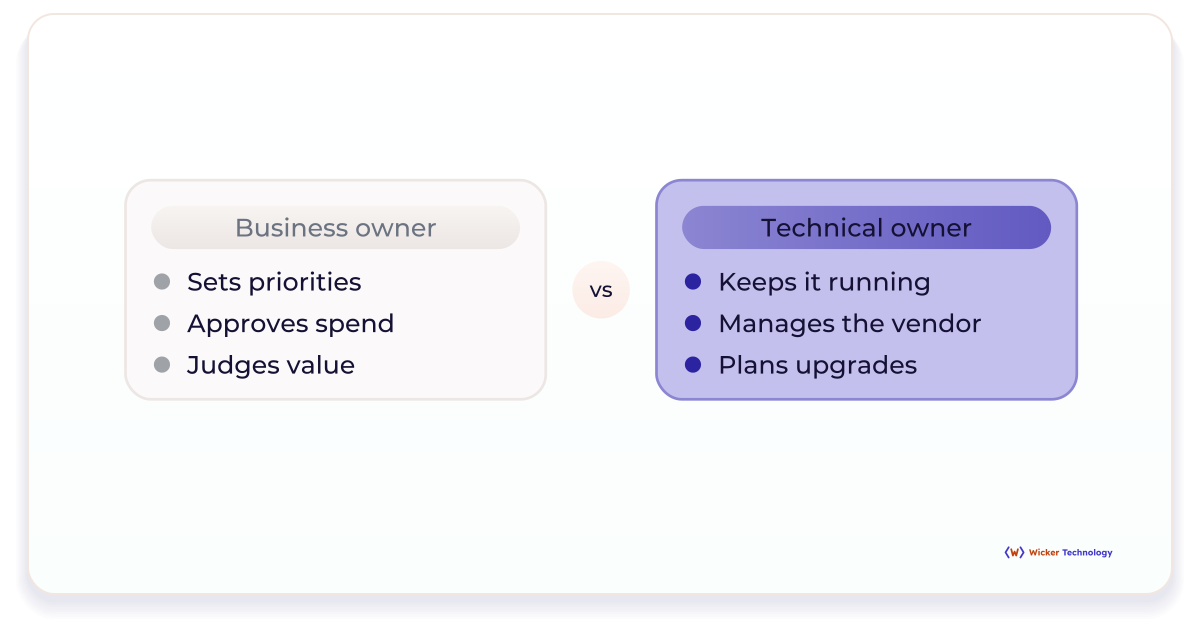
If a system has no volunteer owner after two requests, treat that as a risk and put it on the retirement list.
Phase 3: Set Decision Rights
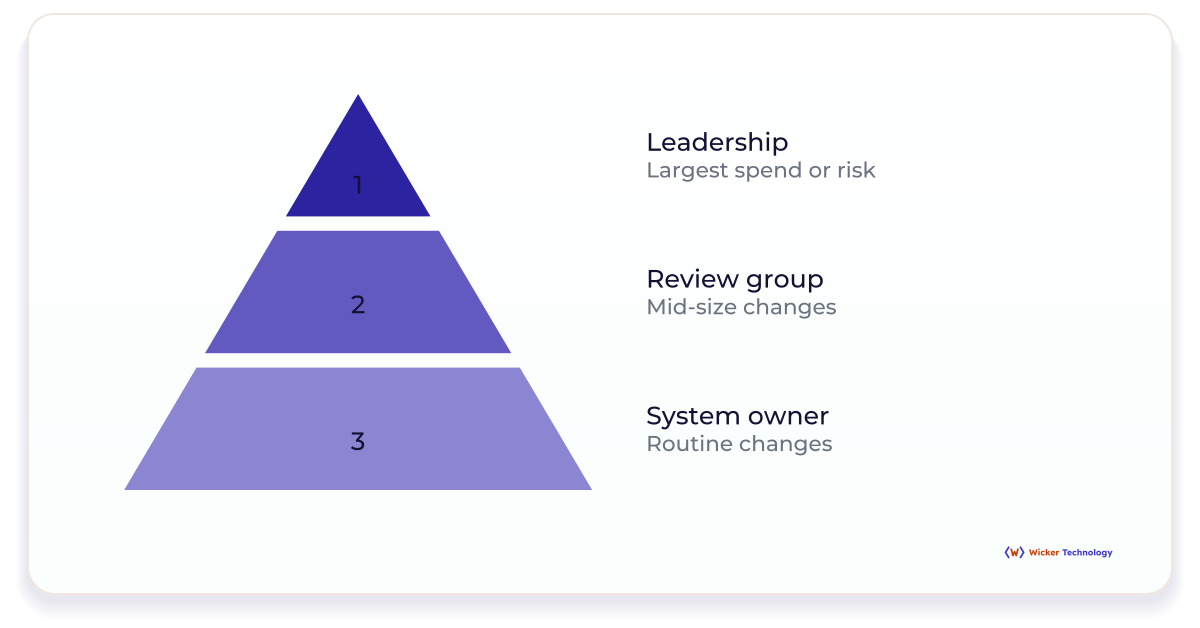
Decide who can approve what. A new tool under a set amount needs the department head. Anything with customer data needs a security review. Anything above a larger amount goes to a small review group. Write the thresholds on one page.
The point is speed as much as control. People buy outside the process when the process is slow, so give each type of decision a deadline. The output is a decision log that records what was approved, by whom and why.
Keep the thresholds few. Three levels are easy to remember, and six levels invite workarounds.
Phase 4: Build the Roadmap
A roadmap lists the changes planned for the next 12 to 24 months, each tied to a business goal. Use the register to find what is ending support, overlapping or blocking growth, and the goals to find what is missing.
Rank items by business value and urgency, then cut the list to what you can fund and staff. The output is a one-page roadmap with an owner and a decision date for every item. The roadmap approach in my technology management examples shows a working version.
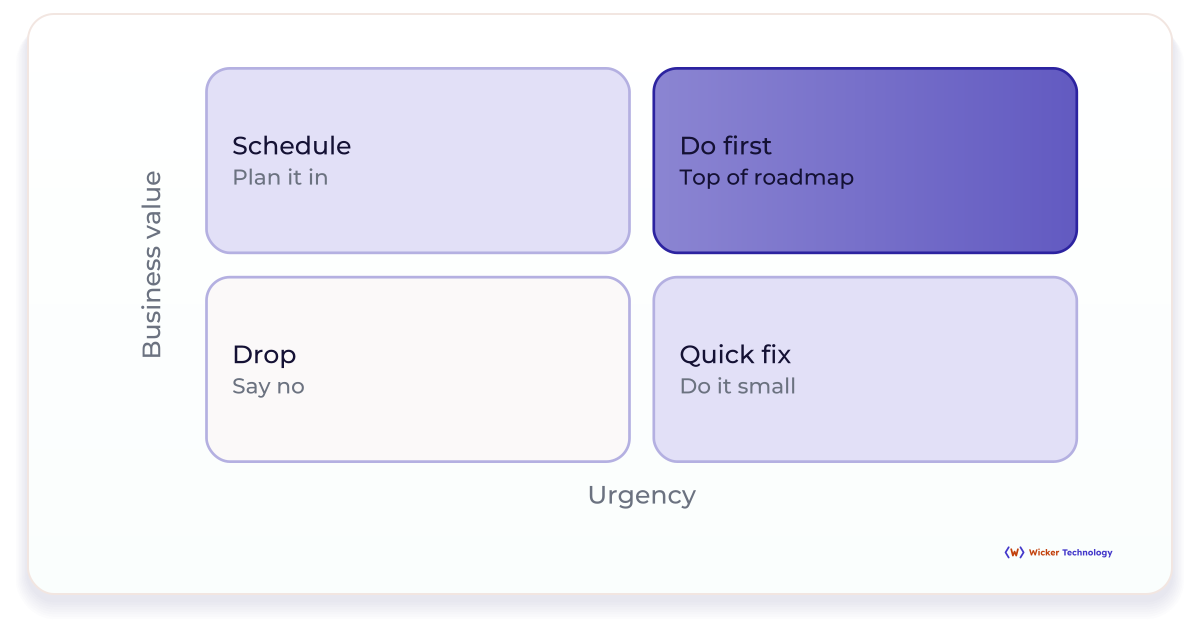
A roadmap with more than 15 items is a wish list. Cut it until leadership can recite it.
Phase 5: Link Technology to Budget
Connect the roadmap and the register to the budget. Show cost by system, by vendor and by department. Separate the cost of running what exists from the cost of change, so leadership sees how much room is left for new work.
Most organizations spend 60 to 80% of their technology budget on keeping things running, but few can show it. That figure is an internal rule of thumb from my projects, not a standard, so measure your own. The output is a budget view that finance and IT both accept.
If the data comes from many systems, a tool can pull it together, and my ranking of technology management software compares the leading options. Do not let the budget view grow into a cost accounting project. Three cost lines are enough to start.
Phase 6: Review on a Rhythm
Set a monthly review of one page: renewals, risks, spend against plan, progress on the roadmap and the oldest open requests. Add a yearly review of the whole framework, where you check whether owners, thresholds and measures still fit.
The rhythm keeps the framework alive. Without it, the register ages within a quarter and trust goes with it. The output is a standing meeting with a one-page report, and a short note after each meeting recording what changed.
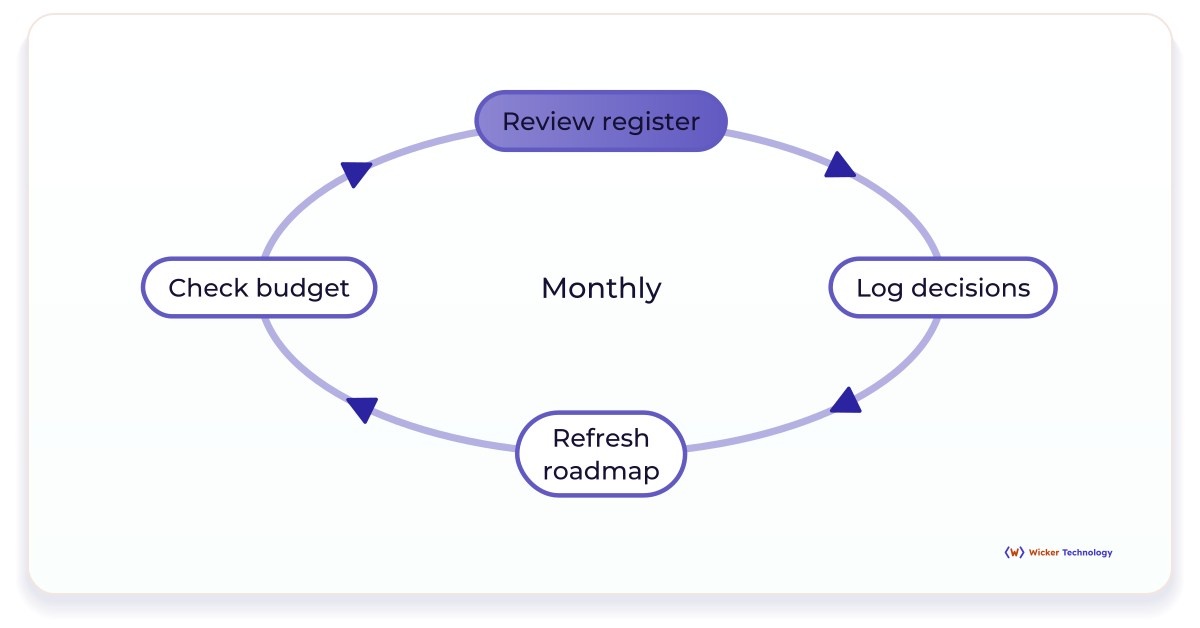
Treat a missed review as a signal. If the meeting is skipped twice, the framework needs a simpler form or a new owner.
Rolling the Framework Out Without Losing Momentum
The usual failure is not a bad design. It is a good design that gets one meeting and then fades. I suggest a rollout in three waves, with a visible result at the end of each.
| Wave | Months | Phases | Result you can show |
|---|---|---|---|
| 1. Foundation | 1 to 2 | Map, Assign, Decide | Register, owner list and decision log |
| 2. Direction | 3 to 4 | Roadmap, Fund | Roadmap and budget view |
| 3. Rhythm | 5 onward | Review | Monthly review and a yearly refresh |
What to Measure Once the Framework Runs
Pick a few numbers and keep them stable, so you can see change over quarters. I suggest five. The share of systems with a named owner should reach 100% within the first two phases. The number of contracts that renewed without a decision should fall to zero. The average time from request to decision shows whether your thresholds work. The share of budget spent on running versus changing systems shows how much room you have. And the number of systems past or within 12 months of end of support shows your lifecycle risk.
Report each as a trend, not a snapshot. A rising share of unowned systems after a merger is information. A flat line on request time after you changed the thresholds tells you the change did not help. Keep the report on one page, and add a sentence of commentary for anything that moved by more than a few points.
Avoid vanity measures such as the number of systems documented or meetings held. They go up whether or not anything improves. The best sign that the framework works is behavioral: department heads start asking whether something is already in the register before they buy it, and finance starts asking IT for the numbers before the budget season begins.
How It Played Out at a Freight Company With 120 Staff
A freight forwarder I worked with had a dispatch system, a customer portal, two accounting tools from a past merger and about 60 other applications. Nobody could say how many. The head of operations agreed to give me an hour a week for the first phase.
The register took three weeks and ended up with 74 entries. Eleven had no owner, six were duplicates and two contracts were due to renew within 90 days. Cancelling one of those renewals paid for the first quarter of the work. The decision thresholds took one meeting, because the owner already had opinions about what he wanted to approve himself.
The roadmap was harder. The sales team wanted a new CRM, operations wanted a better dispatch system and finance wanted fewer tools. We ranked each item by value and urgency, and only four of the 14 requests made the list. That conversation was uncomfortable, and it was the first time anyone saw the whole picture at once. Delays are normal here: the budget view slipped by a month because two vendors took weeks to send invoices.
Where Frameworks Break
Four failure modes cover most of what I see. The first is an owner with no time, which turns the monthly review into a quarterly one and then into none. The second is a register that nobody updates after the launch, so the numbers go stale. The third is thresholds that are too strict, which push purchases out of sight. The fourth is a roadmap that never says no, which makes it a list of hopes.
Each has a cheap fix. Give the owner a protected hour, and cancel a recurring meeting to make room. Attach register updates to events that already happen, such as a new hire, a new invoice or a renewal. Loosen thresholds that cause workarounds. And force the roadmap to stay under 15 items, so something has to leave before something else enters.
How to Choose the Right Scope for Your Framework
Match the depth of the framework to your size and your pain. A smaller company can fit the whole model in a few documents. A larger one needs each phase run by a named person.
| Your situation | Scope I suggest |
|---|---|
| Under 50 people, a few core systems | One-page register, one owner, a 30-minute monthly review |
| 50 to 500 people, many departmental tools | Full six phases, a small review group, quarterly clean-ups |
| Several sites or recent acquisitions | Full six phases plus a regional owner per site and shared standards |
- One person has the authority and an hour a week.
- Leadership has agreed to read the monthly page.
- The register has a start date, even if it is incomplete.
- The first review date is already in the calendar.
Once the first three phases are in place, the examples in the other article show what the habits look like day to day.
Questions About Setting Up a Technology Management Framework
What Is a Technology Management Framework?
It is a simple model that defines who owns each system, how decisions about technology are made, how spend is planned and how results are reviewed. It gives the organization one set of rules instead of many informal habits.
How Is It Different from ITIL or COBIT?
ITIL and COBIT are large, detailed frameworks for IT service processes and governance. The model here is deliberately smaller and aimed at organizations that need structure without a certification program. You can borrow from the larger ones later.
How Long Does It Take to Set Up?
A part-time owner can complete the first three phases in about eight weeks and the rest within a half year. The time depends mostly on how fast you can collect accurate information about your systems.
Who Should Own the Framework?
One person with authority over technology decisions, usually the head of IT, a COO or a technology director. Committees can advise, but one named owner keeps the work moving.
Do We Need Software to Run It?
No. A register and a decision log in a shared document are enough at first. When several teams update the data, a service management or portfolio tool saves time, and my ranking of <a href="/technology-management-software/">technology management software</a> helps you choose.
How Do We Know It Works?
Look for fewer surprise renewals, fewer systems without owners and faster decisions on new requests. Track those three for two quarters and compare them with the starting point.
Can a Small Business Use It?
Yes, in a lighter form. A company of 30 people can run all six phases with a one-page register, a monthly 30-minute meeting and a single owner.
Important: nothing in this article is legal, financial or tax advice. All figures are estimates from typical projects, so verify them with your own providers and advisers.
Was this useful?
We appreciate the feedback.
Paige Mulvaney
Paige leads the Wicker editorial team and works with the consultants who run the roadmaps, software selections, implementations and integrations to turn real client projects into practical guides. Her focus is plain-language advice on IT strategy, choosing business software and connecting systems so they work together. Every article she edits is checked against current vendor pricing and documentation before it is published.