In Short
- AI features now sit inside tools you already pay for, so test those first.
- Security questions from customers and insurers are becoming a sales issue.
- Suites and fewer tools cut cost and the number of logins to manage.
- Pick three trends for the next twelve months and ignore the rest.
Small business technology is changing in two directions at once: tools get easier to use, and the expectations around them get stricter. Whether you work with a consultant or run it yourself, a plan from a good small business technology consulting partner now needs to cover both.
I picked nine trends that I see showing up in client conversations in 2026. For each one you get the reason behind it and what to do this year. Where I cite a figure, a source link sits at the end of the article.
The Nine Trends at a Glance
| Trend | Why it is happening | What to do this year |
|---|---|---|
| 1. AI inside everyday tools | Vendors add assistants to existing plans | Test the features you already pay for |
| 2. Suites over single apps | Owners want fewer logins | Audit overlaps and consolidate |
| 3. Passkeys and multi-factor | Passwords keep failing | Turn on multi-factor sign-in everywhere |
| 4. Back-office automation | Plans now fit small budgets | Automate one repeated task |
| 5. Payments inside software | Vendors bundle finance features | Compare processing rates |
| 6. Security questions from customers | Supply chain risk and insurers | Write a one page security summary |
| 7. No-code integrations | Connectors cover routine links | Add failure alerts and owners |
| 8. Data privacy | Rules and expectations grow | Map the customer data you hold |
| 9. Cost scrutiny | Pricing models keep changing | Review renewals 30 days ahead |
Nine Trends Shaping Small Business Technology
1. AI Assistants Move Inside Everyday Tools
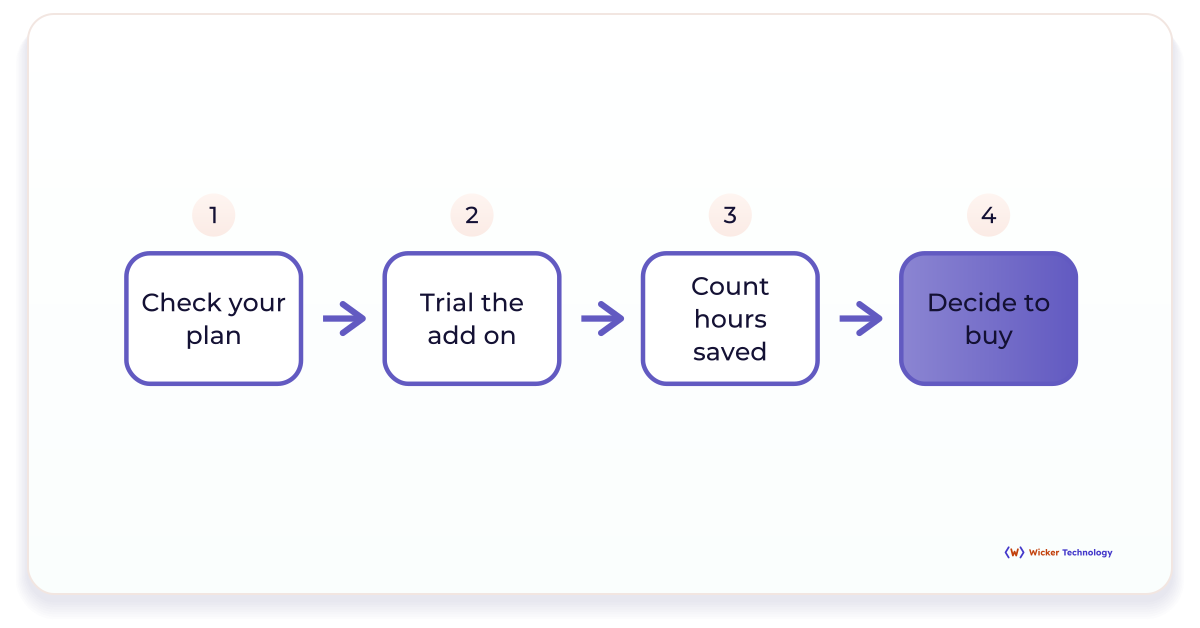
The AI story for small businesses has shifted from separate chatbots to features inside software you already pay for. Email, accounting, CRM and document tools now offer drafting, summaries and suggested replies. In my client work the useful ones save a few minutes dozens of times a week, and the weak ones add a button nobody clicks.
Before you buy an add-on, check what your current plans include and who can see your data. Many vendors price AI as an extra seat or a higher tier, so a feature that looks free can change your bill at renewal.
2. Suites Win Over Single-Purpose Apps
Owners are tired of managing twenty logins. Microsoft, Google, Zoho and HubSpot keep widening their suites, and many small teams now run most of the business inside one or two of them. The trade-off is depth: a suite tool is often good enough, and a specialist is better at one job.
I suggest you keep a specialist only where the gap costs you money, such as industry-specific scheduling or advanced accounting. Everything else can go to the suite you already own. My list of the best small business software shows where each suite is strong.
3. Passkeys and Multi-Factor Sign-In Become Normal
Passwords are the weakest part of most small business setups. CISA recommends multi-factor authentication for email, file storage and remote access, and passkeys, which replace the password with a device-based sign-in, are spreading across major services.
The practical effect for you is fewer reset requests and fewer account takeovers. Expect customers and partners to ask whether your staff use multi-factor sign-in, and expect some vendor contracts to require it.
4. Back-Office Automation Reaches Small Teams
Invoice capture, expense matching, payroll runs and appointment reminders used to need an enterprise budget. Now they come with a monthly plan. The small businesses I see gain most are the ones with a part-time bookkeeper or an owner who does the books on Sunday night.
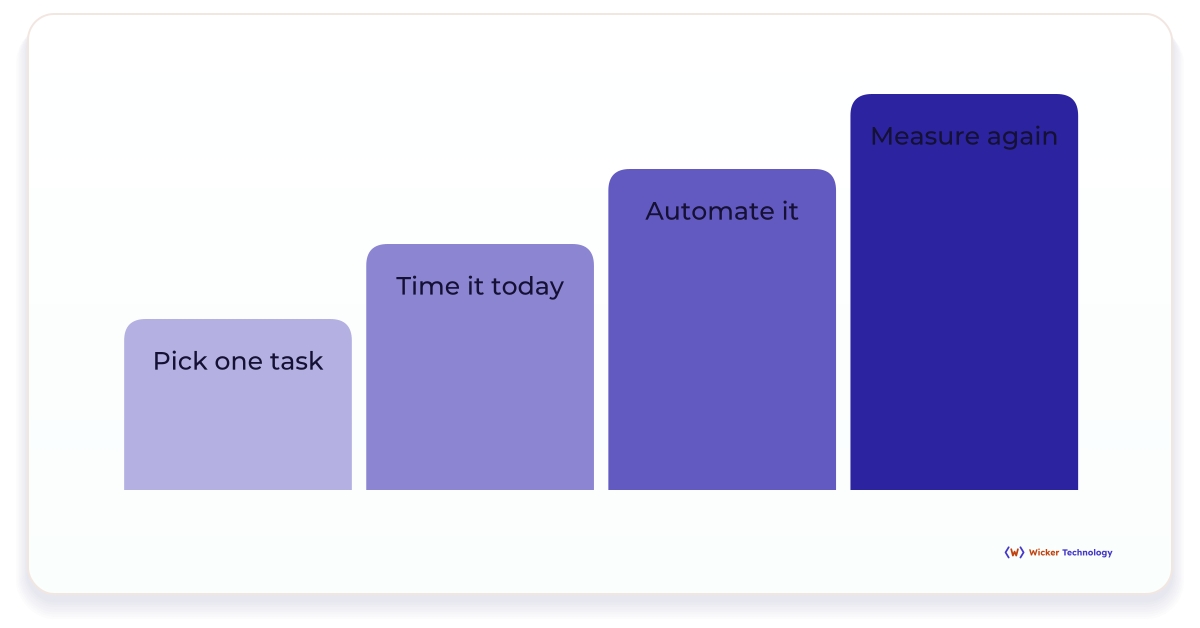
Start with one repeated task, measure the hours it takes today and compare after a month. If you cannot name the hours, you cannot tell whether the automation worked.
5. Payments and Finance Merge Into the Software
Card processing, invoicing, payroll and lending are now bundled inside point-of-sale and accounting tools. That is convenient, and it also ties your payment flow to one vendor. Fees vary by transaction type, so read the processing rates, not just the monthly price.
If you sell in person and online, check that inventory and sales sync between channels. Mismatched stock counts cause more trouble than a slightly higher fee.
6. Customers and Insurers Ask About Your Security
Larger customers send security questionnaires to their small suppliers, and cyber insurers ask about multi-factor sign-in, backups and patching before they quote. Verizon's breach report finds ransomware in 48% of the breaches it studied, and insurers price that into their questions.
A written one-page security summary saves you hours. The NIST Cybersecurity Framework 2.0 has a small business quick-start guide that gives you a vocabulary these questionnaires expect.
7. Integration and No-Code Tools Replace Custom Work
Connecting your CRM, accounting tool and email used to need a developer. No-code connectors now do the job for many routine links, such as a new form entry creating a customer record and an invoice. I use them often, and I also see them break quietly when one vendor changes an API.
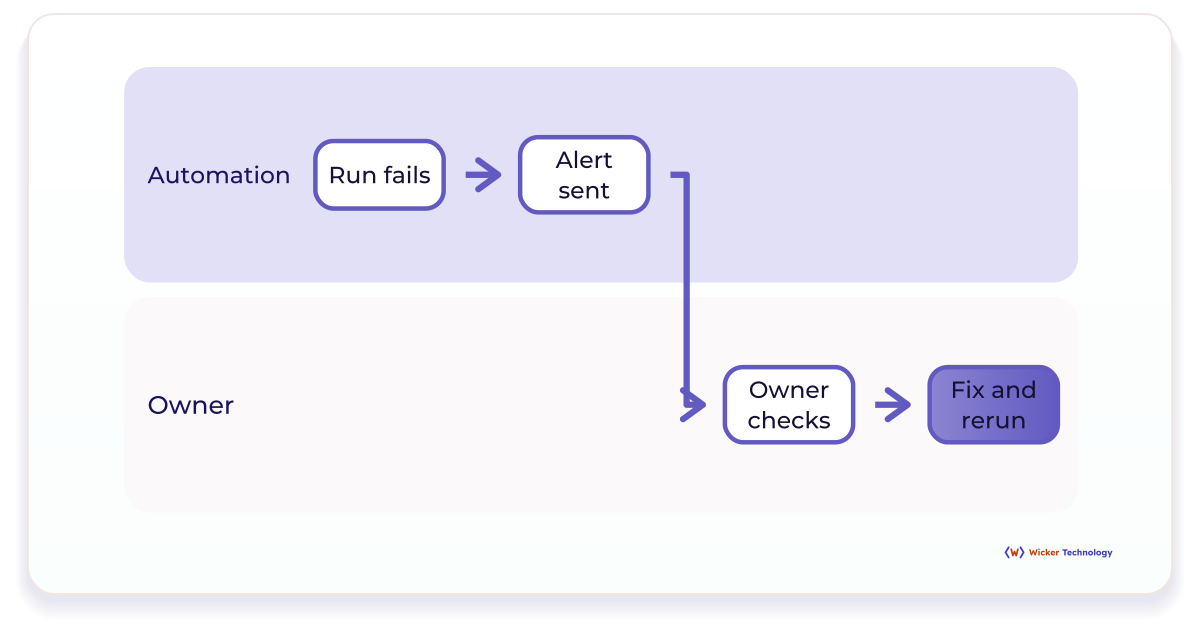
Set alerts for failed runs and name an owner for each connection. A broken integration that nobody notices for a month is worse than no integration.
8. Customer Data Privacy Moves Into Daily Work
State privacy laws, platform rules and customer expectations keep pushing small businesses to know what data they collect and why. I will not predict which rules apply to you, because they depend on your state and your customers. Ask your attorney which ones do.
What you can do now is a simple data map: list what you collect, where it is stored and who can access it. That map helps with security, with vendor decisions and with answering a customer who asks what you keep.
9. Software Costs Get Closer Scrutiny
Per-seat pricing, usage-based pricing and annual price increases have made software spending harder to predict. More owners now review renewals the way they review rent. Prices from the major suites have moved more than once in recent years, so last year's budget may not fit.
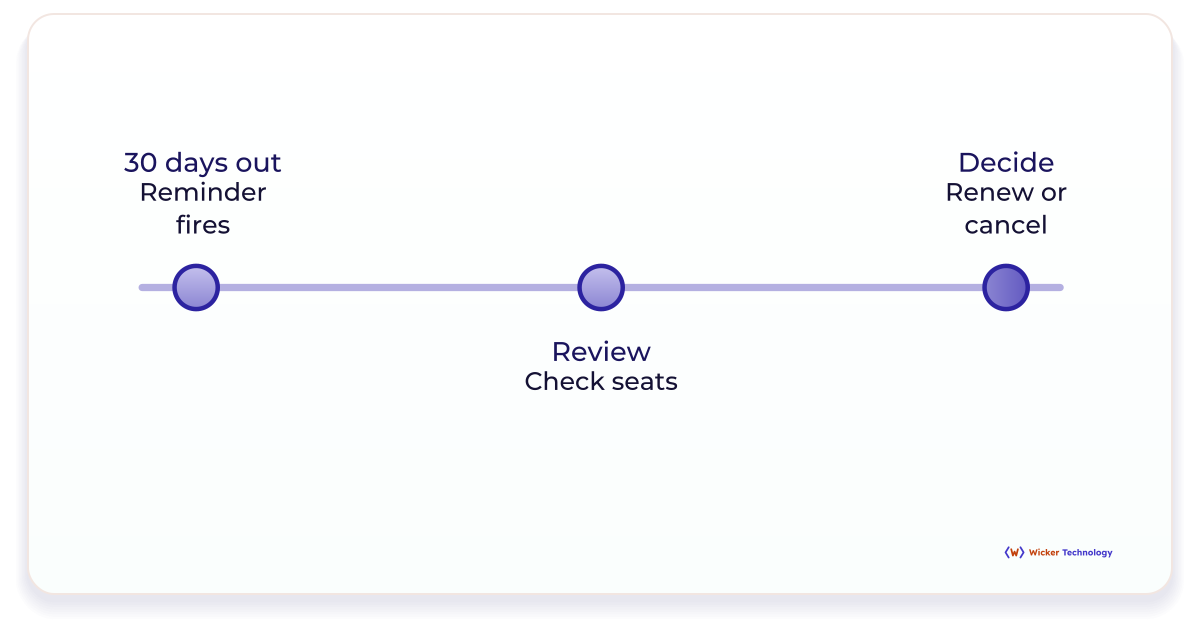
Calendar every renewal 30 days ahead, check whether you pay for seats nobody uses and ask vendors about annual versus monthly terms. A short audit often pays for the time you spend.
Which Trends Deserve Your Attention First
Trends 3 and 6 come first for nearly every business, because they protect revenue and customer trust. Trends 2 and 9 save money quickly. AI and automation pay off when you point them at a task you can measure.
Many of these trends make the daily problems in small business technology challenges easier to solve, and my small business technology checklist lets you check your own setup against the basics.
If your list is long, pick the three that match your next twelve months and ignore the rest. Chasing every trend is how businesses end up with a pile of half-used tools.
What These Trends Do to Your Budget
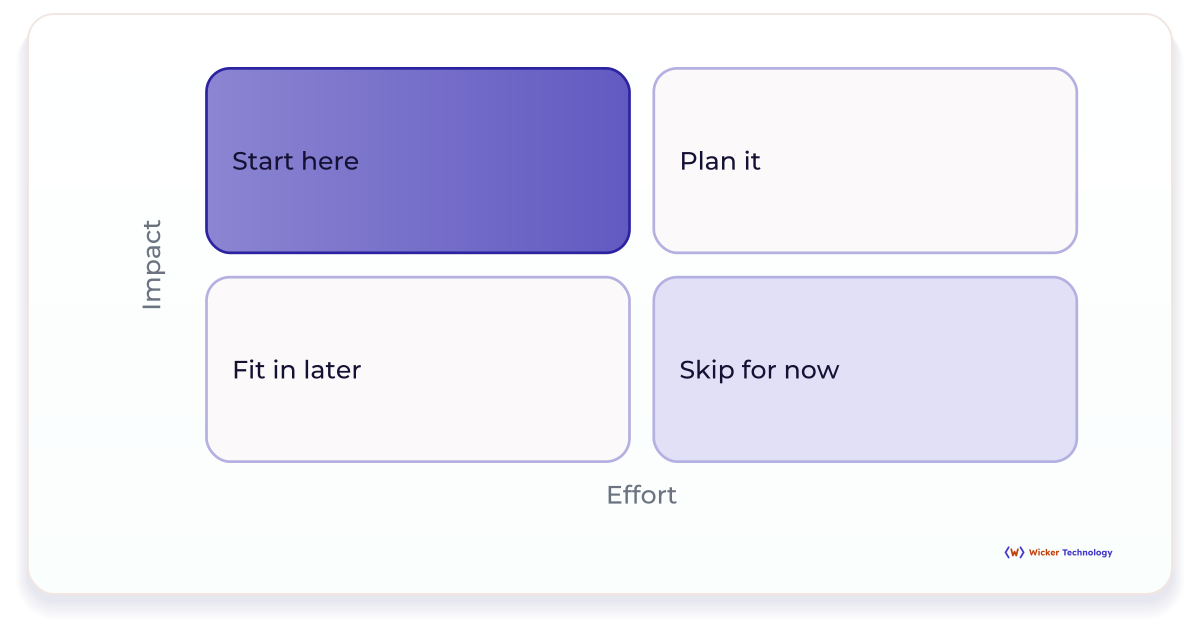
Four of the nine trends push costs up, and four push them down. AI add-ons, bundled payments, security tooling and per-seat price rises add cost. Suites, consolidation, automation and renewal reviews take it out. The ninth, privacy work, mostly costs time.
A simple way to plan is to set one line for protection and one for improvement. Protection covers multi-factor sign-in, backups and updates, and I treat it as a fixed cost. Improvement covers new tools and automation, and it should have to earn its place with a measured saving after one quarter.
| Budget line | What goes in it | How to judge it |
|---|---|---|
| Protection | Password manager, backup, device updates, staff training | Fixed cost, reviewed yearly |
| Core suite | Email, files, meetings and the apps that come with them | Cost per active user |
| Specialist tools | Accounting, CRM, scheduling and industry software | Hours or revenue each tool supports |
| Improvement | AI features, automation and integrations | Measured saving after one quarter |
What I Would Skip for Now
Not every trend needs action this year. I would skip custom AI projects unless you have a task that is frequent, measurable and costly today. I would also skip buying a second suite to chase one feature, and avoid multi-year contracts for tools in fast-moving categories, because pricing and features change too quickly.
If a vendor pitches you a trend by name, ask what problem it solves in your business and how you would measure the result. A good answer names a task and a number. A weak answer names a feature.
How to Tell a Trend From a Sales Pitch
Every trend in this list also appears in vendor marketing, so it helps to have a few filters. First, ask which task the feature changes and how many times a week that task happens. A feature for something that happens twice a year rarely justifies a new subscription.
Second, ask what it replaces. A tool that adds a layer without removing anything raises your cost and your complexity. Third, ask what happens to your data if you leave. A vendor that makes export painful is telling you something about how it expects to keep you.
Finally, try it on real work before you commit. A two week trial with one task and one measured result beats any demo. If the result is unclear after two weeks, it will not be clearer after a year.
Small teams have one advantage over large ones here: you can change course in a week. A company with a thousand seats needs a procurement cycle to drop a tool, and you can cancel by Friday. Use that speed, and keep your decisions small enough to reverse.
Questions About Small Business Technology Trends
Which Technology Trend Matters Most for a Small Business?
For most, it is the combination of built-in AI features and stronger security expectations. One changes how fast your team works, and the other decides whether larger customers and insurers will work with you. Start with the one your business feels sooner.
Should a Small Business Invest in AI Now?
Yes, in small steps. Try the AI features inside tools you already pay for, measure time saved on one task and keep a person reviewing output that reaches customers. Skip big custom projects until you have a proven use.
Are Passkeys Safe to Use?
They are designed to resist phishing, because the sign-in is tied to your device and the site. They still need a recovery plan for lost devices. CISA lists phishing-resistant methods as the strongest form of multi-factor authentication.
Is It Better to Use One Software Suite or Many Tools?
Fewer tools cost less to manage and train for. Keep a specialist tool only where it saves real money or time. My rule is to default to the suite and make a tool justify its place.
How Do I Keep Software Costs Under Control?
Audit subscriptions once a year, name an owner for each tool and calendar renewals. Compare the price per active user and cancel seats nobody uses.
Do I Need to Worry About Data Privacy Rules?
Possibly. Which rules apply depends on your state, your industry and where your customers live. Ask your attorney, and in the meantime keep a simple map of what customer data you hold and where it is stored.
How Often Should I Update My Technology Plan?
Review it twice a year. A short check against your goals, your renewals and your security basics keeps surprises small.
Sources
- CISA: Require Multifactor Authentication
- NIST Small Business Cybersecurity Corner
- FTC: Cybersecurity for Small Business
- Verizon Data Breach Investigations Report
Important: nothing in this article is legal, financial or tax advice. All figures are estimates from typical projects, so verify them with your own providers and advisers.
Was this useful?
We appreciate the feedback.
Paige Mulvaney
Paige leads the Wicker editorial team and works with the consultants who run the roadmaps, software selections, implementations and integrations to turn real client projects into practical guides. Her focus is plain-language advice on IT strategy, choosing business software and connecting systems so they work together. Every article she edits is checked against current vendor pricing and documentation before it is published.