In Short
- Start with email and files, accounting and a password manager, then add a CRM and project tools.
- Free plans from Wave, HubSpot, Trello and Bitwarden are good enough to start with.
- A suite like Google Workspace or Microsoft 365 cuts logins and subscriptions.
- Check every price on the vendor page, because promotions and plans change often.
The Best Small Business Software at a Glance
| Tool | Category | Best for |
|---|---|---|
| 1. Google Workspace | Email, documents and calendar | Teams that want simple, browser-based collaboration |
| 2. Microsoft 365 Business | Office apps, email and Teams | Teams that need desktop Office and Windows device security |
| 3. QuickBooks Online | Accounting | Businesses that share books with an accountant |
| 4. Xero | Accounting | Small teams that want unlimited users in accounting |
| 5. Wave | Free accounting and invoicing | Freelancers and very small firms watching every dollar |
| 6. FreshBooks | Invoicing and time tracking | Service businesses that bill by project or hour |
| 7. HubSpot CRM | CRM | Teams that want a free CRM that can grow |
| 8. Zoho CRM | CRM | Budget-conscious teams that want customization |
| 9. Slack | Team messaging | Teams that talk all day and use many apps |
| 10. Zoom | Video meetings | Client calls and webinars |
| 11. Trello | Kanban project boards | Simple task tracking for small teams |
| 12. Asana | Project and work management | Teams that need timelines, owners and reports |
| 13. Gusto | Payroll and HR | Small employers running payroll |
| 14. Square | Payments and point of sale | Shops, cafes and service businesses that take cards |
| 15. Mailchimp | Email marketing | Newsletters and simple automations |
| 16. Canva | Design | Marketing graphics without a designer |
| 17. Bitwarden | Password manager | Securing logins for a whole team on a budget |
| 18. Notion | Documents and wikis | Notes, wikis and lightweight databases |
The 18 Best Small Business Software Tools, Ranked
I start with the tools almost every small business needs and move toward specialist picks. Free and cheap options appear throughout, and prices were read from vendor pages when I wrote this. In my small business technology consulting work, picking a few tools that work together beats picking the single best tool in each category.
Google Workspace
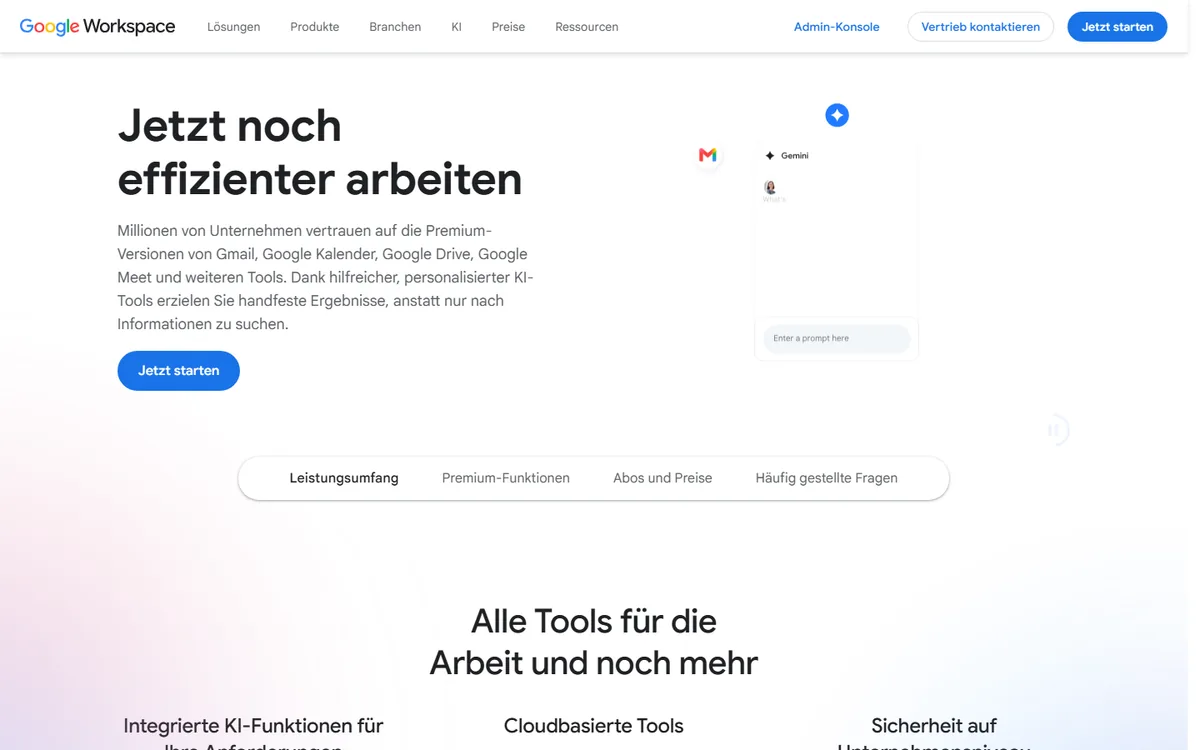
The Easiest Way to Give a Small Team Email, Files and Meetings in One Login
Google Workspace bundles business email on your own domain, Drive storage, Docs, Sheets, Meet and a shared calendar.
If your team already lives in a browser, Workspace is the quickest setup I know. You add users, point your domain at Google and everyone has the same tools by the afternoon. Sharing a document with a client takes one click, and several people can edit it at once.
The catch is depth. Docs and Sheets cover nearly all everyday work, but heavy spreadsheet models or long formatted documents still go smoother in Excel and Word for some teams. Admin controls for devices and security sit in higher plans, so check them before you pick Starter.
Where Google Workspace Shines
- Simple admin console, so one person can manage everything
- Real-time editing works smoothly across devices
- Custom email on your domain is included
Where Google Workspace Falls Short
- Advanced security and device controls need higher plans
- Offline and complex formatting work feel weaker than desktop Office
Google Workspace Pricing
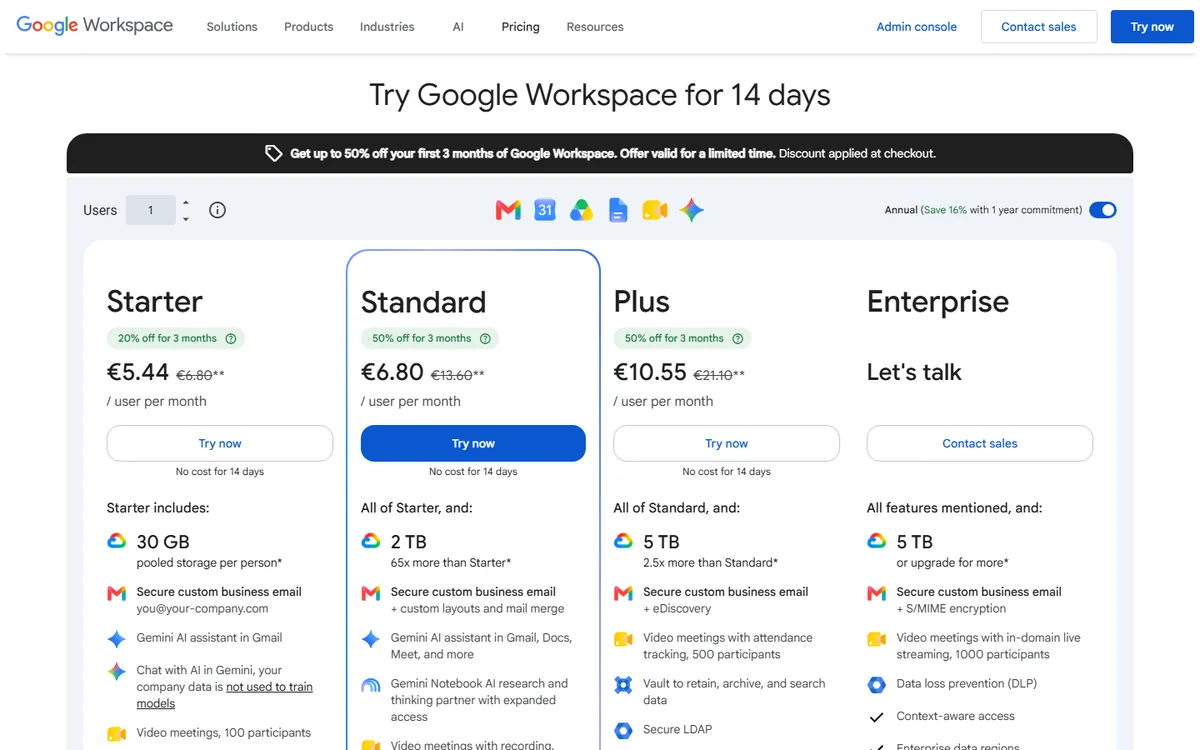
Workspace lists Starter at $7 per user per month, Standard at $14 and Plus at $22. Enterprise is quote-based. When I checked, an introductory offer of 50% off the first three months was shown for new customers, so confirm the current terms.
Google Workspace Reviews
- G2: rated 4.6/5 (across +48,000 ratings)
Microsoft 365 Business
The Safest Choice When Your Clients and Staff Already Work in Word and Excel
Microsoft 365 Business combines Outlook email, Teams, OneDrive and, in higher plans, the full desktop Office apps with security and device management.
If your customers send you Excel files and your staff expect Outlook, this suite removes friction. Business Premium adds device management and stronger security controls that I recommend for any business handling sensitive records.
Plan names have changed repeatedly, and Copilot add-ons now appear in the Standard and Premium names, so read the listing carefully. The Basic plan covers web and mobile apps only, which surprises people who expect desktop Word.
Where Microsoft 365 Business Shines
- Desktop Office apps give you the most capable spreadsheet and document tools
- Security and device management in Premium suit regulated work
- Teams, email and files live in one tenant
Where Microsoft 365 Business Falls Short
- Plan names and bundles are confusing
- Admin setup takes more effort than Google's
Microsoft 365 Business Pricing
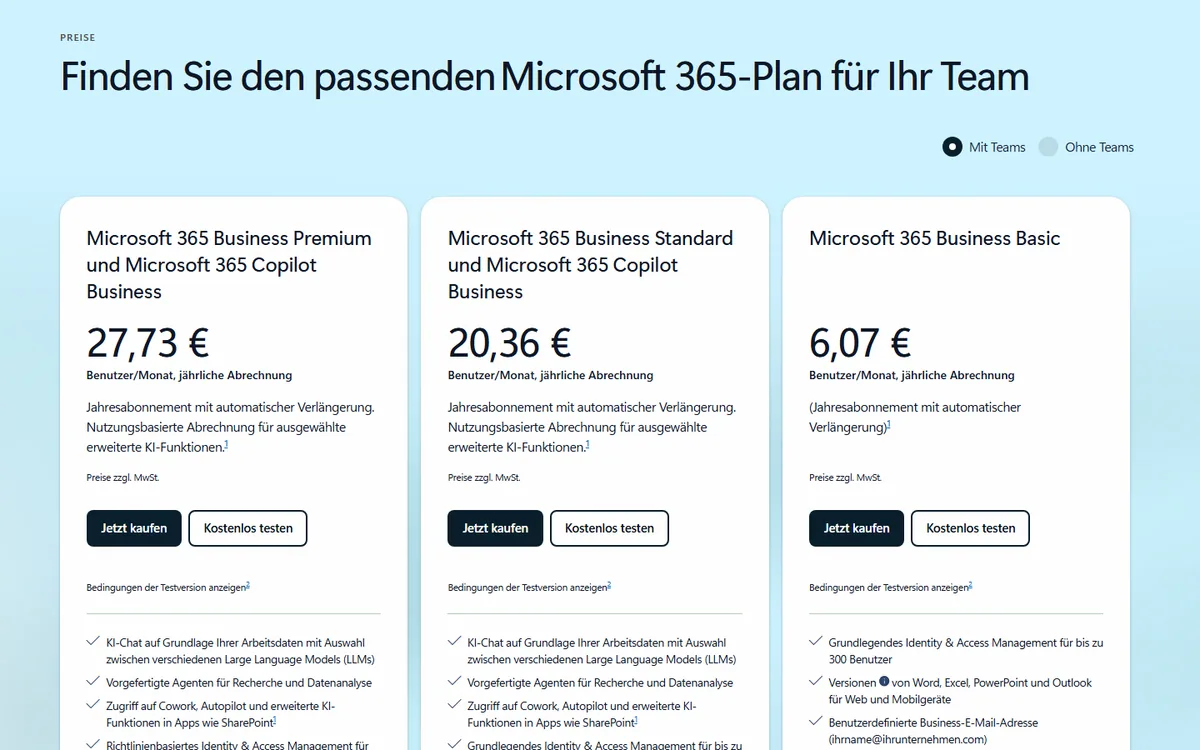
Microsoft lists Business Basic at $7.00 per user per month paid yearly, Business Standard with Copilot at $23.50 and Business Premium with Copilot at $32.00. Versions without Teams are listed lower, with Basic at $5.40.
Microsoft 365 Business Reviews
- G2: rated 4.6/5 (across +5,800 ratings)
QuickBooks Online
The Accounting Tool Most Accountants Already Know, Which Makes Handoffs Easy
QuickBooks Online handles invoicing, expense tracking, bank feeds, reports and sales tax, with payroll and payments available as add-ons.
The strongest reason to pick QuickBooks is the network. Bookkeepers and accountants know it, which lowers the cost of getting help. Bank feeds, receipt capture and invoice reminders save real time every week.
Prices have risen over the years, and features move between tiers, so match the plan to your needs rather than defaulting to the cheapest. Inventory and project tracking sit in higher tiers.
Where QuickBooks Online Shines
- Huge ecosystem of accountants and integrations
- Bank feeds and invoicing cover everyday bookkeeping
- Reports are easy to share with advisers
Where QuickBooks Online Falls Short
- Regular prices are higher than several rivals
- Useful features such as projects require higher plans
QuickBooks Online Pricing
QuickBooks lists Simple Start at $38 per month, Essentials at $85, Plus at $140 and Advanced at $340. The page showed 50% off for three months and a 30 day free trial, so check what applies when you sign up.
QuickBooks Online Reviews
- G2: rated 4.0/5 (across +3,900 ratings)
Xero
Clean Cloud Accounting with Unlimited Users, Once You Accept the Add-On Pricing
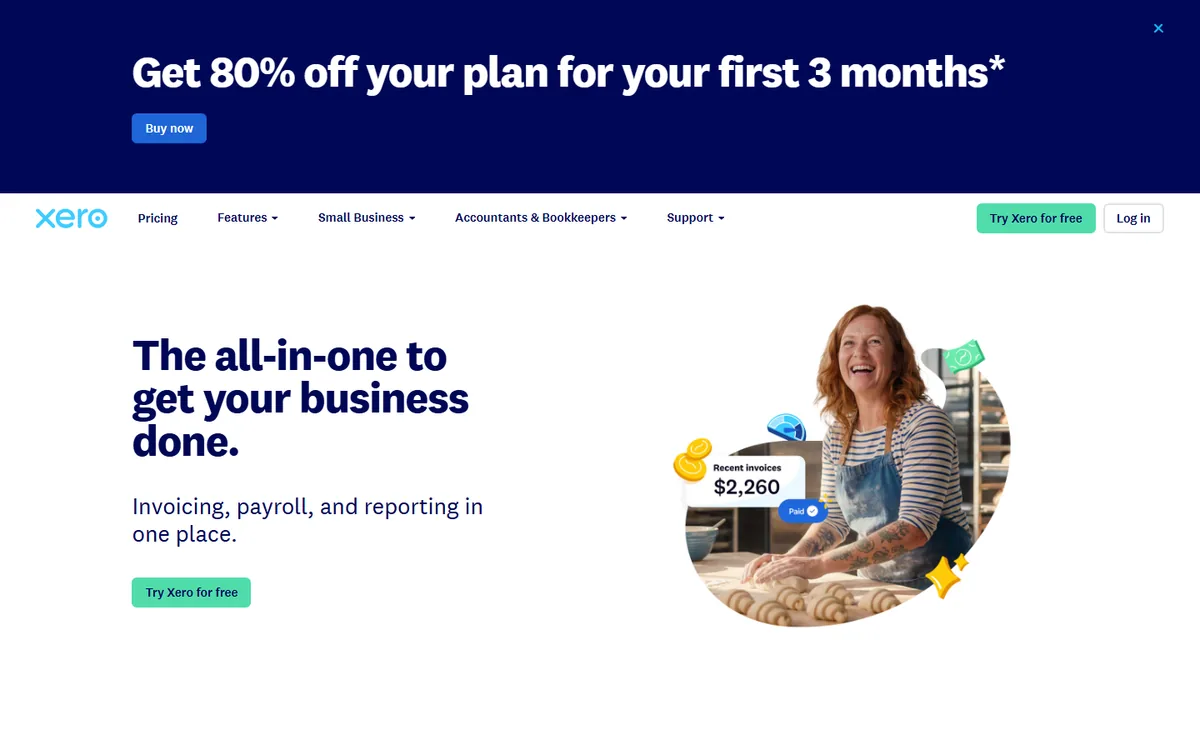
Xero offers bank reconciliation, invoicing, bills and reporting, with a large app marketplace for everything it does not cover.
Xero is popular with owners who like a simple interface and a big integration library. Bank reconciliation feels smooth, and the plans do not charge per user for the core accounting tool.
Payroll, expense tools and some reconciliation features cost extra, so price the add-ons you expect to need. US support for local payroll and tax is delivered through partners, so check coverage for your state.
Where Xero Shines
- Tidy interface that non-accountants can follow
- Strong marketplace of connected apps
- Plans are not priced per user for accounting
Where Xero Falls Short
- Add-ons raise the real monthly cost
- Fewer US accountants know it than QuickBooks
Xero Pricing
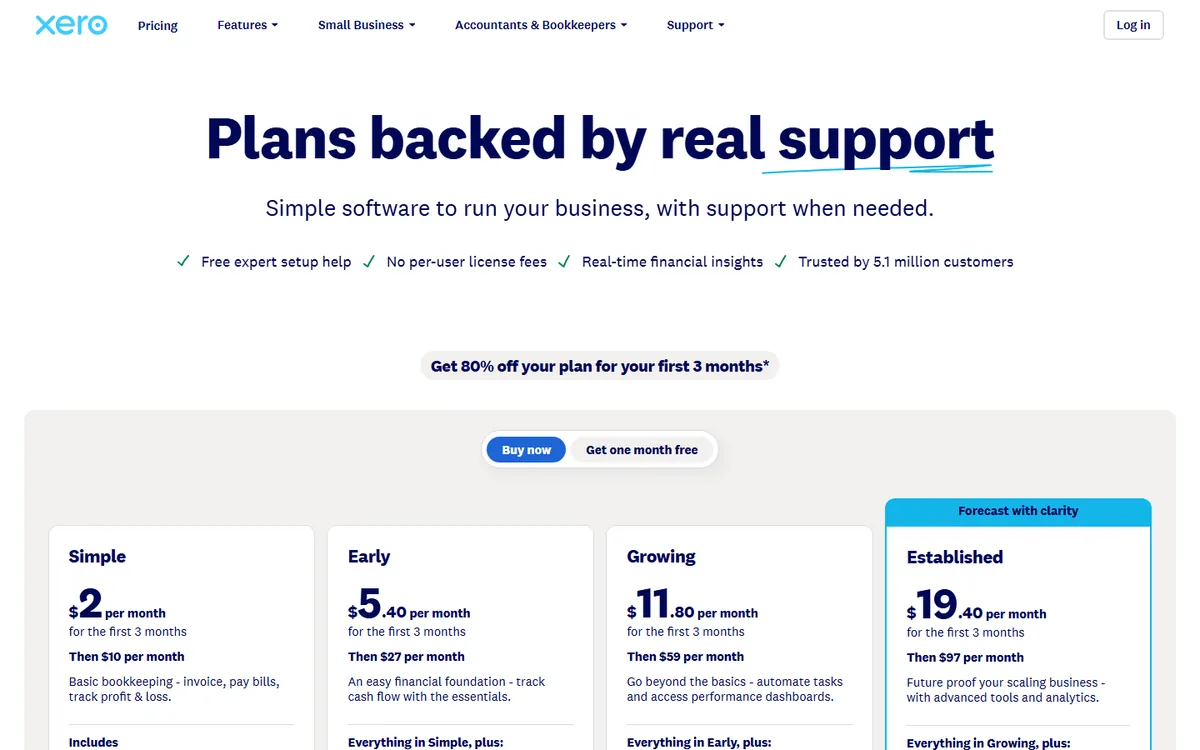
Xero lists Early at $27 per month, Growing at $59 and Established at $97 after the introductory period. Introductory discounts for new customers were shown for the first three months. Payroll powered by Gusto is $36 per month plus $6 per employee.
Xero Reviews
- G2: rated 4.4/5 (across +1,800 ratings)
Wave
The Best Free Starting Point for Invoicing and Basic Bookkeeping
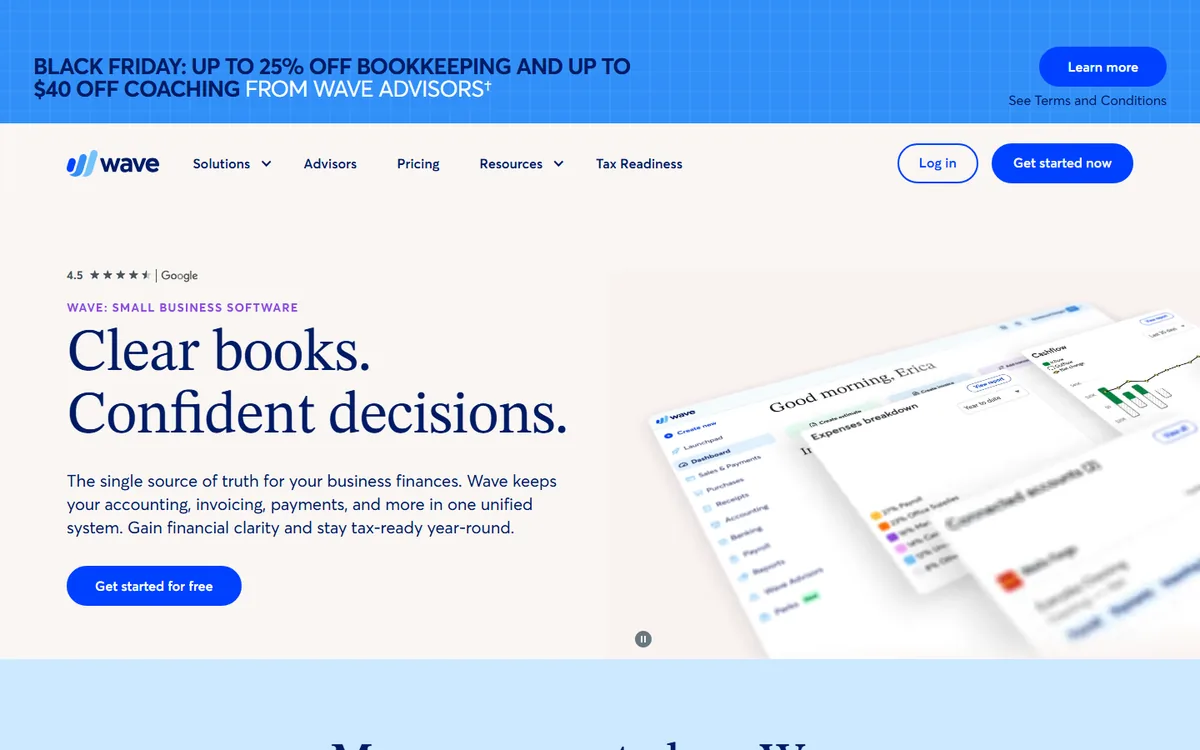
Wave provides free invoicing, estimates, bills and bookkeeping records, and charges for payments, payroll and advanced features.
For a freelancer or a tiny business, free accounting is hard to beat. You can send invoices, track expenses and keep clean records without paying a subscription.
You pay when you collect card payments or add payroll, and some features such as automatic bank import sit in the paid Pro plan. If your needs grow, plan the move to a larger accounting tool before your books get complicated.
Where Wave Shines
- Free plan covers invoicing and bookkeeping
- Simple setup for a first accounting system
- Mobile invoicing works well
Where Wave Falls Short
- Automatic bank import is a paid feature
- Limited depth for inventory or multiple entities
Wave Pricing
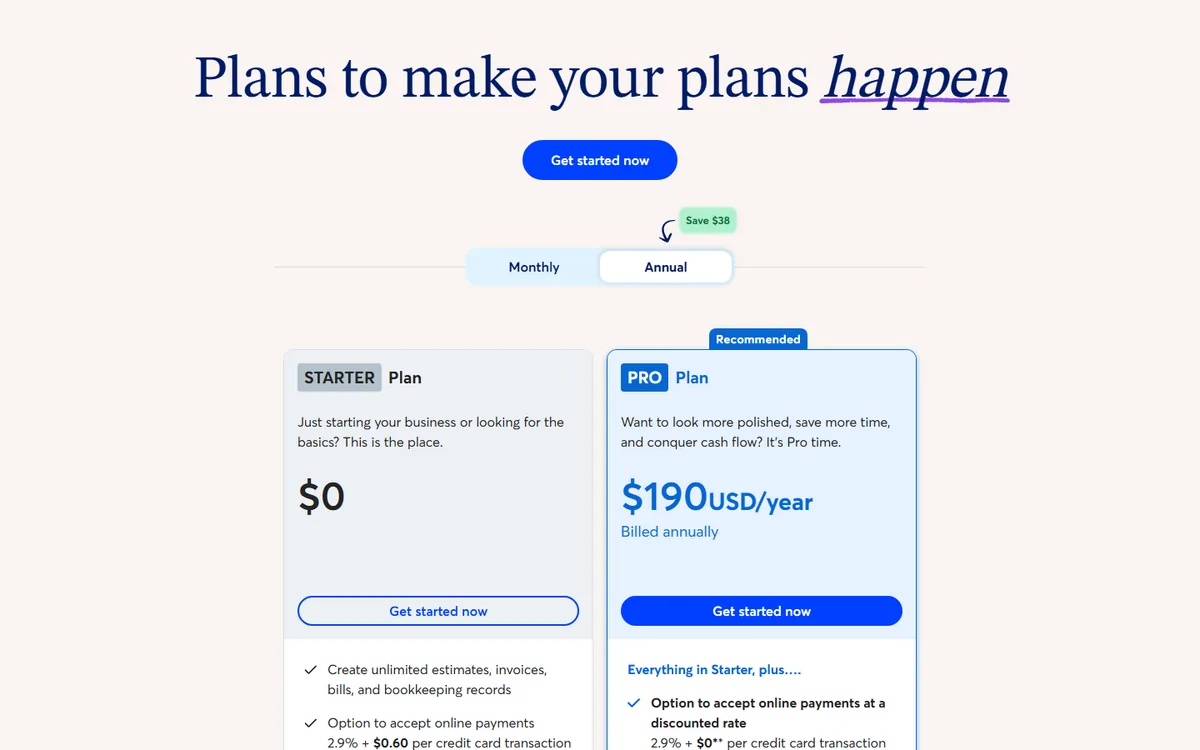
Wave's Starter plan is $0. Pro is listed at $19 per month. Card payments cost 2.9% plus $0.60 per transaction on Starter, and payroll starts from $25 per month. Bookkeeping services start at $149 per month.
Wave Reviews
- G2: I could not read a current rating when I checked, so look up the latest score on G2 before you decide.
FreshBooks
Invoicing and Time Tracking That Suit Consultants and Creative Studios
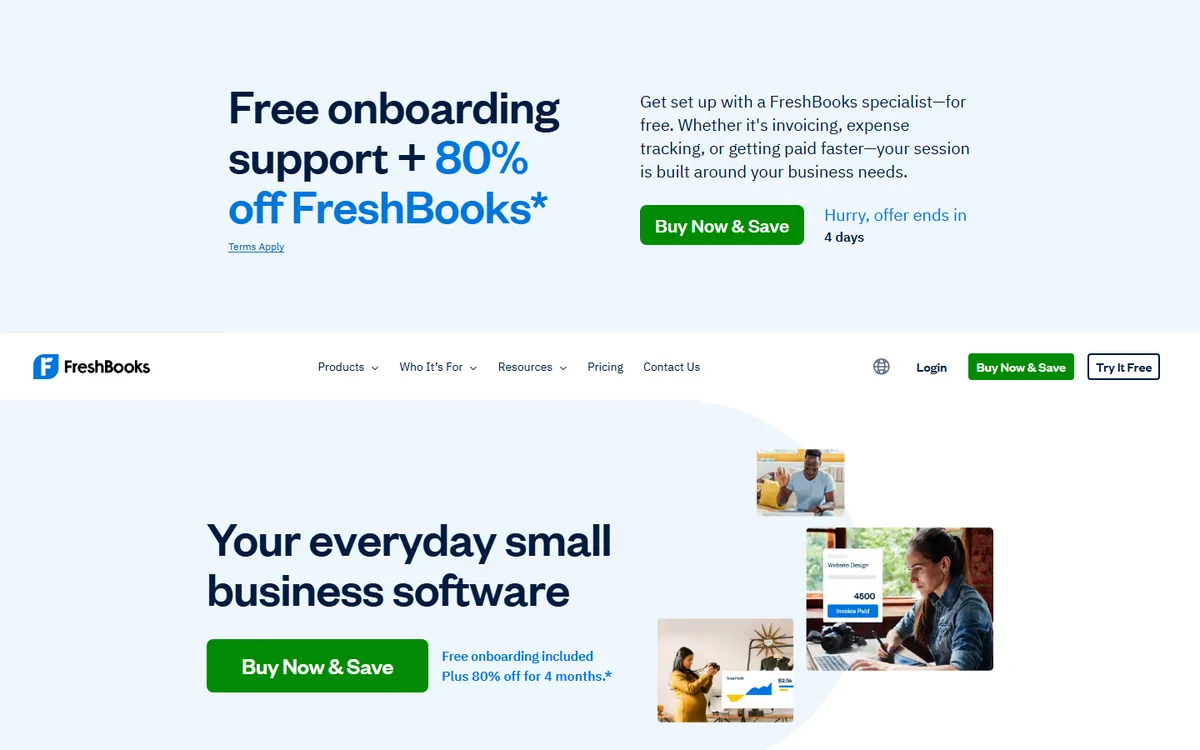
FreshBooks combines invoicing, time tracking, expenses and light accounting, with plans priced by the number of billable clients.
FreshBooks fits businesses that bill clients for time and projects. Time entries turn into invoices, and clients can pay online from the invoice.
The client limit is the thing to watch. Lite covers five billable clients and Plus covers 50, so a growing practice moves up quickly. Deeper accounting features are lighter than QuickBooks or Xero, so check the reports your accountant needs.
Where FreshBooks Shines
- Time tracking flows straight into invoices
- Friendly interface for non-accountants
- Client payment reminders save chasing
Where FreshBooks Falls Short
- Plans are limited by billable client count
- Less depth for inventory and complex accounting
FreshBooks Pricing
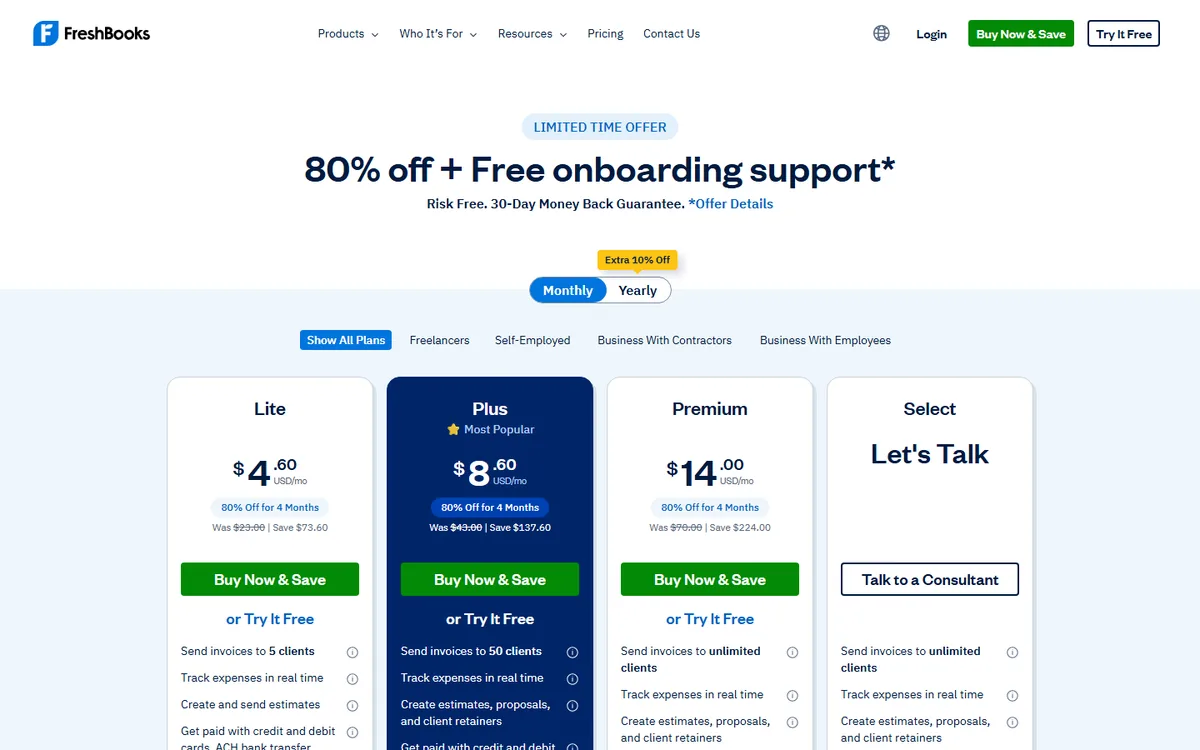
FreshBooks lists Lite at $23 per month for 5 billable clients, Plus at $43 for 50 and Premium at $70 for unlimited clients. A limited-time offer was shown when I checked, so confirm the current price.
FreshBooks Reviews
- G2: rated 4.5/5 (across +980 ratings)
HubSpot CRM

A Free CRM That Gets Small Sales Teams Organized in a Day
HubSpot CRM tracks contacts, deals and email activity, and connects to marketing, sales and service tools as you grow.
The free CRM is a generous starting point: contact records, a deal pipeline and email logging for up to two users. For a business that currently tracks leads in a spreadsheet, that is a big step up.
Costs rise as you add seats and hubs, and the jump from free to paid tools can surprise owners. Decide up front which features you need, then price that bundle instead of the entry offer.
Where HubSpot CRM Shines
- Free CRM for up to two users
- Clean interface that sales staff actually use
- Marketing and service tools plug in later
Where HubSpot CRM Falls Short
- Costs climb as you add hubs and seats
- Promotional prices apply to new customers only
HubSpot CRM Pricing
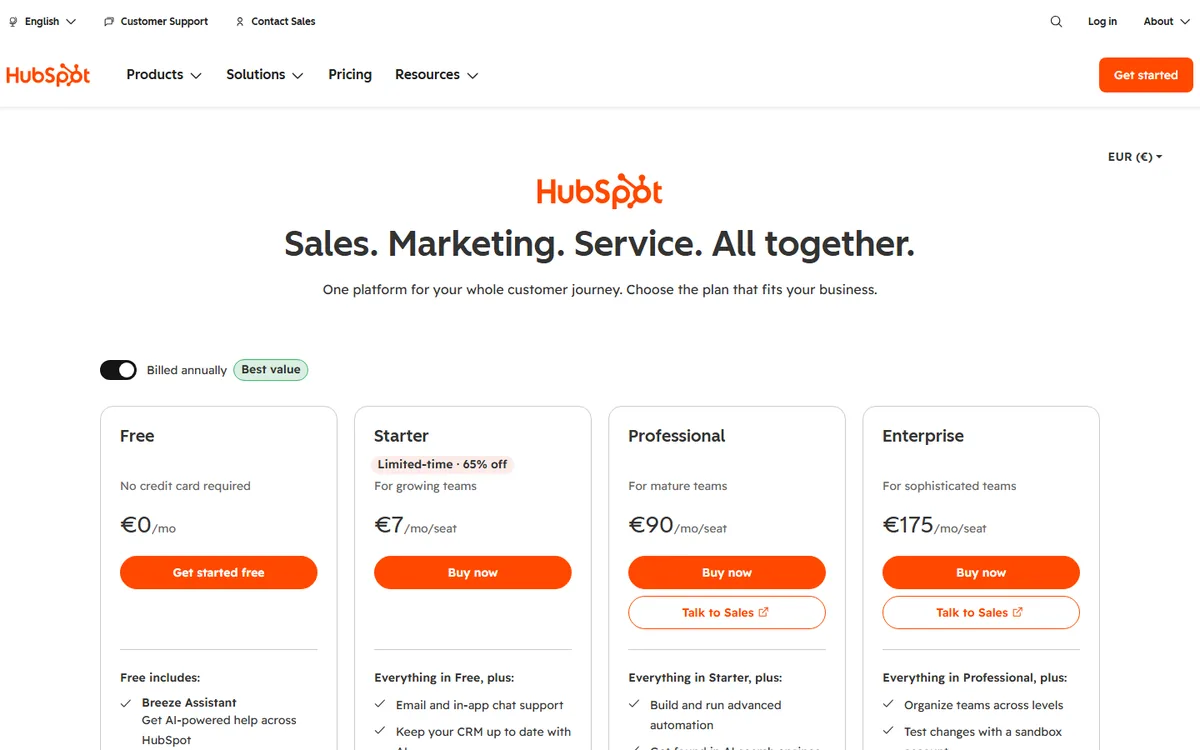
HubSpot's CRM is free for up to 2 users. Starter is listed from $7 per seat per month on annual billing under a promotion, down from the usual $20, and $10 per seat month to month. Discounts apply to new customers only.
HubSpot CRM Reviews
- G2: rated 4.4/5 (across +14,000 (Sales Hub listing) user reviews)
Zoho CRM
Flexible, Affordable CRM for Teams That Like to Customize
Zoho CRM offers contact and deal management, workflow automation and reporting, as part of a wide family of Zoho business apps.
Zoho CRM gives you a lot for the money, including automation rules and custom fields. The wider Zoho family covers accounting, email and support, so it can become a full business platform.
The interface has more menus than HubSpot's, so someone has to own the setup. Without that, you will end up with a half-configured system.
Where Zoho CRM Shines
- Deep customization at a lower cost
- Free plan for up to three users
- Connects to the wider Zoho app family
Where Zoho CRM Falls Short
- Setup takes longer than simpler CRMs
- The interface feels busy at first
Zoho CRM Pricing
Zoho lists a free plan for 3 users, plus Standard, Professional and Enterprise plans priced per user per month. I could not read the per-user amounts on the page, so use Zoho's pricing calculator for current prices.
Zoho CRM Reviews
- G2: rated 4.1/5 (across +2,900 ratings)
Slack
Fast Team Chat That Ties Your Other Tools Together
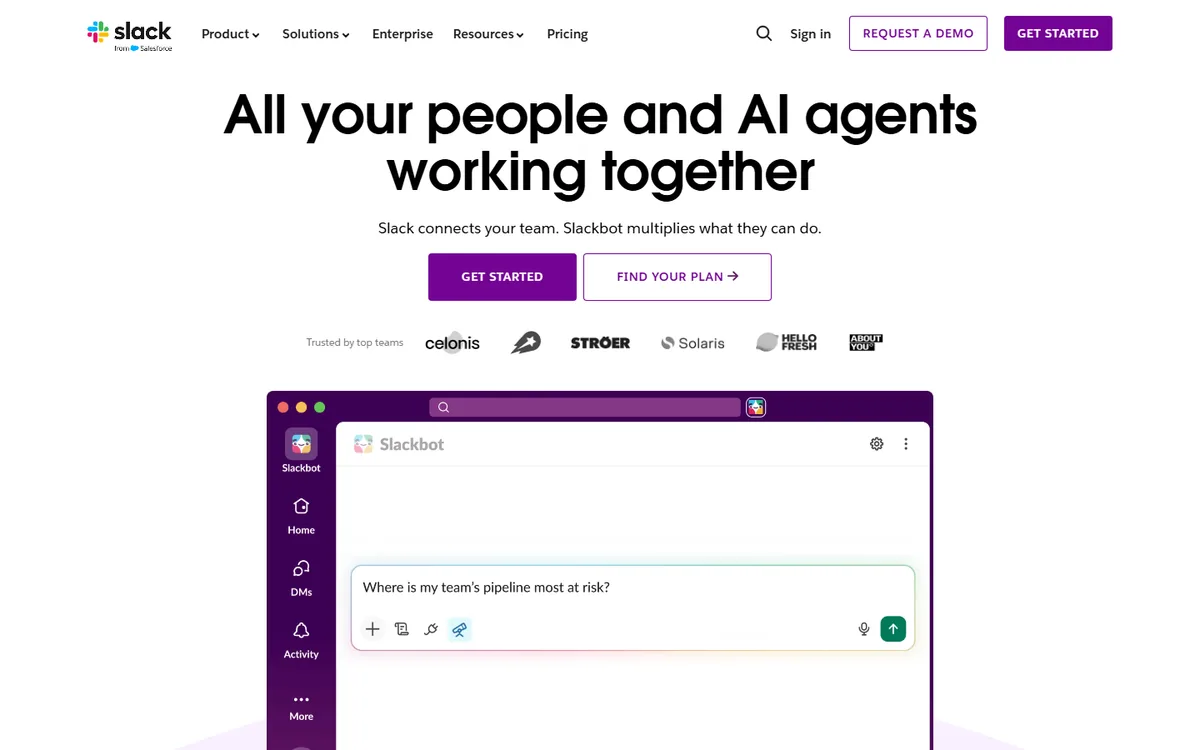
Slack organizes team conversation into channels, with threads, file sharing, huddles and thousands of app integrations.
Slack replaces long email chains with channels by project or client. Its real value is the integrations: alerts from your CRM, helpdesk or accounting tool land where the team already talks.
If you already pay for Microsoft 365, Teams comes along at no extra price and may be enough. Slack earns its place when your team values its speed and its app ecosystem.
Where Slack Shines
- Channels and threads keep conversations organized
- Large app directory
- Fast search and huddles for quick calls
Where Slack Falls Short
- Free plan limits history and features
- Costs add up per user for larger teams
Slack Pricing
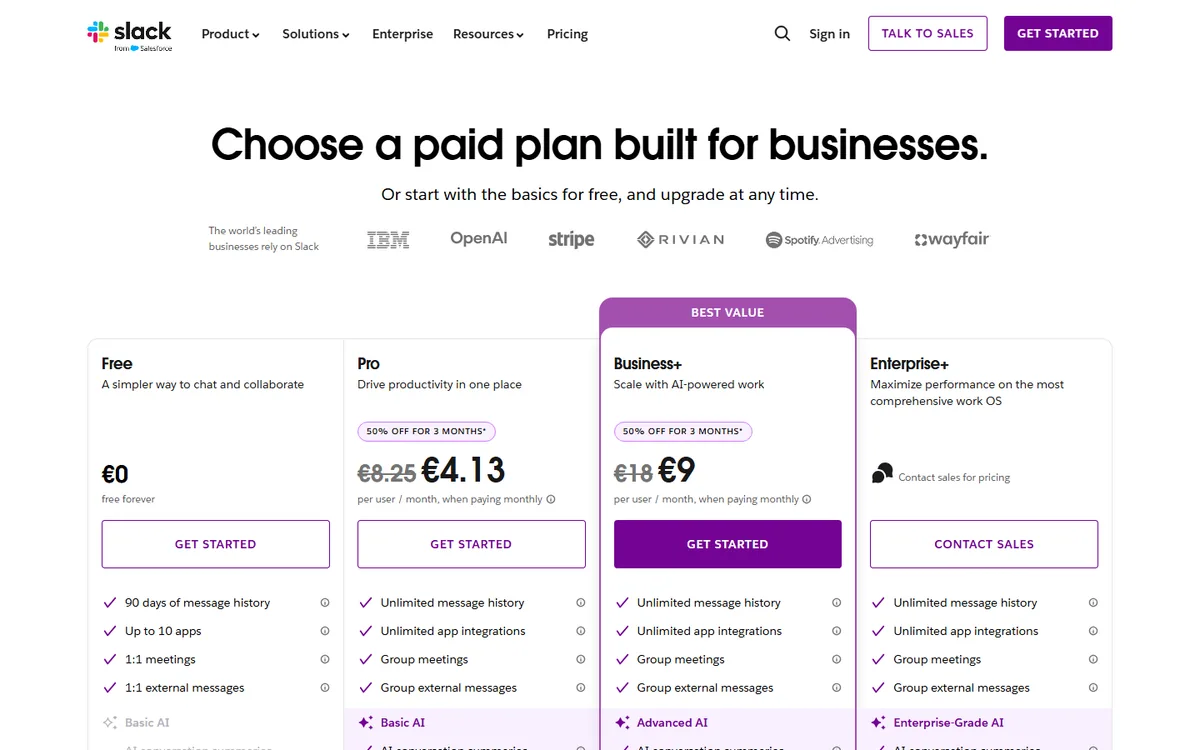
Slack's Free plan costs $0. Pro is $8.75 per user per month billed monthly or $7.25 billed annually, and Business+ is $18 monthly or $15 annually. Enterprise+ is $45 per user per month billed annually, with sales contact required.
Slack Reviews
- G2: rated 4.5/5 (across +40,000 ratings)
Zoom
Reliable Video Calls Your Clients Already Know How to Join
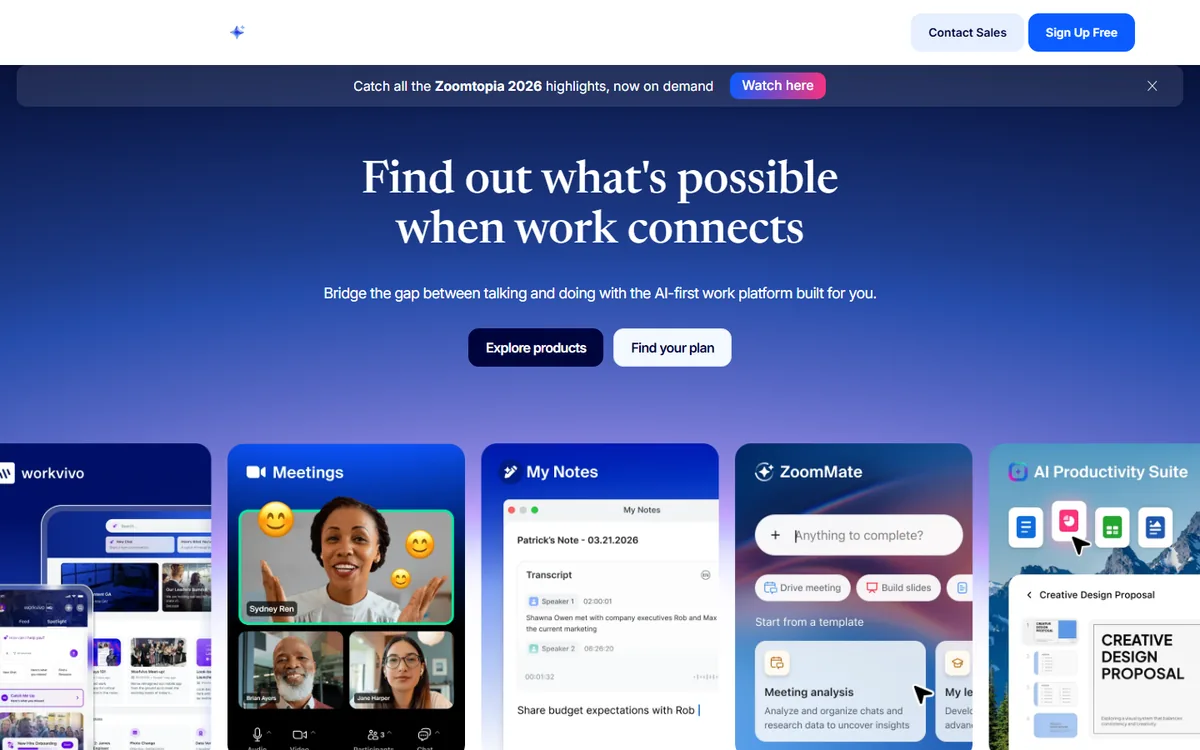
Zoom provides video meetings, chat, phone and webinar options, now bundled as Zoom Workplace.
Clients rarely ask how to join a Zoom call, which is half the value. Recording, breakout rooms and transcripts cover most meeting needs.
If you already pay for Google Workspace or Microsoft 365, check whether Meet or Teams covers your meetings before you add another subscription. Zoom earns its cost when you run many external calls or webinars.
Where Zoom Shines
- Joining a call is simple for outside guests
- Strong audio and video quality
- Recording and transcripts in paid plans
Where Zoom Falls Short
- Overlaps with Meet and Teams you may already own
- Free calls have time limits
Zoom Pricing
Zoom lists Pro at $16.99 per user per month billed monthly or $14.16 billed annually, and Business at $21.99 monthly or $18.33 annually. A Basic plan is offered without a listed price.
Zoom Reviews
- G2: rated 4.5/5 (across +56,000 ratings)
Trello
The Simplest Way to Track Who Is Doing What
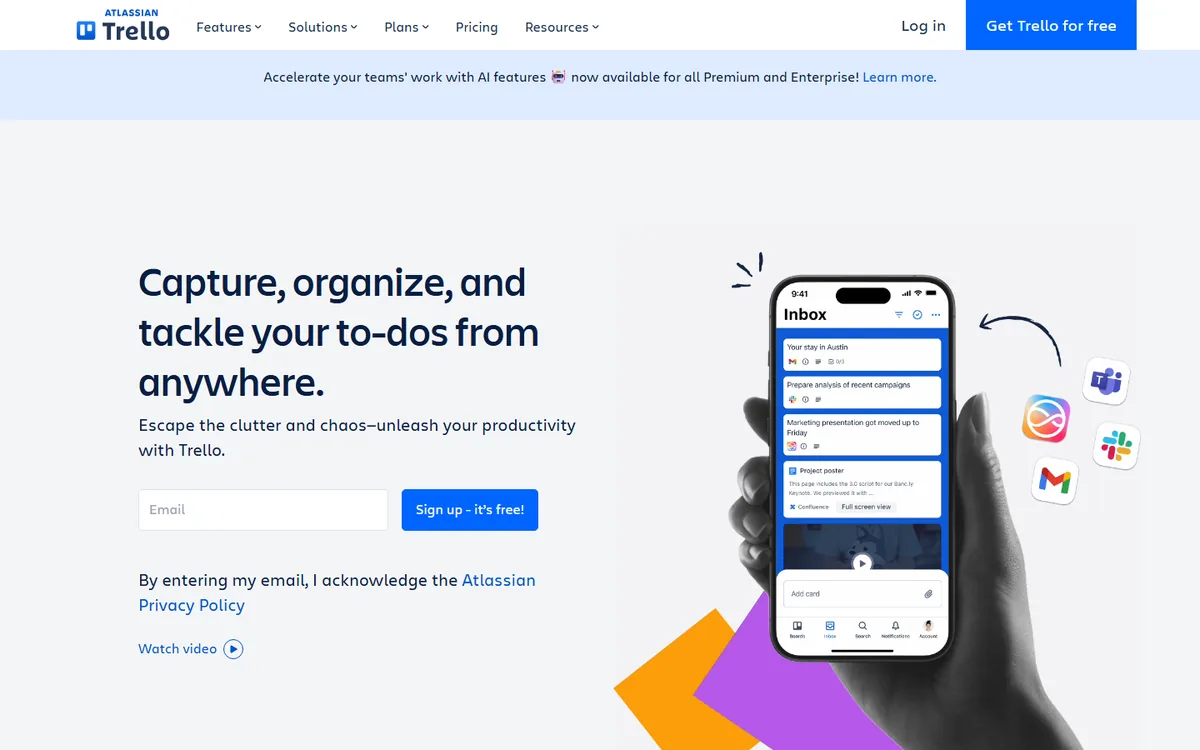
Trello uses boards, lists and cards to show work moving through stages, with automation and integrations on top.
Trello is the tool I suggest when a team says it needs a project tool but has never used one. A board with three columns solves a surprising number of problems.
Complex projects with dependencies and reporting outgrow it. When that happens, Asana or a similar tool is the next step.
Where Trello Shines
- Learning curve of minutes
- Free plan covers many small teams
- Power-ups add calendars and automation
Where Trello Falls Short
- Weak for complex dependencies
- Reporting is limited in lower plans
Trello Pricing
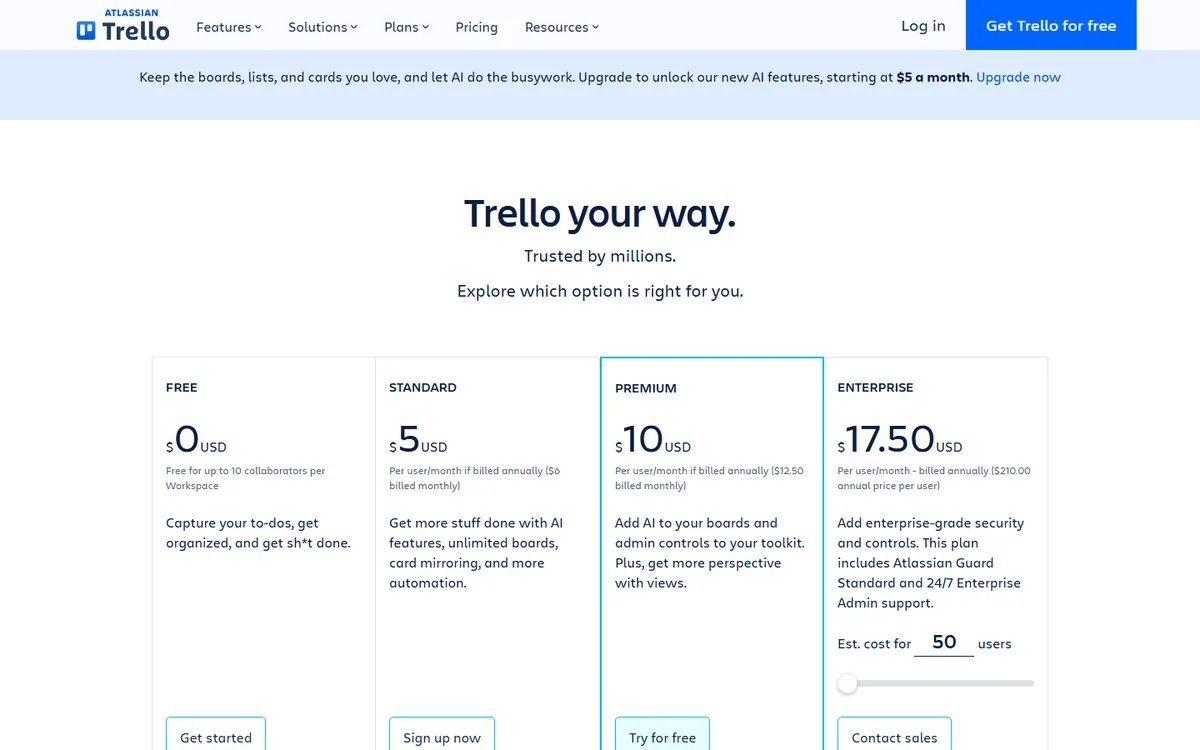
Trello's Free plan supports up to 10 collaborators per workspace. Standard is $5 per user per month billed annually or $6 monthly, and Premium is $10 annually or $12.50 monthly. Enterprise is $17.50 per user per month billed annually.
Trello Reviews
- G2: rated 4.4/5 (across +14,000 ratings)
Asana
Structured Project Management for Teams That Have Outgrown Boards
Asana manages tasks, projects and workloads with list, board and timeline views and automation rules.
Asana helps when multiple people depend on each other's tasks. Timelines, due dates and workload views show who is overloaded before deadlines slip.
The free plan is limited to two users, so it suits individuals more than teams. Expect some setup time to build templates, and pick someone to own them.
Where Asana Shines
- Multiple views for the same project
- Task dependencies and timelines
- Good automation rules for recurring work
Where Asana Falls Short
- Free plan is only for two users
- Can feel heavy for small teams
Asana Pricing
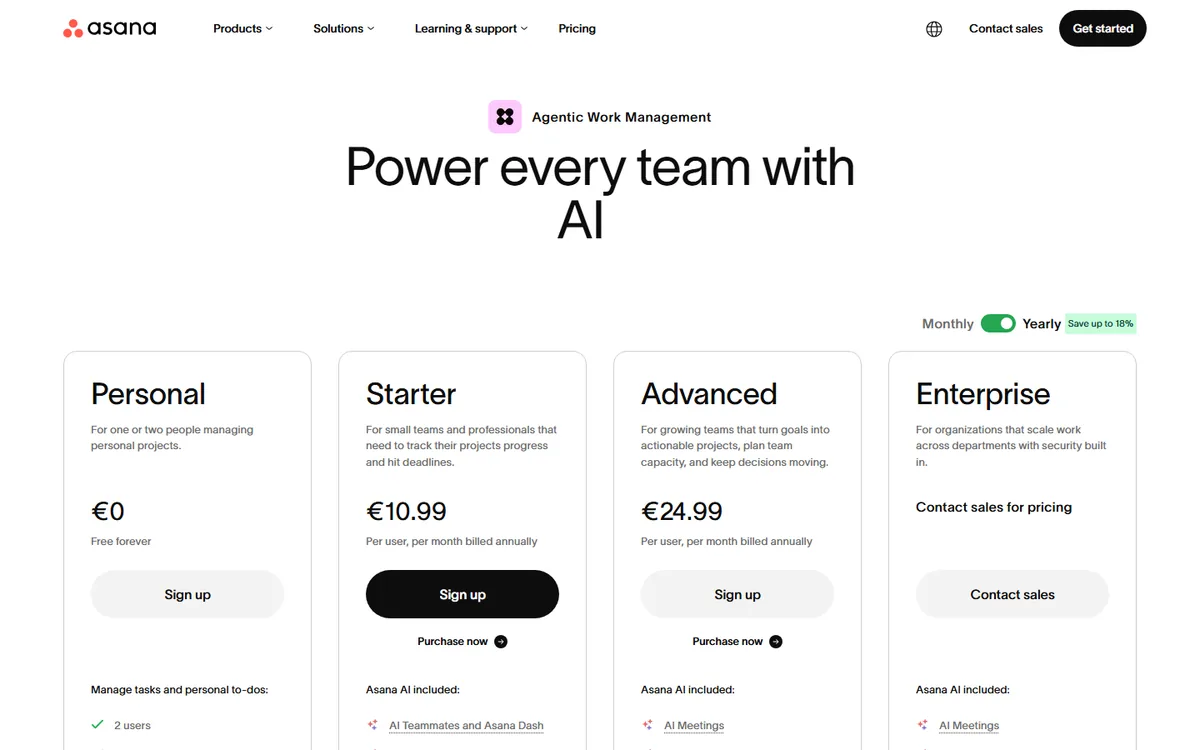
Asana's Personal plan is free for up to 2 users. Starter is $10.99 per user per month billed annually or $13.49 monthly, and Advanced is $24.99 annually or $30.49 monthly. Enterprise pricing is custom.
Asana Reviews
- G2: rated 4.4/5 (across +14,000 ratings)
Gusto
Payroll That Handles Taxes and Onboarding for Small Employers
Gusto runs payroll, files payroll taxes, onboards new hires and offers benefits and time tracking options.
Payroll is where mistakes cost money and trust, so software that files taxes for you earns its fee. Gusto is a common choice for small employers because onboarding and employee self-service are easy to follow.
Pricing varies by plan and state, and I could not read the current page, so request a quote that includes everything you need. Check which compliance tasks are included in each plan.
Where Gusto Shines
- Handles payroll tax filings
- Clear employee onboarding and self-service
- Integrates with common accounting tools
Where Gusto Falls Short
- Price rises with plan tier and headcount
- Support access varies by plan
Gusto Pricing
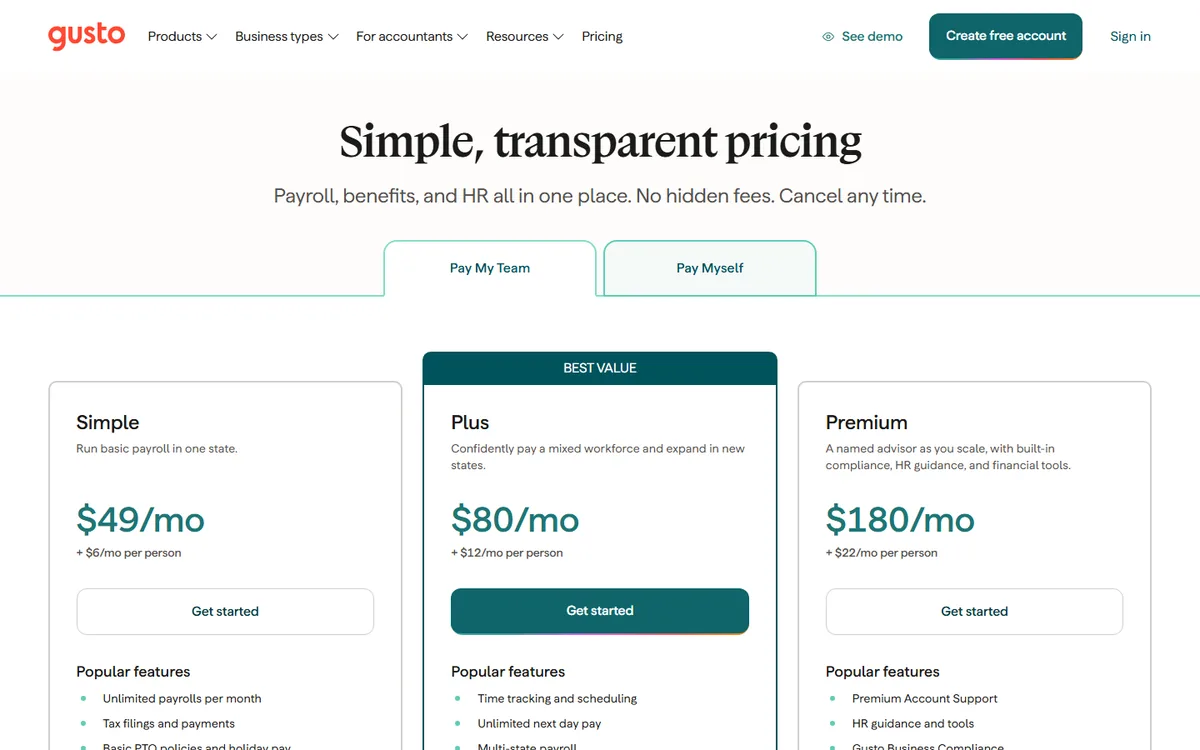
I could not read Gusto's current pricing page when I checked, so I am not quoting numbers. Gusto prices by plan with a base fee plus a per-employee charge, so confirm the current figures on its pricing page before you decide.
Gusto Reviews
- G2: rated 4.6/5 (across +14,000 ratings)
Square

The Quickest Way to Start Taking Card Payments In Person and Online
Square offers a free point-of-sale app, card readers, online sales, invoices and appointment tools built around its payment processing.
Square is a natural fit for a small shop or a mobile service business. You can start with a free app and a card reader and add inventory, staff and online sales as you grow.
The software is cheap because you pay through processing fees. Compare those rates with other providers if your sales volume is high, and check how payouts and disputes are handled.
Where Square Shines
- Free app with no monthly fee to start
- Hardware and software are designed together
- Online and in-person sales share one catalog
Where Square Falls Short
- Processing fees apply to every card payment
- Advanced features cost extra
Square Pricing
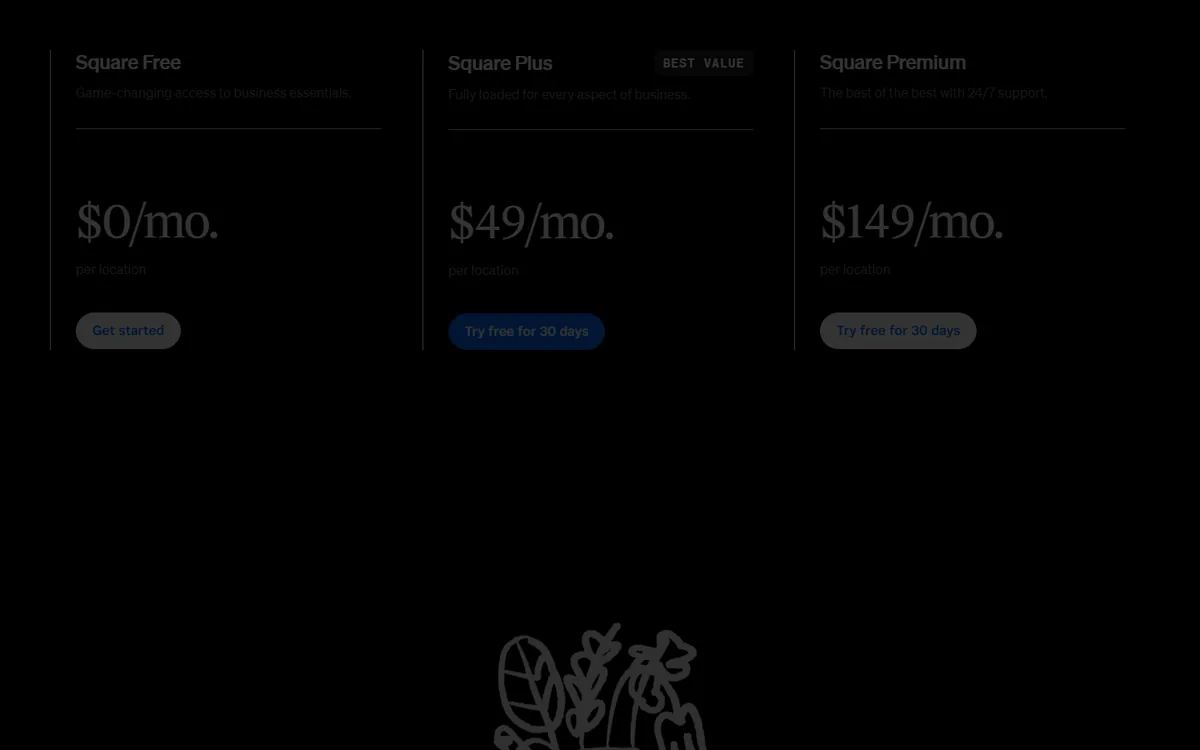
Square says its Point of Sale app is free with no setup or monthly fees. Card payments are listed at 2.6% plus 10 cents per tap, dip or swipe. Monthly plan prices for add-on features were not shown on the page I read.
Square Reviews
- G2: I could not read a current rating when I checked, so look up the latest score on G2 before you decide.
Mailchimp

Email Newsletters and Simple Automations with a Free Plan to Start
Mailchimp sends email campaigns and automations, builds landing pages and tracks audiences.
If you send a monthly newsletter or a welcome email series, Mailchimp does the job with templates that look decent without design skills. A free plan lets you test it.
Price is tied to contacts, so costs rise as your list grows. Review your list now and then, because unengaged contacts cost money.
Where Mailchimp Shines
- Easy templates and a drag-and-drop editor
- Free plan for small lists
- Basic automations such as welcome emails
Where Mailchimp Falls Short
- Costs rise with list size
- Free plan is limited and removes few features
Mailchimp Pricing
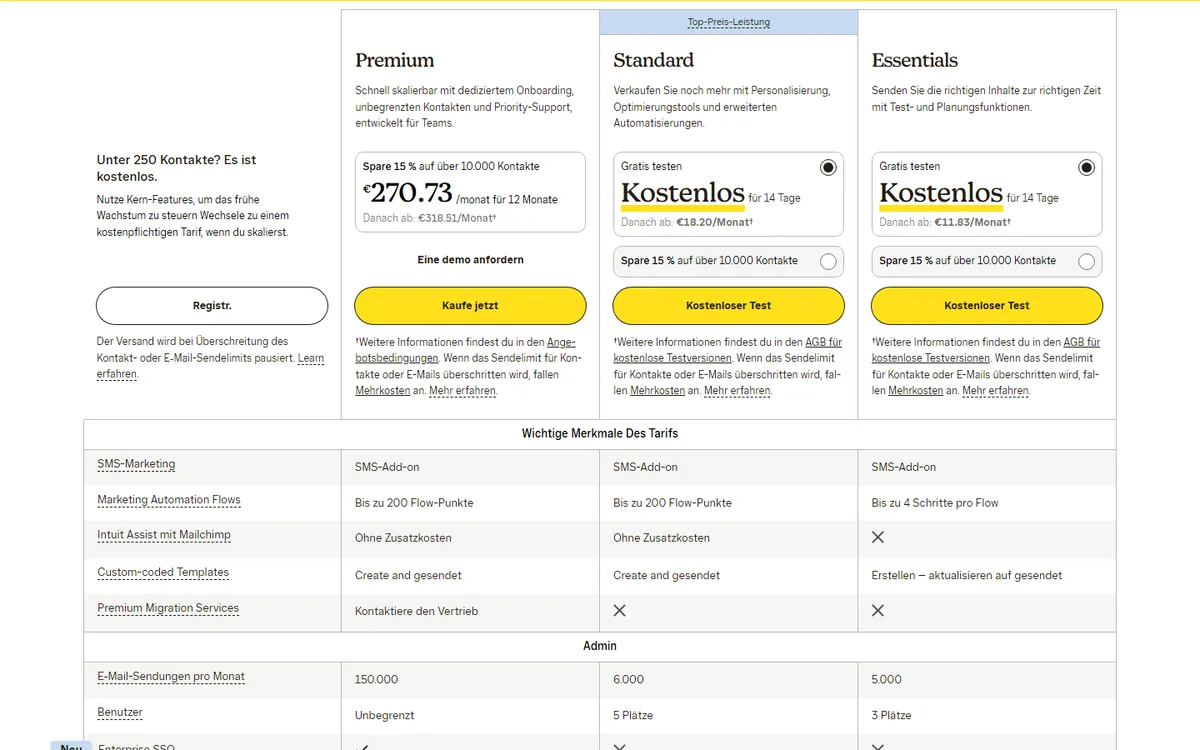
Mailchimp's Free plan covers up to 250 contacts and 500 emails per month. Essentials starts at $13 per month and Standard at $20 per month, while Premium starts at $350 per month. Prices rise with contact counts.
Mailchimp Reviews
- G2: rated 4.3/5 (across +13,000 ratings)
Canva
Good-Looking Graphics, Decks and Social Posts Without a Designer
Canva is a drag-and-drop design tool with templates for social posts, presentations, flyers and documents.
Canva lets a non-designer produce consistent graphics quickly. Brand kits keep colors, fonts and logos in one place so everyone on the team stays on brand.
Paid plans add brand controls, resizing and team features. I could not read the current pricing page, so check the plan details yourself.
Where Canva Shines
- Huge template library
- Brand kits keep everything consistent
- Easy sharing and team editing
Where Canva Falls Short
- Templates are widely used, so designs can look alike
- Advanced brand control needs paid plans
Canva Pricing
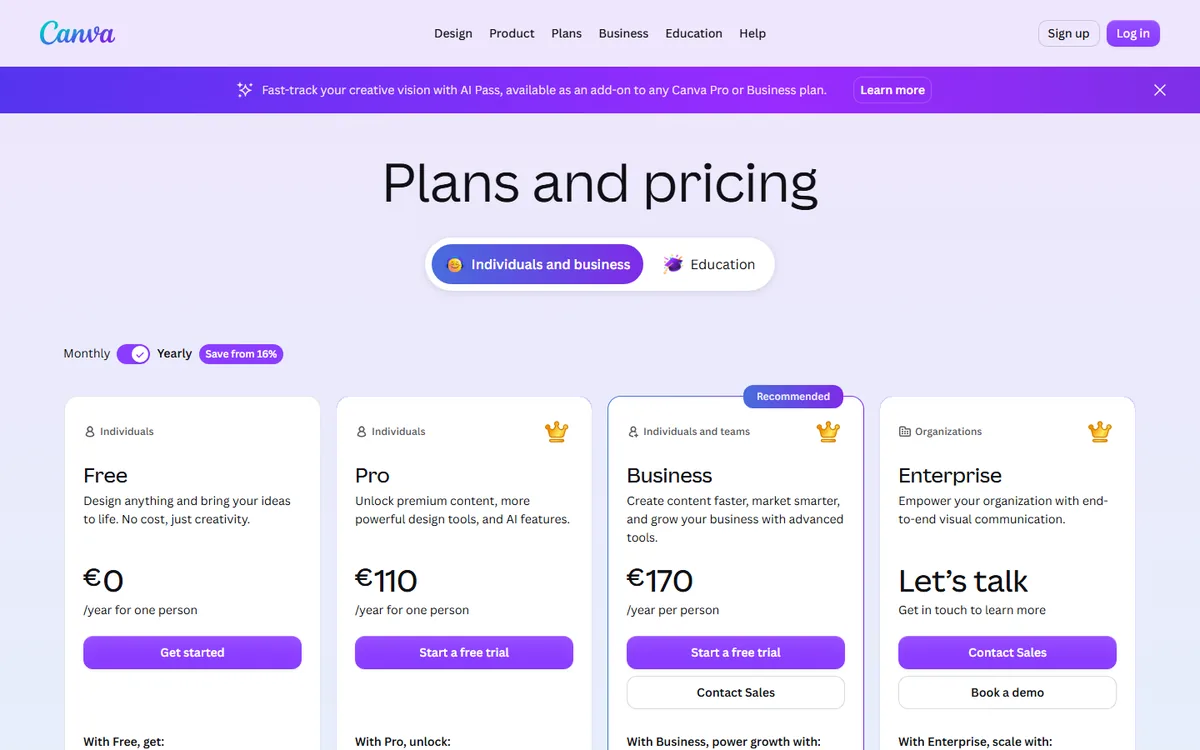
I could not read Canva's current pricing page when I checked, so I am not quoting numbers. Canva offers a free plan and paid plans for individuals and teams, so confirm current prices on its site.
Canva Reviews
- G2: rated 4.7/5 (across +7,800 ratings)
Bitwarden
A Low-Cost Password Manager That Takes Security Seriously
Bitwarden stores and shares passwords, generates strong ones and offers autofill across browsers and devices.
A password manager is one of the cheapest security upgrades you can make. Bitwarden is open source, has a free personal plan and prices team plans low.
The interface is less polished than some rivals, but it works well. Pair it with multi-factor sign-in for email and banking.
Where Bitwarden Shines
- Free plan with unlimited devices and passwords
- Low price for teams
- Open-source approach
Where Bitwarden Falls Short
- Interface is plainer than competitors
- Admin features need paid plans
Bitwarden Pricing
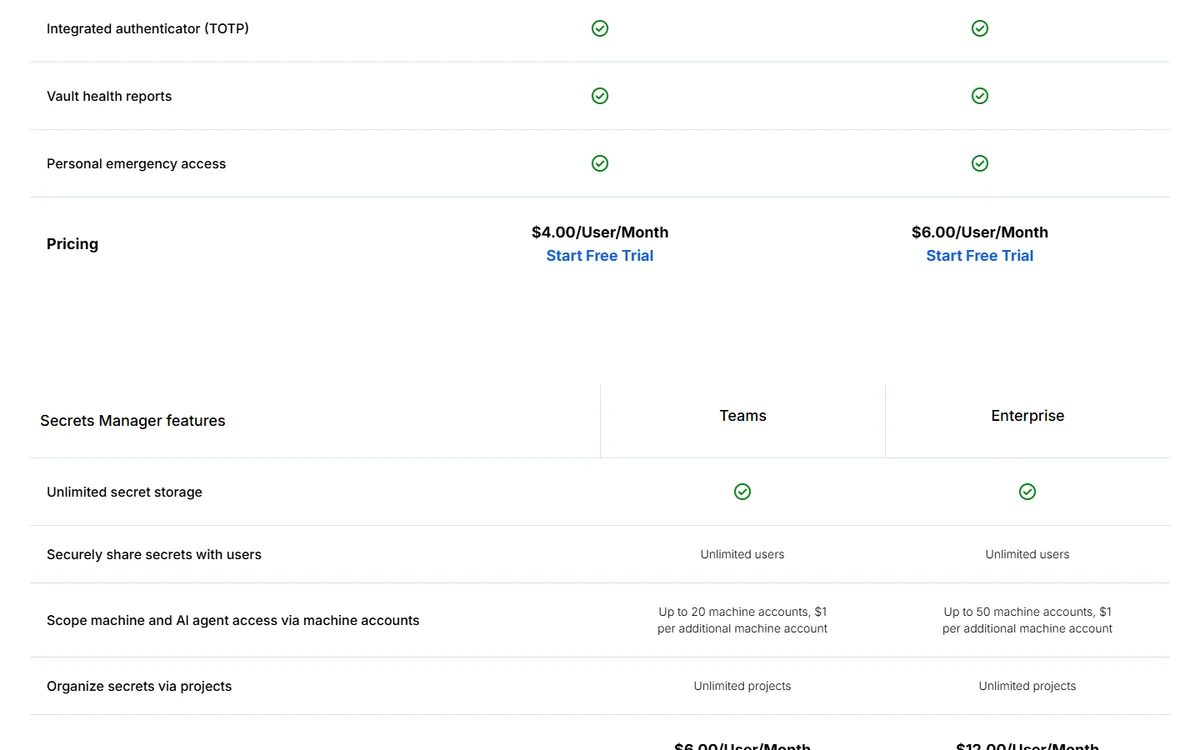
Bitwarden lists Teams at $4.00 per user per month and Enterprise at $6.00, billed annually. Its free plan includes unlimited devices and passwords, with sharing for one other user.
Bitwarden Reviews
- G2: rated 4.6/5 (across +1,500 ratings)
Notion
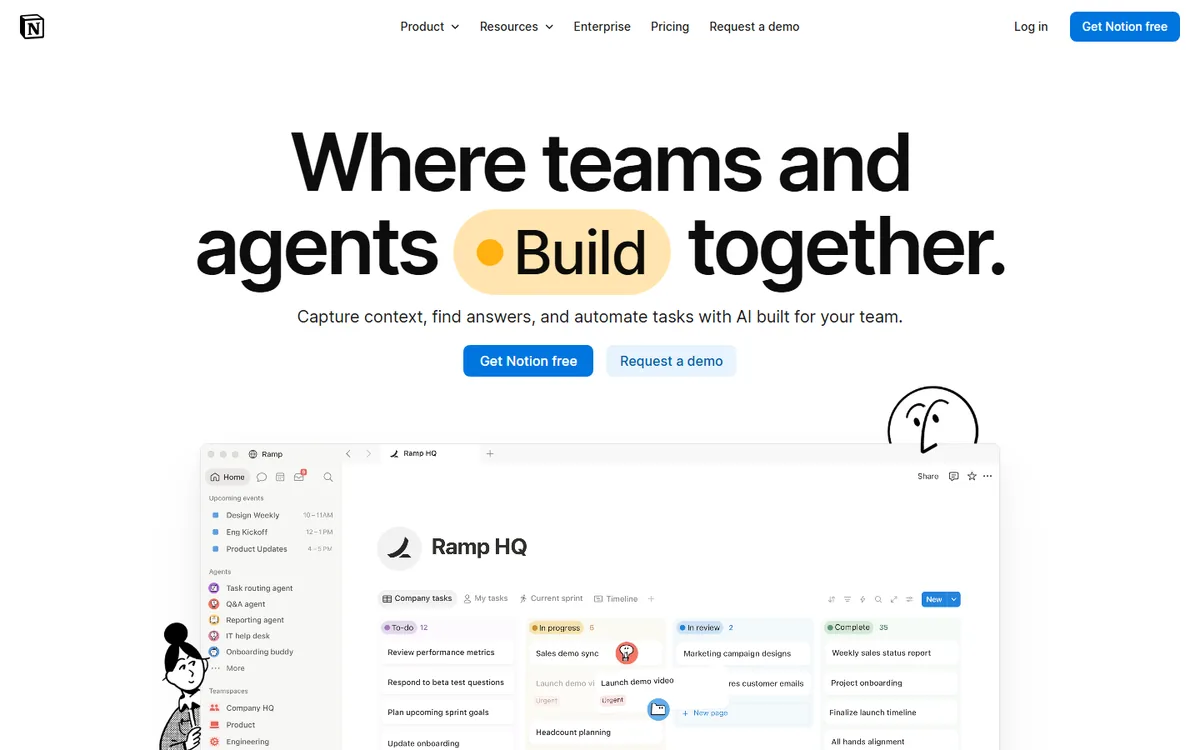
A Flexible Workspace for Company Notes, Wikis and Simple Databases
Notion combines documents, wikis, databases and project boards in one workspace.
Notion works well as your company handbook: processes, onboarding notes and meeting records in one place. Databases let you track simple projects or content calendars.
Its flexibility is also its risk. Without a structure and an owner, workspaces turn messy. Set up a few templates and rules before everyone starts adding pages.
Where Notion Shines
- One tool for docs, wikis and simple databases
- Templates for common team uses
- Free plan to get started
Where Notion Falls Short
- Can become cluttered without rules
- Not a replacement for dedicated project tools
Notion Pricing
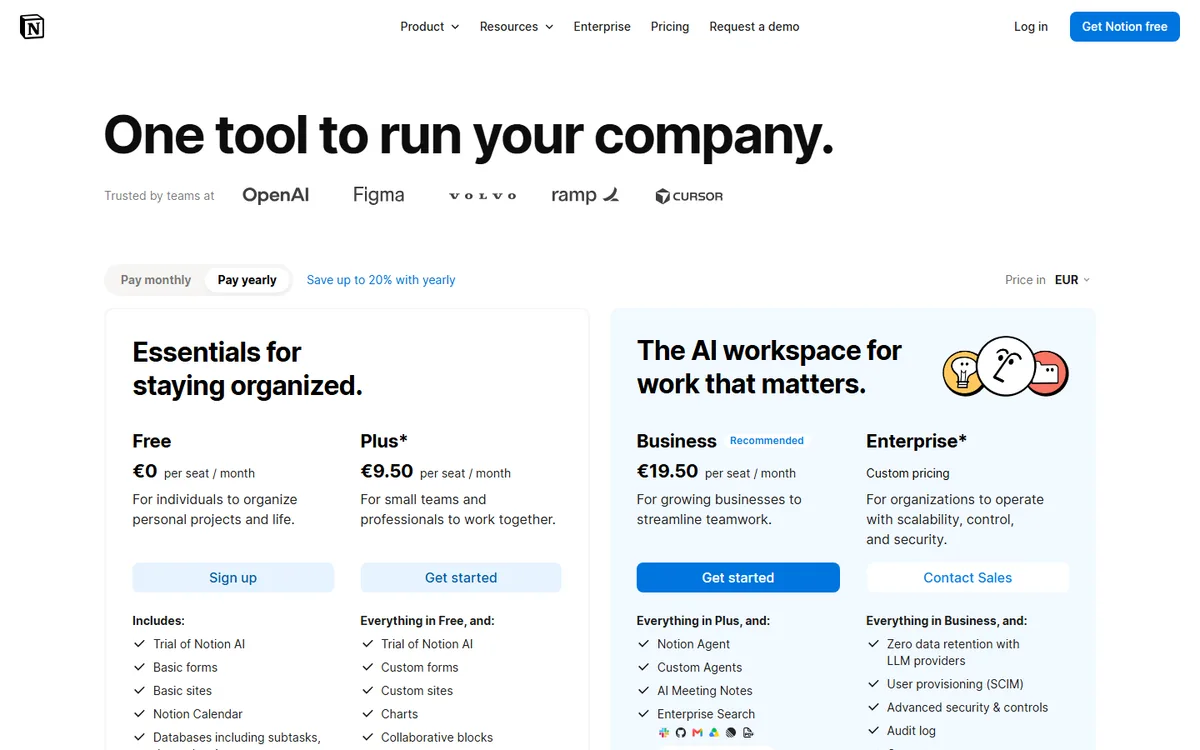
Notion lists Free, Plus at $10 per member per month, Business at $20 and custom Enterprise pricing. Yearly billing can save up to 20%, according to the page.
Notion Reviews
- G2: rated 4.6/5 (across +13,900 ratings)
Estimate the Return on a Software Subscription
Before you commit to a plan, check whether the numbers work for you. Enter the manual hours the tool should replace and its monthly price, and you will see what it could return in a year.
Is the Software Worth the Cost?
Move the sliders to match the work you want the tool to cover and the plan you are considering.
How to Choose the Right Small Business Software
Fit with your daily work matters more than any feature list. Before you compare vendors, I suggest you answer four questions:
- Which three or four tasks must the tool do well?
- Which systems does it have to connect to, such as accounting, email or your website?
- How many people will use it, and what does each seat cost?
- What happens to your data if you leave?
If you want an outside view on the whole stack, a short call settles it. Many of these tools also show up in small business technology trends, and the challenges small businesses face with software usually start with a missing owner. My technology checklist lets you check your setup after you choose.
Questions About Choosing Small Business Software
What Software Does a Small Business Need First?
Start with email and file sharing, accounting and a password manager. Add a CRM when you track more than a few dozen customers, and add project, payroll and marketing tools as the need appears. The tools in this list cover each of these areas.
Is Free Small Business Software Good Enough?
For testing and for very small teams, often yes. Wave, the HubSpot CRM, Trello and Bitwarden all have useful free plans. Move to paid plans when limits slow you down or you need support and security controls.
Should I Use a Suite Like Google Workspace or Microsoft 365?
For most small businesses, yes. A suite gives you email, files, calendar and meetings under one login, and it reduces the number of subscriptions you manage. Choose by what your clients and staff already use.
How Much Should I Budget per Employee for Software?
It depends on your industry, so I avoid a single number. Add up the tools each role needs, using the per-user prices in this list, and compare it with what you pay today. Include annual increases.
How Do I Avoid Paying for Tools I Do Not Use?
Audit your subscriptions once a year, name an owner for each tool and calendar renewals 30 days ahead. Cancel seats nobody has used in 60 days.
QuickBooks or Xero?
QuickBooks has the larger accountant network in the US, and Xero has simpler pricing for users in the core plan. Ask your accountant which they prefer, since that often settles it.
Do I Need a Consultant to Choose Software?
Not always. If you have a few simple needs, this list is enough. A consultant helps when you have many systems to connect, sensitive data or a migration to plan.
Disclaimer: Prices, plans and ratings change often. They were checked when this article was last updated, so confirm them on each vendor’s site before you buy. Nothing here is legal or financial advice.
Was this useful?
We appreciate the feedback.
Paige Mulvaney
Paige leads the Wicker editorial team and works with the consultants who run the roadmaps, software selections, implementations and integrations to turn real client projects into practical guides. Her focus is plain-language advice on IT strategy, choosing business software and connecting systems so they work together. Every article she edits is checked against current vendor pricing and documentation before it is published.