In Short
- Plan in six phases from kickoff to a 90-day review, with a decision at the end of each one.
- Capture three baseline numbers first: days to invoice, time to open a matter and same-day time entry.
- Keep must-haves under fifteen and score finalists on scripted demos of your own scenarios.
- Migrate open and recent matters, archive the rest and reconcile trust accounting before cutover.
A legal technology roadmap is a sequenced plan for the systems a law firm or legal department runs on: matter management, documents, billing, intake, e-signature, contract tools and the connections between them. Firms that bring in legal technology consulting often ask for this plan first, because the order of the work matters more than the list of tools.
I wrote this one for firms and in-house legal teams of roughly 5 to 200 people. It runs from the kickoff meeting to the first measured results, in six phases, with the decisions each phase has to produce. Legal work adds constraints that other roadmaps skip: client confidentiality, trust accounting, ethics rules and lawyers who bill by the hour and hate anything that costs them minutes.
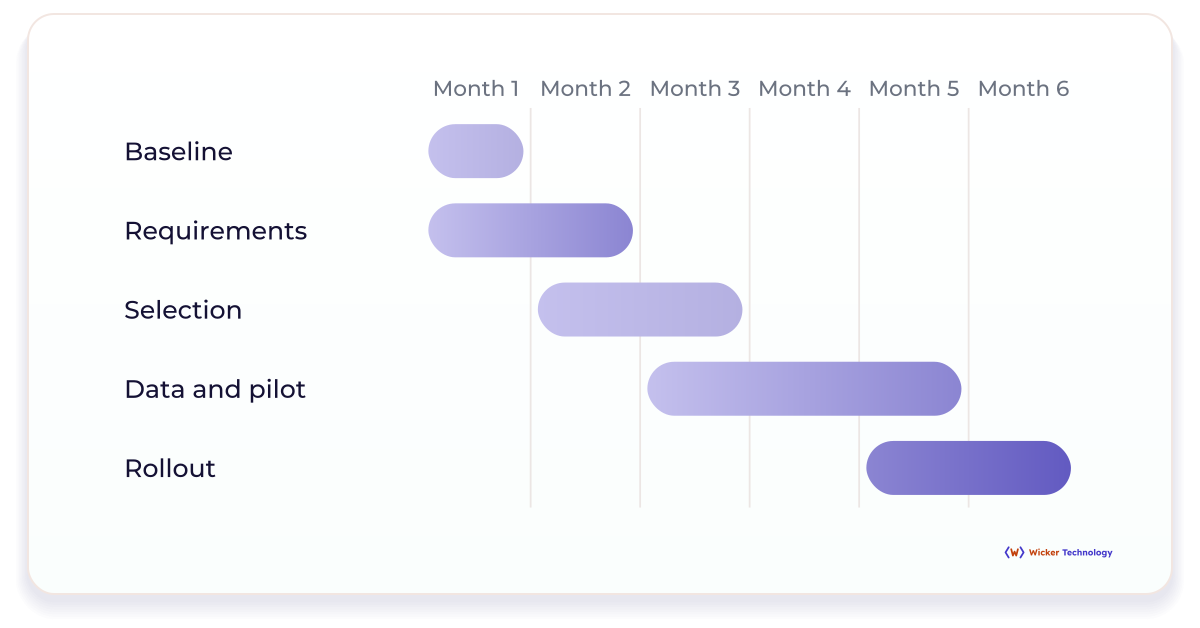
The Six Phases and What Each Delivers
| Phase | Typical length | Main deliverable | Decision it ends with |
|---|---|---|---|
| 1. Kickoff and baseline | 3 weeks | Systems map, cost list, pain list from each role | Which two or three problems the roadmap must solve |
| 2. Requirements and risk | 3 weeks | Requirements by role, confidentiality and security checklist | The must-haves and the deal-breakers |
| 3. Selection | 4 to 8 weeks | Scored shortlist, reference calls, pricing in writing | Which vendor or vendors you sign with |
| 4. Data and pilot | 6 to 10 weeks | Migrated sample data, pilot group results | Go or fix before the full rollout |
| 5. Rollout and training | 4 to 8 weeks | Live system, trained staff, retired old tools | Cutover date and support plan |
| 6. Review and results | 90 days after go-live | Adoption, billing and time figures against baseline | What to improve and what comes next |
The lengths assume one practice area leads and others follow. If you try to move everyone at once, add time for training and for the groups that run their work differently, such as litigation and corporate teams.
Phase 1: Kickoff and Baseline
Start with a two-page systems map. List every system that holds client or matter information, who owns it, what it costs per year and what it connects to. Law firms accumulate tools by practice group, so expect surprises: a second document store in one department, a billing spreadsheet that quietly drives invoicing, a signature tool bought on a personal card.
Interview one person from each role: partner, associate, paralegal, billing, front office and IT or the outside provider. Ask each what they did yesterday that felt like a waste of time. The answers give you a pain list in plain language. Partners will mention reporting and billing, associates will mention document search and templates, and staff will mention double entry.
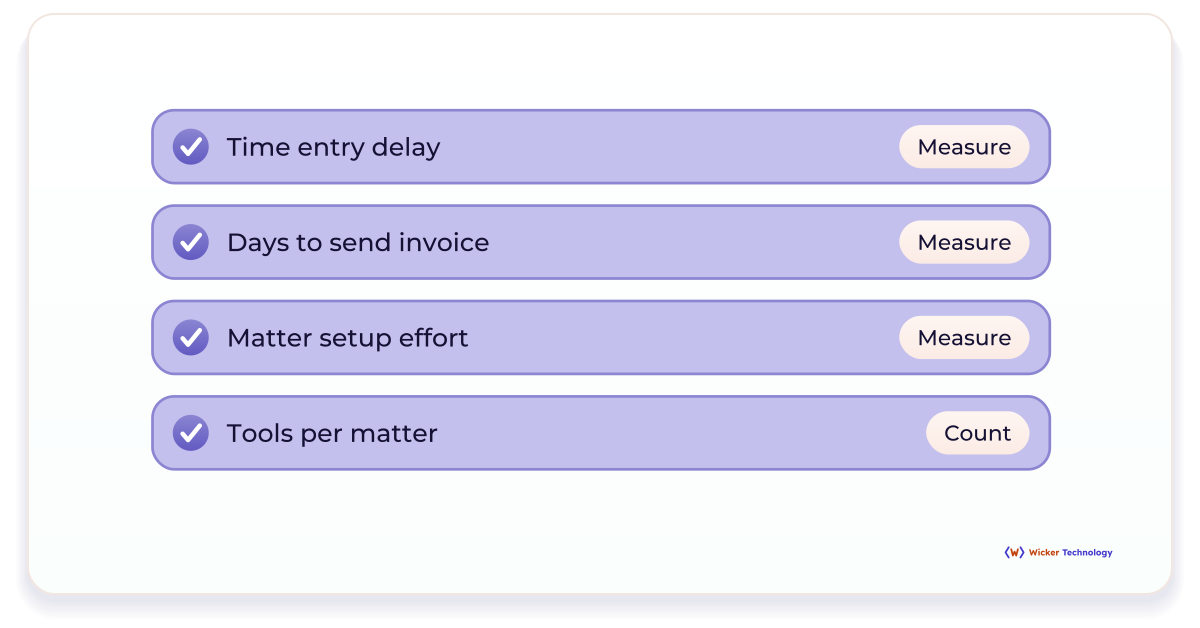
Capture three baseline numbers now, because you cannot show results later without them: average days from work done to invoice sent, average time to open a new matter and the share of time entered on the same day it was worked. Ask your billing lead to pull them from the system you have.
Phase 2: Requirements and Risk
Turn the pain list into requirements by role, and sort them into must-have, should-have and nice-to-have. Keep the must-have list under fifteen items. A list of sixty must-haves means nothing is a must-have, and every vendor will tick most of the boxes.
Legal technology carries risk items that belong in the requirements from the start. Confidentiality and data location come first: where client data is stored, who at the vendor can reach it and what happens when you leave. Add access controls by matter (ethical walls), audit logging, backup and recovery targets, and how trust and operating accounts are separated in billing. Ask your own advisers or your malpractice carrier what they expect, because requirements differ by jurisdiction and client type, and I do not give legal advice.
It is also worth listing the integrations you cannot live without, such as email, calendar, accounting, document editing and e-signature. My ranking of legal software shows which of the main platforms cover these natively.
Phase 3: Selection
Build a longlist of six to eight products, cut it to three with a quick scoring against your must-haves, and run scripted demos with the three. A script means you tell each vendor the scenarios to show: opening a matter from an intake form, drafting a document from a template, recording time from an email, and producing an invoice with a trust payment applied. Vendors who demo their own favorite features tell you nothing about your needs.
Call at least two reference customers per finalist who match your size and practice area. Ask what broke during migration, what the support response time really is and what they would do differently. Then get pricing in writing, including implementation, data migration, training, add-ons and the renewal cap. For firms, the number that surprises most is the per-user price multiplied by every timekeeper plus staff seats.
| Selection criterion | Weight | How to test it |
|---|---|---|
| Fit with must-have requirements | 30% | Scripted demo with your scenarios |
| Security and confidentiality controls | 20% | Written answers plus a review by your IT adviser |
| Integration with email, accounting and documents | 15% | Live test during the demo or a sandbox |
| Adoption by lawyers and staff | 15% | Hands-on trial with two real users |
| Total cost over three years | 10% | Written quote with implementation and renewal terms |
| Vendor stability and support | 10% | Reference calls and support test |
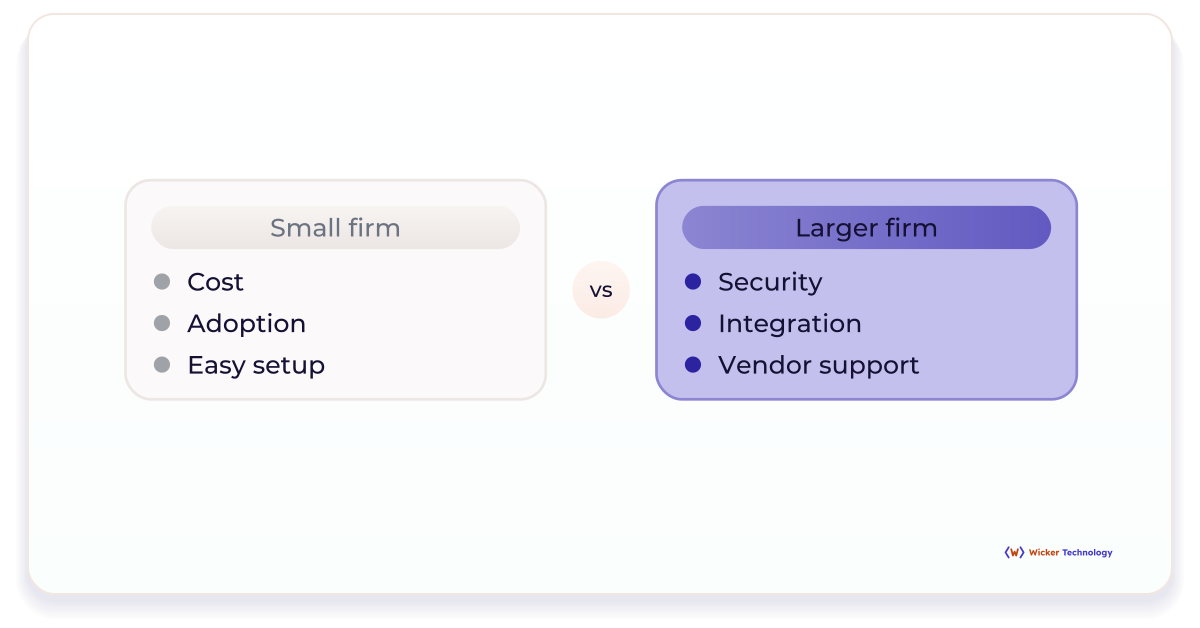
Weights are a starting point. A small firm may put more on cost, an in-house team more on contract workflow. Fix the weights before the demos so that nobody tunes them to a favorite.
Phase 4: Data Migration and Pilot
Data is where legal projects slip. Decide what moves and what stays in an archive: open matters, closed matters from the last few years, contacts, documents, billing history. Moving everything sounds safe and ends up expensive. Most firms migrate open matters and recent closed ones, and keep the rest in a read-only archive.
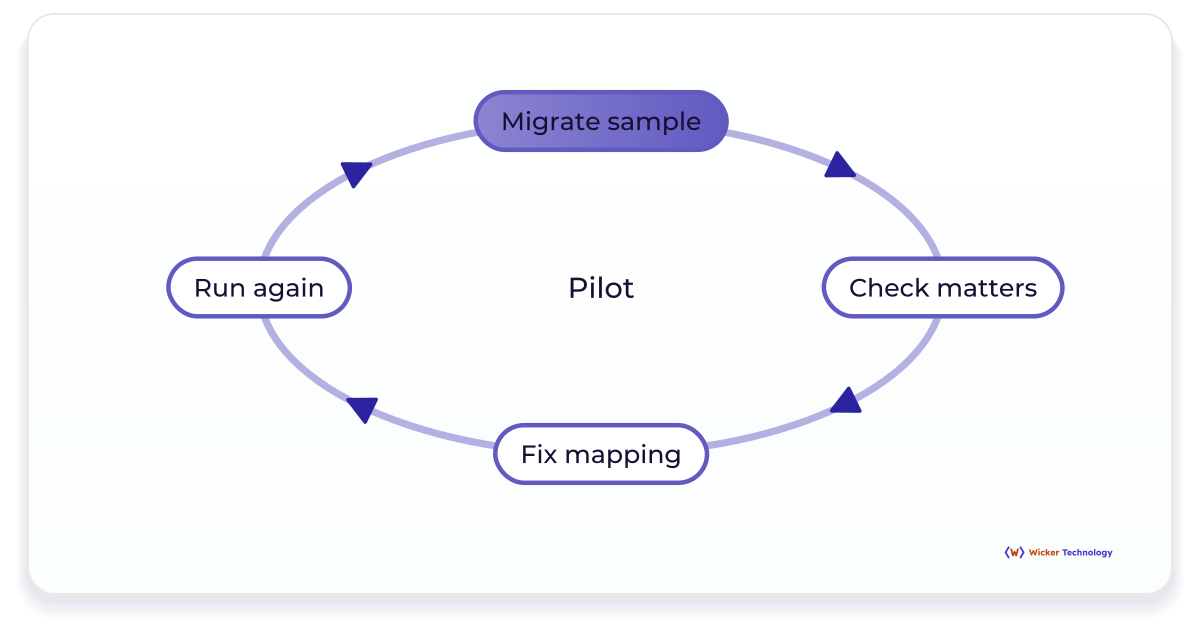
Run a trial migration with a sample of 20 to 50 matters and check it the way a paralegal would: documents open, folders match, contacts link to matters, balances in trust and billing tie out. Fix the mapping and run it again. Then start a pilot with one practice group for four to six weeks, using the new system for all new matters.
If the challenges of this phase look familiar, my article on legal technology challenges covers the common failure points, from partner resistance to messy matter numbering.
Phase 5: Rollout and Training
Roll out by practice group, not by function. Each group goes live on a fixed date with its own training, and one person from the group acts as the local champion. Hold training in short sessions tied to tasks: opening a matter, saving an email, recording time, preparing an invoice. Lawyers learn faster from a ten-minute session on their next billing run than from a half-day tour of every feature.
Set a cutover plan for the old system: when it becomes read-only, when it is switched off and who keeps a copy of the final data. Plan a daily support slot in the first two weeks, where staff can drop in with questions. The cost is small and the effect on adoption is large.
The examples in legal technology examples show how other firms handled the first weeks, including the small fixes that made lawyers keep using the system.
Phase 6: Review and Results
Ninety days after go-live, compare the three baseline numbers with the current ones. Add adoption measures: the share of matters opened through the new intake path, the share of time entered the same day, the number of documents saved outside the system. Where the numbers lag, look for a training gap or a process problem before you blame the tool.
Hold a review with partners and staff. Ask what to stop doing, what to automate next and which integration is still manual. Update the roadmap with the next one or two moves, usually document automation, client portal or contract workflow, and put dates on them.
Budget and Staffing for the Roadmap
Split the budget into five lines: software licenses, implementation by the vendor or a partner, data migration, training and internal time. The last one is the line firms forget. A project owner will spend roughly a day a week on a mid-sized rollout, and every pilot user loses a few hours to testing and training. Billable lawyers are expensive, so schedule the sessions where they hurt least, for example during slow weeks or before a court calendar fills up.
Keep a contingency of 15 to 20 percent for data surprises. Matter numbering that changed over the years, contacts entered three different ways and documents with no matter reference are normal in firms older than a decade. They are cheap to fix in phase four and costly to discover after go-live.
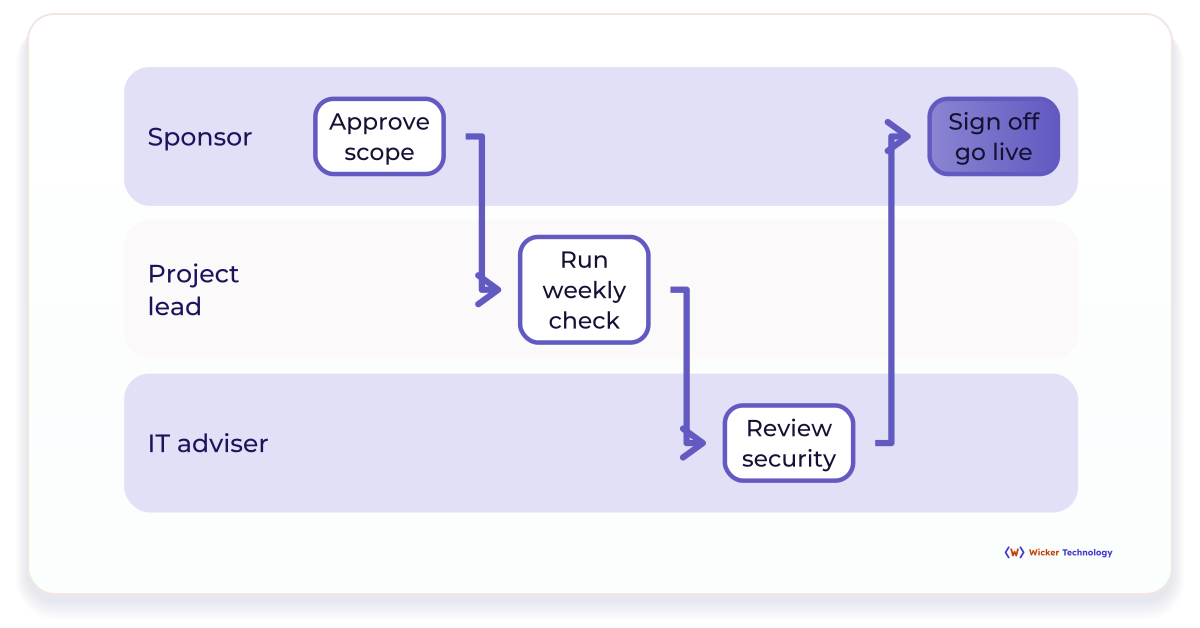
Name three roles before phase one ends: a sponsor (a partner or the general counsel), a project owner (often the operations manager or senior paralegal) and a champion in each practice group. Write down what each person decides. Projects without a named person who can say no to a feature request drift past their dates.
Where Should You Begin?
If you can only fund one move this year, start with the area where lost time translates into lost revenue: matter intake, time capture and billing. Those have the shortest path to measurable results. Document management and contract tools follow once the matter record is reliable, because they depend on it.
- Choose a lead practice group that has a motivated partner and average complexity.
- Fix the system of record for matters, contacts and billing before adding any tool on top.
- Budget for data migration and training as separate lines, not as a rounding error.
- Decide in advance who leads each phase and who can say no to a feature request.
Questions About Legal Technology Roadmaps
How Long Does a Legal Technology Roadmap Take to Deliver?
A single-practice-group move from kickoff to first results usually takes six to nine months. Firm-wide changes take longer, mainly because of data migration and training across groups with different workflows.
Which Legal System Should I Replace First?
Start where lost time becomes lost revenue: matter intake, time capture and billing. Document and contract tools depend on a reliable matter record, so they usually come second.
How Do I Get Partners to Support the Project?
Show them numbers they already care about, such as days to invoice and unbilled time. Name a partner sponsor, keep the pilot small and let results from one practice group persuade the others.
What Should I Migrate from My Old System?
Migrate open matters, recent closed matters, contacts and current billing data. Keep older material in a read-only archive. Test the migration on a sample of 20 to 50 matters before you move everything.
How Do I Keep Client Data Confidential During the Project?
Write confidentiality and access requirements into the selection, check where the vendor stores data and who can reach it, and limit who handles migration files. Confirm your jurisdiction's rules with your own advisers.
What Does a Legal Technology Roadmap Cost?
Costs depend on headcount, the number of systems and the data to move. Plan separate lines for licenses, implementation, data migration, training and a support period, and ask each vendor for the renewal cap in writing.
When Should I Bring in a Consultant?
Outside help fits when you have more than one system to replace, no internal project owner, or a vendor decision worth real money. A consultant who has run several selections can shorten phases two and three.
Important: nothing in this article is legal, financial or tax advice. All figures are estimates from typical projects, so verify them with your own providers and advisers.
Was this useful?
We appreciate the feedback.
Paige Mulvaney
Paige leads the Wicker editorial team and works with the consultants who run the roadmaps, software selections, implementations and integrations to turn real client projects into practical guides. Her focus is plain-language advice on IT strategy, choosing business software and connecting systems so they work together. Every article she edits is checked against current vendor pricing and documentation before it is published.