In Short
- Adoption and security cause more legal technology failures than missing features.
- Pick two challenges for the first quarter and put the rest on a dated roadmap.
- Write a one-page AI policy and name a reviewer for every AI-assisted document.
- Migrate open matters first and archive closed ones read-only.
Legal technology problems are rarely about the software itself. They come from client data that sits in too many places, lawyers who have no time to learn a new system and projects that start without an owner. If you want a plan for your own firm, my legal technology consulting team runs assessments that sort these out.
Below are the seven challenges I see most often in law firms and legal departments, with the steps that solve each one. Each includes a short checklist you can hand to whoever runs your technology.
The Seven Challenges at a Glance
The table shows where each problem usually starts, the first fix and the time range I typically see for a small firm. Timelines depend on your size and data, so treat them as a starting point.
| Challenge | Usual root cause | First fix | Typical time to improve |
|---|---|---|---|
| 1. Client data security | Weak sign-in and old accounts | Multi-factor authentication and an access review | 2 to 4 weeks |
| 2. Disconnected tools | Systems bought one at a time | One page map of handoffs | 1 to 3 months |
| 3. AI without a policy | Personal accounts and no rules | One page policy and approved tools | 2 to 4 weeks |
| 4. Resistance to change | No time to learn, unclear benefit | Pilot group and a champion | 2 to 3 months |
| 5. Messy migrations | Years of inconsistent files | Open matters first, archive the rest | 2 to 6 months |
| 6. E-discovery cost | Reviewing before filtering | Early case assessment | Per matter |
| 7. Billing and trust records | Time and payments in separate tools | One system of record | 1 to 3 months |
Seven Hurdles and How to Clear Them
The order below follows what I would tackle first in a typical firm. If you are still choosing tools, see my breakdown of legal software options alongside these checklists.
Client Data Security and Confidentiality
Law firms hold the documents that attackers and scammers want: deal terms, settlement figures, medical records and bank details. In my client work, the firms that get into trouble are rarely hit by anything clever. A paralegal's email account has no second sign-in step, or a former associate still has access to the shared drive eight months after leaving.
Your duty of confidentiality does not shrink because a vendor hosts the data. Your engagement letters, your vendor contracts and your bar's technology guidance all point the same way: you need to know where client data sits and who can open it. Start with an inventory, because most firms discover two or three places they forgot about.
How to close the gaps
- List every system that stores client files, including email, shared drives, practice software and phones.
- Turn on multi-factor authentication for email and the document system first.
- Remove access for anyone who left, and review who holds admin rights.
- Encrypt laptops and phones, and set remote wipe for lost devices.
- Ask each vendor where data is stored and how breaches are reported.
- Run a short phishing drill twice a year and share the results with everyone.
Tools that help with security
A password manager such as 1Password or Bitwarden and the multi-factor settings already inside Microsoft 365 or Google Workspace cover most of the basics. Add endpoint protection and an encrypted backup once those are in place.
Too Many Disconnected Tools
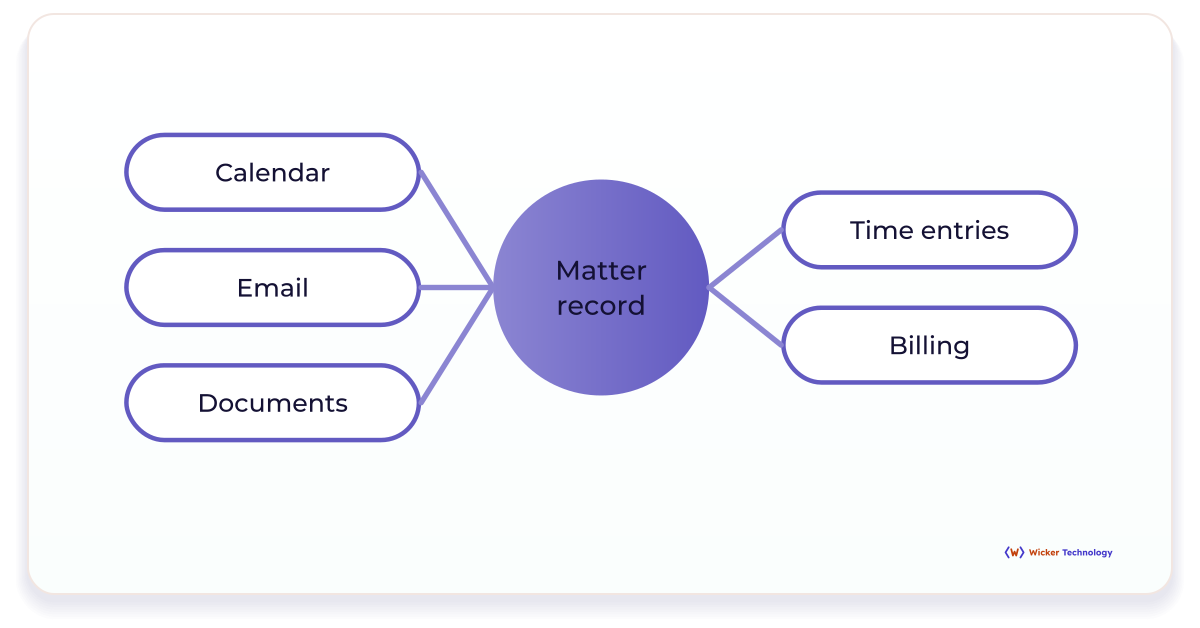
A typical small firm I review runs one tool for matters, another for billing, a third for documents, a fourth for e-signatures and a spreadsheet that holds what the others cannot. Each tool is fine alone. Together they create re-keying: a client's address changes in one place and stays wrong in four others.
The cost shows up in billing. Time entries get lost between the calendar and the billing system, and invoices go out late because someone has to reconcile two exports. Before you buy anything new, map how a matter moves from intake to final invoice and mark every point where a person copies data by hand.
How to reduce the sprawl
- Draw the matter lifecycle on one page, from intake to closing.
- Mark each handoff where someone retypes or exports data.
- Decide which system owns each record: client, matter, time and document.
- Replace or connect the tools with the most handoffs first.
- Set up sync alerts, so a failed connection is noticed the same day.
- Retire any tool nobody can explain.
Tools for connecting your stack
Many practice management platforms such as Clio Manage and MyCase connect to billing, e-signature and document tools out of the box. For gaps, an integration service like Zapier or Make can link two systems without custom code. My guide to legal software compares the main platforms.
Adopting AI Without a Clear Policy
Lawyers now use AI for first drafts, summaries and research starting points, often through personal accounts the firm never approved. That creates two problems at once: client information leaves the firm's control, and unchecked output makes it into work product. Courts and bar associations have already published guidance on both, so check your own jurisdiction's current position.
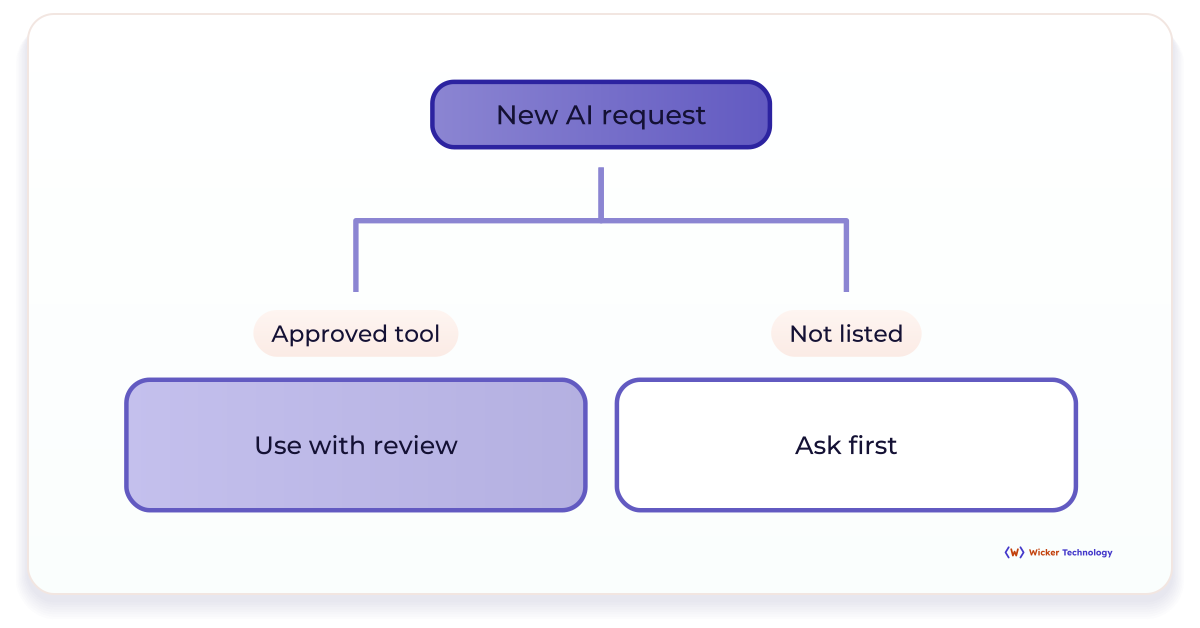
The practical answer is a short written policy and a short list of approved tools. Anything longer goes unread. The policy should say what data may never be entered, who reviews output before it reaches a client, and how the firm records that review. Keep a person accountable for every document that goes out.
How to set rules that people follow
- Survey the team on which AI tools they already use, with no blame attached.
- Pick one or two approved tools with business terms that cover confidentiality.
- Write a one-page policy covering data limits and mandatory review.
- Require a named reviewer to verify every citation and quote in AI-assisted drafts.
- Train the team on two real examples of output that looked right and was wrong.
- Revisit the policy every quarter, because the tools change quickly.
Tools to evaluate
Legal research platforms such as Westlaw and Lexis+ now include AI features under contracts built for law firms, and general assistants offer business tiers with data protections. Read the data-handling terms before the feature list.
Lawyers Who Will Not Switch
Adoption is where most legal technology projects fail, and the cause is usually fair. A partner billing at full speed has no spare hours to learn a new system, and the old one has worked for fifteen years. If the rollout adds work in the first month, people go back to email and paper.
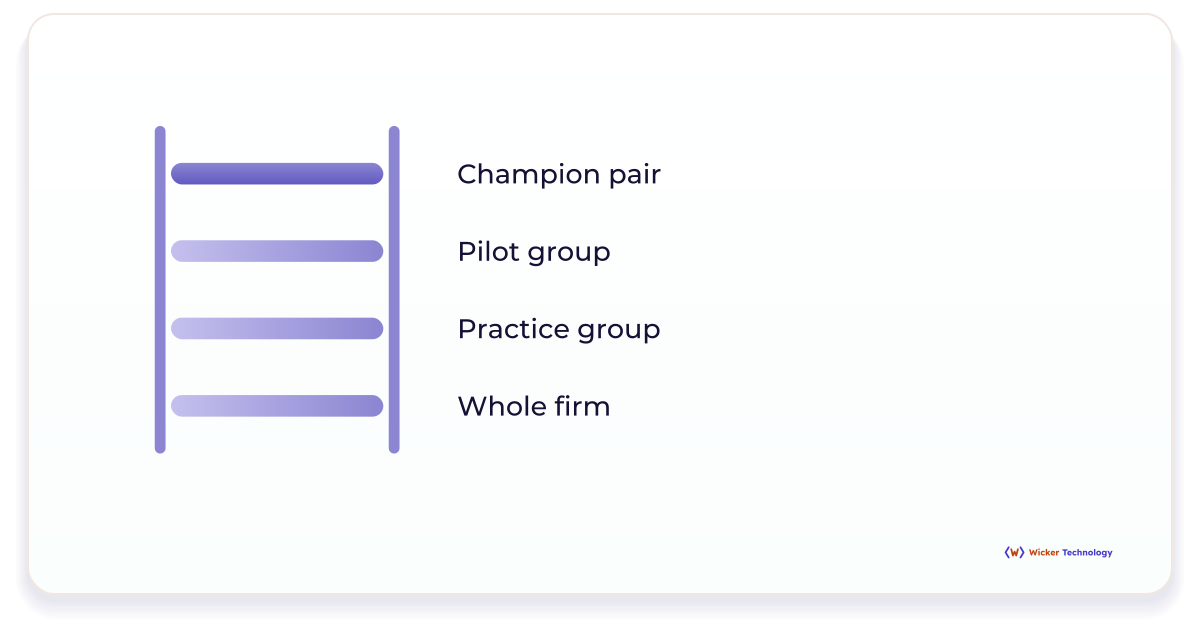
I get better results when one respected partner and one senior paralegal help choose the tool, and when the firm moves a single practice group first. Their stories carry more weight than any training deck. Expect a dip in the first two to four weeks and plan around it.
How to move people along
- Pick a pilot group with a patient champion at the partner level.
- Ask the group to list their five most annoying daily tasks before choosing features.
- Schedule training in short sessions on real matters, not demo data.
- Keep the old process available for two weeks, then retire it on a stated date.
- Track one simple number, such as time entries logged same day.
- Share the pilot results with the rest of the firm before the next group starts.
What supports adoption
Vendor onboarding teams run short sessions, and many firms add an internal "super user" for each group. A shared channel in Teams or Slack for quick questions keeps small problems from becoming reasons to quit.
Migrating Old Matters and Documents
Every firm has a decade of files in folders named after people who left. Moving them into a new document or practice system is where schedules slip. Naming is inconsistent, duplicates are everywhere and nobody agrees which version is final.
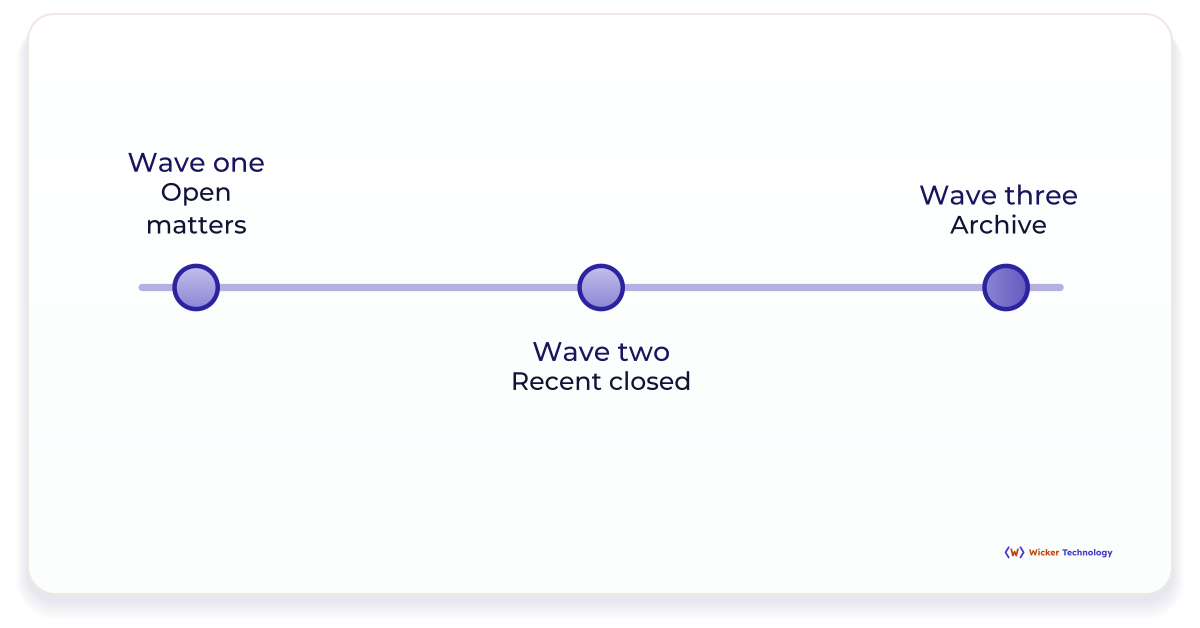
A cutover that tries to move everything on day one nearly always runs late. Move open matters first, leave closed matters in a read-only archive and migrate them in batches if you ever need them. Retention rules decide how long you keep closed files, so confirm those with your own counsel before you delete anything.
How to plan the move
- Count the data by matter status: open, recently closed and archived.
- Agree on a naming standard and a folder or metadata structure before the move.
- Run a test migration on five matters and have their lawyers check the result.
- Move open matters in weekly waves, with a freeze window for each.
- Keep the old system read-only for at least one billing cycle.
- Document what was moved, what was archived and who approved the deletions.
Tools for the migration
Document platforms such as NetDocuments and iManage offer migration utilities, and many vendors provide migration services. Ask for a fixed price per matter volume, because open-ended hourly migrations tend to grow.
E-Discovery Volume and Cost
A single dispute can produce hundreds of thousands of emails and chat messages, and review costs scale with every document. Smaller firms feel this most, because they lack in-house review teams and sometimes learn the volume only after the client has agreed to a budget.
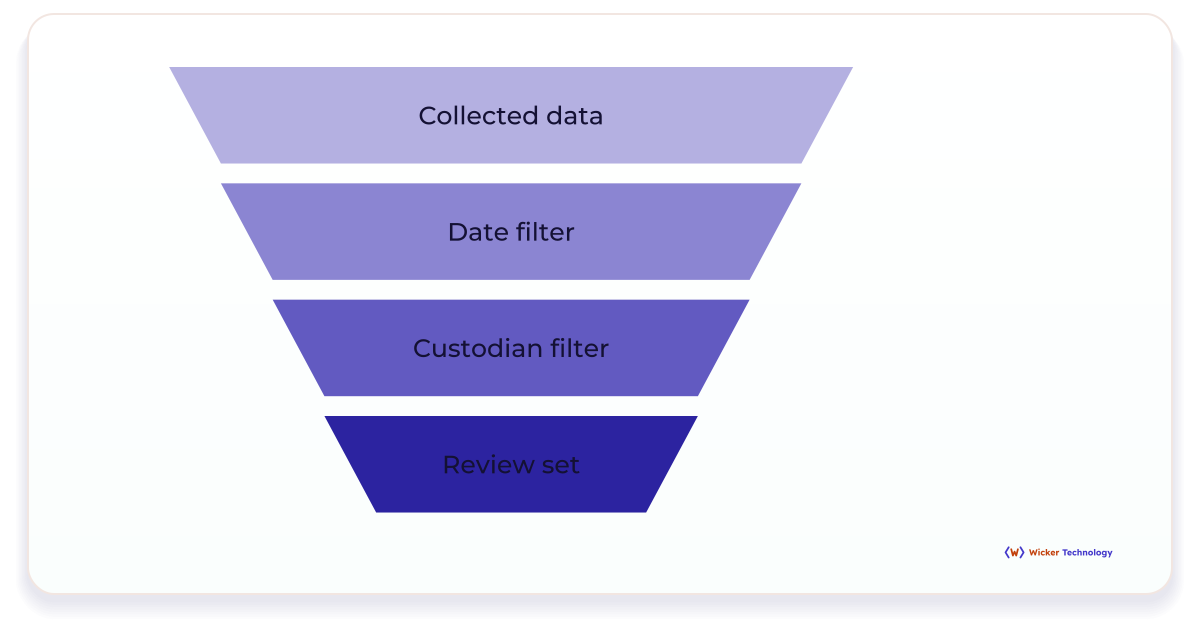
Early case assessment changes the math. If you filter by date, custodian and key terms before anyone reads a document, the review set often shrinks a great deal. Newer review platforms add AI-assisted prioritization, which still needs sampling and quality checks from a lawyer.
How to control review costs
- Preserve data early and document the hold notices.
- Filter by custodian, date range and search terms before review begins.
- Remove exact duplicates and obvious system noise.
- Prioritize documents with a ranking tool and sample the results for accuracy.
- Set a budget checkpoint at each batch and report cost per document to the client.
- Export a clean production log, so the work can be defended later.
Platforms to compare
Relativity, Everlaw and DISCO are the platforms I see most, and each prices differently by data volume or per user. Ask for a worked quote on one of your past matters, so you can compare real numbers.
Billing, Trust Accounting and Compliance Records
Billing errors cost money, and trust accounting errors cost far more than money. When time entries live in one tool and payments in another, reconciling client trust balances becomes a monthly scramble. Auditors and bar rules expect clean three-way reconciliation, and the rules differ by state.
Technology helps most when billing, payments and trust accounts live in one connected system, with approvals and an audit trail. Check your state bar's current trust accounting rules before configuring anything, and ask your vendor which of those rules their product supports.
How to tighten billing and trust records
- Confirm your state's current trust accounting requirements with your bar or counsel.
- Choose one system of record for time, invoices and trust balances.
- Require time entries daily, with a weekly review by the responsible attorney.
- Automate payment reminders and recurring invoices.
- Reconcile trust accounts monthly, using the reports from the system.
- Keep an audit trail of every change to a trust balance.
Tools built for legal billing
Legal-specific platforms like Clio, MyCase and PracticePanther include trust accounting and reports, and LawPay-style payment tools handle card processing. General accounting software alone rarely covers trust rules, so ask each vendor to show you the reconciliation report.
Turning the List Into a Plan
Seven problems at once is too many. In my client work I pick two for the first quarter, usually security and the system that holds matters, and put the rest on a dated list. That list is a legal technology roadmap, and it keeps the firm from buying tools in a panic after the next incident.
Check your list against real examples before you commit. My collection of legal technology examples shows what firms of different sizes actually did and what it cost them in time.
Where Should You Begin?
Ask three questions about each challenge: how many matters does it touch, how bad is the worst outcome and how quickly can you show a result? A fast fix with a visible result builds support for the harder ones. If you want a second opinion, a short call can sort this out in an hour.
- Do you know every place client files are stored today?
- Does every account with client access use multi-factor sign-in?
- Is there a written rule for AI tools that people have read?
- Does one system own time, invoices and trust balances?
Questions About Legal Technology Challenges
What Is the Biggest Technology Challenge for Law Firms?
In my client work it is adoption. The software is usually fine, and the problem is that busy lawyers keep using the old process unless the new one clearly saves them time. Start with a pilot group and one or two daily annoyances, then measure whether people actually use the tool.
How Much Should a Small Law Firm Spend on Technology?
It varies with firm size and practice area, so I avoid a single percentage. Build a budget from the systems you need: practice management, documents, security and backup, plus training time. Ask each vendor for a quote based on your actual headcount and matter volume.
Is Cloud Software Safe for Client Files?
It can be, when you choose vendors with strong security practices and set it up properly. Use multi-factor authentication, limit access by role and read the vendor's terms on data location and breach notice. Your bar's technology guidance also applies, so check the current position in your state.
Can Lawyers Use Generative AI on Client Work?
Many do, with conditions. Keep confidential information out of tools without business-grade protections, verify every citation and quotation, and keep a named lawyer responsible for the result. Court rules and bar guidance on AI keep changing, so review the current rules where you practice.
How Long Does a Practice Management Migration Take?
A small firm usually needs several weeks from kickoff to cutover, and larger firms need more. Data cleanup takes longer than people expect. Plan for a test migration, staged waves for open matters and a read-only period for the old system.
Do I Need a Technology Consultant or an In-House IT Person?
A firm with fewer than 20 people often does well with a managed provider and an occasional consultant for selection and projects. A larger firm usually adds in-house staff for daily needs. The right mix depends on how much change you have planned.
Where Should I Start If Everything Feels Behind?
Start with security basics, then the system that touches every matter, usually practice management. A one-page roadmap that lists what to fix this quarter, next quarter and later keeps the work from becoming one giant project.
Sources
- NIST Small Business Cybersecurity Corner
- CISA: Require Multifactor Authentication
- FTC: Cybersecurity for Small Business
Important: nothing in this article is legal, financial or tax advice. All figures are estimates from typical projects, so verify them with your own providers and advisers.
Was this useful?
We appreciate the feedback.
Paige Mulvaney
Paige leads the Wicker editorial team and works with the consultants who run the roadmaps, software selections, implementations and integrations to turn real client projects into practical guides. Her focus is plain-language advice on IT strategy, choosing business software and connecting systems so they work together. Every article she edits is checked against current vendor pricing and documentation before it is published.