In Short
- Clio Manage, MyCase and Smokeball are the broadest picks for small and mid-sized firms.
- Filevine fits litigation workflows, Lawmatics fits client intake and LawPay handles trust-aware payments.
- NetDocuments and iManage cover document management, and Ironclad covers in-house contract workflow.
- List your must-have requirements first, then test two or three tools with real matters.
The Best Legal Software at a Glance
| Tool | Type | Best for |
|---|---|---|
| 1. Clio Manage | Practice management | Small to mid-sized firms that want one platform for matters, billing and intake |
| 2. MyCase | Practice management | Small firms that want a client portal and straightforward billing |
| 3. Smokeball | Practice management | Firms that bill hourly and draft many documents from matter data |
| 4. Filevine | Case management | Litigation and personal injury firms that need configurable workflows |
| 5. PracticePanther | Practice management | Solo lawyers and small firms that want clear, lower-cost plans |
| 6. Lawmatics | Intake and CRM | Firms that win clients through marketing and need follow-up automation |
| 7. LawPay | Payments | Any firm that wants client payments that respect trust account rules |
| 8. Bill4Time | Time and billing | Small firms and consultants that mostly need time tracking and invoicing |
| 9. Centerbase | Practice management | Mid-sized firms that want strong financial and reporting controls |
| 10. NetDocuments | Document management | Firms and legal departments that need matter-based document security |
| 11. iManage | Document management | Larger firms and legal departments with complex document and knowledge needs |
| 12. Ironclad | Contract lifecycle | In-house legal teams that manage a high volume of contracts |
The 12 Best Legal Software Tools, Ranked
I rank by how widely each tool fits firms and departments, starting with the broad practice platforms and moving toward specialist tools for documents, payments and contracts. Software is only half of the result. In legal technology consulting projects, the bigger risk is picking a tool before you know your requirements, so my legal technology roadmap shows the order I use.
Clio Manage

The Default Choice for Firms That Want One Platform With a Large Ecosystem Around It
Clio Manage is a cloud practice management platform for matters, contacts, time, billing, documents and client communication, backed by a wide range of integrations.
Clio is the product I see most often when a firm asks for a safe pick. It covers the core jobs of a practice: opening matters, tracking time, producing invoices, taking payments and storing documents against each matter. Around it sit related products for intake, document drafting and payments, so you can grow into a suite.
In my project work the integration library is the deciding factor. Firms already run email, accounting and calendar tools, and Clio connects to most of them. The price of that breadth is a long feature list. Plan a proper setup and a training period, or your lawyers will use ten percent of it.
Where Clio Manage Shines
- A large integration library that covers email, accounting and e-signature
- Mature billing and trust accounting features
- Related products for intake and drafting under one roof
Where Clio Manage Falls Short
- Higher tiers add up quickly across many users
- Reporting and customization sit on the more expensive plans
Clio Manage Pricing
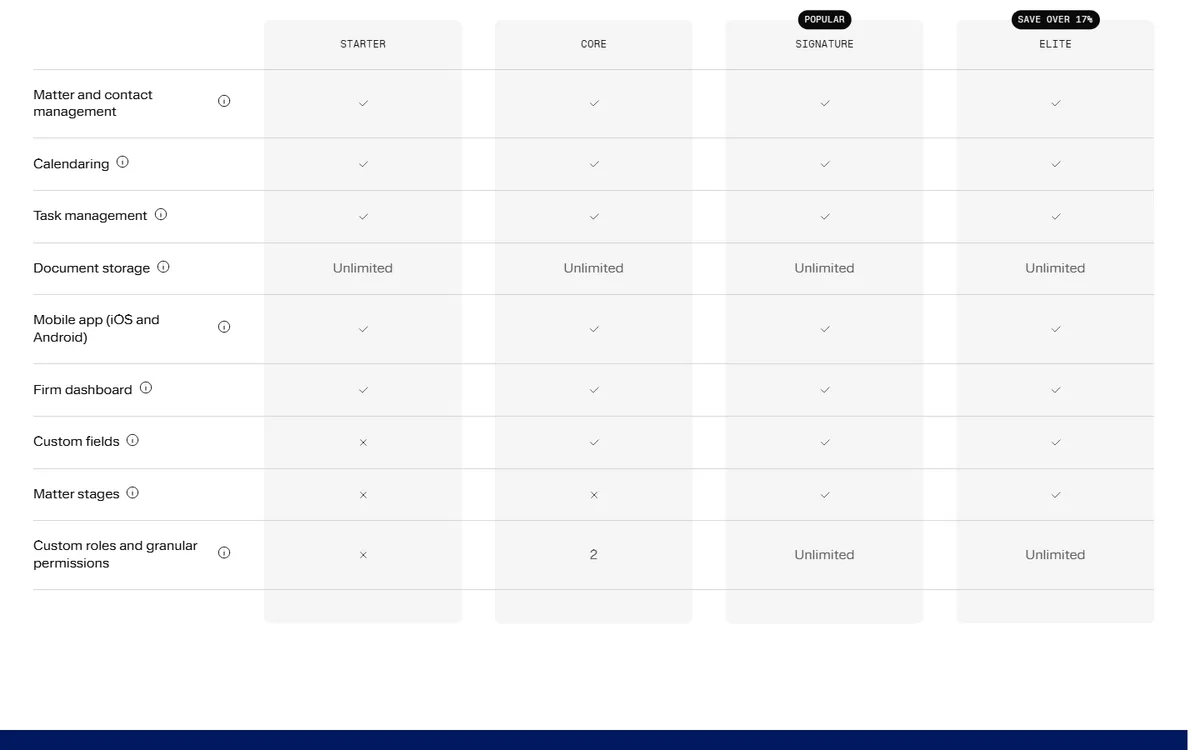
Clio lists four plans: Starter, Core, Signature and Elite. Its pricing page shows plans starting at $49 per user per month and does not show a price for each plan, so ask for a quote for the tier you need.
Clio Manage Reviews
- G2: rated 4.6/5 (across 1,159 ratings)
MyCase
A Client-Friendly Platform That Small Firms Can Learn in a Week
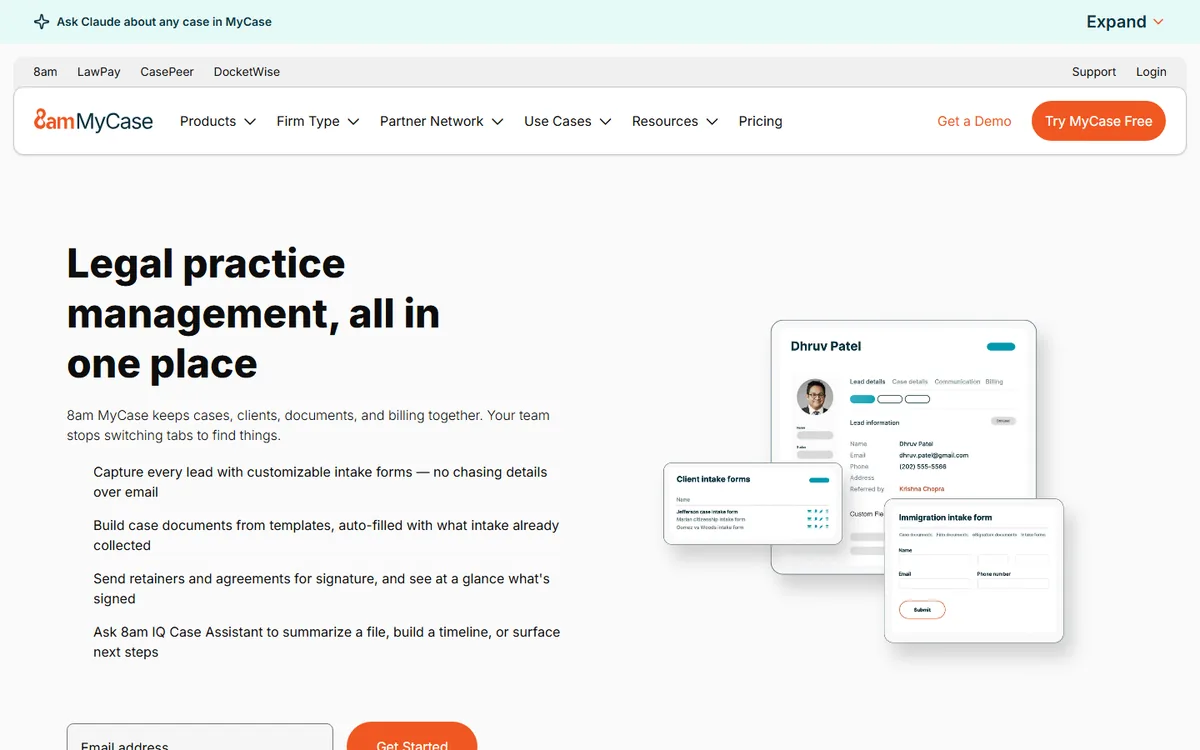
MyCase combines case management, a client portal, billing, online payments and messaging in a platform aimed at small and growing firms.
MyCase, now part of 8am, is built around the client experience. Clients get a portal where they see documents, messages and invoices, and pay online. For a firm whose biggest complaint is chasing clients by email, that is the feature that matters.
Compared with Clio, MyCase has fewer integrations and a simpler structure, which many small firms treat as an advantage. If you outgrow it, you will likely feel it in reporting and customization. An accounting add-on is sold separately for firms that want bookkeeping in the same system.
Where MyCase Shines
- The client portal is easy for clients to use
- Clear plans with published prices
- Simple setup for firms with no IT staff
Where MyCase Falls Short
- Fewer integrations than the larger platforms
- Advanced reporting needs the higher plans
MyCase Pricing
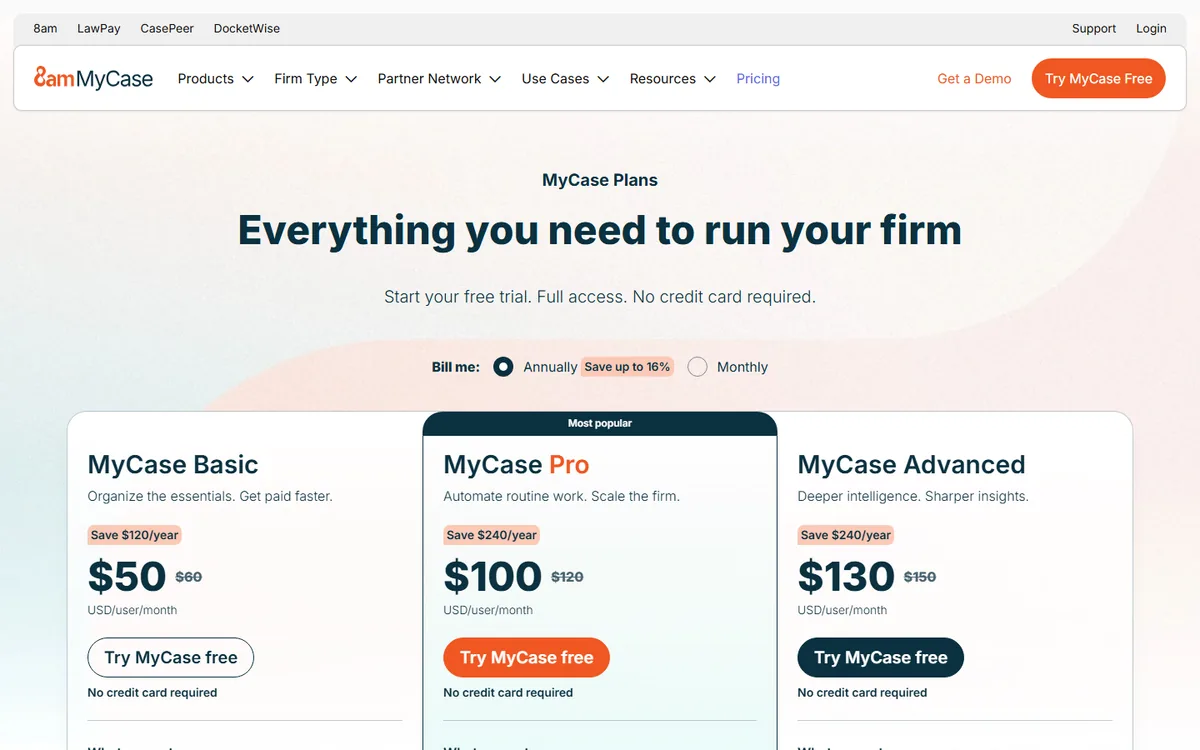
MyCase publishes three plans per user per month: Basic at $50 billed annually ($60 billed monthly), Pro at $100 ($120) and Advanced at $130 ($150). MyCase Accounting is an add-on at $39 per user per month, available with Pro and Advanced.
MyCase Reviews
- G2: rated 4.5/5 (across 432 ratings)
Smokeball

The Strongest Pick for Automatic Time Capture and Matter-Based Document Drafting
Smokeball is a practice management platform known for automatic time tracking and document templates that fill from matter details.
Smokeball's strength is capturing work that lawyers forget to record. Its time tracking logs activity in the background, which suits firms that lose billable hours at the end of the week. Document automation and templates by practice area let staff draft from matter data instead of retyping it.
The plans are structured in steps, with billing at the base and automation, reporting and workflows in higher tiers. Check which tier holds the features you need, because the cheaper plans leave out some of what the marketing shows. Pricing is by quote, so budget for a sales conversation.
Where Smokeball Shines
- Automatic time capture reduces unbilled time
- Practice area templates speed up document drafting
- Training is included with each plan
Where Smokeball Falls Short
- Price on request, so comparing costs takes effort
- Some of the best features sit in higher plans
Smokeball Pricing
Smokeball does not publish per-user prices. It offers four plans, Bill, Boost, Grow and Prosper+, and says pricing depends on users, plan, contract term and options. Training is included, and migration costs are confirmed in the quote.
Smokeball Reviews
- G2: rated 4.7/5 (across 392 ratings)
Filevine
A Configurable Case Platform for Firms With Complex, Repeatable Workflows
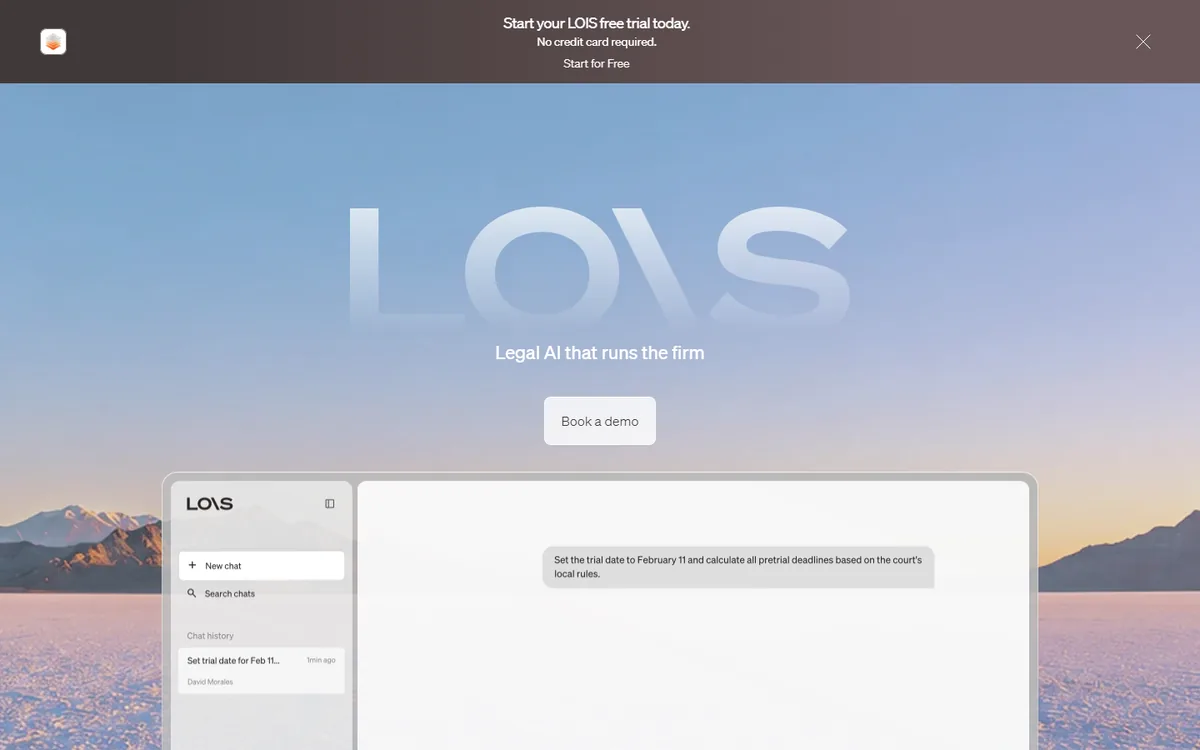
Filevine is a case management platform with configurable workflows, intake, document tools and add-ons for depositions and signatures.
Filevine is popular with litigation and personal injury firms, where cases follow a known path with many handoffs. You define phases, tasks and automations, so the system pushes work to the next person without anyone chasing it.
That flexibility has a cost. Someone has to design the workflows, and the first months need real attention from a project owner. Firms with a simple practice may not need this much power. Filevine packages its products separately, so you can add intake or signatures without switching platforms.
Where Filevine Shines
- Workflows and automations fit repeatable case processes
- Modular packages let you add what you need
- A free LOIS Explore tier lets you try part of the platform
Where Filevine Falls Short
- Setup needs a dedicated owner and time
- Prices are not published
Filevine Pricing
Filevine does not publish prices. Its pricing page says packages are custom built and lists LOIS, Matters, Intake, Depositions and Signatures. A free tier, LOIS Explore, is available without a credit card and does not include case management.
Filevine Reviews
- G2: rated 4.6/5 (across 306 ratings)
PracticePanther
A Lower-Cost, Easy-to-Learn Option for Solo Lawyers and Small Firms
PracticePanther is a cloud practice management tool with time tracking, billing, document storage and client communication.
PracticePanther appeals to firms that want the basics done well at a modest price. You get matters, contacts, time and billing, payments and a portal in a cleaner interface than some older platforms.
In my experience, it fits solo practitioners and firms of up to a handful of people best. Larger firms tend to hit limits in reporting and workflow depth, and the review base on G2 is smaller than for Clio. Look at its integrations against your own list before you commit.
Where PracticePanther Shines
- Clear, published pricing
- A clean interface that new users learn quickly
- Billing and payments come built in
Where PracticePanther Falls Short
- Fewer advanced workflow options
- Reporting depth trails the larger platforms
PracticePanther Pricing
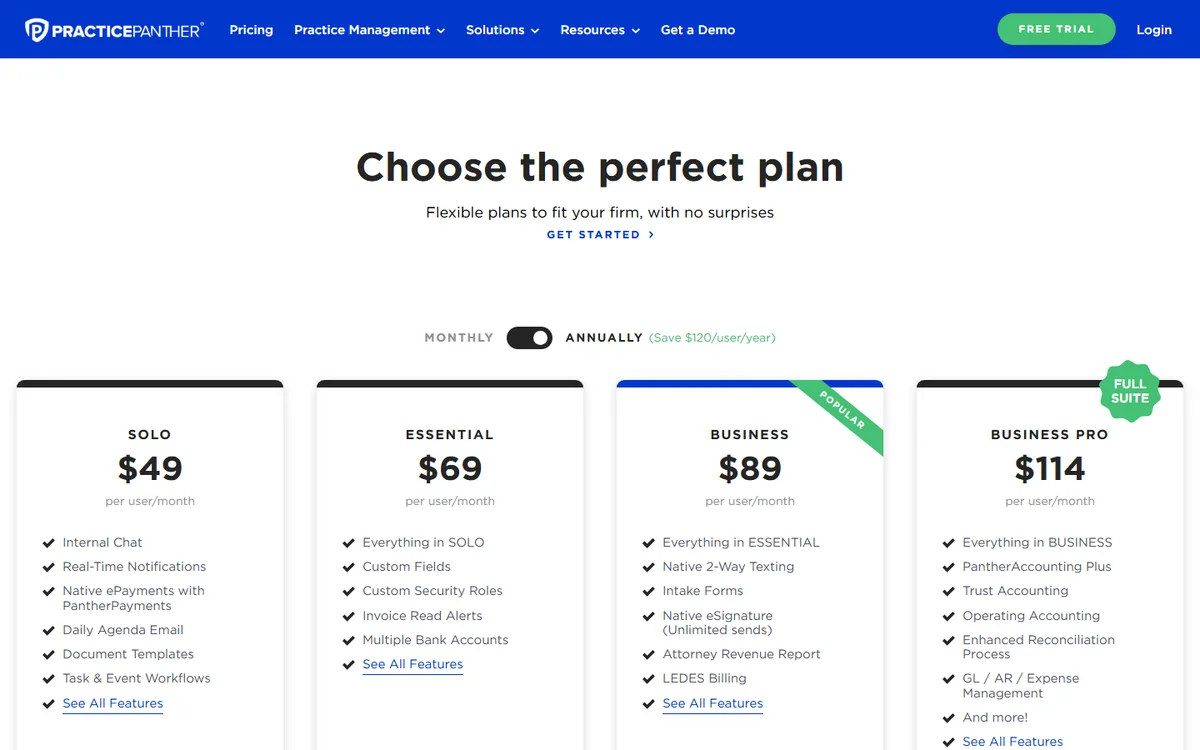
PracticePanther publishes four plans per user per month: Solo at $59 monthly or $49 on annual billing, Essential at $79 or $69, Business at $99 or $89, and Business Pro at $124 or $114. Annual billing saves $120 per user per year.
PracticePanther Reviews
- G2: rated 4.3/5 (across 112 ratings)
Lawmatics

The Best Fit When Your Biggest Problem Is Winning and Following Up With New Clients
Lawmatics is a CRM and intake platform for law firms, with automations, forms, scheduling and email and text marketing.
Lawmatics focuses on the part of the business that practice platforms treat as an afterthought: leads. It tracks prospects from first contact to signed engagement, sends follow-up automatically and shows which sources produce clients.
It works alongside a practice management system rather than replacing one, and it integrates with the main ones. Firms that rely on referrals or advertising get the most from it. If most of your work comes from existing clients, the value is lower.
Where Lawmatics Shines
- Automated follow-up keeps leads from going cold
- Forms, e-signature and scheduling live in one tool
- Reporting by lead source helps you judge marketing spend
Where Lawmatics Falls Short
- Needs a practice management system next to it
- Per-plan limits on contacts and messages apply
Lawmatics Pricing
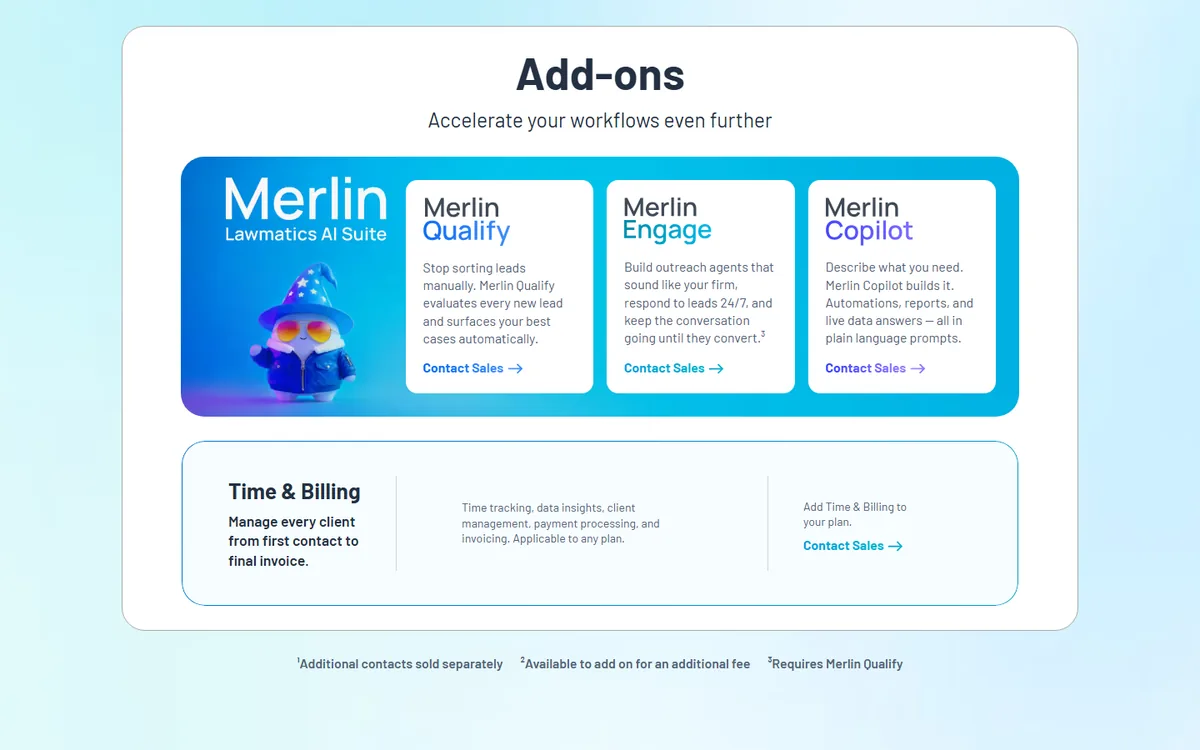
Lawmatics does not publish dollar prices. It lists three plans: Essential, Premium and Enterprise. Essential and Premium need at least three users, and Enterprise at least five. Time and billing is an add-on on Essential and included in the higher plans. Ask for a quote.
Lawmatics Reviews
- G2: rated 4.6/5 (across 252 ratings)
LawPay
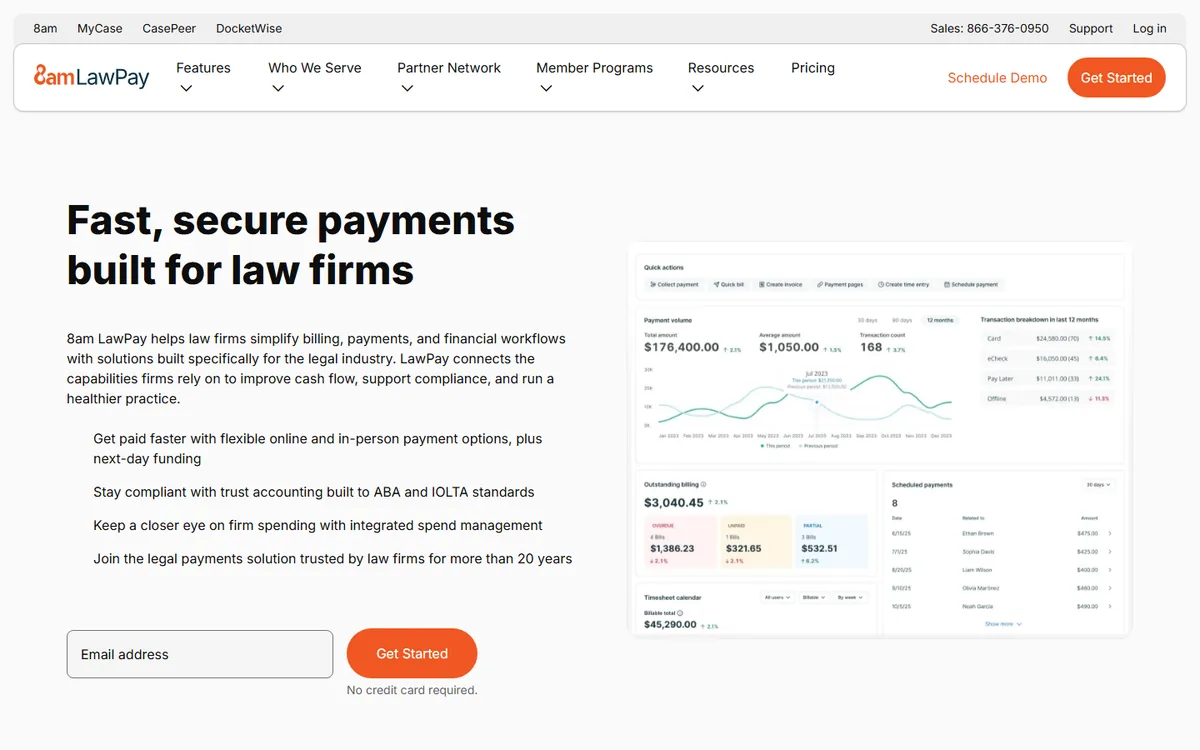
The Simplest Way to Take Cards and eChecks While Keeping Trust Funds Separate
LawPay is a payment tool built for law firms, with separate handling for trust and operating accounts and payment links for invoices.
LawPay does one thing: it lets clients pay by card or eCheck and sends the money to the right account. For many firms that is the cleanest improvement available, because collections improve when paying is easy.
It connects with the major practice platforms, so payments record against the matter. You pay per transaction, so costs rise with volume. Compare the rate with the payments option inside your practice software before you decide, and check the current rules on trust accounts in your jurisdiction.
Where LawPay Shines
- Built around legal trust account requirements
- Clients can pay from a link or online invoice
- Connects with the main practice platforms
Where LawPay Falls Short
- Card processing fees apply to every payment
- It only covers payments, not the rest of your practice
LawPay Pricing
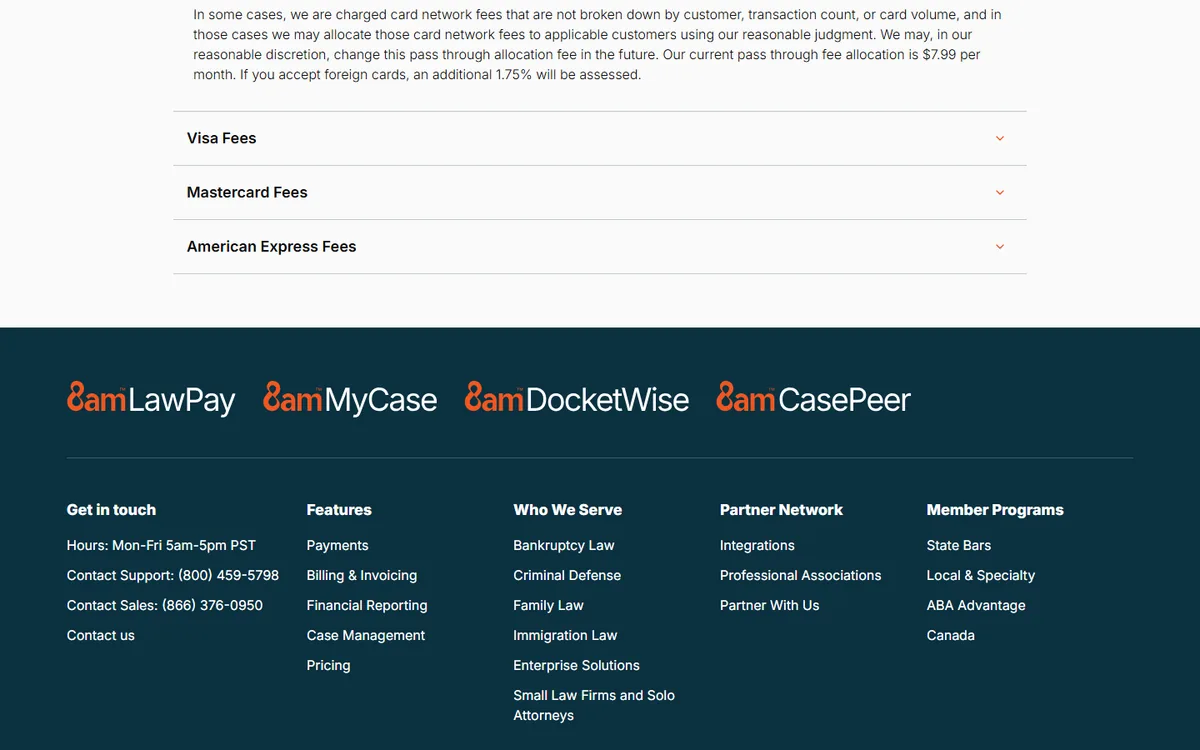
LawPay lists one standard plan at $19 per month with no contract. Card payments from Visa, Mastercard and Discover cost 2.99% plus $0.30, American Express 3.90% plus $0.30 and eCheck 1% per transaction. Card brand pass-through fees and foreign card fees can apply.
LawPay Reviews
- G2: rated 4.7/5 (across 215 ratings)
Bill4Time
A Focused Time and Billing Tool When You Do Not Need a Full Practice Platform
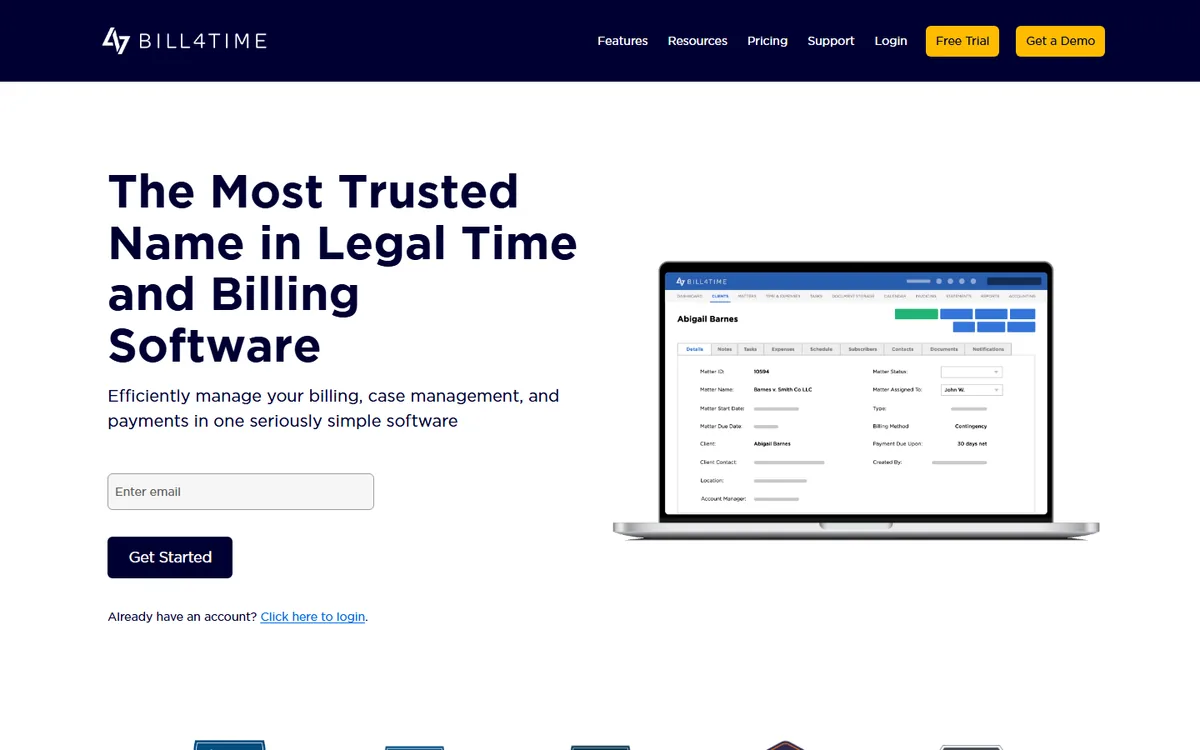
Bill4Time is a time tracking and billing system with legal-specific plans for trust accounting and matter management.
Bill4Time suits firms that already have documents and email sorted and need better time capture and invoicing. Timers, expense tracking, invoices and online payments are the core, and the legal plans add trust accounting.
You will outgrow it if you want intake, document automation and a client portal in the same place. For firms with simple needs, it costs less and takes less setup than a full platform. G2 has only a small number of reviews, so I weigh the score lightly.
Where Bill4Time Shines
- Clear plans with published prices
- Straightforward time tracking and invoicing
- Legal plans include trust accounting
Where Bill4Time Falls Short
- Narrower scope than full practice platforms
- Small review base on G2
Bill4Time Pricing
Bill4Time publishes four plans per user per month: Time & Billing at $49 monthly or $39 with yearly billing, Time & Billing Enterprise at $79 or $69, Legal Pro at $69 or $59, and Legal Enterprise at $99 or $89.
Bill4Time Reviews
- G2: rated 4.7/5 (across 36 ratings)
Centerbase
A Finance-Minded Platform for Mid-Sized Firms That Care About Reporting
Centerbase is a practice management and billing platform with a focus on firm financials, matter management and payments.
Centerbase tends to appeal to firms where the managing partner or finance lead drives the purchase. Its billing and reporting aim at questions like realization, collections and profitability by matter.
It is a smaller name than Clio, and G2 shows a modest review base, so ask for reference customers of your size. Pricing is user-based and not published, with onboarding scoped to your firm, so request a full quote including implementation.
Where Centerbase Shines
- Financial reporting suited to firm management
- Built-in payments with no platform fee for the payments product
- Onboarding scoped to your firm
Where Centerbase Falls Short
- Smaller market presence and review base
- No public pricing
Centerbase Pricing
Centerbase does not publish plan prices. It describes flexible, user-based pricing with onboarding scoped to firm size. Centerbase Payments has no monthly or annual platform fee and a standard transaction fee, which the page does not state.
Centerbase Reviews
- G2: rated 4.4/5 (across 23 ratings)
NetDocuments
A Cloud Document Management System Built Around Matters and Security
NetDocuments is a cloud document and email management platform for legal teams, organized by client and matter.
NetDocuments stores documents and email by matter, with version control, search and security controls such as ethical walls. It suits firms where document volume and confidentiality outgrew shared drives.
It handles documents rather than billing or intake, so it sits alongside a practice platform. Adoption depends on making filing easy: connect it to email and your word processor, and set a standard workspace structure. Its score on G2 is lower than the others on this list and the review count is small, so ask for references.
Where NetDocuments Shines
- Matter-based organization and search
- Security controls such as ethical walls
- Integrates with email and word processing
Where NetDocuments Falls Short
- Pricing is quoted individually
- Lower G2 score and fewer reviews than most tools here
NetDocuments Pricing
NetDocuments does not publish prices or plan names. Its page says pricing is tailored to your organization based on team size and chosen products, and you receive pricing guidance after talking with a NetDocuments expert.
NetDocuments Reviews
- G2: rated 3.9/5 (across 38 ratings)
iManage

The Established Choice for Large Firms With Heavy Document and Knowledge Needs
iManage Work is a document and email management system used by large law firms and legal departments, with knowledge and AI tools around it.
iManage has a long history in legal document management, and many larger firms run on it. It handles matter workspaces, security policies, search and integrations with Microsoft tools, and it adds knowledge and AI features for finding precedents.
The depth is the point and the trade-off. Implementation is a real project, usually with a partner, and costs more than the tools aimed at small firms. If your firm has fewer than a few dozen lawyers, other options on this list are easier to run.
Where iManage Shines
- Mature security and workspace controls
- Strong fit with Microsoft tools
- Knowledge and AI features extend the core product
Where iManage Falls Short
- Implementation needs planning and often a partner
- Pricing detail was not available on a public page when I checked
iManage Pricing
I could not find a public iManage price list when I checked, and I have left out a number rather than guess. Expect to request a quote based on users, deployment and modules.
iManage Reviews
- G2: rated 4.4/5 (across 361 ratings)
Ironclad
A Contract Workflow Platform for In-House Teams Drowning in Requests
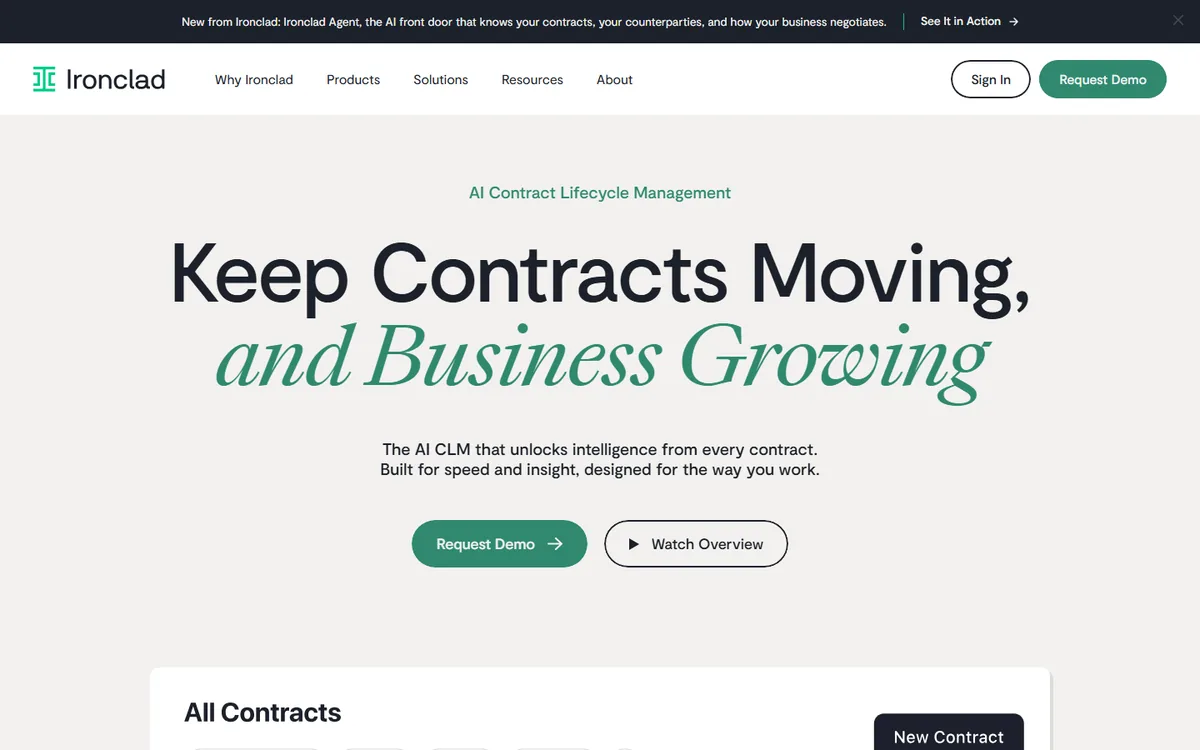
Ironclad is a contract lifecycle management platform that handles requests, drafting, review, signature and storage for in-house legal teams.
Ironclad is built for legal departments, not law firms. Business teams submit requests through a form, the platform generates the contract from approved templates, routes it for approval and signature and stores the result with extracted data.
It pays off when contract volume is high and the same approval paths repeat. For a few dozen contracts a year, it is more than you need. Ironclad adds an AI assistant for review, which you should test on your own agreements, with a lawyer checking the result.
Where Ironclad Shines
- Request forms and templates take routine work off the legal team
- Workflow routing and approvals are configurable
- Contract data is stored and searchable
Where Ironclad Falls Short
- Priced by quote and scoped with the vendor
- Implementation needs real attention to templates and playbooks
Ironclad Pricing
Ironclad does not publish prices. Its page says pricing is tailored and quoted based on products, users, workflows and growth plans, and lists contract lifecycle management, an AI assistant and eSignature as products.
Ironclad Reviews
- G2: rated 4.4/5 (across 326 ratings)
Estimate the Return on a Legal Software Subscription
Before you pick a plan, check whether the numbers work for your firm. Enter the hours of admin you want to remove, such as double entry, manual invoicing and document assembly, and the monthly price of the tool. The result shows what it could return in a year. For ideas on where the hours hide, see the legal technology examples I collected.
Is the Software Worth the Cost?
Move the sliders to match the work you want the tool to cover and the plan you are considering.
How to Choose the Right Legal Software
In my experience, fit with your workflow decides more than any feature list. Before you compare vendors, I suggest you answer four questions:
- Which job costs you the most time or money today: intake, time capture, billing, documents or contracts?
- Which systems must the tool connect to, such as email, accounting and your word processor?
- How much client data must be walled off by matter, and who needs access to what?
- Who will own the setup, the training and the data migration?
Solo lawyers and small firms usually get the most from Clio Manage, MyCase, PracticePanther or Smokeball. Litigation firms with fixed case phases should look at Filevine, and firms that live on referrals and advertising at Lawmatics. Larger firms and departments should check NetDocuments, iManage and Ironclad. Many problems I describe in legal technology challenges start in the selection phase, so give it time.
Questions About Choosing Legal Software
What Is the Best Legal Software for a Small Law Firm?
For most small firms, I suggest starting with Clio Manage, MyCase or Smokeball. Clio has the widest integrations, MyCase has the friendliest client portal and Smokeball captures time automatically. PracticePanther is a lower-cost alternative for solo lawyers. Run a trial with real matters before you decide.
What Is the Difference Between Practice Management and Document Management Software?
Practice management covers matters, contacts, time, billing and client communication. Document management systems such as NetDocuments and iManage focus on storing, securing and finding documents and email by matter. Larger firms often run both and connect them.
How Much Does Legal Software Cost?
Published prices in this list start at $39 to $59 per user per month for billing and practice tools, and go up to $130 or more for advanced plans. Document management, intake and contract platforms usually quote prices individually. Ask for implementation, migration and renewal terms in writing.
Do I Need Separate Software for Trust Accounting?
Many practice platforms include trust accounting, and payment tools like LawPay keep trust and operating funds separate. Rules differ by jurisdiction, so confirm the requirements with your bar association or advisers and run a parallel test month before you switch.
Which Tool Is Best for In-House Legal Teams?
In-house teams often get more from contract lifecycle tools such as Ironclad than from billing-focused platforms. Request forms, templates and approval routing address the volume of business requests, and a document system covers storage.
Is AI Built into Legal Software?
Several vendors on this list now include AI assistants for drafting, search or review. Test them on your own documents, check how the vendor stores your data and whether it trains models on it, and have a lawyer review every output.
How Do I Choose Between So Many Legal Software Options?
Write down your must-have requirements, shortlist three tools, run scripted demos with your own scenarios and call reference customers of a similar size. My legal technology roadmap lays out a step-by-step process, and a short call can speed it up.
Disclaimer: Prices, plans and ratings change often. They were checked when this article was last updated, so confirm them on each vendor’s site before you buy. Nothing here is legal or financial advice.
Was this useful?
We appreciate the feedback.
Paige Mulvaney
Paige leads the Wicker editorial team and works with the consultants who run the roadmaps, software selections, implementations and integrations to turn real client projects into practical guides. Her focus is plain-language advice on IT strategy, choosing business software and connecting systems so they work together. Every article she edits is checked against current vendor pricing and documentation before it is published.