In Short
- The best examples remove a daily annoyance, such as a phone queue, a denial pile or re-keyed forms.
- Configuration and ownership often deliver more than a new product.
- AI scribes and risk scores need local testing and clinician review before wide rollout.
- Every example needs an owner, a measure and a plan for exceptions.
People ask me for healthcare technology examples when they are about to spend money and want to know what others did. I keep a private notebook of projects that went well and a longer one of projects that did not. The ten below come from both, with details changed so no client is identifiable.
Each example shows what changed, what surprised the team and how you could repeat it. If you want help picking one for your own organization, that is the starting point for any healthcare technology consulting engagement.
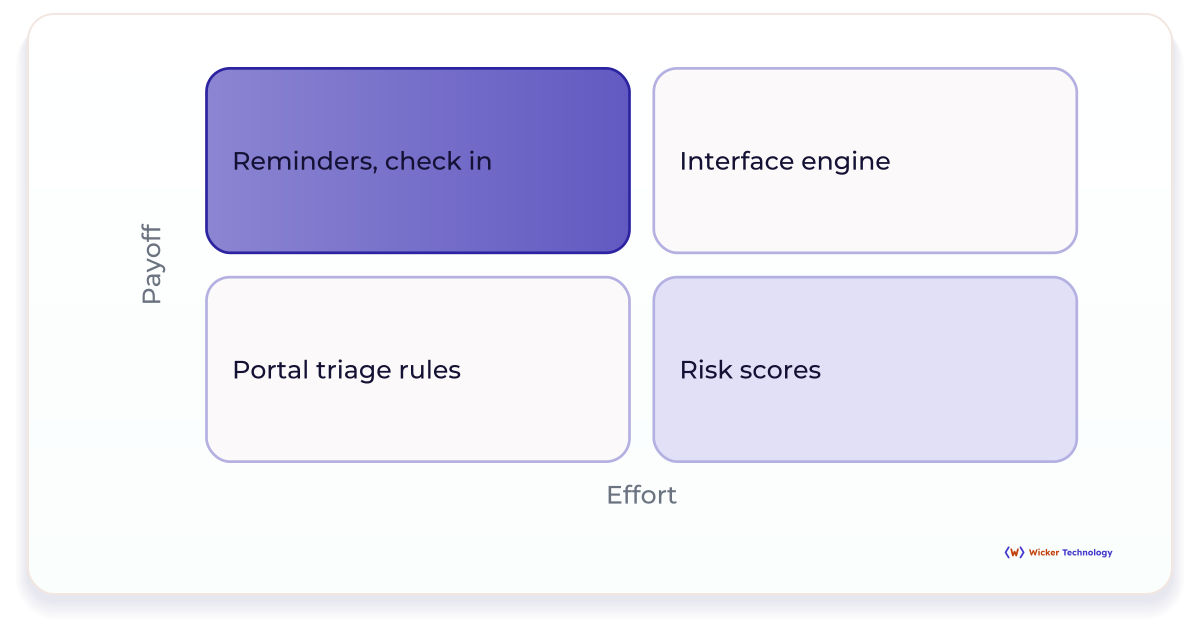
The Ten Examples at a Glance
| Example | Area | Typical first measure |
|---|---|---|
| 1. Online Scheduling and Automated Reminders | Access | Phone calls per day |
| 2. Digital Check-In and Intake Forms | Access | Minutes at check-in |
| 3. Claim Scrubbing Before Submission | Revenue | Clean-claim rate |
| 4. Telehealth for Follow-Up Visits | Access | Cancellation rate |
| 5. AI Scribes for Visit Notes | Clinical time | Note completion time |
| 6. Remote Patient Monitoring for Chronic Conditions | Chronic care | Readings reviewed per week |
| 7. Patient Message Triage in the Portal | Patient communication | Messages per visit |
| 8. An Interface Engine Between the EHR and the Lab | Integration | Failed messages per month |
| 9. Automated Public Health Reporting | Compliance | Hours of manual entry |
| 10. Predictive Risk Scores for Inpatients | Clinical decision support | Alert accuracy |
Ten Examples You Can Learn From
Online Scheduling and Automated Reminders
A four-doctor primary care group I worked with took most bookings by phone, and the front desk spent the morning on hold music and rescheduling. They added online booking tied to the provider calendars in their practice management system, plus text reminders with a one-tap confirm. Phone volume fell enough that one person moved from the phones to insurance follow-up.
The lesson was about rules. Online booking only works when visit types, lengths and provider limits are set correctly, and ours took three rounds with the clinicians to get right. Skip that step and patients book the wrong slot, which creates more calls than before.
How the Workflow Runs
- Define visit types, lengths and which providers see which patients.
- Open those slots to online booking, with a buffer for urgent calls.
- Send a confirmation text right after booking.
- Send reminders at two days and two hours, with a confirm or reschedule link.
- Fill cancelled slots from a short waitlist.
Tools That Handle Scheduling
Most EHR and practice management platforms include online booking and reminders in their patient engagement modules. Standalone tools such as Phreesia or Zocdoc work when your system lacks them.
Digital Check-In and Intake Forms
Paper clipboards cost time twice, once at the desk and once when someone types them in. A pediatric clinic moved intake and consent forms to a link sent before the visit, written in plain language and available in Spanish. Staff reviewed answers instead of keying them, and waiting-room time dropped.
The detail that mattered was mapping each form field to a place in the chart. Free-text answers that land in a document tab help nobody, and structured answers that feed problem lists and medication lists do. Start with the three forms you use most and fix those before adding more.
How Digital Intake Works
- Pick the three most used intake and consent forms.
- Map each field to a structured place in the record.
- Send the form link with the appointment confirmation.
- Flag incomplete forms the day before the visit.
- Let staff review and approve the answers at check-in.
Tools That Handle Intake
Phreesia and the patient portal modules of Epic, athenahealth and eClinicalWorks cover intake forms. Check how answers flow into the chart before you buy.
Claim Scrubbing Before Submission
Denials start at the front end. A specialty practice found that many rejected claims shared a handful of causes: missing referral numbers, out-of-date insurance and mismatched codes. Rules in the billing system now check each claim before it goes out and send fixable items to a work queue.
The practice changed little else. Nobody bought a new platform. They turned on checks that the system already offered, assigned an owner to the work queue and reviewed denial reasons every month. This is a good example for any healthcare technology consulting project: configuration and ownership beat a new purchase.
How Claims Get Checked
- Pull the last six months of denials and group them by reason.
- Turn on or write a rule for each of the top five reasons.
- Route failed claims to a named work queue.
- Review denial reasons monthly and add rules for new patterns.
- Report clean-claim rate to leadership each quarter.
Tools That Handle Claim Checks
Practice management systems from athenahealth, Tebra and NextGen include claim scrubbers. Clearinghouses such as Availity add payer-specific rules on top.
Telehealth for Follow-Up Visits
Telehealth settled into a narrower role than the early predictions, and it works well for follow-ups, medication checks and behavioral health. A multi-site behavioral health group offers video visits to established patients and keeps first assessments in person for most conditions. Cancellations dropped because patients no longer had to travel.
The technology is easy. The operations are not. You need a documented process for when a video visit turns out to need an in-person one, a plan for patients with weak internet and licensing rules for providers who see patients across state lines. Check the current rules for your states with your compliance adviser.
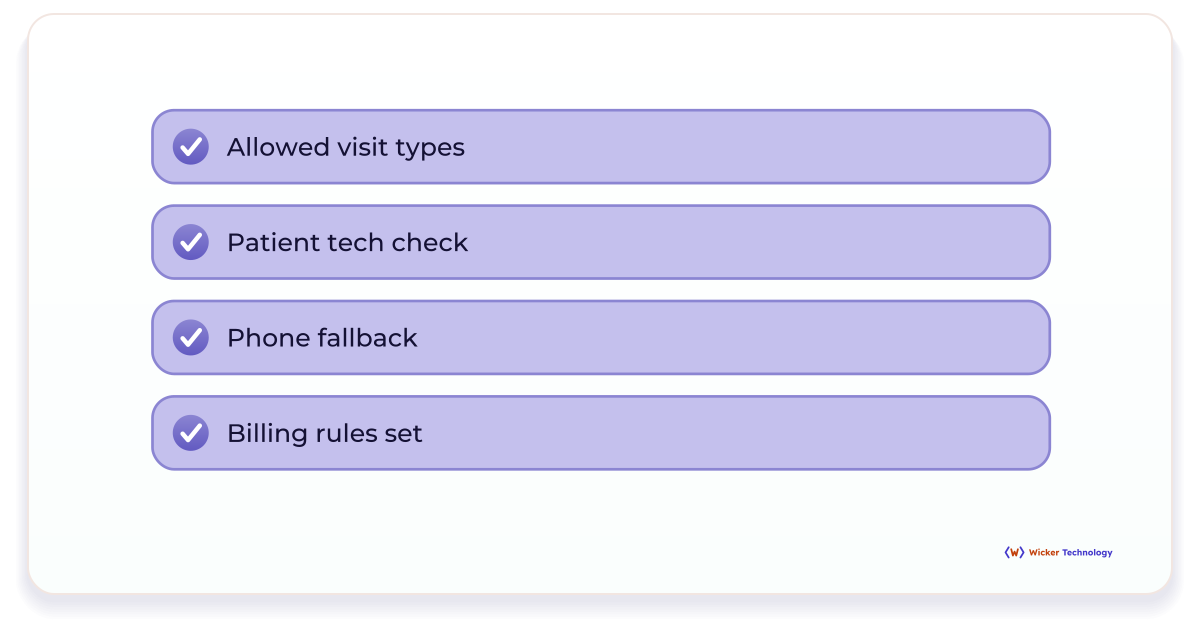
How to Start a Telehealth Program
- Pick two or three visit types that suit video.
- Choose a platform that works inside your EHR or schedules from it.
- Write the rules for converting a video visit to in-person.
- Train providers and front desk on a short test session.
- Review no-show and cancellation rates after three months.
Tools That Handle Telehealth
Doxy.me offers a free plan and a flat-priced premium plan for smaller practices. Larger organizations usually use the telehealth module of their EHR to keep notes in one place.
AI Scribes for Visit Notes
Documentation is the most visible use of AI among physicians. In the AMA's 2024 survey, 21% used AI for billing codes, charts or visit notes, up from 13% in 2023. An internal medicine group I advised piloted an ambient scribe with five volunteers for eight weeks. Notes were finished sooner, and clinicians rated their evenings as less busy.
The pilot also showed the limits. Accuracy varied by accent and by specialty vocabulary, and a clinician still had to review every note. The group tracked note completion time, edits per note and patient comfort, and decided on a wider rollout only after those held up.
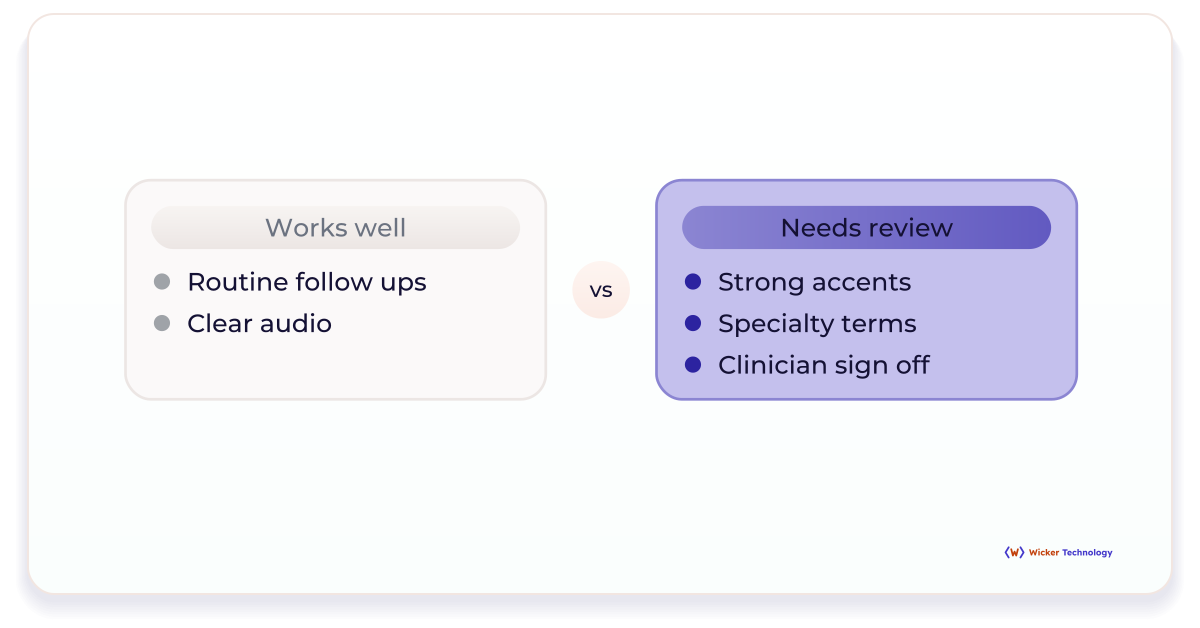
How a Scribe Pilot Runs
- Choose five to ten volunteers across two or three specialties.
- Collect baseline note time for two weeks.
- Get patient consent and post a notice in the exam rooms.
- Run the pilot for six to eight weeks and record edits per note.
- Decide on rollout from the numbers and clinician feedback.
Tools That Handle Scribing
Microsoft Dragon Copilot and Abridge integrate with several major EHRs, and some EHR vendors now ship scribe features of their own. Ask your vendor first, since a built-in feature avoids another integration.
Remote Patient Monitoring for Chronic Conditions
Remote monitoring gives clinicians a stream of data between visits: blood pressure, glucose, weight. A cardiology practice enrolled patients with hypertension and watched readings through a dashboard, calling patients when values crossed thresholds. The nurses who ran it said the first month was noisy until thresholds were tuned.
The mistake to avoid is enrolling everyone. Choose patients likely to benefit, set thresholds with the physicians and agree who responds when an alert fires at 6 p.m. Billing rules for remote monitoring change, so check current payer requirements before you promise a revenue number.
How Monitoring Programs Are Built
- Pick one condition and a small patient group.
- Choose devices that are easy to use and pair with the platform.
- Set alert thresholds with the physicians and review them after four weeks.
- Assign a nurse or coordinator to respond to alerts.
- Check payer rules for billing before you scale.
Tools That Handle Monitoring
Device-and-dashboard platforms such as Validic, Biofourmis and the monitoring modules of the large EHRs cover most needs. Look for a direct EHR integration so readings land in the chart.
Patient Message Triage in the Portal
Portal messages grew quickly once patients learned they were easy to send, and clinicians now spend a real share of the day on them. A family practice added a triage step: nurses and medical assistants sort incoming messages by type, answer refill and paperwork requests with templates and escalate clinical questions.
Policy mattered as much as software. The practice posted expected response times, told patients which topics needed an appointment and stopped clinicians from answering long questions for free. Messages per visit leveled off, and physicians got some evening time back.
How Triage Is Set Up
- Group incoming messages by type for two weeks.
- Create templates for the three most common requests.
- Assign a nurse or assistant to sort and answer first.
- Post response times and appointment rules in the portal.
- Review volumes monthly and adjust staffing.
Tools That Handle Portal Messaging
Epic MyChart, athenahealth's portal and the portals from eClinicalWorks and NextGen all support message routing rules. AI drafting features are appearing, and they need clinician review before sending.
An Interface Engine Between the EHR and the Lab
A regional lab and a hospital group exchanged results through a mix of fax, portal downloads and a nightly file that failed every few weeks. They placed an interface engine in the middle, with standard HL7 messages, a queue for failures and an alert to the integration team when a message was stuck.
Nothing about the project was glamorous, and it removed an entire category of phone calls. The failure alerts mattered most: problems were found within the hour and fixed by the team, not discovered by a clinician looking for a result. If your systems feel fragile, my notes on healthcare technology challenges explain how I prioritize this kind of fix.
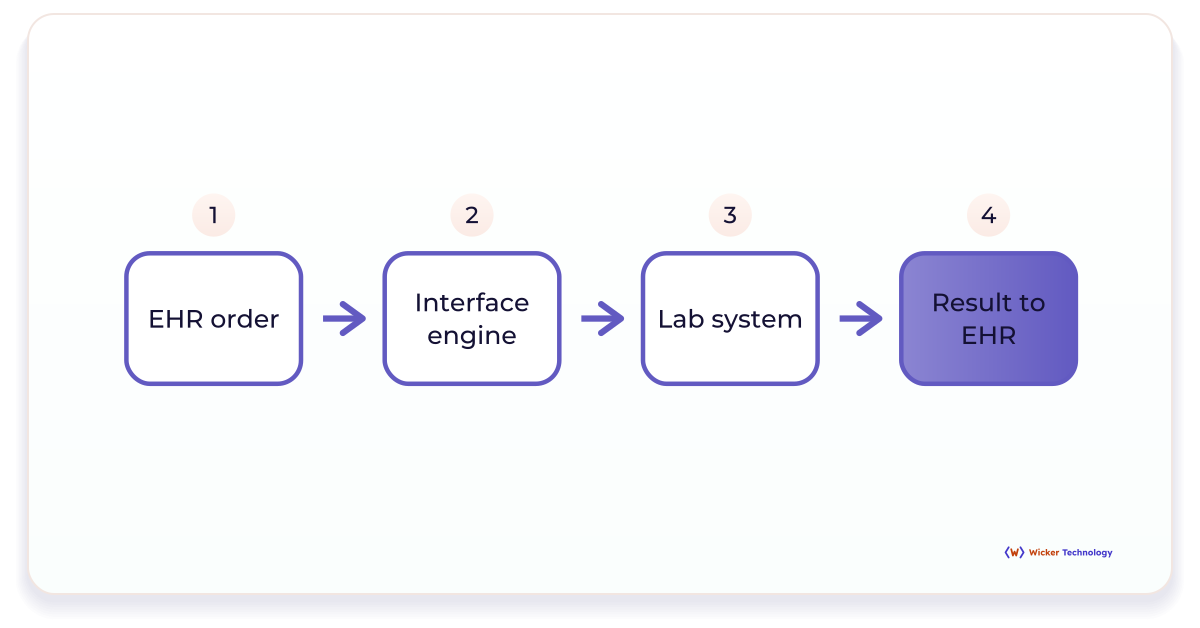
How an Interface Is Built
- Agree the message types and who owns each side.
- Build the connection in a test environment with sample data.
- Test with real cases, including bad data and duplicates.
- Add monitoring and a named person to receive failure alerts.
- Document the interface and review it with each vendor update.
Tools That Handle Interfaces
Mirth Connect, Rhapsody and the interface modules built into large EHRs move HL7 and FHIR messages. A technology integration review helps you pick between them.
Automated Public Health Reporting
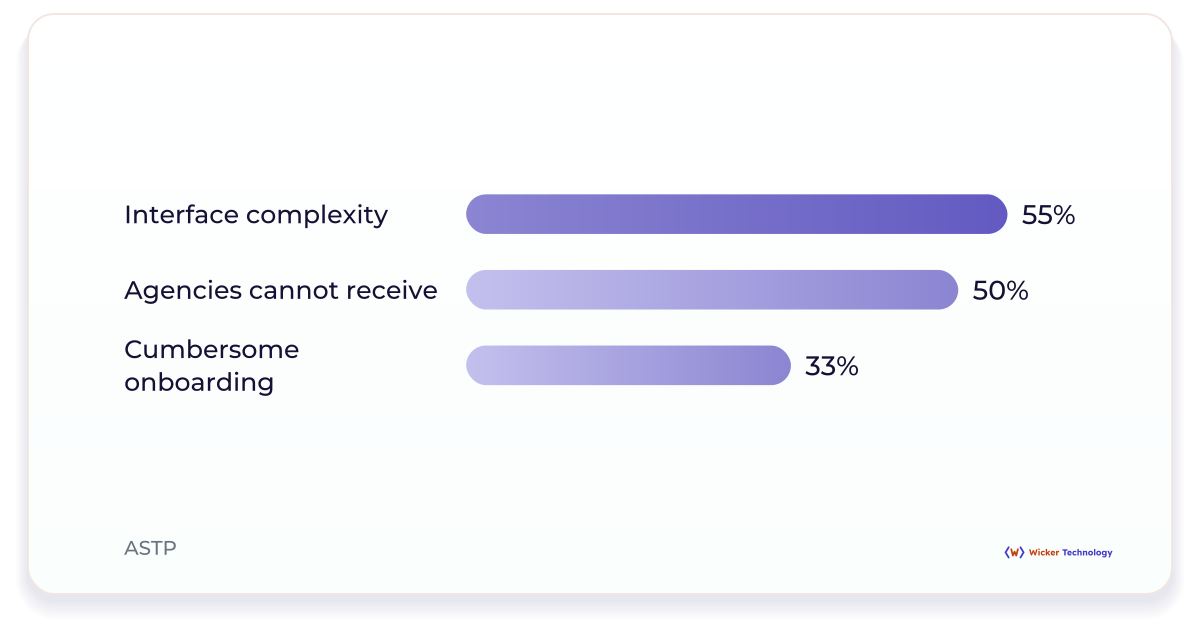
Public health reporting is a good example of an interface problem at scale. According to ASTP, hospital engagement in electronic case reporting rose from 53% in 2021 to 84% in 2024, and 71% submitted case reports directly from the EHR. At the same time, 81% of hospitals reported at least one challenge, led by technical complexity at 55%. Source: ASTP Data Brief 78.
A community hospital I know moved from manual entry on state portals to direct submission from the EHR for immunizations and lab results. The first quarter involved a lot of validation with the state agency. Afterward, infection control staff stopped re-keying data, and reports arrived faster.
How Direct Reporting Gets Set Up
- List every report you send and how you send it today.
- Check which ones your EHR can submit directly.
- Complete the agency onboarding steps and test messages.
- Run old and new methods in parallel for a month.
- Retire the manual process once the numbers match.
Tools That Handle Reporting
Your EHR vendor's public health module covers most standard reports. Where the agency lacks capacity, a health information exchange can sometimes act as the intermediary.
Predictive Risk Scores for Inpatients
Predictive models that estimate deterioration or readmission risk are the most common hospital AI use. ASTP found that 71% of hospitals used predictive AI integrated with the EHR in 2024, and inpatient risk prediction was the most common use case. Most came from the EHR developer, at 80%. Source: ASTP Data Brief 80.
What separates good from poor use is local validation. A model built on another hospital's patients can perform differently on yours. The better programs check accuracy on their own data, review for bias and track performance after go-live. If you plan something similar, my guide to healthcare technology strategy describes the oversight to build in, and the numbers behind it are in my collection of healthcare technology statistics.
How Risk Scores Are Introduced
- Define the clinical decision the score will support.
- Ask the vendor for validation data and bias testing.
- Test the model on your own historical patients.
- Pilot on one unit with clinicians reviewing alerts.
- Monitor accuracy and alert fatigue every quarter.
Tools That Handle Predictive Models
Epic and Oracle Health include predictive models in their platforms. Independent tools exist, though integration into clinician workflows is where most of them struggle.
How to Choose Which Example to Copy First
I pick the first project with four questions. Does the problem appear every day? Can staff feel the difference within a month? Do you have an owner who wants it? Is the measure simple? Examples 1, 2 and 3 usually win on all four, while 5, 6 and 10 need more preparation.
- The problem shows up daily and staff can describe it in one sentence.
- You can measure it before and after with a number you already collect.
- Your current systems have a feature or interface that can do most of the work.
- Someone senior wants the result and will make time for it.
Once you have a shortlist, a plan keeps the projects from colliding, and healthcare technology strategy describes how to sequence them. If a product choice is part of the work, my ranking of healthcare technology solutions compares the main platforms, and the problems these examples avoid are listed in my overview of healthcare technology challenges. For national figures to support your case, see my healthcare technology statistics.
Questions About Healthcare Technology Examples
What Is a Good First Healthcare Technology Project?
Choose something frequent, visible to staff and easy to measure, such as online scheduling with reminders or claim checks before submission. These pay back quickly and build trust for larger projects.
Do These Examples Need a New EHR?
Rarely. Most of them use features your current system already has or connect to it through standard interfaces. Check what your vendor offers before buying a separate product.
How Do I Choose Between a Built-in Feature and a Separate Tool?
Start with the built-in feature, because it avoids another integration and keeps data in one place. Add a separate tool when the built-in one clearly falls short on a workflow that matters to you.
How Do I Measure Whether a Project Worked?
Record a baseline before the change, such as phone calls per day, denial rate or note time, and measure again after three months. Agree the measure with the department that owns the work.
Are AI Tools Safe to Use with Patient Data?
It depends on the vendor, the contract and your configuration. Ask for security documentation, check how data is stored and used, and involve your compliance officer. Never paste patient information into public tools.
How Long Do These Projects Take?
Scheduling and intake projects often take a few weeks to a couple of months. Interface and monitoring projects take longer, usually a few months, because of testing and onboarding with outside parties.
Can Small Practices Copy These Examples?
Yes. Scheduling, digital intake, claim checks and portal triage scale down well. Start with one, use your vendor's features and expand when staff are comfortable.
Sources
- ASTP Data Brief 80: Predictive AI in hospitals
- ASTP Data Brief 78: Electronic public health reporting
- AMA: Physicians using health AI
Important: nothing in this article is legal, financial or tax advice. All figures are estimates from typical projects, so verify them with your own providers and advisers.
Was this useful?
We appreciate the feedback.
Paige Mulvaney
Paige leads the Wicker editorial team and works with the consultants who run the roadmaps, software selections, implementations and integrations to turn real client projects into practical guides. Her focus is plain-language advice on IT strategy, choosing business software and connecting systems so they work together. Every article she edits is checked against current vendor pricing and documentation before it is published.