In Short
- Most healthcare organizations already have an EHR, so the hard part is connecting the systems around it.
- Security is now a vendor question as much as a firewall question, since breaches often come through partners.
- AI adoption is moving faster than oversight, so write simple rules before the tools spread.
- Replace systems on risk and support status, and plan training as carefully as the technology.
Every healthcare organization has more technology than it did ten years ago, and most of it works. The trouble is what sits between the systems: handoffs, contracts, security gaps and people who were never shown how a feature works. I wrote this list after years of healthcare technology consulting projects, and the same seven problems keep returning.
Each challenge below has current data where I could find it, what I see in practice and a short checklist. If you want the plan behind the fixes, my guide to healthcare technology strategy turns them into priorities.
The Seven Challenges at a Glance
| Challenge | Where it shows up | Quick first step |
|---|---|---|
| 1. Interoperability | Manual re-keying, missing records | Map every interface |
| 2. Cybersecurity | Ransomware, vendor breaches | Vendor list and tested backups |
| 3. EHR workload | Notes finished at night | Trim alerts and templates |
| 4. Legacy systems | Unsupported software | Score by risk, not age |
| 5. AI governance | Unreviewed tools in use | One-page AI policy |
| 6. Vendor lock-in | Costly exits, price jumps | Exit terms before price |
| 7. Change management | Low adoption, workarounds | Champions and floor support |
Seven Challenges and How to Handle Them
Interoperability and Disconnected Systems
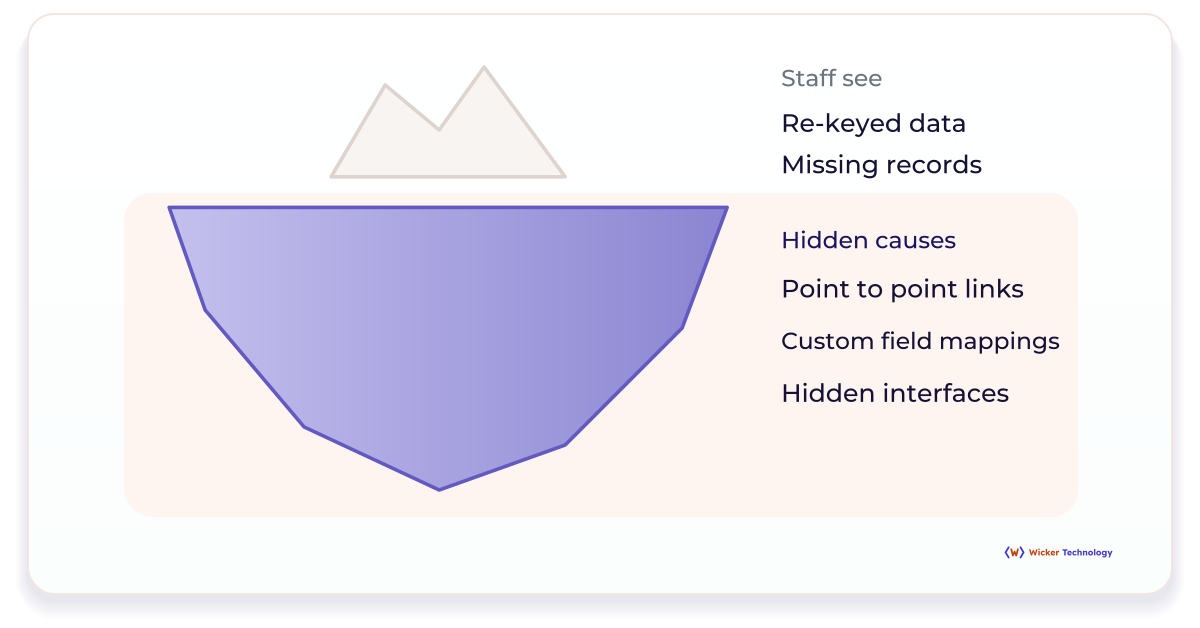
Nearly every hospital and practice has an EHR now, so the problem moved. ASTP reports that 91% of office-based physicians and over 99% of non-federal acute care hospitals used a certified EHR in 2024. What they lack is a clean path for data between those systems and everything around them: labs, imaging, billing, portals and other organizations. Staff fill the gap by hand, and every handoff is a place where a record goes missing.
I see this most in groups that grew by acquisition. Each site keeps its own scheduling tool and its own billing rules, and the only integration is a person with a spreadsheet. Public health reporting shows the same pattern at national scale: in the 2024 ASTP data, 55% of hospitals named technical complexity of interfaces as a challenge, and 81% reported at least one. If your own interfaces feel fragile, the first job is a map. A technology integration review is where most of my clients begin.
How to Untangle Your Interfaces
- List every system that holds patient or billing data, with its owner.
- Draw each interface between them and mark whether it is automated, scheduled or manual.
- Count the manual handoffs and the hours they take each week.
- Rank the interfaces by patient impact and failure rate.
- Fix the top three first and add alerts for failed syncs.
Useful Tools With Integration
An interface engine such as Mirth Connect or Rhapsody routes HL7 and FHIR messages between systems and logs every failure. Your EHR vendor's own API program is usually the cheaper route for simple needs.
Cybersecurity and Ransomware
The numbers have stopped being abstract. HIPAA Journal counts 805 large breaches reported to OCR in 2025 and more than 289 million people affected in 2024, driven by the Change Healthcare incident alone at about 192.7 million. Hacking and IT incidents made up over 80% of large breaches in 2025. A single vendor outage can stop claims for weeks, which is why security belongs in your technology plan and not only in the IT budget.
What worries me most is the vendor side. Business associates reported 139 breaches in 2025, and you inherit that risk through every billing, clearing and transcription partner you use. Most practices I talk to know their own firewall and not their vendors' practices. The pattern repeats in healthcare technology statistics across the sector, so a vendor list with named owners is the cheapest first step you can take.
How to Reduce Your Exposure
- Make a list of every vendor that touches patient data.
- Ask each one for its latest security assessment and incident process.
- Turn on multi-factor authentication for every remote and admin login.
- Test restoring from backups, not only taking them.
- Write down who calls whom in the first hour of an incident.
Useful Tools With Security
Endpoint detection tools such as Microsoft Defender or CrowdStrike catch early signs of an attack, and immutable backups keep a restore point out of an attacker's reach. A managed security service fits when you have no one on staff to watch alerts.
EHR Workload and Clinician Time
Clinicians spend a large part of their day inside the record, and many finish notes at night. The EHR itself is rarely the whole problem. Poor templates, duplicate alerts and extra clicks add up. When I review a clinic's setup, the biggest gains tend to come from trimming what already exists, not from buying something new.
AI scribes are the newest answer. In the AMA's 2024 survey, 21% of physicians used AI for billing codes, charts or visit notes, up from 13% the year before. That is real demand, but it only helps if the output lands correctly in your record and a clinician reviews it. Pilot with a few volunteers first, measure note time, and ask your EHR vendor what it already offers before adding a separate product.
How to Cut Time Spent in the Record
- Ask five clinicians to screen-record one normal clinic session.
- Count clicks and alerts per visit for the top three visit types.
- Remove or reword the alerts that clinicians always dismiss.
- Rebuild the most used note templates with the clinicians who use them.
- Pilot an AI scribe with a small group and compare note time before and after.
Useful Tools With Documentation
Ambient scribe products from Microsoft Dragon Copilot and Abridge work inside several major EHRs. Your vendor's own optimization team can often do template clean-up as part of an existing contract.
Legacy Systems and Technical Debt
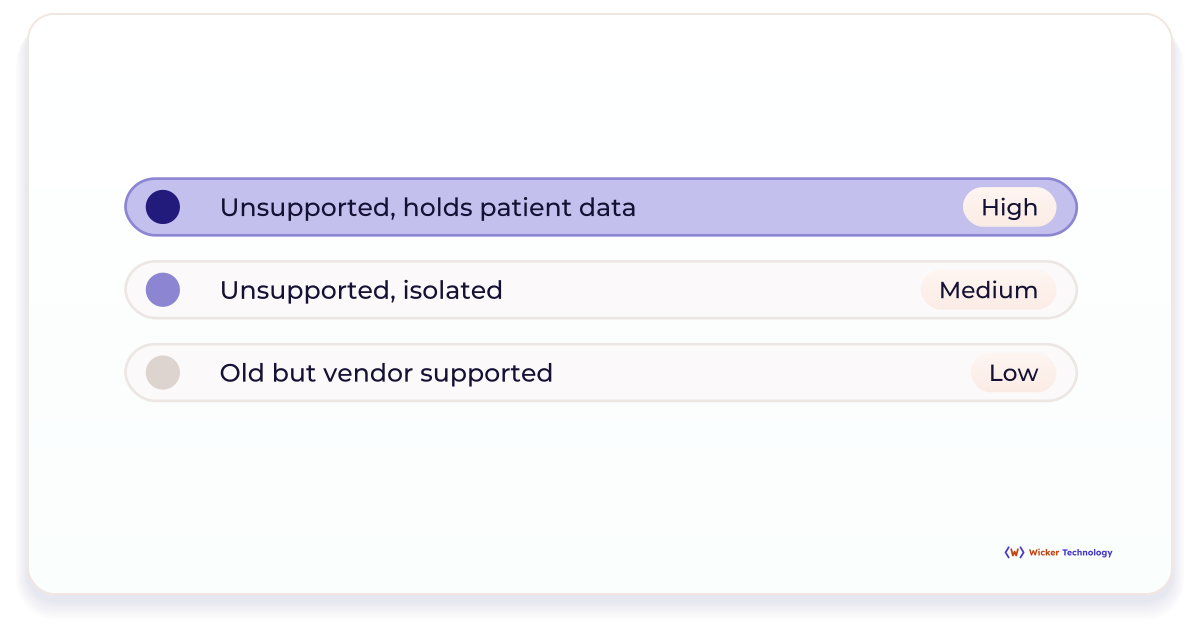
Healthcare keeps software for a long time because replacing it is risky. A billing system from 2008 still works, so it stays, until the vendor drops support or the one person who understands it retires. Then a small problem becomes an outage. Old systems also block newer tools, since they cannot talk to modern APIs.
My rule is to replace on risk, not on age. A stable system with a vendor, a backup and a documented owner can run for years. One that fails any of those three tests goes on the list. The right order and the right pace are what a modernization plan works out, and the same logic sits at the center of any sound healthcare technology strategy.
How to Decide What to Replace
- List each system with its vendor support end date and owner.
- Mark any system that only one person understands.
- Check whether each system can export data in a standard format.
- Score business impact if it failed for a week.
- Replace the highest scores first and keep the rest on a watch list.
Useful Tools With Modernization
An integration layer lets you keep a legacy core while newer tools connect to it. A data archive can retire old systems and keep records searchable at lower cost.
AI Adoption Without Governance
Hospitals are adopting AI quickly. ASTP data show 71% of hospitals used predictive AI integrated with their EHR in 2024, up from 66% in 2023. Most of it comes from the EHR vendor itself. The same data show a gap in oversight: 82% evaluated their models for accuracy and 74% for bias, and 79% monitored performance after go-live. Those are high numbers, and they still leave a meaningful minority without those checks.
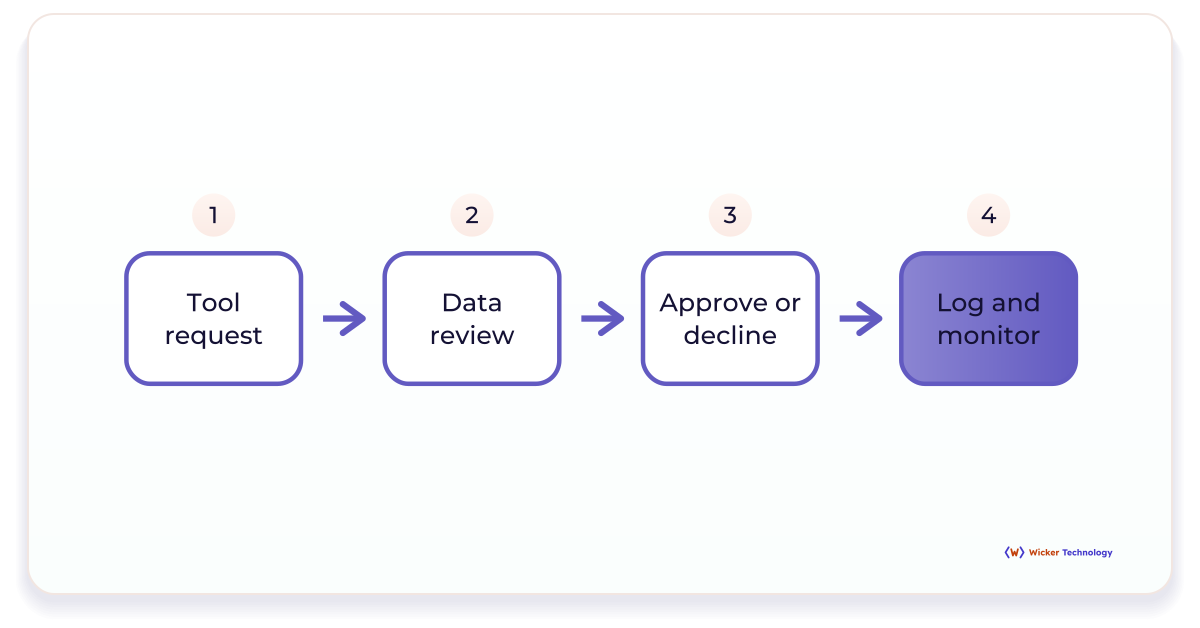
If you are a smaller organization, the risk is different: individual staff trying public AI tools with patient information. I would write the rules before the tools spread. Decide which uses are allowed, who approves a new one, and what must never be pasted into a chat window. The AMA found that 66% of physicians used AI in 2024, so you can assume your staff already do.
How to Put Basic AI Rules in Place
- Ask staff which AI tools they already use, with no blame.
- Write a one-page policy that names approved tools and banned inputs.
- Give one person ownership of reviewing new requests.
- Ask vendors how they test accuracy and bias, and get the answer in writing.
- Review each approved tool every quarter.
Useful Tools With AI Oversight
Your EHR vendor's model documentation is the first place to look for validation data. A simple register in a spreadsheet, with owner and review date per tool, is enough to begin.
Vendor Lock-In and Contract Terms
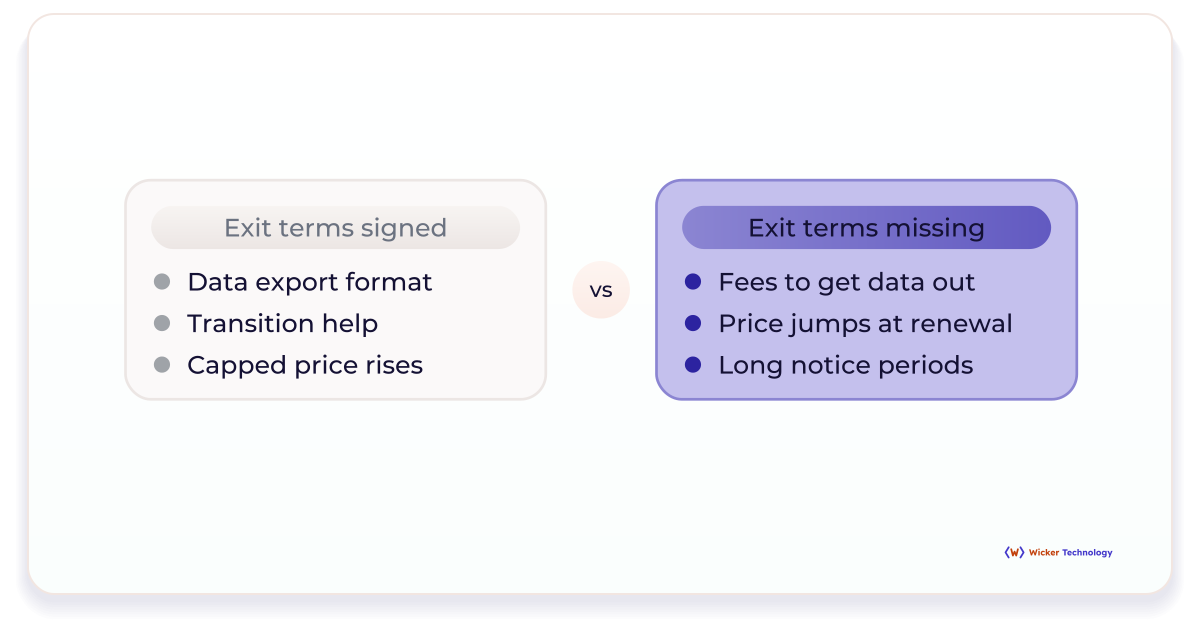
Healthcare contracts tend to be long and hard to leave. Data export fees, per-user pricing that rises with headcount and automatic renewals can lock you in without anyone deciding to. A system that was a good fit at 10 providers can become the wrong fit at 40, and you only notice when the invoice arrives.
Most of the damage is avoidable at signing. Ask for a data export in a standard format at no extra charge, a notice period you can actually meet and a price cap on renewals. I include contract review in every selection I run, and the checklist in my ranking of healthcare technology solutions shows which questions separate vendors early.
How to Protect Yourself in the Contract
- Ask for the exit terms before you ask for the price.
- Get data export formats and fees in writing.
- Cap annual price increases and set the renewal notice period.
- Check what happens to your data if the vendor is acquired.
- Put review dates for every contract on one shared calendar.
Useful Tools With Contract Management
A shared spreadsheet with renewal dates and owners handles most organizations. Larger groups benefit from a contract management module in their finance system.
Change Management and Training
A system can be configured perfectly and still fail on adoption. Staff skip features they were never shown, keep paper backups and build workarounds. Go-live week is the most visible risk, but weak training in the following months is what costs you.
I plan training in three layers: short sessions before go-live, floor support during the first two weeks, and refresher sessions after six weeks, when real questions appear. Pick champions from each department and give them time to help others. The consistent thread in the best projects among my healthcare technology examples is that the people who use the system shaped how it works.
How to Plan for Adoption
- Name a champion in each department before the project starts.
- Train on real scenarios from your own clinic, not on demo data.
- Staff the floor with extra support for the first two weeks.
- Collect the top ten annoyances at week three and fix five of them.
- Repeat a short training round after six weeks.
Useful Tools With Training
Your vendor's learning portal covers features, and short screen recordings of your own workflows cover the rest. A shared channel for questions keeps answers in one place.
How to Decide Which Challenge to Tackle First
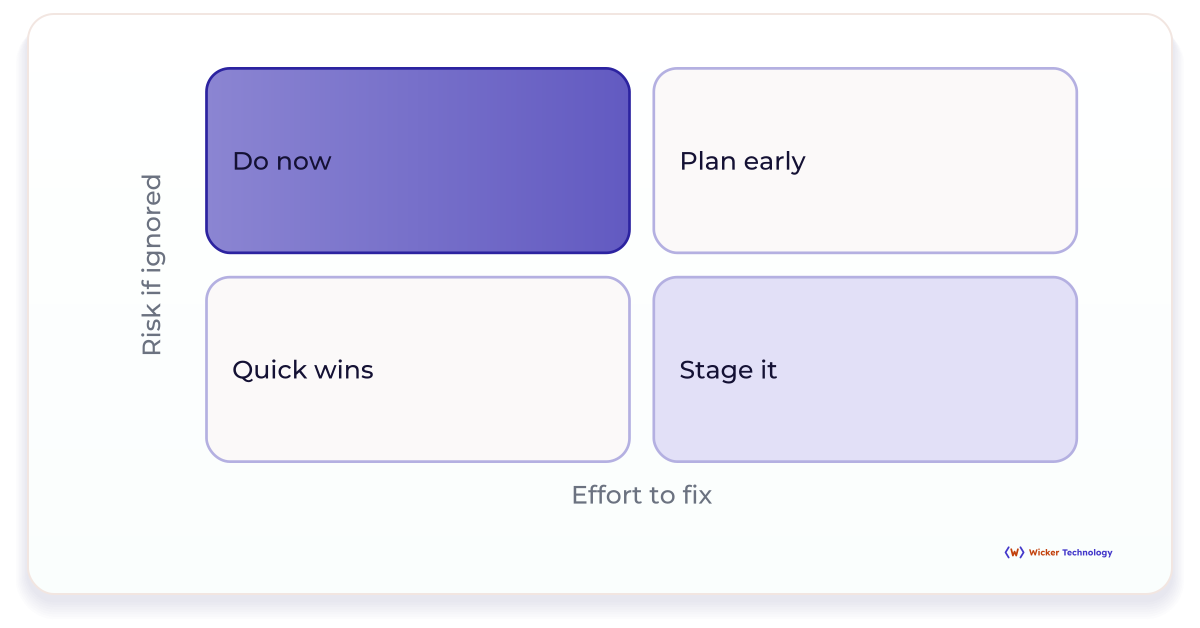
You cannot fix all seven at once, and trying to is how plans stall. I rank challenges by three questions: does it put patients or revenue at risk this year, is the fix cheap, and does it unblock other work? Security basics and interface mapping usually win on all three, so I start there.
| Question | If yes | Typical first move |
|---|---|---|
| Could a failure stop care or claims? | Move it to the top | Backups, vendor review |
| Is the fix under a few weeks of work? | Do it now | Alerts, templates, policy |
| Does it block other projects? | Plan it early | Interface map, contract exit terms |
| Does it need a large budget? | Stage it | Modernization roadmap |
Once you have a ranked list, the next step is a plan with owners and dates. My article on healthcare technology strategy shows how to build one, and if you want help setting priorities, the team behind healthcare technology consulting does this every week. When a project needs a new product, my ranking of healthcare technology solutions compares the main options, and real projects are in my list of healthcare technology examples.
Questions About Healthcare Technology Challenges
What Is the Biggest Healthcare Technology Challenge Today?
For most organizations it is connecting systems that already exist. Nearly all hospitals and most physicians use an EHR, but data still moves between systems by hand. Fixing interfaces and ownership usually frees more staff time than any new product.
Why Is Healthcare Such a Target for Cyberattacks?
Patient records are valuable and hospitals cannot afford downtime. HIPAA Journal counts 805 large breaches reported in 2025. Attackers also go after vendors that serve many providers at once, which is why vendor security matters.
How Can Small Practices Handle These Challenges with a Small Budget?
Start with the cheapest high-impact steps: multi-factor authentication, tested backups, a vendor list and a one-page AI policy. Then clean up templates and alerts inside the EHR you already own before buying anything new.
Do We Need to Replace Our EHR to Fix Interoperability?
Usually not. Most gains come from better interfaces, shared standards and clear ownership. Replacement makes sense when the vendor no longer supports the system or the contract blocks the integrations you need.
How Should We Evaluate AI Tools Safely?
Ask the vendor how the model was validated, how it is tested for bias and how performance is monitored after go-live. Start with a small pilot, keep a clinician reviewing output and record who is accountable for each tool.
How Long Does It Take to Fix a Legacy System Problem?
Small fixes such as adding an export or an interface take weeks. Replacing a core system takes many months to a few years, depending on size. A staged plan lets you reduce risk early while the larger work continues.
When Should We Bring in a Consultant?
Consider one when you face a large vendor decision, a merger, repeated failed projects or a security finding that needs a plan. A short outside review can save more than it costs when the decision is expensive to reverse.
Sources
- ASTP: Hospital and physician EHR adoption
- HIPAA Journal: Healthcare data breach statistics
- ASTP Data Brief 80: Predictive AI in hospitals
- ASTP Data Brief 78: Electronic public health reporting
- AMA: Physicians using health AI
Important: nothing in this article is legal, financial or tax advice. All figures are estimates from typical projects, so verify them with your own providers and advisers.
Was this useful?
We appreciate the feedback.
Paige Mulvaney
Paige leads the Wicker editorial team and works with the consultants who run the roadmaps, software selections, implementations and integrations to turn real client projects into practical guides. Her focus is plain-language advice on IT strategy, choosing business software and connecting systems so they work together. Every article she edits is checked against current vendor pricing and documentation before it is published.