In Short
- Run the checklist on your shortlist and again on the contract draft.
- Test fit with live scenarios, including the messy exceptions.
- Verify integrations, data export and security in writing, not by logo.
- Compare five-year cost, and ask for renewal caps in the contract.
Before you sign a contract for business software, a short list of checks can save you a great deal of money. This checklist has eight points, in the order I work through them with clients. It comes out of the technology selection consulting work I see, where the same gaps appear again and again: the integration nobody tested, the exit clause nobody read, the cost line nobody added up.
Use it after you have a shortlist. If you are still building one, my technology selection framework shows how to get there. Each point below has things to verify and a short do-and-avoid line. Tick them in writing, because a check that lives only in someone's head does not count.
The Eight Points at a Glance
| Point | What you verify | Who should sign off |
|---|---|---|
| 1. Business need | Problem, baseline and success measures | Budget owner |
| 2. Fit with workflows | Live scenarios incl. exceptions | Process owners and users |
| 3. Integration | Every connection, method and owner | IT lead |
| 4. Data | Migration, export and ownership | IT lead and data owner |
| 5. Security | Documents, data location, access | Security and compliance |
| 6. Cost | Five-year total with caps | Finance |
| 7. Vendor | Stability, support, references | Sponsor |
| 8. Rollout | Plan, training, adoption measures | Project owner |
The Checklist, Point by Point
Business Need and Success Measures
Write down the problem in one paragraph and attach a number to it: hours lost, errors per month, days to close the books. Without a number, nobody can tell after go-live whether the purchase worked. Ask the vendor how its customers measure success, and compare the answer with yours.
Verify Before You Move On
- The problem statement is signed off by the budget owner
- You have a baseline figure and a target
- Two or three success measures are agreed for month three and month twelve
Do this: Tie every requirement to a task someone does. Avoid this: Accept "modernize our stack" as a goal.
Requirements and Fit With Real Workflows
Take three real workflows, including one messy exception, and have the vendor run them live with your sample data. A system that handles the clean path and chokes on the exception will cost you every week afterwards. Mark each requirement as must-have or nice-to-have before the demo, so the vendor cannot redefine it.
Verify Before You Move On
- Each must-have passed a live scenario, not a slide
- Exceptions such as returns, corrections and partial deliveries were tested
- Users from the floor, not only managers, scored the demo
Do this: Score the demo the same day, in writing. Avoid this: Rely on a feature list you copied from a website.
Integration With Your Existing Systems
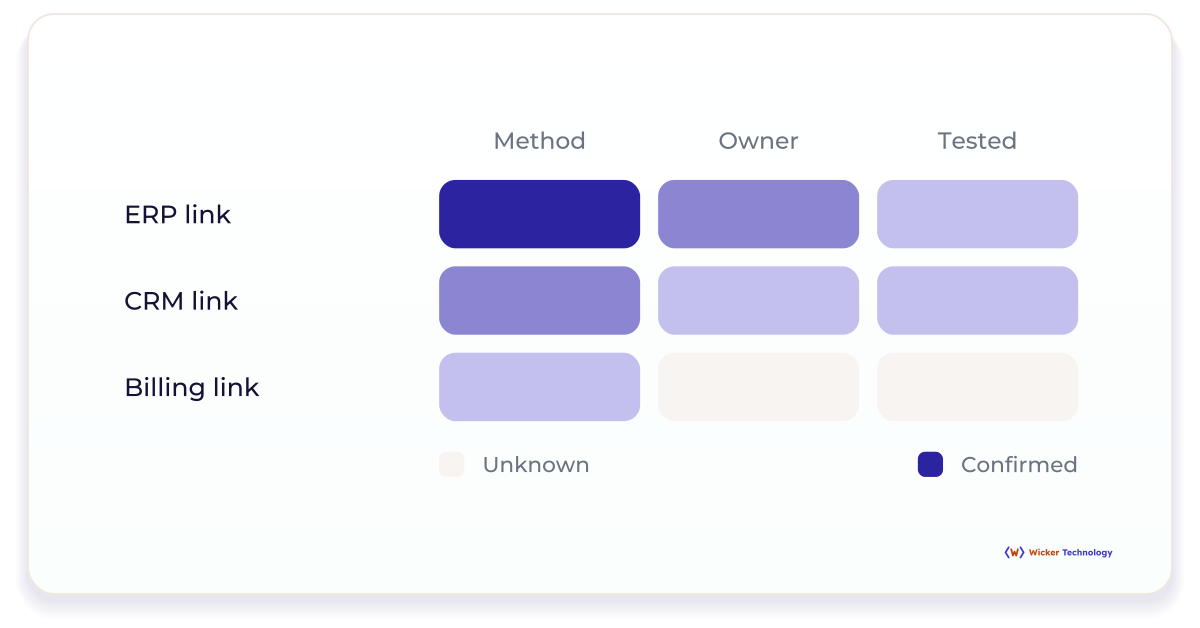
List every system the new one must exchange data with, then ask how each connection works: ready-made connector, open API, file exchange or custom work. Ask who builds it, who maintains it and what it costs. An integration that exists on a vendor's marketplace page may be a thin connector that covers half of what you need.
Verify Before You Move On
- Every connection is listed with its method, owner and price
- API limits and rate caps are documented
- You saw a working connection to a system like yours, or a reference confirmed it
Do this: Ask for a reference who uses the same integration. Avoid this: Assume a logo on the partner page means a deep connection.
Data Migration and Ownership
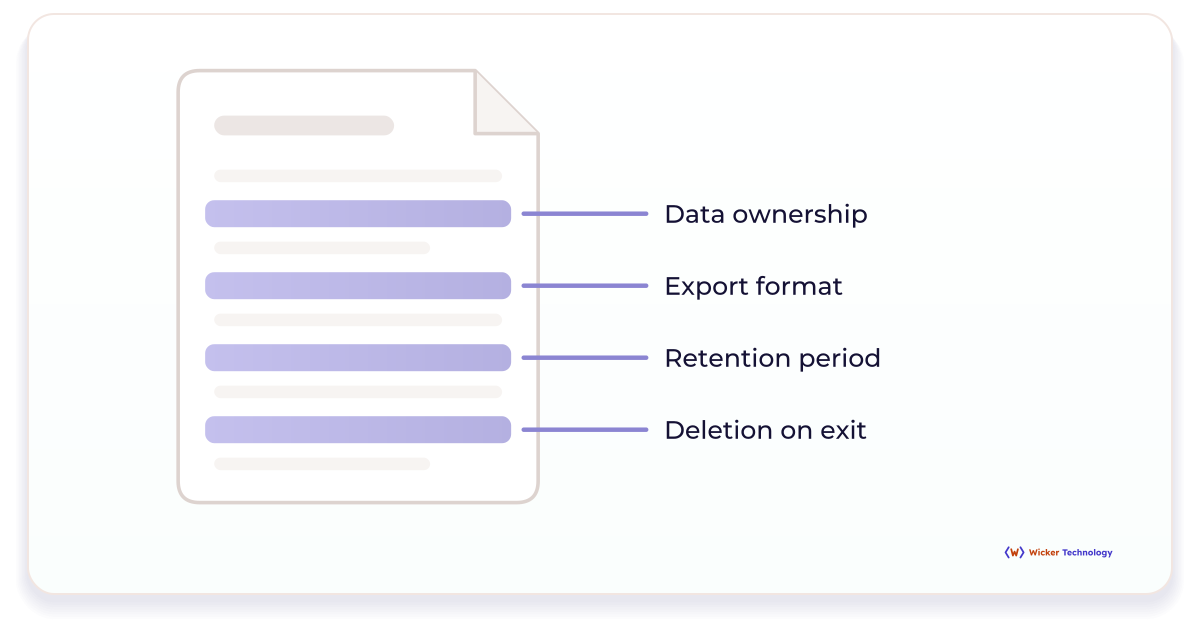
Find out how your data gets in and, more important, how it gets out. Ask for the export format, whether exports are free, and how long you can retrieve data after the contract ends. Test an import with a real sample, because dirty records show up fast. Decide who cleans the data, and when.
Verify Before You Move On
- Export formats and costs are written into the contract
- A test import with real data was run
- Responsibility for data cleanup has a named owner and a date
Do this: Plan one test migration before the real one. Avoid this: Leave data ownership and retention for the legal review at the end.
Security, Privacy and Compliance
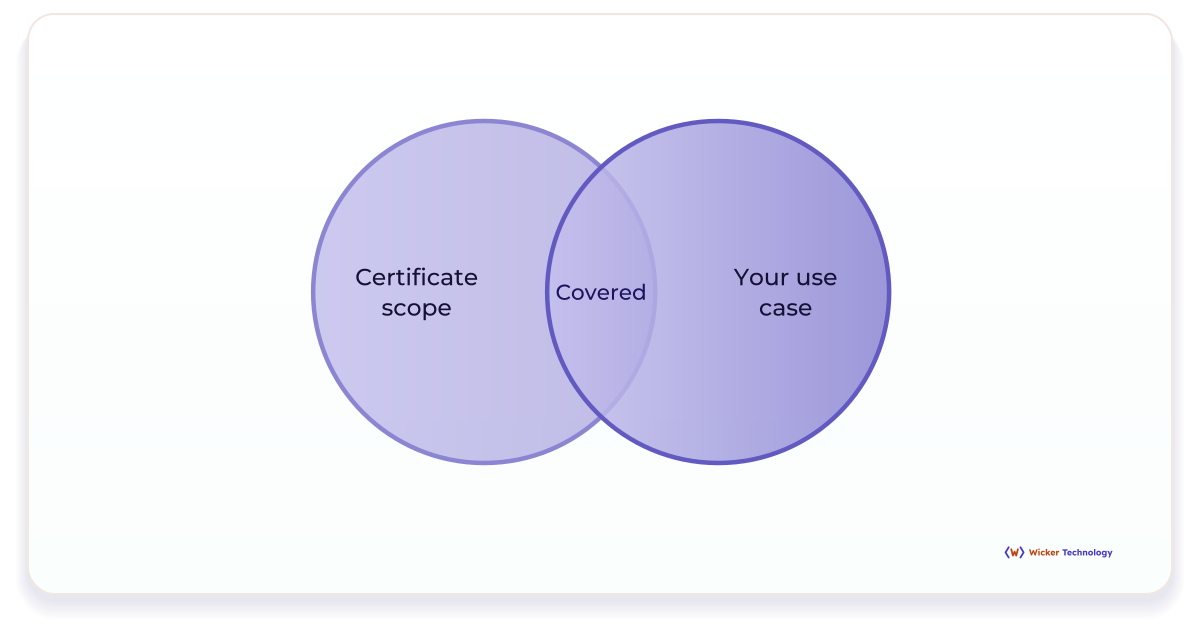
Ask for the vendor's current security documentation, such as an independent audit report or certification, and read the scope: what it covers and what it leaves out. Check where data is stored, who can access it and how incidents are reported. If your industry has rules, such as healthcare or financial services, ask how the vendor supports them and have your own compliance lead confirm it.
Verify Before You Move On
- Security documents are current and cover the product you are buying
- Data location, access controls and breach notification are documented
- Your compliance or legal lead reviewed the answers
Do this: Involve security before the shortlist, not after the choice. Avoid this: Treat a certificate logo as proof that your use case is covered.
Total Cost Over Five Years
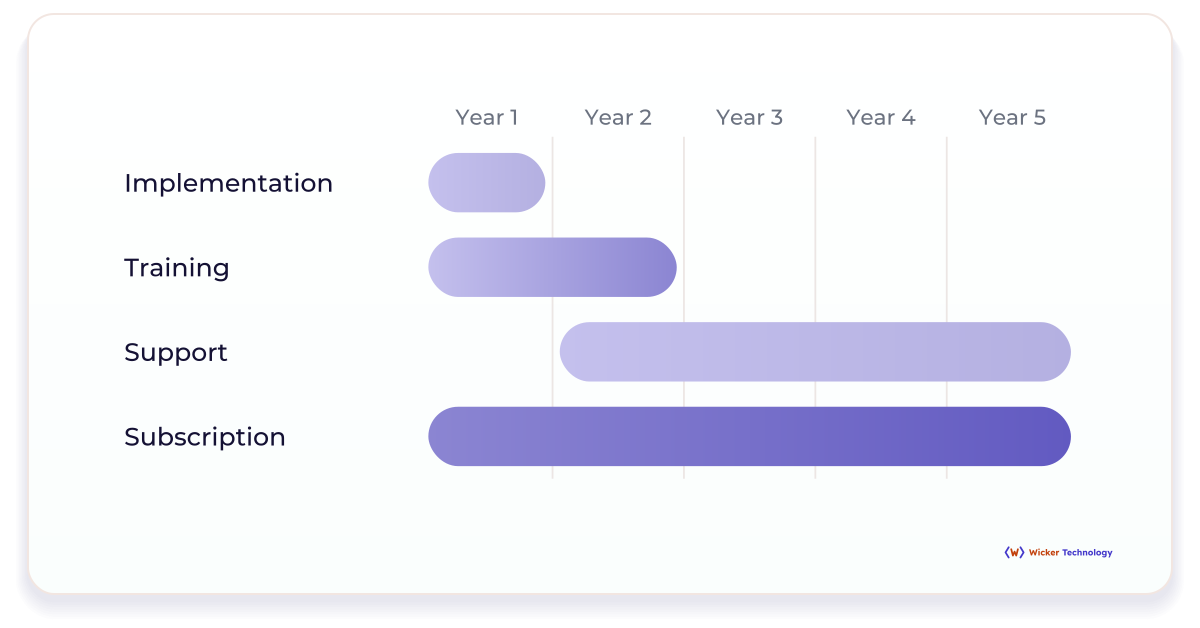
Compare five-year cost, not the first-year quote. Add subscription growth, implementation, integrations, training, support tiers and internal time. Ask what happens to the price when you add users or modules, and cap renewal increases in the contract. A system that is 15 percent cheaper in year one can be more expensive by year four if renewals are uncapped.
Verify Before You Move On
- A five-year model exists for every shortlisted vendor
- Renewal caps are in the draft contract
- Costs for extra users, storage and modules are known
Do this: Ask for a written price list for what you will add later. Avoid this: Compare only license prices.
Vendor Stability, Support and References
Check how long the vendor has been in business, who owns it, how often it releases updates and how it handled its last major incident. Call at least three references of your size and ask the same questions each time. Test support yourself during the trial: submit a real question and note how long the answer takes and how useful it is.
Verify Before You Move On
- Three references of similar size were called
- Support response times are in the contract
- You know the vendor's ownership and financial position
Do this: Call one reference the vendor did not pick. Avoid this: Judge support by the sales team's responsiveness.
Implementation Plan and Adoption
A good product with a weak rollout fails. Ask for a realistic plan with milestones, named roles on both sides and what the vendor needs from you. Check the training approach and who your users call after launch. Plan how you will measure adoption in the first ninety days, such as active users and tasks completed in the system.
Verify Before You Move On
- The plan names who does what on each side
- Training and post-launch support are priced and scheduled
- Adoption measures are set for the first ninety days
Do this: Hold the vendor to milestones with payments tied to them. Avoid this: Sign before you see a plan with dates and owners.
When Each Check Belongs in Your Timeline
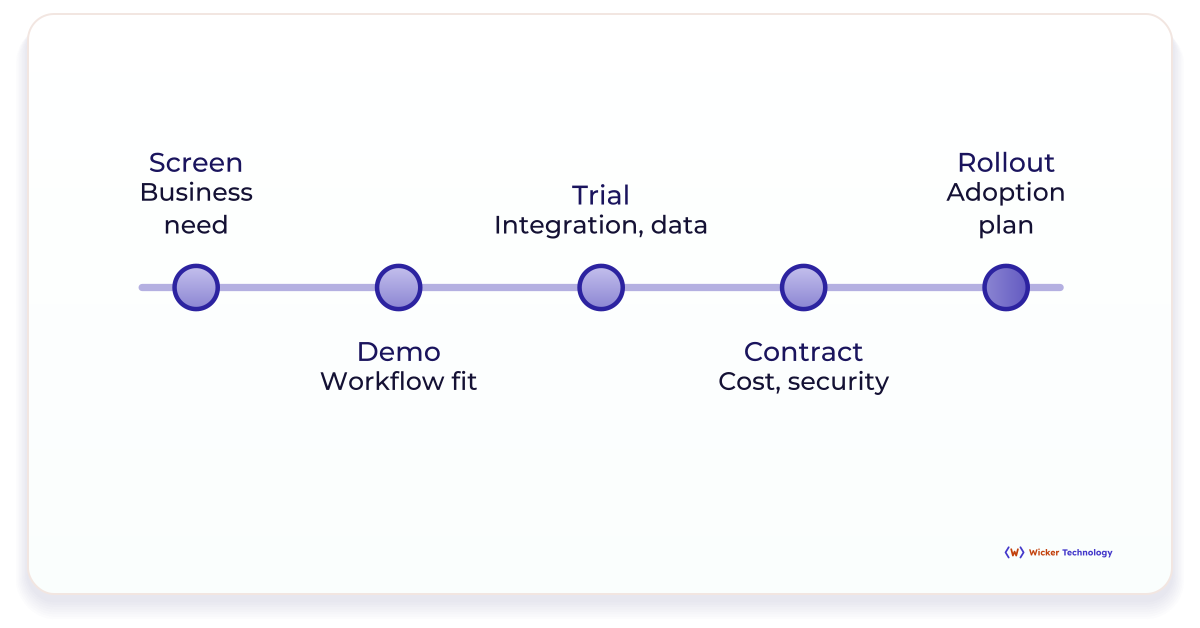
The points do not all happen at once. Points 1 and 2 belong to the first two weeks, before any vendor is invited. Points 3, 4 and 5 run during demos and trials, because the answers depend on what each vendor shows. Points 6 and 7 come when you have two finalists, and point 8 is settled in the contract talks. If you try to check everything at the end, the vendor has the leverage, and you have lost the chance to drop a weak option cheaply.
One habit pays off more than any other: ask each question in writing and keep the answers. A vendor who answers a security or export question in an email has made a commitment that a sales engineer's remark in a call never makes. When the answer is vague, write that down too, and ask again. A pattern of vague answers on one topic, such as data export or support hours, is a finding in itself and belongs in the scorecard.
How to Use the Checklist in Practice
Run the checklist twice. Use it first on your shortlist, with each point scored green, amber or red per vendor. A single red on points 2, 4 or 5 is usually a reason to drop a vendor. Run it a second time on the final contract draft, because promises made in demos have a way of disappearing from the paper. Check each green point against a clause or an attachment.
Keep the result in one place. A shared sheet with the vendor names across the top and the eight points down the side takes ten minutes to build and makes the final meeting short. For the costs of getting this wrong, look at how others handled it in technology selection examples.
How to Decide When Points Conflict
Points sometimes pull in different directions: the best fit costs the most, the cheapest vendor is the smallest. When that happens, rank the points by what hurts most if it fails. A weak fit hurts every day. A weak integration hurts at go-live and again at every change. A weak vendor hurts in year three, when you can least afford to switch. Weigh them that way, and write the trade-off down.
If the gap stays unclear, buy time with a small pilot. A four-week paid trial with real data and a clear success measure settles most disagreements.
Questions About the Technology Selection Checklist
When in the Process Should I Use the Checklist?
Use it on the shortlist, once you have three to five vendors, and again on the contract draft. The first pass drops weak options early, and the second makes sure the promises in the demo made it into the paper.
Is Eight Points Enough for a Large System?
For most mid-sized purchases, yes. For a large or regulated system, each point expands into its own sub-list. The structure stays the same, and your legal, security and finance leads add the detail.
Who Should Fill It In?
Each point has an owner, as the overview table shows. The project lead collects the results. Avoid having one person fill in all eight, because the point of the list is to bring in the people who will see the risk.
What Counts as a Deal Breaker?
A failed must-have scenario, no data export path and a security gap you cannot accept are the most common. Decide your deal breakers before the demos so they cannot be argued away later.
How Do I Check Vendor Stability?
Look at how long the company has operated, who owns it, whether it is profitable or funded and how often it releases updates. Ask references how the vendor behaved when something went wrong. For larger contracts, ask for financial statements.
What Should Be in the Contract That the Checklist Covers?
Renewal price caps, service levels, data export rights and exit terms, implementation milestones and the security commitments the vendor made in writing. Your own counsel should review the final wording.
How Long Does a Full Check Take?
Plan about two weeks for a shortlist of three vendors, including reference calls and a scripted demo. The contract check adds a few days, depending on how quickly the vendor responds.
Important: nothing in this article is legal, financial or tax advice. All figures are estimates from typical projects, so verify them with your own providers and advisers.
Was this useful?
We appreciate the feedback.
Paige Mulvaney
Paige leads the Wicker editorial team and works with the consultants who run the roadmaps, software selections, implementations and integrations to turn real client projects into practical guides. Her focus is plain-language advice on IT strategy, choosing business software and connecting systems so they work together. Every article she edits is checked against current vendor pricing and documentation before it is published.