In Short
- Every system gets one of six paths: retain, rehost, replatform, refactor, replace or retire.
- Rank systems by the cost of waiting, such as support end dates, exposure and running cost.
- Stabilize, wrap, move data in small batches and retire on a dated plan.
- Write down the cost of staying put, so the comparison with the project estimate is fair.
A technology modernization strategy decides what happens to the systems you already own. It is different from a transformation strategy, because the starting point is an existing estate with real users, contracts and data. Most of the work in technology modernization consulting is choosing the right path for each system, then ordering them.
This guide covers the six paths I use, the signals that point to each one and the priorities that decide the sequence. For dates and milestones, the technology modernization roadmap picks up where this one ends.
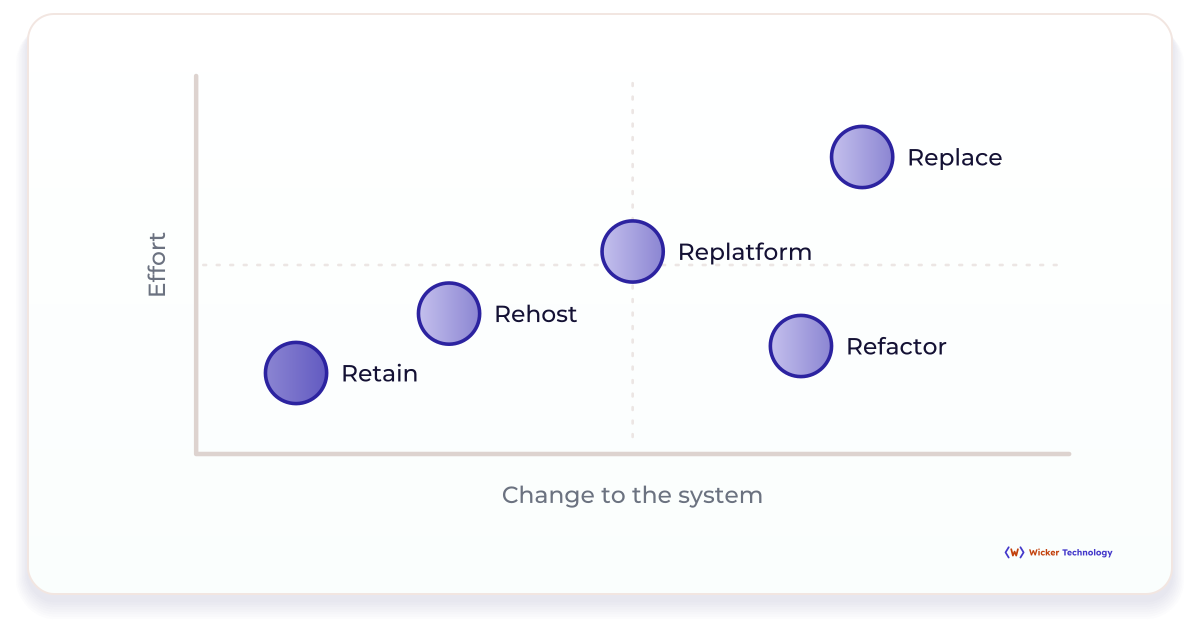
Six Paths for Each System
Every application gets one path. The common mistake is to treat modernization as replacement, which is the most expensive and riskiest option. Five other paths often deliver most of the benefit at a fraction of the cost.
| Path | What it means | Best for | Watch for |
|---|---|---|---|
| Retain | Leave the system as it is, with a review date | Stable systems that still serve the process | Quiet drift past vendor support |
| Rehost | Move the system to new hosting without changes | Fast exit from old data centers or hardware | Carrying old problems into new hosting |
| Replatform | Move with small changes, such as a managed database | Systems that gain from managed services | Scope creep into a rewrite |
| Refactor | Restructure the code to be easier to change | Core systems with lasting business value | Long timelines and hidden complexity |
| Replace | Switch to a standard product | Commodity functions such as HR or finance | Data migration and process change |
| Retire | Switch off and archive | Duplicate or unused systems | Missed data retention needs |
Most estates end up with a mix. In my client work, a typical portfolio retains the largest share, retires a visible minority and refactors or replaces only the few systems that block growth. A plan that replaces everything is usually a sign that nobody did the scoring.
Signals That Point to the Right Path
You do not need a perfect model to start. A few signals tell you where attention is needed, and the table below maps each to a first response.
| Signal | The insight | Typical response |
|---|---|---|
| Vendor support ending | Security and compliance exposure is rising | Update or move before the date |
| Only one person understands it | Key-person risk is high | Document, then refactor or replace |
| Changes take months | The system blocks the business | Refactor or wrap with interfaces |
| Rising license or hosting cost | Running cost exceeds value | Rehost, renegotiate or retire |
| Many manual exports | Integration debt is slowing people | Connect through documented interfaces |
Priorities: What Goes First
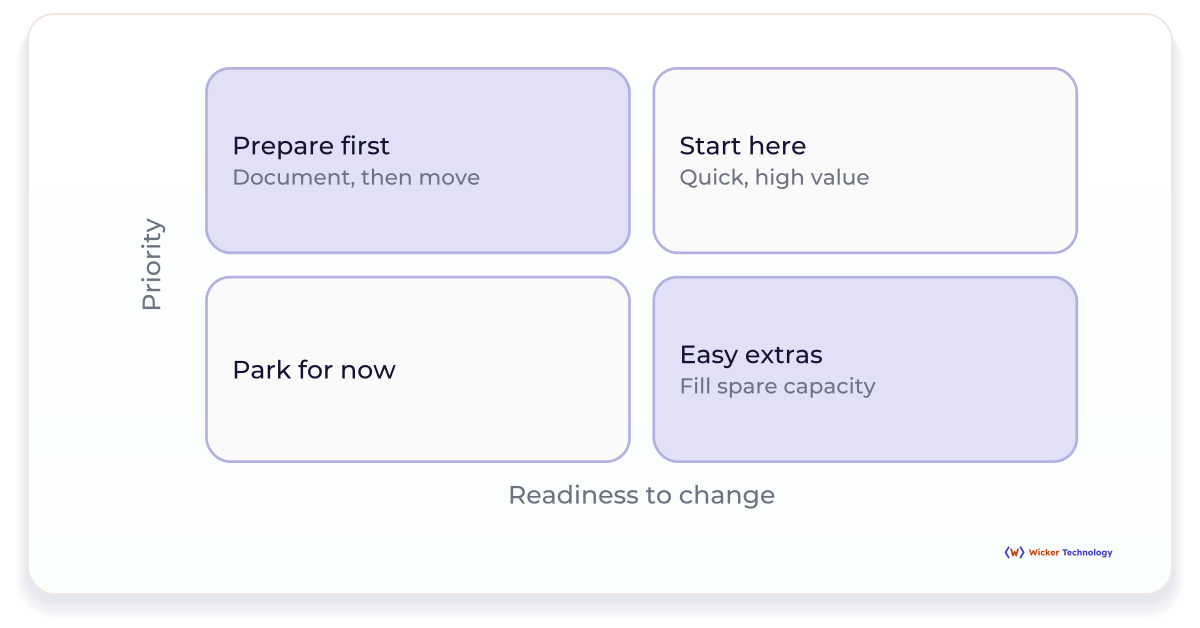
Rank systems by the cost of waiting. Four factors matter most: the support or contract end date, the security exposure, the running cost and the business change the system blocks. A system with a support end date in nine months outranks a system that is merely ugly.
Then adjust for readiness. A high-priority system with undocumented interfaces needs a mapping project before a migration project. Count that mapping work as part of the plan, and give it an owner. I also move any quick, visible retirement to the front, since the saving funds the harder work.
Technical debt belongs in this ranking as a number, not a feeling. Ask the team for the extra days each change costs on that system compared with a clean one. Multiply by the number of changes a year, and you have a cost the finance team understands.
The Playbook in Four Moves
Once the paths and priorities are set, the work runs in four moves. They are simple, and teams skip them under deadline pressure.
Stabilize Before You Change
Back up, document and monitor the system first. If it fails during the project, you need a way to recover. Many modernization budgets include a month of stabilization that pays for itself the first time something breaks.
Wrap Before You Rewrite
Put a documented interface in front of the legacy system, so new tools can use its data without touching its code. This lets other systems move on while the legacy core waits for its turn, and it makes later replacement far less risky.
Move Data in Small Batches
Migrate one data set at a time, reconcile it and let users check real records. Large one-time loads hide errors until it is too late to fix them cheaply.
Retire Deliberately
Switch off the old system on a dated plan: archive the needed data, cancel contracts, remove interfaces and revoke access. Until that happens, you carry both costs. The technology modernization examples show how teams handled the last step.
Counting the Cost of Staying Put
Doing nothing is a choice with a price. Old systems cost more each year in support, specialist rates and lost speed. Write the figure down next to each project estimate, so the comparison is fair.
Include five lines: license and hosting, specialist support, security work, manual workarounds and the cost of changes delayed. The last is hard to measure and often the largest. Ask the business how many requests were declined or postponed last year because the system could not support them, and estimate the value of two or three. Even a rough number changes the conversation in a budget meeting.
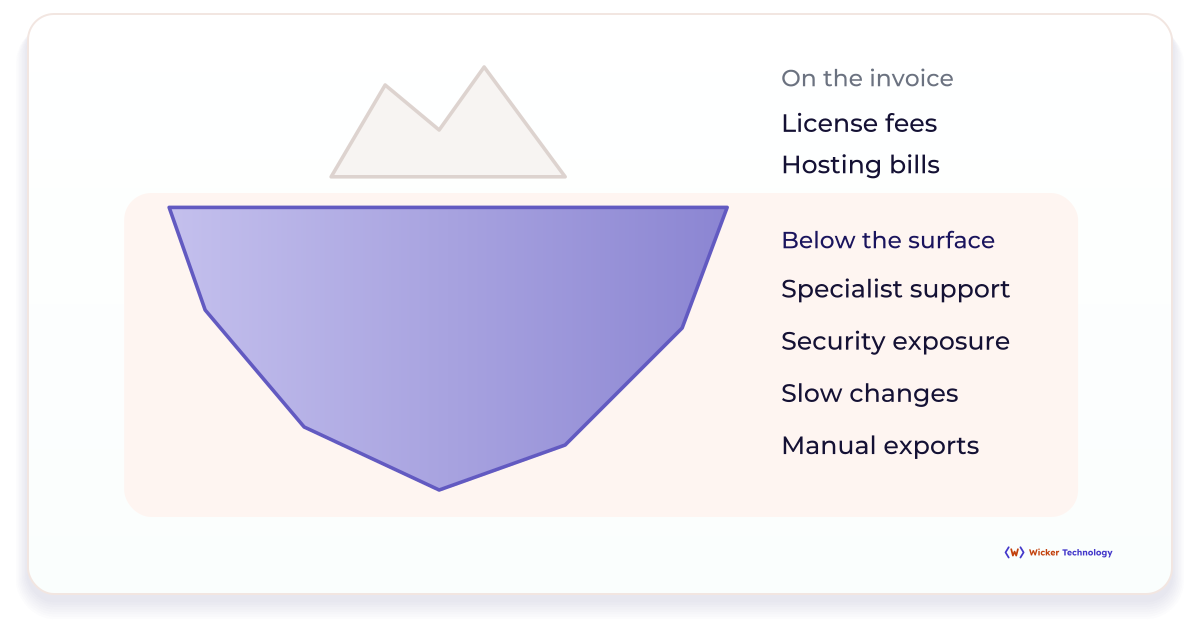
Be honest in the other direction too. Modernization has a cost, and some benefits arrive late. If the old system is stable, cheap and well understood, the right call may be to retain it with a review date. Strategy is as much about the systems you leave alone.
A Portfolio Example in Numbers
Take a mid-sized logistics business with 38 applications. After the inventory, 14 are retained with a review date, 6 are retired because another system covers them, 5 are rehosted off aging servers, 7 are updated to a supported version, 4 are replaced with standard products and 2 are refactored because they hold the pricing logic that sets the company apart.
The first wave takes the six retirements and the two systems with support end dates inside a year. That alone removes a visible slice of license cost and cuts the number of interfaces to maintain. The two refactors wait for the second year, behind an interface layer that lets the dispatch tools use pricing data in the meantime.
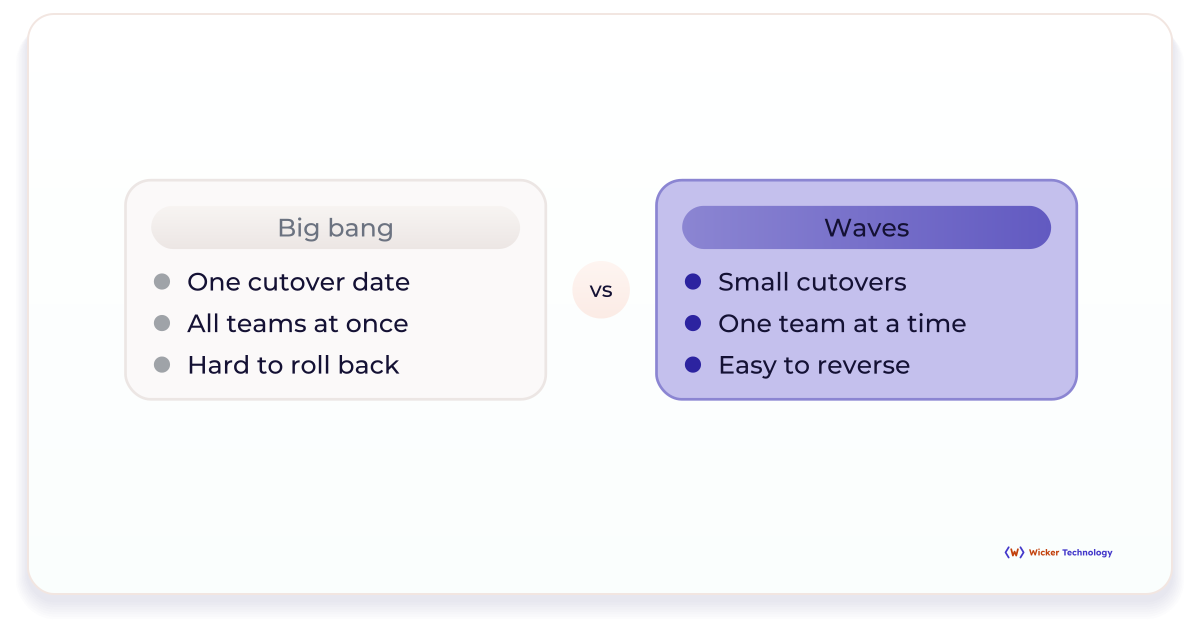
Notice what is missing: a big-bang replacement. The plan carries 38 systems through six different paths, and only four are replaced. That ratio is typical. When a proposal says "replace everything", ask which of the six paths was ruled out, and why.
Mistakes That Derail Modernization
Four mistakes appear often enough to name. The first is picking the target platform before scoring the estate, which locks the answer in before the question is asked. The second is rehosting a system and calling it modernized, when only the address changed. The third is underestimating data migration, which usually takes longer than the software work. The fourth is forgetting the retirement date, so the old and new systems run in parallel for years.
A fifth deserves a separate mention: ignoring the users. A new system that is faster on paper but changes their daily steps without warning will meet resistance. Show each team what changes in their week, train on real work and keep a person available on the floor for the first two weeks. Modernization is judged by how work feels afterwards, not by the architecture diagram.
Working With Vendors During Modernization
Vendors matter more than most plans admit. A support end date is a negotiating moment, and so is a renewal. Ask for extended support pricing early, since it gives you time and sets a ceiling on the cost of waiting. Ask for data export formats and fees in writing before you sign anything new.
Check the vendor's own roadmap for the product you depend on. Some vendors quietly move customers to a new product line, and an update path you assumed may turn into a replacement. Reference calls with customers who made the same move are worth an hour each. Ask what surprised them, what the move cost and what they would do differently.
For contracts, align end dates with the plan. A three-year renewal signed in month two of a two-year retirement plan wastes a year of savings. Keep a single list of renewal dates and notice periods, and review it at every steering meeting. Finance should own that list, since they feel the cost first.
Keep one more figure in view: the people cost of old systems. A platform that only two employees understand is a risk that does not show up on any invoice. Record who they are, schedule time for them to document the system and pair each with a junior colleague. When one of them leaves, the plan should survive it.
Governance That Prevents Drift
A modernization strategy needs a steering group, a single list and a regular review. The group should include one business leader per major area, a finance partner and the technology lead. Monthly meetings are enough.
- One portfolio list with path, owner, cost and review date for every system.
- A rule that new systems arrive with a retirement date for what they replace.
- Quarterly re-ranking as support dates and costs change.
- A short report on savings and delivery speed against the baseline.
The second rule prevents the estate from growing back. If every new purchase must name what it will switch off, sprawl stops at the door.
Deciding Where to Start
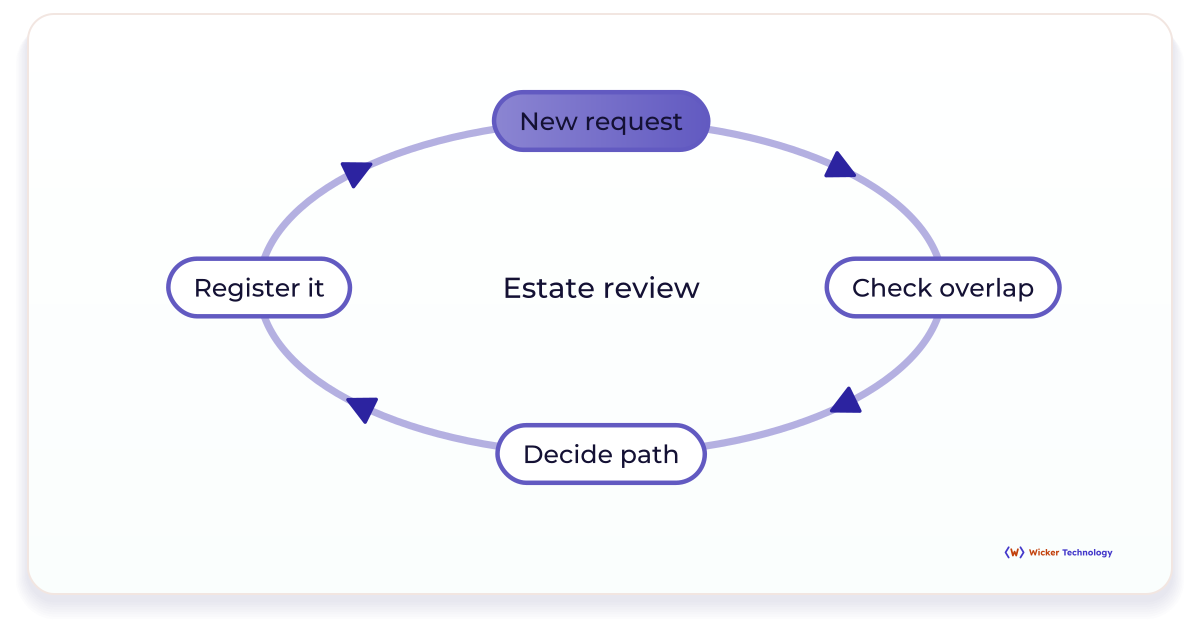
Begin with an inventory, since you cannot rank what you have not listed. Score each system on support status, security exposure, cost and the change it blocks. Pick a first wave with one visible retirement, one update with a deadline and one interface project.
If you have already started and feel stuck, compare your plan to real cases. My technology modernization examples cover ten projects, including the ones that hit trouble, and my modernization roadmap shows how to schedule the waves.
Questions About Technology Modernization Strategy
What Is a Technology Modernization Strategy?
It is a plan for what happens to your existing systems: which to retain, move, rebuild, replace or retire, and in what order. It starts from the estate you own, not from a new platform.
What Are the Main Modernization Paths?
Retain, rehost, replatform, refactor, replace and retire. Each fits a different situation, and most estates use a mix. Replacement is usually the most expensive and riskiest path.
How Do I Prioritize Which Systems to Modernize?
Rank by the cost of waiting: support end dates, security exposure, running cost and the business change the system blocks. Then adjust for readiness, since undocumented systems need mapping first.
Is It Better to Rehost or Refactor?
Rehosting is faster and cheaper but keeps the system's problems. Refactoring costs more and fixes the code. Choose by where the pain is: hosting problems call for rehosting, and change-speed problems call for refactoring.
How Do I Measure Technical Debt?
Ask teams for the extra days each change costs on a system compared with a clean one, then multiply by the number of changes a year. The result is a cost that finance can compare with a project estimate.
What Does Doing Nothing Cost?
Add license and hosting, specialist support, security work, manual workarounds and the value of changes you postponed. The last line is hard to measure and often the largest, so estimate two or three examples.
How Long Should a Modernization Strategy Be Valid?
Review priorities quarterly and the full strategy yearly. Support end dates, acquisitions and vendor changes can all justify an earlier update.
Important: nothing in this article is legal, financial or tax advice. All figures are estimates from typical projects, so verify them with your own providers and advisers.
Was this useful?
We appreciate the feedback.
Paige Mulvaney
Paige leads the Wicker editorial team and works with the consultants who run the roadmaps, software selections, implementations and integrations to turn real client projects into practical guides. Her focus is plain-language advice on IT strategy, choosing business software and connecting systems so they work together. Every article she edits is checked against current vendor pricing and documentation before it is published.