In Short
- Plan modernization in six phases, from baseline to switch-off, with a decision gate after each one.
- Move systems in waves: start with a low-risk system and leave the core platform until the routine works.
- Budget extra time for data clean-up, since the first wave usually runs about a quarter over plan.
- Old systems only save money when someone owns the shutdown date and the contract notice period.
A modernization roadmap is the document that stops a legacy replacement from turning into a three-year argument. If you are weighing a move off an aging ERP, a patched-together billing system or servers nobody wants to touch, you need dates, owners and a clear order of work. Many teams hire for technology modernization consulting at exactly this point, because the plan is harder than the technology.
Below is the six-phase roadmap I use as a starting frame, with realistic timelines, the decision gate at the end of each phase and the delays I see most often. Adapt the durations to your size. A 40-person clinic and a 600-person freight company move at different speeds, but the order stays the same.
Overview of the Six Phases
The table gives you the whole plan on one screen. Timelines assume a mid-sized organization with 10 to 30 core systems and one dedicated project owner.
| Phase | Typical length | What you produce | Checkpoint |
|---|---|---|---|
| 1. Baseline | 3 to 5 weeks | System inventory, cost and risk scores | Everyone agrees which systems are in scope |
| 2. Target picture | 3 to 4 weeks | Target architecture and keep, replace or retire list | Leadership signs the target |
| 3. Sequencing | 2 to 3 weeks | Ordered waves with dependencies | Wave 1 has an owner and a budget |
| 4. Pilot wave | 8 to 14 weeks | One system moved or replaced end to end | Pilot meets its exit criteria |
| 5. Scale waves | 6 to 18 months | Remaining waves, one at a time | Each wave signs off before the next starts |
| 6. Retire and review | 4 to 8 weeks per wave | Old systems shut down, savings measured | Old licences and servers are gone |
If you want the thinking behind these phases, my guide to technology modernization strategy covers how to choose between rehosting, replacing and rebuilding. This page is about the calendar.
Phase 1: Baseline What You Run Today
Start with an inventory, not a vision. List every system, who owns it, what it costs per year, which other systems it feeds and when its vendor support ends. A spreadsheet is enough. In my client work the first inventory almost always finds systems nobody listed: a reporting database someone built in 2016, a file server that still runs a payroll export.
Score each system on three things: business importance, technical health and annual cost. Do not aim for precision. A 1 to 5 scale agreed in one workshop beats a perfect model finished in two months. The result is a short list of systems that are important and unhealthy, and those are your candidates.
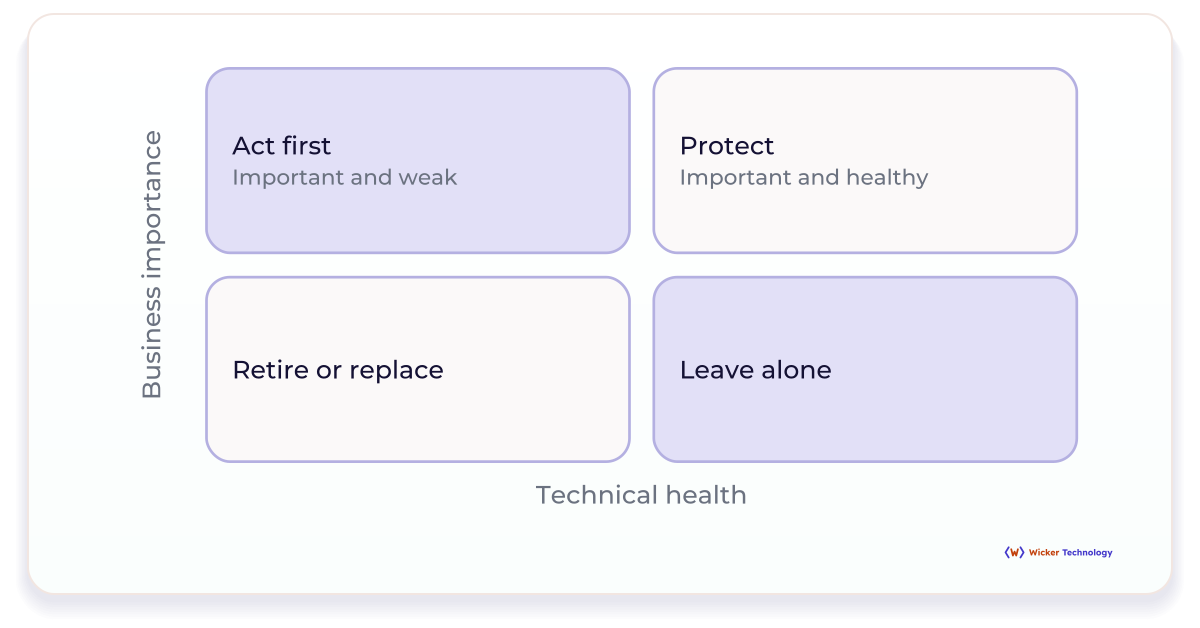
The deliverable is a one-page view of all in-scope systems, with their cost and risk scores. If your organization has never done this, a structured technology assessment gets it done faster than doing it alongside your day job.
Phase 2: Decide the Target Picture
For each candidate system, pick one of five outcomes: keep as is, upgrade in place, move to the cloud unchanged, replace with a different product, or retire. Writing "replace" next to every system is the most common mistake. In my experience about a third of aging systems are better left alone for another two years, and saying so out loud frees up budget for the ones that matter.
Put the outcomes on one architecture diagram showing how the remaining systems will connect. The diagram does not need to be pretty. It needs to show where data lives after the change and which system is the source of truth for customers, orders and money.
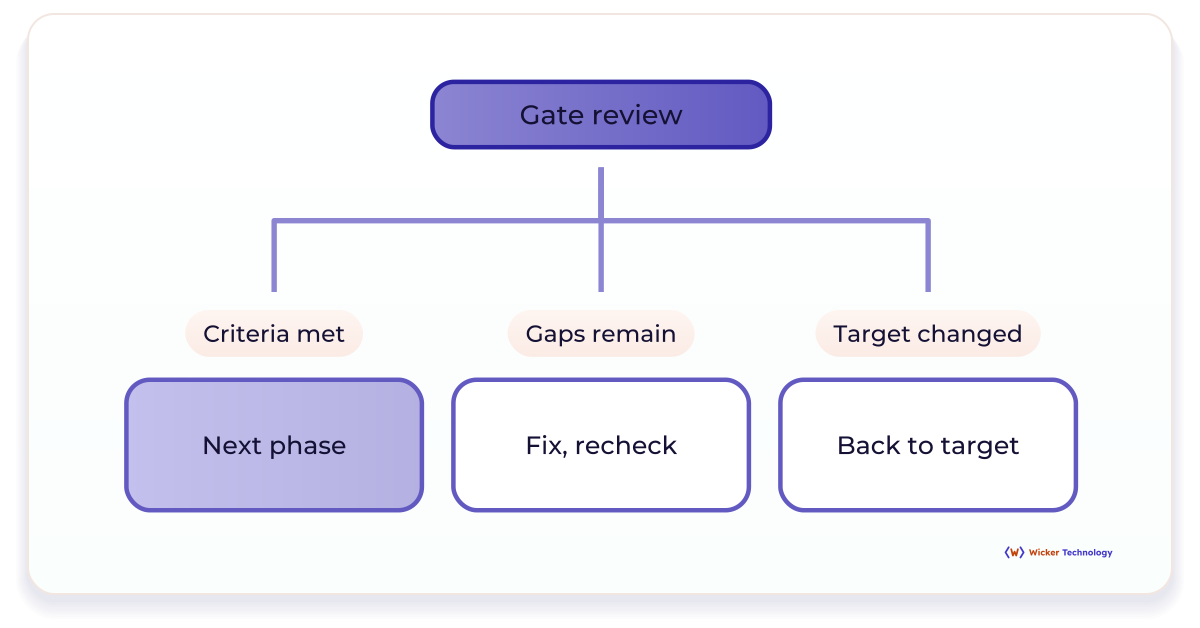
The Decision Gate
End the phase with a signed target. Signed means the finance lead and the operations lead have both seen the keep, replace and retire list and accepted the cost range. Without that signature, Phase 4 stalls in month two when someone asks why a system was chosen.
Phase 3: Sequence the Waves
Group the work into waves. A wave is a set of changes that can go live together and be rolled back together. Order them by dependency first and value second: you cannot retire the old billing system before the customer master lives somewhere new.
A reliable pattern is to put one low-risk, visible system in Wave 1. It teaches the team the migration routine and gives leadership an early result. Put the scary core system in Wave 3 or later, once you have run the routine twice.
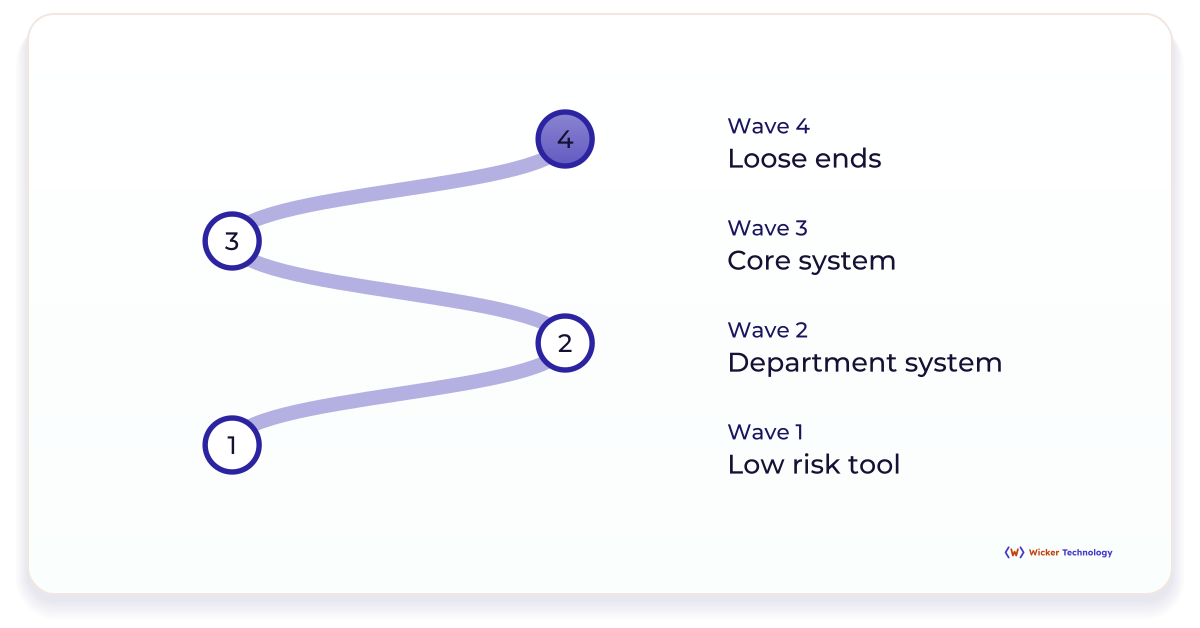
| Wave | Typical content | Risk level | Why this position |
|---|---|---|---|
| 1 | Internal tool, file storage or reporting database | Low | Builds the routine and proves the team |
| 2 | Department system such as HR, service desk or inventory | Medium | Uses the routine on real daily work |
| 3 | Core system such as ERP, billing or patient records | High | Runs only after two clean waves |
| 4 | Integrations and data clean-up leftovers | Medium | Closes gaps the earlier waves exposed |
Phase 4: Run the Pilot Wave
The pilot is where the plan meets the building. Choose a system with real users but forgiving timing, and set exit criteria before you start: data migrated and reconciled, users trained, old system read-only for 30 days, no open critical defects. If the pilot cannot meet those, you have learned something cheaply.
Expect the pilot to take longer than the plan says. In my projects, Wave 1 runs about 25% over its original estimate, almost always because of data quality. Duplicate customers, free-text fields and missing dates all show up here. Budget a clean-up task from the start, and the delay becomes a line item instead of a surprise.
Where the Pilot Usually Slips
Technology is rarely what slips. A key user is on leave during testing, a vendor needs two extra weeks to open an API, or a department head decides at the last minute that their workflow is different. Name a backup for every key user and put vendor dependencies in the plan as dated milestones.
Phase 5: Scale Through the Remaining Waves
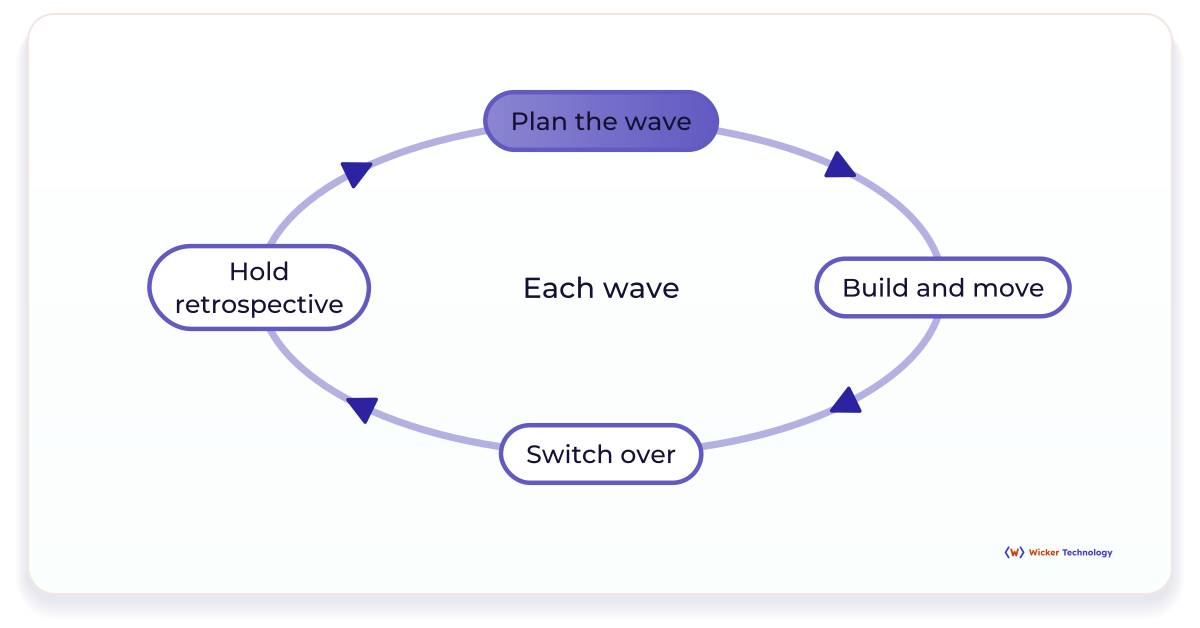
Now repeat. Each wave follows the same routine: prepare data, migrate, test with real users, cut over, run in parallel, switch off. The roadmap shows these as bars on a calendar, but the real control is the sign-off between waves. A wave that is not signed off does not hand its people to the next one.
Run a short retrospective after every wave. Two questions are enough: what cost us time, and what do we change in the next wave. Teams that skip this repeat the same data problem three times. How other organizations structure these waves is covered in my technology modernization examples.
Protect Your People's Capacity
The hidden constraint is people, not money. The same twelve staff members test, train and still run the business. Do not schedule two heavy waves that need the same department in the same quarter, and keep month-end and peak season free of cutovers. For a logistics company that means no go-live between October and January, and for a clinic group it means avoiding the weeks around insurance renewals.
Phase 6: Retire the Old and Measure
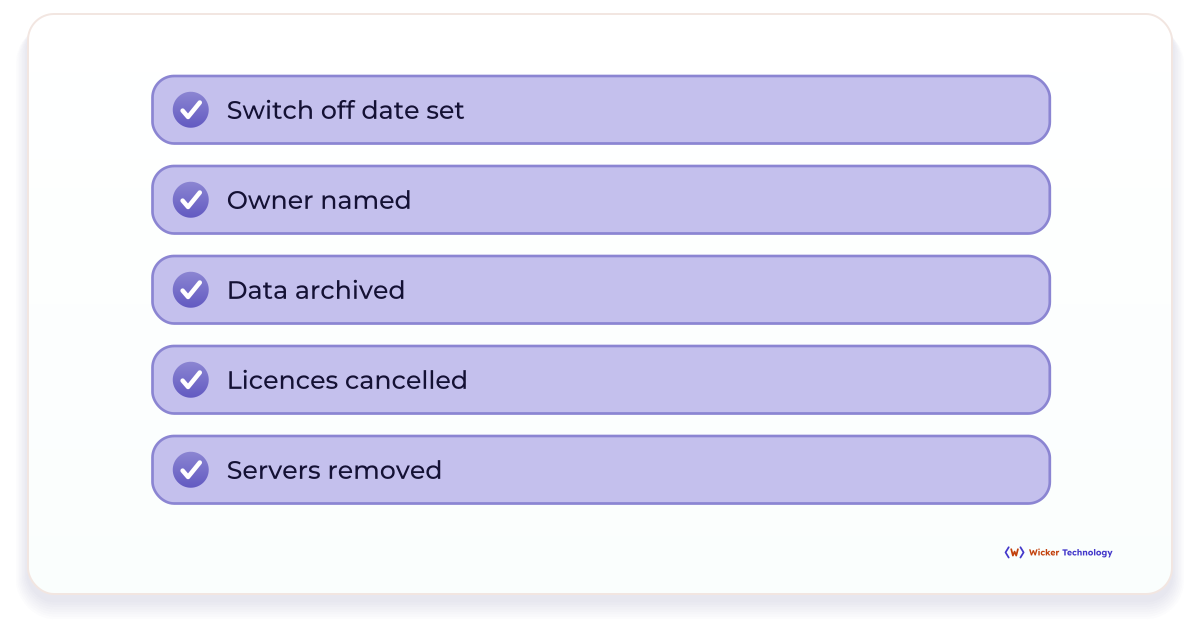
Modernization only pays off when old things disappear. Cancel licences, decommission servers, close vendor contracts and archive the data you must keep. This phase is the one most often skipped, and it is where the savings live. I regularly see organizations run both the old and new systems for a year because nobody owned the switch-off.
Give the switch-off a date in the roadmap and an owner with authority to cancel contracts. Check the notice periods early. Many enterprise software contracts need 60 to 90 days of notice, and missing that window can cost another year.
Measure against your Phase 1 baseline: annual run cost, incidents per month, time to onboard a new employee, and time to close the month. If you did not capture those numbers at the start, capture them now for the systems still ahead of you.
What the Roadmap Needs From You
A roadmap fails quietly when nobody owns it. You need one accountable owner who can make decisions, a steering group that meets every four weeks, and a named lead on the business side for every wave. Technical teams can build a system without a business lead, but they cannot get it adopted.
| Role | Time needed | Owns |
|---|---|---|
| Program owner | 30% to 50% of their week | Dates, budget, decisions between waves |
| Business lead per wave | 1 to 2 days per week during the wave | Requirements, testing, user sign-off |
| Technical lead | Full time in build phases | Architecture, migration, rollback plan |
| Finance partner | A few hours per month | Budget tracking, licence and contract dates |
If you do not have the capacity in-house, borrowing a program lead for the planning and pilot phases is common. Your own team then runs later waves with the routine already proven.
Risks to Put on the Roadmap Itself
Add a short risk list directly to the plan, reviewed at each steering meeting. Four risks appear in nearly every project I see: data quality, key-person dependence, scope growth and vendor delay. Scope growth deserves special attention. Every wave attracts requests to improve a process while the system is being replaced. Keep a parking list for them, and approve additions only if you also move a date.
Also plan the rollback before the cutover, not during it. For each wave, write down what you do if go-live fails at 2 a.m.: who decides, how you restore the old system and how long that takes. Having it on paper rarely matters. Not having it matters a lot.
How to Choose Your Starting Pace
Not every organization should run six phases at full speed. Pick a pace that fits your capacity:
- Fewer than 100 employees and one key system: compress phases 1 to 3 into six weeks and run a single wave.
- Several departments and aging core systems: use the full plan and expect 18 to 30 months.
- Regulated data such as patient or financial records: add a compliance review at every gate.
- Thin IT team: bring in outside help for phases 1 to 4 and take over from Wave 2.
If you want the plan built with you rather than alone, a short call is the quickest way to find out which of these paths fits.
Questions About Technology Modernization Roadmaps
How Long Should a Technology Modernization Roadmap Cover?
Most organizations plan 18 to 36 months in detail for the first two waves and at a rough level beyond that. Anything longer goes out of date before you reach it, because vendors, regulations and your own priorities change. Review the roadmap every quarter and move dates openly instead of letting them slip silently.
What Is the Difference Between a Roadmap and a Strategy?
The strategy says what you want to end up with and why. The roadmap says in which order, by when and who does the work. You need the strategy decisions first, such as which systems to keep or retire, or the roadmap becomes a list of guesses with dates attached.
Should We Modernize Everything at Once?
Almost never. A big bang puts every department at risk on the same day and makes rollback close to impossible. Waves let you learn on a low-risk system, adjust your method and protect the business. The exception is a small organization with one core system, where a single well-planned cutover is perfectly reasonable.
How Do We Estimate the Budget for the Roadmap?
Estimate each wave separately: licences or subscriptions, migration work, integration, training, parallel running and the cost of your own staff time. Add a contingency of 15% to 25% for the pilot wave and 10% for later ones. Then subtract the run costs you will switch off, so leadership sees the net figure and the payback period.
Who Should Own the Roadmap?
One named person with decision authority, usually the head of IT or an operations leader, supported by a steering group with finance and business representation. Shared ownership by committee is the most common reason roadmaps stall. The owner should be able to move budget between waves and cancel old contracts.
What If a Vendor Ends Support for a System Before the Roadmap Reaches It?
Put the end-of-support date next to every system in the baseline and let it drive the order. If a critical system loses support early, either pay for extended support as a bridge or move it into an earlier wave. Running unsupported software on sensitive data is a risk you should record and decide on deliberately.
How Do We Keep Staff on Board During Long Programs?
Involve the people who use each system in the target picture phase, give them a role in testing and train them before cutover, not after. Share a short update every four weeks showing what has gone live and what is next. People accept change much better when they see steady progress and know when it will reach them.
Important: nothing in this article is legal, financial or tax advice. All figures are estimates from typical projects, so verify them with your own providers and advisers.
Was this useful?
We appreciate the feedback.
Paige Mulvaney
Paige leads the Wicker editorial team and works with the consultants who run the roadmaps, software selections, implementations and integrations to turn real client projects into practical guides. Her focus is plain-language advice on IT strategy, choosing business software and connecting systems so they work together. Every article she edits is checked against current vendor pricing and documentation before it is published.