In Short
- Most modernization wins match the path to the problem: hosting, speed of change, duplication or hand-offs.
- Wrapping a legacy system with an interface buys time and makes later replacement safer.
- Running old and new side by side for a period was common and nobody regretted it.
- Data and documentation cause more delay than software.
Success stories in modernization hide the messy parts, such as the rule nobody documented and the cutover that slipped a week. The ten examples here keep those parts in. They are the kind of work I see in technology modernization consulting, grouped by the path each team chose.
Details are anonymized, and results are the ranges clients reported to me. Use them to compare approaches, and check numbers against your own baselines before you plan around them.
Ten Modernization Wins at a Glance
The paths differ, and so do the timelines. The table shows what each team chose and how fast the first result arrived. Notice how many of them avoided full replacement.
| Example | Path | Time to first result | Main lesson |
|---|---|---|---|
| Hospital billing | Update | About one quarter | Stabilize and test on real claims |
| Wholesaler ERP | Rehost | One quarter | Fix the hosting without touching the code |
| Insurance broker | Wrap | Within a year | An interface layer buys time |
| Manufacturer cleanup | Retire | Two quarters | Unused tools hide in plain sight |
| Retailer monolith | Refactor in pieces | First piece in months | Ship small, compare, then switch |
| Logistics planning | Replace | One quarter after pilot | Test vendors on real routes |
| Law firm documents | Replatform | One quarter | Security review comes first |
| School group | Connect | One admissions cycle | Validate every transfer |
| Energy scheduling | Refactor | A year, in small releases | Tests before changes |
| Nonprofit donors | Consolidate | One quarter | Budget time for record matching |
Only one of the ten replaced a system from scratch, and one consolidated three tools into one. If you are still choosing among paths, the technology modernization strategy explains the six options and when each fits.
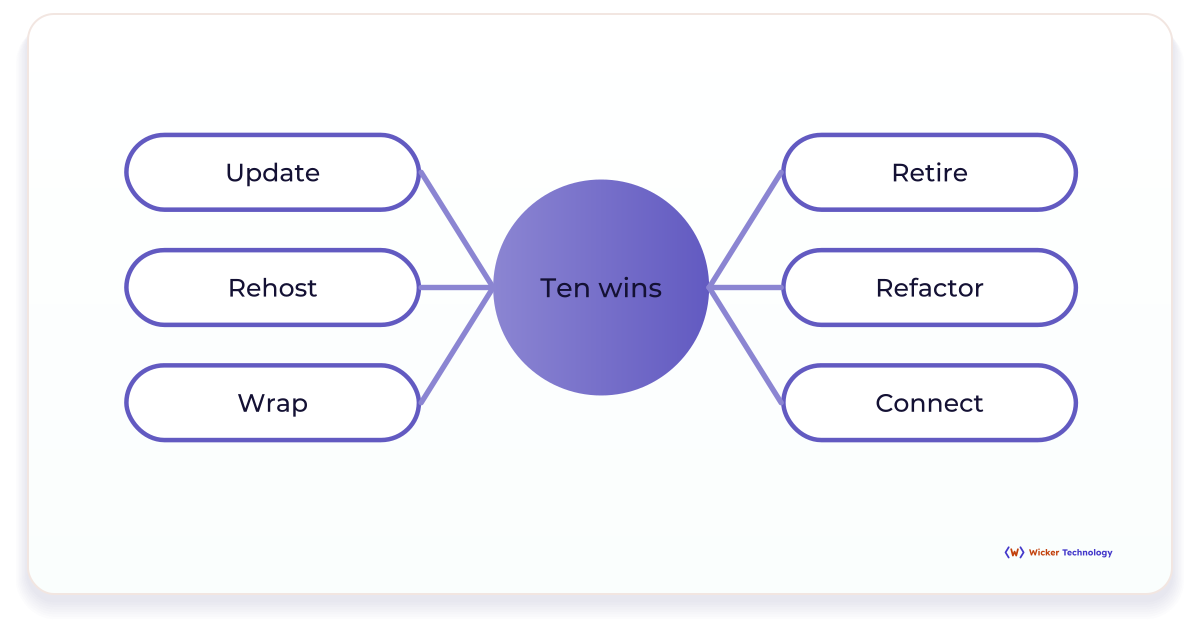
10 Technology Modernization Examples and What Was Behind Each Win
Read each one for the decision that made the difference. The steps are listed so you can compare them with your own plan, and the roadmap in technology modernization roadmap shows how teams scheduled such work.
Hospital Billing Moves Off an Unsupported Platform
A hospital billing system was running on a platform whose vendor support had ended. Only two staff understood it, and every payer rule change meant weeks of manual work. The team chose to update the platform in place instead of replacing it, since the rules inside it were still right.
Stabilization came first: backups, documentation and monitoring. The upgrade then ran in a test copy for six weeks, with billing staff checking real claims. The cutover happened in a quiet week, and rule changes now take days.
How the update ran
- Document the system and record who knows what.
- Take verified backups and set up monitoring.
- Upgrade a test copy and run real claims through it.
- Cut over in a low-volume week with a rollback plan.
- Train a third and fourth person on the platform.
What made it work
A restore test before the upgrade gave the team confidence. Vendor extended support bought the time to do it carefully.
Wholesaler Rehosts an Aging ERP
A wholesaler's ERP ran on servers near the end of their life. The software itself was stable and well customized, so replacing it was hard to justify. Moving it to managed hosting removed the hardware risk in one quarter.
The team did not touch the code. They rehosted, tested nightly jobs and moved on a Sunday after month-end. The ERP still has issues, but hardware failure is no longer one of them, and the saved budget went to interface work.
How the move was done
- List nightly jobs and external connections.
- Build the target hosting environment and copy the data.
- Run a full month of reconciliation tests.
- Move after month-end close, with rollback ready.
- Review performance and cost after one full quarter.
Tools involved
A managed hosting service and a copy of production data for testing were enough. The real work was documenting the nightly jobs that nobody had written down.
Insurance Broker Wraps a Legacy Core
An insurance broker's policy system was old and central. Replacing it was a three-year project the business could not afford. Instead, the team put a documented interface in front of it and built new quoting tools against that interface.
Sales got faster quotes within a year, and the legacy core stayed untouched. The interface also made the later replacement safer, since every new tool already talked to a stable layer. Wrapping bought time and option value.
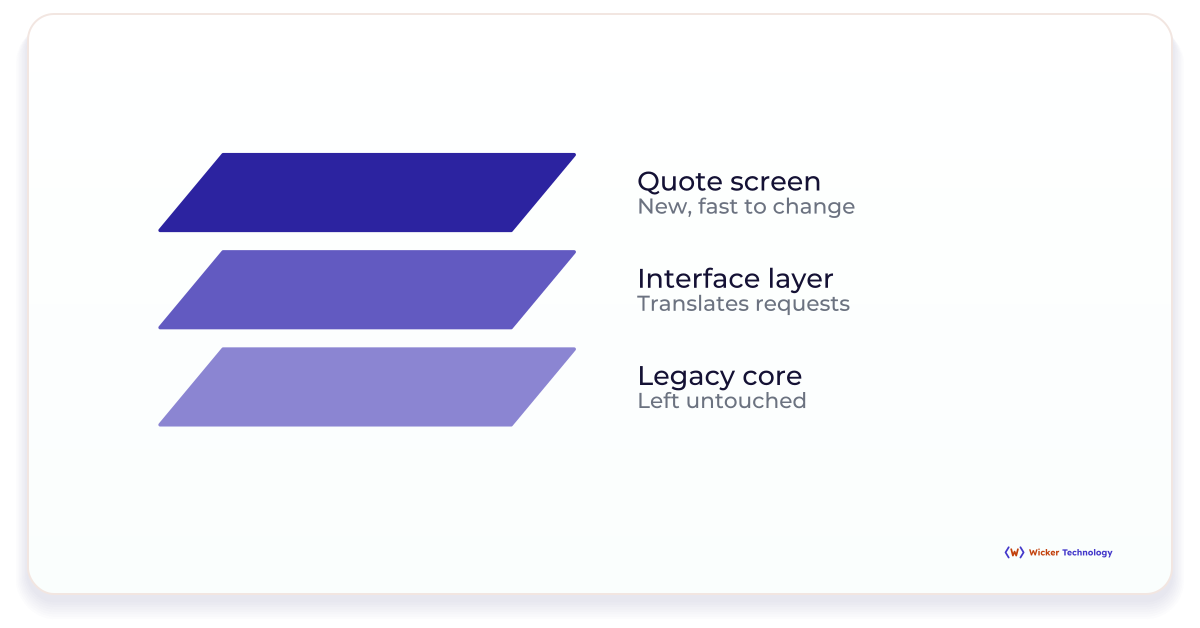
How the interface layer was built
- Pick the five data types new tools need most.
- Expose them through documented read and write interfaces.
- Add logging and access control at the interface.
- Build the new quoting tool against it.
- Plan the core replacement behind the interface.
What to use
An integration platform or a small interface service works well here. Document every interface, because the next team will rely on it.
Manufacturer Retires 14 Unused Applications
A manufacturer's inventory found 14 applications with almost no users, left from old projects and acquisitions. Several had active licenses. Nobody had owned the list, so nobody had cancelled anything.
The team checked usage data, asked each owner and archived the data that had to be kept. Twelve were switched off within two quarters. The savings were modest, and the reduction in security exposure was worth more.
How the cleanup was run
- Pull a year of usage data per application.
- Contact every named owner and ask for a reason to keep it.
- Archive data with legal or audit value.
- Switch off access, then cancel at renewal.
- Record the decision in the portfolio list.
Helpful tools
License reports from the vendors showed usage. A shared renewal calendar stopped the same tools from coming back.
Retailer Moves a Monolith to Services Gradually
A retailer's order system was a single large application that every change risked breaking. A full rewrite was rejected as too slow. Instead, the team carved out one function at a time, starting with pricing, and routed it through a new service.
After pricing, they moved stock checks and then returns. Each piece shipped independently, and the monolith shrank over eighteen months. Releases that used to happen quarterly now happen weekly for the carved-out parts.
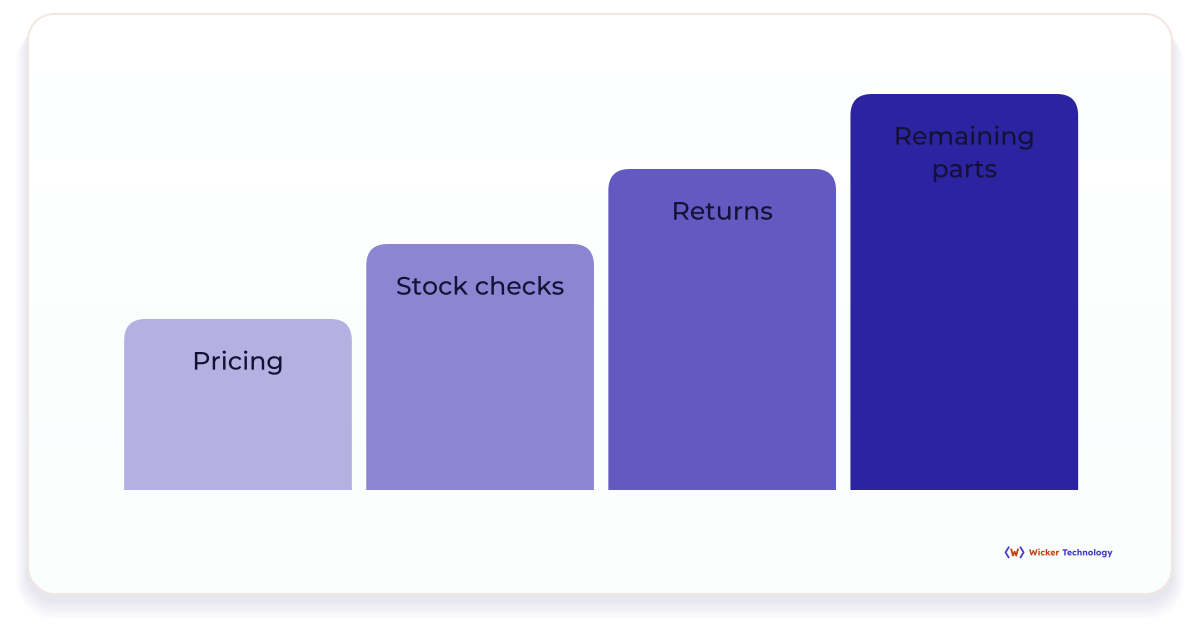
How the monolith was carved up
- Choose the function with the clearest boundary.
- Build the new service beside the monolith.
- Route a small share of traffic to it and compare results.
- Increase traffic as results match.
- Remove the old code once nothing calls it.
Supporting tooling
Automated tests and traffic routing at the gateway made the gradual approach possible. Without tests, the team would not have trusted the comparison.
Logistics Firm Replaces Spreadsheet Planning
A logistics firm planned routes and capacity in spreadsheets maintained by two dispatchers. Errors were common, and a holiday meant a crisis. The replacement was a standard planning product, chosen after scripted tests with real routes.
Dispatchers helped design the screens and ran the new tool in parallel for a month. The firm gave up a few custom spreadsheet tricks in exchange for support and reliability. Planning errors dropped, and holiday cover became possible.
How the replacement went
- Capture how the dispatchers really plan a day.
- Write scripted test cases from real routes.
- Run vendors through the same cases.
- Pilot with two routes and compare with the spreadsheet.
- Train the whole team and retire the spreadsheets.
Tools to compare
Standard transport planning products cover most needs. Check their import options early, since your route data will not arrive clean.
Law Firm Moves Documents to the Cloud
A law firm's document system ran on an in-house server that needed expensive hardware replacement. Lawyers needed secure remote access more than new features, so the team replatformed to a managed cloud version of the same product.
Security review came before migration, covering access, encryption and retention. Matters moved in batches by practice group. Remote access worked for everyone within a quarter, and the firm avoided the hardware spend.
How the move was staged
- Review security and retention requirements with the compliance lead.
- Choose a cloud version with the needed controls.
- Migrate one practice group as a pilot.
- Reconcile document counts and spot-check content.
- Move remaining groups and decommission the server.
What to check
Ask the vendor for current security documentation and read it. Confirm data location and export options before you sign.
School Group Connects Admissions and Records
A group of schools ran admissions and student records in separate systems, with staff re-entering details by hand each term. Replacing both was out of budget, so the team connected them.
A scheduled interface passed accepted applicants into the records system, with a daily error report. Re-entry dropped sharply within one admissions cycle, and staff caught mismatches in days, not months.
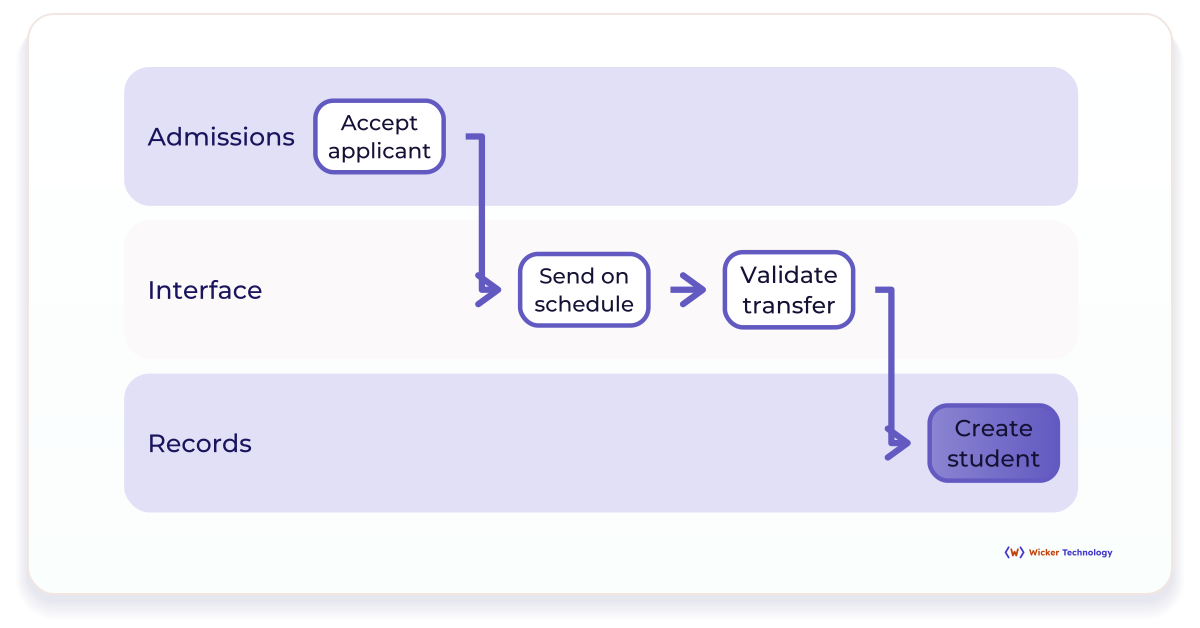
How the connection was set up
- Map the fields that staff re-enter every term.
- Agree which system holds each field.
- Build a scheduled transfer with validation.
- Send a daily error report to the office team.
- Review mismatches weekly for the first term.
Tools needed
Both systems offered import and export features, which kept the cost low. A simple error report mattered more than extra automation.
Energy Services Company Refactors a Scheduling Core
An energy services company ran field scheduling on custom code that few people understood. It encoded rules that set the company apart, so replacement would have meant losing them. The team chose to refactor.
Over a year they added tests around the existing behavior, split the code into modules and rewrote the worst parts. Each release was small. The system now changes in days, and two new developers could join without months of ramp-up.
How the refactor was run
- Write tests that capture current behavior before touching code.
- Split the code along business boundaries.
- Rewrite the worst module first, in small releases.
- Compare outputs with the old behavior every release.
- Document the rules in plain language for the business.
Tooling
Automated test suites and code analysis tools guided the work. The plain-language rule document turned out to be as valuable as the code.
Nonprofit Replaces Three Donor Tools With One
A nonprofit tracked donors in three overlapping tools, which led to duplicate mailings and unreliable reports. Volunteers kept each one alive from habit. The plan was to consolidate onto the tool with the best fit and archive the other two.
Data matching took longer than expected, since names and addresses differed across the tools. After cleanup, the team moved in one weekend and ran the old tools read-only for a quarter. Duplicate mailings stopped.
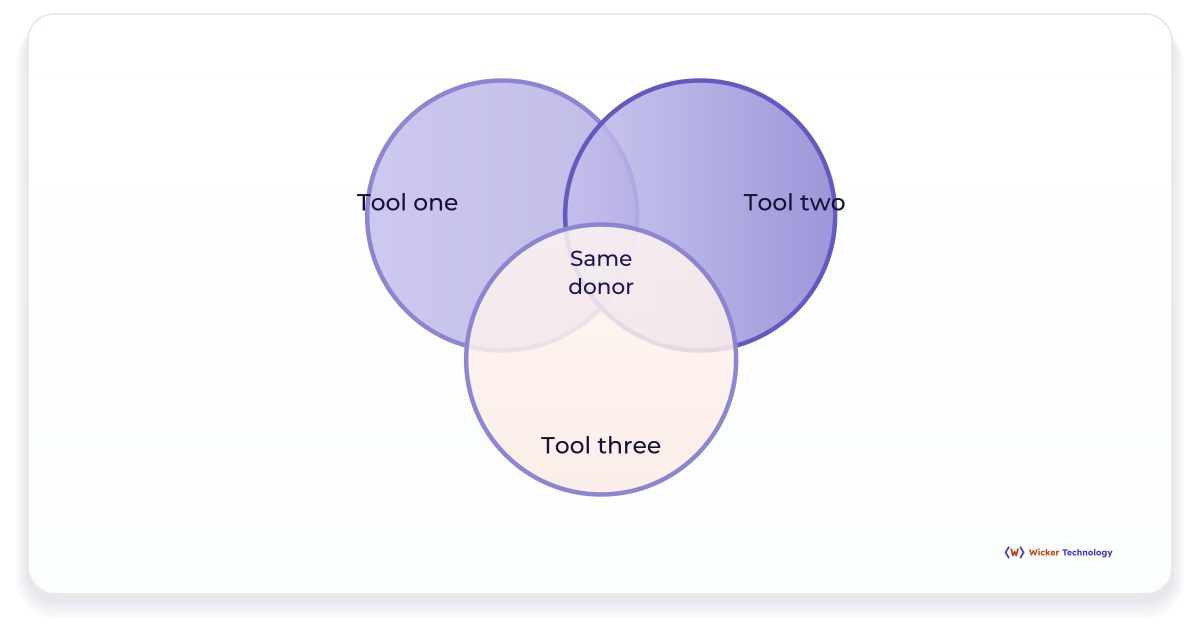
How the consolidation worked
- Compare the three tools on the real daily tasks.
- Pick one and match records across all three.
- Clean duplicates and agree on one format.
- Migrate and keep the old tools read-only.
- Archive and cancel after one quarter.
What helped
A matching tool for duplicate records saved weeks. A short written guide for volunteers helped adoption.
Patterns Across the Ten Projects
Three patterns repeat. First, most teams matched the path to the problem. Hosting problems got new hosting, and change-speed problems got refactoring or interfaces. Second, almost every team ran old and new side by side for a period, and none regretted it. Third, the biggest delays came from data and documentation, not from software.
The failures I have seen were mirror images. Teams replaced when an update would have done, rehosted when the code was the problem or skipped the retirement date. If your plan resembles one of the failures, adjust before you start.
How to Pick an Approach for Your Own Systems
Use the examples as a menu. Identify the pain in each system, name the matching path and check what the example teams needed to make it work.
- Support ending or hardware aging: look at update and rehost.
- Slow change in a valuable core: look at wrap and refactor.
- Overlapping or unused tools: look at retire and consolidate.
- Manual hand-offs between systems: look at connect.
- A commodity function done in spreadsheets: look at replace.
Before you commit, write down what staying put costs and what each path would need from your people. The strategy guide helps with that comparison, and the consulting team can review your list if you want a second view.
Questions About Technology Modernization Examples
What Is an Example of Technology Modernization?
Moving an aging ERP to managed hosting without changing its code is a common one. It removes the hardware risk quickly, and the saved budget can go to interface work or a later upgrade.
Do I Have to Replace Legacy Systems to Modernize?
No. Most estates use several paths: update, rehost, wrap, refactor, retire and replace. Replacement is typically the most expensive path and is worth it only where the system blocks the business.
How Long Do Modernization Projects Take?
Small moves such as rehosting or retiring unused tools can show results in a quarter. Refactors and core platform changes run longer, and are usually phased in small releases.
What Is the Safest Way to Modernize a Core System?
Stabilize it first, then put an interface in front of it, then move functions or data in small batches. Run old and new side by side until the new one passes a full business cycle.
How Do I Find Unused Applications?
Pull usage data per application for the last year, contact each named owner and ask for a reason to keep it. License reports from vendors help, and so does a shared renewal calendar.
When Is Refactoring Better than Replacing?
When the system encodes rules that set your business apart and replacement would lose them. Refactor in small releases with tests around existing behavior.
What Usually Goes Wrong in Modernization?
Hidden dependencies, underestimated data migration and a missing retirement date. Map interfaces early, budget time for data cleanup and put the retirement of old systems on the plan.
Important: nothing in this article is legal, financial or tax advice. All figures are estimates from typical projects, so verify them with your own providers and advisers.
Was this useful?
We appreciate the feedback.
Paige Mulvaney
Paige leads the Wicker editorial team and works with the consultants who run the roadmaps, software selections, implementations and integrations to turn real client projects into practical guides. Her focus is plain-language advice on IT strategy, choosing business software and connecting systems so they work together. Every article she edits is checked against current vendor pricing and documentation before it is published.