In Short
- Hidden technical debt, change of control clauses and key person dependency are the risks that most often surprise buyers.
- Integration cost is the most common item left out of a valuation.
- A risk you can put a range on is a negotiating point. A risk you cannot size is a reason to keep digging.
- A blank incident log is a warning sign, not a clean bill of health.
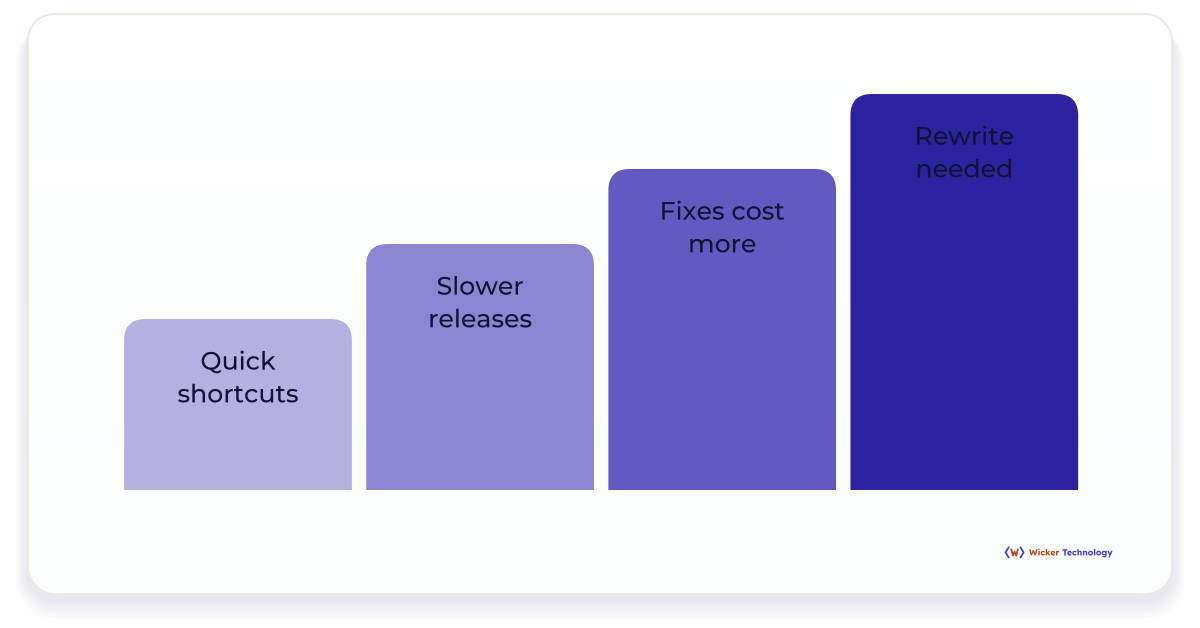
Technology risks in a deal are rarely dramatic. They are slow costs that show up in the first year after closing, when the budget is already spent. Working with a team that offers technology due diligence consulting moves that cost from a surprise into the price.
Below are eight risks I see again and again, each with how it shows up and how to check for it. Use my technology due diligence checklist to turn them into a request list.
The Eight Risks and What They Usually Cost
| Risk | First sign | Usual response |
|---|---|---|
| 1. Hidden Technical Debt | Slow releases, no tests | Price adjustment |
| 2. Contracts That Break at Change of Control | Vendor terms not shared | Vendor consent before closing |
| 3. Security Gaps and Past Incidents | Empty incident log | Fix as closing condition |
| 4. Legacy Systems No One Can Maintain | One contractor supports it | Replacement budget |
| 5. Cloud Costs That Outrun Revenue | Bills grow faster than revenue | Optimization plan |
| 6. Key Person Dependency | Same name in every answer | Retention terms |
| 7. Vendor Lock-In and Weak Suppliers | Single supplier, short notice | Backup supplier or exit plan |
| 8. Regulatory and Data Protection Exposure | Integration missing from the model | Add to valuation |
| 9. Underestimated Integration Cost |
Contracts That Break at Change of Control
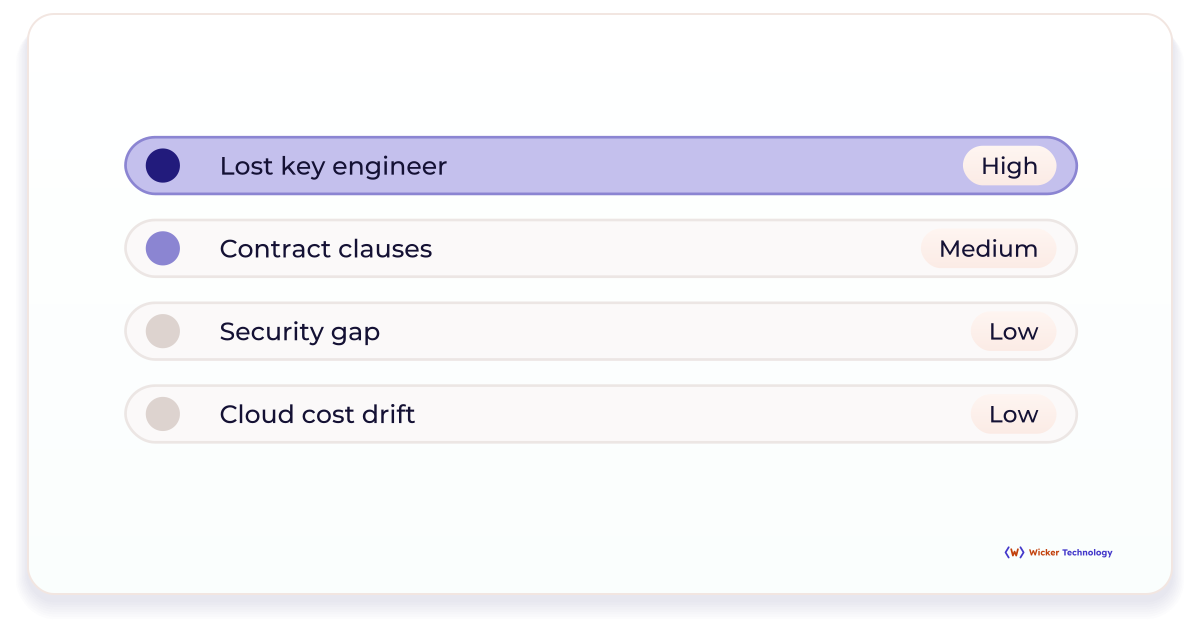
Many software and cloud contracts contain clauses that react when a company is bought. The vendor may reprice, require consent or end the agreement. The risk is a service that stops or doubles in cost in the first month after closing.
Sellers rarely list these clauses because nobody asked them to. The fix is simple when you find them early: get the vendor's consent as a condition of closing, or price in the new terms.
How to Find the Clauses
- Request every contract above a spend threshold you set.
- Search each one for assignment and change of control terms.
- Note notice periods and renewal dates in a single table.
- Rank vendors by how hard they are to replace.
- Ask the seller to request consent from the top five.
Useful Tools
A contract repository or a shared spreadsheet is enough for most deals. Contract analysis software can speed up large sets, but a person should read the top ten agreements.
Security Gaps and Past Incidents
A breach after closing becomes your breach. The risk is not only the incident but what you learn later about how the target handled the last one. Unfixed findings from old tests are a common sign of weak follow-through.
I trust a target more when it shows me a messy incident log with clear fixes than when it shows nothing. A blank log usually means detection is weak, not that nothing happened.
How to Check Security
- Request the latest penetration test and its remediation status.
- Read the incident log for the last three years.
- Map where sensitive data is stored and who can reach it.
- Check how access is removed when someone leaves.
- Ask when the last backup restore was tested.
Useful Tools
An external vulnerability scan of the target's public systems gives you a quick view without touching anything internal. A security questionnaire from a framework such as ISO 27001 gives you a common set of questions.
Legacy Systems No One Can Maintain
Old systems are not a problem by themselves. They become one when the people, the vendor support and the documentation are gone. The risk is a core process that runs on software that nobody can safely change.
A logistics target I reviewed ran dispatch on a 20-year-old system that one contractor supported part-time. It worked every day, and the review still ranked it as the top risk because no one else could fix it.
How to Assess Legacy Risk
- List systems older than ten years and what depends on them.
- Check vendor support status for each one.
- Find out who can change it and how long they have been around.
- Look for documentation and a tested recovery plan.
- Estimate the cost of replacing it versus keeping it alive.
Useful Tools
A simple dependency map drawn on one page shows which processes would stop. Add vendor end-of-support dates from the vendor site to see the clock on each system.
Cloud Costs That Outrun Revenue
Cloud bills grow quietly. The risk is a target whose margin looks fine today but shrinks as usage grows, because cost scales with traffic and revenue does not.
Look for forgotten environments, oversized servers and data that is copied again and again. Unexplained line items are usually a sign that nobody owns the bill.
How to Review the Bills
- Collect twelve months of cloud and hosting invoices.
- Match each major cost to a system in the inventory.
- Compare monthly growth with revenue growth.
- List environments with no clear owner.
- Estimate savings from sizing and shutdown of unused resources.
Useful Tools
The billing dashboards of the major cloud providers give cost by service and by tag. A cost management tool helps when the target uses several providers.
Key Person Dependency
When one engineer holds the knowledge of a core system, the deal quietly depends on that person staying. The risk is a departure soon after closing, which is when people are most likely to reconsider their jobs.
Ask who would be called at night when a core system fails, then ask how long that person has been there and what they are paid. Retention terms are cheap compared with a rebuild.
How to Find Key People
- Ask each team lead to name who they would call first.
- Look for names that appear in every answer.
- Check tenure, pay and any retention terms already in place.
- Ask what is documented and what lives only in someone's head.
- Plan retention and knowledge transfer before signing.
Useful Tools
An org chart with the systems each person supports is enough. A shared documentation space shows quickly how much has been written down.
Vendor Lock-In and Weak Suppliers
A business can depend on a supplier it cannot easily replace, such as a payments provider, a data feed or a small software shop. The risk is a price rise, a shutdown or a service change that you cannot absorb.
Check the contract term, the exit clause and whether the data can be exported in a usable form. Small vendors deserve extra attention because they rarely appear in any financial review.
How to Test Supplier Risk
- List suppliers behind the five most important processes.
- Check term, price protection and exit terms for each.
- Confirm that your data can be exported in a usable format.
- Identify a backup supplier for the most critical ones.
- Ask how long a switch would take.
Useful Tools
A supplier table with replacement difficulty rated from low to high is the only tool you need. Add the vendor's public status page history to see how reliable the service has been.
Regulatory and Data Protection Exposure
Targets in healthcare, finance and logistics handle data that is covered by rules. The risk is a gap you inherit, such as missing consent records, unclear data location or weak access control.
This is a review of how the systems behave, not legal advice. Raise anything you find with your legal team and check current requirements for the industry and region involved.
How to Surface Exposure
- Map which systems hold regulated or personal data.
- Check where that data is stored and who can reach it.
- Ask for the latest audit or assessment reports.
- Review how requests to access or delete data are handled.
- Pass open questions to your legal advisers.
Useful Tools
A data inventory spreadsheet is a good start. Privacy management platforms help once the number of systems grows beyond what a sheet can track.
Underestimated Integration Cost
Integration is where most of the technology cost of a deal sits, and it is the item most often left out of the valuation. The risk is a synergy plan that assumed systems would merge in months when it takes a year.
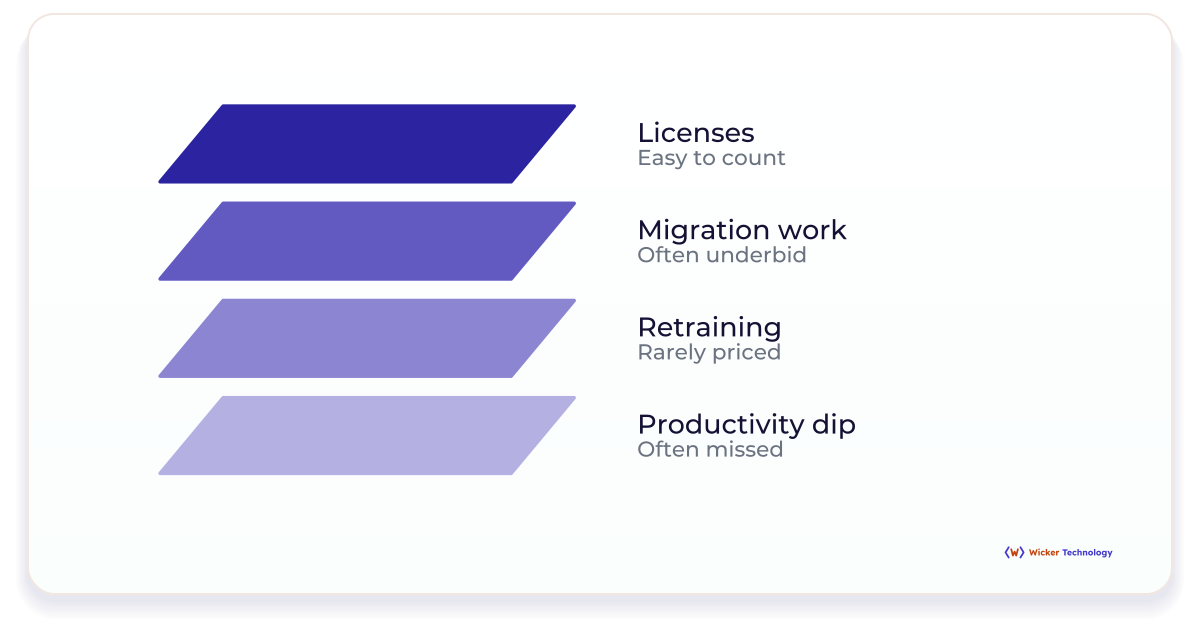
Count licenses, migration work, retraining and the temporary drop in productivity. Plan to run both systems side by side for longer than anyone wants to.
How to Estimate Integration
- List the systems you would merge, keep or retire.
- Estimate migration effort for each in person-months.
- Add license overlap while both systems run.
- Add training time and a productivity dip for affected teams.
- Add a contingency and put the total next to the synergy case.
Useful Tools
A simple cost model with one row per system is enough. A project plan with dependencies shows whether the timeline you promised is realistic.
Whichever risks you find, write each one down with a cost range and an owner before you move on.
How to Decide Which Risks Deserve Your Time
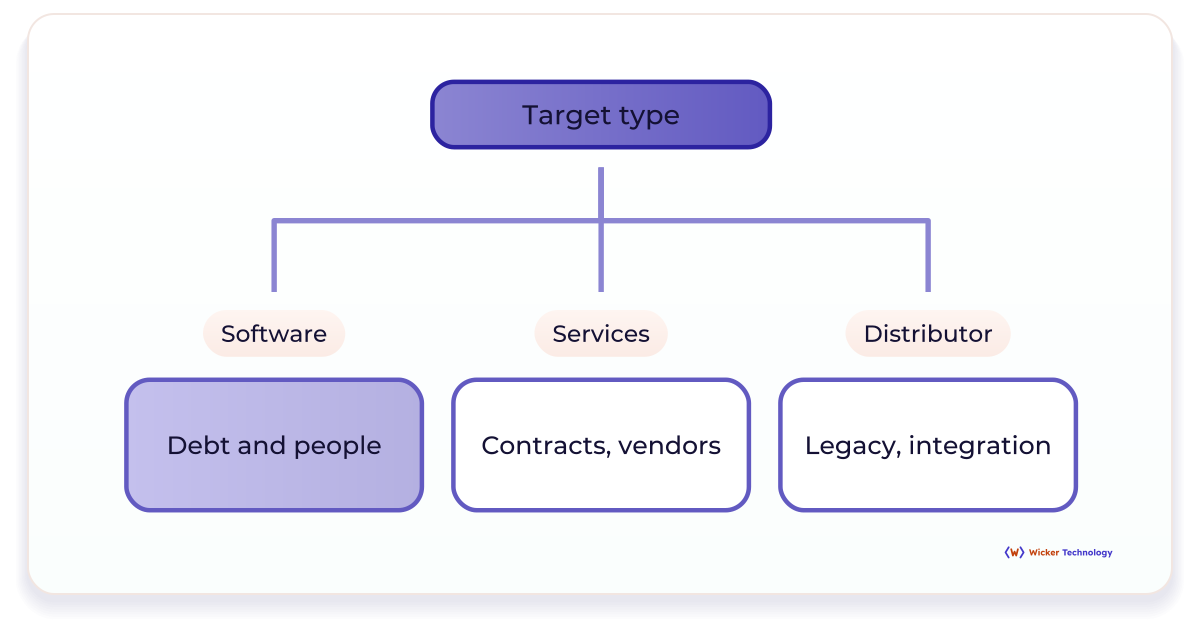
You will not find all eight in every deal, and you do not have time to dig into each one equally. Start with the ones that match the target's business: debt and people for software companies, contracts and vendors for services firms, legacy systems and integration for distributors and logistics operators.
For a structured way to move from findings to decisions, the technology due diligence framework ties each risk to a price change, a closing condition or an accepted risk.
- Can you put a cost range next to the risk?
- Would the cost change your price or your plan?
- Is there a named owner for the fix?
- Is the fix possible before closing, or only after?
Questions About Technology Due Diligence Risks
What Is the Most Common Technology Due Diligence Risk?
Underestimated integration cost and key person dependency come up most often in my reviews. Both are easy to miss because the systems work well on the day you look at them.
Can Technology Risks Stop a Deal?
Rarely on their own. Most risks are fixable at a known cost, so they change the price or the conditions. A serious security problem or a core system nobody can maintain can end a deal when the cost to fix is not clear.
How Do I Put a Price on a Technology Risk?
Estimate the cost to fix it as a range, then weigh it by how likely it is to cause harm. Keep the assumptions written next to the number so both sides can challenge them.
Who Should Own the Risk Log After Closing?
Whoever runs integration. Give them the findings table with owners and dates, and review it at day 30 and day 100.
What If the Seller Will Not Share Information?
Treat it as a finding. Ask what they are willing to share in a controlled way, such as a supervised walkthrough, and adjust your confidence and your price to match.
Are Small Companies Lower Risk?
They carry different risks. Small targets tend to have more key person dependency and less documentation, while large ones carry more contracts and more legacy systems.
How Often Should I Repeat the Review?
Run a short follow-up at day 100 after closing. Real access often shows items that were invisible before, and some findings turn out smaller than expected.
Important: nothing in this article is legal, financial or tax advice. All figures are estimates from typical projects, so verify them with your own providers and advisers.
Was this useful?
We appreciate the feedback.
Paige Mulvaney
Paige leads the Wicker editorial team and works with the consultants who run the roadmaps, software selections, implementations and integrations to turn real client projects into practical guides. Her focus is plain-language advice on IT strategy, choosing business software and connecting systems so they work together. Every article she edits is checked against current vendor pricing and documentation before it is published.