In Short
- Eight areas cover most of what changes a deal: systems, software contracts, security, infrastructure, code, people, vendors and integration cost.
- Ask for documents first, then ask people to explain them. The gap between the two is where findings live.
- Every finding needs a cost and an owner, or it will not change your price or your plan.
- A single person who holds critical knowledge is the most common and most overlooked risk.
Financial and legal reviews get most of the attention in a deal, yet the systems behind the business decide what it costs to run and grow after you own it. A good technology due diligence consulting engagement turns that into a short list of numbers you can put next to the price.
This checklist is the one I use as a starting point. It has eight points, each with what to ask for, what to avoid and the signs that tell you to dig further. The deal size changes how deep you go, but not the order.
The Eight Points at a Glance
Use the table to plan your request list. The order matters: the first three points shape how deep you go on the rest.
| Point | What you ask for | Typical red flag |
|---|---|---|
| 1. Systems and architecture | System inventory, data flow diagram | No current inventory exists |
| 2. Software and licenses | Contract list with renewal dates | Change-of-control clauses |
| 3. Security and data | Test reports, incident log | No incidents on record at all |
| 4. Infrastructure and cloud | 12 months of invoices, restore test | Backups never restored |
| 5. Code and technical debt | Release history, repository access | No automated tests |
| 6. People and knowledge | Org chart, key person list | One person runs a core system |
| 7. Vendors | Critical supplier list | Single small vendor behind a key process |
| 8. Integration cost | Migration estimate, 100-day plan | Integration left out of the price |
How to Use This Checklist
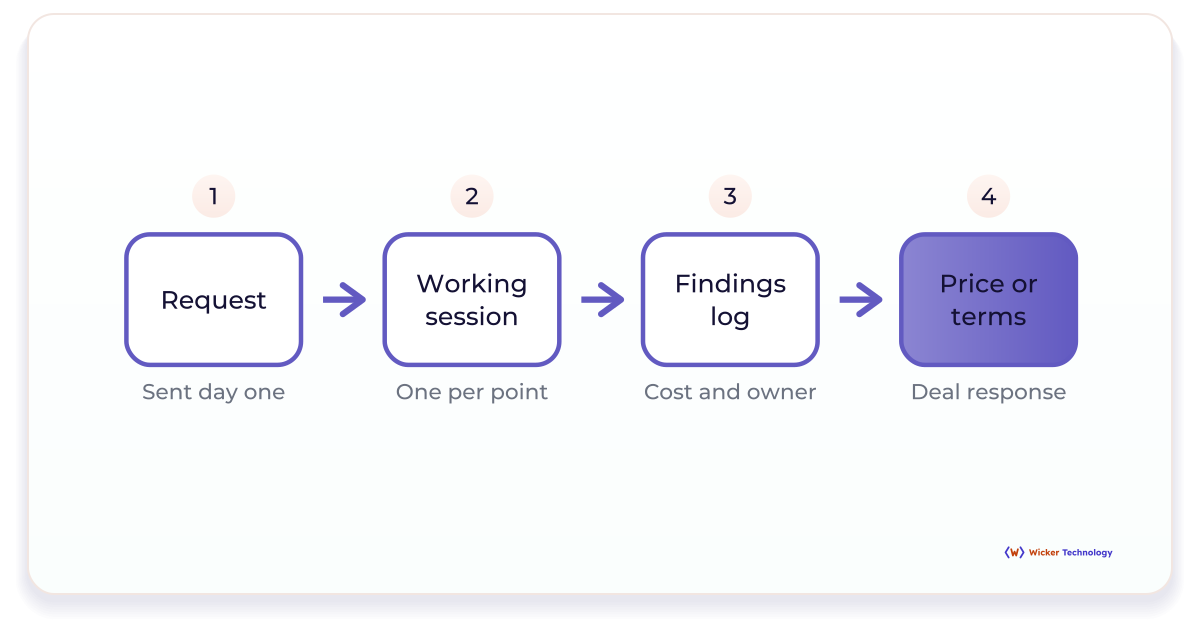
Send the document request on day one, before any meetings. Sellers answer faster when the list is specific, and what they leave out tells you as much as what they send. Then book one working session per point, with the person who knows the area best rather than the person who talks best.
Keep a single findings log with four columns: what you found, why it matters, what it costs and who owns the fix. Findings without a cost end up in an appendix that nobody reads. If you want the full method behind this list, my due diligence framework shows how the stages fit together.
1. Systems and Architecture
Start with a plain inventory: every system, what it does, who owns it, where it runs and how old it is. Targets that cannot produce this list in a few days usually do not have one, and that is already a finding. Ask for the architecture diagram, then ask someone on the target's team to walk you through it. The diagram and the explanation rarely match.
Look for the systems the business cannot run without and check how each one is hosted, supported and backed up. A custom application on a server in a closet carries a very different risk than the same application in a managed cloud.
Do this: Ask for the inventory, a data flow diagram and the age of each core system, then ask what would break first if volume doubled.
Avoid this: Accepting a diagram from the sales deck as the real architecture.
2. Software and Licenses
List every software contract with its term, renewal date, price and the number of seats actually in use. In my experience the gap between licenses bought and licenses used is one of the easiest savings to find, and the renewal dates tell you what you will owe in the first year after closing.
Check change-of-control clauses. Some vendors can reprice or terminate a contract when the company is acquired. Also check open source components in any custom software, because license terms can limit how you reuse or sell the code.
Do this: Build a contract table with renewal dates and flag every agreement that reacts to a change of control.
Avoid this: Reading only the top-line spend and skipping the contract terms.
3. Security and Data Protection
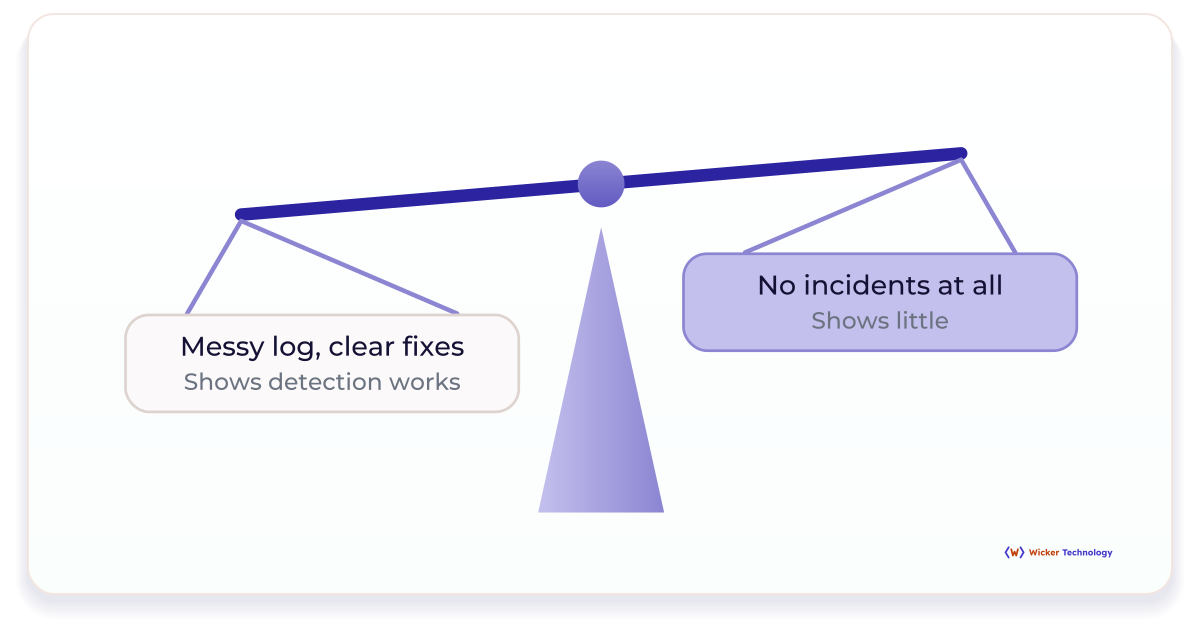
Ask for the latest penetration test, the vulnerability scan results and the incident log of the last three years. Then ask how the target responded to each incident. A target with a few well-handled incidents is often safer than one that says it never had any.
Map where sensitive data lives, who can reach it and how access is removed when someone leaves. For healthcare, finance or logistics targets this is the part that can change the price, so give it real time.
Do this: Request the test reports and the incident log, then check that access is removed within a day of an employee leaving.
Avoid this: Treating a compliance certificate as proof that the systems are secure.
4. Infrastructure and Cloud Costs
Get the last twelve months of hosting and cloud invoices and match them to the systems in your inventory. Unexplained line items point to forgotten environments, and sharp monthly jumps point to usage that nobody is watching.
Check capacity, backups and the recovery plan. Ask when the last restore test happened and whether it worked. A backup that has never been restored is a hope, not a control.
Do this: Compare cloud invoices with the inventory and ask for the date and result of the last restore test.
Avoid this: Reviewing the architecture but never the monthly bills.
5. Code Quality and Technical Debt
If the target owns custom software, have someone read a sample of it. You do not need a full audit. Look at how the code is organized, whether there are automated tests and how long a small change takes to reach production.
Technical debt is a normal cost of running software, so aim to size it, not to be shocked by it. A rough estimate of the effort to fix the worst areas gives you a number to put next to the price.
Do this: Ask for the release history of the last six months and the time a typical change takes from request to production.
Avoid this: Judging the code by the demo instead of the repository.
6. People and Key Knowledge
Meet the technology team and ask who they would call at 2 a.m. when a core system fails. Names that come up again and again are your key people. Check how long they have been there, what they are paid and whether they have a reason to stay after the deal.
Compare the team's skills with the systems it runs. A strong team on a dying platform is a different problem from a thin team on a modern one.
Do this: Name the three to five people the systems depend on and plan retention before signing.
Avoid this: Counting headcount without asking who holds the critical knowledge.
7. Vendors and Third-Party Dependencies
Every target depends on suppliers for payments, hosting, data feeds or core software. List the ones the business cannot work without and check whether a contract, a backup supplier or an exit path exists for each.
Pay extra attention to small vendors. A one-person software shop behind a key process is a risk that does not show up in any financial statement.
Do this: Rank vendors by how hard they are to replace and confirm contract terms for the top five.
Avoid this: Assuming a large vendor name means a low-risk dependency.
8. Integration Plan and Post-Close Costs
The last point turns findings into numbers. Estimate what it costs to move the target's systems onto yours, or to run both side by side, and how long it takes. Include licenses, migration work, retraining and the productivity dip that follows any system change.
Put the first 100 days on one page: what you change right away, what you leave alone and what needs a decision before closing. The checklist is only useful if it ends in a plan.
Do this: Write a first 100 days plan with a cost and an owner for each item before you sign.
Avoid this: Leaving integration costs out of the valuation.
Each point feeds the same findings log, so the red flags below come from the same evidence.
Red Flags That Change a Deal
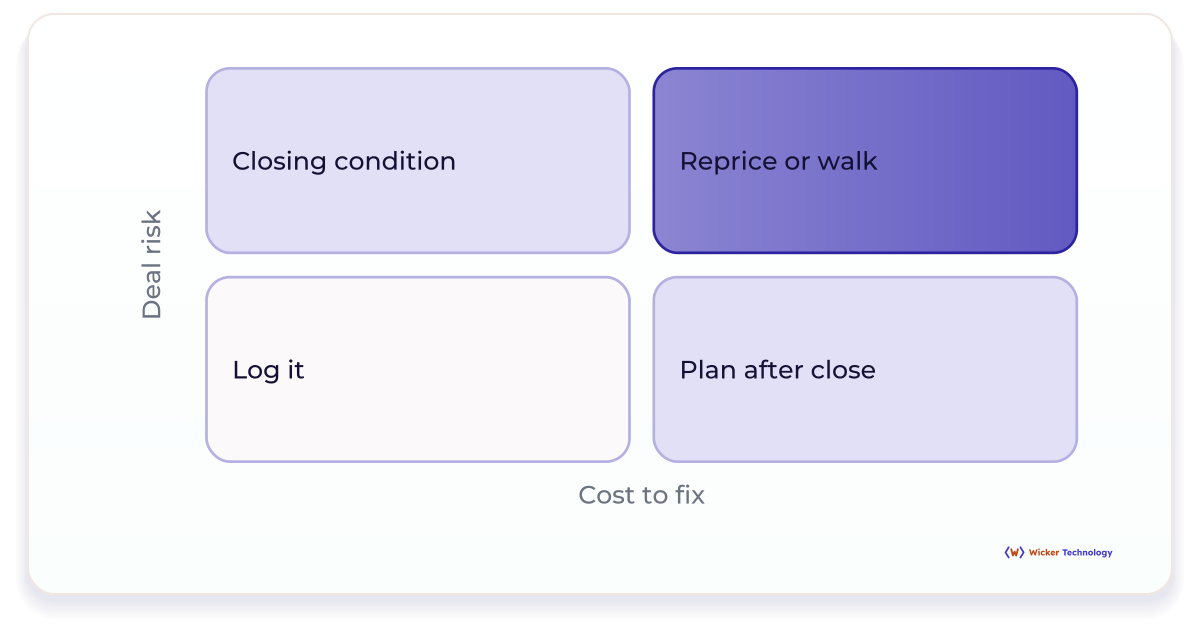
Most findings are fixable at a known cost. A few change the conversation. Across the 60+ due diligence reviews our consultants have run, the same patterns keep showing up as the ones that move price or timing.
| Finding | Why it matters | Usual response |
|---|---|---|
| Core system with one expert | Knowledge leaves with the person | Retention terms and documentation before closing |
| Unpatched internet-facing systems | Open door to an incident after you own the risk | Fix as closing condition |
| Contracts that end at change of control | Services may stop on day one | Get vendor consent before signing |
| Cloud costs far above revenue growth | Margins shrink as the business scales | Adjust the price or plan optimization |
When the red flags show up, my write-up on technology due diligence risks goes into what each one costs and how to respond.
How to Scope the Review to Your Deal
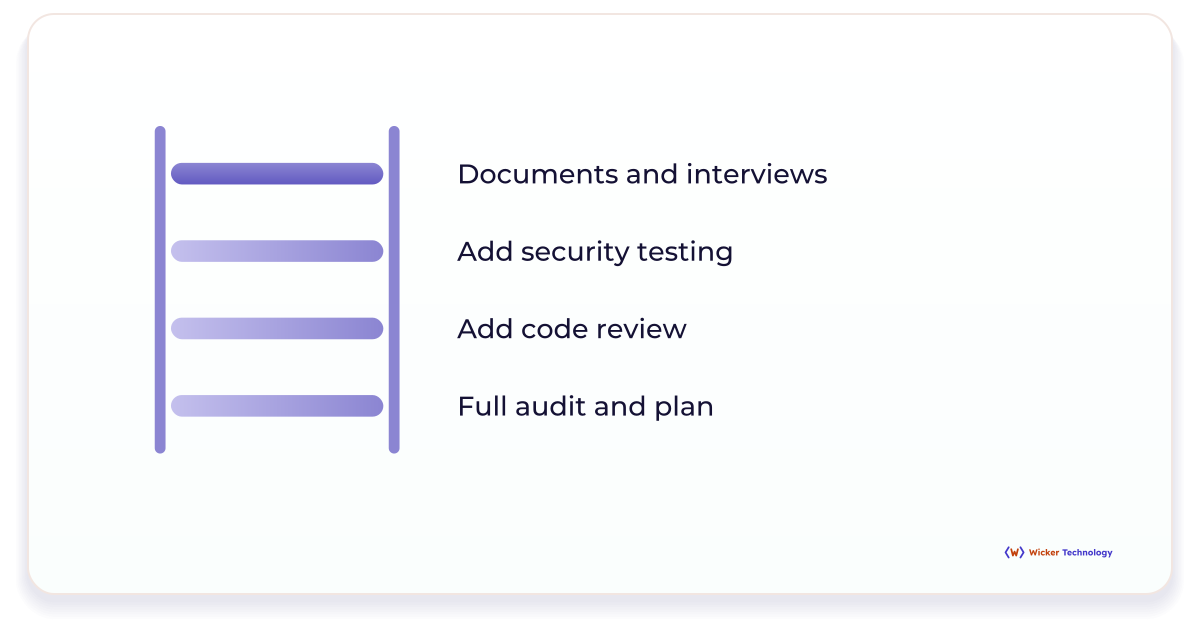
A small acquisition does not need a full code audit, and a large one should not rely on interviews alone. Match the depth to what the target would cost you if its systems failed.
- Customer or patient data is involved, so go deep on security and data flows.
- The product is custom software, so read the code and the release history.
- You plan to merge systems, so estimate integration cost early.
- The team is small, so focus on key people and retention.
Questions About Technology Due Diligence Checklists
How Long Does Technology Due Diligence Take?
For a mid-sized target, plan on two to four weeks from the first data request to a written report. The calendar is usually set by how fast the seller answers requests, not by the review itself. Ask for the document list on day one and keep a running log of what is still missing.
Who Should Run Technology Due Diligence?
Someone who has seen a few deals and does not report to the deal sponsor. That can be an internal technology leader with deal experience or an outside consultant. The point is a reviewer who can say that a system is a problem without worrying about the deal.
What Documents Should I Request First?
Ask for the system inventory, an architecture overview, the list of software and cloud contracts, the last two security assessments, the incident log and the IT org chart with salaries. Those six documents show you most of what matters and tell you quickly how organized the target is.
What Is the Biggest Red Flag in a Technology Review?
One person who holds knowledge no one else has. A key system that only a single engineer understands, with no documentation, is a cost you will carry after closing, and it is easy to miss because everything works today.
How Much Does Technology Due Diligence Cost?
Fees vary with the size of the target and the depth of the review, so there is no single number. A narrow review of software and security costs far less than a full review that also covers contracts, infrastructure and the team. Scope the review to the risks that could change your price or your plan.
Can I Do Technology Due Diligence Myself?
You can cover the basics yourself with this list, especially for a small target. For anything with customer data, custom software or heavy cloud spend, an experienced second pair of eyes usually pays for itself the first time it finds a hidden cost.
What Happens If the Review Finds Serious Problems?
You have three options: renegotiate the price, make the fix a closing condition or walk away. A ranked list of issues with a cost and a timeline next to each one is what makes that conversation possible.
Important: nothing in this article is legal, financial or tax advice. All figures are estimates from typical projects, so verify them with your own providers and advisers.
Was this useful?
We appreciate the feedback.
Paige Mulvaney
Paige leads the Wicker editorial team and works with the consultants who run the roadmaps, software selections, implementations and integrations to turn real client projects into practical guides. Her focus is plain-language advice on IT strategy, choosing business software and connecting systems so they work together. Every article she edits is checked against current vendor pricing and documentation before it is published.