In Short
- Work through twelve areas in order, from business goals to a ranked list of fixes.
- Mark every item done, partial or unknown, and start with the unknowns.
- Fix red findings on security and backup first, whatever else the plan holds.
- A checklist ends in decisions: every finding needs an owner, a cost range and a date.
Most technology reviews miss something because they start from a vendor's feature list or from the last incident. This checklist works from the other end. It walks you through twelve areas in the order I use them with clients in a technology assessment consulting project, from goals to a ranked plan.
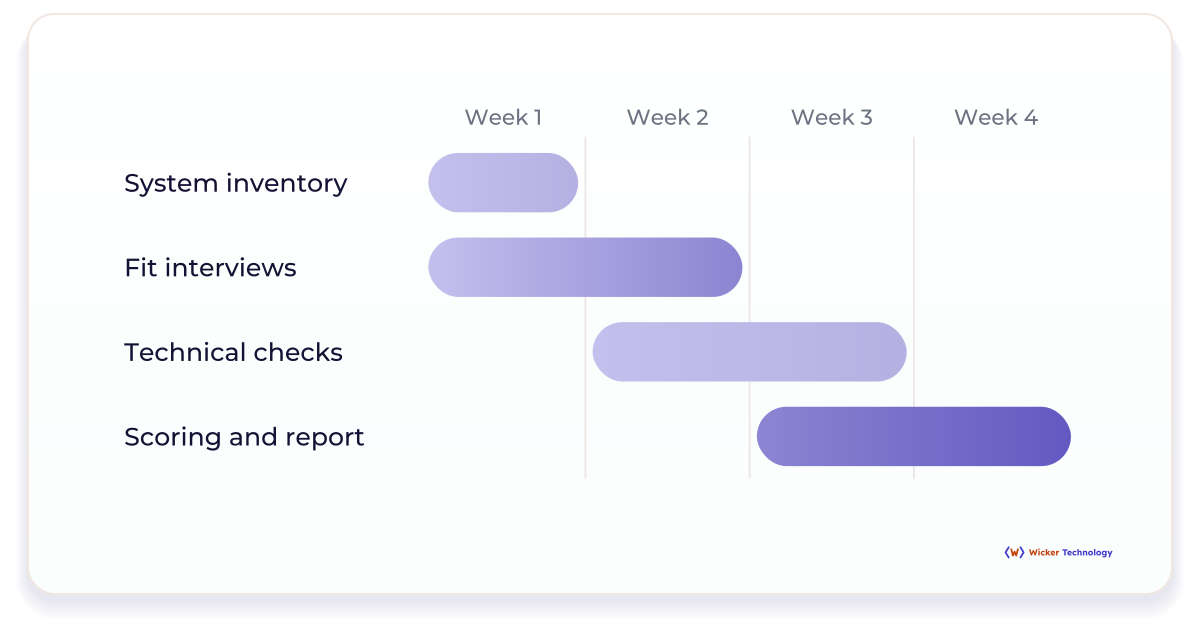
You can run it yourself in two to four weeks for a mid-sized organization. For each point you get what to check, one thing to do and one trap to avoid. Print it, mark every point as done, partial or unknown, and look at the unknowns first.
The 12 Points at a Glance
| Point | The question behind it | Typical effort |
|---|---|---|
| 1. Business goals | What must technology support? | 2 to 4 hours |
| 2. System inventory | What do we run, and what does it cost? | 3 to 5 days |
| 3. Fit with daily work | Does each system help or get in the way? | 3 to 5 days |
| 4. Technical health | Is it supported and current? | 1 to 2 days |
| 5. Integrations | How does data move? | 2 to 3 days |
| 6. Security basics | Who has access, and how well is it protected? | 2 to 3 days |
| 7. Backup and recovery | Can we restore, and how fast? | 1 to 2 days |
| 8. Cost and licences | Are we paying for what we use? | 2 to 3 days |
| 9. Data quality | Can we trust the records? | 2 to 3 days |
| 10. Skills and support | Who keeps it running? | 1 to 2 days |
| 11. Vendors and contracts | What are we locked into? | 1 to 2 days |
| 12. Findings and plan | What do we do first? | 2 to 3 days |
A common question is how this differs from a full framework. The checklist tells you what to look at. A framework tells you how to score and weigh what you find, and I cover that in my guide to the technology assessment framework.
The Technology Assessment Checklist
Work through the points in order. Points 1 and 2 set the scope, and points 3 to 11 can run in parallel if you have several people. Point 12 needs everything else.
1. Business Goals and Constraints
Write down the three to five outcomes the business wants in the next two years, plus fixed limits such as budget, regulation and seasonal peaks. Every later finding gets judged against these. A system that is old but supports a goal ranks differently from one that is shiny and unused.
Do this: Start with a one-hour conversation with the person who owns revenue or operations. Avoid this: Do not let IT write the goals alone. They come out as technology wishes.
2. Complete System Inventory
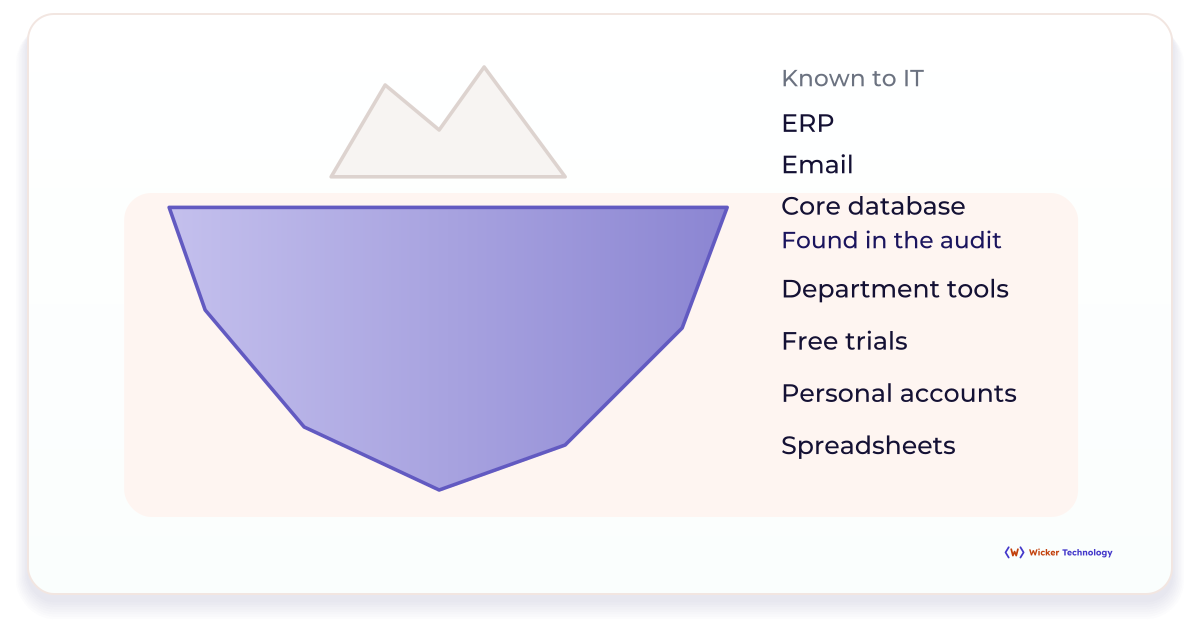
List every application, database, server, cloud service and spreadsheet that carries real work. Add the owner, the number of users, the vendor, the annual cost and the renewal date. Expect to find at least a handful of systems nobody mentioned in the kickoff.
Do this: Pull a list of subscriptions from finance and compare it with what IT says it runs. Avoid this: Do not stop at the systems IT manages. Department-bought tools hold much of the risk.
3. Fit With Daily Work
Ask the people who use each system what they do outside it. Exports to spreadsheets, copy and paste between windows and paper notes show where the fit is weak. Score each system on a simple 1 to 5 scale for how well it supports the process it exists for.
Do this: Run 20-minute interviews with two users per system. Avoid this: Do not rely on a manager's view alone. Users often describe a different system.
4. Technical Health and Support Status
Check software versions, vendor support end dates, patch levels and how long since the last real upgrade. A system out of vendor support deserves a separate flag, because every new vulnerability stays open.
Do this: Record the end-of-support date next to each system and sort by it. Avoid this: Do not treat running without errors as good health. Silence often means nobody is looking.
5. Integrations and Data Flows
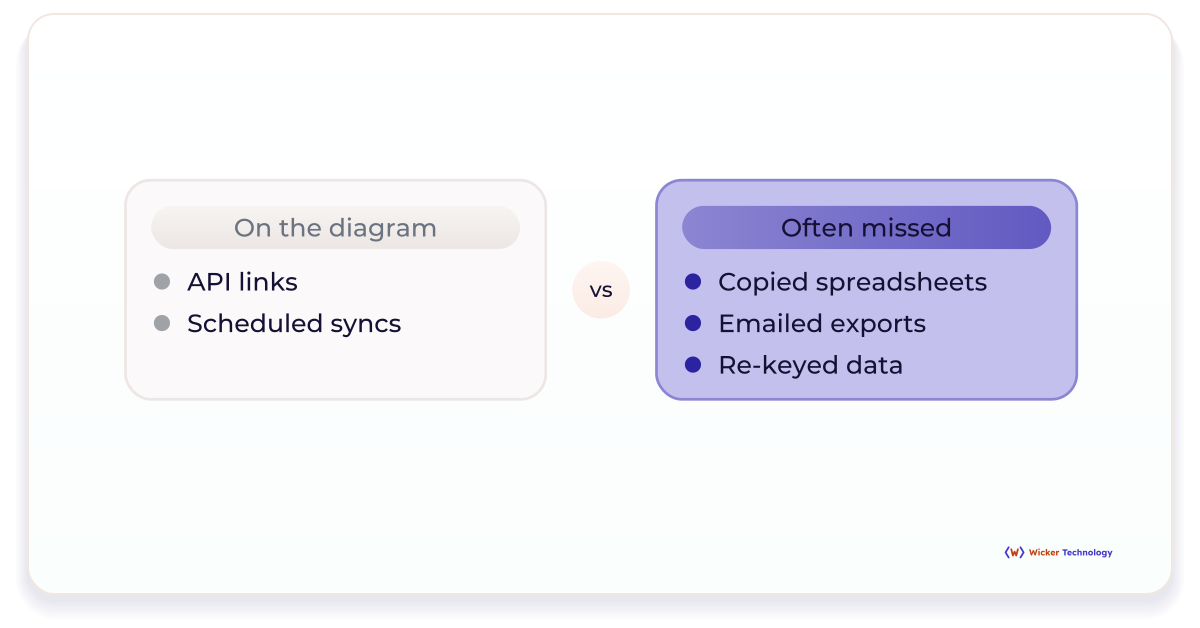
Draw how data moves between systems. Mark which links are automatic, which are manual exports and which depend on one person's script. Note where the same record exists in two places and which copy is the master.
Do this: Sketch it on a whiteboard, then photograph and clean it up later. Avoid this: Do not draw only the official integrations. Manual transfers matter most.
6. Security Basics
Review access control, multi-factor sign-in, admin accounts, patching routine and offboarding. For regulated data, note who can see what. This is not a penetration test, but it catches the gaps that cause most incidents, such as shared logins and ex-employees who still have access.
Do this: Compare your user list in each major system with the current staff list. Avoid this: Do not copy a full compliance checklist. Check basics thoroughly first.
7. Backup and Recovery
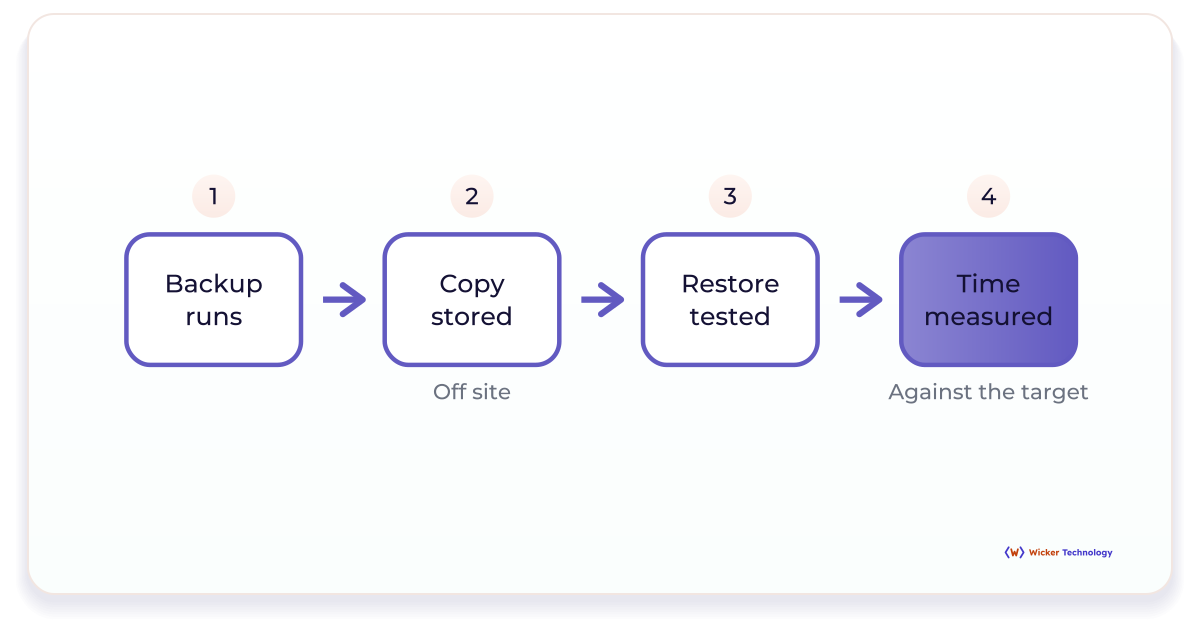
Find out what is backed up, how often, where the copies live and whether anyone has restored from them recently. Ask how long the business could run without each critical system. The answers set your recovery targets.
Do this: Request a test restore of one important system. Avoid this: Do not accept the statement that backups run nightly without seeing a restore.
8. Cost and Licence Use
Compare what you pay with what people use. Look for unused seats, duplicate tools, auto-renewals, overlapping modules and hosting that grew without review. Total the annual cost per system, including support and internal staff time.
Do this: Pull login activity for the last 90 days for each paid tool. Avoid this: Do not count only licence fees. Hosting and people costs often match them.
9. Data Quality and Ownership
Check for duplicate records, missing fields and conflicting definitions, such as two different meanings of an active customer. Name an owner for each major data set. Unowned data decays, and every migration or integration inherits the problem.
Do this: Sample 100 records from your customer or patient master and count the errors. Avoid this: Do not postpone data checks until the migration project. They set its cost.
10. Skills and Support Model
Find out who can fix each system at 6 p.m. on a Friday. Note single points of failure, such as one developer who knows the legacy billing code, and where you depend on a vendor for everything. Check whether documentation exists and whether anyone can find it.
Do this: Ask each owner who their backup is. Avoid this: Do not assume that tribal knowledge is a plan.
11. Vendor and Contract Position
Review contract terms, notice periods, price increase clauses, data export rights and exit costs. A cheap contract with no export right is expensive later. Mark contracts that auto-renew within six months, since those create your first decisions.
Do this: Put every renewal and notice date in one calendar. Avoid this: Do not wait for the vendor's renewal email. Notice periods may already have passed.
12. Findings, Ranking and Next Steps
Turn the findings into a ranked list. Score each by impact and effort, group them into fix now, plan next and leave alone, and assign an owner and a cost range. A checklist without decisions is just a catalog.
Do this: End with a one-page summary the leadership team can read in five minutes. Avoid this: Do not present 80 findings. Present the ten that change what you do.
Tools That Shorten the Checklist
You can run all twelve points with spreadsheets, but discovery tools speed up points 2, 4, 6 and 8 a lot. Network discovery finds devices and software you forgot, licence tools show who actually logs in, and architecture tools help with points 5 and 9. My ranking of technology assessment tools shows which ones suit which size of organization.
Whatever you use, keep the inventory in one editable file. I have seen assessments fall apart because three tools held three versions of the system list.
Turning Ticks Into a Score
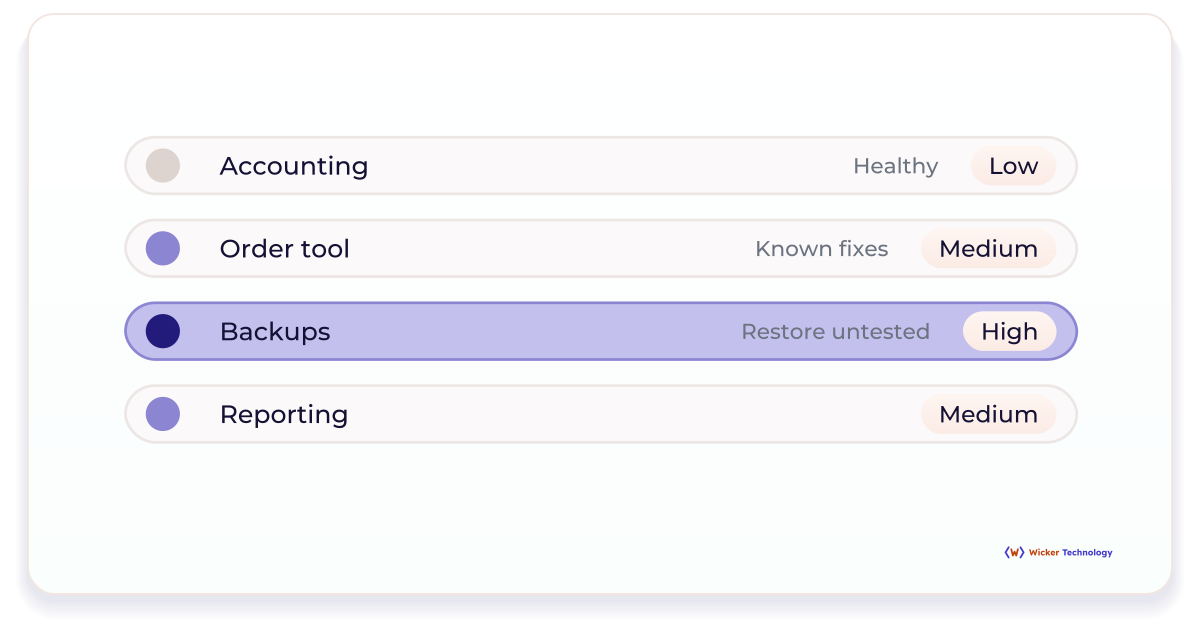
Mark each point per system as green (fine), amber (needs a plan) or red (act now), and keep a short note for every amber and red. Then count reds by system. A system with three or more reds is a candidate for replacement or retirement. A system with one red and good fit usually just needs a fix.
| Result | What it usually means | Typical next step |
|---|---|---|
| Mostly green | System is healthy and fits | Leave alone, review next year |
| One or two ambers | Gaps with known fixes | Add to the next planning cycle |
| Any red on security or backup | Exposure to loss or breach | Fix within weeks, before other projects |
| Three or more reds | System has outgrown its job | Compare replace, rebuild and retire options |
For a worked picture of how real organizations turned results like these into decisions, see my collection of technology assessment examples.
How to Choose Between Doing It Yourself and Getting Help
Self-assessment works when you have one or two people with time and the authority to ask questions in every department. It struggles when the findings are politically sensitive or when nobody can spare two weeks. Weigh four things:
- Capacity: can two people give half their week for a month?
- Neutrality: will staff tell an insider the truth about a system they own?
- Experience: has anyone done this before and seen what good looks like?
- Stakes: is a large purchase or migration waiting on the result?
If two or more of those point to help, a short outside review is usually cheaper than a wrong decision.
Questions About Technology Assessment Checklists
How Long Does It Take to Complete a Technology Assessment Checklist?
For a mid-sized organization with 15 to 30 systems, plan two to four weeks of elapsed time and roughly 15 to 25 working days of effort across people. Small organizations can finish in a week. The inventory and interviews take the longest, and the scoring is quick once the facts are collected.
Who Should Complete the Checklist?
One owner, usually from IT or operations, coordinates it. System owners answer for their own systems, and finance helps with costs and contracts. Having someone outside the day-to-day team lead interviews often gets more honest answers about weak spots.
How Often Should We Repeat a Technology Assessment?
Run the full checklist every two to three years, or before a big decision such as a merger, a system replacement or a move to the cloud. Keep the inventory and the contract calendar current in between, with a light review every six months.
Is This Checklist Enough for a Security Audit?
No. It covers the basics that cause most incidents, such as access, patching, backups and offboarding. A formal audit or penetration test against a standard goes deeper. Use the checklist to find and fix the obvious gaps first, so that a formal audit is more efficient.
What Do We Do with Systems That Score Badly?
Choose one of four outcomes: fix in place, replace, retire or leave alone with a note. Pick based on how important the system is and how much a fix costs compared with a replacement. Put the red items on a dated plan with an owner, or they will stay red.
Can Small Businesses Use the Same Checklist?
Yes, in a lighter form. A company with ten systems can complete points 2, 6, 7, 8 and 11 in a few days and cover most of the value. Skip the formal scoring and keep a single spreadsheet with a color for each point.
What Should the Final Report Contain?
A one-page summary with the ten most important findings, a system list with scores, a ranked action plan with owners and cost ranges, and a short note on assumptions and unknowns. Keep detail in an appendix. Leadership will read the first page, so build it to stand alone.
Important: nothing in this article is legal, financial or tax advice. All figures are estimates from typical projects, so verify them with your own providers and advisers.
Was this useful?
We appreciate the feedback.
Paige Mulvaney
Paige leads the Wicker editorial team and works with the consultants who run the roadmaps, software selections, implementations and integrations to turn real client projects into practical guides. Her focus is plain-language advice on IT strategy, choosing business software and connecting systems so they work together. Every article she edits is checked against current vendor pricing and documentation before it is published.