In Short
- Fintech wins come from clean, itemized data reaching your ledger, not from the tool alone.
- Limits, owners and alerts keep payment and spend tools safe to use.
- Start with the manual job your team repeats weekly, such as reconciliation or expense capture.
- Compare vendors on total cost at your own volume and on the connection to your ledger.
Fintech case studies are usually written by the vendor. This one comes from the other side of the table. In financial technology consulting work I see what teams buy, what they actually switch on and why some projects pay back while others sit in a drawer.
The ten examples below cover payments, banking, spend, billing, tax, risk and onboarding. Each shows what changed, why it worked and where it nearly did not. Figures are from my client work and are ranged or described, not promised.
What Separates a Fintech Win From a Shelf Product
Fintech tools are easy to buy and hard to connect. Every example here worked because the company decided how data would flow before it chose a vendor. The ones that disappointed had a slick demo and no answer to the question: where does this number end up in the ledger?
| Question | Strong answer | Weak answer |
|---|---|---|
| Where does the data land? | A named account in the ledger, synced daily | We will export it and see |
| Who owns the connection? | One named person with a backup | IT, probably |
| What happens when it breaks? | An alert and a documented fix | Someone will notice |
| How is it priced at your volume? | A three-year total you calculated | The entry price on the website |
10 Financial Technology Examples and Why They Worked
| Example | Area | What changed |
|---|---|---|
| 1. Matching Card Payouts to the Ledger Automatically | Payments | Daily matching, not monthly |
| 2. Using Bank Connections for Live Cash Visibility | Banking | Cash position without exports |
| 3. Replacing Expense Reports With Corporate Cards | Spend | Receipts captured at purchase |
| 4. Automating Supplier Invoices From Inbox to Payment | Payables | Invoices coded and paid on time |
| 5. Moving to Usage-Based Subscription Billing | Billing | Pricing changes without engineering |
| 6. Automating Sales Tax Calculation | Tax | Rates looked up, not guessed |
| 7. Offering Instant Payouts to a Marketplace's Sellers | Payments | Sellers paid in minutes |
| 8. Tuning Fraud Rules to Cut Chargebacks | Risk | Fewer good orders blocked |
| 9. Paying International Suppliers From One Multi-Currency Account | Treasury | Lower conversion cost |
| 10. Adding Identity Checks to Customer Onboarding | Onboarding | Faster approvals, fewer manual reviews |
Matching Card Payouts to the Ledger Automatically
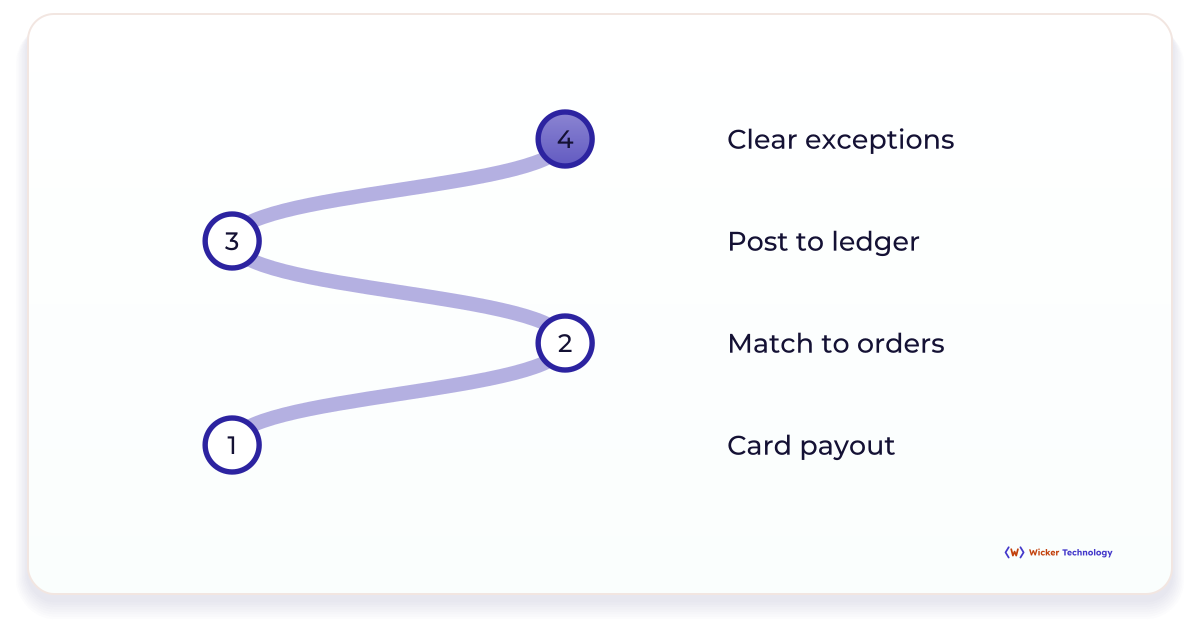
A subscription company took card payments through a processor and reconciled the payouts to its ledger once a month, by hand. Each payout bundled hundreds of charges, refunds and fees, so a difference of a few hundred dollars could take a day to find. After connecting the processor's payout reports to the accounting system, matching ran daily and the monthly job shrank to reviewing exceptions.
It worked because the team agreed on one rule first: every payout must break into its parts before it reaches the ledger. Fees went to an expense account, refunds to a contra account, and the net matched the bank deposit to the cent. If your bookkeeper still sees one lump per payout, start here.
Why it worked
- The processor's payout report listed every charge, refund and fee.
- The accounting connector posted each part to its own account.
- The bank feed confirmed the net deposit.
- Unmatched lines landed in a short exception list.
- One person reviewed the list every morning.
Tools behind it
Stripe, Adyen and most processors export payout detail. QuickBooks Online and Xero have connectors, and BILL or a dedicated reconciliation tool covers larger volumes.
Using Bank Connections for Live Cash Visibility
A distribution business had accounts at three banks and built its cash report by downloading files each Monday. Linking the accounts through an aggregation service gave the finance lead a live balance view and a daily forecast. Decisions about paying suppliers early or late stopped being guesses.
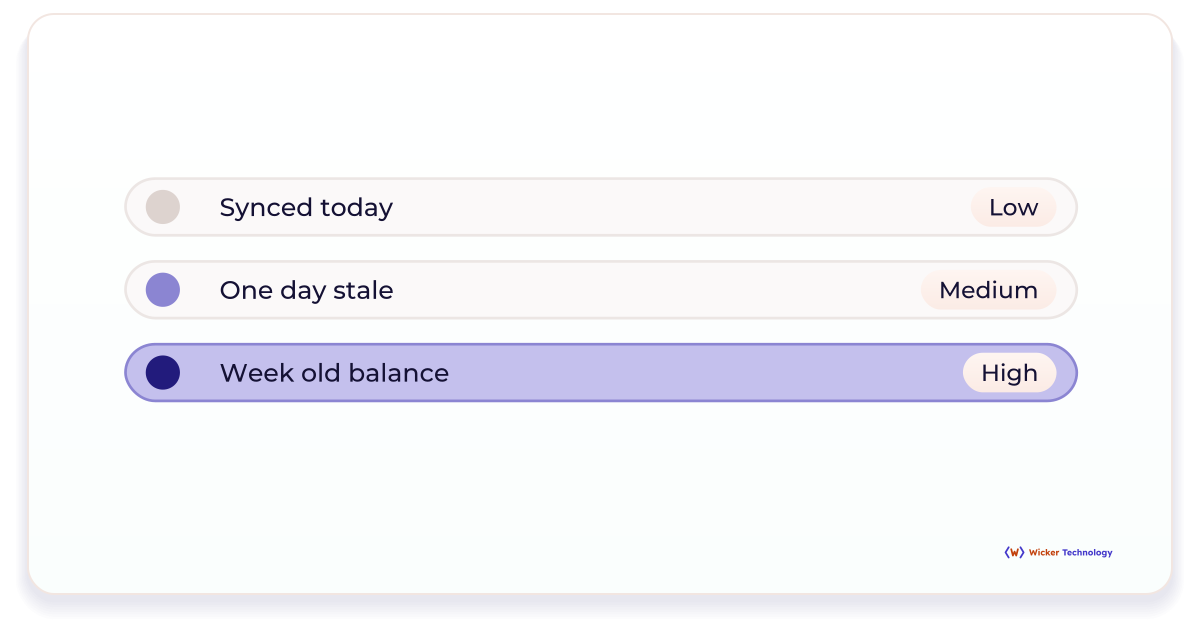
The catch was reliability. Bank connections drop, and a stale balance is worse than none. The team added a banner that showed the last successful refresh time on every report, and one person owned fixing broken links. Connection health is part of the project, so plan for it from day one.
Why it worked
- One owner was named for connection health.
- Every report showed the time of the last refresh.
- Forecasts used the live balance as a starting point.
- Accounts with poor connections stayed on file upload.
- The team reviewed connection failures weekly.
Tools behind it
Plaid is the best-known aggregator, and many accounting tools already use a bank feed built on one. Check your accounting tool's native feed before you add another service.
Replacing Expense Reports With Corporate Cards
Staff paid with personal cards and filed expense reports weeks later, so finance chased receipts every month. A spend platform with company cards required a photo of the receipt at the time of purchase and coded each charge to a budget automatically. The month-end chase ended, and managers saw team spend as it happened.
The company set card limits per role and let the system block categories that were never allowed. People complained for two weeks about receipt photos and then stopped. The lesson for you is policy first: the software only enforces rules your company has written down.
Why it worked
- The expense policy was rewritten as clear rules.
- Cards were issued with limits matched to each role.
- Receipts were collected by phone at purchase.
- Charges were coded to budgets and synced to the ledger.
- Managers approved exceptions, not every line.
Tools behind it
Ramp, Brex and BILL Spend & Expense are the common names, and several have free base plans. Compare card rewards less than the accounting integration you need.
Automating Supplier Invoices From Inbox to Payment
Supplier invoices arrived by email, were printed, approved by signature and typed into the ledger. A payables platform now reads each invoice, matches it to the purchase order and routes it for approval on a phone. The company started catching early-payment discounts it had been missing.
The real saving was visibility. Finance could see every invoice waiting for approval and how long it had waited, which exposed one manager whose queue held up a fifth of all payables. Approval chains need a backup approver, or a holiday freezes payments.
Why it worked
- Invoices went to one shared mailbox.
- The platform read and matched them to purchase orders.
- Approvals followed spend limits with a backup approver.
- Approved invoices synced to the ledger.
- Payments went out on schedule by ACH or card.
Tools behind it
BILL, Ramp and several accounting suites include invoice capture. Choose by how well it posts to your ledger and handles your approval rules.
Moving to Usage-Based Subscription Billing
A software firm sold flat monthly plans and wanted to charge by usage. Its in-house billing script could not handle metering or proration. A billing platform took over invoices, trials, upgrades and metered charges, and product managers could test a new price without waiting for developers.
Migration took twice as long as the quote, mostly because old customers sat on plans that no longer existed. Plan for legacy plans explicitly: decide whether to grandfather them or move them, and tell customers before the first new invoice goes out.
Why it worked
- Every existing plan was documented, including odd ones.
- Usage events were sent from the product to the billing platform.
- A test group ran on the new system for one cycle.
- Legacy customers were moved in stages.
- Finance checked revenue reports against the old system.
Tools behind it
Stripe Billing and Chargebee both handle metered pricing. If you also need revenue recognition, check that the tool or your ledger covers it.
Automating Sales Tax Calculation
An online seller crossed into several new states and found that its checkout charged one tax rate everywhere. A tax calculation service looked up the rate by address at checkout and fed the totals into returns preparation. The company stopped guessing and started seeing where it had to register.
I do not give tax advice, and neither should your software vendor. The technology supplies the rates and reports, and your accountant decides where you owe tax. The project worked because those roles were separate from the start.
Why it worked
- The company listed every state where it had sales.
- The accountant confirmed where registration was required.
- The calculation service was connected to checkout.
- Transaction data flowed into the filing reports.
- Rate changes updated without code changes.
Tools behind it
Avalara and similar services offer calculation by API, and some payment platforms add basic tax tools. Ask each vendor what it supports in your states and what is extra.
Offering Instant Payouts to a Marketplace's Sellers
A marketplace paid sellers weekly, and the slowest sellers complained loudest. Instant payouts to a debit card let sellers choose speed for a fee, while the default stayed weekly. Seller satisfaction rose, and the platform earned a small amount from the fee.
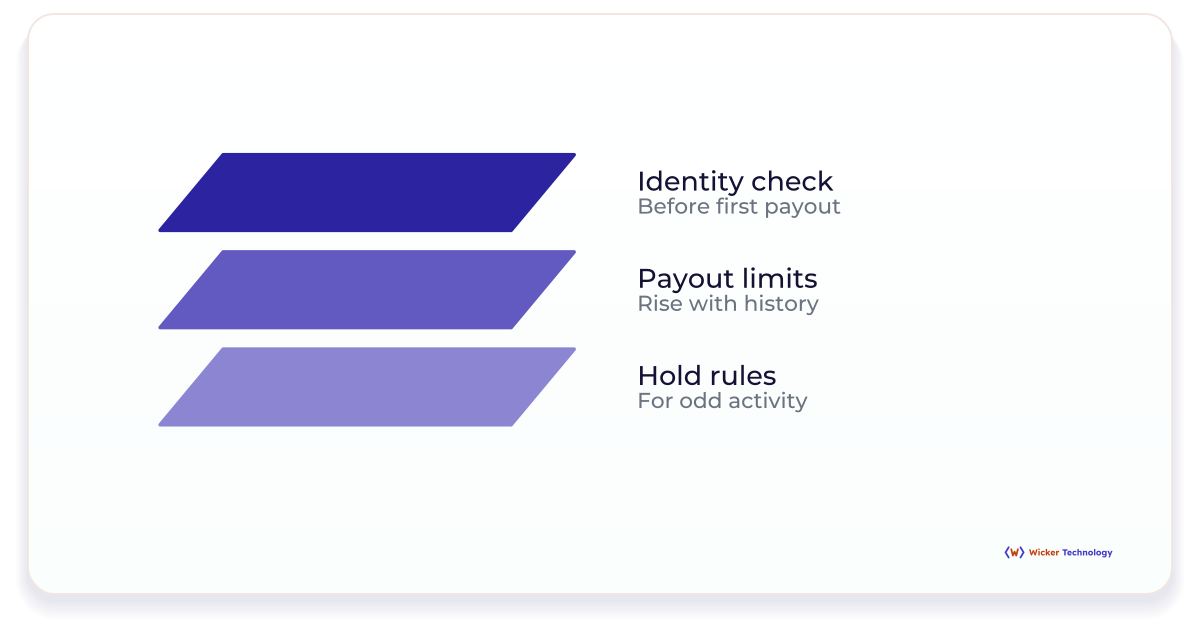
Risk controls decided the outcome. Instant payouts move money before a dispute window ends, so the team set payout limits for new sellers and raised them as history built up. Speed without a limit turns into a loss line.
Why it worked
- Instant payouts were opt-in, with the fee shown up front.
- New sellers started with low limits.
- Limits rose after a clean history.
- Disputes were tracked against payout size.
- Finance reviewed losses monthly.
Tools behind it
Stripe Connect and Adyen for Platforms support instant payouts in some markets. Check availability by country, because coverage is not even.
Tuning Fraud Rules to Cut Chargebacks
An online retailer had two problems at once: chargebacks were costing money and the fraud filter was blocking good customers. Instead of tightening rules, the team reviewed a month of blocked orders and found that a third were legitimate. Loosening two rules and adding a review step for one risk pattern cut both problems.
The point is that fraud settings are not a switch from lenient to strict. They are a trade-off you measure. Ask your processor for the blocked-order report and read it. Most companies never do.
Why it worked
- Blocked orders were exported for one month.
- Each was reviewed and marked good or bad.
- Rules causing the most false blocks were adjusted.
- A manual review queue handled borderline cases.
- Chargeback rate and block rate were tracked together.
Tools behind it
Processors such as Stripe and Adyen include fraud tools with adjustable rules. Standalone fraud services add value for higher volumes or unusual risk.
Paying International Suppliers From One Multi-Currency Account
A manufacturer paid suppliers in four currencies through its home bank, which added a margin on every conversion and took days to settle. A multi-currency business account let it hold balances and pay local-rail transfers with a published fee. Costs became predictable, and suppliers received money sooner.
It did not replace the main bank. The company kept its operating account and used the new account for supplier payments only, with approval limits per user. Compare the all-in cost on your own payment sizes, because fees look small until you run volume through them.
Why it worked
- Supplier payments were grouped by currency.
- The all-in cost was compared with the bank's quote.
- Balances were funded in advance at a planned rate.
- Approval limits were set per user.
- Payments were synced to the ledger with the conversion cost.
Tools behind it
Wise Business and several banks offer multi-currency accounts. Check the fee table for your own currencies and payment sizes before you commit.
Adding Identity Checks to Customer Onboarding
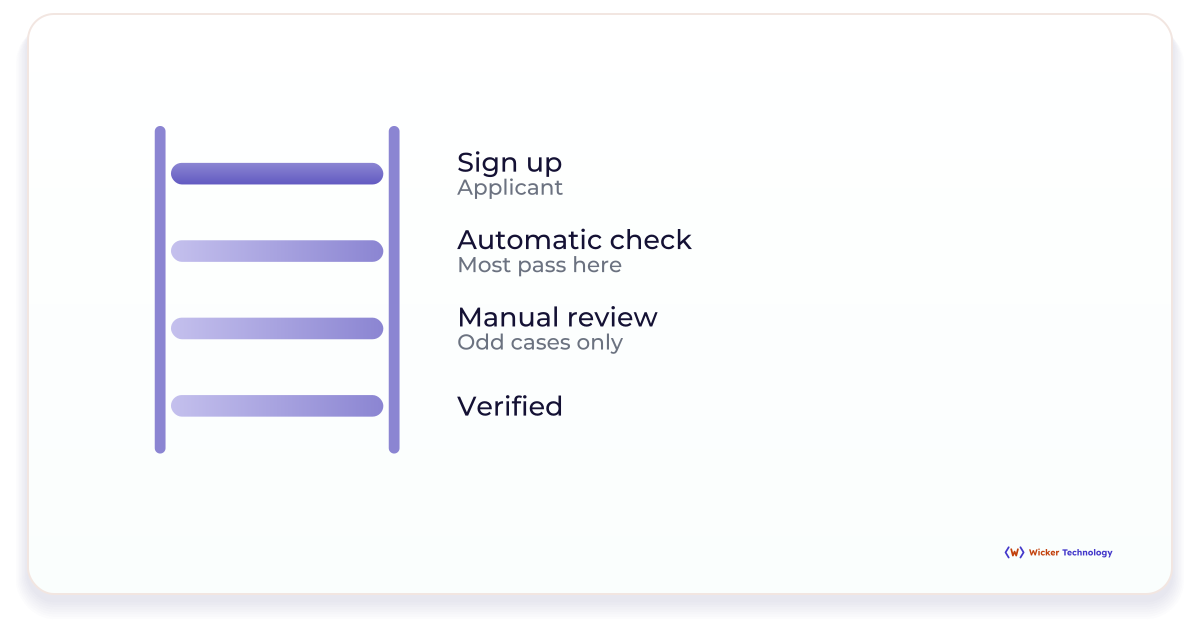
A lender onboarded customers by email, with staff checking ID photos by eye. An identity verification service now checks documents and matches a selfie, and staff review only the cases the service cannot decide. Approval time dropped from days to minutes for most applicants.
Your compliance team owns the rules, not the vendor. The project worked because compliance defined which checks were required and which outcomes needed a person before any integration began. Technology can speed up a decision, but the decision rules should come from your counsel.
Why it worked
- Compliance wrote the required checks.
- The service was integrated into the sign-up flow.
- Clear passes were approved automatically.
- Unclear cases went to a trained reviewer.
- Decisions and reasons were stored for audit.
Tools behind it
Vendors in this space include dedicated identity verification services and some banking platforms. Ask for audit logging and for how long data is retained.
Lessons You Can Apply This Quarter
Three lessons repeat. First, reconcile early. Examples one, four and nine all gained from posting clean, itemized data to the ledger instead of lumps. Second, set limits before you open the gate: card limits, payout limits and approval limits kept the tools safe to use. Third, give every connection an owner.
If you are choosing products for these jobs, my ranking of financial technology tools lists current prices and ratings, and the financial technology challenges guide covers what tends to go wrong after you buy. Together they take the guesswork out of the shortlist.
How to Choose Which Example to Copy First
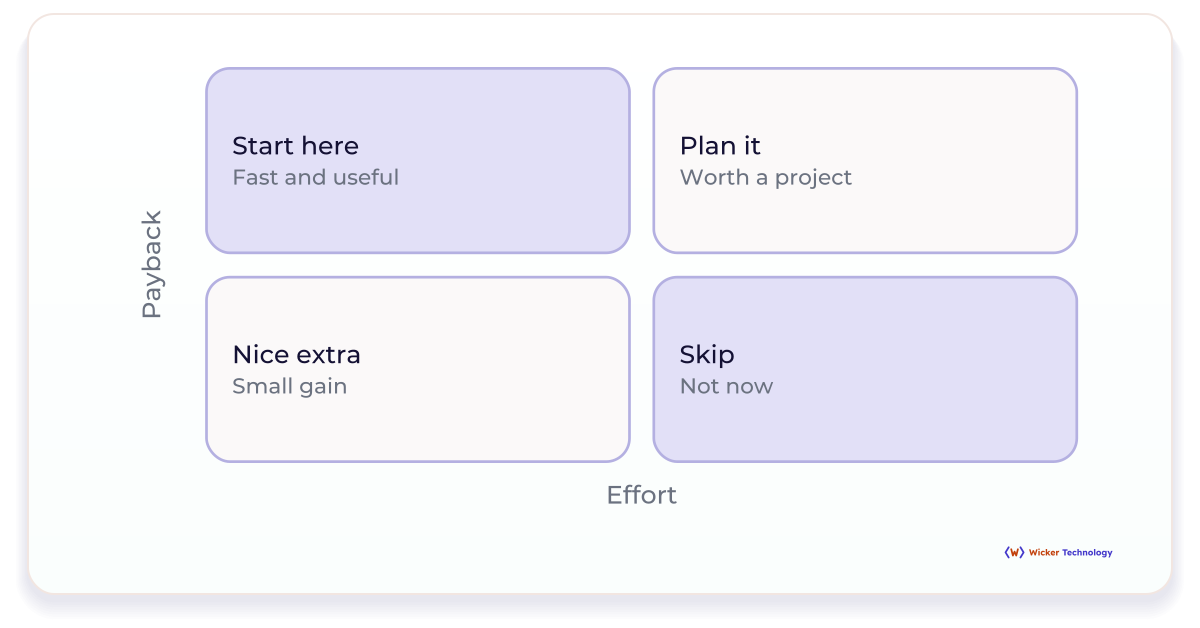
Start with the one where you have the most manual retyping today. Reconciliation, payables and expense capture are the most common first projects because the pain is visible every month. Move to billing, treasury or fraud only after your base flows are clean. Check each candidate against three questions:
- Does it remove a manual task your team repeats every week?
- Can it post clean data to your ledger without a custom build?
- Do you know the cost at your volume, not just at the entry level?
If the answer to all three is yes, you have a good first project. If you want a second pair of eyes on the shortlist, a short call usually settles it.
Questions About Financial Technology Examples
What Is a Good Example of Financial Technology for a Small Business?
Automatic matching of card payouts to your accounting system is a common first win. It removes a monthly manual job and uses tools you probably already pay for. Corporate cards with receipt capture and supplier invoice automation are close behind.
How Do I Know If a Fintech Tool Is Worth the Cost?
Calculate the monthly hours it saves, multiply by the loaded hourly cost of your team and compare that with the fees at your real volume. I also add the cost of setup and the time to maintain the connection. If the net number is small, wait.
Do I Need Developers to Connect Fintech Tools?
Often not. Most processors, banks and accounting tools offer ready connectors. Developers become useful for usage-based billing, marketplace payouts and custom onboarding flows, where the logic is specific to your business.
Which Fintech Example Is Easiest to Start With?
Automatic payout matching and expense capture with cards are the easiest, because they sit on top of tools you already use and have a clear before and after. Both can often be live within a few weeks.
What Is the Biggest Risk When Adopting Fintech?
Quiet failure. A sync stops, a bank connection goes stale or a limit is missing, and nobody notices for weeks. Alerts, owners and regular review matter more than the choice of vendor.
How Do I Handle Compliance When I Add a Fintech Tool?
Involve your compliance lead and counsel before you configure anything. Wicker does not give legal advice, and a vendor's marketing is not a legal opinion. Ask each vendor for its audit reports and data handling terms.
Should I Pick One Platform or Several Tools?
It depends on your size. Small companies benefit from fewer tools and tighter connections. Larger firms often use a best-in-class tool for each job and invest in integration. Whichever you pick, document where each number is created and where it ends up.
Disclaimer: This article is general information, not legal, tax or financial advice. Confirm regulatory and tax requirements with qualified professionals.
Important: nothing in this article is legal, financial or tax advice. All figures are estimates from typical projects, so verify them with your own providers and advisers.
Was this useful?
We appreciate the feedback.
Paige Mulvaney
Paige leads the Wicker editorial team and works with the consultants who run the roadmaps, software selections, implementations and integrations to turn real client projects into practical guides. Her focus is plain-language advice on IT strategy, choosing business software and connecting systems so they work together. Every article she edits is checked against current vendor pricing and documentation before it is published.