In Short
- Adoption and teacher time are the most common reasons education technology fails.
- Privacy, integration and evidence of impact must be settled before you sign a contract.
- Plan three-year costs, not just the purchase price.
- Track usage for the first eight weeks and fix the top three complaints.
Every education technology project meets obstacles, and they follow a pattern. After working with schools, colleges and training providers, I see the same nine problems far more often than anything exotic. If you plan with them in mind, an education technology consulting engagement or an internal project goes faster and costs less.
Below, each challenge comes with how it shows up, what to do and where to look for help. The order roughly follows how early they appear in a project.
The Nine Challenges at a Glance
| Challenge | Where it appears | Main risk |
|---|---|---|
| 1. Too many disconnected tools | Planning | Overlap and security gaps |
| 2. Teachers without time to learn | Rollout | Low adoption |
| 3. Unclear student data privacy | Selection | Compliance and trust risk |
| 4. Weak Wi-Fi and aging devices | Rollout | Slow or failed lessons |
| 5. Hard integration | Selection | Manual work and errors |
| 6. No evidence of impact | Selection | Money spent without results |
| 7. Budgets for purchase only | Planning | Unfunded year two |
| 8. Uneven access | Rollout | Widening gaps |
| 9. Stalled rollouts | After launch | Usage drops off |
9 Education Technology Challenges and How to Handle Them
Treat the list as a checklist for your own project. If you spot four or five that apply to you, start with the ones that appear earliest, because later challenges depend on how you handled them. Many of them also explain why a tool from my EdTech tools ranking works well at one school and fails at another.
Too Many Disconnected Tools
Teachers sign up for free apps, departments buy their own platforms and the district adds a learning management system on top. When I count tools for a school, 40 or more is common, and nobody can say which ones hold student data. The result is double logins, scattered grades and a security review that never ends.
A systems map is the first fix. Once you list every tool with its owner, users and cost, about a third usually turn out to overlap. Retiring those saves license money and cuts the number of places where a student record can leak.
How to Tackle It
- List every tool, owner, user count and renewal date in one sheet.
- Mark overlaps by purpose, such as quizzes or video, and pick one winner each.
- Set a rule that new tools need an owner and a data review.
- Retire the losers at the next renewal, with a short notice to teachers.
- Review the list every term.
Tools for this step
A shared spreadsheet is enough to start. Single sign-on reports from your identity provider show which apps people really use.
Teachers Without Time to Learn New Tools
A new platform lands in August and teachers are told to use it by September. Training is one afternoon, and then the term starts. I have watched schools buy excellent software and see 20% weekly use by October, because nobody could spare the hours to figure it out.
Time is the real cost, and it rarely appears on the quote. Budgeting 6 to 10 hours of paid or protected time per teacher for a major tool changes the outcome more than any feature. Short, repeated sessions beat one long workshop.
How to Tackle It
- Budget protected training hours before you sign the contract.
- Split training into two short sessions a few weeks apart.
- Name one colleague per team as the first point of contact.
- Offer a weekly drop-in hour for the first half-term.
- Record short how-to clips for the five most common tasks.
Support options
Vendor training portals cover the basics. A peer champion program costs little and keeps knowledge inside your school.
Unclear Student Data Privacy
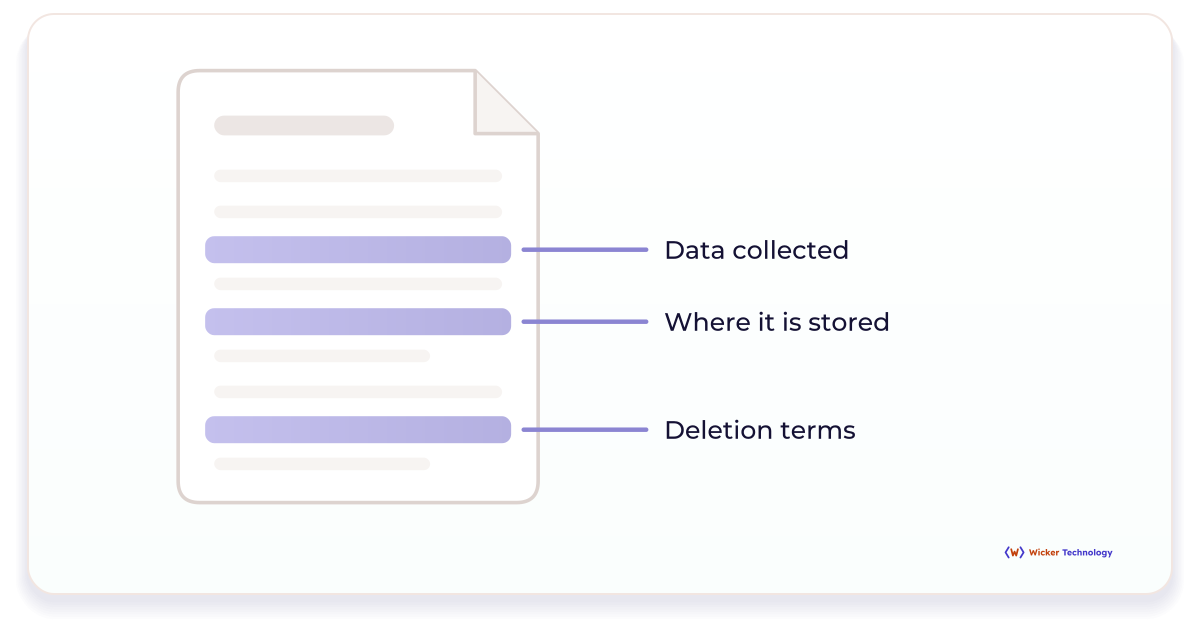
Student data raises the stakes. Schools often accept vendor terms without reading where data is stored, who can see it and what happens when the contract ends. A single unchecked app can expose names, grades or behavior notes.
You do not need a legal department to improve this. A one-page vendor checklist, applied before every purchase, catches most problems. Rules such as FERPA in the US apply to many schools, and the details differ by region, so ask your data protection lead to confirm what applies to you.
How to Tackle It
- Write a one-page vendor data checklist with five to eight questions.
- Ask vendors where data is stored and who can access it.
- Request deletion terms for the end of the contract.
- Limit accounts to the minimum data each tool needs.
- Keep the signed answers in one shared folder.
Where to look
Vendor privacy pages and data processing agreements answer most questions. Independent privacy rating projects for education tools can speed up the first screening.
Weak Wi-Fi and Aging Devices
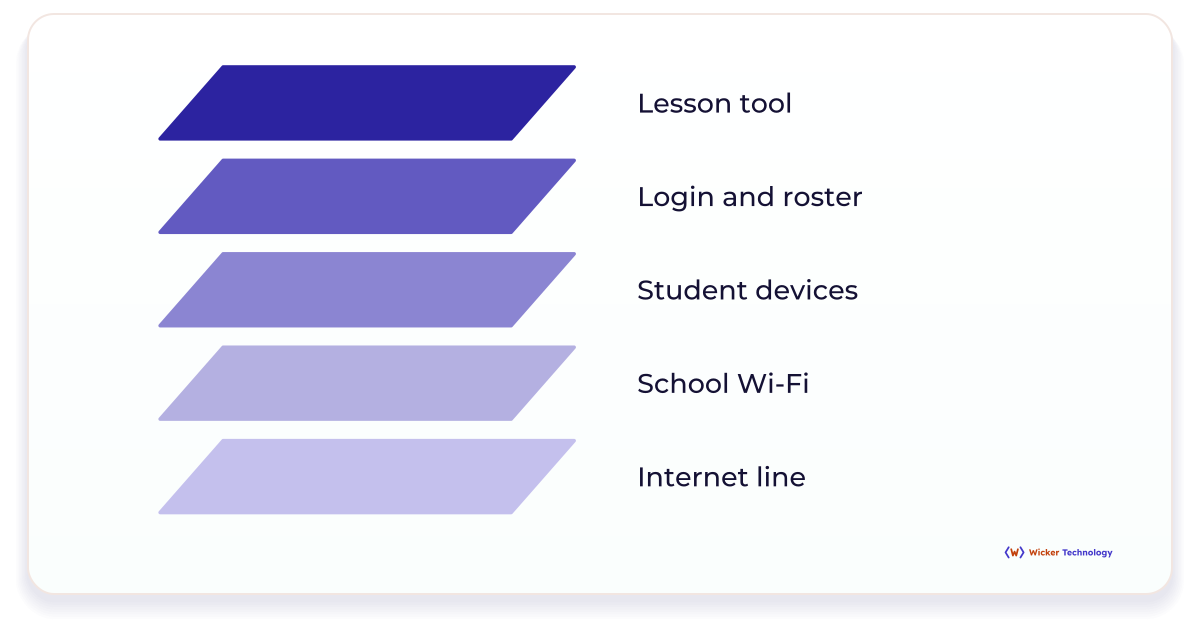
A good platform on a slow network turns every lesson into a loading screen. I have seen a school roll out video-based practice in classrooms where 28 devices shared one overloaded access point. Teachers went back to paper within a week.
Infrastructure problems hide until the first full-class use. A short test with a real class, before purchase, shows whether the network and devices can cope. Fixing the access points is often cheaper than replacing the software.
How to Tackle It
- Test the platform with a full class in the weakest room.
- Check access point count and bandwidth per classroom.
- List devices older than four years and their operating system versions.
- Plan device refresh on a rolling cycle instead of one big purchase.
- Keep an offline option for the key lessons.
Useful tests
Free network speed tools and a simple device inventory sheet are enough to start. Your vendor can share minimum technical requirements.
Hard Integration With Student Systems
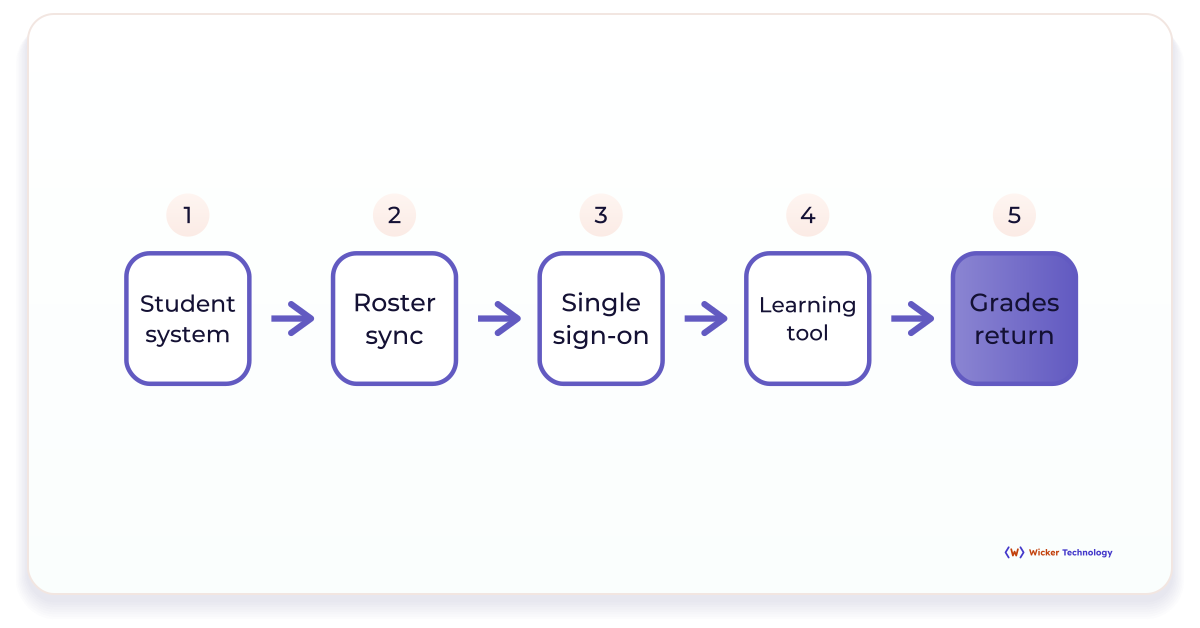
Teachers lose a lot of time when class lists, grades and attendance do not flow between systems. Manual uploads at the start of every term are slow and error-prone, and a missing student on day one means a lost lesson.
Ask for integration details before you choose, not after. Look for standard roster connections, single sign-on and a tested sync with your student information system. If the vendor cannot show a working example, count integration as extra cost and extra risk.
How to Tackle It
- Ask which student information systems the vendor already supports.
- Request a reference school with the same system.
- Define who owns rosters and how changes are made.
- Test a full roster sync in the pilot.
- Document the process so it survives staff changes.
Standards to ask about
Common roster and single sign-on standards save custom work. Your integration partner can confirm what your current system supports.
Choosing Tools Without Evidence of Impact
Vendors show glossy case studies, and most of them measure activity rather than learning. A tool can show high usage and still leave quiz results unchanged. Teams then keep paying because the dashboard looks busy.
Define the learning measure before the pilot and compare it with a similar class that does not use the tool. Two or three classes are enough to see a pattern, and the result gives you a fair basis for renewal. My education technology framework turns this into a scoring step.
How to Tackle It
- Pick one learning measure tied to the goal.
- Run a pilot class and a comparison class for four weeks.
- Record usage and results in the same sheet.
- Share the result with teachers and the budget owner.
- Renew only tools with a clear learning signal.
Measurement help
A simple spreadsheet and your existing quiz data cover most pilots. Platform analytics can add usage detail.
Budgets That Cover Purchase but Not Running Costs
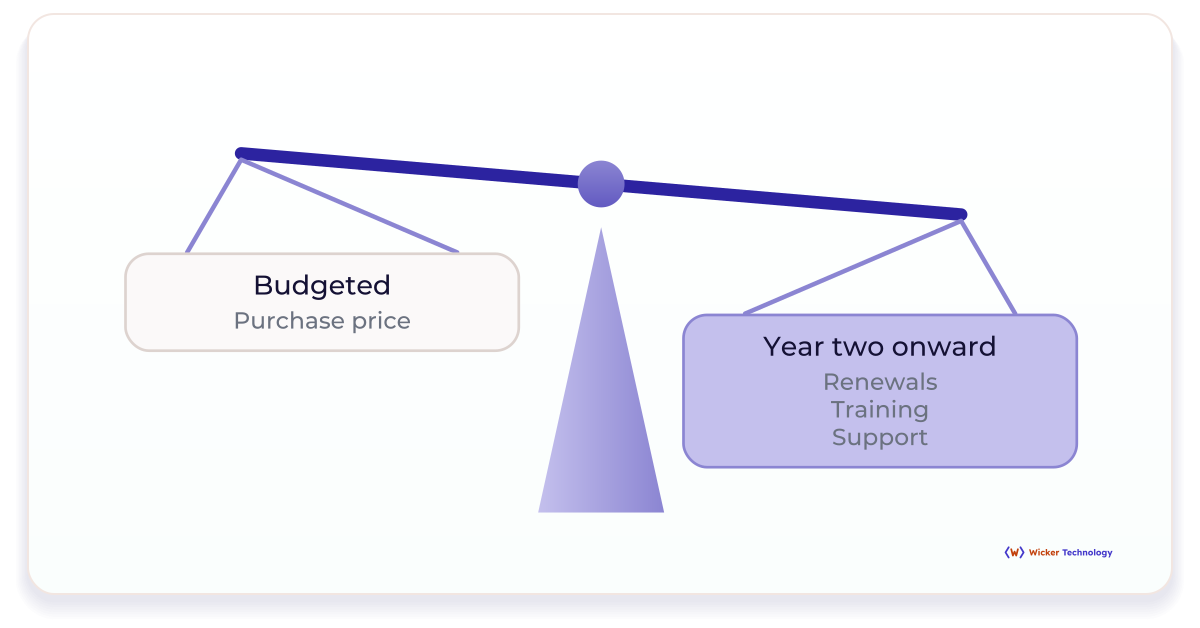
Grants and one-off funds often pay for devices and licenses, and then year two arrives with renewals, repairs and training but no money. Schools end up with unused licenses or broken carts.
Plan three-year costs before purchase. Include renewals, a price increase assumption, device replacement, training hours and support. If the third year does not fit your budget, the tool does not fit either.
How to Tackle It
- Build a three-year cost sheet for every major tool.
- Add a yearly price rise of 5 to 10% as a planning assumption.
- Include device repair and replacement.
- Match grant timing to renewal dates.
- Agree who pays after the grant ends.
Planning aids
A basic cost sheet with one row per year works. Ask vendors for multi-year price commitments in writing.
Uneven Access Between Students
Not every student has a device or a stable connection at home. A tool that depends on homework use widens gaps in a way that is easy to miss, because the teacher only sees who submits work.
Check access before you assign. Offer in-school time, loan devices and print options for key tasks, and pick tools that work on low bandwidth and on phones. Fairness belongs in the scoring sheet as a risk factor.
How to Tackle It
- Survey home device and connection access.
- Set up in-school sessions for tools used at home.
- Offer loan devices with clear return rules.
- Choose tools with low-bandwidth and mobile modes.
- Review participation by group each term.
Starting points
A short anonymous survey gives you the picture. Local library or community programs may help with connectivity.
Rollouts That Stall After Launch
The launch day goes well, then usage drops. By the second half of term, the new tool is used by a handful of enthusiasts. Leadership sees a failed project, though the issue was missing follow-up.
Treat launch as the start. Track weekly use, collect feedback at four and eight weeks and hold a review at the end of the term. Small fixes in the first 60 days decide whether the tool sticks. My guide on education technology implementation lays out a rollout calendar.
How to Tackle It
- Set a usage target for each team.
- Check weekly active use for the first eight weeks.
- Hold a feedback session at weeks four and eight.
- Fix the top three complaints before adding features.
- Report results to leadership at term end.
Tracking
Built-in platform dashboards show usage. A short pulse survey adds the teacher view.
How to Prioritize Which Challenge to Solve First
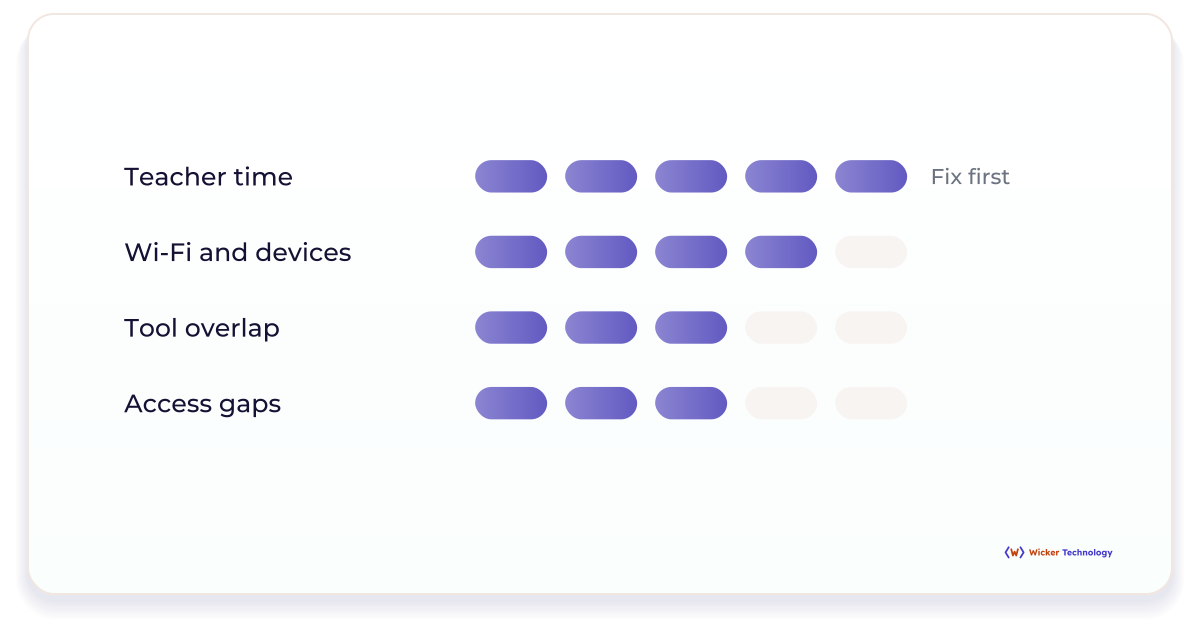
Do not try to fix all nine at once. I rank them by two questions: how soon will it hurt, and how cheap is it to fix? Privacy and integration need an answer before you sign anything. Training time and budget need a decision before you plan the rollout. Access and follow-up matter most once lessons begin.
- Before purchase: privacy review, integration check and evidence of impact.
- Before rollout: training time, devices, network and access plan.
- After launch: usage tracking, feedback and a term review.
A short workshop with your leadership team, IT lead and two teachers will usually settle the order in an afternoon. The step-by-step education technology framework gives you the scoring sheet to use in that session.
Questions About Education Technology Challenges
What Is the Biggest Challenge in Education Technology?
In my experience it is adoption. Tools that teachers do not have time or support to use deliver little, whatever their features. Protected training time and a named champion for each team address it better than any extra feature.
How Many Tools Should a School Use?
There is no fixed number. Many schools find 15 to 25 well-managed tools is manageable, while 40 or more usually means overlap. Count by purpose and keep one tool per purpose where possible.
How Do I Check a Vendor's Data Privacy?
Ask where data is stored, who can access it, how long it is kept and how it is deleted. Ask for the data processing agreement and have your data protection lead review it. Rules vary by country and region, so confirm what applies to you.
How Long Should a Pilot Run?
Two to four weeks is enough for most tools. Longer pilots help when the tool is used once a week. Set three measures and a stop rule before you start.
What Does Hidden Cost in Education Technology Look Like?
Teacher training time, integration work, device repair, support and renewal price rises. Add them to a three-year cost sheet so the real figure is visible before you buy.
How Can I Support Students Without Devices at Home?
Offer in-school time, loan devices and print options for key tasks, and choose tools that work on low bandwidth. Review participation by group so gaps show early.
When Should I Bring in a Consultant?
Bring one in when you have several challenges at once, a large purchase ahead or a past rollout that stalled. An outside view speeds up the systems map, scoring and pilot design.
Important: nothing in this article is legal, financial or tax advice. All figures are estimates from typical projects, so verify them with your own providers and advisers.
Was this useful?
We appreciate the feedback.
Paige Mulvaney
Paige leads the Wicker editorial team and works with the consultants who run the roadmaps, software selections, implementations and integrations to turn real client projects into practical guides. Her focus is plain-language advice on IT strategy, choosing business software and connecting systems so they work together. Every article she edits is checked against current vendor pricing and documentation before it is published.